Datanyze Reviews 2026: Features, Pricing, Pros and Cons
An independent look at Datanyze in 2026 — what its technographic data and Chrome extension do well, where the accuracy and pricing fall short, and the alternative worth testing first.
Datanyze built its name on technographics — telling you what software a company runs so you can time your outreach. In 2026 it survives mainly as a lightweight Chrome extension for grabbing contact details off LinkedIn and company sites. This review is a neutral look at what it does well, where it disappoints, and whether it belongs in your stack.
TL;DR — Is Datanyze Worth It in 2026?#
- Datanyze is a budget Chrome-extension prospecting tool, not a full sales-intelligence platform. It shines at quick, one-off contact grabs and light technographic signals.
- Accuracy is inconsistent. Reviewers on G2 and Capterra repeatedly flag stale emails, missing direct dials, and gaps outside US mid-market accounts.
- Pricing is simple but capped. A 90-day free trial and a flat per-user plan make it easy to start, but credit limits bite fast for real prospecting volume.
- It is weakest at verified email delivery — the exact place cold outreach lives or dies.
- Better fit for many teams: a dedicated email finder and verifier like Tomba Email Finder that leads with deliverability, then layers on enrichment.

What Is Datanyze and Who Is It For?#
Datanyze is a B2B contact and technographic data tool, now owned by ZoomInfo, that lives primarily as a browser extension. When you land on a LinkedIn profile or a company website, the extension surfaces the person's likely email, a phone number when available, and a snapshot of the company (size, revenue, and the technologies it appears to use).
Think of it like a business-card scanner that also peeks at the building's wiring. You get who the person is, plus a hint of what tools their company relies on — useful if you sell software that competes with or complements a specific stack.
Its natural users are:
- Solo SDRs and founders doing manual, low-volume prospecting who want a cheap grab-and-go tool.
- Small sales teams targeting US-based SMB and mid-market accounts.
- Marketers who want a rough technographic filter — "companies running Shopify" or "sites on HubSpot" — without buying an enterprise data platform.
It is not built for high-volume outbound, international coverage, or teams that need guaranteed email accuracy before a campaign. For that, you are comparing against dedicated tools in the B2B data and intelligence category, not just another extension.
What Are Datanyze's Core Features?#
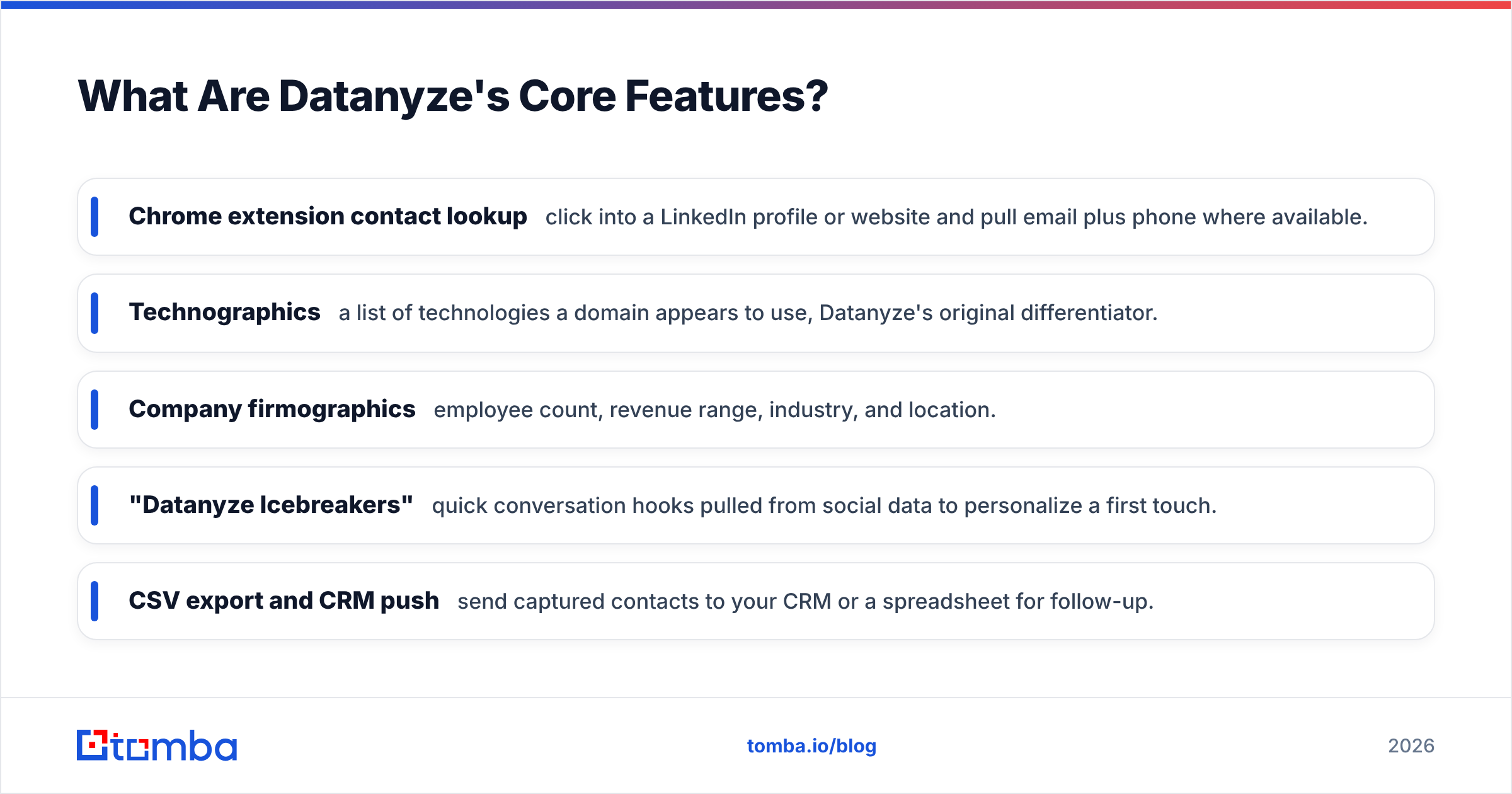
Datanyze keeps a deliberately narrow feature set. Here is what you actually get.
- Chrome extension contact lookup — click into a LinkedIn profile or website and pull email plus phone where available.
- Technographics — a list of technologies a domain appears to use, Datanyze's original differentiator.
- Company firmographics — employee count, revenue range, industry, and location.
- "Datanyze Icebreakers" — quick conversation hooks pulled from social data to personalize a first touch.
- CSV export and CRM push — send captured contacts to your CRM or a spreadsheet for follow-up.
The technographic angle is the genuinely interesting part. If your pitch is "you're on Salesforce, here's why our add-on matters," knowing the stack up front is real leverage. You can dig into how that data is sourced on Datanyze's own product site, and it is worth understanding where any provider gets its data before you trust it in a campaign.
The weakness is depth. Technographic signals can lag months behind reality, and the contact data attached to them is where most complaints cluster.
How Much Does Datanyze Cost?#
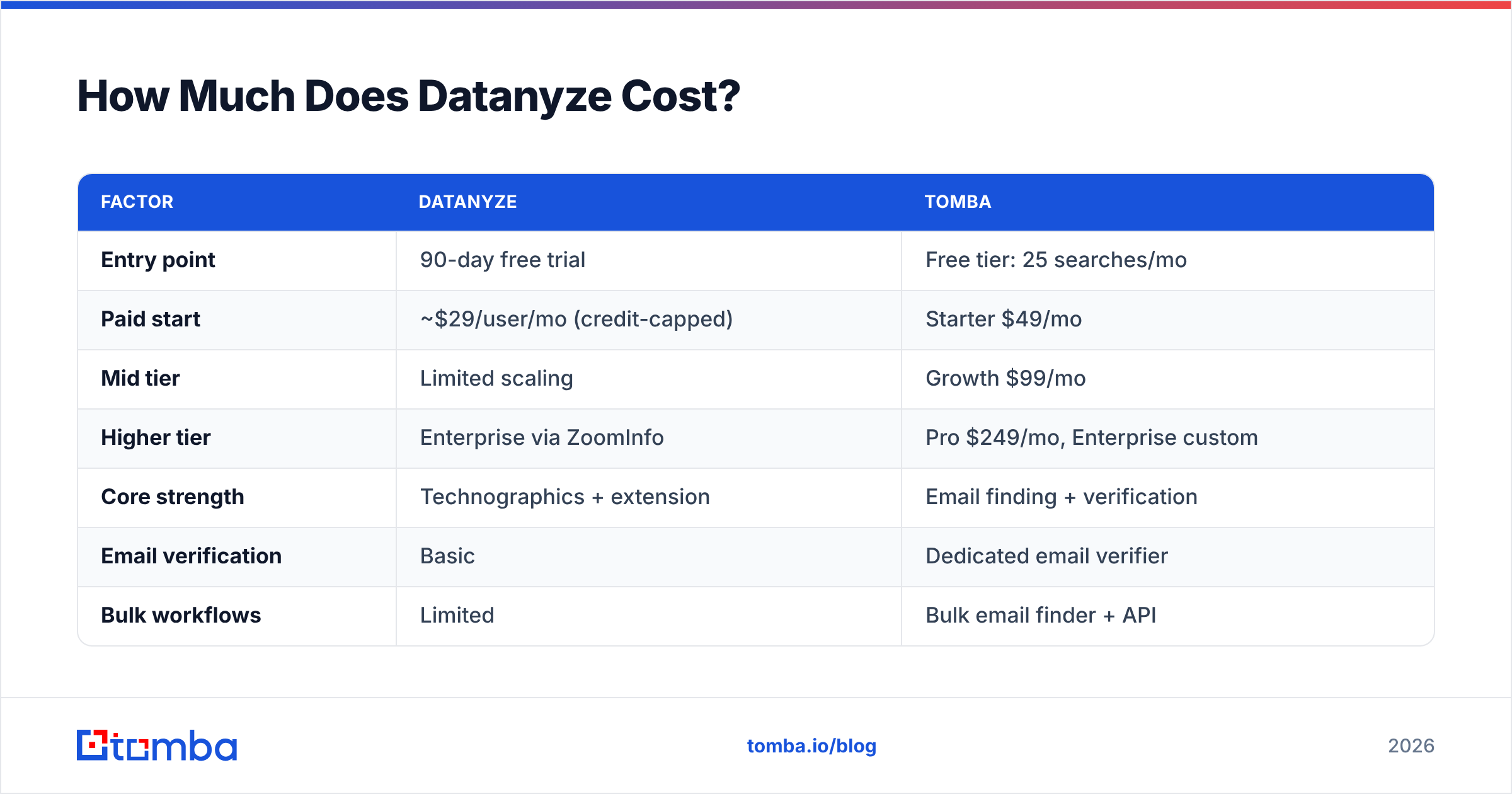
Datanyze pricing is refreshingly simple, which is part of its appeal. There is a 90-day free trial, then a flat per-user monthly plan with a credit allotment, plus an annual option. Credits are consumed as you reveal contact details, so heavy prospecting drains your allowance quickly.
The catch is the ceiling. A capped credit model works for occasional lookups but becomes a bottleneck the moment you run structured outbound. Compare that to tools that price for volume from the start — see Tomba pricing for a tiered model built around search and verification volume rather than a single flat cap.
| Factor | Datanyze | Tomba |
|---|---|---|
| Entry point | 90-day free trial | Free tier: 25 searches/mo |
| Paid start | ~$29/user/mo (credit-capped) | Starter $49/mo |
| Mid tier | Limited scaling | Growth $99/mo |
| Higher tier | Enterprise via ZoomInfo | Pro $249/mo, Enterprise custom |
| Core strength | Technographics + extension | Email finding + verification |
| Email verification | Basic | Dedicated email verifier |
| Bulk workflows | Limited | Bulk email finder + API |
| Best for | Ad-hoc SMB lookups | Deliverable outbound at volume |
The honest read: Datanyze is cheaper to start and harder to scale. Tomba costs more at entry but is built for the volume and accuracy that outbound actually demands.
How Accurate Is Datanyze's Data?#
This is the question that decides whether Datanyze earns its place, and it is where the reviews turn mixed.
Across G2 and Capterra, the pattern is consistent: users like the convenience and the technographic hooks, but repeatedly report bounced emails, missing mobile numbers, and thin coverage once they step outside US mid-market accounts. Technographic data ages, and contact records tied to it can be months stale.
For cold email, that matters more than any other feature. A prospecting tool that hands you an unverified address is handing you a bounce, and bounces wreck your sender reputation and drag down email deliverability for every future send. One bad list can poison a domain you spent months warming.
This is why serious outbound teams separate two jobs Datanyze bundles together: finding a contact and verifying it can actually receive mail. Bundling them into one click feels efficient until half your sends bounce.
Datanyze vs. Dedicated Email Finders: What's the Difference?#
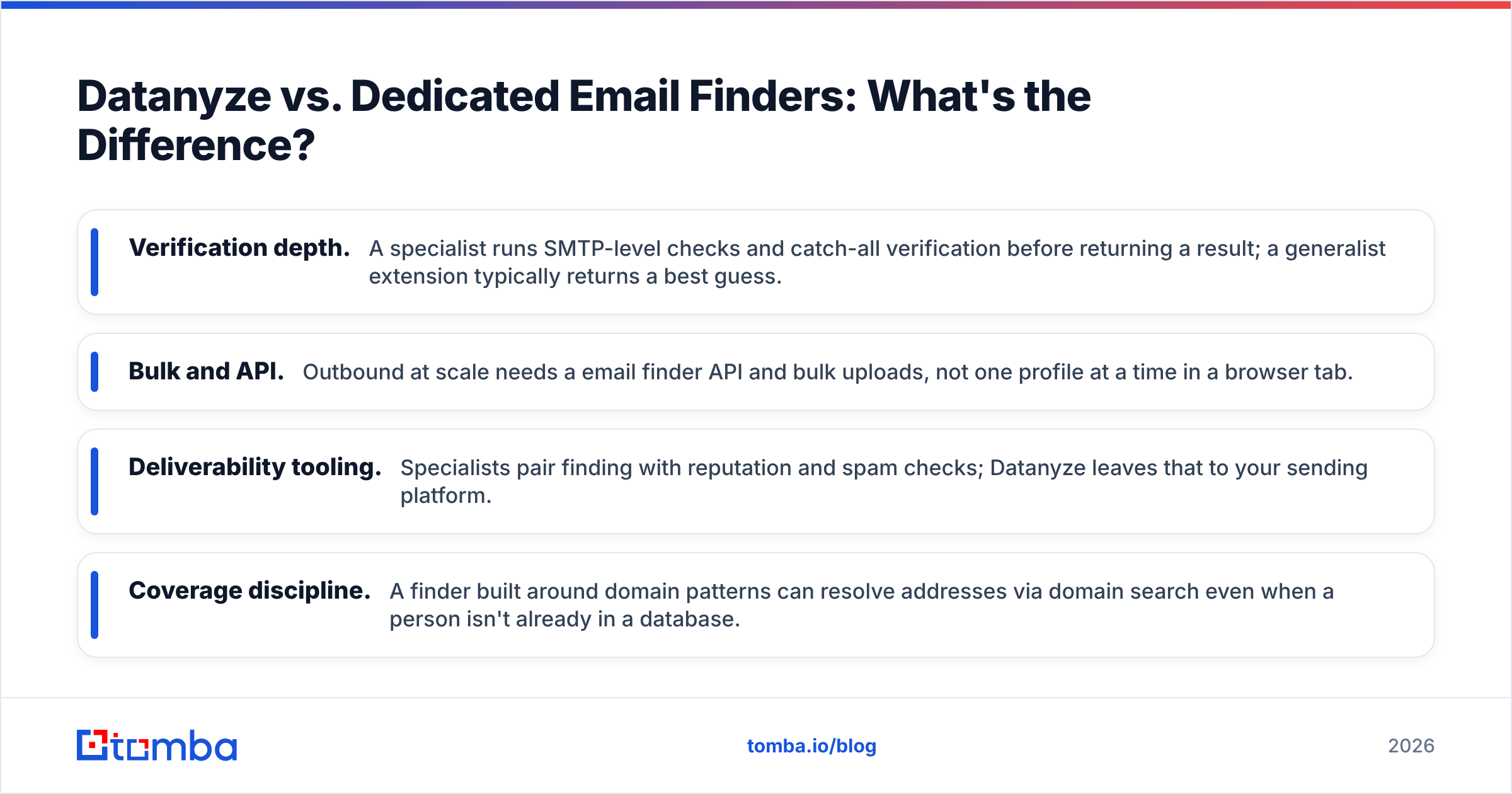
Datanyze is a generalist. It gives you a little of everything — technographics, firmographics, a contact, an icebreaker — optimized for a single manual lookup at a time. That breadth is the trade-off: nothing in it is best-in-class, and email accuracy is the piece that suffers most.
A dedicated email finder does one job and pressure-tests it. Here is how the philosophies differ:
- Verification depth. A specialist runs SMTP-level checks and catch-all verification before returning a result; a generalist extension typically returns a best guess.
- Bulk and API. Outbound at scale needs a email finder API and bulk uploads, not one profile at a time in a browser tab.
- Deliverability tooling. Specialists pair finding with reputation and spam checks; Datanyze leaves that to your sending platform.
- Coverage discipline. A finder built around domain patterns can resolve addresses via domain search even when a person isn't already in a database.
If you already own ZoomInfo and want a light extension for its stack signals, Datanyze slots in neatly. If your core need is landing in the inbox, you are better served by a tool whose entire reason for existing is accurate, verified email.
What Are the Best Datanyze Alternatives?#
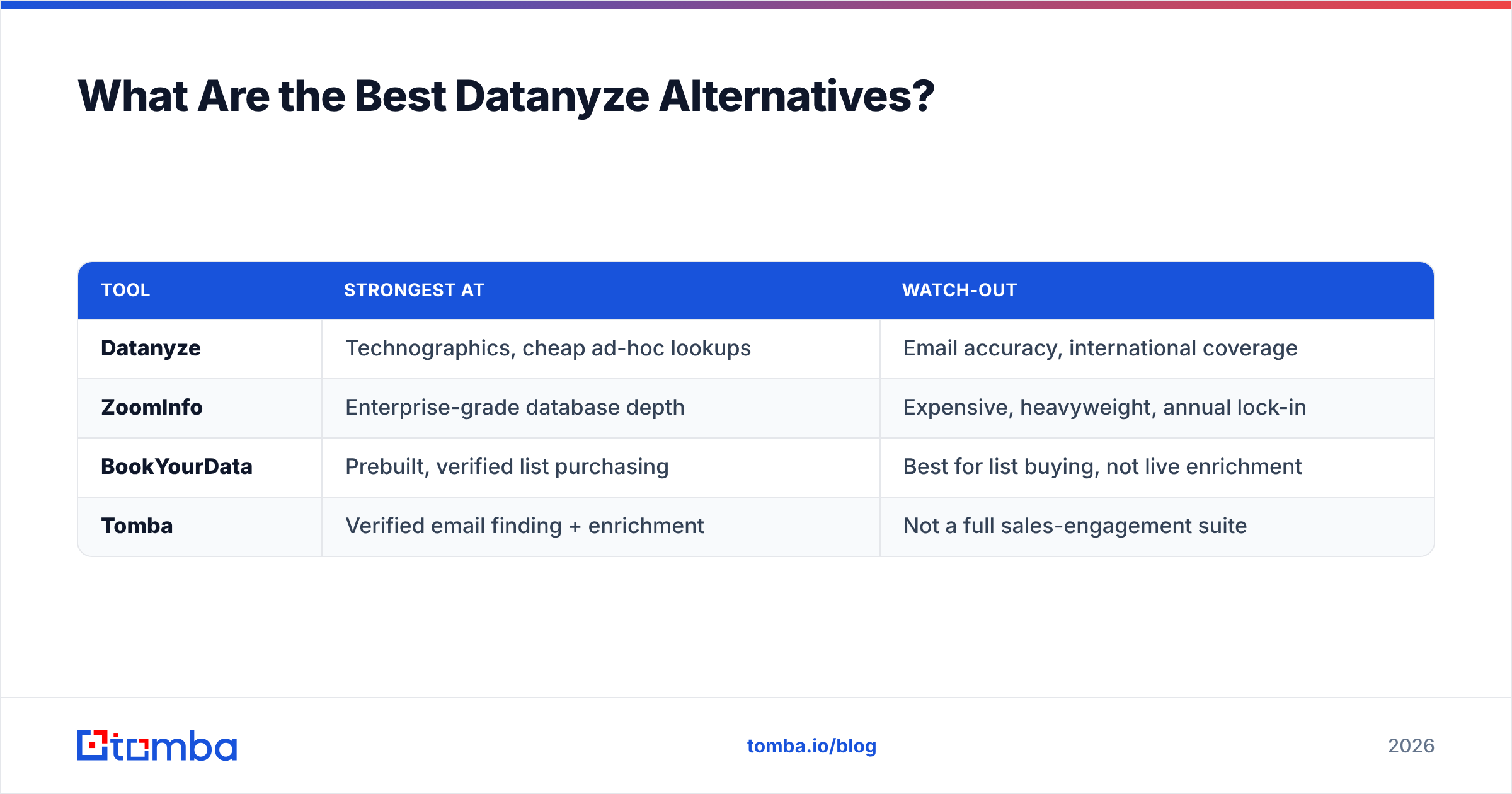
No single tool wins for everyone. Here is an honest map of where each option fits.
| Tool | Strongest at | Watch-out |
|---|---|---|
| Datanyze | Technographics, cheap ad-hoc lookups | Email accuracy, international coverage |
| ZoomInfo | Enterprise-grade database depth | Expensive, heavyweight, annual lock-in |
| BookYourData | Prebuilt, verified list purchasing | Best for list buying, not live enrichment |
| Tomba | Verified email finding + enrichment | Not a full sales-engagement suite |
A few notes to keep this fair. ZoomInfo is the depth leader if budget is no object — Datanyze is effectively its lightweight cousin. BookYourData is a strong pick when you want ready-made, verified contact lists to download rather than enrich in real time. And Tomba wins when deliverable email is the priority and you want data enrichment, verification, and a Chrome extension in one place without enterprise pricing.
The right answer depends on your motion. Buying lists, enriching a CRM, and running live browser prospecting are three different jobs, and no tool is best at all three.
Datanyze Pros and Cons#
Pros
- Genuinely useful technographics — the original differentiator still has value for stack-based targeting.
- Low barrier to entry — a 90-day free trial and simple flat pricing make it painless to try.
- Fast, lightweight extension — good for quick, one-off contact grabs during manual research.
- Icebreakers — small but handy personalization hooks for a first touch.
Cons
- Inconsistent email accuracy — the most common complaint, and the most costly for cold outreach.
- Credit caps limit volume — the flat plan bottlenecks structured prospecting fast.
- Weak international and enterprise coverage — strongest only for US SMB and mid-market.
- Thin verification — no dedicated verifier-grade checks before an address reaches your sequence.
Who Should Actually Use Datanyze?#
Choose Datanyze if you are a solo seller or a small US-focused team doing low-volume, manual prospecting, and you specifically value technographic signals to time your pitch. At its price and with its trial, it is a reasonable, low-risk tool for that narrow job — and if you already run ZoomInfo, the extension is a sensible companion.
Look elsewhere if deliverability is your bottleneck, if you prospect internationally, or if you need to find and verify contacts in bulk. In those cases the accuracy gaps that reviewers flag will cost you more in bounced sends and damaged reputation than the tool saves you in time. When your outbound depends on landing in the inbox, lead with a tool built for that outcome and treat technographics as a bonus, not the foundation.
The Bottom Line#
Datanyze is a decent budget extension with one real strength — technographics — wrapped around contact data that too often disappoints. For casual, US-centric, low-volume prospecting it is fine. For serious outbound, its email accuracy is the wrong thing to compromise on, because every bounce is a hit to the deliverability your whole program rides on.
If accurate, verified email is what you actually came for, start with a specialist. Tomba's Email Finder finds professional addresses by name, domain, or company, pairs every result with real verification, and scales from a free tier of 25 searches a month up through Growth and Pro plans built for volume — plus enrichment, bulk workflows, and an API when you are ready to automate. Test it against your current list, measure the bounce rate, and let the numbers decide.
Related guides#
Ready to find emails that actually work?
Join 150,000+ professionals who stopped guessing and started sending. Free credits on signup — no credit card required.
Get the Tomba newsletter
Practical outbound tactics and product updates — once every two weeks.
About the author