Datanyze vs Leadsrush (2026): Which B2B Data Tool Wins?
Datanyze and Leadsrush both promise clean B2B contact data, but they solve different problems. Here's an honest breakdown of accuracy, pricing, and fit — plus where a dedicated email finder beats both.
Choosing between Datanyze and Leadsrush comes down to a single question: do you need technographic intelligence on a shortlist of accounts, or do you need volume — thousands of scraped contacts to feed a cold outbound machine? These two tools sit on opposite ends of that spectrum, and picking the wrong one wastes both budget and your sender reputation.
This comparison breaks down what each tool actually does, how their data quality holds up, what you pay, and where a purpose-built email finder beats both on cost-per-verified-contact.
TL;DR: Datanyze vs Leadsrush at a glance#
- Datanyze is a sales-intelligence and technographics tool. It's strongest when you want to target companies by the software they run (Shopify, HubSpot, Salesforce, etc.) and pull a few contacts per account.
- Leadsrush is a lead-generation and scraping tool built for volume — Google Maps, business directories, and bulk contact extraction for local and SMB outreach.
- Accuracy is the real differentiator: technographic data ages fast, and scraped directory data is often stale or unverified. Neither guarantees deliverability out of the box.
- Pricing: Datanyze runs credit-based tiers aimed at individual reps; Leadsrush leans toward one-time or lower-cost volume plans. Both can get expensive per verified email.
- Best value pick: if your core need is finding and verifying professional emails at scale, a dedicated tool like Tomba (free tier, then $49/mo) usually delivers a lower cost-per-usable-lead than either.

What is Datanyze and who is it for?#
Datanyze is a B2B sales-intelligence platform best known for technographics — data about the technology stack a company uses. If you sell a Shopify app, you can build a list of Shopify stores. If you sell a Salesforce integration, you can filter for Salesforce customers. Alongside the tech data, Datanyze offers a Chrome extension that surfaces contact emails and direct dials while you browse LinkedIn or company sites.
The tool is aimed at individual account executives and SDRs who work a defined territory and want context before they reach out. The value isn't raw volume — it's relevance. Knowing that a prospect just adopted a competing tool, or runs the exact stack your product plugs into, is a genuine conversation starter.
Where Datanyze gets weaker is data freshness and coverage depth. Technographic signals decay quickly — companies swap tools, sunset subdomains, and migrate stacks constantly. A "detected in the last scan" flag is only as good as the scan cadence. And because Datanyze samples contacts rather than exhaustively mapping an org, you often get one or two names per account, not the full buying committee.
You can read Datanyze's own positioning on its official site, and cross-check user sentiment on G2 before committing.
What is Leadsrush and who is it for?#
Leadsrush is a lead-generation and data-scraping tool built around volume and local business data. Its typical workflow pulls business listings from sources like Google Maps and directories, then extracts contact details — business emails, phone numbers, websites, and social profiles — into an exportable list.
That makes Leadsrush a natural fit for agencies, local-service businesses, and anyone running high-volume SMB outreach: think "500 dentists in Austin with a website and a phone number." The appeal is speed and quantity. You define a query, run the scrape, and walk away with a large CSV.
The tradeoff is verification and precision. Scraped directory data is notoriously noisy: generic info@ and contact@ inboxes, outdated listings, closed businesses, and role-based addresses that tank your reply rates. Volume without verification is a fast route to a damaged sending domain. Leadsrush gets you the raw material; turning it into a clean, deliverable list is on you.
Datanyze vs Leadsrush: the core comparison#
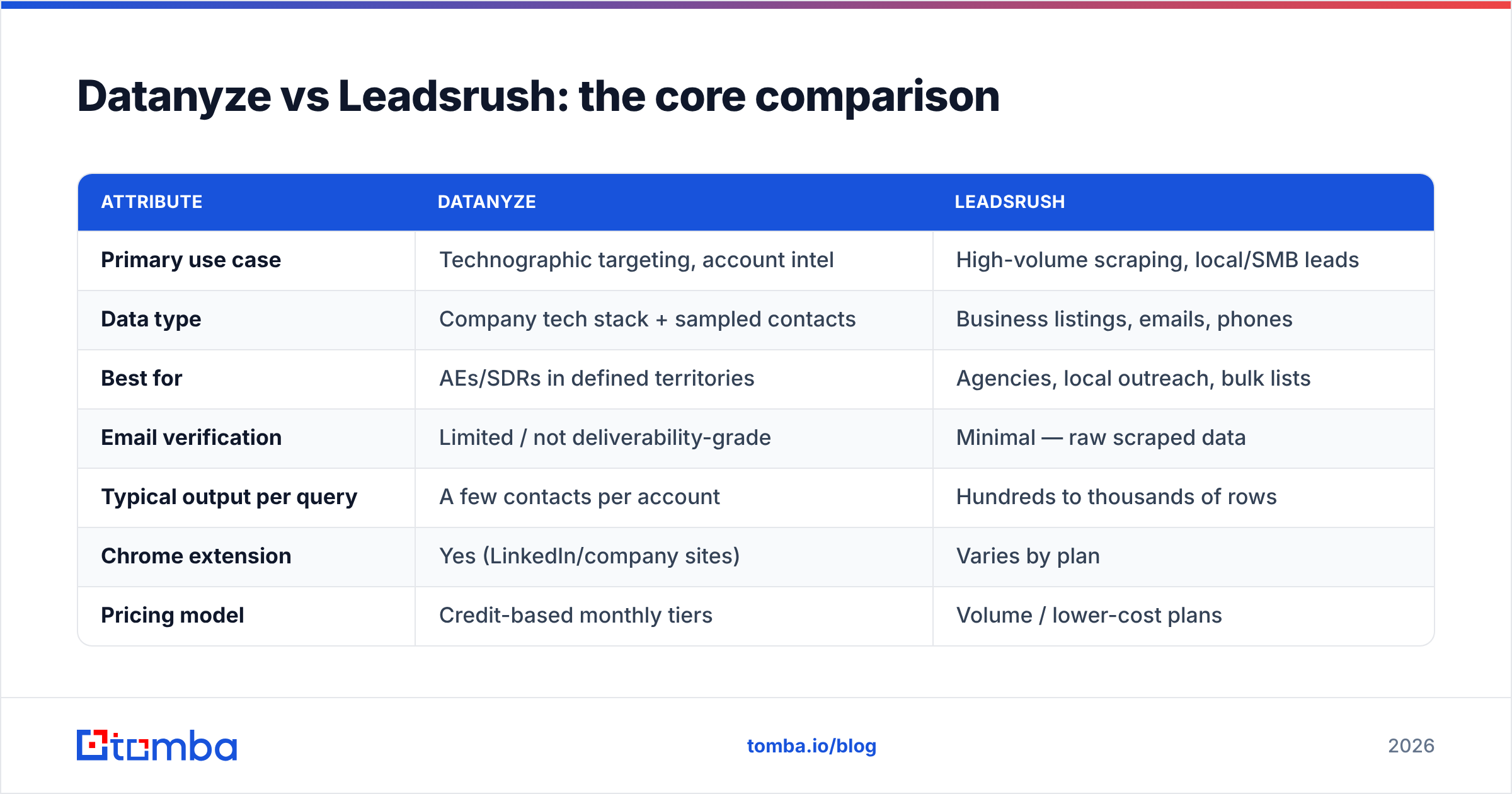
Here's how the two stack up on the attributes that actually affect pipeline. Treat exact prices as directional — always confirm current numbers on each vendor's page.
| Attribute | Datanyze | Leadsrush |
|---|---|---|
| Primary use case | Technographic targeting, account intel | High-volume scraping, local/SMB leads |
| Data type | Company tech stack + sampled contacts | Business listings, emails, phones |
| Best for | AEs/SDRs in defined territories | Agencies, local outreach, bulk lists |
| Email verification | Limited / not deliverability-grade | Minimal — raw scraped data |
| Typical output per query | A few contacts per account | Hundreds to thousands of rows |
| Chrome extension | Yes (LinkedIn/company sites) | Varies by plan |
| Pricing model | Credit-based monthly tiers | Volume / lower-cost plans |
| Deliverability guarantee | No | No |
The pattern is clear: Datanyze optimizes for relevance, Leadsrush optimizes for reach. Neither is built to guarantee that the emails you pull will actually land in an inbox — and that gap is where most outbound campaigns quietly bleed performance.
Which tool has more accurate data?#
Neither wins outright, because they fail in different ways. Datanyze's weakness is temporal decay — its technographic and contact snapshots go stale as companies change. Leadsrush's weakness is source noise — scraped directories are full of role-based, outdated, and non-deliverable addresses.
The accuracy question that actually matters isn't "does the tool have data?" It's "what percentage of the emails you export will pass verification and reach a human?" That's the number that determines your bounce rate, your sender reputation, and whether your domain stays out of spam folders.

This is why serious outbound teams treat data sourcing and email verification as two separate steps. You can pull contacts from Datanyze, Leadsrush, LinkedIn, or anywhere else — but before a single send, run the list through a dedicated email verifier to strip invalid, risky, and catch-all addresses. Skipping that step is the single most common reason "good" lists produce terrible reply rates.
For a deeper primer on why this matters, HubSpot's guide to email deliverability is a solid, vendor-neutral reference.
How do Datanyze and Leadsrush handle pricing?#
Datanyze uses a credit-based, per-seat model aimed at individual reps — you buy a monthly allotment of contact reveals and technographic lookups. It's predictable for one person working a territory, but costs scale awkwardly across a team, and credits burned on stale contacts are money wasted.
Leadsrush leans toward volume-oriented plans with a lower entry point, which is attractive if you need a lot of rows fast. But the effective price should be measured per verified, deliverable contact — not per scraped row. If 40% of a scrape is dead or role-based, your real cost-per-usable-lead is far higher than the sticker price suggests.
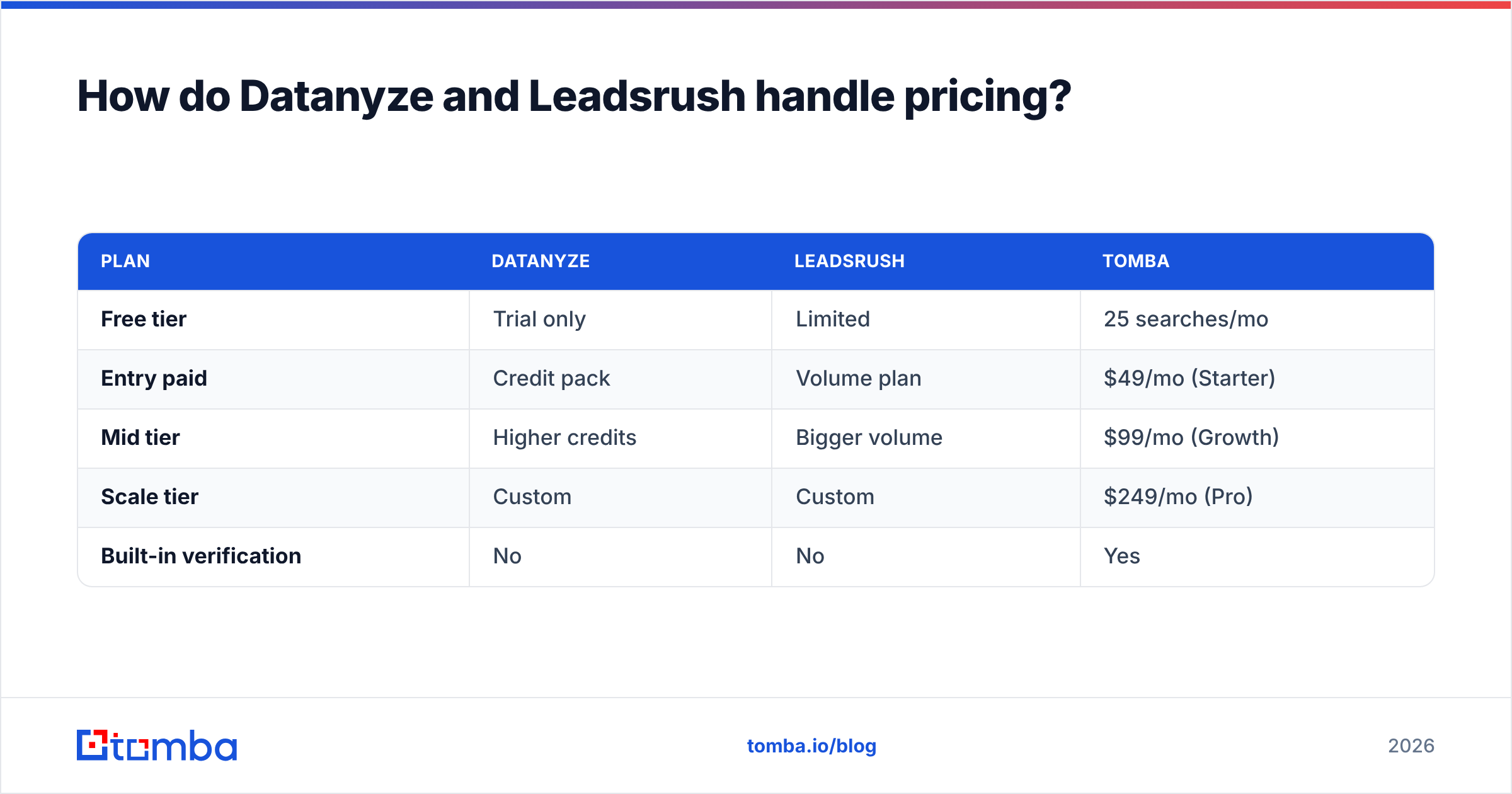
Here's how a dedicated email-finding stack compares on transparent pricing:
| Plan | Datanyze | Leadsrush | Tomba |
|---|---|---|---|
| Free tier | Trial only | Limited | 25 searches/mo |
| Entry paid | Credit pack | Volume plan | $49/mo (Starter) |
| Mid tier | Higher credits | Bigger volume | $99/mo (Growth) |
| Scale tier | Custom | Custom | $249/mo (Pro) |
| Built-in verification | No | No | Yes |
The takeaway isn't "Tomba is cheapest on every line" — it's that verification is bundled, so you're not paying a second vendor to clean what the first one sold you. You can see full Tomba pricing for the current breakdown.
When should you pick Datanyze?#
Pick Datanyze if technographic targeting is central to your motion. Concrete cases:
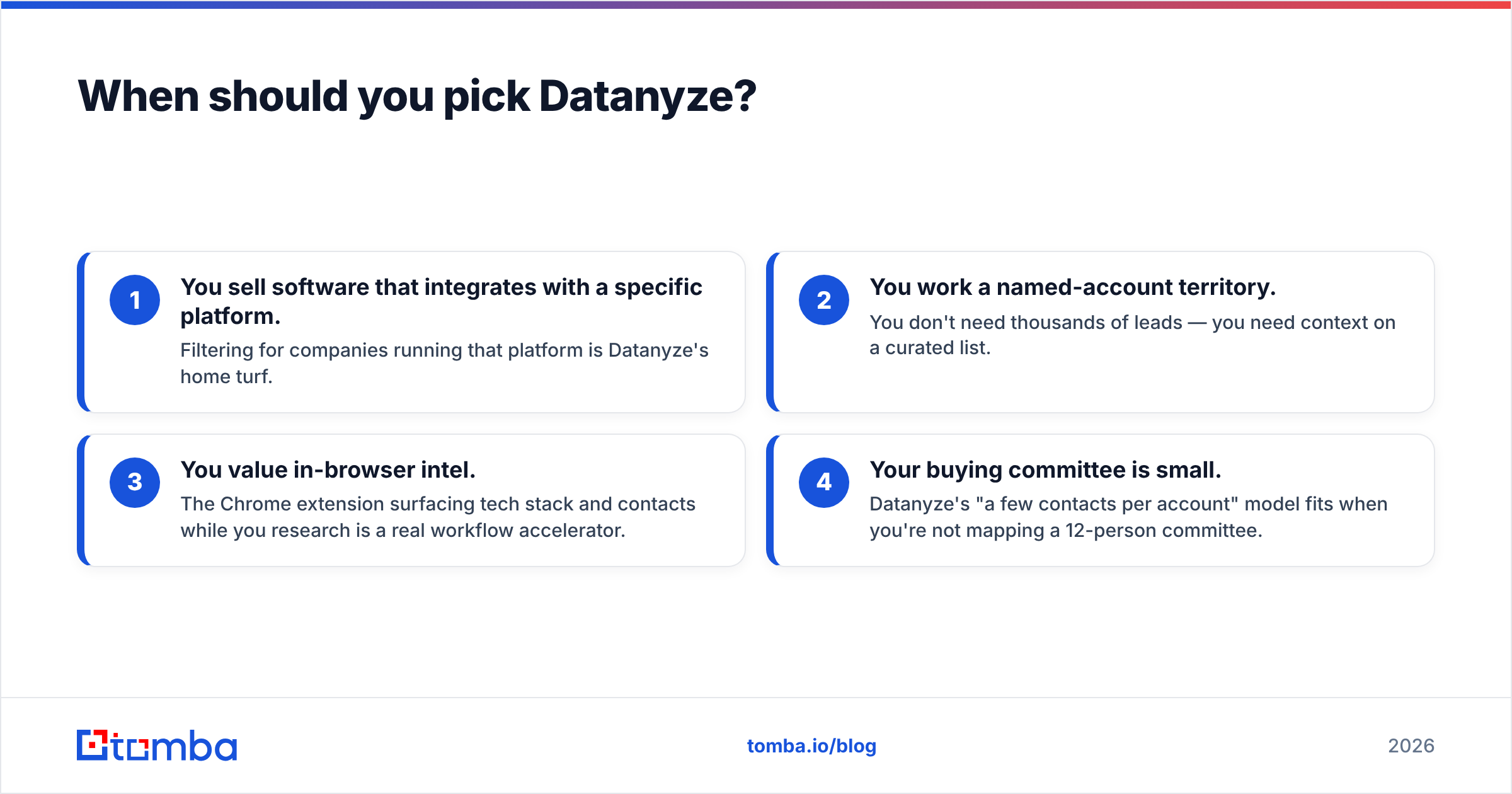
- You sell software that integrates with a specific platform. Filtering for companies running that platform is Datanyze's home turf.
- You work a named-account territory. You don't need thousands of leads — you need context on a curated list.
- You value in-browser intel. The Chrome extension surfacing tech stack and contacts while you research is a real workflow accelerator.
- Your buying committee is small. Datanyze's "a few contacts per account" model fits when you're not mapping a 12-person committee.
If that's you, Datanyze earns its place — just pair it with independent verification before you send.
When should you pick Leadsrush?#
Pick Leadsrush if volume and local coverage drive your pipeline. Concrete cases:
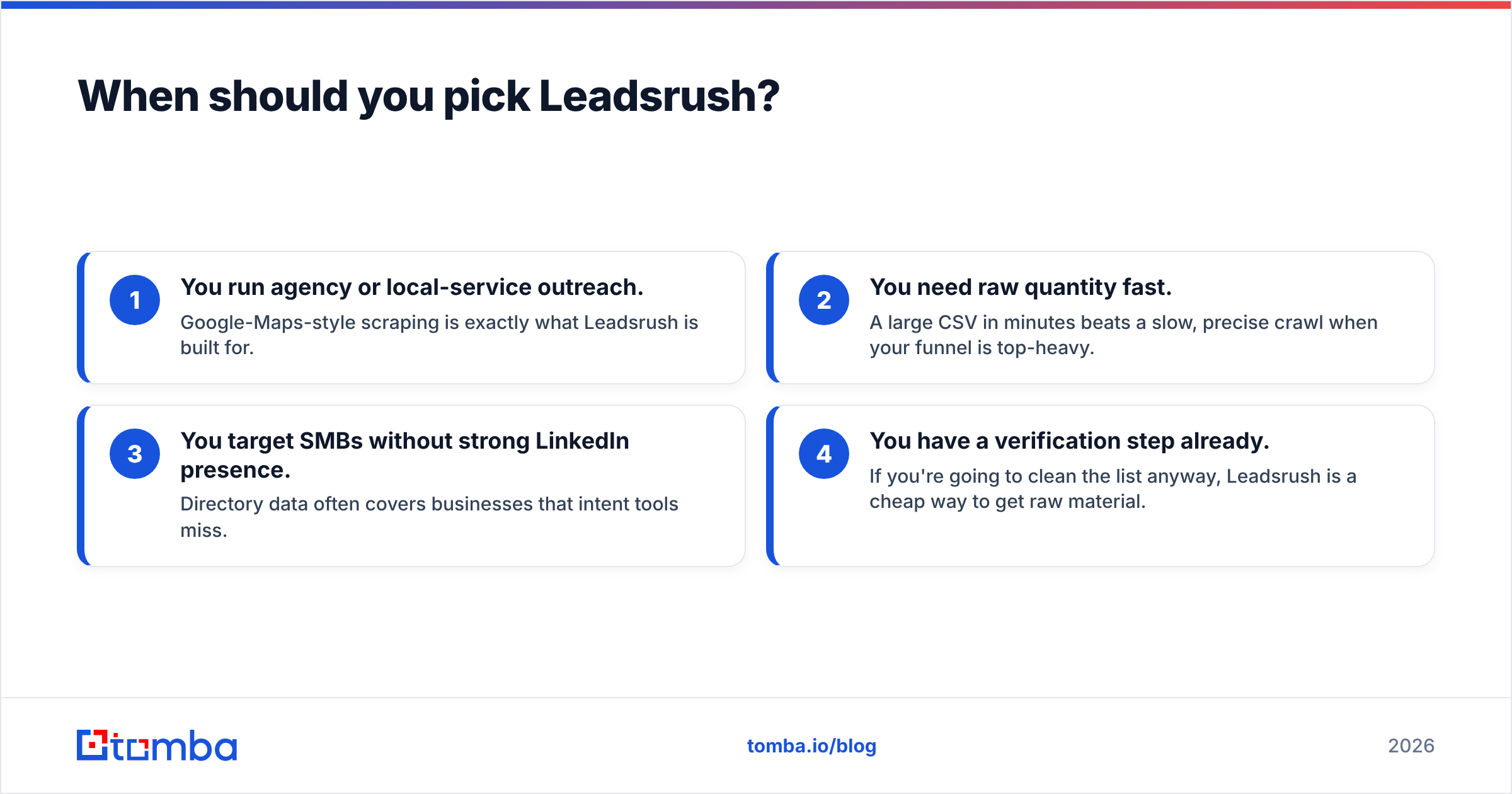
- You run agency or local-service outreach. Google-Maps-style scraping is exactly what Leadsrush is built for.
- You need raw quantity fast. A large CSV in minutes beats a slow, precise crawl when your funnel is top-heavy.
- You target SMBs without strong LinkedIn presence. Directory data often covers businesses that intent tools miss.
- You have a verification step already. If you're going to clean the list anyway, Leadsrush is a cheap way to get raw material.
The non-negotiable: verify before you send. Volume without hygiene is how domains get blacklisted.
Is there a better alternative to both?#
For most teams whose real job is finding and verifying professional emails at scale, a dedicated email-finding platform is the more direct tool. Datanyze gives you intel; Leadsrush gives you volume; but neither is architected around deliverability.
Tomba approaches the problem from the deliverability side first:
- Find by domain, name, or company with the domain search — map every reachable contact at an account, not just a sampled one or two.
- Verify in the same workflow so your export is already clean, cutting bounces before they ever hit your sending domain.
- Handle catch-all domains — the addresses that quietly wreck bounce rates — with a dedicated catch-all verifier.
- Scale with the bulk email finder or the Tomba API when you're feeding a sequencer.
It's worth noting that data tools aren't mutually exclusive. A common high-performing setup is to use a targeting tool (Datanyze for tech-stack signals, or Leadsrush for local volume) to build a raw list, then route everything through Tomba to find missing emails and verify the whole set before it touches your outreach platform. You get relevance or reach from one tool, and deliverability from the other.
Datanyze vs Leadsrush: final verdict#
There's no universal winner — the right pick depends on your motion:
- Choose Datanyze for technographic, account-based selling in a defined territory.
- Choose Leadsrush for high-volume, local, and SMB scraping where reach beats precision.
- Choose a dedicated finder/verifier when your bottleneck is deliverable emails — and layer it on top of either tool to protect your sender reputation.
The mistake to avoid is treating any single tool as the whole stack. Data sourcing and data hygiene are different jobs. The teams that win at outbound in 2026 separate them deliberately.
If clean, verified professional emails are what actually move your pipeline, start with the Tomba Email Finder — find contacts by domain, name, or company, with verification built in, on a free tier of 25 searches a month before you pay a cent. Pull your targets from Datanyze or Leadsrush if you like, then let Tomba make the list safe to send.
Related guides#
Ready to find emails that actually work?
Join 150,000+ professionals who stopped guessing and started sending. Free credits on signup — no credit card required.
Get the Tomba newsletter
Practical outbound tactics and product updates — once every two weeks.
About the author