Datanyze vs Limeleads (2026): Which B2B Data Tool Wins?
Datanyze leans on technographics, Limeleads on cheap exportable lists. We compare accuracy, pricing, and coverage so you know which B2B data tool actually fits your outbound in 2026 — and where a modern finder beats both.
You need contacts for your next outbound campaign, and two names keep surfacing: Datanyze and Limeleads. One sells itself on technographics and Chrome-extension prospecting. The other sells cheap, exportable B2B lists by the thousand. They sound similar on a pricing page, but they solve different problems — and picking the wrong one costs you a quarter of wasted sends.
This is a neutral, hands-on comparison of Datanyze vs Limeleads for 2026: what each does well, where each breaks down, honest pricing, and which one fits your workflow. We'll also be direct about where a purpose-built email finder beats both.
TL;DR — Datanyze vs Limeleads at a glance#
- Datanyze is strongest when you prospect one lead at a time inside the browser and care about a company's tech stack (technographics). Data is decent for mid-market US SaaS, thinner elsewhere.
- Limeleads is a bulk list builder. You filter by industry/title/geo, preview counts, and export CSVs cheaply. Volume is the selling point; freshness and verification are the risk.
- Neither is a verification-first tool. Both hand you emails that look valid; you still need to verify before sending or you'll eat bounces.
- Pricing: Limeleads wins on raw cost-per-record; Datanyze charges more for the technographic layer you may not need.
- Best fit: Datanyze for account-based, tech-stack-driven outreach; Limeleads for cheap TAM lists; a dedicated finder + verifier (like Tomba) when deliverability is the priority.
What is Datanyze and who is it for?#
Datanyze is a sales-intelligence tool best known for technographics — data about which technologies a company uses (their CRM, analytics, hosting, chat widget, and so on). Owned by ZoomInfo, it repositioned over the years into a lightweight, Chrome-extension-driven prospecting tool aimed at reps who work accounts individually.
The core loop is simple: install the extension, land on a company website or LinkedIn profile, and Datanyze surfaces contact details plus firmographic and technographic context. You grab an email, push it to your sequence, and move on.
Datanyze fits you if:
- You sell to a tech stack. If your pitch depends on "you use Shopify, we integrate with Shopify," technographics are genuinely useful signal.
- You prospect one record at a time. The extension workflow rewards manual, considered prospecting over bulk dumps.
- Your ICP is US mid-market SaaS. That's where coverage is deepest.
It fits you less if you need to build a 10,000-row list this afternoon, or your buyers sit outside North America.

What is Limeleads and who is it for?#
Limeleads is a B2B list-building database. You open the search builder, stack filters (industry, company size, revenue, job title, location), watch the live record count update, and export the matching contacts as a CSV. It's transactional and volume-first: you're buying rows.
The appeal is cost and speed. If you want 5,000 marketing directors at US companies with 50–200 employees, Limeleads will assemble that list in minutes at a price that undercuts most enterprise data vendors. There's a preview/credit model so you can see counts before spending.
Limeleads fits you if:
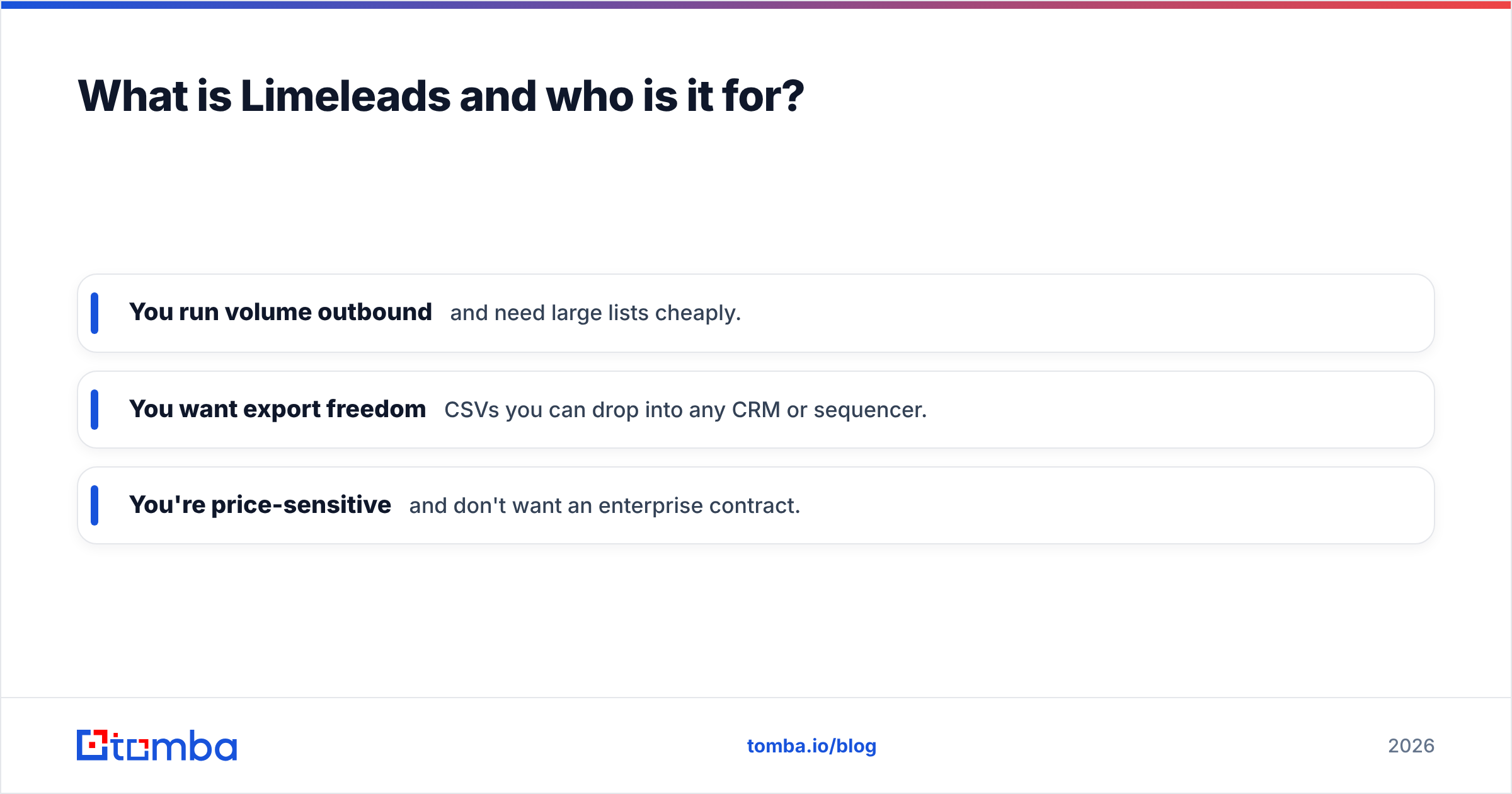
- You run volume outbound and need large lists cheaply.
- You want export freedom — CSVs you can drop into any CRM or sequencer.
- You're price-sensitive and don't want an enterprise contract.
It fits you less if you need verified, deliverable data out of the box, or you rely on niche firmographics and technographics. Bulk databases trade freshness for volume, and stale rows are exactly what wreck your email deliverability.
Datanyze vs Limeleads: the core comparison#
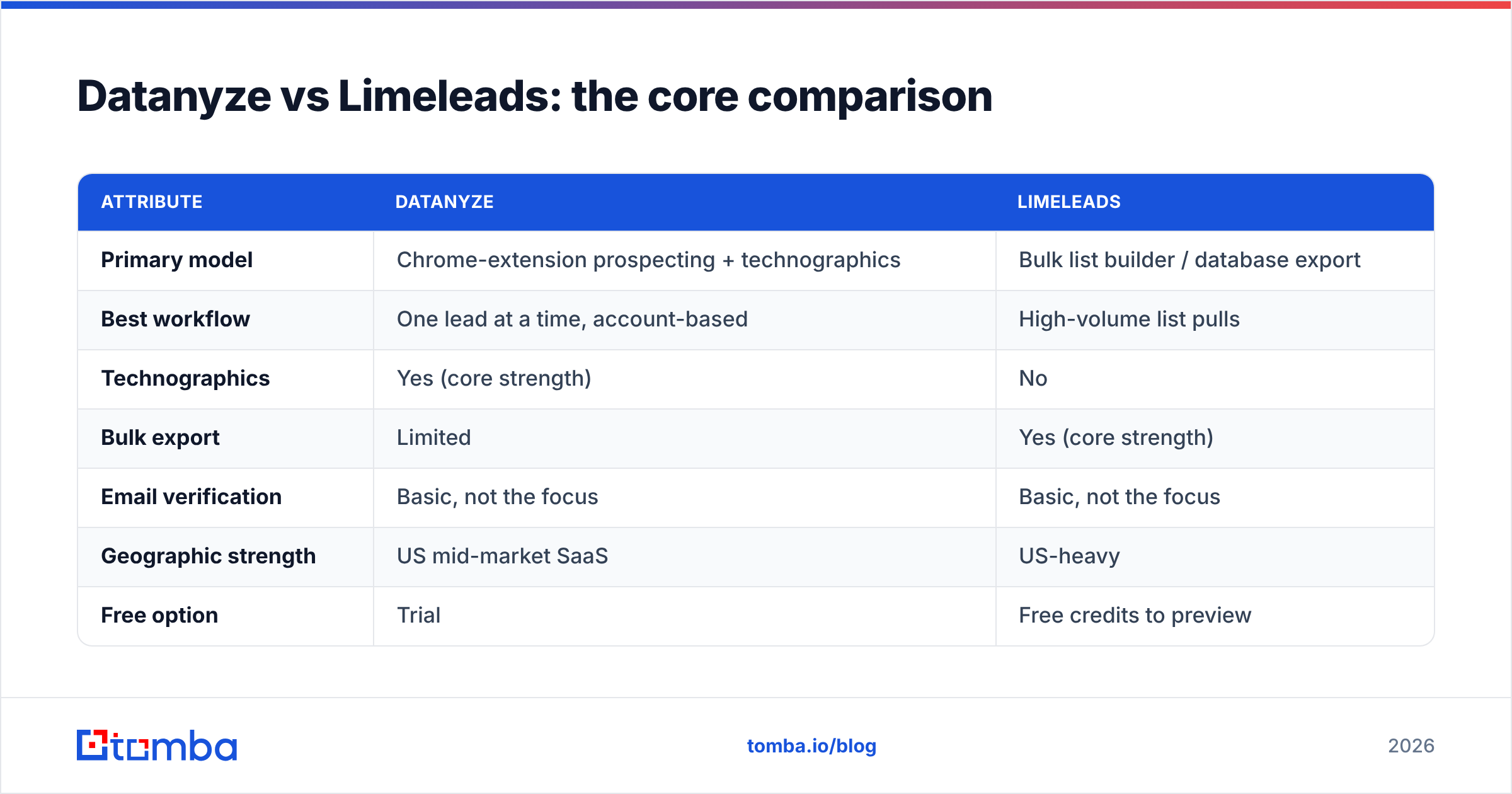
Here's the head-to-head on the attributes that actually change your results.
| Attribute | Datanyze | Limeleads |
|---|---|---|
| Primary model | Chrome-extension prospecting + technographics | Bulk list builder / database export |
| Best workflow | One lead at a time, account-based | High-volume list pulls |
| Technographics | Yes (core strength) | No |
| Bulk export | Limited | Yes (core strength) |
| Email verification | Basic, not the focus | Basic, not the focus |
| Geographic strength | US mid-market SaaS | US-heavy |
| Free option | Trial | Free credits to preview |
| Typical buyer | AE / SDR working named accounts | Growth / agency running volume |
| Data freshness risk | Moderate | Higher on large pulls |
The pattern is clear: Datanyze optimizes for context per contact; Limeleads optimizes for contacts per dollar. They're not really competing for the same job — you're choosing between depth and volume.
Is Datanyze or Limeleads more accurate?#
Accuracy is where both tools ask for the same leap of faith: they surface emails that look right, but neither is built as a verification-first platform. On any large B2B database, a meaningful slice of records is stale — people change jobs roughly every couple of years, and every one of those changes silently rots a row in the list you just bought.
For Datanyze, accuracy is generally acceptable inside its sweet spot (US mid-market SaaS) because you're pulling one record at a time and can eyeball it against LinkedIn. Outside that lane, hit rates fall and you'll notice more guessed or pattern-based addresses.
For Limeleads, the accuracy risk scales with volume. A 5,000-row export is 5,000 chances for a stale or catch-all address to slip through. The tool's own preview counts tell you how many records match — not how many are deliverable today.
The practical takeaway: treat the output of either tool as a candidate list, not a send list. Run it through a dedicated email verifier before your first campaign. Verifying a list you already paid for is far cheaper than torching your domain reputation on bounces. If a chunk of your list sits on catch-all domains, a catch-all verifier will tell you which of those are actually safe to send to.

How do Datanyze and Limeleads price out?#
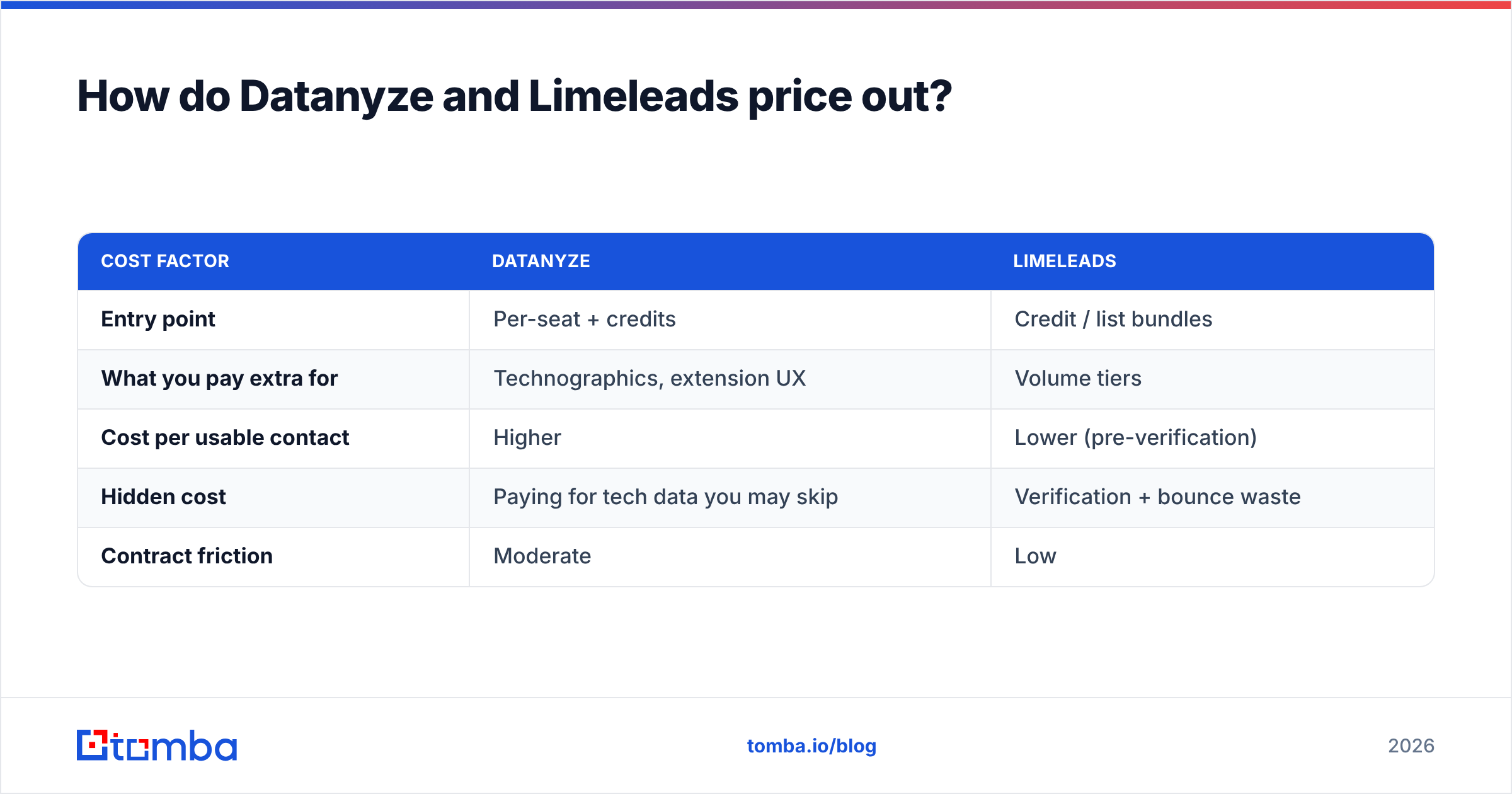
Pricing is the other big fork. Both publish pricing that's more approachable than enterprise vendors like ZoomInfo, but they charge for different things.
- Datanyze prices around a per-seat prospecting model with credits for contact reveals, plus the technographic layer baked in. You pay a premium for that tech-stack intelligence whether or not you use it.
- Limeleads prices closer to a pure cost-per-record / credit model. If all you want is rows, your cost-per-usable-contact is typically lower — before you factor in verification and the waste from stale data.
A rough framing (always confirm current numbers on each vendor's own page — plans change):
| Cost factor | Datanyze | Limeleads |
|---|---|---|
| Entry point | Per-seat + credits | Credit / list bundles |
| What you pay extra for | Technographics, extension UX | Volume tiers |
| Cost per usable contact | Higher | Lower (pre-verification) |
| Hidden cost | Paying for tech data you may skip | Verification + bounce waste |
| Contract friction | Moderate | Low |
The honest math: Limeleads usually wins on sticker price, but "cost per usable contact" only shows up after you verify and strip the dead rows. Budget for that step in both cases.
Where a dedicated email finder beats both#
Here's the neutral-reviewer point neither vendor will make for you: if your real goal is deliverable emails, a database isn't the most direct path — a finder-plus-verifier is.
Datanyze and Limeleads are both "contact database" plays. That model is great for discovery and firmographics, but it inherits the freshness problem of any large static dataset. A modern email finder works differently: you give it a name and a domain (or just a domain), and it resolves the current, verifiable address at request time rather than reading it off a months-old row.
That's the gap Tomba's email finder targets. A few practical advantages when deliverability is the metric that matters:
- Verification is built in, not bolted on. Finding and verifying happen in one flow, so you're not paying a separate tool to clean what you just bought.
- Domain-level discovery. Domain search pulls every reachable address at a company, with detected email patterns — useful when you don't have names yet.
- Bulk without the staleness tax. Bulk email finding resolves and verifies at scale, so a large list doesn't mean a large bounce rate.
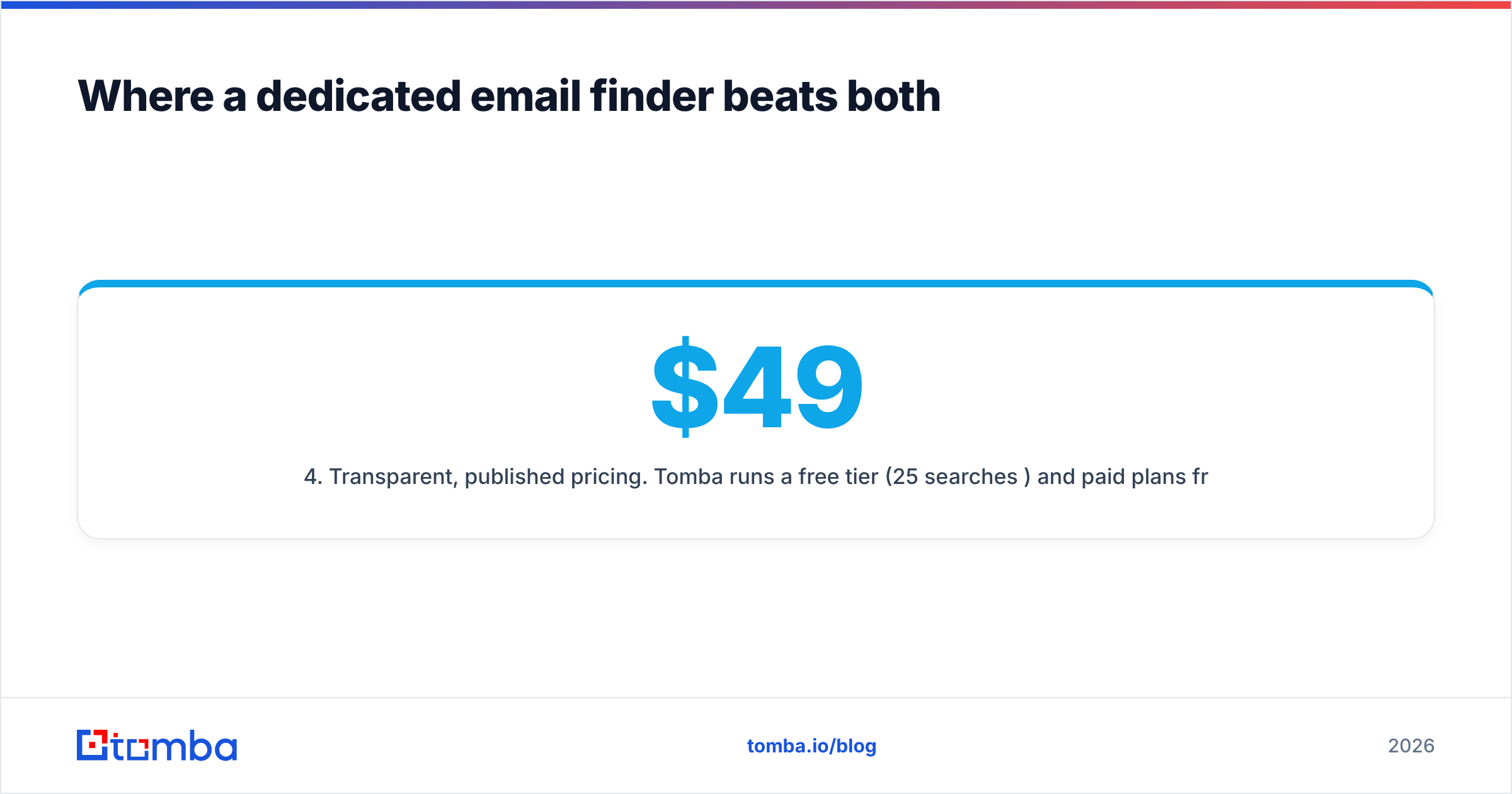
- Transparent, published pricing. Tomba runs a free tier (25 searches/month) and paid plans from $49/mo (Starter), $99/mo (Growth), and $249/mo (Pro). See the full Tomba pricing breakdown — no "contact sales" wall to compare tiers.
- Fits your existing stack. Native integrations plus a documented API mean you don't rebuild your workflow around the tool.
This isn't "database bad, finder good." Datanyze's technographics are real signal, and Limeleads' price-per-row is genuinely competitive. But if you've been buying lists and then fighting bounces, the finder-plus-verifier model removes the step where accuracy quietly decays.
Which should you choose?#
Match the tool to the job, not the marketing.
Choose Datanyze if: you sell into a tech stack, you prospect named accounts one at a time, your ICP is US mid-market SaaS, and technographic context measurably changes your pitch. You're paying for intelligence, and you'll use it.
Choose Limeleads if: you need large lists fast, you're price-sensitive, you want unrestricted CSV exports, and you have a verification step already in place to catch stale rows. You're buying volume, and you know it.
Choose a finder + verifier (like Tomba) if: deliverability is your top metric, you want find-and-verify in one flow, you need clean domain-level coverage, and you'd rather pay for current addresses than store-and-decay data. Many teams run this alongside a database — database for discovery, finder for the deliverable email.
A common, pragmatic stack: use a database to discover accounts and roles, then resolve the actual sending address with a finder so your first touch lands in the inbox instead of a bounce report.
Frequently asked questions#
Is Limeleads cheaper than Datanyze? Usually yes, on sticker price — Limeleads' credit/list model tends to produce a lower cost-per-record. But compare cost per usable contact after verification, since bulk lists carry more stale rows.
Does Datanyze do technographics and Limeleads doesn't? Correct. Technographics (a company's tech stack) is Datanyze's core differentiator. Limeleads is a firmographic list builder without that layer.
Do I still need to verify emails from either tool? Yes. Neither is verification-first. Run exports through an email verifier before sending to protect your sender reputation.
Are Datanyze and Limeleads good outside the US? Both skew US-heavy. If your ICP is EMEA or APAC, test coverage on a small sample before committing.
What's the best alternative if I mainly need deliverable emails? A dedicated finder + verifier. Tomba resolves and verifies addresses in one flow, with a free tier to test before you pay.
The bottom line#
Datanyze and Limeleads aren't really rivals — they're two answers to different questions. Datanyze answers "who uses this technology and who do I talk to there?" Limeleads answers "how do I get a big cheap list right now?" Pick based on which question is actually blocking your pipeline.
But if the question underneath both is "how do I get emails that reach real inboxes," a database is the long way around. Start with the Tomba Email Finder — find, verify, and export deliverable addresses in one step, on a free tier before you spend a dollar. It won't replace technographics if you truly need them, but it will end the cycle of buying lists and paying for the bounces afterward.
Sources and further reading: Datanyze, Limeleads, and independent reviews on G2.
Related guides#
Ready to find emails that actually work?
Join 150,000+ professionals who stopped guessing and started sending. Free credits on signup — no credit card required.
Get the Tomba newsletter
Practical outbound tactics and product updates — once every two weeks.
About the author