Datanyze vs SalesQL: Which B2B Contact Data Tool Wins in 2026?
Datanyze vs SalesQL, compared head-to-head on accuracy, pricing, LinkedIn coverage, and verification — plus where a cheaper all-in-one finder beats both.
Choosing between Datanyze and SalesQL usually comes down to one honest question: do you need technographic company data, or do you just need verified emails and phone numbers that don't bounce? These two tools get lumped together as "B2B contact finders," but they solve different problems — and picking the wrong one wastes both budget and your reps' time.
This is a neutral, hands-on comparison. We'll break down accuracy, pricing, LinkedIn coverage, data enrichment, and integrations, then show where a lower-cost all-in-one finder undercuts both on the metric that actually matters: cost per usable contact.
TL;DR — Datanyze vs SalesQL at a glance#
- Datanyze is strongest for technographics and firmographic company signals; its contact database is smaller and its free-then-paid model is aging.
- SalesQL is a LinkedIn-first email and phone extractor — great inside Sales Navigator, weaker as a standalone database or bulk engine.
- Neither ships strong built-in verification, so you'll pay again for a separate email verifier to keep bounce rates safe.
- On pure cost-per-verified-contact, an all-in-one finder like Tomba (from $49/mo, with a free tier) usually beats both once you add up the hidden verification spend.
- Pick Datanyze for account intelligence, SalesQL for LinkedIn prospecting, and a dedicated finder when accuracy and price are the priority.
What is Datanyze and who is it for?#
Datanyze started as a technographics company — its original claim to fame was telling you which websites run Shopify, HubSpot, or Salesforce. That DNA still shows. Datanyze is best understood as an account-intelligence tool that also surfaces contact emails and direct dials through a Chrome extension while you browse LinkedIn or a company site.
If your go-to-market motion is "find companies using X technology, then reach the right buyer," Datanyze fits the first half of that sentence well. Its firmographic filters (industry, headcount, revenue, tech stack) are its real edge. The contact layer — emails and mobile numbers — is serviceable but not its deepest asset, and coverage thins out fast outside North America.
The catch: Datanyze runs on a credit model, and heavy prospecting teams burn through allotments quickly. It's an account-first tool wearing a contact-finder hat.
What is SalesQL and who is it for?#
SalesQL is the opposite bet. It lives almost entirely inside LinkedIn and LinkedIn Sales Navigator as a browser extension. You open a profile or a search list, SalesQL extracts personal and business emails plus phone numbers, and you push them to a list or export to CSV.
For reps who already prospect on LinkedIn all day, that workflow is frictionless. SalesQL tiers its data too: it distinguishes personal emails, business emails, and phone numbers, and it can enrich search results in bulk from a Sales Navigator list. If your pipeline is built on LinkedIn outreach, this is a natural companion — much like a dedicated LinkedIn finder but scoped to SalesQL's own database.
Where SalesQL struggles: it's not a standalone database you can query by domain without LinkedIn as the entry point, and its verification is light. You get emails, but confidence on deliverability varies, so a verification step is non-optional for cold outreach.

How do Datanyze and SalesQL compare on accuracy?#
Accuracy is where these tools separate — and where marketing claims deserve skepticism. Both advertise high match rates, but "match rate" and "deliverable rate" are not the same number. A tool can return an email for 80% of contacts while 20% of those returned emails still bounce.
Here's the practical reality:
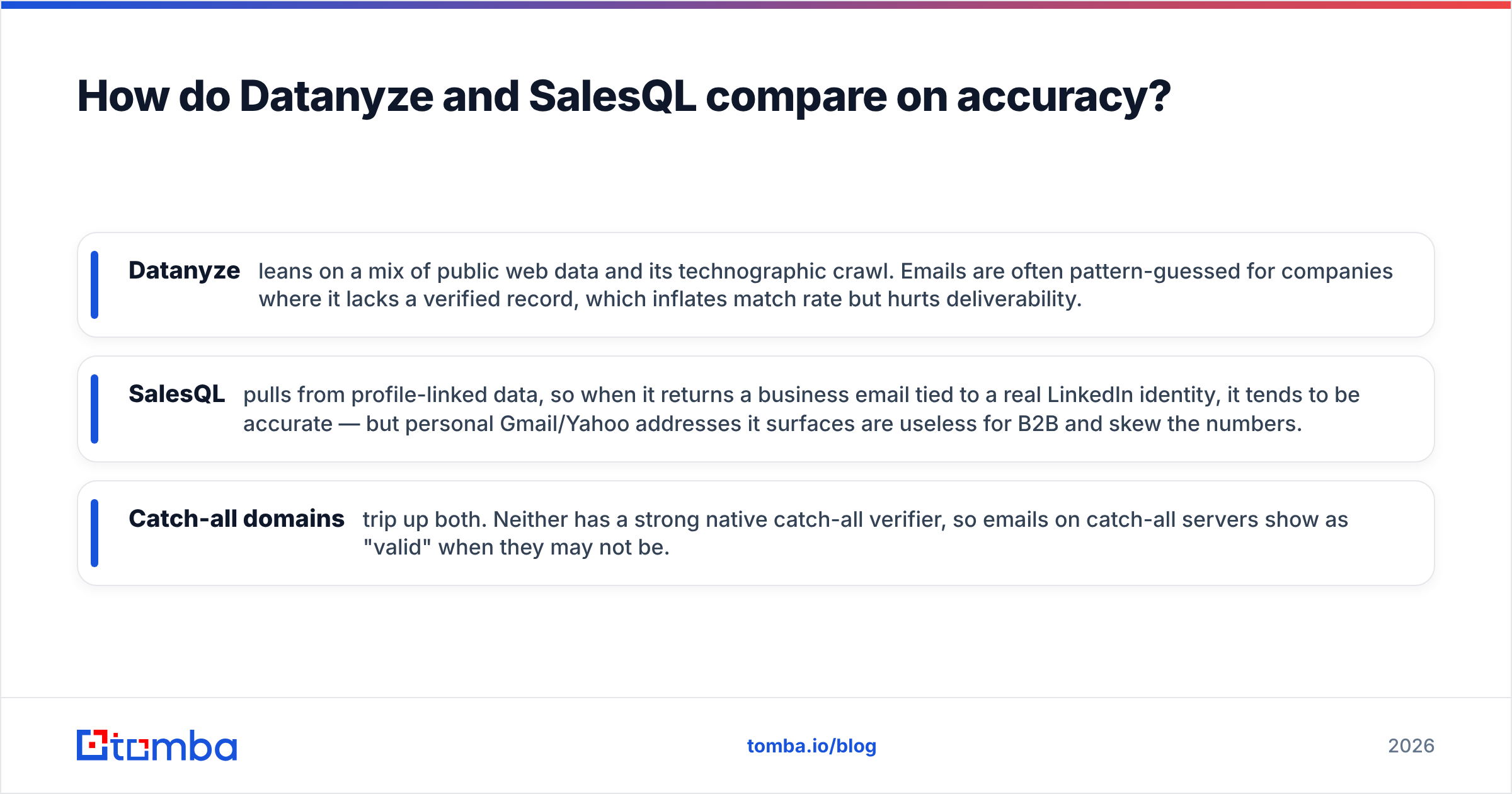
- Datanyze leans on a mix of public web data and its technographic crawl. Emails are often pattern-guessed for companies where it lacks a verified record, which inflates match rate but hurts deliverability.
- SalesQL pulls from profile-linked data, so when it returns a business email tied to a real LinkedIn identity, it tends to be accurate — but personal Gmail/Yahoo addresses it surfaces are useless for B2B and skew the numbers.
- Catch-all domains trip up both. Neither has a strong native catch-all verifier, so emails on catch-all servers show as "valid" when they may not be.
The takeaway: whichever you choose, budget for independent verification. Sending to an unverified list from either tool is the fastest way to torch your sender reputation. If you want to understand why that matters, the mechanics of email deliverability are worth ten minutes of reading before your next campaign.
Datanyze vs SalesQL vs Tomba: full feature comparison#
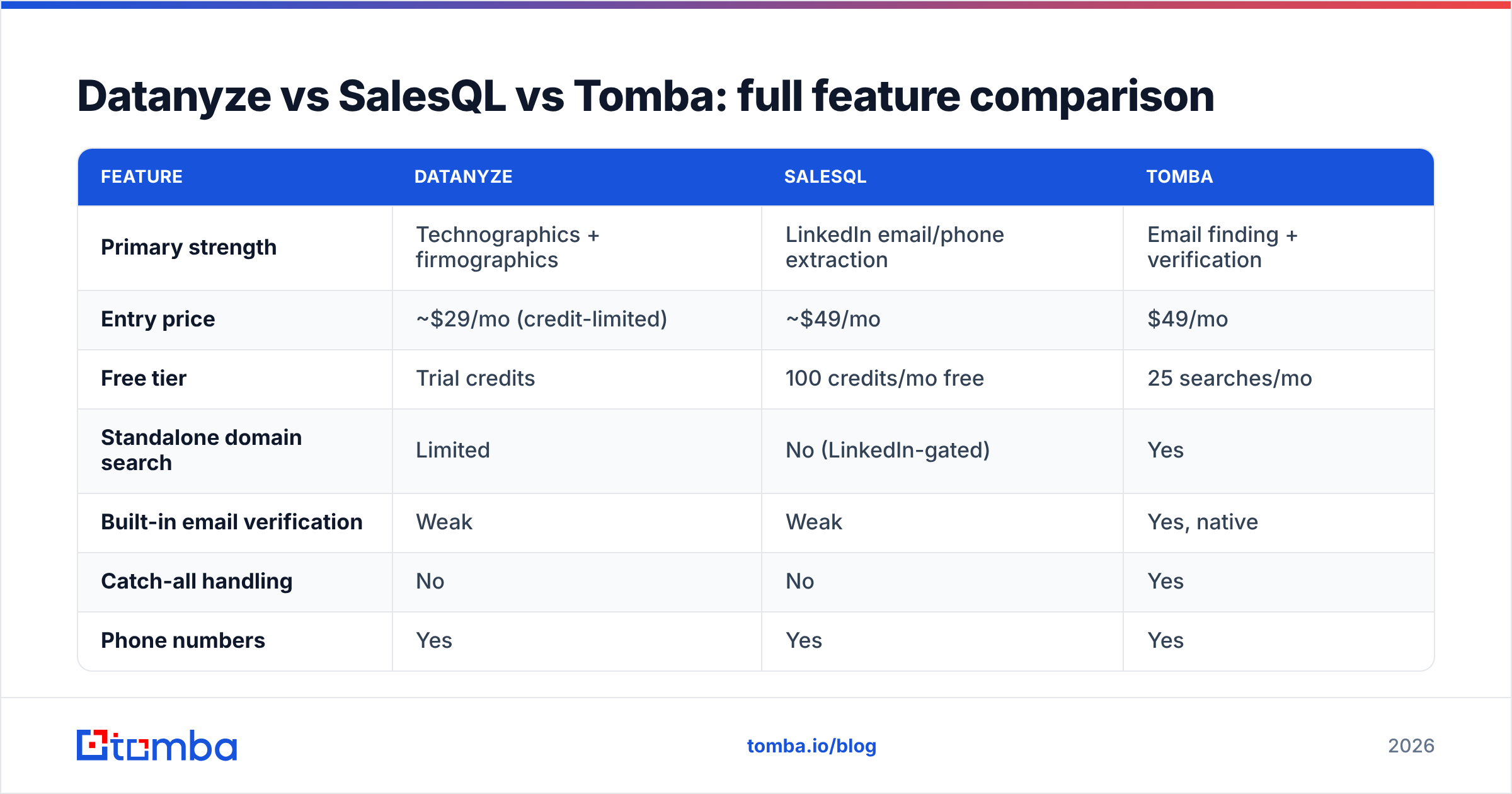
Below is the side-by-side that most vendor pages won't show you honestly. Prices reflect published entry points as of 2026; always confirm current Tomba pricing and competitor plans before you buy, since credit definitions vary widely.
| Feature | Datanyze | SalesQL | Tomba |
|---|---|---|---|
| Primary strength | Technographics + firmographics | LinkedIn email/phone extraction | Email finding + verification |
| Entry price | ~$29/mo (credit-limited) | ~$49/mo | $49/mo |
| Free tier | Trial credits | 100 credits/mo free | 25 searches/mo |
| Standalone domain search | Limited | No (LinkedIn-gated) | Yes |
| Built-in email verification | Weak | Weak | Yes, native |
| Catch-all handling | No | No | Yes |
| Phone numbers | Yes | Yes | Yes |
| Bulk processing | Limited | Via LinkedIn lists | Yes, dedicated bulk |
| API access | Limited | Limited | Full REST API |
| Best for | Account intelligence | LinkedIn reps | Cost per verified contact |
Two things stand out. First, neither Datanyze nor SalesQL treats verification as a first-class feature — it's an afterthought you pay to fix elsewhere. Second, both are narrower than they appear: Datanyze is an account tool, SalesQL is a LinkedIn tool. Only a general-purpose finder gives you domain search, bulk, and API in one place.
Which tool is better for pricing and total cost?#
The sticker price lies. To compare fairly, calculate cost per verified, usable contact, not cost per credit.
Walk through a realistic scenario: you need 1,000 verified B2B emails this month.
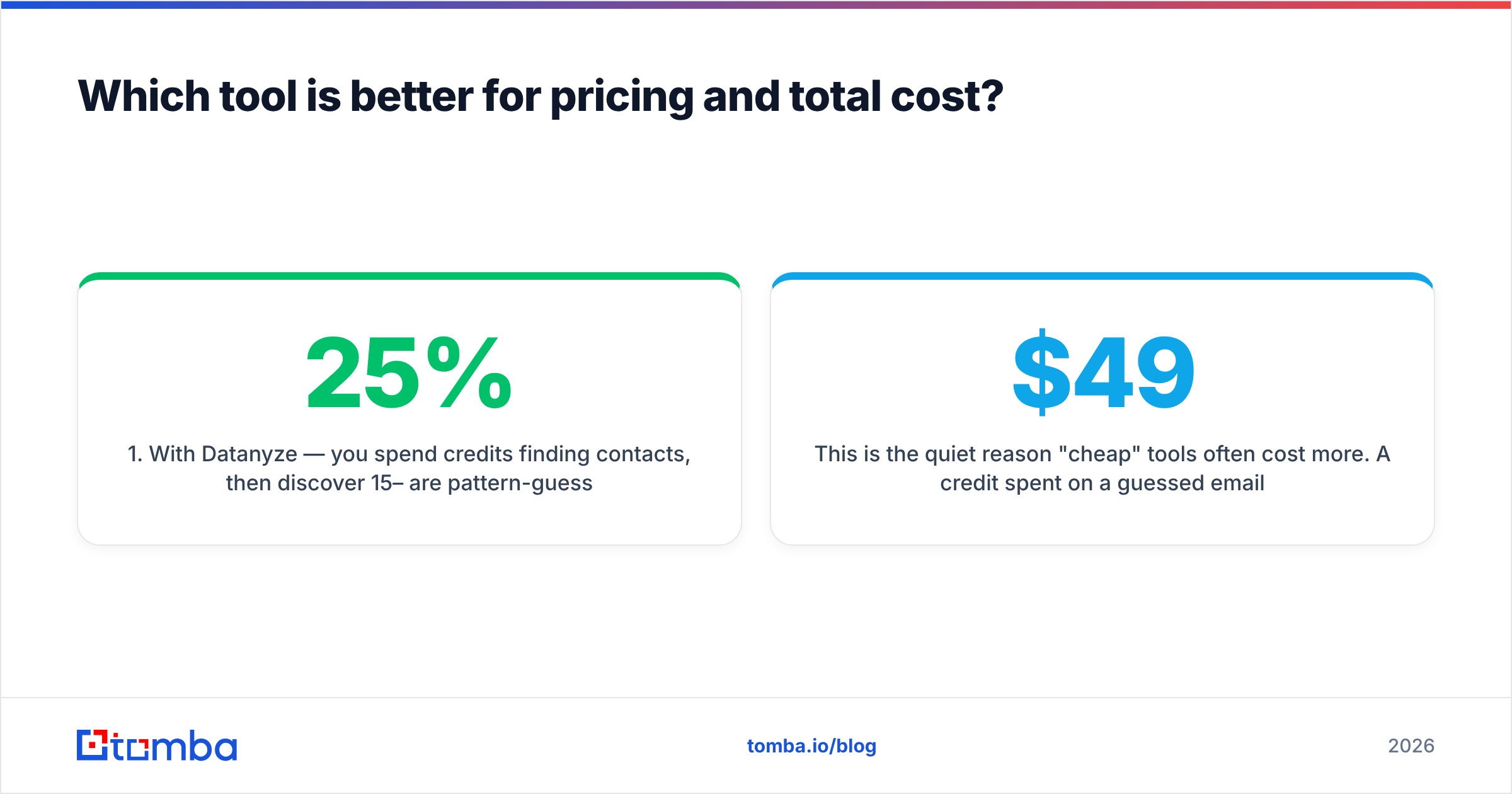
- With Datanyze — you spend credits finding contacts, then discover 15–25% are pattern-guessed or on catch-all domains. You export to a separate verifier, pay again, and re-run. Effective cost climbs well above the headline.
- With SalesQL — you extract from LinkedIn efficiently, but a chunk of returns are personal emails you can't use for B2B outreach, plus you still need verification. Your usable-contact cost rises accordingly.
- With an all-in-one finder — finding and verification happen in one workflow, so the number you export is closer to the number you can actually send to. Fewer tools, one bill, less credit waste.
This is the quiet reason "cheap" tools often cost more. A credit spent on a guessed email that bounces isn't a discount — it's a liability that dents your domain reputation. When you model it out, a $49/mo plan with native verification frequently beats a $29/mo plan that forces a second subscription.

How do integrations and workflow compare?#
Your tool has to fit the stack you already run. Here's how each slots in:
- Datanyze — Chrome extension plus CRM push (Salesforce being the common target). Its account data enriches records well, but bulk automation is limited without a robust API.
- SalesQL — browser extension, CSV export, and Zapier-style connections. Excellent for one-rep-at-a-time LinkedIn workflows; harder to operationalize across a team programmatically.
- All-in-one finders — typically ship a full API, native CRM connectors, plus Google Sheets and bulk tooling, so RevOps can automate enrichment instead of relying on manual copy-paste.
If a single rep is your buyer, extension-first tools win on convenience. If a RevOps or growth team is standardizing enrichment across the funnel, API depth and bulk processing matter far more than a slick popup — and that's exactly where Datanyze and SalesQL show their limits. Compare their connector coverage against a broader integrations list and the gap is obvious.
When should you pick Datanyze, SalesQL, or something else?#
Cut through it with three clear recommendations:
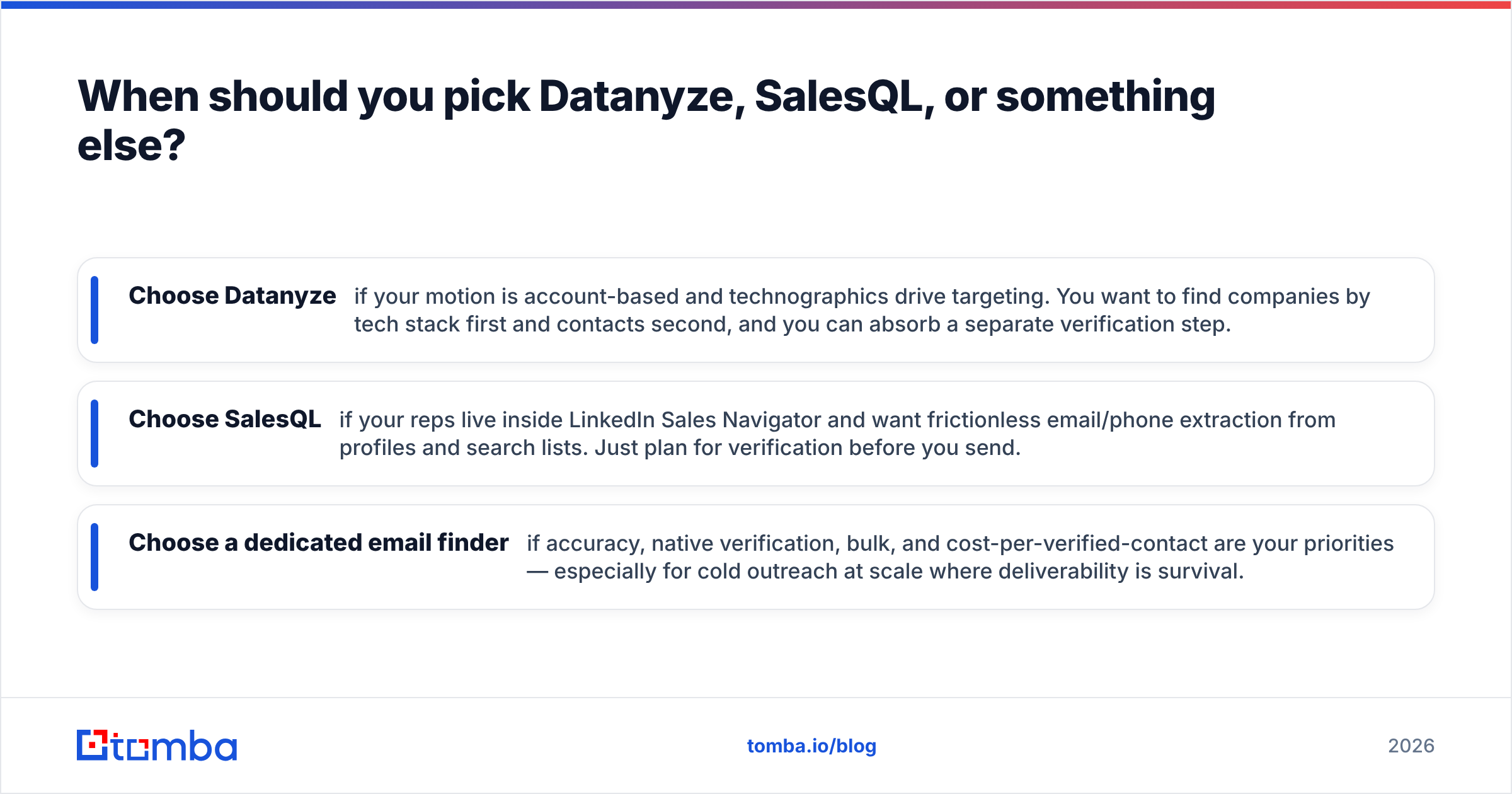
- Choose Datanyze if your motion is account-based and technographics drive targeting. You want to find companies by tech stack first and contacts second, and you can absorb a separate verification step.
- Choose SalesQL if your reps live inside LinkedIn Sales Navigator and want frictionless email/phone extraction from profiles and search lists. Just plan for verification before you send.
- Choose a dedicated email finder if accuracy, native verification, bulk, and cost-per-verified-contact are your priorities — especially for cold outreach at scale where deliverability is survival.
For a broader market view, third-party review sites like G2 and Capterra are useful for reading unfiltered user complaints — pay attention to reviews mentioning data staleness and support responsiveness, since those rarely show up in feature grids. And if you're weighing other players in this category, note that tools like BookYourData occupy a different niche (pre-built, verified list purchasing) that can complement a finder rather than replace it.

Frequently asked questions#
Is Datanyze or SalesQL more accurate for B2B emails? SalesQL tends to return more accurate business emails when they're tied to a verified LinkedIn identity, while Datanyze relies more on pattern-guessing that inflates match rate at the expense of deliverability. Both still require independent verification for safe cold outreach.
Do Datanyze and SalesQL verify emails before export? Only lightly. Neither ships strong native verification, and both struggle with catch-all domains. Budget for a dedicated verifier — or pick a finder that includes verification so you don't run two subscriptions.
Which is cheaper, Datanyze or SalesQL? Datanyze's entry price is lower on paper, but once you add verification costs and account for wasted credits on bounced or unusable emails, the real cost-per-verified-contact often flips. Compare total workflow cost, not headline price.
Can I use both together? Yes — some teams use Datanyze for account targeting and SalesQL for LinkedIn contact extraction. But running two tools plus a verifier is exactly the fragmentation an all-in-one finder eliminates.
The bottom line#
Datanyze and SalesQL are good at narrow things: Datanyze at account intelligence, SalesQL at LinkedIn extraction. Both leave the same gap — verification — and both make you assemble a stack to cover it. That stack is where budget quietly leaks.
If your real goal is verified emails and phone numbers at the lowest cost per usable contact, start with a tool built for exactly that. The Tomba Email Finder combines domain search, LinkedIn lookups, bulk processing, and native verification in one workflow — with a free tier of 25 searches to test accuracy on your own target accounts before you commit a dollar. Find the email, confirm it's deliverable, and export a list you can actually send to. That's the whole job, done once.
Related guides#
Ready to find emails that actually work?
Join 150,000+ professionals who stopped guessing and started sending. Free credits on signup — no credit card required.
Get the Tomba newsletter
Practical outbound tactics and product updates — once every two weeks.
About the author