Datanyze vs Zintlr: B2B Data Tools Compared for 2026
Datanyze and Zintlr both promise clean B2B contact data, but they win in different lanes. Here's an honest breakdown of accuracy, pricing, coverage, and which one your team should actually pay for in 2026.
Choosing between Datanyze and Zintlr comes down to one question most review pages dodge: do you need lightweight technographics on top of a browser extension, or a full contact database with phone numbers baked in? They are not the same product, and paying for the wrong one is how prospecting budgets quietly bleed.
This is a neutral, hands-on comparison. No vendor wrote it, and where a third tool is genuinely cheaper or more accurate, that gets said too.
TL;DR: Datanyze vs Zintlr at a glance#
- Datanyze is best if you sell to software companies and care about technographics (what tools a prospect already uses). Its Chrome extension and freemium tier make it easy to start.
- Zintlr is best if you want a broader contact database with direct-dial phone numbers and personality/"psychology" insights layered on top of firmographics.
- Data accuracy is the real deciding factor, and both tools lean on database matching rather than live verification, so bounce rates vary by region and seniority.
- Neither is the cheapest way to find verified emails. If email discovery is your core need, a dedicated email finder usually beats a bundled data suite on both price and accuracy.
- Our pick: Datanyze for technographic targeting, Zintlr for phone-heavy outbound, Tomba if you mostly need verified emails at scale.
What is Datanyze and who is it for?#
Datanyze started life as a technographics company and still shows its roots. Its headline value is telling you which technologies a company runs, then attaching contact details to the people who make buying decisions around those tools. If your pitch is "you use Shopify, here's why you need our app," Datanyze is built for exactly that motion.
The product today is mostly delivered through a browser extension. You land on a LinkedIn profile or a company website, click the extension, and Datanyze surfaces emails, phone numbers, and firmographic data. There is a freemium tier with a limited monthly credit allowance, which lowers the barrier to trying it. You can read more about its positioning on the Datanyze website.
Where Datanyze is strong:
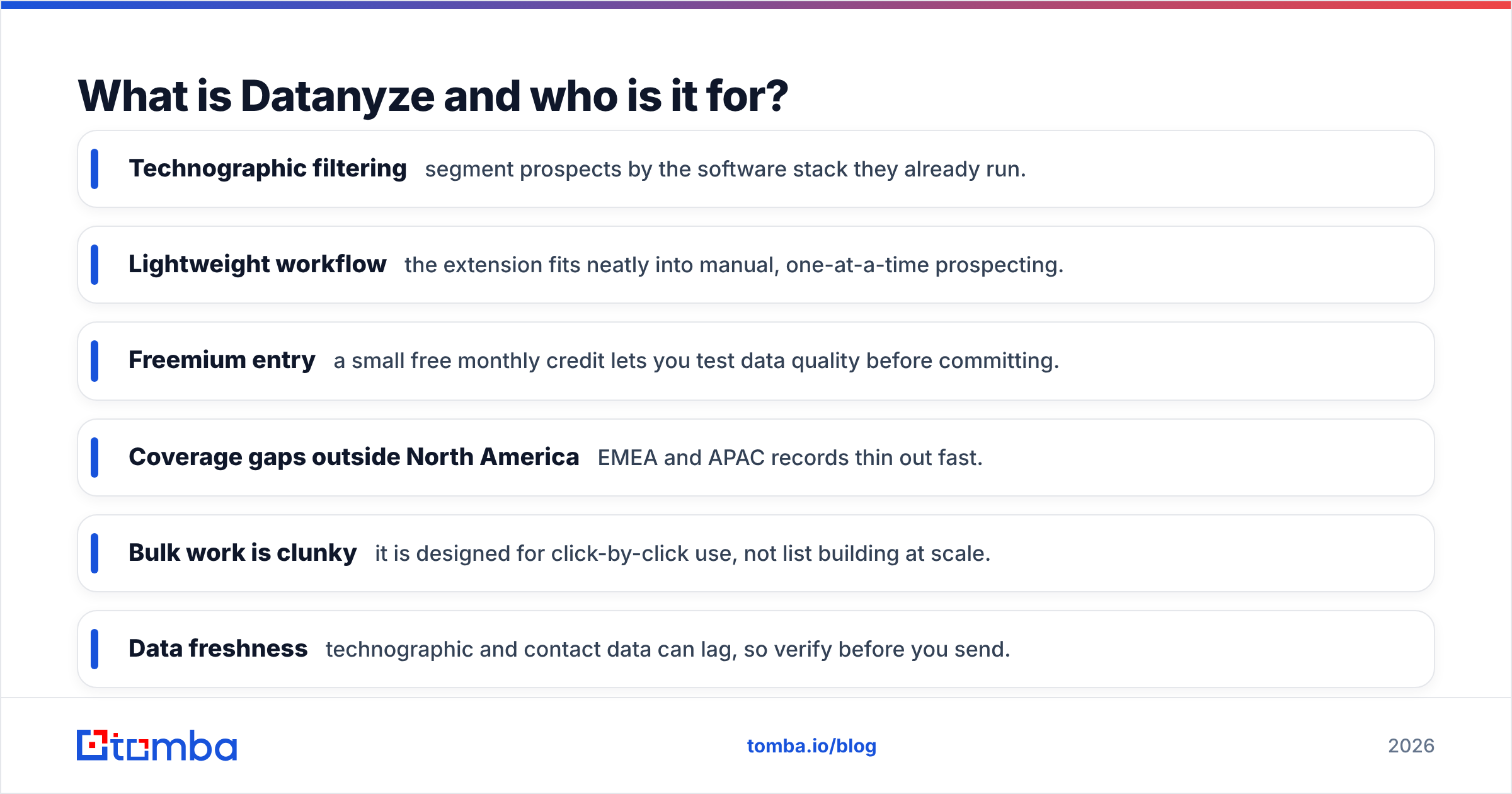
- Technographic filtering — segment prospects by the software stack they already run.
- Lightweight workflow — the extension fits neatly into manual, one-at-a-time prospecting.
- Freemium entry — a small free monthly credit lets you test data quality before committing.
Where it frustrates people:
- Coverage gaps outside North America — EMEA and APAC records thin out fast.
- Bulk work is clunky — it is designed for click-by-click use, not list building at scale.
- Data freshness — technographic and contact data can lag, so verify before you send.
What is Zintlr and who is it for?#
Zintlr is a broader B2B sales intelligence platform. Instead of leading with technographics, it leads with a large contact database, direct-dial phone numbers, and an unusual "personality intelligence" layer that tries to profile how a prospect thinks and communicates. The pitch is that you get both the contact and a hint at how to talk to them.
That makes Zintlr attractive to teams doing high-volume outbound where phone matters as much as email. If your SDRs live on the dialer, a tool that ships direct dials alongside firmographics is worth a look. Zintlr also offers browser-based enrichment and list building, so it stretches further into bulk workflows than Datanyze does.
Where Zintlr is strong:
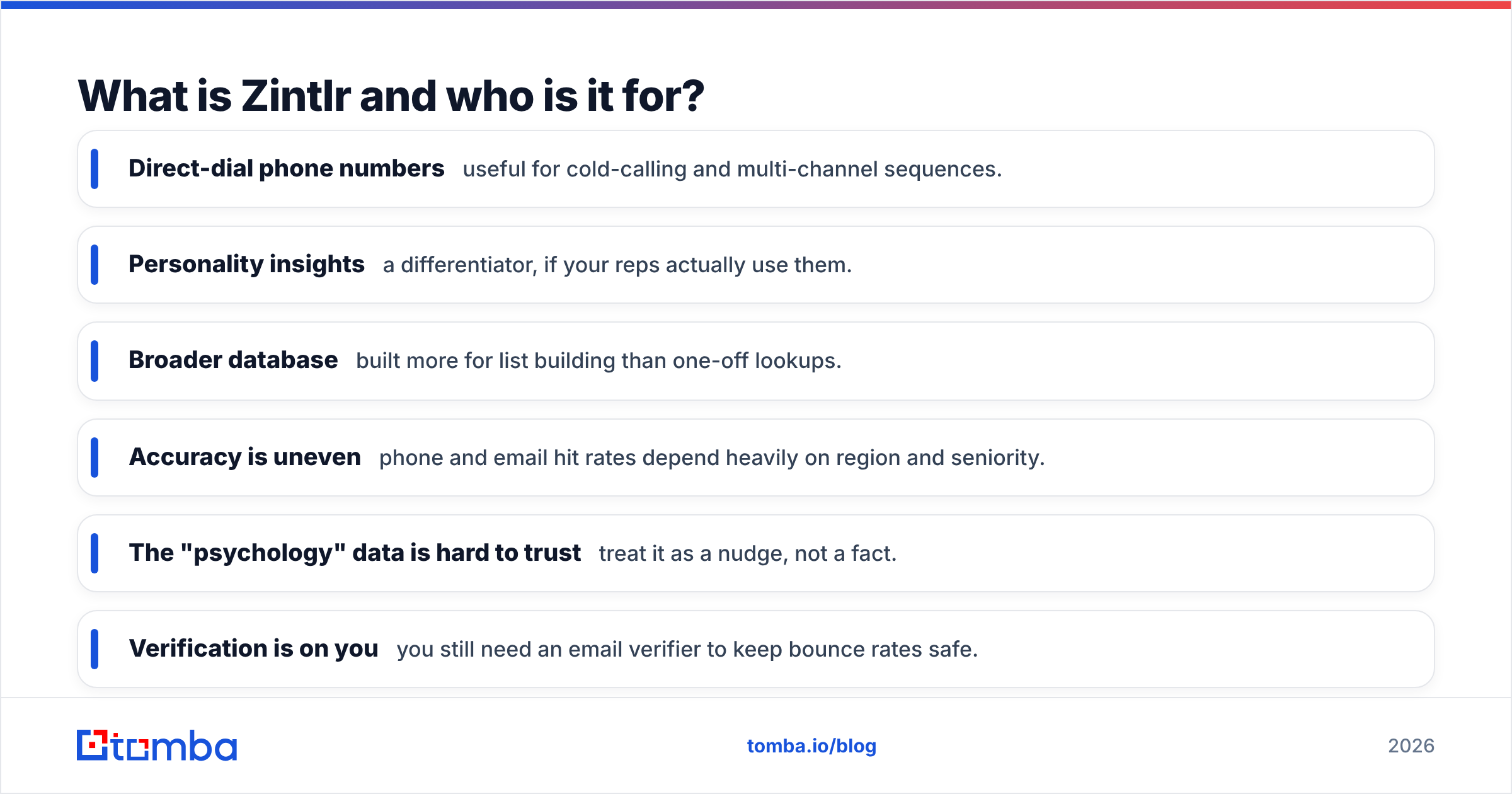
- Direct-dial phone numbers — useful for cold-calling and multi-channel sequences.
- Personality insights — a differentiator, if your reps actually use them.
- Broader database — built more for list building than one-off lookups.
Where it frustrates people:
- Accuracy is uneven — phone and email hit rates depend heavily on region and seniority.
- The "psychology" data is hard to trust — treat it as a nudge, not a fact.
- Verification is on you — you still need an email verifier to keep bounce rates safe.
Datanyze vs Zintlr: the head-to-head comparison#
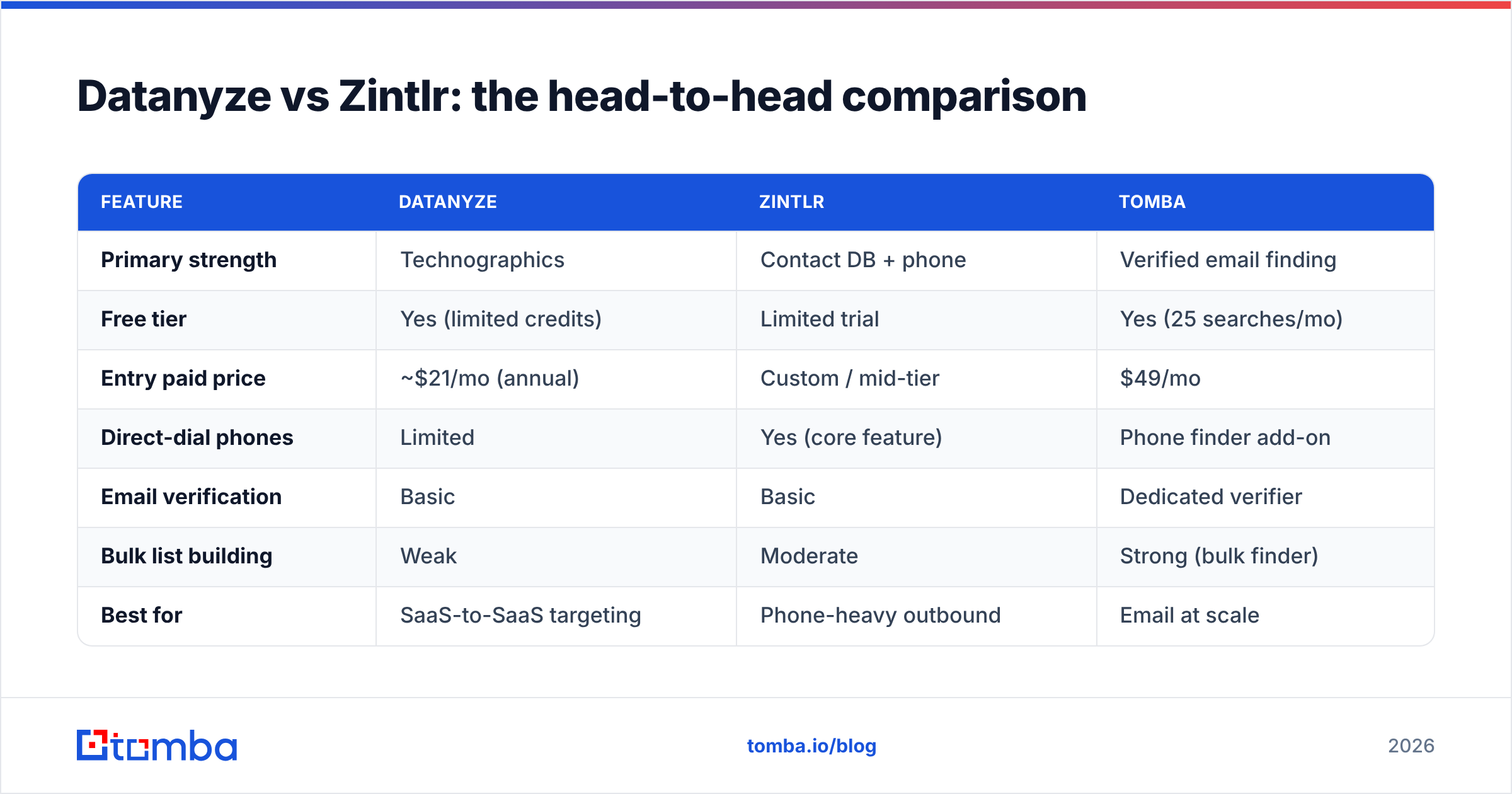
Here is the side-by-side that matters, with a verified-email specialist added for price context.
| Feature | Datanyze | Zintlr | Tomba |
|---|---|---|---|
| Primary strength | Technographics | Contact DB + phone | Verified email finding |
| Free tier | Yes (limited credits) | Limited trial | Yes (25 searches/mo) |
| Entry paid price | ~$21/mo (annual) | Custom / mid-tier | $49/mo |
| Direct-dial phones | Limited | Yes (core feature) | Phone finder add-on |
| Email verification | Basic | Basic | Dedicated verifier |
| Bulk list building | Weak | Moderate | Strong (bulk finder) |
| Best for | SaaS-to-SaaS targeting | Phone-heavy outbound | Email at scale |
A few honest caveats on that table. Advertised prices shift, and Zintlr in particular quotes based on seats and credits, so confirm current numbers on each vendor's page before you budget. The point is not that one column is "the winner" everywhere, it is that these three tools optimize for three different jobs.
Which has better data accuracy, Datanyze or Zintlr?#
Accuracy is where most of the money is won or lost, and neither tool is flawless. Both rely primarily on database matching, meaning they return the record they have on file rather than checking each address against the mail server in real time. That is fine until you email a list and watch your bounce rate climb.

In practice:
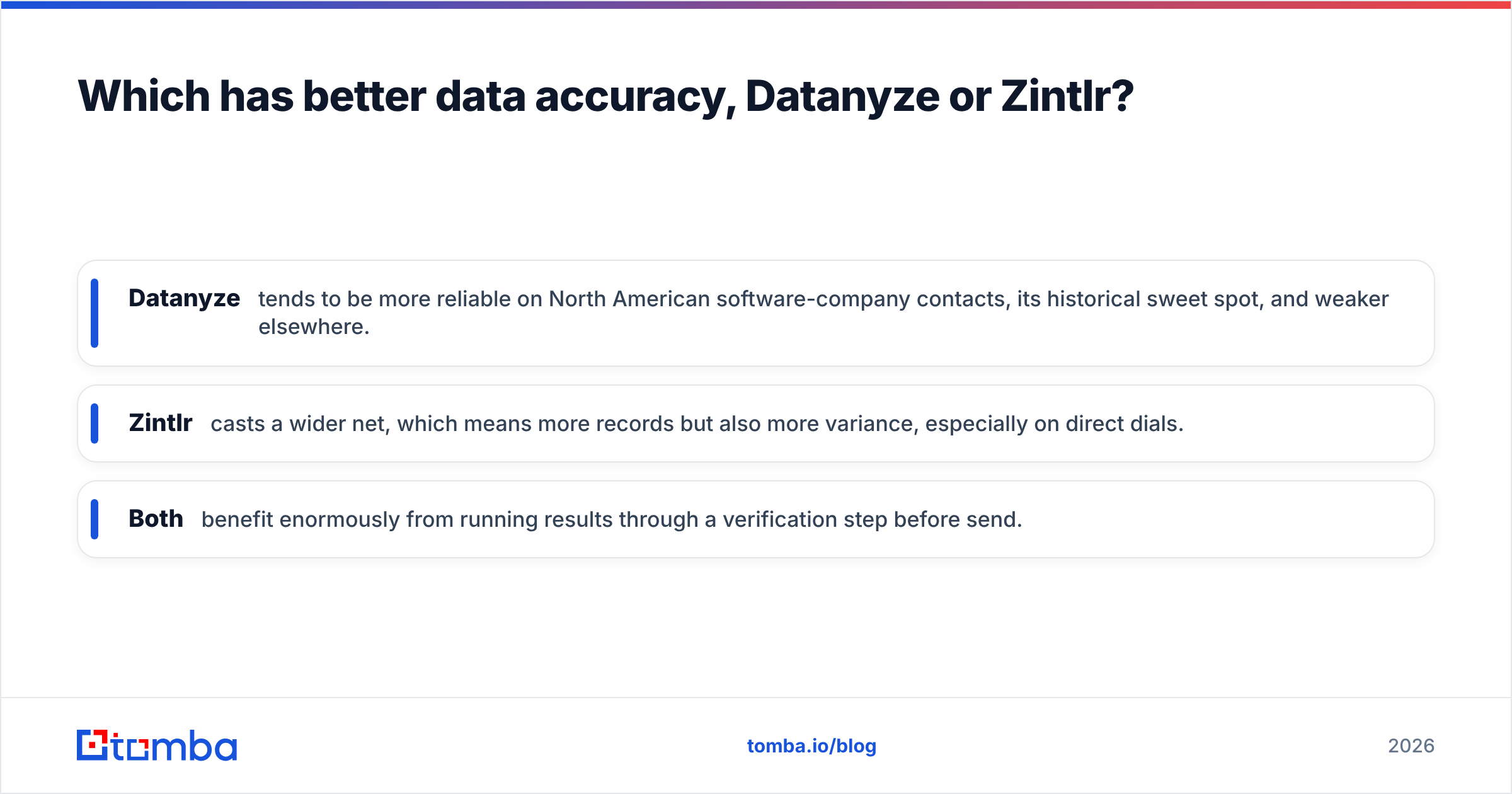
- Datanyze tends to be more reliable on North American software-company contacts, its historical sweet spot, and weaker elsewhere.
- Zintlr casts a wider net, which means more records but also more variance, especially on direct dials.
- Both benefit enormously from running results through a verification step before send.
This is the quiet reason many teams pair a data suite with a dedicated verifier or use an email finder that verifies inline. Deliverability is a function of list hygiene, and a single spammy send can dent your sender reputation for weeks. If you want to understand why bounce rates hurt more than they look, the fundamentals of email deliverability are worth ten minutes.
The two reference images below show how dedicated finders benchmark on accuracy and coverage, useful context when you are weighing a bundled suite against a specialist.

How do Datanyze and Zintlr price out?#
Pricing philosophy differs sharply. Datanyze uses a transparent, self-serve model with a freemium tier and predictable monthly credits, which suits solo reps and small teams who want to swipe a card and go. Zintlr leans toward custom, seat-and-credit quotes that scale with usage, which suits larger outbound teams but adds friction for anyone just testing the water.
Three things to check before you sign either contract:
- Credit definition — does one "credit" mean one contact, one reveal, or one verified record? This changes the real cost dramatically.
- Annual lock-in — the attractive monthly figure is often the annual-prepay rate. Confirm the month-to-month price.
- Overage handling — what happens when you blow past your credit cap mid-month? Overage rates are where budgets get ugly.
For teams whose main job is finding and verifying emails rather than technographic targeting or dialing, a focused tool is often cheaper per usable contact. Tomba's pricing starts with a free tier of 25 searches per month, then Starter at $49/mo and Growth at $99/mo, with bulk finding and verification built in rather than sold as separate line items.

When should you pick a dedicated email finder instead?#
Reach for a specialist when email discovery is the job. Datanyze and Zintlr are worth their price when you genuinely need what they specialize in: technographic segmentation or phone-first outbound. But if 80% of your workflow is "I have a name and a company, find me a deliverable address," you are paying for a suite to do a task a focused tool does better and cheaper.
A dedicated finder gives you a few things bundled suites tend to under-deliver:
- Domain-level discovery — pull every reachable contact at a company with a domain search, not just the one profile you are viewing.
- Inline verification — every result checked against the mail server, not just matched to a stale record.
- Bulk-first design — upload a list, get verified emails back, with the bulk email finder built for scale instead of click-by-click.
- Clean integrations — push results straight into your CRM without CSV gymnastics.
None of this makes Datanyze or Zintlr bad tools. It means "best data tool" is the wrong question. The right one is "best tool for the specific job I do most," and for most sales teams that job is finding verified emails.
Final verdict: Datanyze vs Zintlr#
Pick Datanyze if you sell software to software companies and technographic targeting drives your pipeline. The freemium tier and extension make it a low-risk start.
Pick Zintlr if your outbound leans heavily on the phone and you want direct dials plus firmographics in one place, and you are comfortable with custom pricing and doing your own verification.
Pick a dedicated email finder if your core need is verified email addresses at volume, where a suite's technographics or personality data would be paying for features you will not use.
The tools solve overlapping but distinct problems. Match the tool to your dominant motion, not to whichever review page shouts loudest, and always run any list through verification before you hit send.
If email discovery is the real bottleneck in your prospecting, skip the bundled suite tax. Start free with the Tomba Email Finder, pull verified addresses by name or domain, and keep your bounce rate, and your sender reputation, exactly where they should be.
Related guides#
Ready to find emails that actually work?
Join 150,000+ professionals who stopped guessing and started sending. Free credits on signup — no credit card required.
Get the Tomba newsletter
Practical outbound tactics and product updates — once every two weeks.
About the author