Datatera AI Pricing, Reviews, Pros and Cons (2026)
A neutral, no-hype look at Datatera AI pricing, real user reviews, and the honest pros and cons—so you can decide if the AI data platform fits your B2B workflow before you pay.
Datatera AI markets itself as an AI platform that turns messy, unstructured data into clean, structured records you can actually use—predicting fields, enriching rows, and mapping spreadsheets without manual cleanup. That sounds great in a demo. The real question is whether the pricing, the day-to-day reliability, and the trade-offs justify a spot in your revenue stack.
This is a neutral, third-party breakdown. No affiliate spin, no vendor script. Below you'll find how Datatera AI pricing is structured, what real reviews say, where it shines, where it frustrates people, and where a focused tool might get you a better result for less money.
TL;DR: Is Datatera AI worth it?#
- What it is: An AI-driven data transformation and enrichment platform aimed at teams drowning in unstructured spreadsheets, CSVs, and CRM exports.
- Pricing reality: A free/trial entry point plus usage- or seat-based paid tiers. Costs scale with volume, and overage or credit consumption is where budgets get surprised.
- Biggest strength: Genuinely useful AI field-prediction and schema-mapping that saves hours of manual cleanup.
- Biggest weakness: Data accuracy and freshness still need verification, and pricing can feel opaque until you hit a usage wall.
- Better fit for some teams: If your core need is finding and verifying B2B contact data, a specialized tool like Tomba Email Finder is cheaper and more predictable than a broad AI-data platform.
What is Datatera AI and who is it for?#
Think of Datatera AI as a smart intern for spreadsheets. You hand it a chaotic export—half-filled columns, inconsistent formats, missing fields—and it predicts what belongs where, structures it, and enriches gaps using AI. The pitch is "no manual data wrangling," which resonates with ops teams, analysts, and founders who lose hours to copy-paste cleanup.
It generally targets three groups:
- RevOps and data teams normalizing CRM and marketing exports before they load anything into Salesforce or HubSpot.
- Analysts and researchers who need to structure unstructured sources fast.
- Small GTM teams that want enrichment without hiring a data engineer.
Where it gets fuzzy is the overlap with dedicated categories. Datatera AI touches enrichment, but it is not a purpose-built email verifier or a contact-sourcing engine. That distinction matters a lot once you're paying, because you don't want to buy a Swiss Army knife when you actually need a scalpel.

How much does Datatera AI cost in 2026?#
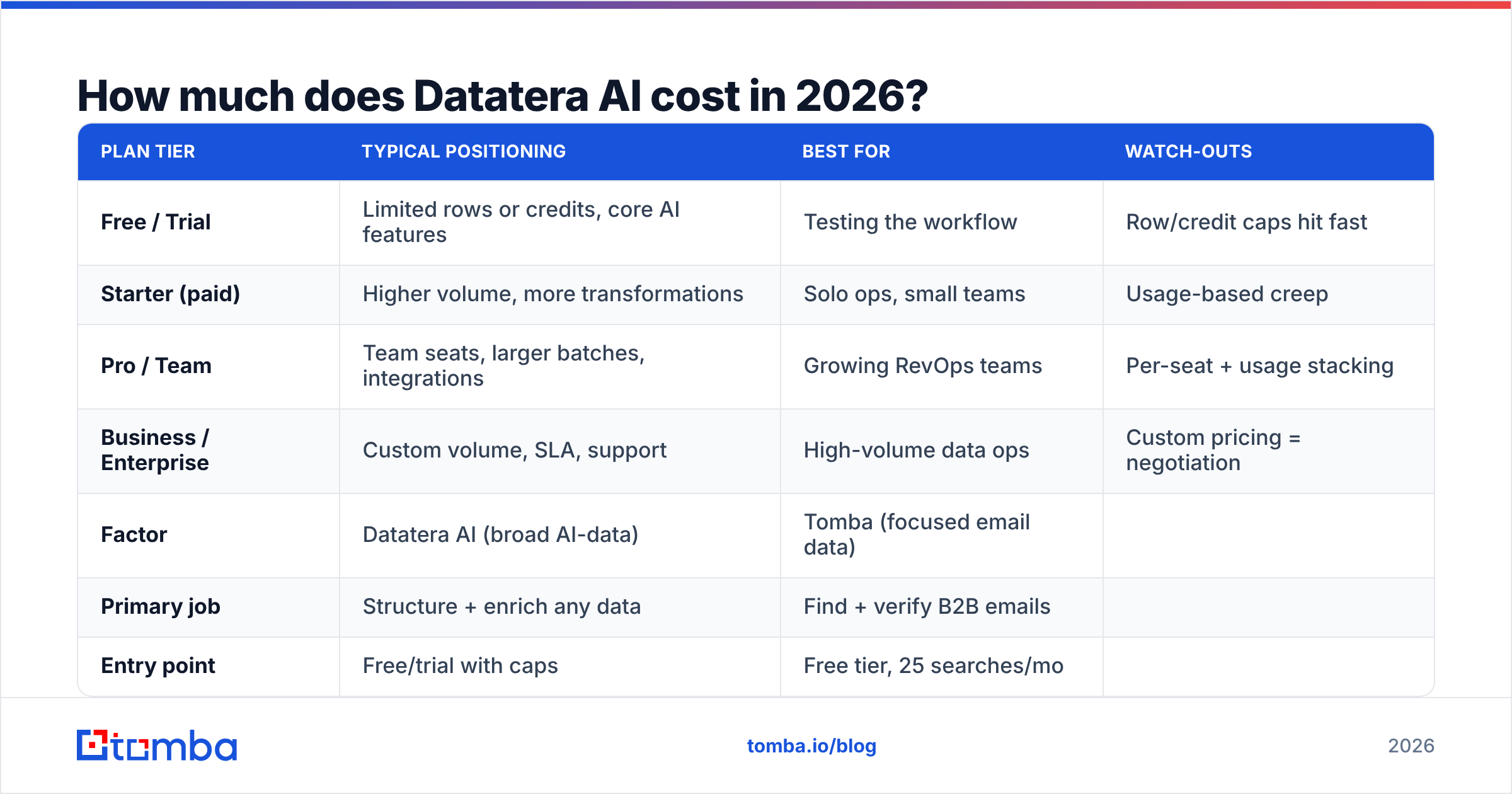
Datatera AI uses a tiered model that blends a free entry point with paid plans that scale by usage and/or seats. Exact numbers shift over time and by promotion, so always confirm the current figures on the vendor's own pricing page before you commit—this table reflects the publicly described structure, not a locked quote.
| Plan tier | Typical positioning | Best for | Watch-outs |
|---|---|---|---|
| Free / Trial | Limited rows or credits, core AI features | Testing the workflow | Row/credit caps hit fast |
| Starter (paid) | Higher volume, more transformations | Solo ops, small teams | Usage-based creep |
| Pro / Team | Team seats, larger batches, integrations | Growing RevOps teams | Per-seat + usage stacking |
| Business / Enterprise | Custom volume, SLA, support | High-volume data ops | Custom pricing = negotiation |
The key thing to understand about Datatera AI pricing is that headline plan prices rarely tell the whole story. Two things drive real cost:
- Volume consumption — rows processed, records enriched, or AI credits burned. Heavy months cost more.
- Seats — team plans multiply as you add users.
Neither is unusual for AI-data tooling, but it does mean your invoice is a moving target. Budget for a busy month, not an average one.
How Datatera AI pricing compares to a focused data tool#
To see the trade-off clearly, compare a broad AI-data platform against a specialized contact-data tool. This isn't apples-to-apples—they solve different problems—but it shows where your money goes:
| Factor | Datatera AI (broad AI-data) | Tomba (focused email data) |
|---|---|---|
| Primary job | Structure + enrich any data | Find + verify B2B emails |
| Entry point | Free/trial with caps | Free tier, 25 searches/mo |
| Paid start | Usage/seat-based | Starter $49/mo |
| Cost predictability | Variable (usage creep) | Fixed monthly credits |
| Verification depth | General enrichment | Dedicated email verification |
| Learning curve | Moderate (AI setup) | Low (search + export) |
You can see full Tomba pricing for the exact tiers—Free (25 searches/mo), Starter $49/mo, Growth $99/mo, Pro $249/mo, and Enterprise. The point isn't that one is "better"; it's that predictable, fixed-credit pricing is easier to plan around than variable AI consumption when your only real goal is clean, reachable contacts.
What do Datatera AI reviews say?#
Public sentiment on AI-data platforms like Datatera tends to cluster around the same themes. Cross-referencing user feedback on directories like G2 and Capterra is the honest way to gauge a tool before buying—look for recent reviews, not just the featured ones.
Common positive threads:
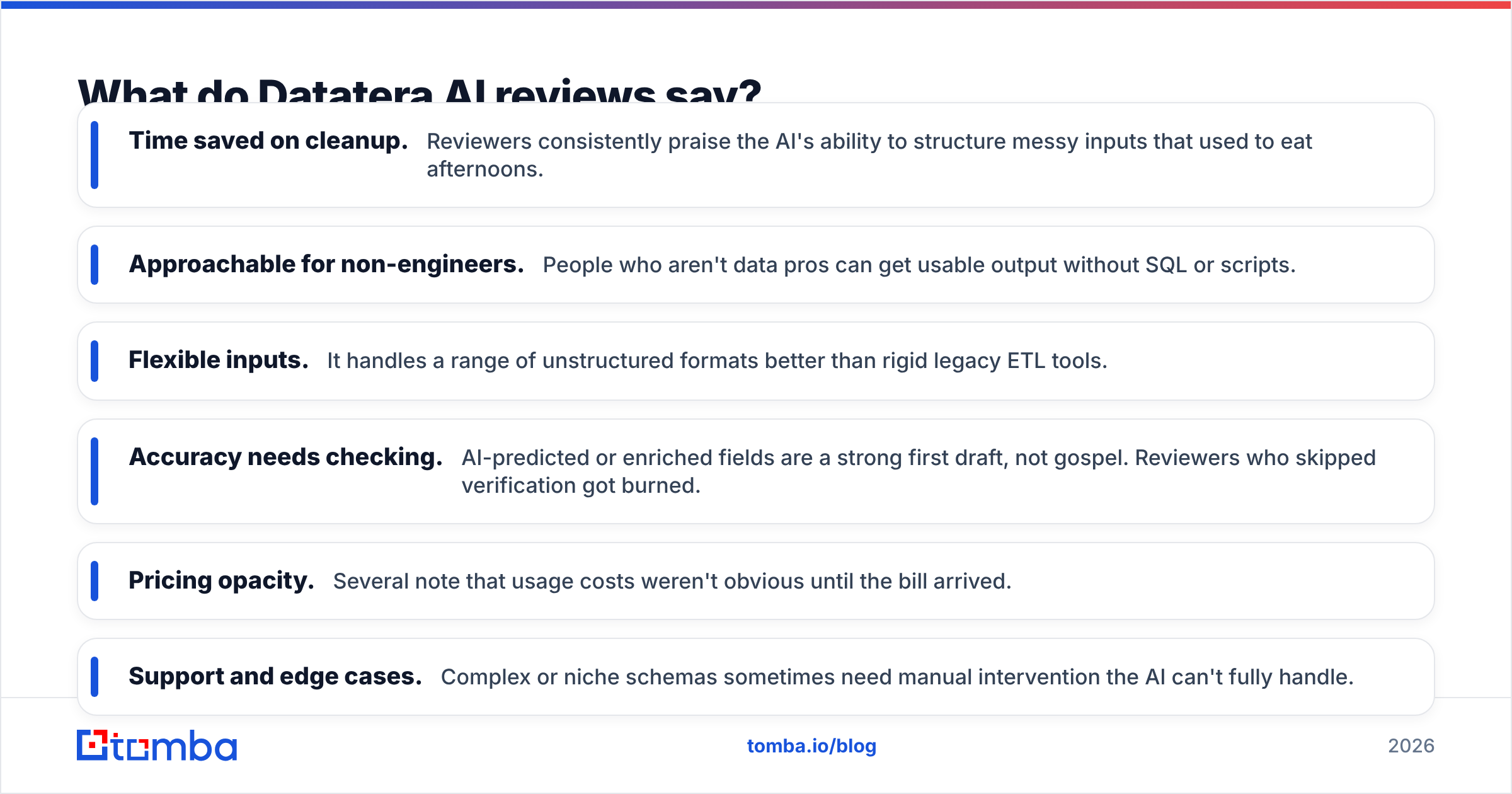
- Time saved on cleanup. Reviewers consistently praise the AI's ability to structure messy inputs that used to eat afternoons.
- Approachable for non-engineers. People who aren't data pros can get usable output without SQL or scripts.
- Flexible inputs. It handles a range of unstructured formats better than rigid legacy ETL tools.
Common critical threads:
- Accuracy needs checking. AI-predicted or enriched fields are a strong first draft, not gospel. Reviewers who skipped verification got burned.
- Pricing opacity. Several note that usage costs weren't obvious until the bill arrived.
- Support and edge cases. Complex or niche schemas sometimes need manual intervention the AI can't fully handle.
The recurring lesson: Datatera AI is a productivity multiplier, but its output still needs a verification step—especially anything you'll email or dial. Garbage enrichment that looks clean is more dangerous than obviously messy data, because it sails past your gut check and straight into a bounce.

What are the pros and cons of Datatera AI?#
Here's the balanced scorecard. No tool wins every category, and Datatera AI is no exception.
Pros#
- Real AI leverage on messy data. Field prediction and schema mapping genuinely cut manual work.
- Low barrier to entry. A free/trial tier lets you test before paying.
- Broad use cases. Not locked to one narrow job—handles many data-shape problems.
- Fits into ops workflows. Useful upstream of your CRM and marketing tools.
Cons#
- Verification still on you. Enriched contact data must be validated before outreach.
- Variable pricing. Usage-based costs can spike and are hard to forecast.
- Not a contact-sourcing specialist. For pure email finding and verification, dedicated tools go deeper.
- Overkill for simple needs. If you just need emails by domain, you're paying for breadth you won't use.
If your workflow is genuinely "I have chaotic data of many shapes," Datatera AI earns its keep. If your workflow is "I need verified emails and phone numbers for a target list," you're better served by tools built for that—data enrichment and domain search that are purpose-built for contacts, not general data.
When should you choose a focused tool instead?#
Choose specialization when your bottleneck is contacts, not data shape. Here's a quick decision guide:
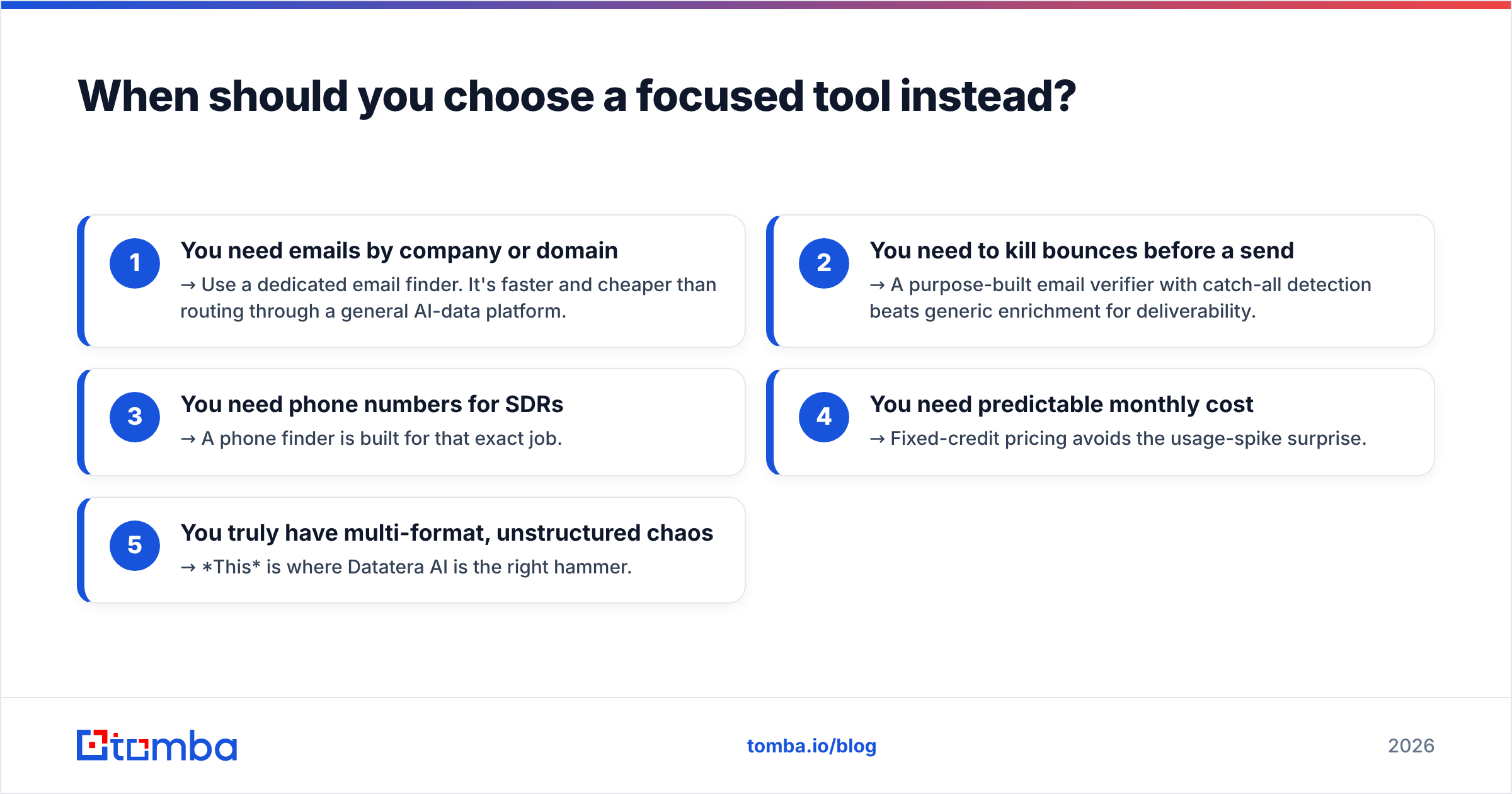
- You need emails by company or domain → Use a dedicated email finder. It's faster and cheaper than routing through a general AI-data platform.
- You need to kill bounces before a send → A purpose-built email verifier with catch-all detection beats generic enrichment for deliverability.
- You need phone numbers for SDRs → A phone finder is built for that exact job.
- You need predictable monthly cost → Fixed-credit pricing avoids the usage-spike surprise.
- You truly have multi-format, unstructured chaos → This is where Datatera AI is the right hammer.
The mistake teams make is buying the broadest platform "to be safe," then paying variable rates for a job a $49/mo focused tool does better. Match the tool to the actual bottleneck.
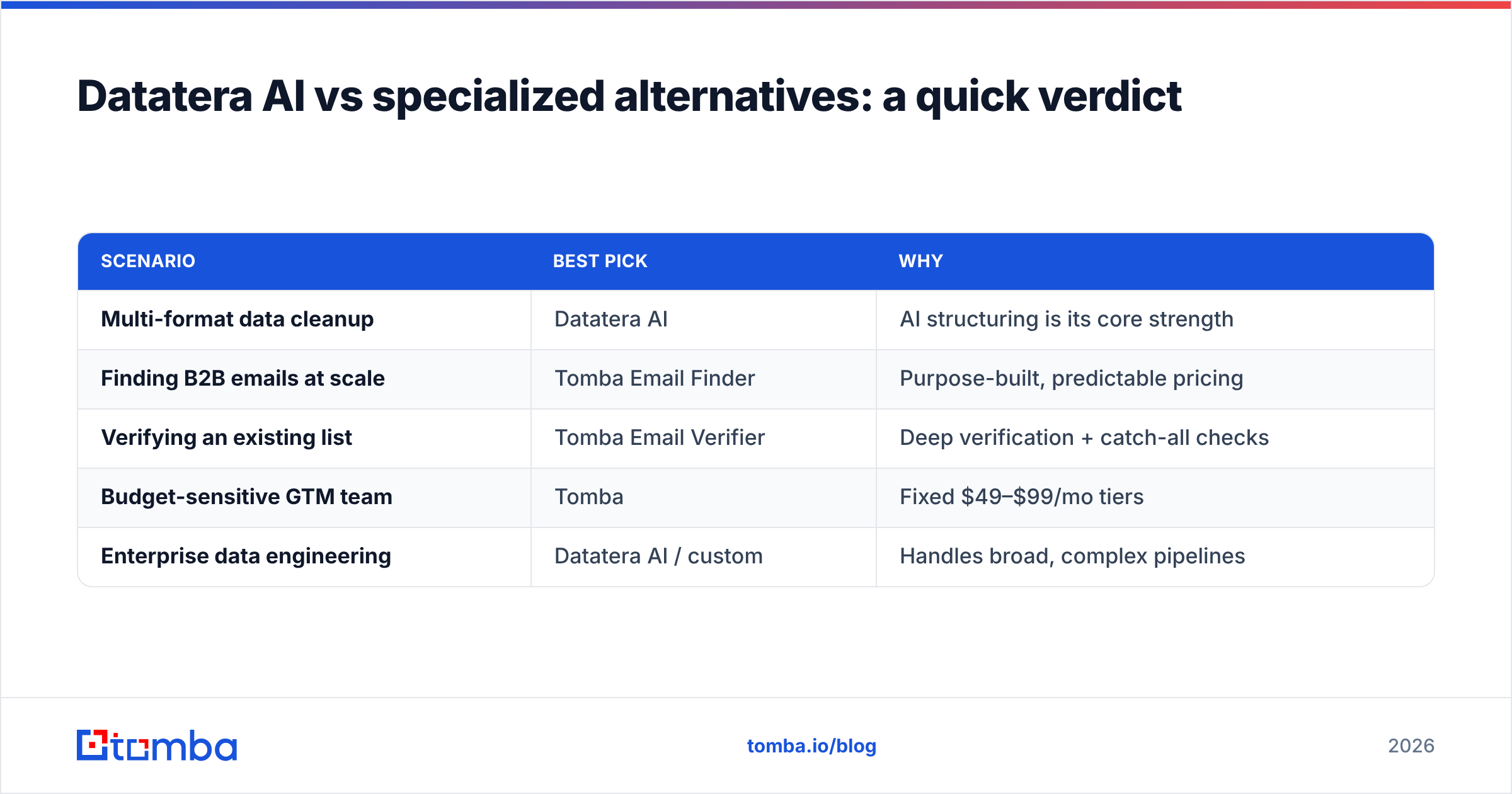
Datatera AI vs specialized alternatives: a quick verdict#
| Scenario | Best pick | Why |
|---|---|---|
| Multi-format data cleanup | Datatera AI | AI structuring is its core strength |
| Finding B2B emails at scale | Tomba Email Finder | Purpose-built, predictable pricing |
| Verifying an existing list | Tomba Email Verifier | Deep verification + catch-all checks |
| Budget-sensitive GTM team | Tomba | Fixed $49–$99/mo tiers |
| Enterprise data engineering | Datatera AI / custom | Handles broad, complex pipelines |
For teams whose entire reason for enriching data is outreach, the honest answer is that a contact-focused stack usually wins on cost and result quality. You can even keep both: use an AI-data tool for structuring, then run every contact through dedicated verification before it touches an inbox.
How to protect deliverability no matter which tool you pick#
Whatever you choose, the non-negotiable step is verification before outreach. Enriched data—AI-generated or not—decays constantly as people change jobs. Sending to stale or guessed addresses damages your sender reputation and tanks deliverability.
A safe pipeline looks like this:
- Source contacts from a specialized finder or your AI-data tool.
- Verify every address with a real verification engine, including catch-all handling.
- Enrich only what passes, so you're not paying to structure dead records.
- Monitor bounce rates and pause anything that spikes.
Do this and it barely matters which platform sits at the top of your funnel—your outreach stays clean because the verification gate catches the mistakes.
The bottom line on Datatera AI pricing, reviews, and trade-offs#
Datatera AI is a capable AI-data platform with a real strength: turning chaos into structure without manual labor. Reviews back that up. But the pricing is usage-variable, the output needs verification, and it's broader than many teams need. If your problem is "messy data of every shape," it's a strong buy. If your problem is "I need verified B2B contacts to sell," a focused tool is cheaper, more predictable, and more accurate for that job.
If contacts are your real bottleneck, start with the tool built for it. Tomba Email Finder finds professional emails by domain, name, or company—paired with dedicated verification and transparent, fixed pricing that starts free and scales to $49/mo Starter. Skip the usage-bill surprises, verify before you send, and put your budget toward contacts that actually convert. Try it free and see the difference predictable, verified data makes.
Related guides#
Ready to find emails that actually work?
Join 150,000+ professionals who stopped guessing and started sending. Free credits on signup — no credit card required.
Get the Tomba newsletter
Practical outbound tactics and product updates — once every two weeks.
About the author