Dealpad Alternatives: 9 Digital Sales Rooms Compared
Dealpad is a solid buyer-enablement platform, but it is not the only digital sales room worth your budget. Here are nine Dealpad alternatives compared on price, mutual action plans, CRM depth, and buyer tracking.
TL;DR
- Dealpad is a credible buyer-enablement platform with strong mutual action plans, but pricing is quote-only and the feature set assumes a mid-market or enterprise sales motion.
- The best Dealpad alternatives split into three camps: cheap self-serve deal rooms (Dock, Flowla, Aligned), UK/EU-native challengers (Trumpet), and enablement suites that bundle a sales room (GetAccept, Allego).
- If your complaint is "buyers ghost us," a digital sales room helps. If your complaint is "we only ever talk to one person at the account," the fix is contact data and multi-threading — not another portal.
- Entry pricing across the category clusters around $29–$49 per user per month, with several usable free tiers. Dealpad does not publish list pricing.
- Pick on three axes: CRM write-back depth, how the room handles mutual action plans, and whether your reps will actually keep it updated.
Dealpad sits in a category that barely existed five years ago and is now crowded: digital sales rooms. The pitch is simple and mostly true — buying committees are large, deals stall in email threads, and a single shared link beats twelve attachments. But "mostly true" does not mean "this specific vendor at this specific price." If you are shopping Dealpad alternatives, you are probably reacting to one of three things: opaque pricing, a feature set heavier than your motion needs, or an onboarding lift your reps quietly refused.
This is a neutral comparison. Some of these tools beat Dealpad on price. Some lose badly on CRM depth. Read to the section that matches your team.
What is Dealpad and who actually uses it?#
Dealpad is a buyer-enablement and digital sales room platform, UK-headquartered, aimed at B2B teams running complex multi-stakeholder deals. The core object is a shared microsite per opportunity: the seller drops in decks, videos, pricing, security docs, and a mutual action plan; the buyer's champion shares it internally; the seller watches who opened what.
Its strongest arguments are the mutual action plan engine and the stakeholder-mapping view. When a deal has eight people in the committee and four of them never reply to email, seeing that the CFO opened the pricing page twice on a Thursday is genuinely actionable. Dealpad leans into that — it is built for sellers who are asked "where is this deal really?" in a Monday pipeline review and want an answer better than "good conversation last week."
Who it fits: mid-market and enterprise AE teams with deal cycles over 45 days, five or more buying-committee members, and a sales leader who cares about forecast hygiene.
Who it does not fit: two-person SMB teams closing in a week, PLG motions, and anyone who wants to swipe a credit card and be live by lunchtime.
Why do teams look for Dealpad alternatives?#
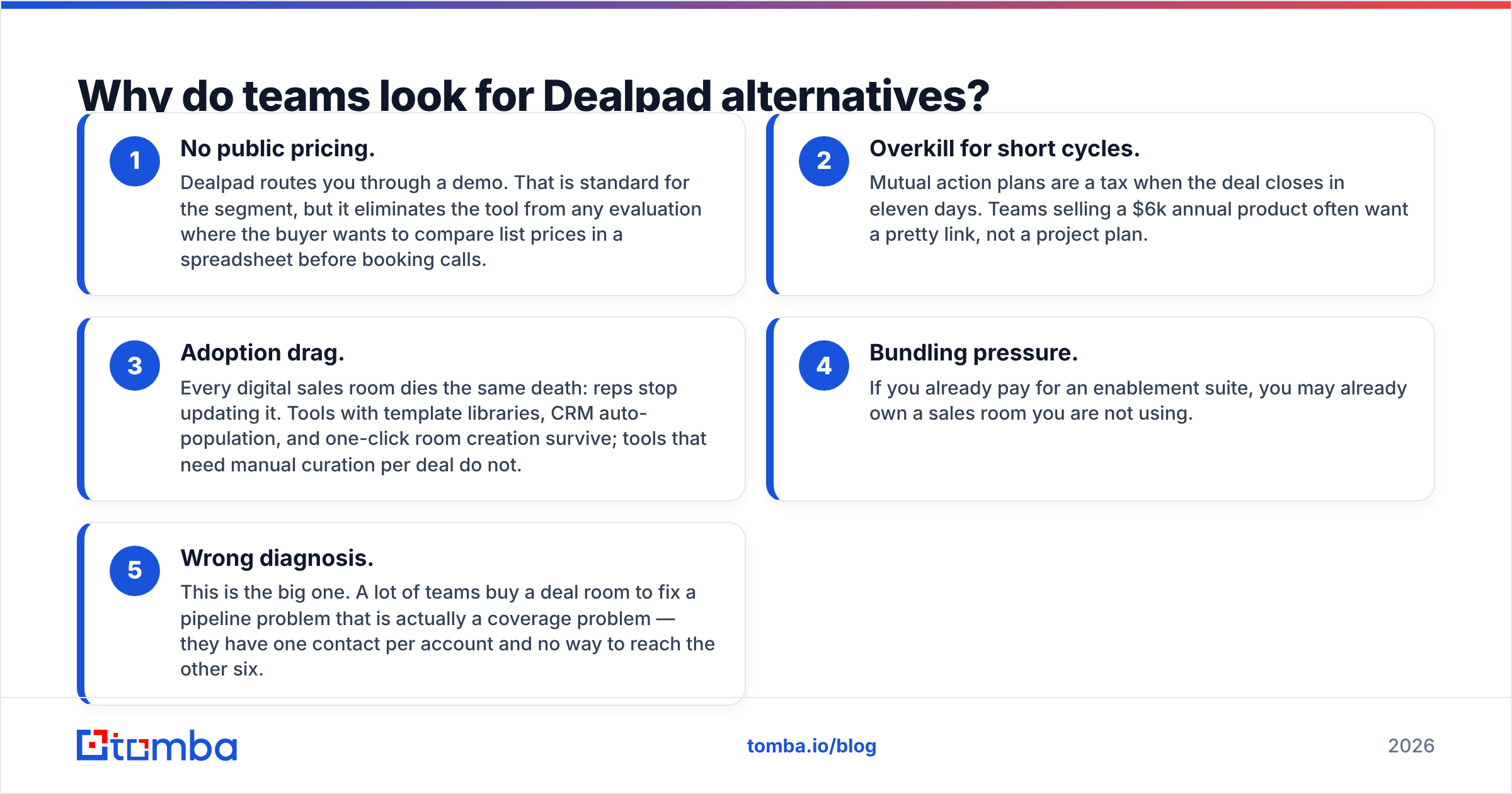
Five recurring reasons, in rough order of frequency:
- No public pricing. Dealpad routes you through a demo. That is standard for the segment, but it eliminates the tool from any evaluation where the buyer wants to compare list prices in a spreadsheet before booking calls.
- Overkill for short cycles. Mutual action plans are a tax when the deal closes in eleven days. Teams selling a $6k annual product often want a pretty link, not a project plan.
- Adoption drag. Every digital sales room dies the same death: reps stop updating it. Tools with template libraries, CRM auto-population, and one-click room creation survive; tools that need manual curation per deal do not.
- Bundling pressure. If you already pay for an enablement suite, you may already own a sales room you are not using.
- Wrong diagnosis. This is the big one. A lot of teams buy a deal room to fix a pipeline problem that is actually a coverage problem — they have one contact per account and no way to reach the other six.
How do the top Dealpad alternatives compare in 2026?#
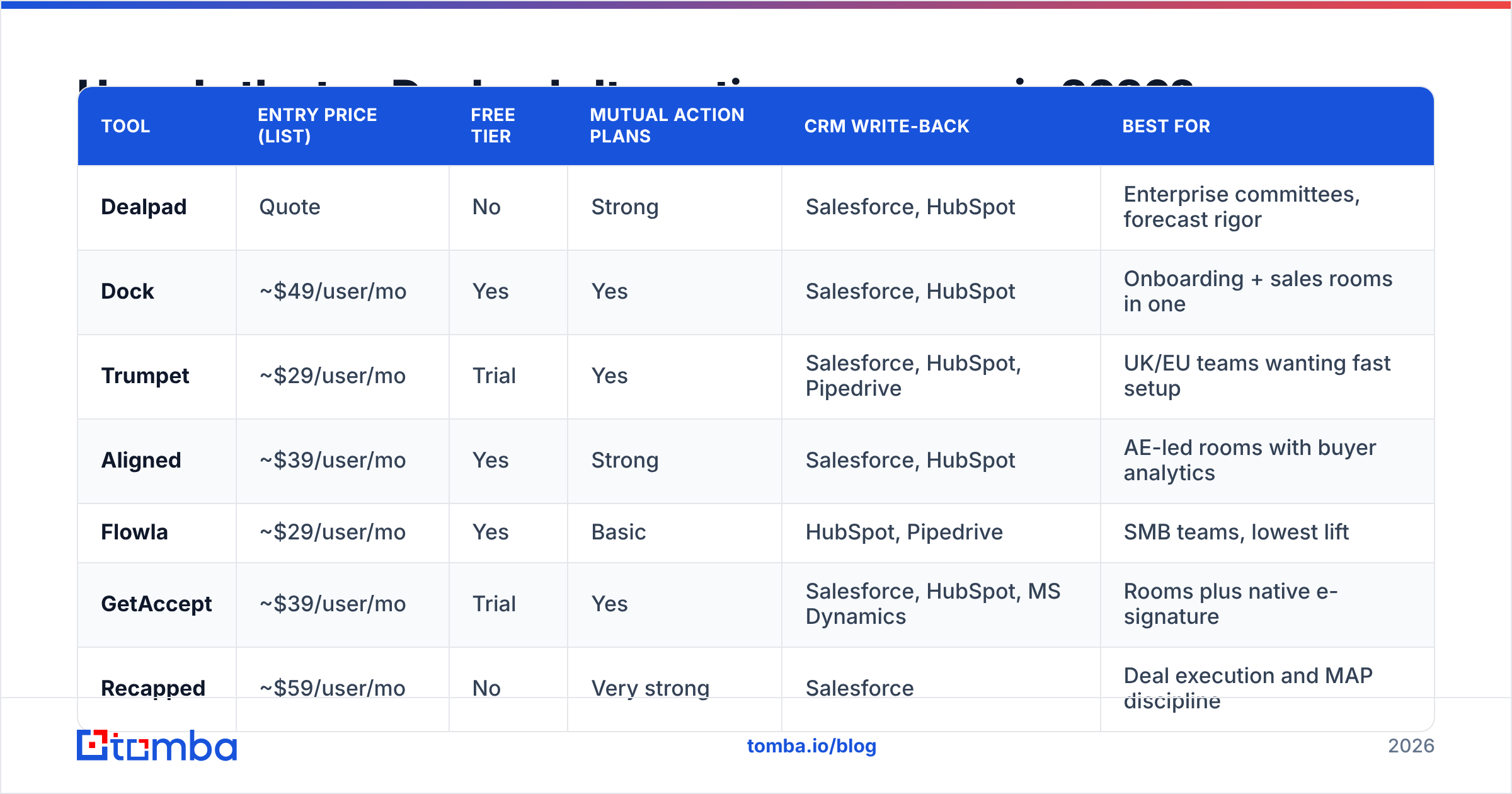
Prices below are published list prices at the time of writing and move often — verify on each vendor's own pricing page before you build a business case. "Quote" means the vendor does not publish rates.
| Tool | Entry price (list) | Free tier | Mutual action plans | CRM write-back | Best for |
|---|---|---|---|---|---|
| Dealpad | Quote | No | Strong | Salesforce, HubSpot | Enterprise committees, forecast rigor |
| Dock | ~$49/user/mo | Yes | Yes | Salesforce, HubSpot | Onboarding + sales rooms in one |
| Trumpet | ~$29/user/mo | Trial | Yes | Salesforce, HubSpot, Pipedrive | UK/EU teams wanting fast setup |
| Aligned | ~$39/user/mo | Yes | Strong | Salesforce, HubSpot | AE-led rooms with buyer analytics |
| Flowla | ~$29/user/mo | Yes | Basic | HubSpot, Pipedrive | SMB teams, lowest lift |
| GetAccept | ~$39/user/mo | Trial | Yes | Salesforce, HubSpot, MS Dynamics | Rooms plus native e-signature |
| Recapped | ~$59/user/mo | No | Very strong | Salesforce | Deal execution and MAP discipline |
| Journey | ~$29/user/mo | Yes | Basic | HubSpot | Design-forward buyer collateral |
| Accord | Quote | No | Very strong | Salesforce, HubSpot | Process-heavy enterprise sales |
| Allego / Highspot | Quote (suite) | No | Varies | Deep | Teams already buying enablement |
A few honest reads on that table.
Dock is the most common head-to-head against Dealpad in the self-serve tier. It is not just a sales room — it doubles as a customer onboarding portal, which matters if you want the same workspace to survive past close. That dual use is either a strength or feature bloat depending on whether your CS team will use it.
Trumpet competes with Dealpad on home turf. Its "pods" model is quicker to stand up than a full Dealpad implementation, and the entry price is roughly 40% lower than the category's mid-tier. Buyer analytics are good but shallower than Recapped's.
Recapped and Accord are the two tools that will out-rigor Dealpad on mutual action plans. Both push a real project-management model into the deal. Both are also the ones your reps will resent most if your process is not already documented. Do not buy either as a way to create sales process discipline — buy them to enforce discipline you already have.
Aligned occupies the middle: cheaper than Dealpad, more analytical than Flowla, with a usable free tier that lets one rep prove value before you sign a team-wide contract. That trial path is worth more than a spec sheet row.
If you want third-party validation on any of these, the G2 digital sales rooms category is the least-worst source — filter reviews by company size, because SMB and enterprise reviewers rate these tools in opposite directions.
Which Dealpad alternative fits your team size and motion?#
Match the tool to the motion, not to the feature count:
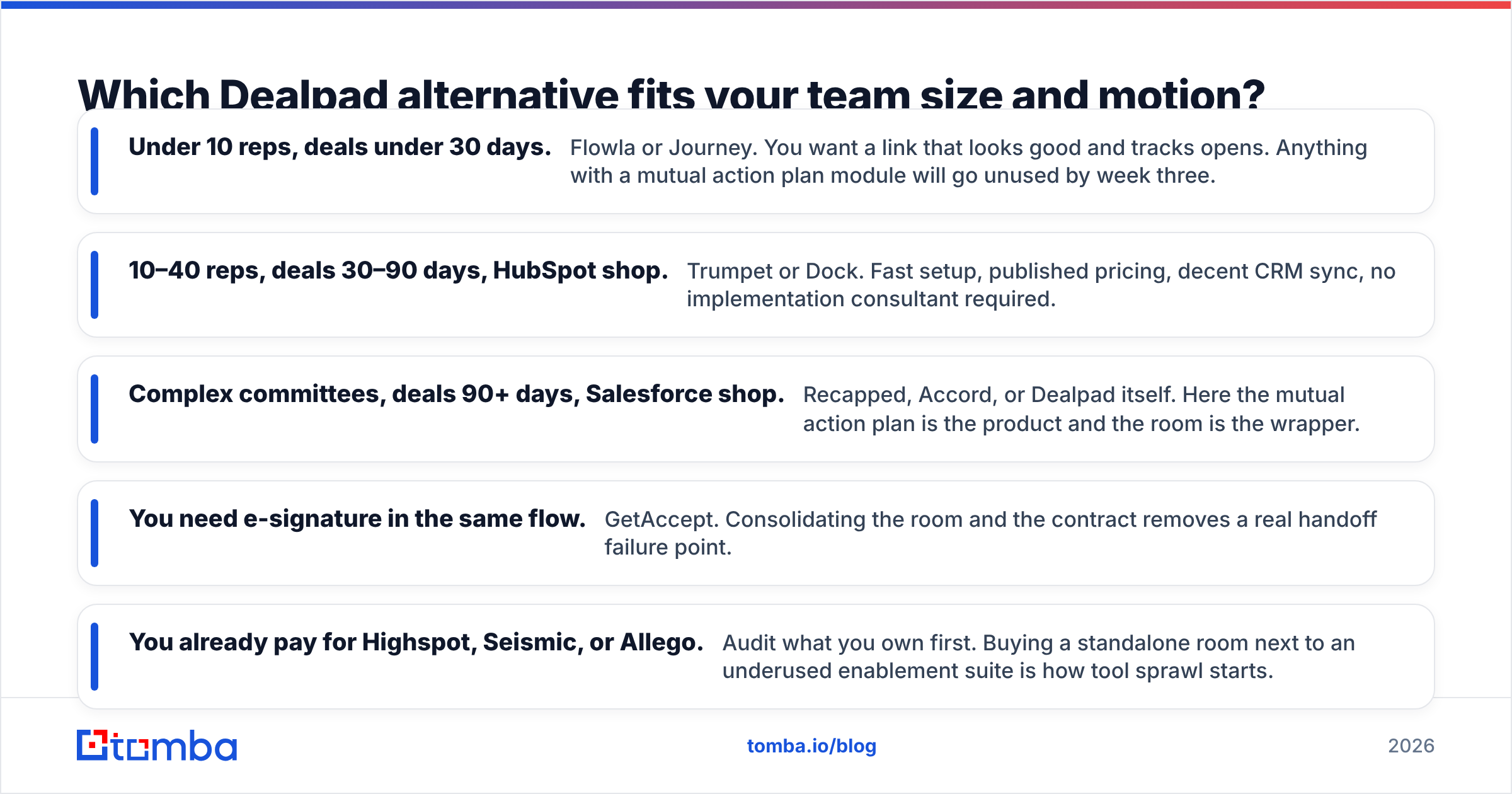
- Under 10 reps, deals under 30 days. Flowla or Journey. You want a link that looks good and tracks opens. Anything with a mutual action plan module will go unused by week three.
- 10–40 reps, deals 30–90 days, HubSpot shop. Trumpet or Dock. Fast setup, published pricing, decent CRM sync, no implementation consultant required.
- Complex committees, deals 90+ days, Salesforce shop. Recapped, Accord, or Dealpad itself. Here the mutual action plan is the product and the room is the wrapper.
- You need e-signature in the same flow. GetAccept. Consolidating the room and the contract removes a real handoff failure point.
- You already pay for Highspot, Seismic, or Allego. Audit what you own first. Buying a standalone room next to an underused enablement suite is how tool sprawl starts.
One rule that survives every evaluation: the tool your reps update on Friday afternoon beats the tool with better analytics that nobody touches. Weight adoption over capability.
Is a digital sales room even your bottleneck?#
Here is the uncomfortable diagnostic. Pull twenty closed-lost deals from your CRM and count distinct contacts per account. If the median is one or two, a digital sales room will not save those deals. You did not lose because the buyer could not find your security doc. You lost because your champion changed jobs and you had no second relationship at the account.
Multi-threading is the actual fix, and it is a data problem before it is a software problem. To run three or four threads per account you need names, roles, and working email addresses for people who never filled in your demo form — the VP of Finance who signs, the IT lead who reviews, the ops manager who has to live with the rollout.
That is where a domain search does more for pipeline than a prettier portal: give it a company domain and it returns the published email addresses at that company with role and department context, so you can decide who else belongs in the room. Run those through an email verifier before you send anything, because inviting six stakeholders and bouncing on three of them is worse than not inviting them at all.
How do you fill a deal room with the right buyers?#
A repeatable sequence that works regardless of which vendor you pick:
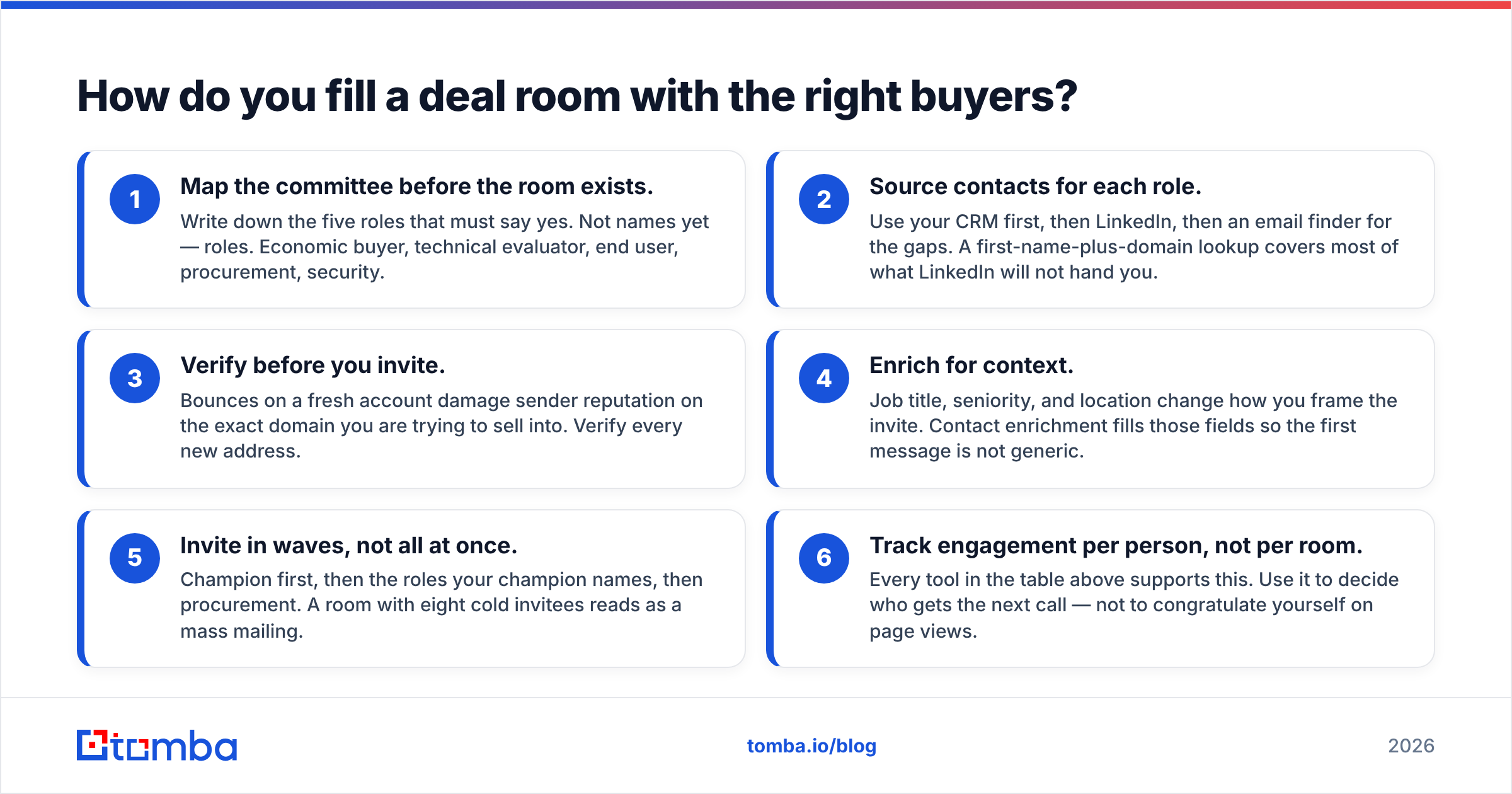
- Map the committee before the room exists. Write down the five roles that must say yes. Not names yet — roles. Economic buyer, technical evaluator, end user, procurement, security.
- Source contacts for each role. Use your CRM first, then LinkedIn, then an email finder for the gaps. A first-name-plus-domain lookup covers most of what LinkedIn will not hand you.
- Verify before you invite. Bounces on a fresh account damage sender reputation on the exact domain you are trying to sell into. Verify every new address.
- Enrich for context. Job title, seniority, and location change how you frame the invite. Contact enrichment fills those fields so the first message is not generic.
- Invite in waves, not all at once. Champion first, then the roles your champion names, then procurement. A room with eight cold invitees reads as a mass mailing.
- Track engagement per person, not per room. Every tool in the table above supports this. Use it to decide who gets the next call — not to congratulate yourself on page views.
Do steps 1–4 well and steps 5–6 get easy. Skip them and you have an expensive microsite with one viewer.
What should you check before you switch off Dealpad?#
Five due-diligence items that catch teams out:
Contract timing. Most vendors in this category sell annual. Check your renewal date before you fall in love with a demo — a mid-term switch means paying twice.
Data export. Ask specifically whether room content, engagement history, and mutual action plan state export in a usable format. Engagement history rarely does. Assume you lose it.
CRM field mapping. "HubSpot integration" ranges from "creates a note" to "writes engagement scores to a custom object you can build workflows on." Make the vendor screen-share the field mapping during evaluation, not after.
Security review. If you sell into regulated industries, your buyers' security teams will review the room. SOC 2 Type II is table stakes; ask about data residency if you sell in the EU or UK.
Template ownership. Whoever builds the templates owns adoption. If that person leaves and the templates rot, the tool dies. Name a template owner in the rollout plan.
Frequently asked questions#
Is there a free Dealpad alternative? Yes. Dock, Aligned, Flowla, and Journey all run free tiers with limits on active rooms or users. They are genuinely usable for one or two reps testing the concept before a team purchase.
What does Dealpad cost? Dealpad does not publish list pricing and quotes per deployment. Expect the mid-market and enterprise end of the category rather than the $29/user self-serve end. Get a written quote with the seat count and term spelled out.
Do digital sales rooms actually improve win rates? The vendor-published numbers are marketing. What is defensible: rooms improve visibility into buyer activity, and visibility improves forecast accuracy and follow-up timing. Treat win-rate lift as a downstream effect of better multi-threading, not as a feature of the software.
Can I just use Notion or Google Drive? For simple deals, yes — and plenty of teams do. You lose per-person engagement tracking and CRM write-back, which are the two things you are actually paying for.
Which Dealpad alternative has the best mutual action plans? Recapped and Accord, by a clear margin. Dealpad is competitive. Flowla and Journey are not trying to compete there.
Where to start#
Shortlist two tools, not six. Run each on three live deals for thirty days with the same rep. Measure one thing: how many distinct stakeholders engaged per account, versus your baseline. That number tells you whether the room is doing work.
Before you run that test, fix the input. A deal room only converts the people who are in it, and most stalled deals stall because the right people were never invited. Use Tomba's Email Finder to source and verify the additional stakeholders at your open accounts — the free tier covers 25 searches a month, Starter runs $49/mo, and Growth is $99/mo if you are enriching at volume. Full Tomba pricing is public, which is more than you can say for most of the tools in this comparison. Get the committee mapped first; then pick the room.
Related guides#
Ready to find emails that actually work?
Join 150,000+ professionals who stopped guessing and started sending. Free credits on signup — no credit card required.
Get the Tomba newsletter
Practical outbound tactics and product updates — once every two weeks.
About the author