DealSignal vs Enrichley: Which B2B Data Tool Wins in 2026?
DealSignal and Enrichley both promise verified B2B contact data, but they solve different problems at very different price points. Here is an honest breakdown of accuracy, pricing, coverage, and when a cheaper API beats both.
TL;DR
- DealSignal is an enterprise-leaning B2B data platform built around on-demand verification and custom-built contact lists. Pricing is quote-based, and you generally talk to a rep before you see a number.
- Enrichley sits at the lighter, self-serve end: enrichment and contact discovery aimed at smaller outbound teams that want to start today, not next quarter.
- The real decision is not "which brand is better" — it is list-building vs. record-level enrichment. Buying the wrong shape of tool costs more than picking the wrong vendor.
- Neither publishes a transparent, verifiable accuracy number you can audit. Run a 200-contact bake-off against your own ICP before you sign anything.
- If your bottleneck is simply "I have a name and a company, I need a valid work email", a per-lookup API like Tomba ($49/mo Starter, free tier for testing) usually beats both on cost per usable contact.
What are DealSignal and Enrichley, actually?#
Different products wearing similar marketing language.
DealSignal (dealsignal.com) positions itself as a B2B data provider that verifies contacts at the moment you request them rather than serving records from a static warehouse. The pitch is straightforward: stale databases decay at roughly 2-2.5% per month as people change jobs, so a vendor that refreshes on demand should hand you fewer bounces. It targets demand-gen and RevOps teams that want managed list-building — you describe the ICP, they build and verify the file, it syncs into your CRM.
Enrichley is the lighter-weight side of the same problem. It leans self-serve: connect a list or a source, enrich records with firmographic and contact fields, push into your sequencer. Less "talk to sales, get a custom build," more "sign up and process a CSV this afternoon."
That distinction matters more than any feature checkbox. One is a service wrapped in software. The other is software you operate yourself. If you buy the enterprise motion when you needed an enrichment endpoint, you pay for account management you never use. If you buy the self-serve tool when you actually needed 40,000 net-new verified contacts in a niche vertical, you spend three weeks discovering the coverage gaps yourself.

How do DealSignal and Enrichley compare head to head?#
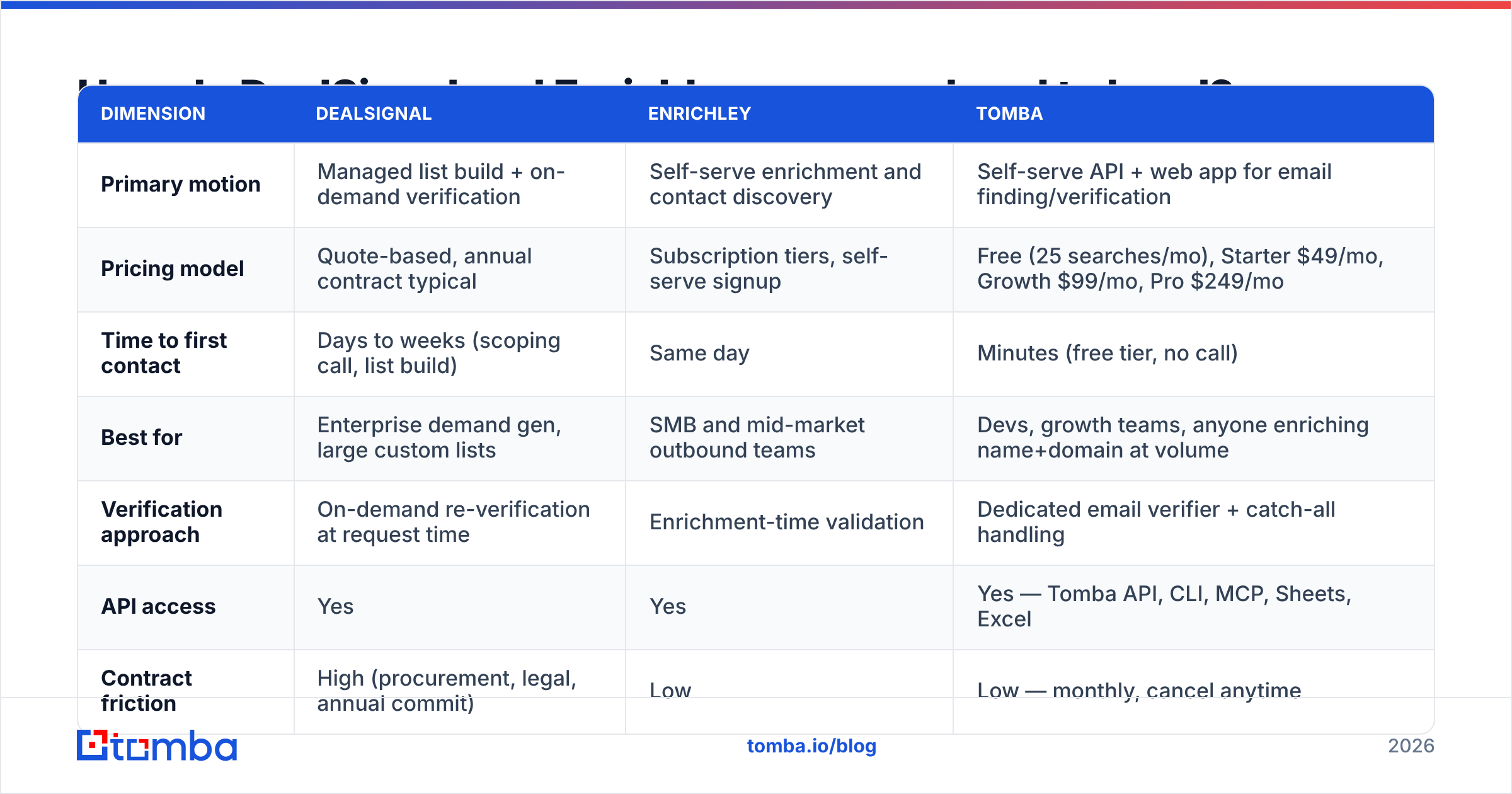
Here is the honest side-by-side. Where a vendor does not publish a figure, this table says so rather than inventing one — that opacity is itself a data point when you are budgeting.
| Dimension | DealSignal | Enrichley | Tomba |
|---|---|---|---|
| Primary motion | Managed list build + on-demand verification | Self-serve enrichment and contact discovery | Self-serve API + web app for email finding/verification |
| Pricing model | Quote-based, annual contract typical | Subscription tiers, self-serve signup | Free (25 searches/mo), Starter $49/mo, Growth $99/mo, Pro $249/mo |
| Time to first contact | Days to weeks (scoping call, list build) | Same day | Minutes (free tier, no call) |
| Best for | Enterprise demand gen, large custom lists | SMB and mid-market outbound teams | Devs, growth teams, anyone enriching name+domain at volume |
| Verification approach | On-demand re-verification at request time | Enrichment-time validation | Dedicated email verifier + catch-all handling |
| API access | Yes | Yes | Yes — Tomba API, CLI, MCP, Sheets, Excel |
| Contract friction | High (procurement, legal, annual commit) | Low | Low — monthly, cancel anytime |
| Published accuracy claim | Marketing-stated, not independently audited | Marketing-stated, not independently audited | Verification status returned per lookup |
Two things jump out. First, the pricing asymmetry: one vendor requires a sales conversation before you know if you can afford it; the other two do not. Second, the verification philosophy differs. DealSignal's core argument is that freshness beats size. That argument is legitimate — a 200-million-record database where 30% of the contacts changed jobs is not a 200-million-record database.
Which one has better data accuracy?#
Nobody can answer that for you from a blog post, and you should distrust any article that claims otherwise.
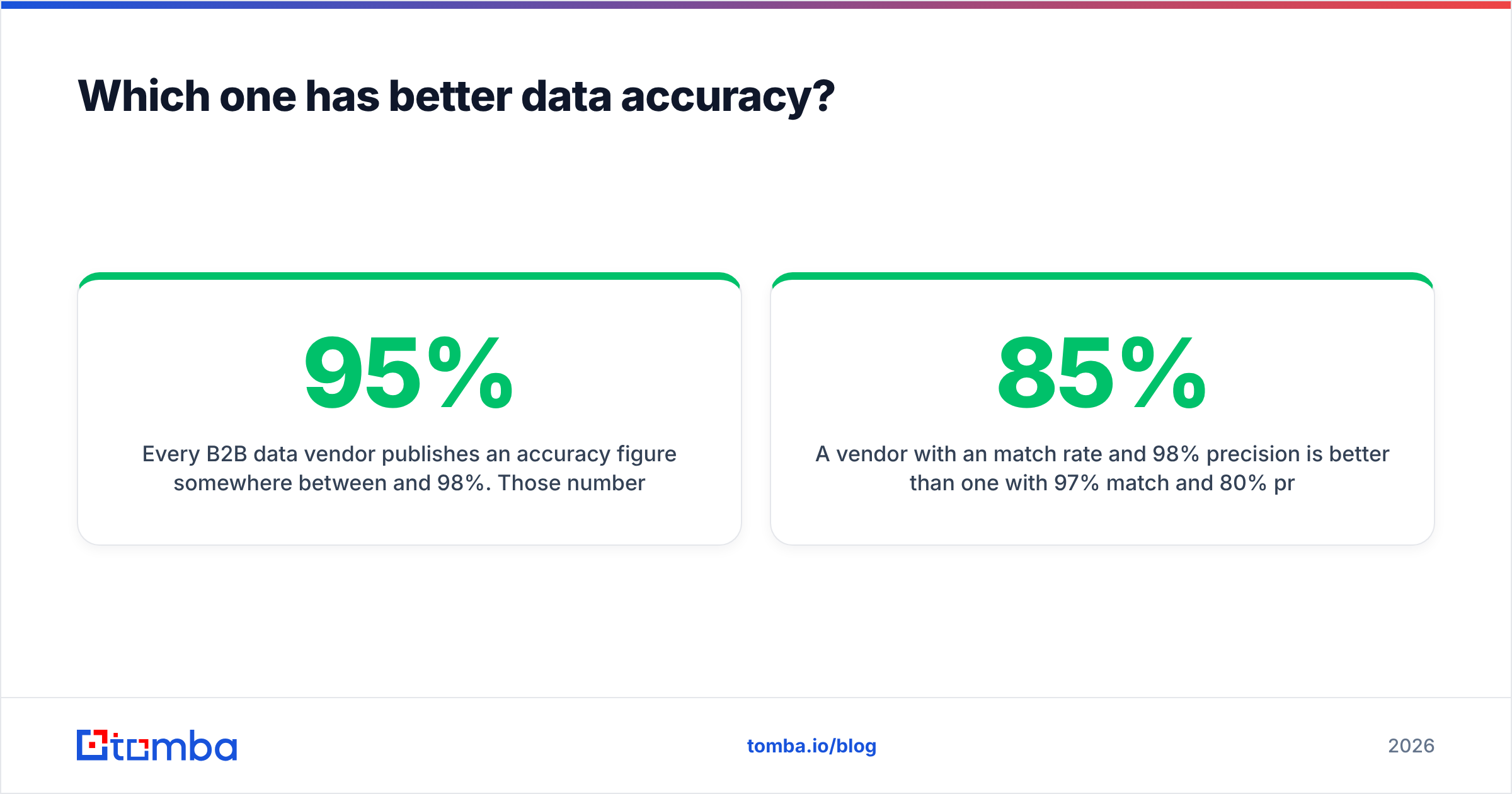
Every B2B data vendor publishes an accuracy figure somewhere between 95% and 98%. Those numbers are measured on the vendor's own sample, with the vendor's own definition of "accurate," and are essentially never reproducible. The gap between a marketing accuracy claim and your real-world bounce rate comes down to three variables the vendor does not control:
- Your ICP's geography. North American SaaS coverage is a solved problem across most vendors. DACH mid-market manufacturing, Japanese enterprise, or Latin American logistics is where databases diverge by 40 points or more.
- Your ICP's seniority. VP-and-above contacts at companies over 500 employees are well covered everywhere. Individual contributors at 15-person startups are not.
- Catch-all domains. A meaningful slice of B2B domains accept every address at the SMTP layer, which makes standard verification return "unknown." How a vendor handles that — guess and ship it, or flag it honestly — changes your bounce rate more than raw database size. Tools with a dedicated catch-all verifier tell you which bucket you are in instead of silently passing risk downstream.

Run the bake-off. It takes an afternoon and it is the only evidence that matters:
- Pull 200 contacts from your CRM that you already have verified emails for — a control set.
- Strip the emails. Keep name + company domain.
- Feed the same 200 rows to each vendor's trial or free tier.
- Score three things: match rate (how many returned anything), precision (how many matched your known-good email), and honest unknowns (how many were flagged uncertain rather than guessed).
A vendor with an 85% match rate and 98% precision is better than one with 97% match and 80% precision. The second one is filling your sequencer with bounces, and bounces cost you sender reputation, which is the expensive part.
Is DealSignal worth the enterprise price tag?#
Sometimes. It depends on whether you are buying data or buying labor.
DealSignal makes sense when:
- You need a list you cannot self-serve. "Every RevOps leader at PE-backed healthcare SaaS companies between 200 and 2,000 employees in EMEA" is a build, not a search. Paying someone to build it is rational.
- Procurement is not your problem. If you have budget authority and an annual contract is normal for your org, the friction is invisible.
- You want a throat to choke. Managed service means an account team, an SLA, and a person who answers when data quality slips. That has real value at scale.
It stops making sense when:
- Your volume is under a few thousand contacts a month. Enterprise minimums mean paying for capacity you will not touch.
- You already know exactly who you want. If your prospect list comes from LinkedIn Sales Navigator, a conference attendee list, or your website visitors, you do not need list-building. You need email resolution — a fundamentally cheaper operation.
- You need it this week. Scoping calls, security review, and legal will eat a month.
Check the review sites before you commit. G2 and Capterra both carry user reviews for the B2B data category, and the pattern to look for is not the star rating — it is the renewal comments. Vendors that under-deliver on niche coverage get called out in year-two reviews, not year-one.
When is Enrichley the better pick?#
When speed and reversibility matter more than coverage depth.
The self-serve model has a structural advantage the enterprise model cannot match: you can be wrong cheaply. Sign up, process 500 records, look at your bounce rate, cancel if it is bad. Total cost of a failed experiment: one month's subscription and an hour of your time. The same failed experiment on an annual enterprise contract costs five figures and a year of being stuck with it.
Enrichley-style tools tend to fit best when:
- Your list already exists and needs fields filled in — job title, company size, tech stack, work email.
- Your team is under 20 people and nobody has time to manage a vendor relationship.
- Your workflow is CSV-in, CSV-out or a simple CRM sync, not a bespoke data pipeline.
The tradeoff is coverage on hard segments. Self-serve tools generally do not run the manual research fallback that a managed provider does. When the database does not have the contact, you get a null — not a researcher assigned to find it.
What are the alternatives to both?#
Most teams evaluating DealSignal vs Enrichley are actually solving a narrower problem than either tool is priced for. Here is how the broader category splits:
- Managed list-building providers — DealSignal and peers. Best when the list itself is the deliverable and budget is not the constraint.
- Prebuilt list marketplaces — BookYourData is a solid option here: you filter, preview counts, and buy a verified list outright with no subscription. Genuinely useful when you want a one-time file rather than an ongoing seat.
- Enrichment APIs — you send name + domain, you get back a verified email, phone, or firmographic record. Priced per lookup, so cost scales with usage instead of headcount.
- All-in-one sequencers with bundled data — convenient, but the bundled data is usually the weakest part of the stack, and you cannot swap it out.
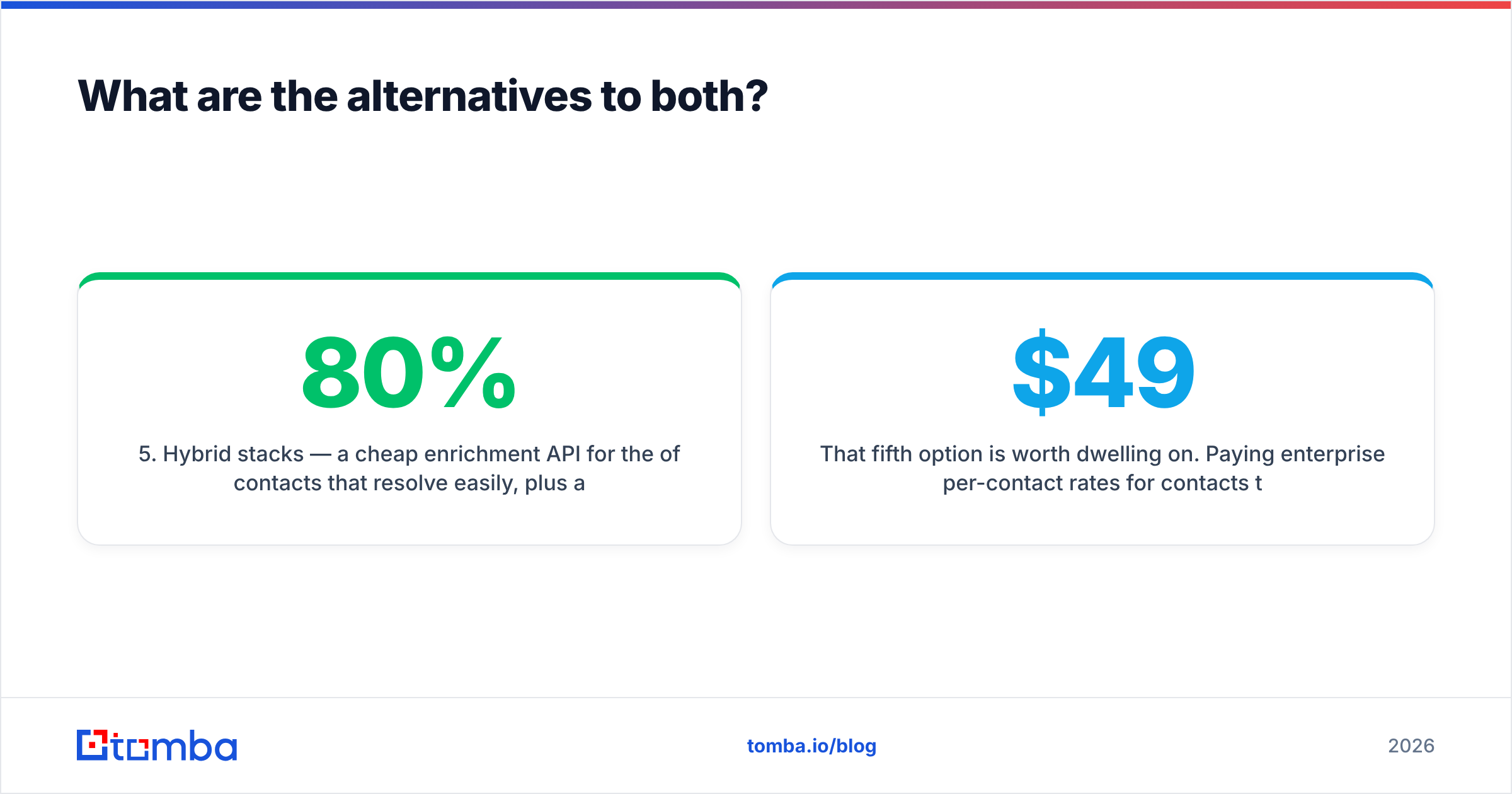
- Hybrid stacks — a cheap enrichment API for the 80% of contacts that resolve easily, plus a premium provider or manual research for the hard 20%. This is what most mature outbound teams actually run.
That fifth option is worth dwelling on. Paying enterprise per-contact rates for contacts that a $49/mo API resolves in 200 milliseconds is the single most common budget leak in outbound. Route the easy ones cheaply. Escalate only what fails.

How do you actually run the evaluation?#
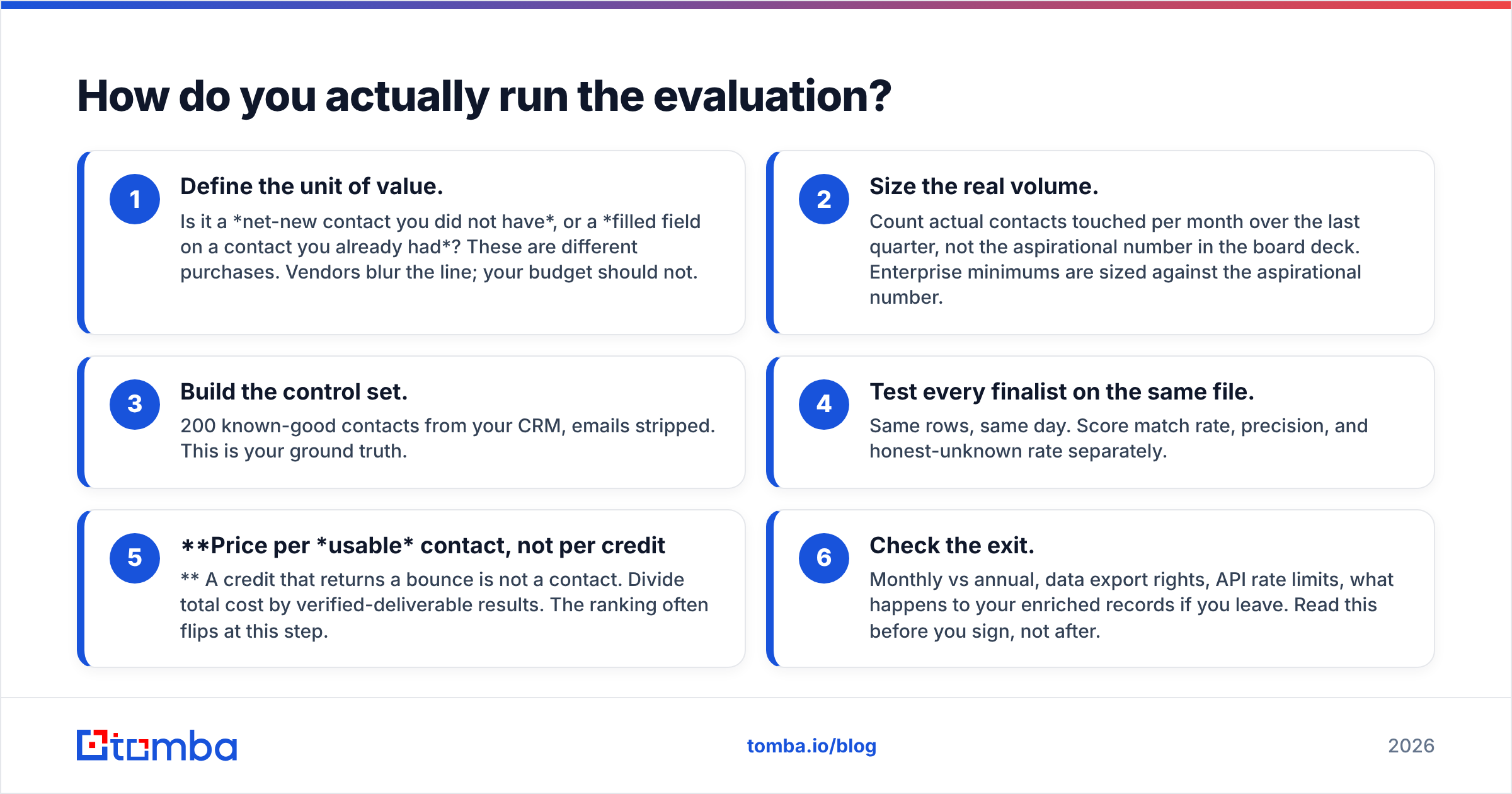
Six steps, in order. Do not skip step one.
- Define the unit of value. Is it a net-new contact you did not have, or a filled field on a contact you already had? These are different purchases. Vendors blur the line; your budget should not.
- Size the real volume. Count actual contacts touched per month over the last quarter, not the aspirational number in the board deck. Enterprise minimums are sized against the aspirational number.
- Build the control set. 200 known-good contacts from your CRM, emails stripped. This is your ground truth.
- Test every finalist on the same file. Same rows, same day. Score match rate, precision, and honest-unknown rate separately.
- Price per usable contact, not per credit. A credit that returns a bounce is not a contact. Divide total cost by verified-deliverable results. The ranking often flips at this step.
- Check the exit. Monthly vs annual, data export rights, API rate limits, what happens to your enriched records if you leave. Read this before you sign, not after.
For step 3 and 4, a bulk email finder makes the mechanics trivial — upload the stripped file, get results back with per-row verification status, compare against your control column in a spreadsheet. If you would rather stay in the sheet entirely, the Google Sheets add-on runs the same lookups inline.
What is the verdict?#
Pick DealSignal if the list is the deliverable — you need contacts you cannot find yourself, in segments that self-serve databases cover thinly, and you have the budget and procurement patience for an annual contract with a managed service attached.
Pick Enrichley if speed and reversibility matter more — you have a list, you need fields filled, and you want to test the vendor this week rather than negotiate with it this quarter.
Pick neither if your actual problem is email resolution. That is the most common case, and it is the cheapest one to solve. If your workflow is "I have a name and a company domain, I need a deliverable work email," you are buying a lookup, not a platform. Paying platform prices for lookups is how outbound budgets quietly double.
Whatever you choose: verify before you send. An unverified list does not just waste credits — it burns the domain reputation that makes every future campaign work. Check Tomba pricing against your real monthly volume, and if you are running a bake-off, the free tier gives you 25 searches to sanity-check coverage on your own ICP before anyone signs anything.
Ready to test coverage on your own list? Start with the Tomba Email Finder — feed it a name and a company domain, get back a verified work email with a confidence score and a clear flag when the domain is catch-all. Free tier, no sales call, and if the match rate on your ICP is not good enough, you have lost nothing but an afternoon. That is the cheapest possible way to find out which vendor actually deserves your budget.
Related guides#
Ready to find emails that actually work?
Join 150,000+ professionals who stopped guessing and started sending. Free credits on signup — no credit card required.
Get the Tomba newsletter
Practical outbound tactics and product updates — once every two weeks.
About the author