DealSignal vs UpLead (2026): Which B2B Data Tool Wins?
DealSignal sells on-demand verified data at enterprise prices. UpLead sells a self-serve database with 95% accuracy claims. We compare pricing, coverage, verification, and who each one actually fits.
TL;DR
- DealSignal is a managed, on-demand data service: you define an ICP, it builds and re-verifies the list. Contracts typically start in the low four figures per year and it is sold as an annual platform, not a credit pack.
- UpLead is a self-serve database with a published price ladder ($99/mo Essentials, $199/mo Plus, custom Professional) and a 7-day, 5-credit trial. You search, filter, and export yourself.
- Accuracy claims are not comparable. UpLead's "95% accuracy" is a real-time verification promise at export time. DealSignal's "97%+" is a human-plus-machine refresh cycle. Both are marketing numbers until you test them on your own domains.
- Coverage differs by shape, not just size. UpLead is stronger for straightforward US/EU firmographic filtering; DealSignal is stronger for custom-built lists in niche or hard-to-source segments.
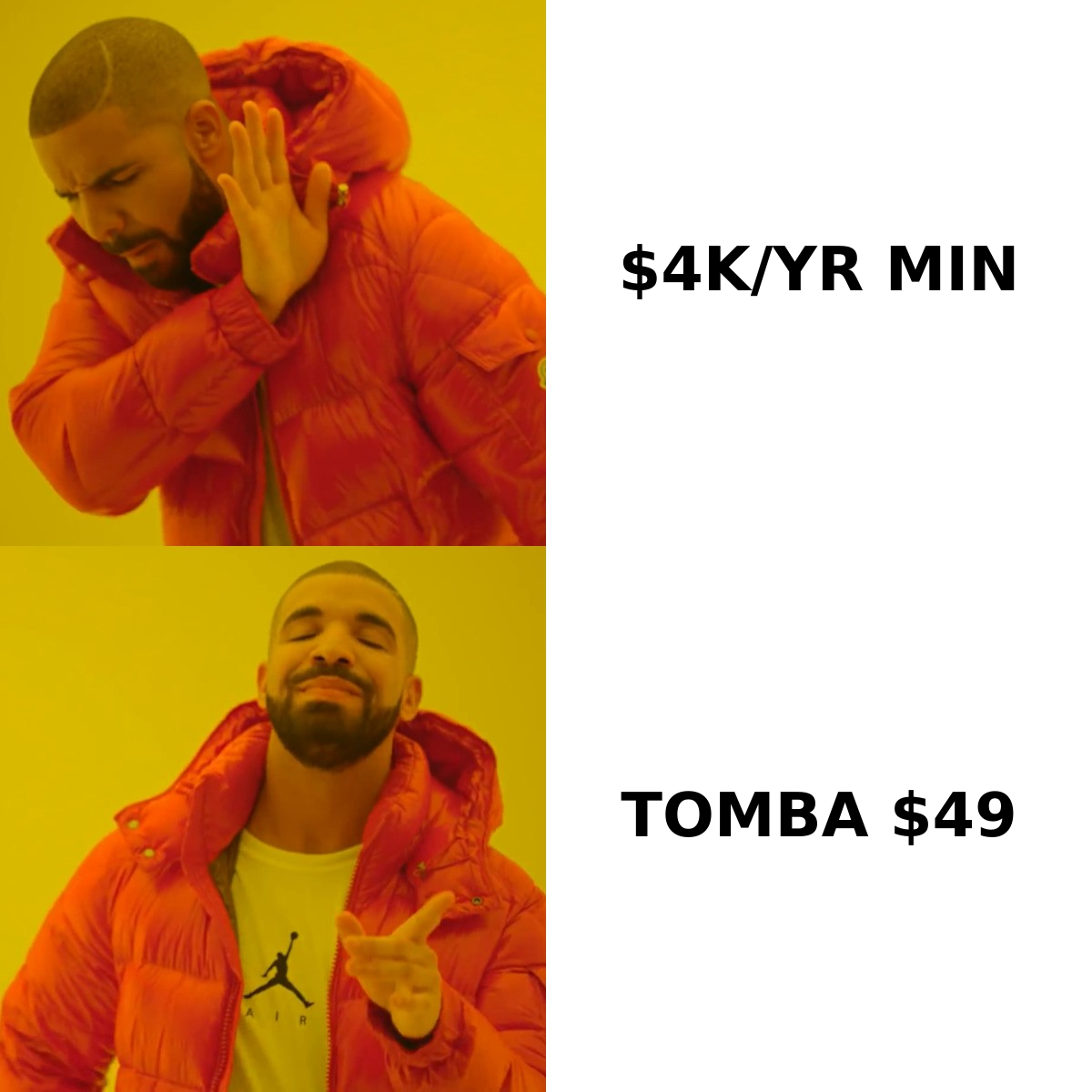
- If you mainly need verified work emails at a specific set of companies, neither is the cheapest route. A dedicated email finder starting at $49/mo covers that job without an annual commitment.
What are DealSignal and UpLead, actually?#
They solve the same surface problem — "I need contact data for people who match my ICP" — with opposite delivery models.
DealSignal (dealsignal.com) positions itself as an on-demand B2B data platform. Instead of handing you a static database to query, it takes your target profile and assembles contacts against it, then re-verifies records on a rolling cycle. It leans heavily on data-as-a-service language: list builds, CRM data hygiene, TAM expansion, intent overlays. That fits marketing ops and demand gen teams who need a clean list delivered into Marketo or Salesforce more than they need a Chrome extension.
UpLead (uplead.com) is the opposite: a searchable database with roughly 155M+ contact records, 50+ filters, a Chrome extension, and real-time email verification at the moment you export. You log in, filter by title, industry, tech stack, revenue, and headcount, then spend credits to reveal contacts. It is designed for an SDR or a founder doing their own prospecting on a Tuesday afternoon.
That structural difference — managed service versus self-serve tool — drives almost every other difference in this comparison.
How do DealSignal and UpLead compare on price and features?#
Published pricing is where the gap is widest. UpLead lists its tiers openly; DealSignal quotes.
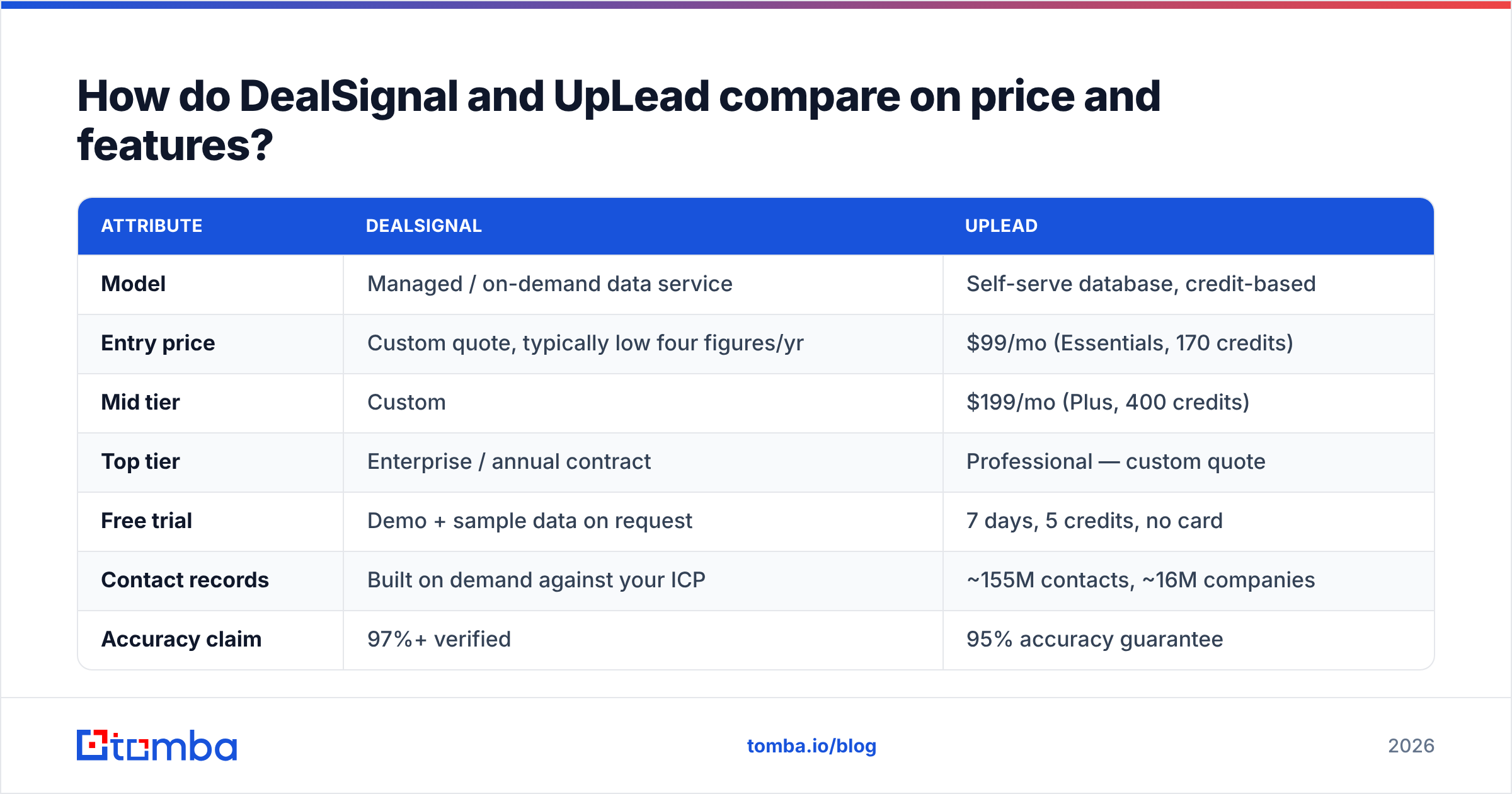
| Attribute | DealSignal | UpLead |
|---|---|---|
| Model | Managed / on-demand data service | Self-serve database, credit-based |
| Entry price | Custom quote, typically low four figures/yr | $99/mo (Essentials, 170 credits) |
| Mid tier | Custom | $199/mo (Plus, 400 credits) |
| Top tier | Enterprise / annual contract | Professional — custom quote |
| Free trial | Demo + sample data on request | 7 days, 5 credits, no card |
| Contact records | Built on demand against your ICP | ~155M contacts, ~16M companies |
| Accuracy claim | 97%+ verified | 95% accuracy guarantee |
| Email verification | Continuous re-verification cycles | Real-time at export |
| Phone / mobile data | Yes, including direct dials | Yes, on higher tiers |
| Intent data | Yes (add-on) | Yes (Plus and above) |
| Chrome extension | No | Yes |
| API | Yes | Yes |
| Best for | MOps, demand gen, enterprise list builds | SDRs, founders, small sales teams |
Two things stand out. First, the entry barrier: UpLead lets you start for $99 and cancel next month; DealSignal expects an annual conversation. Second, the credit math. UpLead's Essentials tier at $99 for 170 credits works out to roughly $0.58 per contact. That is fine for a targeted list of 150 accounts and expensive if you are running high-volume outbound where you burn thousands of records a month.
Is DealSignal's accuracy claim better than UpLead's?#
They measure different things, so the headline numbers are not directly comparable.
UpLead verifies an email at the moment you click reveal — an SMTP-level check against the mail server, with the promise that you are not charged for a bounce. That is a point-in-time guarantee, and it is genuinely useful: you get a credit back rather than a bounce in your sending domain's history.
DealSignal's approach is a refresh pipeline. Records get re-verified on a cadence using a mix of automated checks and human research, which is why it markets on "always fresh" rather than "verified once." For a database that sits in your CRM for six months, that continuous model matters more than a single check at export.
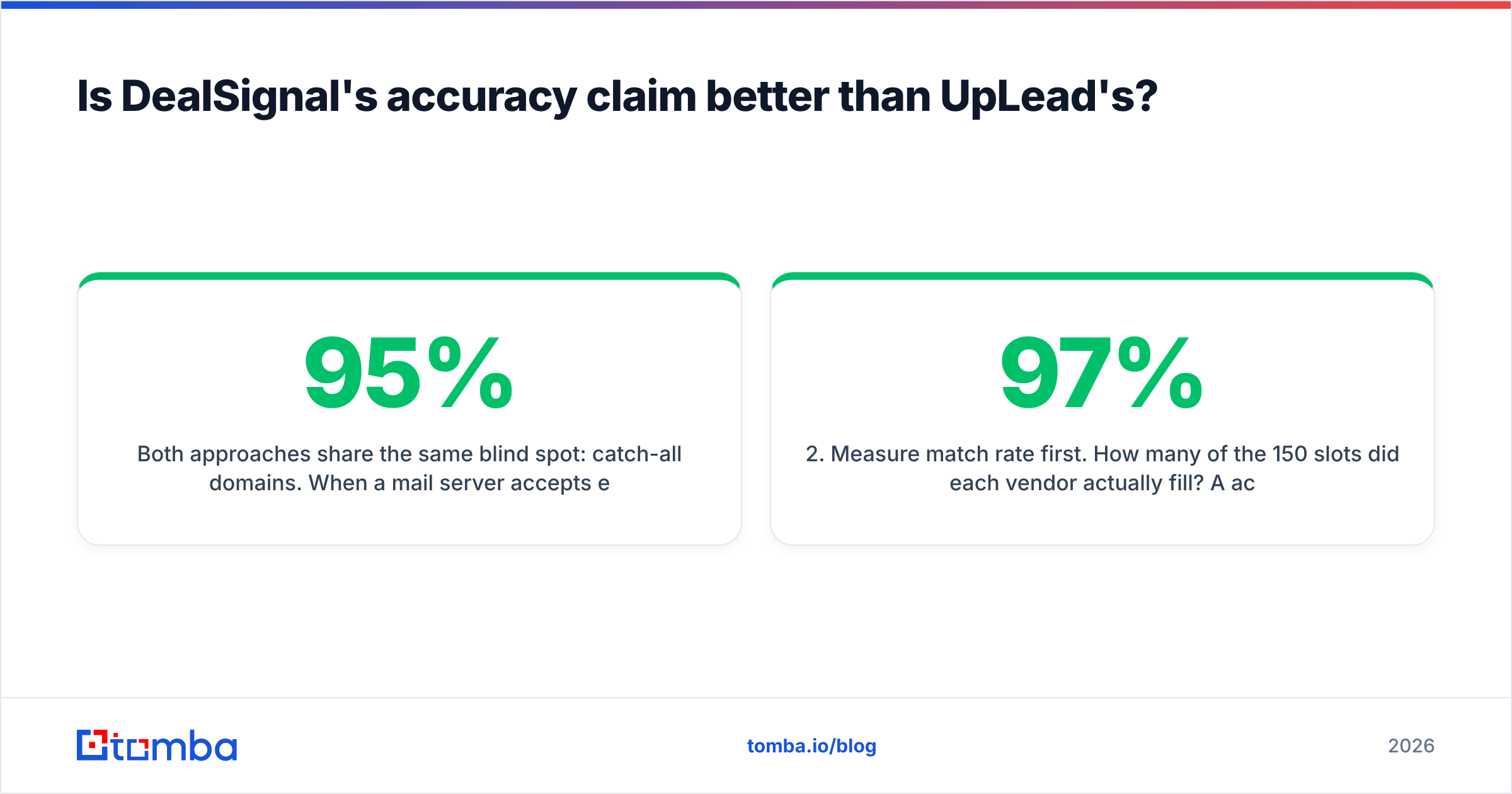
Both approaches share the same blind spot: catch-all domains. When a mail server accepts every address at a domain, an SMTP check returns "valid" for nonexistent.person@company.com just as readily as for the real one. Any vendor quoting 95%+ is either excluding catch-alls from the denominator or guessing on them. Before you trust either provider's number, run a sample of 200 exported records through an independent email verifier and check what share come back as catch-all or risky. That single test tells you more than any vendor benchmark.
Here is a practical way to score both vendors on your own data:
- Pull an identical sample. Same 50 target companies, same three job titles, from each tool.
- Measure match rate first. How many of the 150 slots did each vendor actually fill? A 97% accuracy rate on 40% coverage is worse than 90% on 85% coverage.
- Verify independently. Run every returned address through a third-party verifier and record valid / invalid / catch-all / unknown.
- Send a low-volume test. 100 emails per source, same copy, same sending domain. Compare hard bounce rate after 48 hours.
- Check role and title drift. Count how many contacts have left the company — LinkedIn spot-checks on 20 records is enough to spot a stale database.
- Price it per usable contact. Divide the plan cost by the number of records that survived steps 2–5. That is your real CPL input.
Most teams skip step 2, which is the expensive mistake. Coverage gaps cost more than bounce rates because they silently shrink your addressable pipeline.
Which one fits your team's workflow?#
Pick by how your team actually works, not by feature-list length.
- You are 1–5 people doing your own prospecting. UpLead. You want to log in, filter, export, and get on with it. The Chrome extension and $99 entry price fit that rhythm. DealSignal's model assumes someone owns the data relationship internally, and at five people nobody does.
- You run demand gen with a CRM hygiene problem. DealSignal. If your Salesforce instance is full of 2022 job titles and you need a systematic refresh plus net-new records mapped to your ICP, a managed service beats a self-serve export you would have to script yourself.
- You sell into niche verticals. DealSignal, cautiously. On-demand sourcing genuinely helps when a standard database returns 40 matching contacts for your segment. Ask for a sample build in your exact niche before signing — that is the whole test.
- You need contacts at a known list of companies. Neither, necessarily. If you already have the account list and just need the right people's work emails, a domain search plus verification is a fraction of the cost of either platform.
- You are enriching an existing database. Compare on API and match rate, not seat price. Both offer APIs; run the same 1,000-row file through each and measure fill rate against fields you actually use.
- You need mobile numbers for calling. Test both on a sample. Direct-dial coverage varies wildly by region and seniority, and neither vendor's headline number will match what you get in your segment.

What do DealSignal and UpLead not tell you?#
Four things worth knowing before either contract lands on your desk.
Credits expire, and rollover rules are the fine print. UpLead credits are tied to your billing cycle. If you buy an annual plan and use it in bursts, model your actual monthly usage curve rather than your average. A team that prospects hard in Q1 and lightly in Q3 wastes a meaningful chunk of an annual allocation.
"Contacts in the database" is not "contacts you can reach." A 155M-record database sounds enormous until you filter for VP-level marketing contacts at 50–200 employee SaaS companies in the DACH region. Then you might see a few thousand. Always run the filter combination you actually sell into during the trial — not a broad "all technology companies" search that returns a reassuring six-figure count.
Enterprise data contracts have data-usage terms. Managed services often restrict how long you may retain records, whether you can share them across business units, and what happens to the data if you churn. Read the retention clause. It is boring and it matters more than the price.
Neither replaces deliverability work. Clean data reduces bounces; it does not fix a cold domain, a missing DMARC record, or a sending pattern that looks like a bot. If you are ramping a new domain, spend time on email deliverability fundamentals — SPF, DKIM, DMARC, warmup schedule — before blaming the data provider for low reply rates. Reviews on G2 for both categories are full of teams that bought better data and got the same results because the sending infrastructure was the actual constraint.
What are the alternatives to DealSignal and UpLead?#
The DealSignal-vs-UpLead framing assumes you need a full contact database. Often you need something narrower and cheaper.
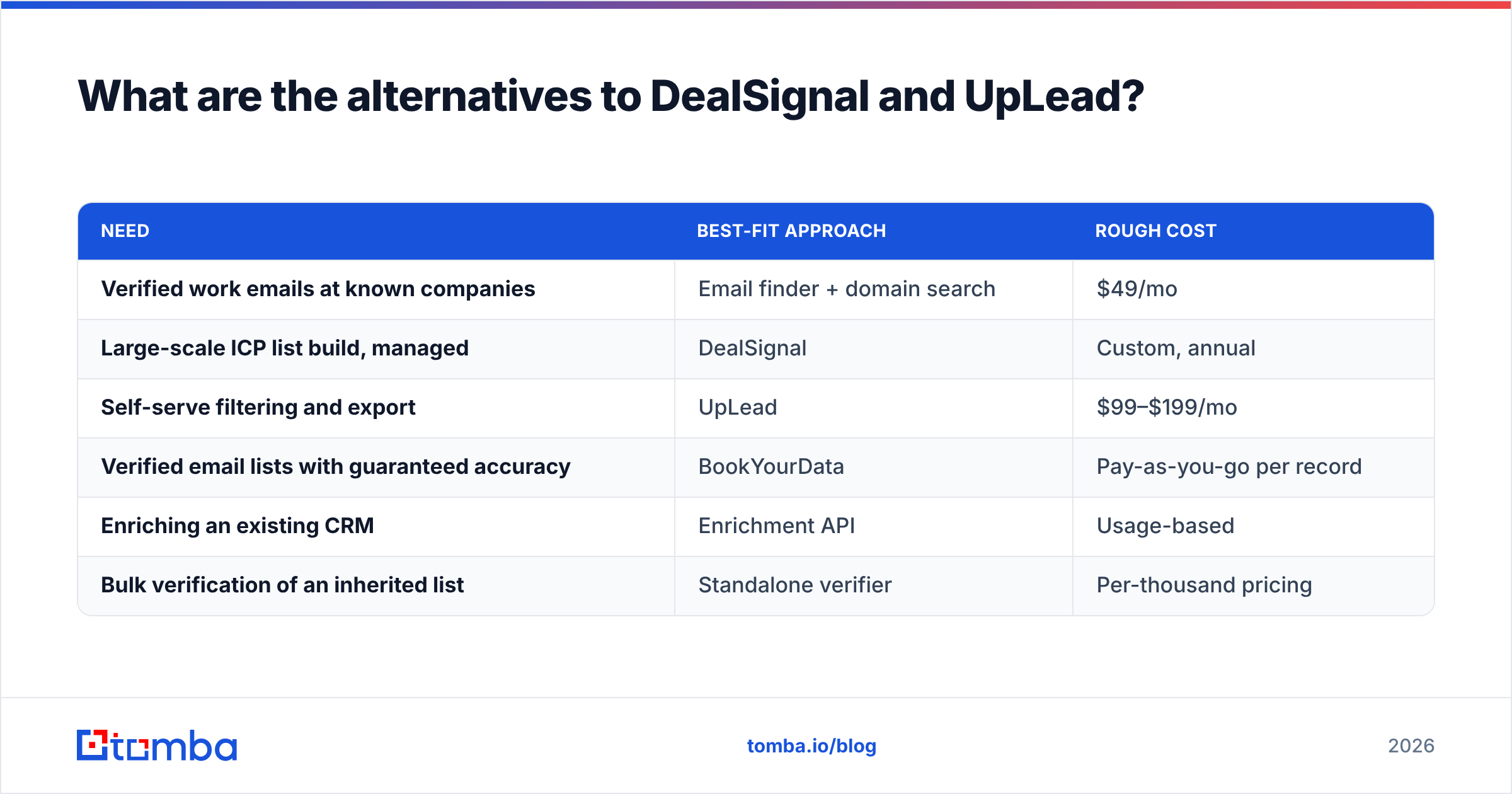
| Need | Best-fit approach | Rough cost |
|---|---|---|
| Verified work emails at known companies | Email finder + domain search | $49/mo |
| Large-scale ICP list build, managed | DealSignal | Custom, annual |
| Self-serve filtering and export | UpLead | $99–$199/mo |
| Verified email lists with guaranteed accuracy | BookYourData | Pay-as-you-go per record |
| Enriching an existing CRM | Enrichment API | Usage-based |
| Bulk verification of an inherited list | Standalone verifier | Per-thousand pricing |
A few notes on that table. BookYourData is worth a look if you want to buy a defined list outright rather than subscribe — it sells verified B2B contacts on a pay-as-you-go basis with an accuracy guarantee, which suits teams that need one clean list per quarter rather than continuous access. It is a genuinely different purchase shape from both tools in this comparison.
Tomba sits in the narrowest and cheapest lane. It is not a 155M-record marketplace and does not pretend to be. It is an email finder plus verification stack: give it a domain or a name-and-company, get a work email with a confidence score, verify it, and move on. Pricing runs from a free tier (25 searches/mo) through Starter at $49/mo, Growth at $99/mo, and Pro at $249/mo — see full Tomba pricing for credit allocations. There is also a Tomba API, Sheets and Excel add-ins, and a Chrome extension, so it slots into an existing workflow rather than replacing it.
The honest framing: if your bottleneck is "I don't know which companies to target," a database like UpLead or a managed service like DealSignal earns its price. If your bottleneck is "I know the companies, I need the people's emails," you are paying database prices for finder work.
How should you run the trial?#
Set a two-week window and treat it as a procurement test, not a demo.
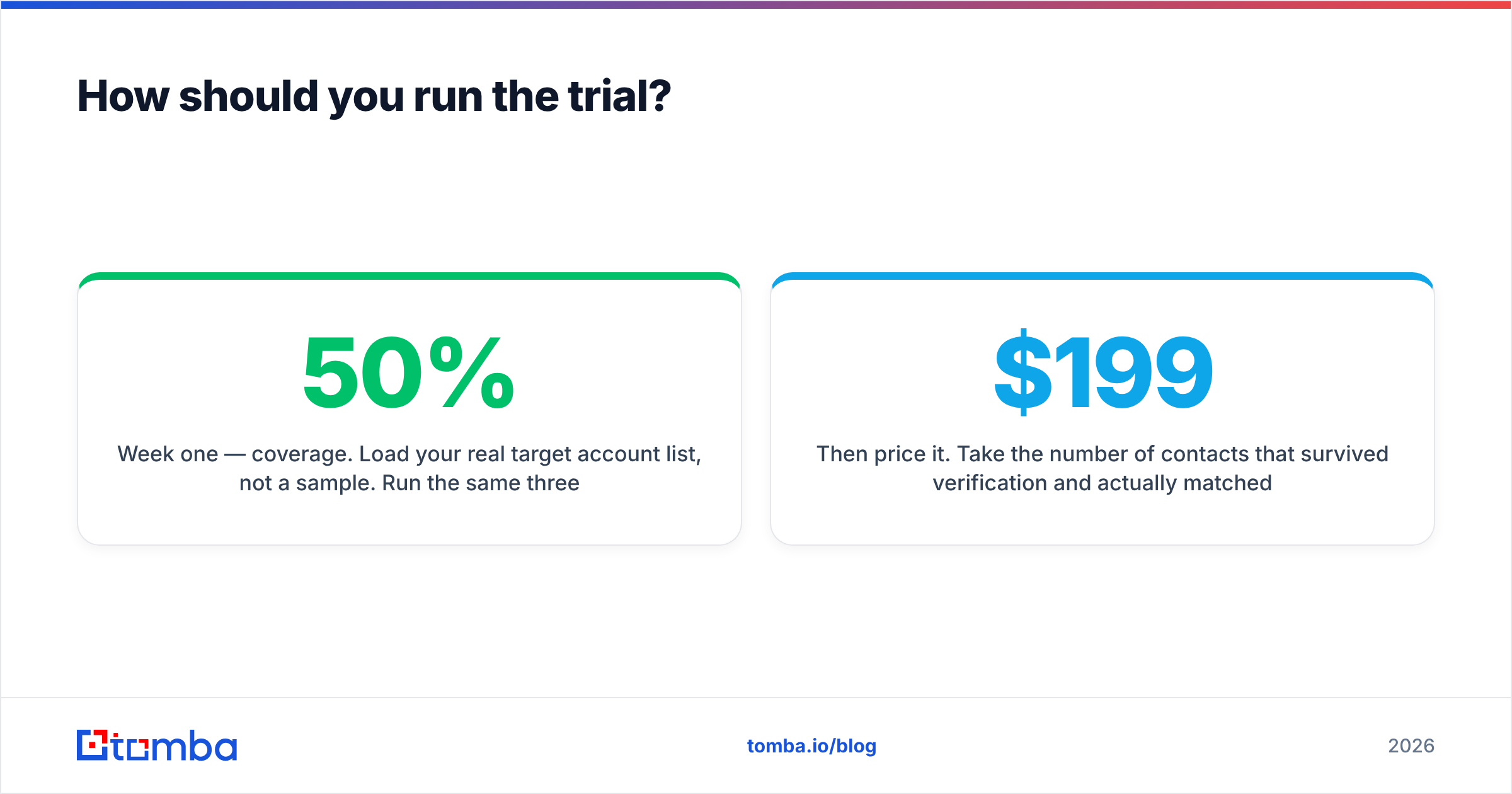
Week one — coverage. Load your real target account list, not a sample. Run the same three job-title searches in each tool. Record the raw match count per company. Anything under 50% fill on your core ICP is a red flag regardless of accuracy claims.
Week two — quality. Export equal-sized samples, verify independently, and send a controlled test batch from a warmed domain. Track hard bounces, spam complaints, and reply rate separately. A high bounce rate means bad data; a low reply rate with clean delivery means bad targeting or bad copy, which no vendor can fix.
Then price it. Take the number of contacts that survived verification and actually matched your ICP, and divide the annual cost by that number. Compare that figure — not the sticker price — across DealSignal, UpLead, and whatever narrower tool you are considering. Teams that do this arithmetic frequently discover the $199/mo tool and the $8,000/yr platform land within 20% of each other on cost per usable contact, at which point the decision comes down to workflow fit and contract flexibility.
One last check: ask both vendors for their data sourcing documentation. Where records come from affects both legal exposure under GDPR and how quickly the data goes stale. Any vendor that will not answer that question clearly is telling you something.
The verdict#
Choose UpLead if you are a small team, want to start this week, and value a published price you can cancel. Choose DealSignal if you have a data ops owner, a niche ICP that standard databases underserve, and budget for an annual platform. Neither is objectively better — they are built for different buyers and the pricing reflects it.
And if you read this whole comparison thinking "I already know my target accounts, I just need the right contact emails," skip both. Start with the Tomba Email Finder — free for 25 searches a month, $49/mo when you outgrow it, with verification, domain search, and an API in the same stack. Run it against 20 of your target domains today and see how many usable addresses you get before you sign anything annual.
Related guides#
Ready to find emails that actually work?
Join 150,000+ professionals who stopped guessing and started sending. Free credits on signup — no credit card required.
Get the Tomba newsletter
Practical outbound tactics and product updates — once every two weeks.
About the author