DealSignal vs Wiza (2026): Which B2B Data Tool Wins?
DealSignal sells verified-on-demand B2B records. Wiza sells LinkedIn list exports. They solve different problems — and picking wrong costs you a year of bad pipeline. Here's the honest breakdown.
TL;DR
- DealSignal is a verified-on-demand B2B database. You build a filtered list, and it re-checks each record at export time. Pricing starts in the four figures per year. Best for mid-market and enterprise teams that need account-level coverage, intent data, and org charts.
- Wiza is a LinkedIn-native extractor. You run a Sales Navigator search, and Wiza turns the results into work emails and phone numbers. Best for SDRs who live inside LinkedIn and want a CSV in five minutes.
- In a DealSignal vs Wiza matchup, the two tools barely overlap. DealSignal answers "who should we target?" Wiza answers "how do I reach the list I already built?"
- Neither one is the cheapest way to get a verified work email. If your job is finding emails at a known domain, a dedicated email finder costs a fraction of both.
- Test both with the same 250 contacts. Measure bounce rate and reply rate, not the accuracy number on the pricing page.
What is DealSignal and who actually uses it?#
The DealSignal vs Wiza question usually starts here, so start with DealSignal. It is a B2B contact and account data platform built on one promise: records are verified when you request them, not when they were scraped six months ago.
You do not get a static database dump. Instead, DealSignal runs its checks at export time — machine validation first, plus human research on some records.
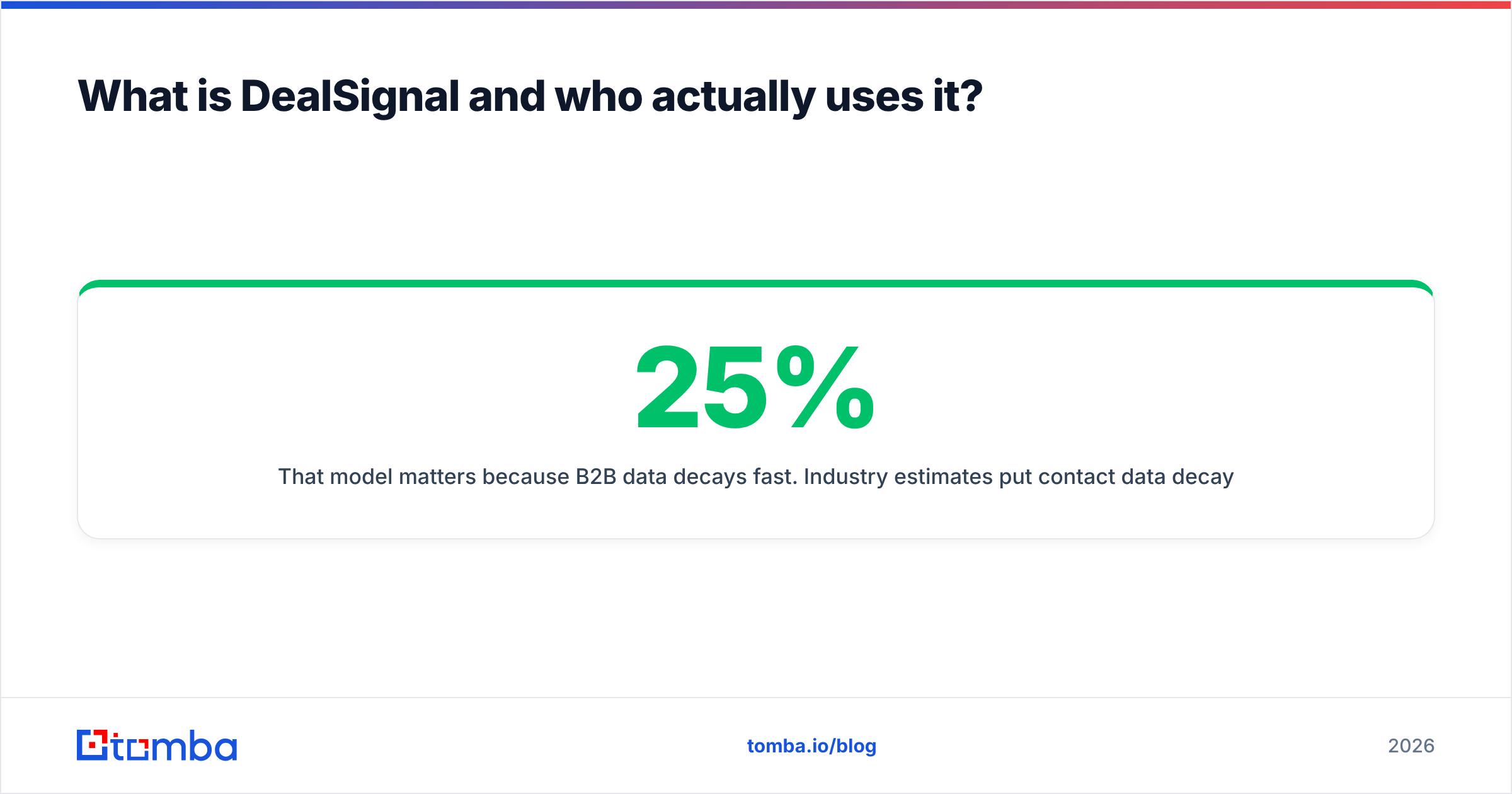
That model matters, because B2B data goes stale fast. Industry estimates put contact data decay at 25% to 30% per year. People change jobs, companies rebrand, and domains move. A database that was 95% accurate at ingestion is far worse a year later. On-demand verification is DealSignal's answer to that problem.
Who buys it: demand-gen and marketing-ops teams at mid-market and enterprise companies. They feed Marketo, HubSpot, or Salesforce with net-new lists for ABM programs. A typical ask sounds like this: "we need 12,000 verified contacts matching this ICP across these 400 target accounts, with title, department, seniority, and a direct dial where available."
You also get more than emails. Firmographics, technographics, intent signals, org-chart mapping, and international coverage with GDPR-relevant fields all ship in the platform. It is a data platform, not a lookup tool.
Where it disappoints people: the entry price. DealSignal sells annual contracts with custom quotes. Public reports on G2 put realistic starting spend well above what a two-person startup wants to commit. There is no real free tier to test with, either.
What is Wiza and what problem does it solve?#
Wiza is the other half of the DealSignal vs Wiza question, and it does one thing extremely well. It turns a LinkedIn Sales Navigator search into a downloadable, enriched contact list.
Run a search in Sales Navigator — say, "VP of Engineering, 200-1000 employees, SaaS, United States." Then click the Wiza extension. It exports the profiles along with work emails, personal emails, and phone numbers. Wiza only charges you for rows where it finds a valid email. That model is genuinely fair.
Who buys it: SDRs, founders doing their own outbound, recruiters, and agencies. Anyone whose targeting logic already lives inside LinkedIn filters. Say your ICP is "people who list X in their headline at companies with Y headcount." Sales Navigator is the better filter engine, and Wiza is the fastest bridge from that filter to a CSV.
What it does not do: it will not tell you which accounts are in-market. It cannot map an org chart for an account you have not found on LinkedIn. It has no intent data.
Coverage is also capped by LinkedIn itself. If a prospect has no profile, or a stale one, Wiza has nothing to work with. That is a real gap in manufacturing, local services, and government, where LinkedIn use is thin.

DealSignal vs Wiza: how do they compare feature by feature?#
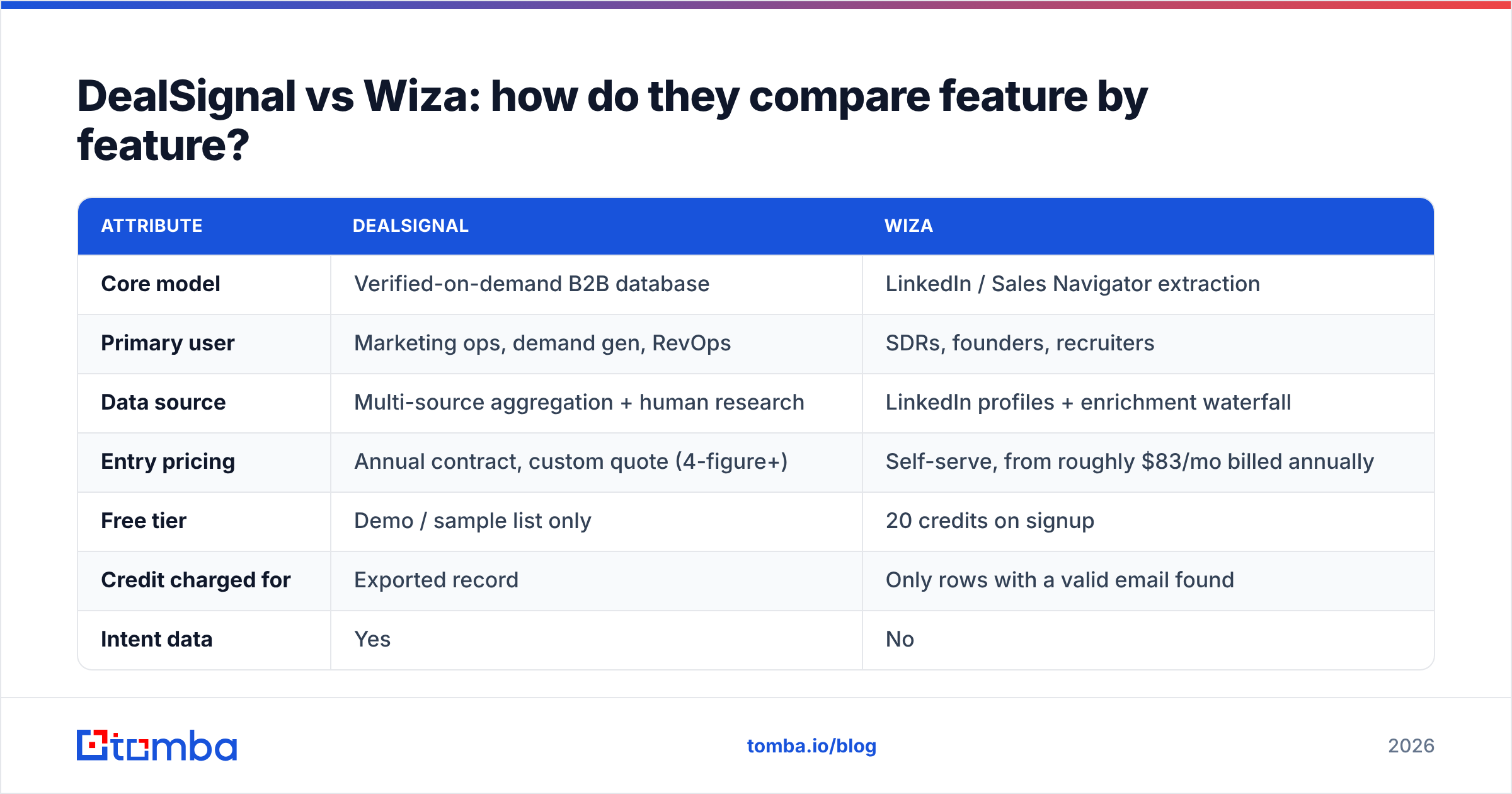
Here is the DealSignal vs Wiza head-to-head on the attributes that change your workflow.
| Attribute | DealSignal | Wiza |
|---|---|---|
| Core model | Verified-on-demand B2B database | LinkedIn / Sales Navigator extraction |
| Primary user | Marketing ops, demand gen, RevOps | SDRs, founders, recruiters |
| Data source | Multi-source aggregation + human research | LinkedIn profiles + enrichment waterfall |
| Entry pricing | Annual contract, custom quote (4-figure+) | Self-serve, from roughly $83/mo billed annually |
| Free tier | Demo / sample list only | 20 credits on signup |
| Credit charged for | Exported record | Only rows with a valid email found |
| Intent data | Yes | No |
| Org charts | Yes | No |
| Phone numbers | Direct dials on many records | Mobile + direct, coverage varies |
| CRM sync | Salesforce, HubSpot, Marketo native | HubSpot, Salesforce, Outreach, Salesloft |
| API | Yes | Yes |
| Bulk list building | Filter-based, platform-native | Requires a LinkedIn search as input |
| Contract flexibility | Annual, sales-led | Monthly or annual, self-serve |
| Best for | ABM at scale, list-buying programs | Fast LinkedIn-sourced prospecting |
Read that table twice. The important line is not pricing — it is "bulk list building."
DealSignal can build a list from nothing but ICP criteria. Wiza needs you to build the list first, inside LinkedIn. So if you do not already know who to target, Wiza cannot help you decide. It can only help you reach.
Which one has better data accuracy?#
Both vendors publish accuracy numbers above 95%. Treat those as marketing, not measurement. Every vendor in this space quotes something similar, and none of them define the denominator the same way.
Here is what actually differs in a DealSignal vs Wiza comparison:
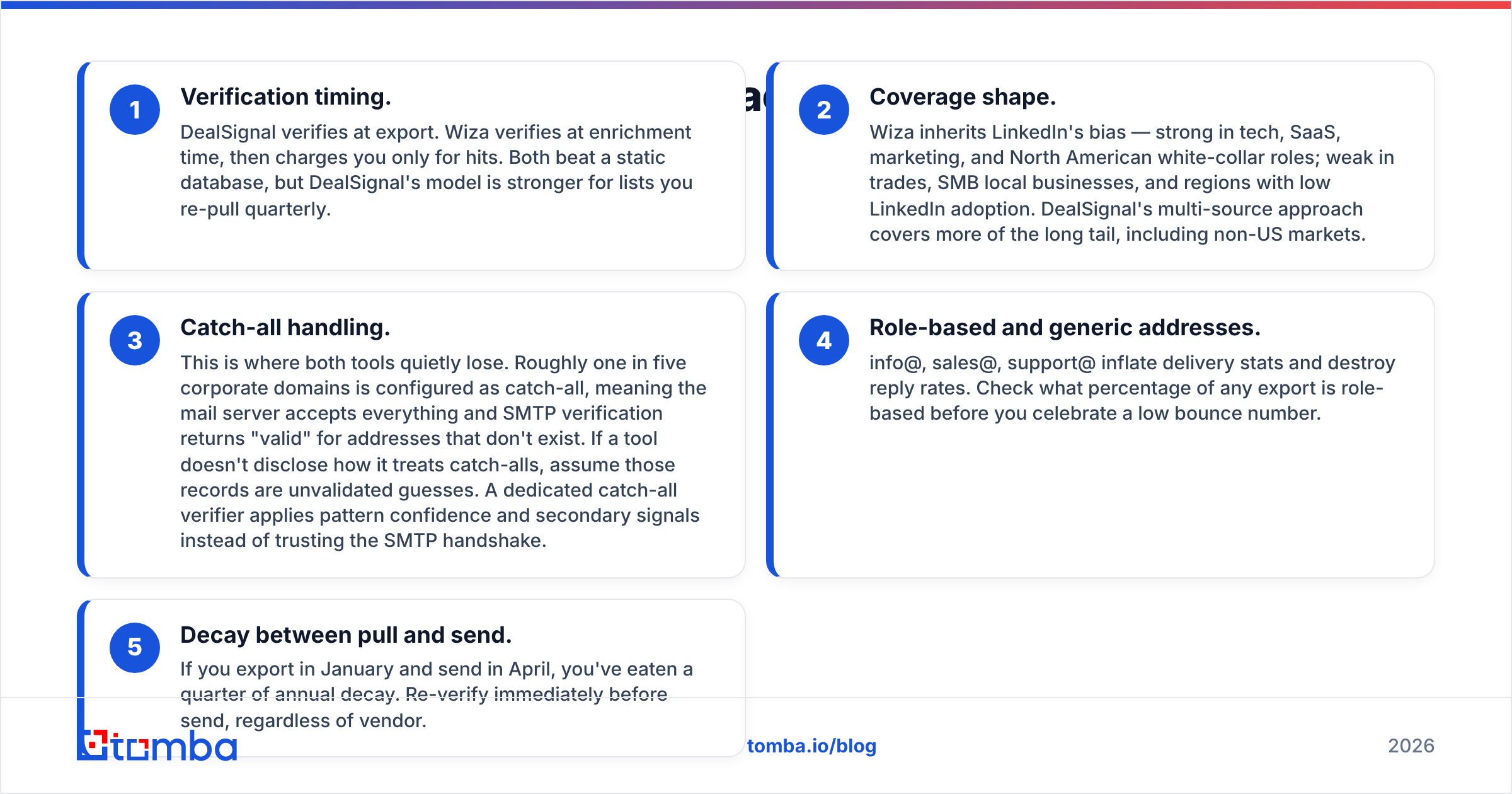
- Verification timing. DealSignal verifies at export. Wiza verifies at enrichment time, then charges you only for hits. Both beat a static database. DealSignal's model is stronger for lists you re-pull every quarter.
- Coverage shape. Wiza inherits LinkedIn's bias. It is strong in tech, SaaS, marketing, and North American white-collar roles. It is weak in trades, local SMBs, and regions with low LinkedIn adoption. DealSignal pulls from more sources, so it covers more of the long tail, including non-US markets.
- Catch-all handling. This is where both tools quietly lose. Roughly one in five corporate domains is set to catch-all. The mail server accepts everything, so an SMTP check returns "valid" for addresses that do not exist. If a tool will not say how it treats catch-alls, assume those records are guesses. A dedicated catch-all verifier uses pattern confidence and secondary signals instead of trusting the SMTP handshake.
- Role-based and generic addresses. info@, sales@, and support@ inflate delivery stats and kill reply rates. Check what share of any export is role-based before you celebrate a low bounce number.
- Decay between pull and send. Export in January, send in April, and you have already eaten a quarter of annual decay. Re-verify right before you send, whatever tool you use.
So who wins the DealSignal vs Wiza accuracy contest? For a US SaaS ICP that maps cleanly to LinkedIn, Wiza's found-email quality matches anything on the market. For international, non-tech, or account-first targeting, DealSignal covers more ground. Neither one removes the need for a pre-send email verifier pass.
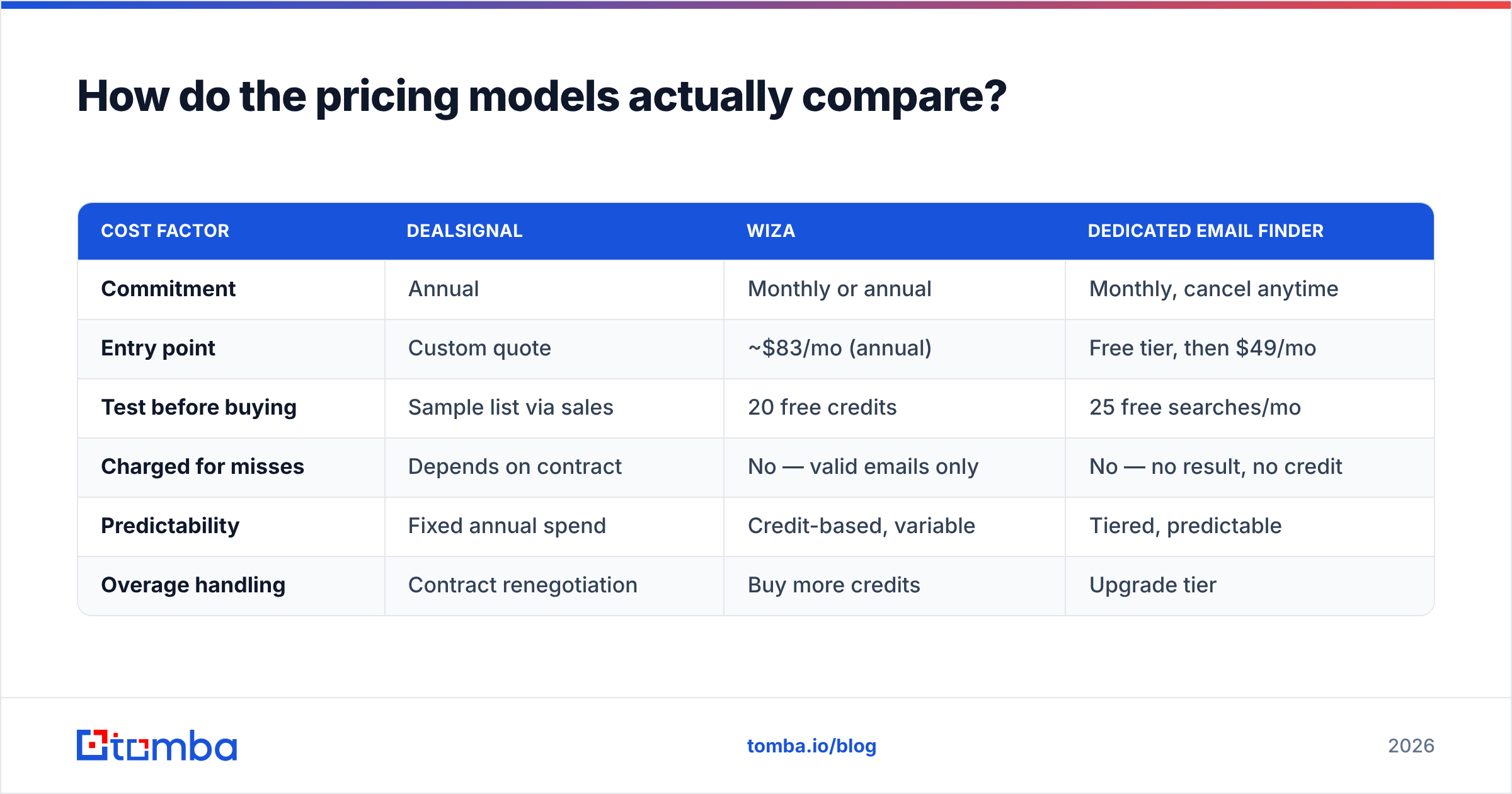
How do the pricing models actually compare?#
Pricing is where DealSignal vs Wiza stops looking like a fair fight. The two philosophies are very different, and that difference matters more than the headline number.
Wiza is self-serve and transparent. Plans are published on wiza.co, billed monthly or annually, with a few free credits to test. You buy credits, spend them on found emails, and cancel when you want. Friction to start is near zero.
DealSignal is sales-led. You book a call, describe your volume and ICP, and get a custom annual quote. There is no self-serve checkout and no price card. That is normal for enterprise data — ZoomInfo, Demandbase, and their peers work the same way. It does mean you cannot compare cost per record on a spreadsheet before you commit.
| Cost factor | DealSignal | Wiza | Dedicated email finder |
|---|---|---|---|
| Commitment | Annual | Monthly or annual | Monthly, cancel anytime |
| Entry point | Custom quote | ~$83/mo (annual) | Free tier, then $49/mo |
| Test before buying | Sample list via sales | 20 free credits | 25 free searches/mo |
| Charged for misses | Depends on contract | No — valid emails only | No — no result, no credit |
| Predictability | Fixed annual spend | Credit-based, variable | Tiered, predictable |
| Overage handling | Contract renegotiation | Buy more credits | Upgrade tier |
For reference, Tomba pricing runs a free tier at 25 searches per month, Starter at $49/mo, Growth at $99/mo, and Pro at $249/mo. That is the price band to benchmark against if your real need is "find and verify work emails" rather than "buy a data platform."
Which should you choose for your team?#
Match the tool to the shape of your problem, not to the feature list. Most DealSignal vs Wiza debates end the moment you write down the job to be done.
Choose DealSignal if:
- You run ABM and need account-level intelligence, not just contacts
- Your ICP includes international, non-tech, or enterprise segments where LinkedIn coverage thins out
- You have marketing ops headcount to run a data platform day to day
- Annual budget is approved and you are replacing ZoomInfo-class spend
- Intent signals and org charts change how you rank accounts
Choose Wiza if:
- Your prospecting starts and ends inside Sales Navigator
- You are a team of one to ten and need results this week, not next quarter
- Recruiting is part of the job — Wiza's personal-email coverage is a real advantage there
- You want to pay only for records where an email was actually found
- You already have a Sales Navigator seat you are underusing
Choose neither if: your real job is "I have a list of companies and names, get me verified work emails." That is an email-finder problem. Paying platform prices for it is waste.
A domain search returns every discoverable address at a company, plus the dominant email pattern. A bulk email finder chews through thousands of first-name, last-name, and domain rows. Neither one needs a LinkedIn seat or an annual contract.

What are the realistic alternatives to both?#
The DealSignal vs Wiza framing is too narrow. The market splits into three tiers, and most teams shop in the wrong one.
Tier 1 — Enterprise data platforms. ZoomInfo, DealSignal, Demandbase, Cognism. You are buying coverage, intent, and org structure. Expect annual contracts in the $15k to $100k+ range. Worth it when data drives territory planning and account scoring, not just outbound.
Tier 2 — Prospecting and extraction tools. Wiza, Apollo, BookYourData, Lusha, Seamless.AI. Self-serve, credit-based, and built for reps.
BookYourData is worth a look if you want pay-as-you-go verified lists with no subscription. It sells credits outright with a bounce guarantee, which sidesteps the "unused credits expire" complaint. Shopping this tier? The Apollo alternative and Wiza alternative breakdowns cover the trade-offs in detail.
Tier 3 — Email finding and verification APIs. Tomba, Hunter, Findymail, and similar. Narrow scope, high accuracy inside that scope, and cheap. You bring the target list, and the tool resolves and verifies addresses. This is where most outbound teams over-buy — they purchase Tier 1 for a Tier 3 problem.
A common, effective stack looks like this. Use LinkedIn or your CRM to define targets. Use a Tier 3 tool via API to resolve and verify addresses. Skip Tier 1 until account intelligence becomes a real constraint. The Tomba API handles that resolution step in code, so enrichment lives in your pipeline instead of in someone's manual CSV.
How should you run the evaluation?#
Do not trust anyone's accuracy claim, including this post's. Run a controlled DealSignal vs Wiza bake-off:
- Pick 250 real target contacts from your actual ICP. Same names and same companies in both tools. Never use a vendor-supplied sample.
- Export from each tool. Record match rate, unique matches, and the share of role-based addresses.
- Verify everything with a neutral third tool. Never let a vendor grade its own homework. Log the catch-all count separately.
- Send a real campaign to each cohort. Identical copy, identical sending domain, identical timing. Measure hard bounces at 48 hours.
- Measure reply rate, not delivery. A tool can deliver 98% and still hand you the wrong people. Reply rate is the only number tied to revenue.
- Calculate true cost per reply. Divide total spend by replies generated. Include wasted credits and the seat cost of any tool you need to make it work. That number usually reorders the ranking.
Most teams who run this test get the same result. The expensive platform wins on coverage breadth and loses badly on cost per reply. That is not an argument against platforms. It is an argument for buying one only when coverage breadth is your actual bottleneck.
Ready to stop paying platform prices for contact data?#
If your bottleneck is finding verified work emails, start narrow. Scale up only when you hit a real ceiling.
The Tomba Email Finder turns names and domains into verified work addresses. The free tier gives you 25 searches per month, so you can benchmark it against your current DealSignal or Wiza export before you spend a cent. Run the same 250 contacts through it, compare bounce rates, and let the numbers pick your stack.
Related guides#
Ready to find emails that actually work?
Join 150,000+ professionals who stopped guessing and started sending. Free credits on signup — no credit card required.
Get the Tomba newsletter
Practical outbound tactics and product updates — once every two weeks.
About the author