Debounce vs FinalScout (2026): Which Email Tool Wins?
DeBounce cleans lists. FinalScout scrapes LinkedIn. They solve opposite halves of the same problem — here's an honest breakdown of pricing, accuracy, and which one you actually need in 2026.
DeBounce vs FinalScout is an odd match-up. One tool cleans email lists. The other pulls emails off LinkedIn. Below is what each one does, what it costs, and which one your team actually needs in 2026.
TL;DR
- DeBounce and FinalScout are not really rivals. DeBounce is a bulk email verifier. FinalScout is a LinkedIn-based email finder with AI copy generation. A head-to-head only makes sense if you are picking which gap to fill first.
- Already have a list? Think imported CSVs, old CRM exports, or form signups. Then DeBounce is the cheaper, more focused buy. You pay per credit, with no monthly lock-in.
- Have zero contacts and live inside LinkedIn Sales Navigator? FinalScout gets you from profile to email far faster. DeBounce cannot help here at all, because it does not find emails.
- Buying both means two vendors for two halves of one job. You also have to match up exports by hand. A combined find-and-verify platform usually costs less and loses fewer records.
- Neither tool handles catch-all domains well. That is where most "verified" lists quietly rot.
DeBounce vs FinalScout: what does each tool actually do?#
Start here. The names make them sound alike, but they are not.
DeBounce is an email validation service. You upload a list as CSV, XLSX, or through the API. It then checks syntax, looks up domain and MX records, spots disposable addresses, flags role accounts, and probes the mailbox over SMTP. What comes back is a scored list: deliverable, invalid, risky, catch-all, unknown. The service launched in 2018 and holds a solid rating on G2. You buy credits as you go instead of a subscription. It does not find a single new contact for you.
FinalScout works from the other end. It is a Chrome extension plus a web app that sits on top of LinkedIn and LinkedIn Sales Navigator. You browse profiles, search results, group members, or event attendees. FinalScout then pulls out names, titles, companies, and, where it can, a work email address. It also writes outreach copy with AI (ChatGPT under the hood) and promises high deliverability on the emails it returns. Think of it as a finder with a light verification pass, not a real verification engine.
So the useful question is not "which is better." It is "which half of the pipeline am I missing, and do I really need two tools to fill it?"
What does DeBounce do well?#
Three things, and it does them without much drama.
1. Cheap bulk cleaning. DeBounce credits are among the lowest-cost in the category. Say you inherit a 50,000-row list from a marketer who just left. Cleaning it costs tens of dollars, not hundreds. The credits also do not expire on a 30-day cycle the way subscription buckets do.
2. Granular result categories. You get more than valid or invalid. Role accounts (info@, sales@, support@) are flagged on their own, so you can set policy per campaign. Disposable domains are called out. Accept-all domains are labelled rather than guessed at. That detail matters when your ESP bills by contact and your deliverability depends on keeping bounces under 2%.
3. Integrations that skip engineering. It connects natively to Mailchimp, HubSpot, Sendgrid, and Zapier, and the REST API is simple. You can wire verification into a form or a CRM sync in an afternoon.
Where it stops helping: the moment you need a contact you do not already have. DeBounce will tell you that firstname.lastname@company.com is deliverable. But you have to supply that guess yourself. Many teams pair it with a permutation tool, which burns credits on addresses that were never real.

What does FinalScout do well?#
FinalScout sells speed inside one source: LinkedIn.
Profile-to-email in two clicks. Open a profile, click the extension, get a contact record. A founder sending 20 targeted emails a week to named people will find that genuinely fast.
Bulk export from Sales Navigator searches. Run a search, then export the page or the whole result set. FinalScout tries to find an email for each row. This is the feature most users actually pay for.
AI outreach drafting. It writes a first-touch email using the scraped profile as context. The output is fine but generic. Treat it as a first draft, not a send-ready message. For better subject lines, a dedicated subject line generator beats an AI that has only seen a job title.
Where it stops helping: anyone outside LinkedIn, or anyone with a thin profile. Say you sell to plant managers, franchise owners, or European mid-market ops leads. Many of them barely touch LinkedIn. A LinkedIn-only tool leaves a big slice of that market invisible. FinalScout also has no real way to verify a list you sourced elsewhere.
DeBounce vs FinalScout: how do features and price compare?#
Prices below reflect publicly listed plans at the time of writing, rounded to the nearest tier. Always check the vendor's own page before you buy, because credit bundles shift.
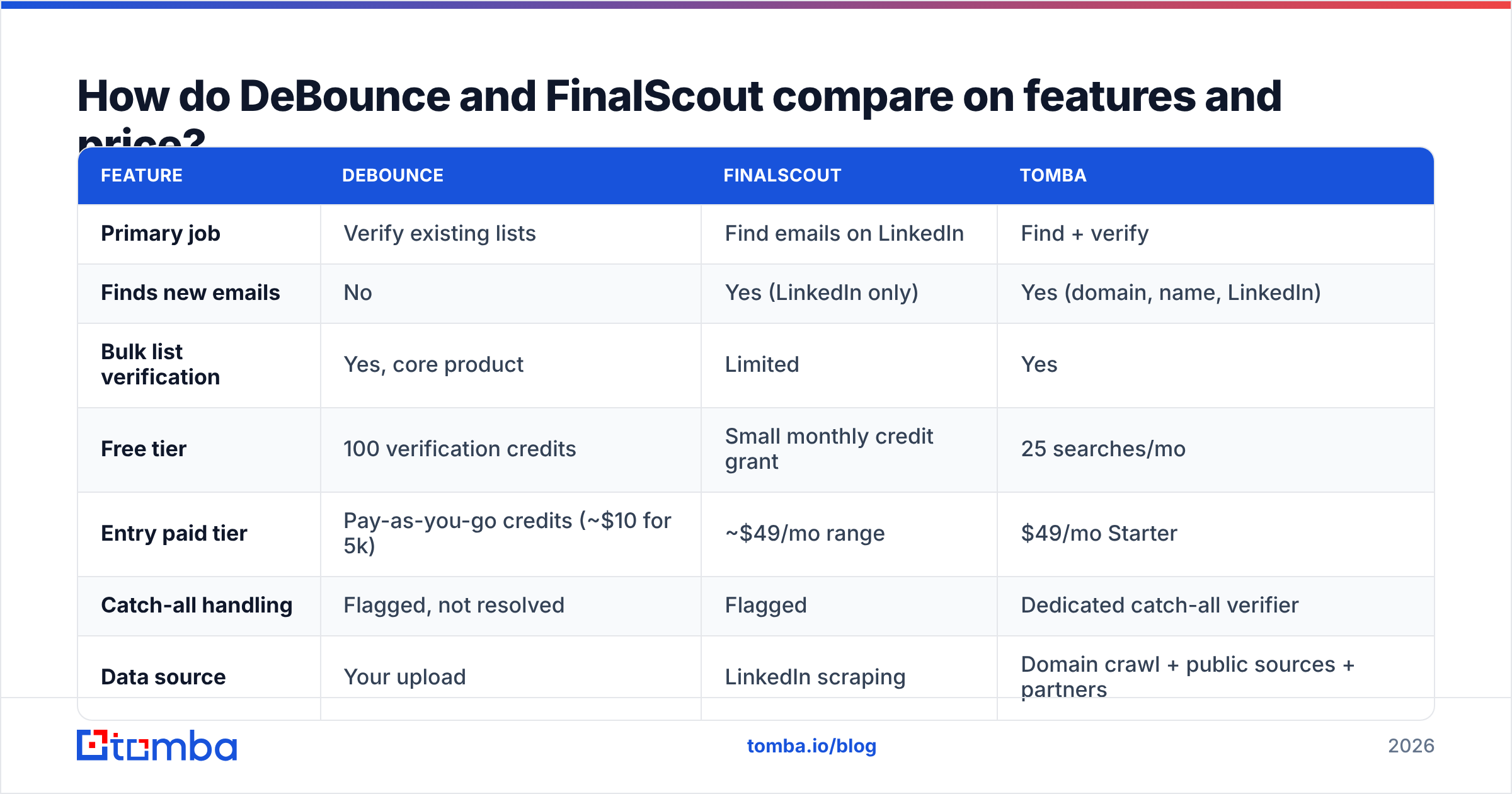
| Feature | DeBounce | FinalScout | Tomba |
|---|---|---|---|
| Primary job | Verify existing lists | Find emails on LinkedIn | Find + verify |
| Finds new emails | No | Yes (LinkedIn only) | Yes (domain, name, LinkedIn) |
| Bulk list verification | Yes, core product | Limited | Yes |
| Free tier | 100 verification credits | Small monthly credit grant | 25 searches/mo |
| Entry paid tier | Pay-as-you-go credits (~$10 for 5k) | ~$49/mo range | $49/mo Starter |
| Catch-all handling | Flagged, not resolved | Flagged | Dedicated catch-all verifier |
| Data source | Your upload | LinkedIn scraping | Domain crawl + public sources + partners |
| API access | Yes | Limited | Yes, full REST API |
| Chrome extension | No | Yes | Yes |
| AI copywriting | No | Yes | Via separate tools |
| Works without LinkedIn | Yes | No | Yes |
The table makes the point. DeBounce's "no" column and FinalScout's "no" column barely overlap. That is why so many teams end up owning both. It is also why the combined bill often beats the price of a single platform that covers the whole span.

DeBounce vs FinalScout: which one is more accurate?#
It is the wrong question, but a useful one. They measure different things, so "accuracy" means two different numbers.
DeBounce reports verification accuracy. Of the addresses it marks deliverable, how many actually accept mail? Independent tests put good verifiers at 95–98% on clean, non-catch-all domains. DeBounce sits comfortably in that band. Its weak spot is the same as every verifier's: domains that accept everything at the SMTP layer.
FinalScout reports discovery accuracy. Of the profiles you export, how many come back with a real, working email? That number blends coverage and correctness, so it is always lower than a verifier's headline figure. Expect gaps at smaller companies, on non-US domains, and at any employer without a predictable email pattern.

The practical result: a FinalScout export is not a verified list. Those emails still need an independent verification pass before you load them into a sequencer. That is exactly the loop that pushes teams into buying a verifier too. Running an email verifier over any scraped export should be non-negotiable, whatever tool produced it.
What about catch-all domains?#
This is the failure mode nobody markets around. Read this section twice if you sell to mid-market or enterprise.
A catch-all domain accepts mail sent to any address at that domain, real or not. nonsense-string-1234@bigcorp.com gets a positive SMTP response. So standard verification cannot tell a real mailbox from a typo. Verifiers, DeBounce included, label these as "accept-all" or "unknown" instead of pretending to be sure.
Roughly a quarter of B2B domains work this way, and the share skews toward larger companies. Those are the accounts with the biggest deals. Drop every catch-all and you delete your best accounts. Keep them all and you inflate your bounce rate and burn sender reputation.
Neither DeBounce nor FinalScout solves this. The fix is a purpose-built catch-all verifier. It scores catch-all addresses using pattern confidence, past engagement signals, and secondary sources, instead of shrugging at them. Skip that layer and your "98% verified" list is closer to 80% in practice.

Do you need both, or neither?#
Work through these questions in order. The answer usually falls out by question three.
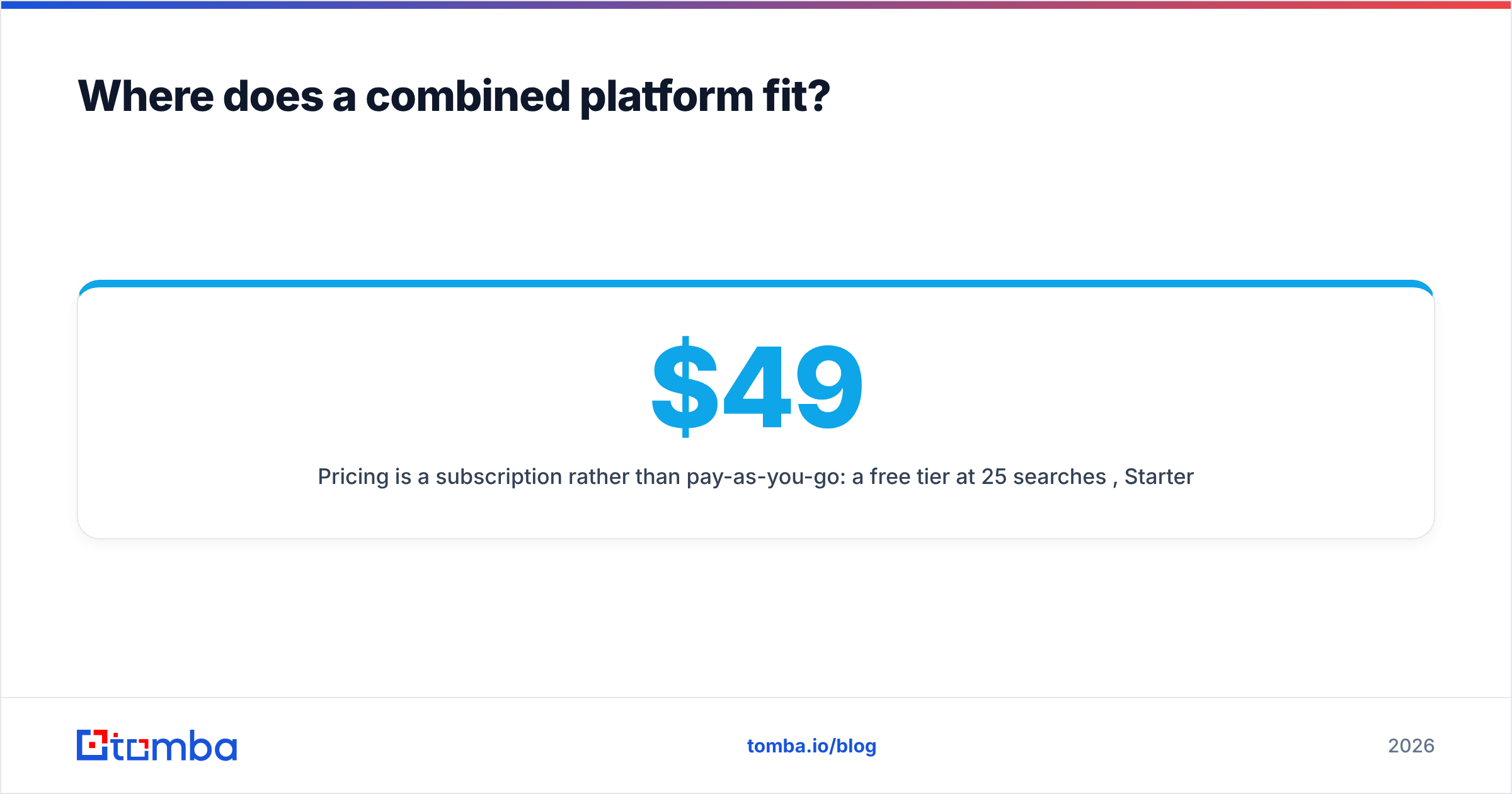
- Do you already have a list? If it is older than six months, verification is your first spend. B2B data decays roughly 22–30% a year through job changes alone. DeBounce, or any competent verifier, pays for itself in avoided bounces.
- Is LinkedIn your only sourcing channel? If so, FinalScout fits your habit. If you also work from conference exhibitor lists, funding news, review-site profiles, or podcast guest pages, a LinkedIn-only tool covers maybe half your inputs.
- How many vendors do you want in the loop? Two tools means two logins, two credit balances, and two export/import steps. Records get lost or duplicated on the CSV round-trip. Price that friction honestly. It usually costs 2–4 hours of someone's time each month.
The last two questions matter most for teams that automate.
- Do you need this inside a workflow, not a browser? If you want to enrich CRM records automatically or verify at form-submit, you need an email finder API, not a Chrome extension. FinalScout's automation surface is thin here.
- What is your true cost per usable contact? Not cost per credit. Divide total monthly spend across all tools by the number of contacts that were both found and confirmed deliverable. Teams running a scraper plus a verifier are often surprised by this number.
Where does a combined platform fit?#
The honest case for consolidating: the find-then-verify handoff is the leakiest part of the pipeline. Owning both ends removes it.
Tomba was built as a finder first, with verification alongside it rather than bolted on. The email finder works from a domain, a full name plus company, or a LinkedIn profile. You are not stuck with one sourcing surface. Verification runs on the same record before it is returned, so what lands in your export is already scored. Catch-alls get their own resolution path instead of a shrug.
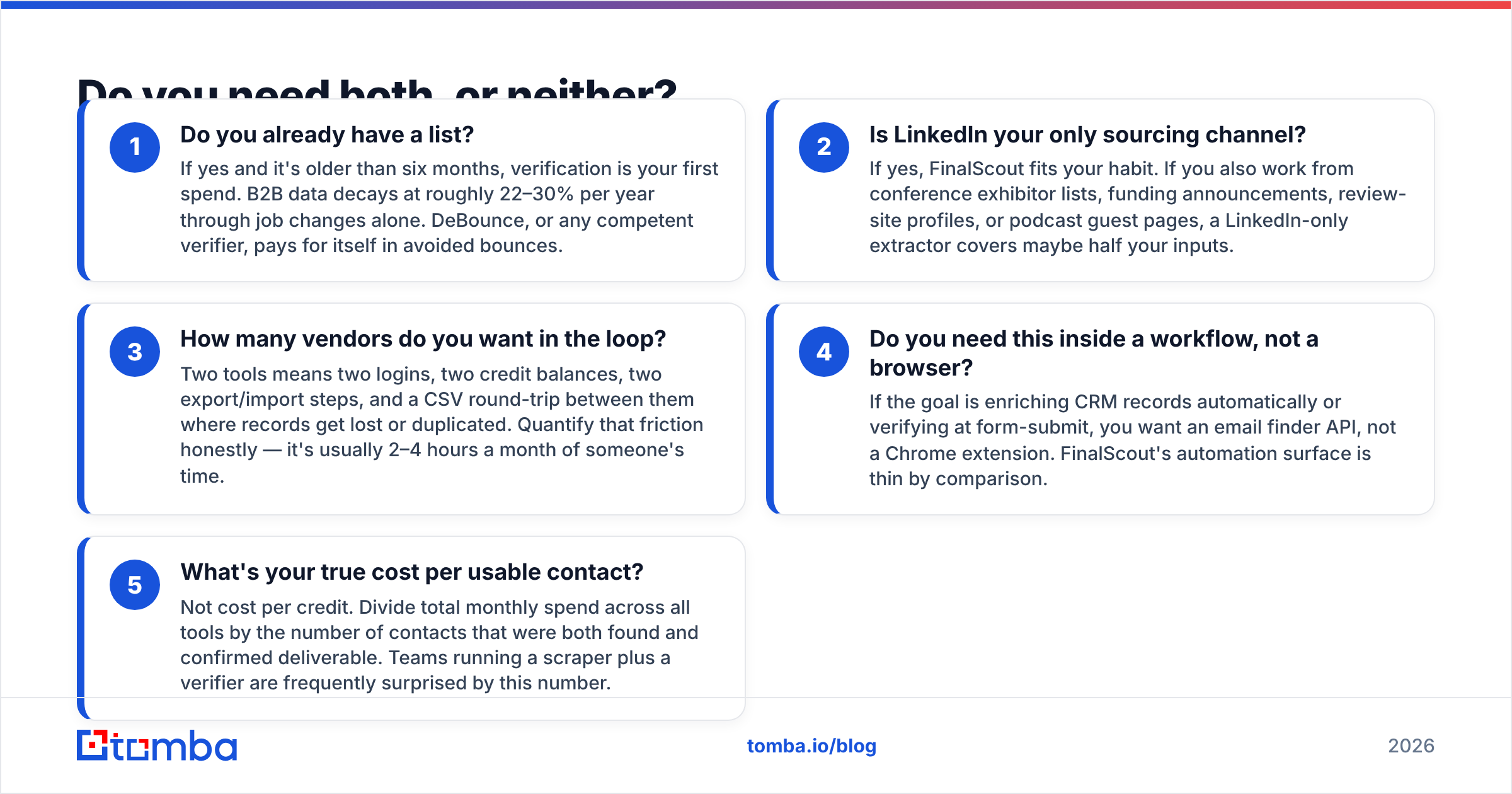
Pricing is a subscription, not pay-as-you-go. The free tier covers 25 searches a month. Starter is $49/mo, Growth $99/mo, and Pro $249/mo, with custom enterprise terms above that. Full details sit on the Tomba pricing page. For a genuine one-off cleanup, that model is worse than DeBounce. If you need to clean one list once and never again, buy pay-as-you-go credits instead. Tomba wins when finding and verifying is a constant motion, because the alternative is two recurring bills plus manual reconciliation.
Other honest options deserve a mention. BookYourData takes a different route with a pay-per-lead database and a strong accuracy guarantee. That suits teams who would rather buy verified records outright than run their own discovery. Different shape, and genuinely good at it. Evaluate it if buying lists fits your motion better than searching does.
Which should you pick for your use case?#
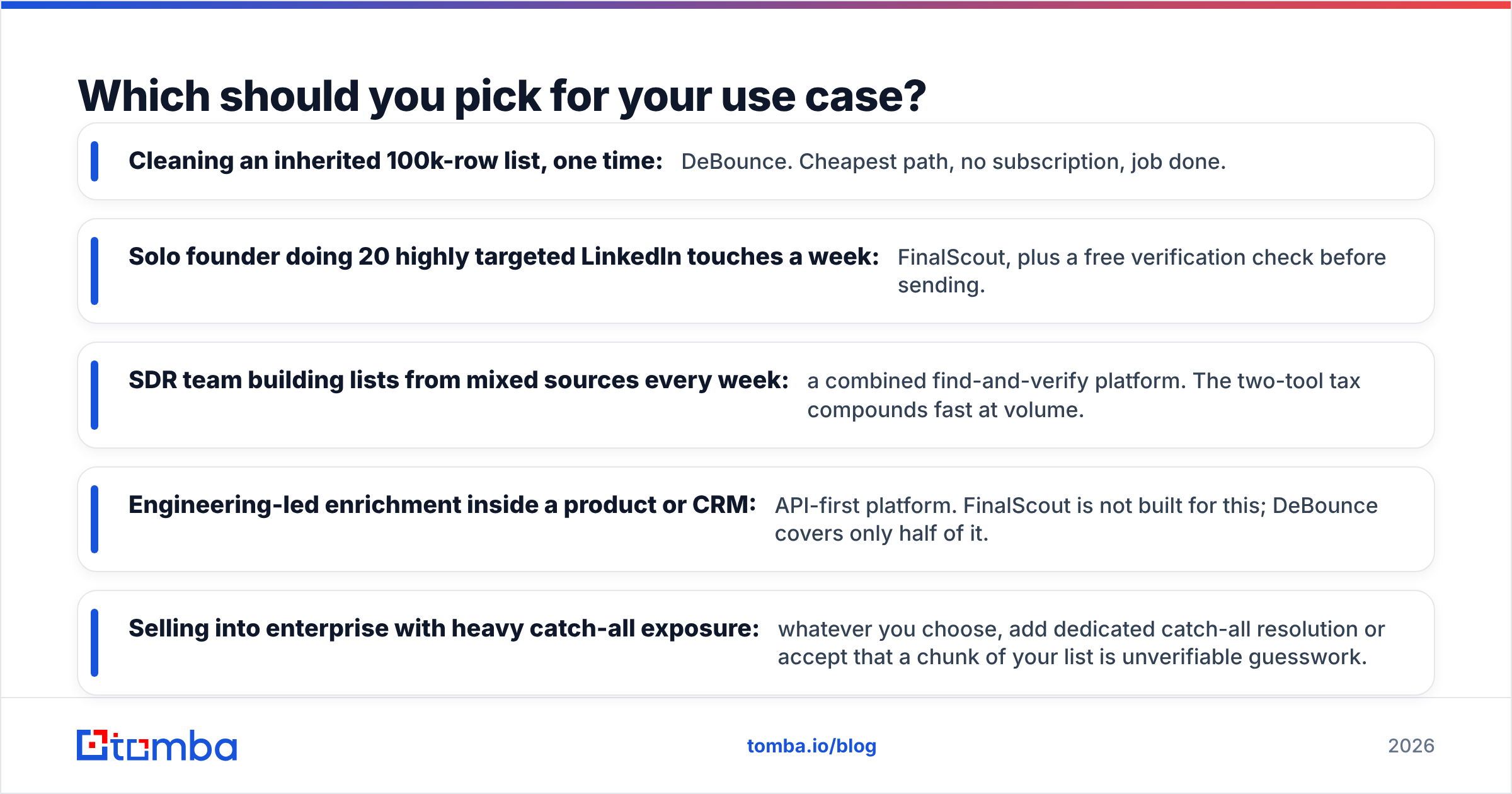
- Cleaning an inherited 100k-row list, one time: DeBounce. Cheapest path, no subscription, job done.
- Solo founder doing 20 targeted LinkedIn touches a week: FinalScout, plus a free verification check before sending.
- SDR team building lists from mixed sources every week: a combined find-and-verify platform. The two-tool tax adds up fast at volume.
- Engineering-led enrichment inside a product or CRM: an API-first platform. FinalScout is not built for this, and DeBounce covers only half of it.
- Selling to enterprise with heavy catch-all exposure: whatever you choose, add dedicated catch-all resolution. Otherwise accept that a chunk of your list is guesswork.
The verdict#
DeBounce wins on price and focus for pure verification. FinalScout wins on speed for LinkedIn-native prospecting. Neither wins DeBounce vs FinalScout outright, because they were never really competing. If you are weighing them side by side, that is a signal your pipeline has a gap at both ends.
Would you rather not run two vendors and carry CSVs between them? Start with the Tomba Email Finder. The free tier gives you 25 searches a month with verification included. That is enough to test coverage against your own ICP before you spend anything. Run your 25 hardest-to-find prospects through it. Check how many come back deliverable, then compare that with what your current stack costs to produce the same result.
Related guides#
Ready to find emails that actually work?
Join 150,000+ professionals who stopped guessing and started sending. Free credits on signup — no credit card required.
Get the Tomba newsletter
Practical outbound tactics and product updates — once every two weeks.
About the author