Demo Request Follow Up: A 2026 Playbook to Book More Meetings
A prospect just raised their hand and asked for a demo. Most teams still blow it with slow, generic follow-up. Here's the timing, cadence, and templates that turn demo requests into booked meetings.
A demo request is the warmest signal you get in B2B. Someone read your page, weighed their options, and asked to see the product. Then most teams waste that intent. Their demo request follow up arrives too late, reads like a form letter, and stops after one email. This is the playbook for doing the opposite.
TL;DR#
- Speed is the whole game. Contact an inbound demo request within 5 minutes and you are far more likely to connect than if you wait even an hour. Most teams average hours or days.
- One touch is not follow-up. Booked-meeting rates climb sharply between the 1st and 6th attempt across email, phone, and LinkedIn.
- Personalize the trigger, not the person. Reference why they asked (the page, the use case, the company signal) instead of pasting their first name into a generic template.
- Verify contact data before you send. A fast follow-up to a wrong or dead address is just a fast bounce that hurts your sender reputation.
- Sequence, don't improvise. A written 10–14 day cadence beats memory every time. Templates and a checklist below.
Why does demo request follow up matter so much?#
Because intent decays faster than almost anyone assumes. A demo request is a person actively comparing solutions right now. While you draft the "perfect" reply, they are on a competitor's calendar link.
The classic Harvard Business Review Lead Response Management study makes the point. Firms that contacted a web lead within an hour were far more likely to have a real conversation. Wait longer, and the odds of qualifying that lead fall off a cliff. Newer inbound data from HubSpot tells the same story: the first vendor to respond wins most deals, not the best-priced or best-featured one.
Think of a demo request like a customer walking into a car dealership. If nobody greets them for 20 minutes, they walk out — not because the cars are bad, but because the signal of "we're paying attention" never arrived. Your follow-up is that greeting.
How fast should you follow up on a demo request?#
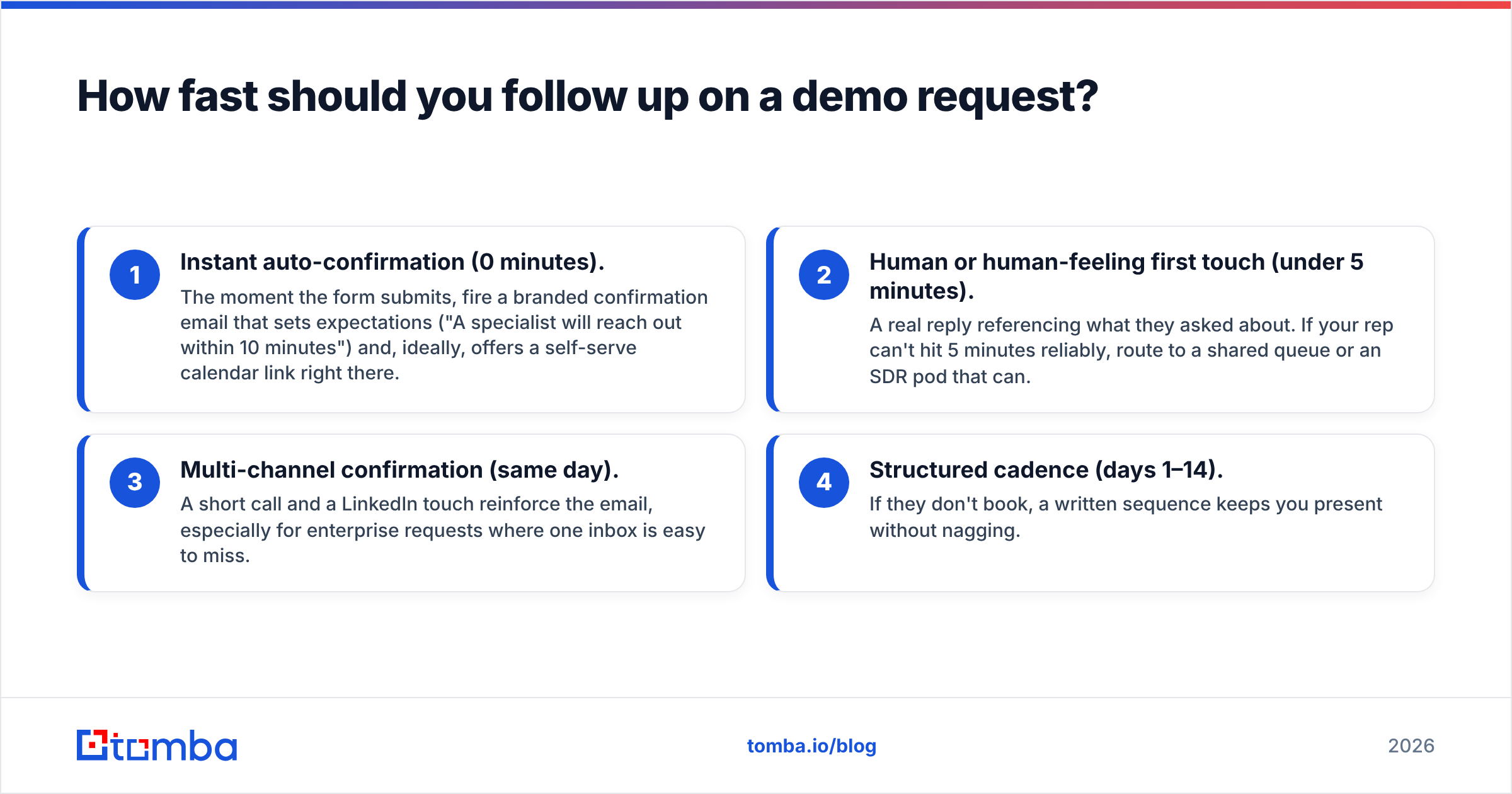
Immediately — measured in minutes, not business days. Here's the practical hierarchy:
- Instant auto-confirmation (0 minutes). The moment the form submits, fire a branded confirmation email that sets expectations ("A specialist will reach out within 10 minutes") and, ideally, offers a self-serve calendar link right there.
- Human or human-feeling first touch (under 5 minutes). A real reply referencing what they asked about. If your rep can't hit 5 minutes reliably, route to a shared queue or an SDR pod that can.
- Multi-channel confirmation (same day). A short call and a LinkedIn touch reinforce the email, especially for enterprise requests where one inbox is easy to miss.
- Structured cadence (days 1–14). If they don't book, a written sequence keeps you present without nagging.
The gap between "we reply within 5 minutes" and "we reply next business day" is the single biggest lever most pipelines are ignoring. It costs nothing but process.
What does a good demo request follow-up cadence look like?#
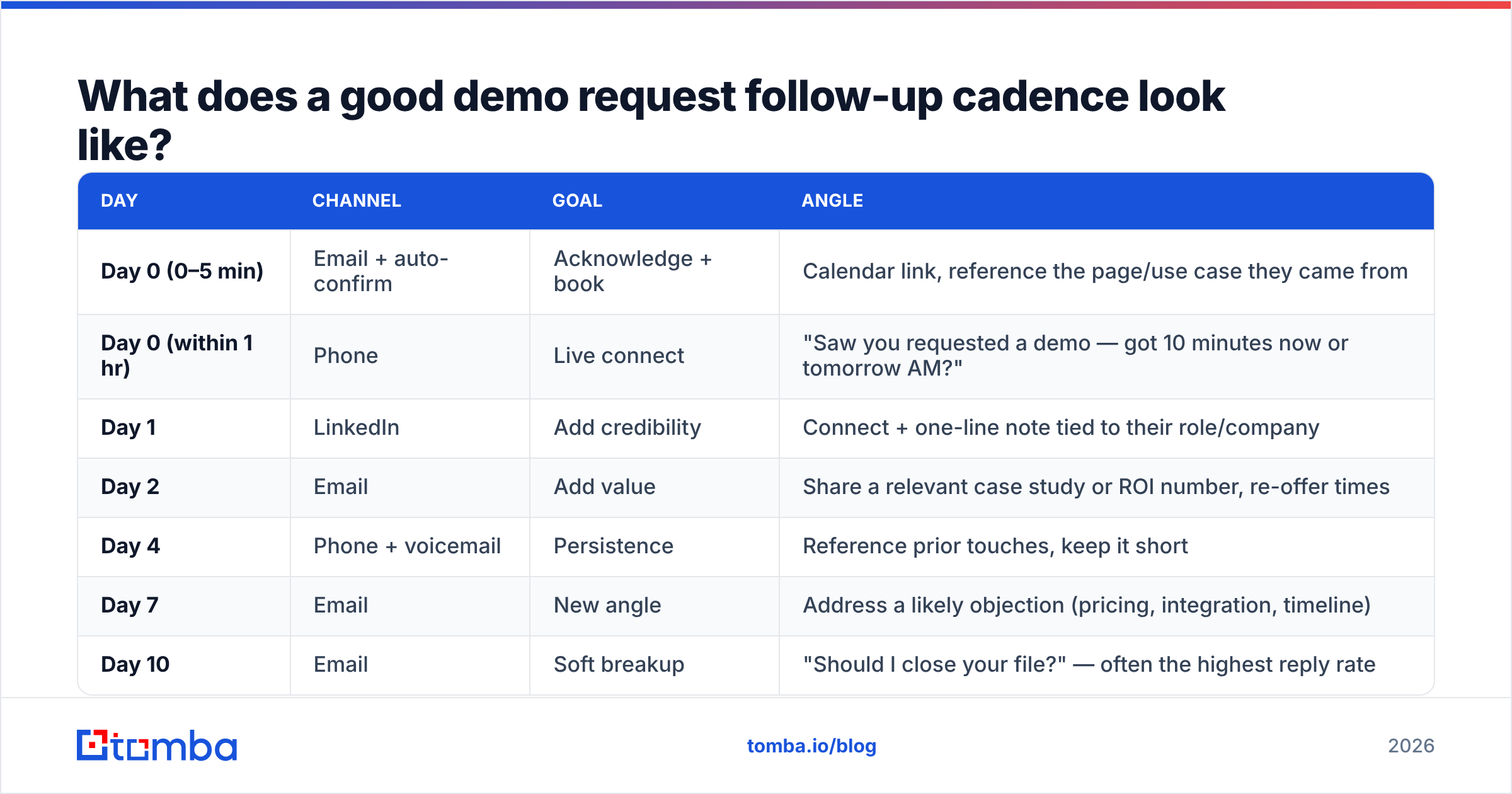
A cadence removes guesswork. Here's a proven 10–14 day structure that blends channels and escalates urgency without becoming annoying.
| Day | Channel | Goal | Angle |
|---|---|---|---|
| Day 0 (0–5 min) | Email + auto-confirm | Acknowledge + book | Calendar link, reference the page/use case they came from |
| Day 0 (within 1 hr) | Phone | Live connect | "Saw you requested a demo — got 10 minutes now or tomorrow AM?" |
| Day 1 | Add credibility | Connect + one-line note tied to their role/company | |
| Day 2 | Add value | Share a relevant case study or ROI number, re-offer times | |
| Day 4 | Phone + voicemail | Persistence | Reference prior touches, keep it short |
| Day 7 | New angle | Address a likely objection (pricing, integration, timeline) | |
| Day 10 | Soft breakup | "Should I close your file?" — often the highest reply rate |
Notice the cadence never repeats the same message twice. Each touch earns its place by adding a reason to respond: a time, a proof point, an objection handled, or a graceful exit. If you want ready-made starting points, Tomba's cold email templates library gives you structures you can adapt per touch.
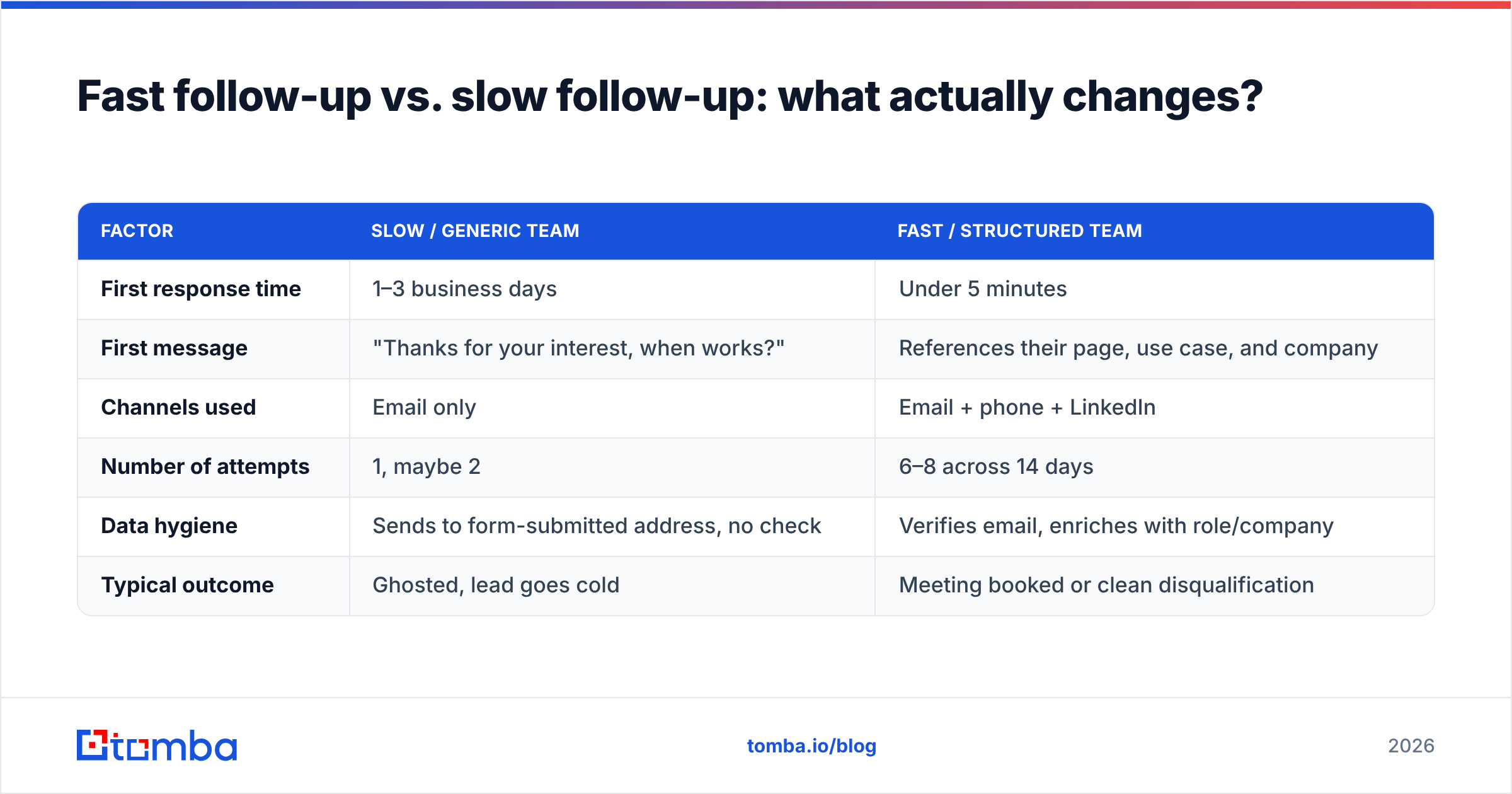
Fast follow-up vs. slow follow-up: what actually changes?#
The difference isn't subtle. Here's how two teams handle the identical inbound demo request.
| Factor | Slow / generic team | Fast / structured team |
|---|---|---|
| First response time | 1–3 business days | Under 5 minutes |
| First message | "Thanks for your interest, when works?" | References their page, use case, and company |
| Channels used | Email only | Email + phone + LinkedIn |
| Number of attempts | 1, maybe 2 | 6–8 across 14 days |
| Data hygiene | Sends to form-submitted address, no check | Verifies email, enriches with role/company |
| Typical outcome | Ghosted, lead goes cold | Meeting booked or clean disqualification |
The structured team isn't working harder on any single email. They just refuse to let a warm lead fall through a crack that a written process would have caught. A better response rate here compounds directly into pipeline.
What should the first follow-up email actually say?#
Keep it short, specific, and easy to act on. A demo request means you can skip the "here's why you should care" pitch — they already care. Your job is to make booking frictionless and to prove you read the room.
A reliable structure:
- Line 1 — the hook that proves you noticed. "Saw you requested a demo of [Product] from our [pricing / integrations] page."
- Line 2 — the relevance. One sentence tying their likely goal to a concrete outcome ("Teams in [their industry] usually start here to cut [specific pain]").
- Line 3 — the ask, with zero friction. A calendar link plus two concrete time options. Never "let me know what works" alone — offer, don't outsource the scheduling.
- Line 4 — the reassurance. "Happy to keep it to 20 minutes and focused on [their use case]."
Here's a template you can adapt:
Subject: Your [Product] demo — two quick times
Hi [First name],
Thanks for requesting a demo — I saw you came in from our [integrations] page, so I'm guessing [likely use case] is on your radar.
I've kept two slots open: Wednesday 2pm or Thursday 10am ([calendar link]). Twenty minutes, focused entirely on [their goal] — no generic tour.
If neither works, reply with a window and I'll make it happen.
[Signature]
That's it. Resist the urge to attach a deck or write five paragraphs. The only conversion event that matters here is a booked time.
Why does contact data quality make or break your follow-up?#
Because speed to a bad address is worthless — and often harmful. Two common failure modes:
- The form-submitted email is wrong or a role alias. People fat-finger addresses or type
info@to stay anonymous. A verified email check before your first send prevents a bounce that both fails the lead and damages your domain reputation. - You have an email but no context. To personalize the trigger, you need the person's role, seniority, and company details. Running the domain through data enrichment fills in the fields that make line 1 and line 2 land.
There's also the reverse problem: a decision-maker requests a demo using a personal Gmail, or a junior researcher submits on behalf of a VP you actually want in the room. Tools like the Tomba Email Finder let you locate the right work email and loop in the true buyer instead of only replying to whoever hit the button. Getting the right person into the demo is often worth more than the follow-up speed itself.
For high-volume inbound, wire verification and enrichment into the intake step so every demo request lands in your CRM already cleaned and scored. The Tomba API handles this at form-submission time, so your reps only ever touch complete, deliverable records.
How many follow-ups is too many?#
Fewer than most reps fear, and more than most reps actually send. Industry cadence data reviewed by analysts like Gartner and peer reviews on G2 consistently show booked-meeting rates rising through six to eight touches before diminishing returns set in. One-and-done follow-up leaves the majority of winnable meetings on the table.
The real risk isn't volume — it's sameness. Ten identical "just checking in" emails is spam. Eight touches that each change channel, angle, or value is persistence. The line between the two is whether the recipient learns something new or feels a fresh reason to act each time.
Stop when:
- They explicitly ask you to stop (honor it instantly).
- The soft breakup email gets no response — file them for a re-engagement sequence in 60–90 days.
- Enrichment reveals they're clearly out of profile (wrong company size, no budget authority, competitor).
Otherwise, run the full cadence. The prospect who books on touch six was never going to book on touch one — and your competitor who quit at touch two just handed you the deal.
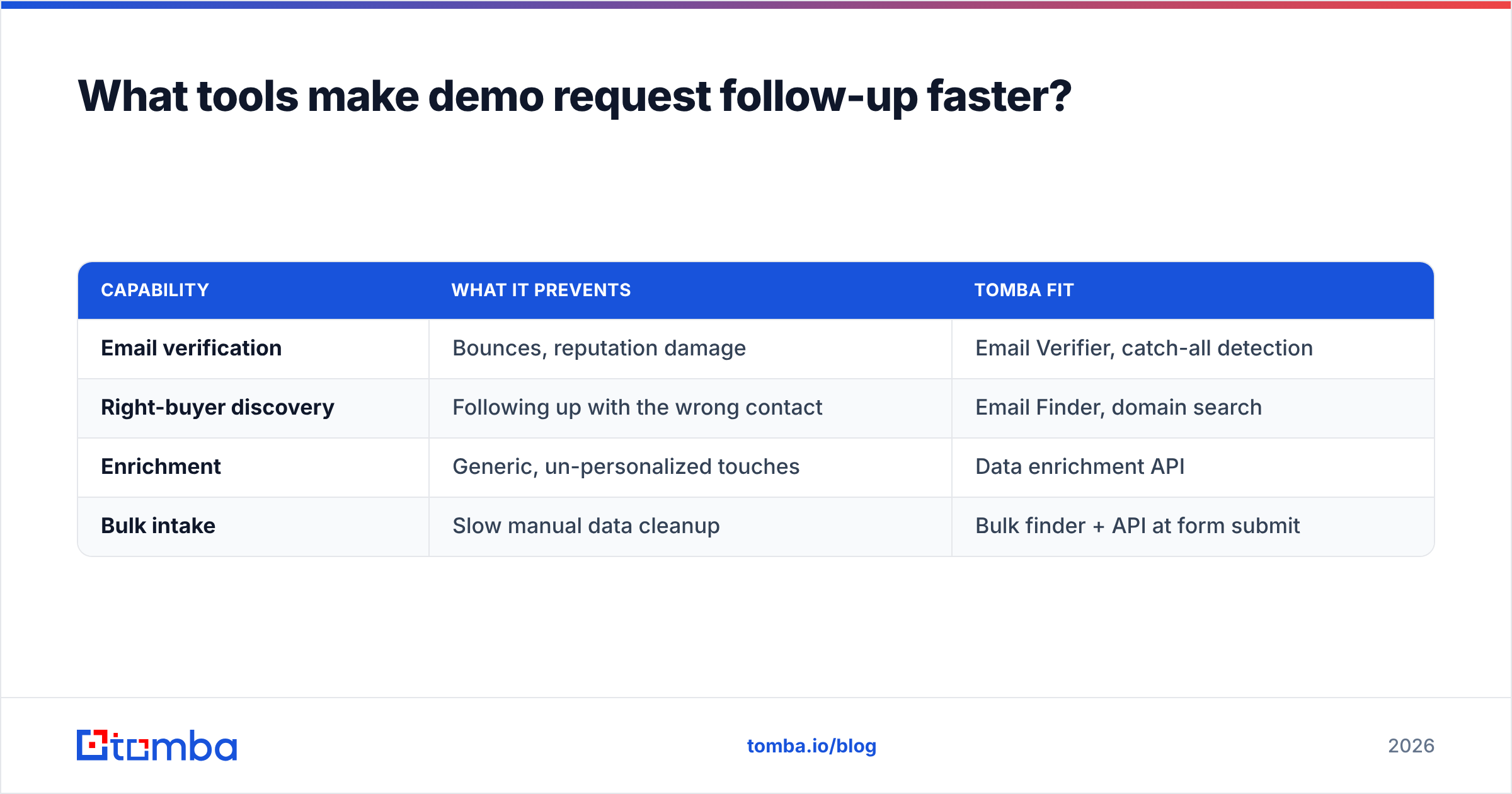
What tools make demo request follow up faster?#
You need three capabilities working together: fast routing, clean data, and a repeatable cadence.
- Routing & speed: instant lead assignment plus an auto-confirmation email. Most CRMs and marketing platforms handle this natively — the fix is usually configuration, not new software.
- Data quality: verification, enrichment, and finding the right buyer's email. This is where a purpose-built layer earns its keep. See Tomba pricing — the Free tier covers 25 searches a month, Starter is $49/mo, and Growth is $99/mo, which comfortably covers most inbound volumes.
- Cadence execution: a sequencing tool (or a disciplined shared doc) so no touch gets skipped. The channel matters less than the consistency.
| Capability | What it prevents | Tomba fit |
|---|---|---|
| Email verification | Bounces, reputation damage | Email Verifier, catch-all detection |
| Right-buyer discovery | Following up with the wrong contact | Email Finder, domain search |
| Enrichment | Generic, un-personalized touches | Data enrichment API |
| Bulk intake | Slow manual data cleanup | Bulk finder + API at form submit |
The bottom line#
Demo request follow up is not a copywriting problem — it's an operations problem. The teams that win aren't sending magic emails. They respond in minutes, to verified contacts, with a written cadence that never lets a warm lead go cold. Fix the speed, fix the data, fix the sequence, and your inbound conversion climbs without a single new lead.
Start with the data layer, because it's the part most teams ignore. Before your next demo request follow up goes out, run the address through the Tomba Email Finder to confirm you're reaching the real decision-maker at a deliverable address — then let your fast, structured cadence do the rest. Every minute and every bounce you save is pipeline you keep.
Related guides#
Ready to find emails that actually work?
Join 150,000+ professionals who stopped guessing and started sending. Free credits on signup — no credit card required.
Get the Tomba newsletter
Practical outbound tactics and product updates — once every two weeks.
About the author