Demoboost Pricing, Reviews, Pros and Cons (2026 Guide)
Demoboost hides its price behind a demo request. Here is what buyers actually pay, where the platform earns its keep, and where teams say it falls short in 2026.
TL;DR
- Demoboost does not publish a price list. Every plan runs through a sales conversation, and reported contracts cluster in the $6,000–$40,000/year range depending on seats, environments, and analytics needs.
- The platform is strongest for enterprise B2B software teams with complex, multi-persona demos that break when a rep runs them live.
- Reviewers consistently praise the demo-building speed and the customer-facing "guided demo" experience; the recurring complaints are pricing opacity, seat-based cost creep, and a learning curve for non-technical marketers.
- Cheaper direct alternatives exist: Storylane and Navattic both publish self-serve tiers, and Consensus targets the same enterprise buyer with a different (video-first) model.
- An interactive demo only pays back if qualified people actually open it. Distribution — accurate contact data and targeting — is usually the weaker half of the equation.
What is Demoboost and who actually uses it?#
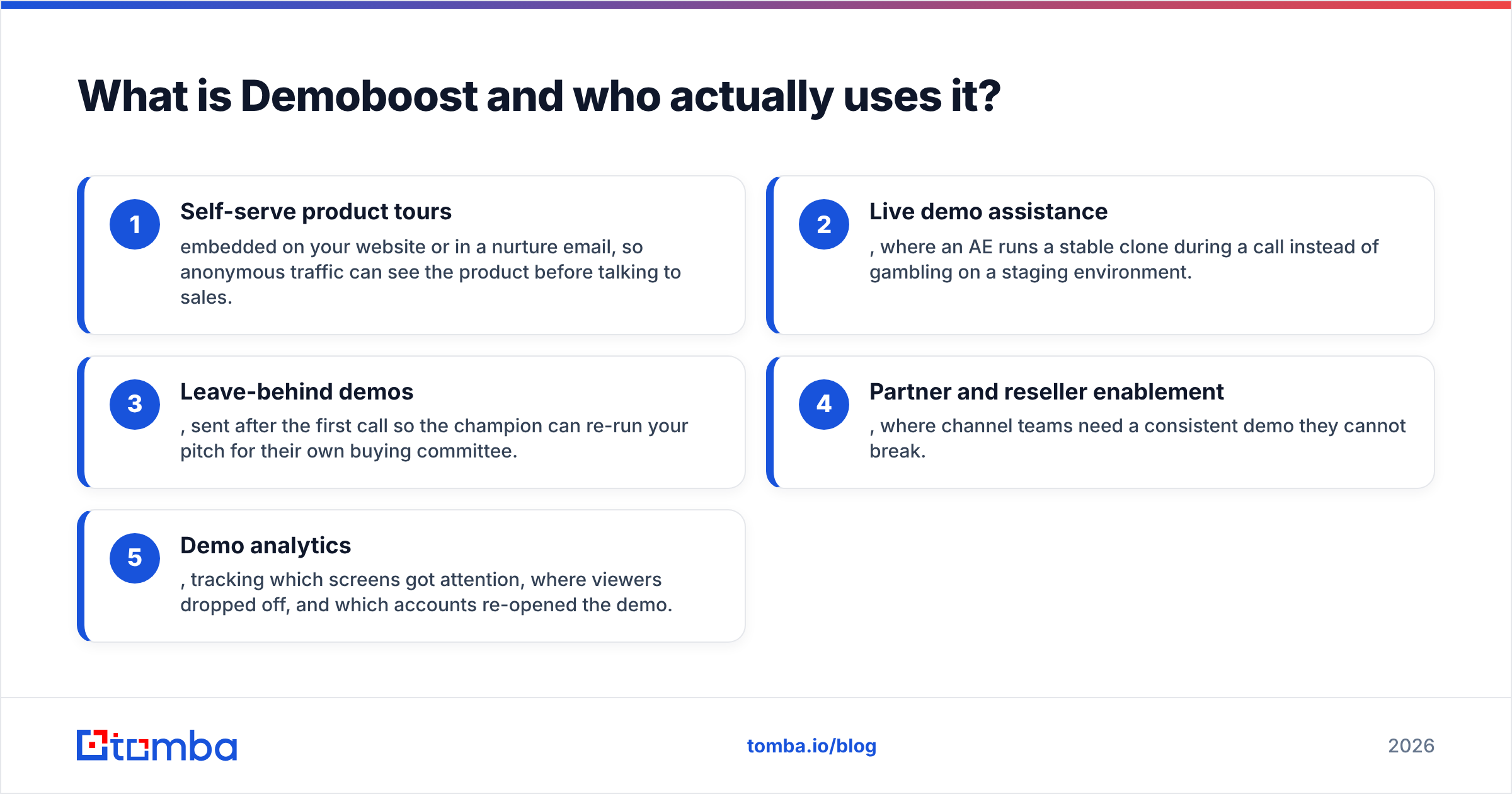
Demoboost is an interactive demo platform. Think of it as a flight simulator for your product: instead of putting a prospect in the real cockpit (a sandbox that breaks, loads slowly, or exposes half-built features), you hand them a cloned, scripted environment that always behaves. Buyers click through it themselves, at their own pace, without booking a call.
The company positions itself around three motions:
- Self-serve product tours embedded on your website or in a nurture email, so anonymous traffic can see the product before talking to sales.
- Live demo assistance, where an AE runs a stable clone during a call instead of gambling on a staging environment.
- Leave-behind demos, sent after the first call so the champion can re-run your pitch for their own buying committee.
- Partner and reseller enablement, where channel teams need a consistent demo they cannot break.
- Demo analytics, tracking which screens got attention, where viewers dropped off, and which accounts re-opened the demo.
The typical customer is a mid-market or enterprise B2B software vendor with a demo that takes 30+ minutes to run properly and a sales cycle with four or more stakeholders. If your product can be understood in a two-minute screen recording, this category is overkill.
You can see the vendor's own framing on the Demoboost website, and buyer-side sentiment on G2 and Capterra where the interactive demo category is now well populated.
How much does Demoboost pricing cost in 2026?#
Short answer: nobody knows publicly, and that is deliberate. Demoboost does not list prices on its site. Every plan starts with a discovery call, a scoping conversation about environments and seats, and a custom quote.
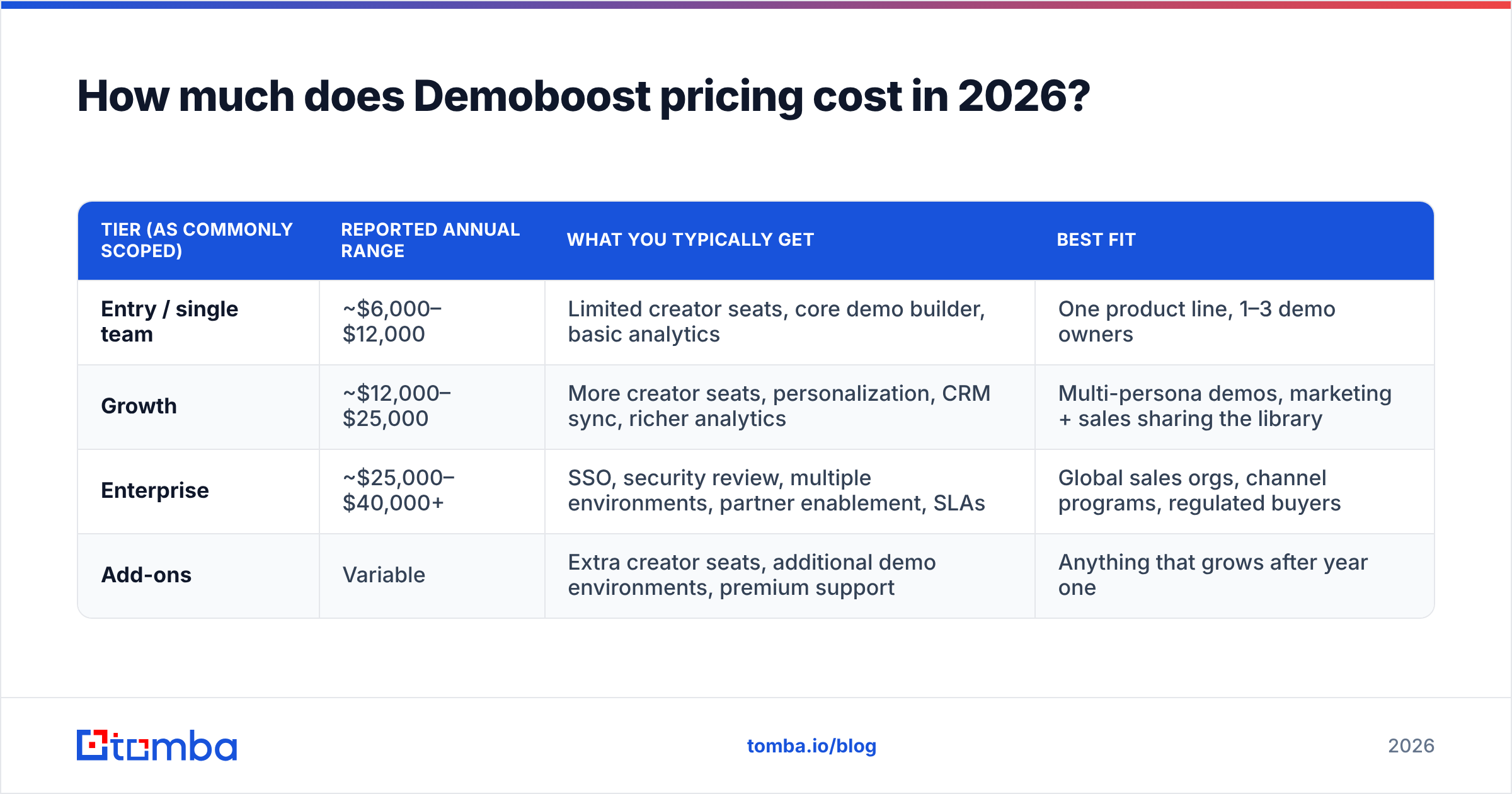
From buyer reports, procurement threads, and review-site commentary, contracts generally land in these bands. Treat them as directional — your quote will move with seat count, contract length, and how hard you negotiate.
| Tier (as commonly scoped) | Reported annual range | What you typically get | Best fit |
|---|---|---|---|
| Entry / single team | ~$6,000–$12,000 | Limited creator seats, core demo builder, basic analytics | One product line, 1–3 demo owners |
| Growth | ~$12,000–$25,000 | More creator seats, personalization, CRM sync, richer analytics | Multi-persona demos, marketing + sales sharing the library |
| Enterprise | ~$25,000–$40,000+ | SSO, security review, multiple environments, partner enablement, SLAs | Global sales orgs, channel programs, regulated buyers |
| Add-ons | Variable | Extra creator seats, additional demo environments, premium support | Anything that grows after year one |
Three things drive the number more than anything else:
- Creator seats, not viewer seats. Viewers are usually unlimited. The cost lever is how many people build and edit demos. Teams that hand seats to every AE see the price double at renewal.
- Number of distinct demo environments. One product = cheap. Three products with different data sets = a different conversation.
- Contract length. Multi-year commitments are where the discounting lives, which is exactly why annual-only buyers report higher effective rates.
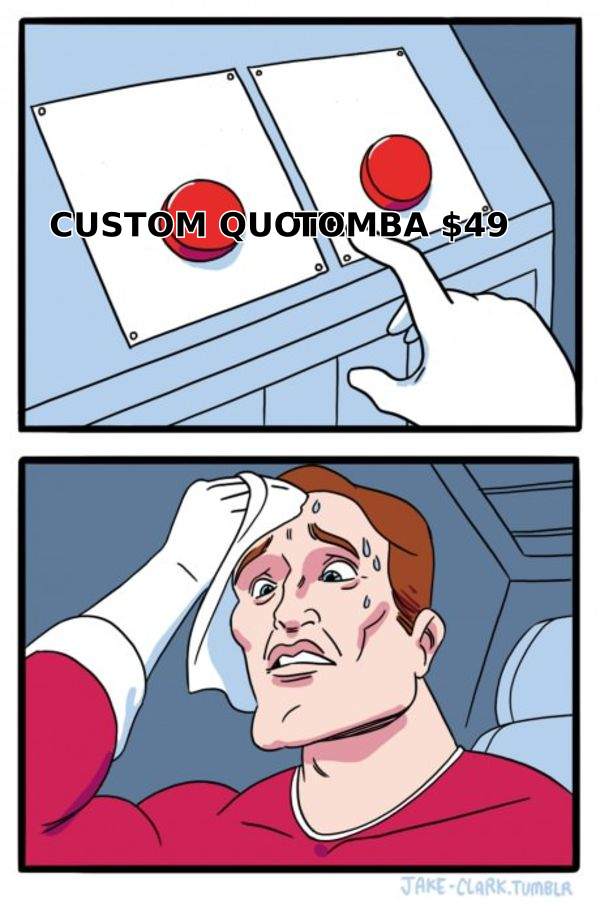
If you are comparing this against a tool that publishes numbers openly — the way Tomba pricing does with a free tier, $49/mo Starter, $99/mo Growth, and $249/mo Pro — the contrast is jarring. Quote-only pricing is normal in enterprise sales tooling, but it does mean you cannot budget without spending a week in calls.
Is there a free trial or free tier?#
Demoboost has historically offered a trial or a scoped pilot rather than a permanent free tier. In practice, that means a time-boxed sandbox with vendor-side help building your first demo. This is a real advantage during evaluation — you get onboarding attention — but it also means your trial experience is better than your unaided day-to-day experience. Budget for that gap.
What do Demoboost reviews actually say?#
Reading across public reviews, the sentiment is genuinely positive, with a consistent shape: high scores for ease of demo creation and support responsiveness, lower scores for value-for-money and advanced customization.
What reviewers repeatedly praise:
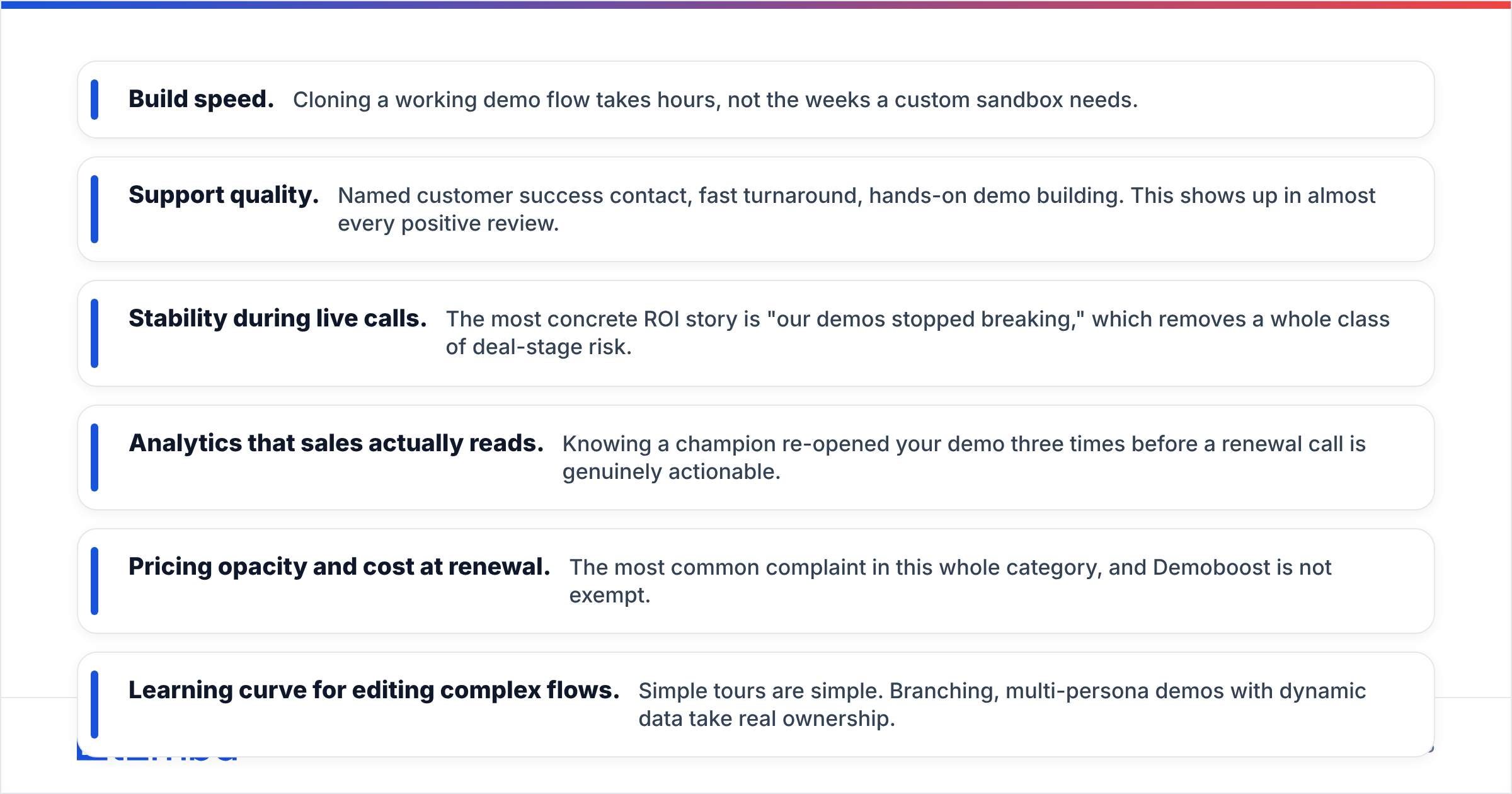
- Build speed. Cloning a working demo flow takes hours, not the weeks a custom sandbox needs.
- Support quality. Named customer success contact, fast turnaround, hands-on demo building. This shows up in almost every positive review.
- Stability during live calls. The most concrete ROI story is "our demos stopped breaking," which removes a whole class of deal-stage risk.
- Analytics that sales actually reads. Knowing a champion re-opened your demo three times before a renewal call is genuinely actionable.
What reviewers repeatedly criticize:
- Pricing opacity and cost at renewal. The most common complaint in this whole category, and Demoboost is not exempt.
- Learning curve for editing complex flows. Simple tours are simple. Branching, multi-persona demos with dynamic data take real ownership.
- Maintenance drag. Your product ships weekly; your demo does not update itself. Someone has to own re-capture, and that person is usually already busy.
- Occasional rendering quirks in heavily dynamic apps, especially canvas-heavy or heavily animated UIs.
None of that is disqualifying. It is the normal profile of a category that is four or five years old and still consolidating.
What are the biggest pros of Demoboost?#
It removes the demo bottleneck. In most B2B orgs, two or three senior SEs run every meaningful demo. Interactive demos let a junior AE deliver a senior-quality walkthrough, which is a headcount argument, not just a marketing argument.
It converts anonymous traffic earlier. Buyers now want to see the product before a call — the same research-first pattern HubSpot's sales research has documented for years. A public tour on your pricing page catches people who would otherwise bounce.
It gives you attribution inside the demo. Screen-level engagement data tells you which feature story lands. That feeds product marketing, not just sales ops.
It survives the buying committee. The demo you delivered live gets forwarded internally in a form that still works. That is the single most underrated benefit, because the person who actually signs usually never attended your call.
What are the real cons and hidden costs?#
Cost 1: the demo owner. Every successful deployment has a named human who maintains the library. That is a fractional headcount you are not quoting in the software line item.
Cost 2: seat expansion. Creator seats grow. So does the invoice. Ask for banded pricing on additional seats in year one, in writing.
Cost 3: content debt. A stale demo is worse than no demo. If your product changes monthly, your demo library needs a refresh cadence, or your best-performing tour will quietly show a UI that no longer exists.
Cost 4: the distribution gap. This is the one nobody scopes. A great interactive demo sitting behind a low-traffic landing page produces nothing. You need a reliable way to put it in front of the right people, which means accurate contact data, not more demo polish.
Cost 5: procurement time. Quote-only pricing plus a security review means a 4–10 week buying cycle in most enterprises. Factor that into your rollout plan.
How does Demoboost compare to Navattic, Storylane, Consensus, and Walnut?#
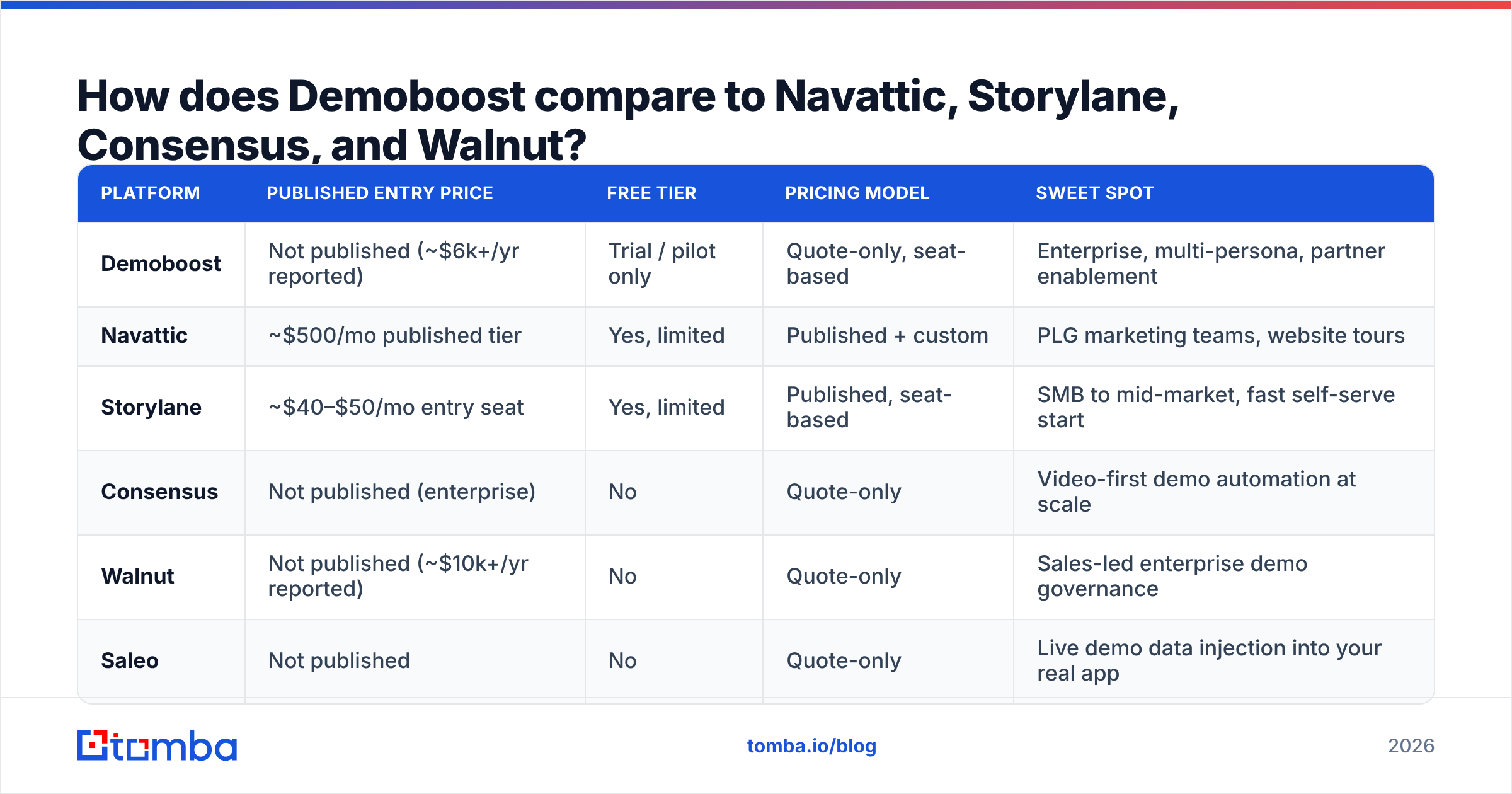
Here is the honest positioning across the main options. Public prices are listed where the vendor publishes them; everything else is quote-only and reported ranges.
| Platform | Published entry price | Free tier | Pricing model | Sweet spot |
|---|---|---|---|---|
| Demoboost | Not published (~$6k+/yr reported) | Trial / pilot only | Quote-only, seat-based | Enterprise, multi-persona, partner enablement |
| Navattic | ~$500/mo published tier | Yes, limited | Published + custom | PLG marketing teams, website tours |
| Storylane | ~$40–$50/mo entry seat | Yes, limited | Published, seat-based | SMB to mid-market, fast self-serve start |
| Consensus | Not published (enterprise) | No | Quote-only | Video-first demo automation at scale |
| Walnut | Not published (~$10k+/yr reported) | No | Quote-only | Sales-led enterprise demo governance |
| Saleo | Not published | No | Quote-only | Live demo data injection into your real app |
How to read that table: if you want to be live this week for under $100/month, Storylane or Navattic are the pragmatic choices. If you need governance — approval workflows, partner libraries, SSO, multiple environments, security sign-off — Demoboost, Walnut, and Consensus are competing for the same budget line, and the deciding factor is usually whether your demo needs to be interactive (Demoboost, Walnut) or video-led and asynchronous (Consensus).

Is Demoboost worth it for your team?#
Buy it if three of these are true:
- Your live demo breaks or lags more than once a quarter.
- More than four people are involved in a typical buying decision.
- Your SEs are a scheduling bottleneck for AEs.
- You run a partner or reseller channel that needs a consistent demo.
- Marketing wants a product tour on the site and cannot get engineering time for it.
Skip it if:
- Your ACV is under roughly $5,000 and your sales cycle is a single call. The math rarely clears.
- Your product is visually simple enough that a two-minute Loom does the job.
- You have no one who will own demo maintenance. An unowned library dies in one quarter.
- Your pipeline problem is volume, not conversion. This is the important one, and it is worth expanding.
What has to be true before an interactive demo pays for itself?#
An interactive demo improves the conversion of traffic you already have. It does not create traffic. If your funnel has 40 qualified visitors a month, a $20,000 demo platform will improve a small number and cost a large one.
Before you sign a quote-only demo contract, sanity-check the front of the funnel:
- Do you know who to send it to? A demo link is only as good as the list behind it. Building targeted lists with an email finder that returns verified work addresses is a fraction of the cost of a demo platform and moves the same conversion metric.
- Do your emails land? Even a great demo link fails if the message bounces. Run the list through an email verifier first — bounce rates above 3% start damaging sender reputation and your demo never gets seen.
- Do you have full account coverage? One champion is not a buying committee. Data enrichment to fill in the other three or four stakeholders is what makes a leave-behind demo actually circulate.
- Are you measuring the right thing? Track response rate to demo-link emails, not just demo views. Views without replies means your targeting is off, not your demo.
Teams that fix distribution first usually discover their existing demo converts fine. Teams that buy the demo platform first often spend year one wondering why engagement is flat.
What questions should you ask on the Demoboost sales call?#
Come to the call with these written down. They shape the quote more than anything else:
- What exactly counts as a creator seat, and what does seat 6, 10, and 20 cost?
- Is the price per demo environment, per product, or per workspace?
- What is the year-two uplift cap, in writing?
- Who builds the first five demos — us or you — and is that included or professional services?
- How does the platform handle a UI change in our product? Full re-capture or partial edit?
- What happens to published demos if we churn? Do the links die immediately?
- Which CRM fields sync back, and does that require a higher tier?
The answer to question three is the one that separates a good deal from a bad one.
The bottom line on Demoboost pricing#
Demoboost is a credible enterprise interactive demo platform with strong support and a real product. The pricing is opaque, seat-based, and negotiable — which means your outcome depends heavily on how well you scope before the first call. If you are enterprise, multi-persona, and demo-bottlenecked, it earns its place. If you are earlier and price-sensitive, Storylane or Navattic get you 80% of the value on a published price you can approve in an afternoon.
And whichever platform you land on, remember what actually gates the result: the number of right-fit people who open the thing. Build that list properly with the Tomba Email Finder — start free with 25 searches a month, or run full campaigns from $49/mo — verify it, enrich the account, then let your demo do the job you paid for.
Related guides#
Ready to find emails that actually work?
Join 150,000+ professionals who stopped guessing and started sending. Free credits on signup — no credit card required.
Get the Tomba newsletter
Practical outbound tactics and product updates — once every two weeks.
About the author