Demographic Data in B2B Sales: The 2026 Complete Guide
Demographic data decides who you target and what you say. Here's what it actually covers in B2B, how to collect and enrich it, and how to keep it from rotting.
Demographic data is the quiet engine behind every list you build, every segment you message, and every deal your reps decide to chase. Get it right and your outreach feels personal. Get it wrong and you're emailing a "VP of Marketing" who left the company 14 months ago.
This guide breaks down what demographic data actually means in a B2B context, how it differs from the firmographic and behavioral data it's often confused with, where to source it, and — the part most articles skip — how to stop it from silently rotting.
TL;DR#
- Demographic data describes the individual person: name, job title, seniority, role, location, and contact details. In B2B it's the layer that turns a company into a specific human you can reach.
- It's not the same as firmographic data (company size, industry, revenue) or behavioral data (what someone clicked or downloaded). You need all three, but they answer different questions.
- The biggest risk isn't collecting demographic data — it's decay. Roughly 22–30% of B2B contact data goes stale every year as people change jobs.
- Sourcing options range from manual research to enrichment APIs. The right mix depends on volume, accuracy needs, and budget.
- Verified, enriched demographic data lifts targeting, personalization, and deliverability at the same time — a rare three-for-one in sales ops.
What is demographic data in a B2B context?#
Demographic data is information that describes a person rather than an organization. In consumer marketing that means age, gender, income, and household. In B2B, the useful demographic attributes shift toward the professional identity of your buyer.
Think of demographic data as the ID badge of your prospect. Firmographics tell you which building they work in; demographics tell you who's actually wearing the badge, what their job is, and how to reach their desk.
The core B2B demographic fields you'll work with:
- Full name — first and last, correctly cased and de-duplicated.
- Job title and seniority — "Director of Demand Generation" plus a normalized seniority tier (IC, manager, director, VP, C-level).
- Department / function — marketing, sales, engineering, finance, so you can route messaging.
- Location — country, region, and timezone, which drives send-time and compliance.
- Contact details — professional email address and, increasingly, a direct phone number.
- Professional profiles — LinkedIn URL and other public identifiers that let you verify and enrich.
Each field is a targeting lever. Seniority decides whether you pitch ROI or implementation detail. Location decides whether GDPR or CAN-SPAM governs your send. Contact details decide whether the message arrives at all.
How is demographic data different from firmographic and behavioral data?#
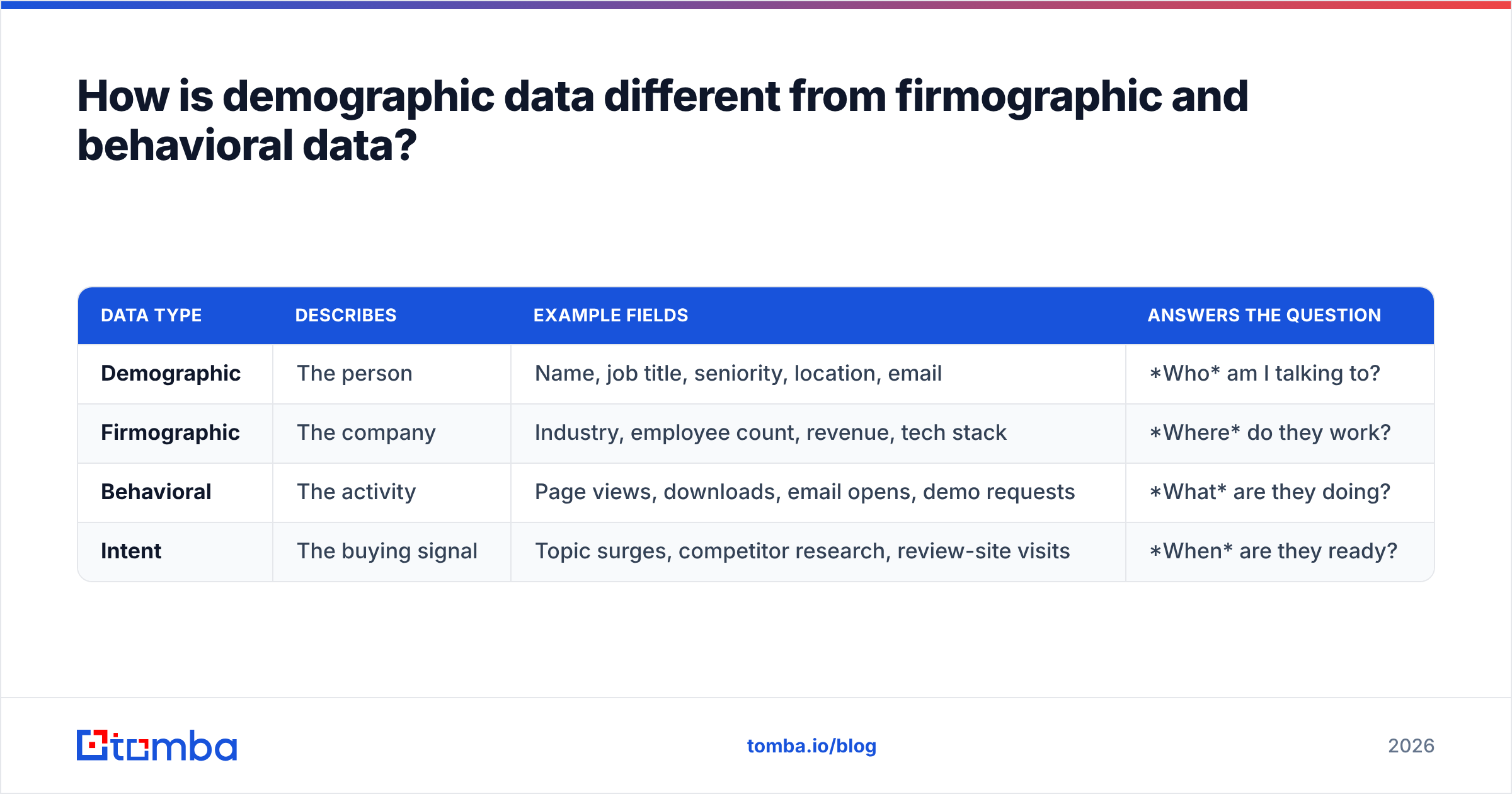
These three data types get lumped together as "B2B data," but they answer completely different questions. Confusing them is how teams end up with beautiful segments that don't convert.
| Data type | Describes | Example fields | Answers the question |
|---|---|---|---|
| Demographic | The person | Name, job title, seniority, location, email | Who am I talking to? |
| Firmographic | The company | Industry, employee count, revenue, tech stack | Where do they work? |
| Behavioral | The activity | Page views, downloads, email opens, demo requests | What are they doing? |
| Intent | The buying signal | Topic surges, competitor research, review-site visits | When are they ready? |
The practical takeaway: a strong Ideal Customer Profile stacks all four layers. Firmographics get you to the right account, demographic data gets you to the right person inside it, and behavioral plus intent data tell you when to reach out. If you want a deeper primer on the account layer, the what is domain search glossary entry pairs neatly with this one.
A concrete example. Say your firmographic filter is "SaaS companies, 50–200 employees, using HubSpot." That might return 4,000 companies. Demographic data narrows each account to the two or three people who actually own the buying decision — the VP of Sales and the RevOps lead — and gives you their verified emails. Without that second layer, you have a list of logos, not a list of buyers.
Why does demographic data matter for sales and marketing?#
Because every downstream metric depends on it. Weak demographic data doesn't announce itself; it just quietly drags down open rates, reply rates, and rep morale.
Targeting precision. Seniority and department fields let you exclude the interns and reach the decision-makers. A marketing qualified lead is only qualified if the demographic attributes match your ICP in the first place.
Personalization at scale. "Hi {{first_name}}, saw you lead {{department}} at {{company}}" only works when those fields are accurate. One wrong title and the whole email reads as spam.
Deliverability. This is the underrated one. Sending to invalid or outdated email addresses spikes your bounce rate, which damages sender reputation and pushes even your good emails to spam. Clean demographic data is a deliverability strategy, not just a targeting one. Google's own Postmaster Tools guidance makes clear that bounce and complaint rates directly shape inbox placement.
Routing and compliance. Location data decides which privacy regime applies and which sales rep owns the timezone. Get it wrong and you're either breaking rules or emailing people at 3 a.m.
Where does demographic data come from?#
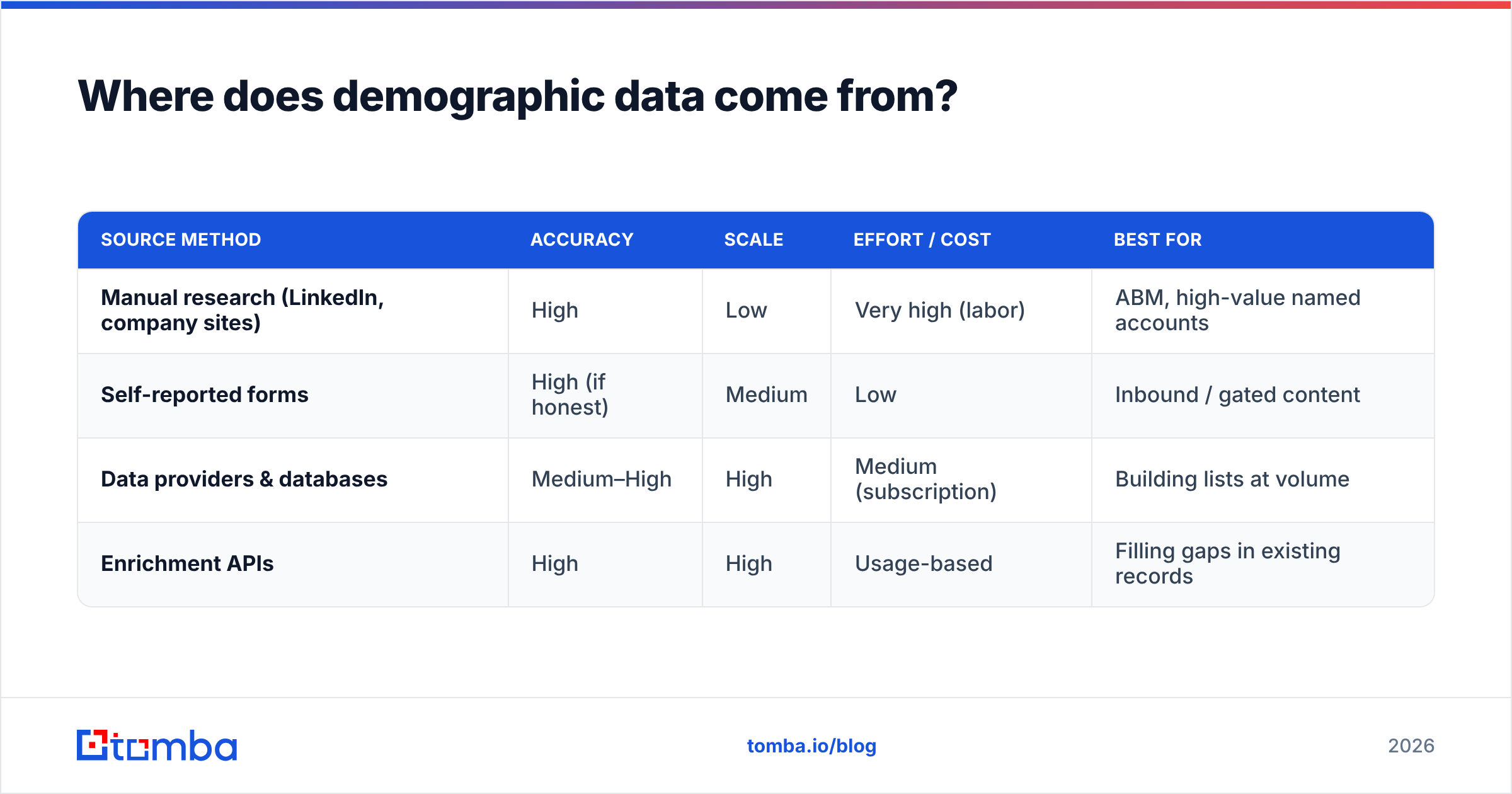
There are four broad sourcing methods, and most teams blend them. The trade-off is always the same triangle: accuracy, volume, and cost. You rarely max out all three.
| Source method | Accuracy | Scale | Effort / cost | Best for |
|---|---|---|---|---|
| Manual research (LinkedIn, company sites) | High | Low | Very high (labor) | ABM, high-value named accounts |
| Self-reported forms | High (if honest) | Medium | Low | Inbound / gated content |
| Data providers & databases | Medium–High | High | Medium (subscription) | Building lists at volume |
| Enrichment APIs | High | High | Usage-based | Filling gaps in existing records |
Manual research is the gold standard for accuracy and the worst for scale. It's how you handle a 50-account ABM list, not a 50,000-lead campaign.
Self-reported data from forms is honest but incomplete — people abandon long forms, so you capture an email and maybe a job title, then enrich the rest.
Data providers give you breadth. A B2B database lets you pull thousands of matching contacts at once, though freshness varies by vendor, so verification afterward is non-negotiable.
Enrichment APIs are the connective tissue. You have a work email or a domain; the API returns the name, title, seniority, and LinkedIn URL. This is where tools like the Tomba Email Finder and data enrichment endpoints do their work — turning a partial record into a complete, actionable one.
For teams that want to understand provenance before they buy, it's worth reading how a vendor documents its data sources. Opaque sourcing is a red flag; transparent sourcing is a buying signal.
How do you collect and enrich demographic data at scale?#
The scalable pattern is "capture minimal, enrich the rest." Ask for as little as possible up front, then fill in the demographic fields programmatically.
A typical enrichment flow:
- Capture an anchor — usually a work email or a company domain from a form, an event scan, or a website visitor reveal.
- Resolve the person — pass that anchor to an enrichment or email finder service to return name, title, seniority, and profile links.
- Verify the contact — run the returned email through an email verifier so you're not building a list of bounces.
- Normalize the fields — standardize titles into seniority tiers and clean up location formatting so segmentation actually works.
- Sync to your CRM — push the enriched record into your system of record via an integration or the Tomba API.
For batch work, a bulk email finder processes thousands of rows at once, which is how you enrich an entire event list or an imported spreadsheet without manual lookups. Teams that live in spreadsheets can push the same logic into Google Sheets so enrichment happens where the data already sits.
What is data decay and how do you fight it?#
Data decay is the silent killer of demographic data, and it's completely predictable — which is exactly why it's inexcusable to ignore.
Here's the everyday analogy: demographic data is like milk, not honey. Honey lasts forever; milk has a date on it. A contact record is fresh the day you collect it and starts spoiling immediately as people get promoted, change companies, or leave the workforce.
The numbers are consistent across the industry. Research from providers and analysts repeatedly puts B2B contact decay in the 22–30% per year range — sometimes higher for fast-moving industries like tech. That means a list you built 12 months ago is now roughly a quarter wrong, and you have no way of knowing which quarter without re-verifying.
What decay looks like in practice:
- Job changes — the biggest driver. Someone gets promoted or jumps to a competitor, and their title, email, and sometimes company all change at once.
- Company changes — mergers, rebrands, and domain migrations break email addresses wholesale.
- Role reshuffles — the same person, a new department, and now your firmographic-demographic match is broken.
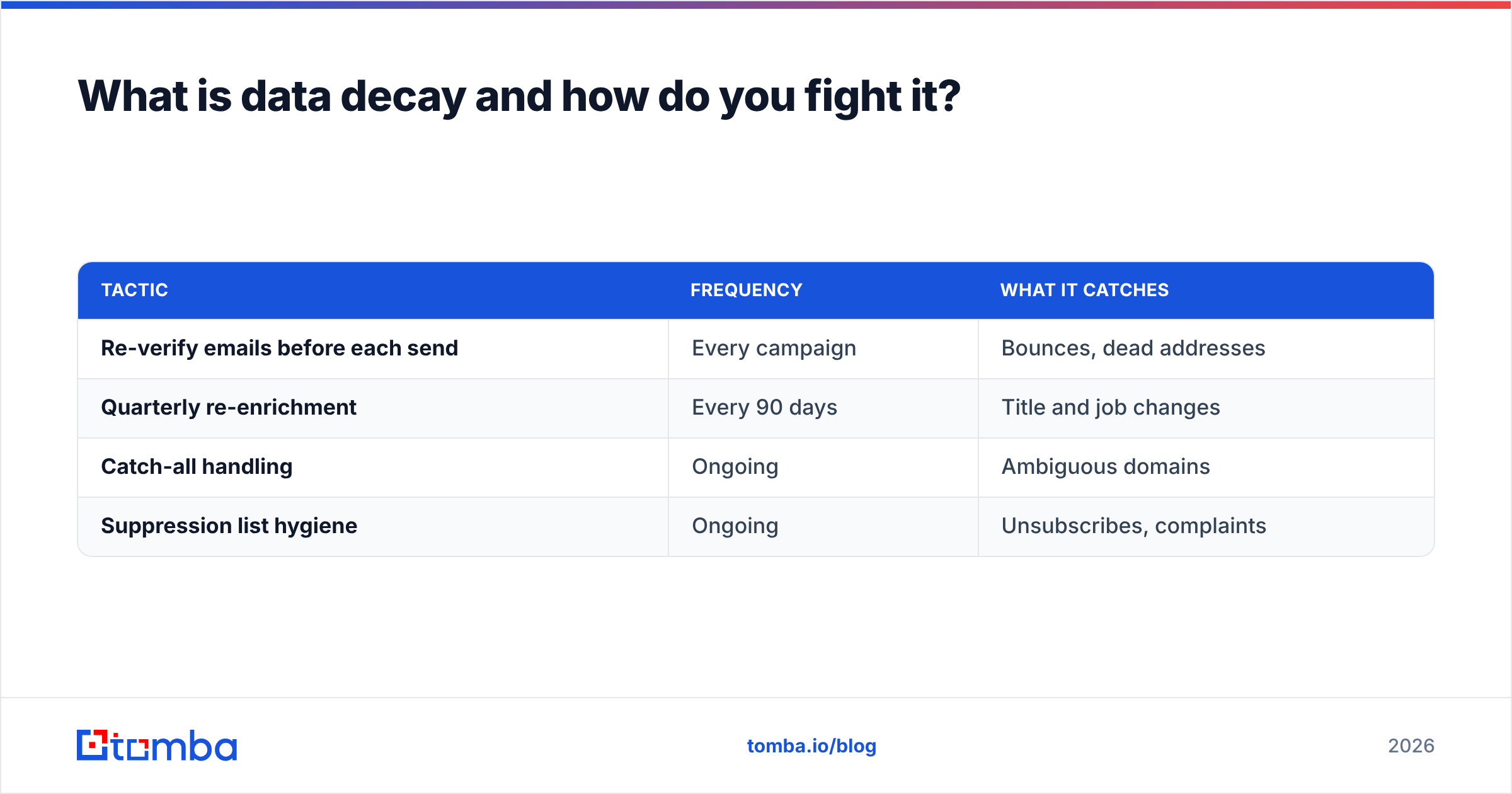
The defense is a maintenance routine, not a one-time cleanse:
| Tactic | Frequency | What it catches |
|---|---|---|
| Re-verify emails before each send | Every campaign | Bounces, dead addresses |
| Quarterly re-enrichment | Every 90 days | Title and job changes |
| Catch-all handling | Ongoing | Ambiguous domains |
| Suppression list hygiene | Ongoing | Unsubscribes, complaints |
Running your existing addresses through an email verification pass before every major send is the single highest-ROI habit here. For domains that accept everything, a dedicated catch-all verifier tells you whether an inbox is real or a black hole. Neither step is glamorous, but together they protect the email deliverability that everything else rides on.
What about privacy and compliance?#
You can't talk about demographic data in 2026 without talking about the rules that govern it. Demographic data on identifiable people is personal data, and that triggers real obligations.
The two frameworks most B2B teams operate under:
- GDPR (EU/EEA) — requires a lawful basis for processing, honors data-subject access and deletion requests, and treats "legitimate interest" for B2B outreach as a real but conditional basis. The official GDPR text is the primary source, not a summarized blog.
- CAN-SPAM (US) — less restrictive on collection, strict on the send: accurate headers, a real physical address, and a working unsubscribe.
Practical hygiene that keeps you clean regardless of jurisdiction:
- Source transparently — use providers that document where their data comes from.
- Honor opt-outs immediately — suppression lists are compliance infrastructure, not a nice-to-have.
- Store only what you use — every field you don't need is a liability if you're breached.
- Keep it accurate — accuracy is itself a GDPR principle, which means your decay-fighting routine doubles as compliance work.
The reassuring part: doing demographic data well and doing it compliantly point in the same direction. Clean, minimal, accurate, permission-respecting data is both better for conversion and safer legally.
How do you choose a demographic data tool?#
Match the tool to the job, not to the marketing page. A quick decision framework:
- Need contact details from a name or domain? An email finder is your core tool. Prioritize accuracy and verification, and check the Tomba pricing tiers against your monthly volume.
- Need to enrich records you already have? Look for an enrichment API with strong field coverage and a clean CRM integration.
- Working named accounts? Depth beats breadth — you want accurate titles and direct dials over sheer record count.
- Running high-volume outbound? Bulk processing and built-in verification matter more than any single lookup.
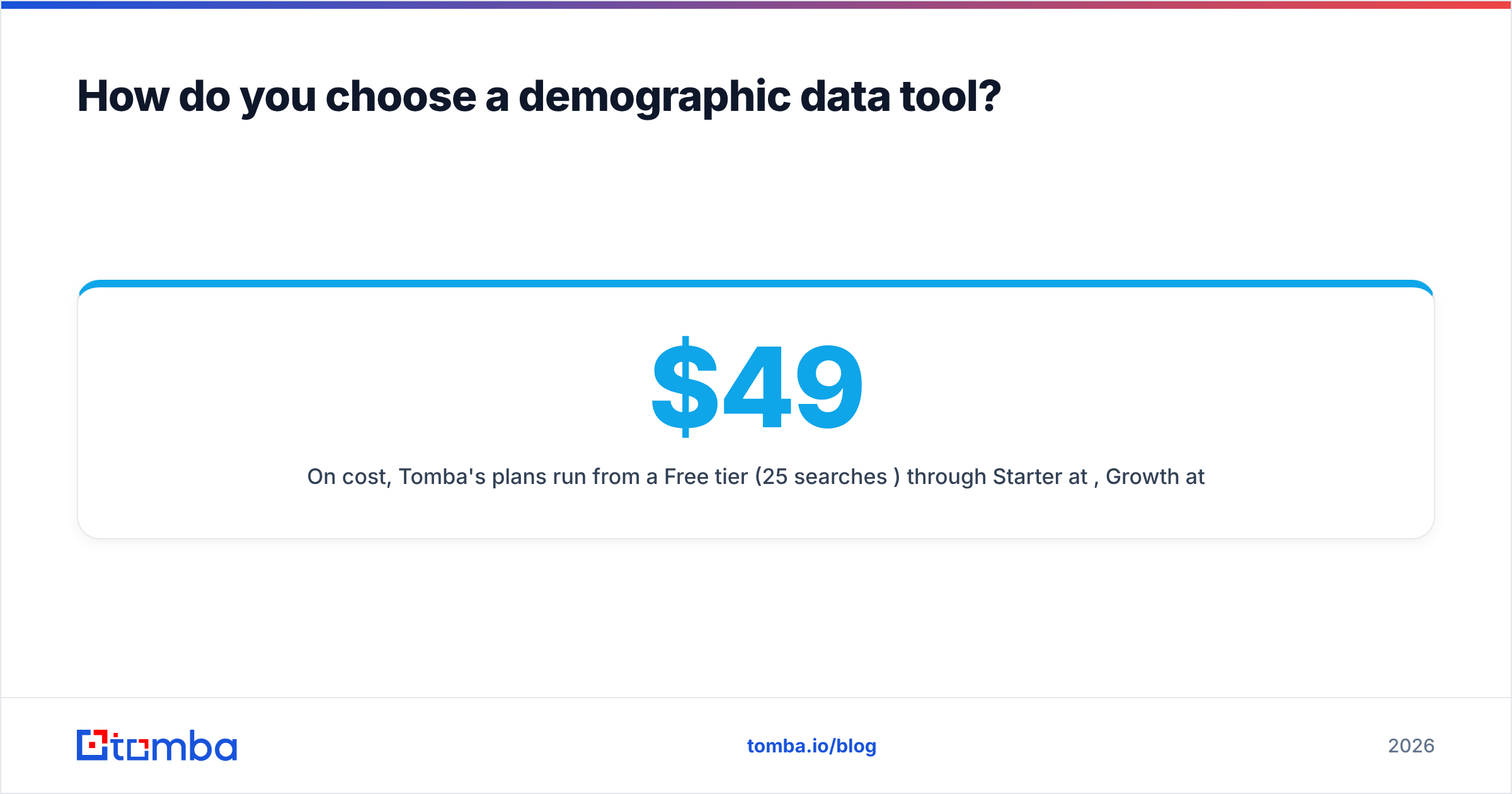
On cost, Tomba's plans run from a Free tier (25 searches/month) through Starter at $49/month, Growth at $99/month, and Pro at $249/month, with Enterprise custom pricing — so you can start small and verify accuracy before committing. Whatever you choose, cross-check accuracy claims against a neutral source like a G2 category page rather than the vendor's own numbers.
The bottom line#
Demographic data is the layer that turns an anonymous account into a specific person you can help. It's cheap to collect badly and only moderately more expensive to collect well — and the gap between those two shows up in every open rate, reply rate, and closed deal you report.
Do three things and you'll be ahead of most teams: capture minimal and enrich the rest, verify before every send, and re-enrich on a quarterly cadence so decay never gets ahead of you.
If you want a fast, accurate starting point, the Tomba Email Finder turns a name or domain into a verified, enriched contact record — complete with the demographic fields that make your targeting and personalization actually land. Pair it with the built-in email verifier and you've covered collection, enrichment, and hygiene in one workflow. Start on the free tier, test the accuracy on your own list, and scale up only when the data proves itself.
Related guides#
Ready to find emails that actually work?
Join 150,000+ professionals who stopped guessing and started sending. Free credits on signup — no credit card required.
Get the Tomba newsletter
Practical outbound tactics and product updates — once every two weeks.
About the author