Demographic Segmentation Examples: A 2026 B2B Guide
Demographic segmentation sounds simple until you try to act on it. Here are 12 concrete B2B examples — with the exact data fields behind each one — and how to turn every segment into pipeline.
Demographic segmentation is the oldest trick in marketing, and most B2B teams still get it wrong. They slice a list by "industry" and "company size," call it a day, and wonder why reply rates flatline. The problem isn't the concept — it's the shallow execution.
This guide fixes that. Below are 12 demographic segmentation examples you can act on, the exact data fields behind each one, and how to turn a segment definition into a message that lands.
TL;DR#
- Demographic segmentation groups people or accounts by measurable traits — age, income, job title, company size, industry, location. In B2B it blends consumer demographics (the individual) with firmographics (the company).
- The examples that actually move pipeline are specific: "VP of Finance at 200–500-employee SaaS firms in the EU," not "decision-makers in tech."
- Segmentation is only as good as your data. Missing or stale job titles and company sizes quietly break every downstream campaign.
- Use a comparison framework to decide which demographic variables matter for your offer — most teams over-index on industry and ignore seniority and buying role.
- Enrichment and accurate contact data are the unglamorous foundation; without them your segments are guesses.
What is demographic segmentation?#
Demographic segmentation is the practice of dividing a market into groups based on measurable, factual attributes about people or organizations. Think of it like sorting mail in a post office: before anyone reads a single letter, it's already grouped by zip code, weight, and delivery route. You haven't personalized anything yet — you've just made every later step faster and cheaper.
In consumer marketing, those attributes are things like age, gender, income, education, and family status. In B2B, the same logic applies to two overlapping layers:
- Individual demographics — the person's job title, seniority, department, and function.
- Firmographics — the organization's industry, employee count, revenue, location, and growth stage.
The distinction matters because B2B buying is rarely a solo decision. According to Gartner, a typical B2B purchase involves six to ten decision-makers. Segmenting by one buyer's demographics while ignoring the buying committee is how good campaigns miss.
For a formal definition and the consumer-marketing roots of the concept, Wikipedia's market segmentation entry is a solid primer. The rest of this article is about applying it to revenue.
What are the main demographic segmentation variables?#
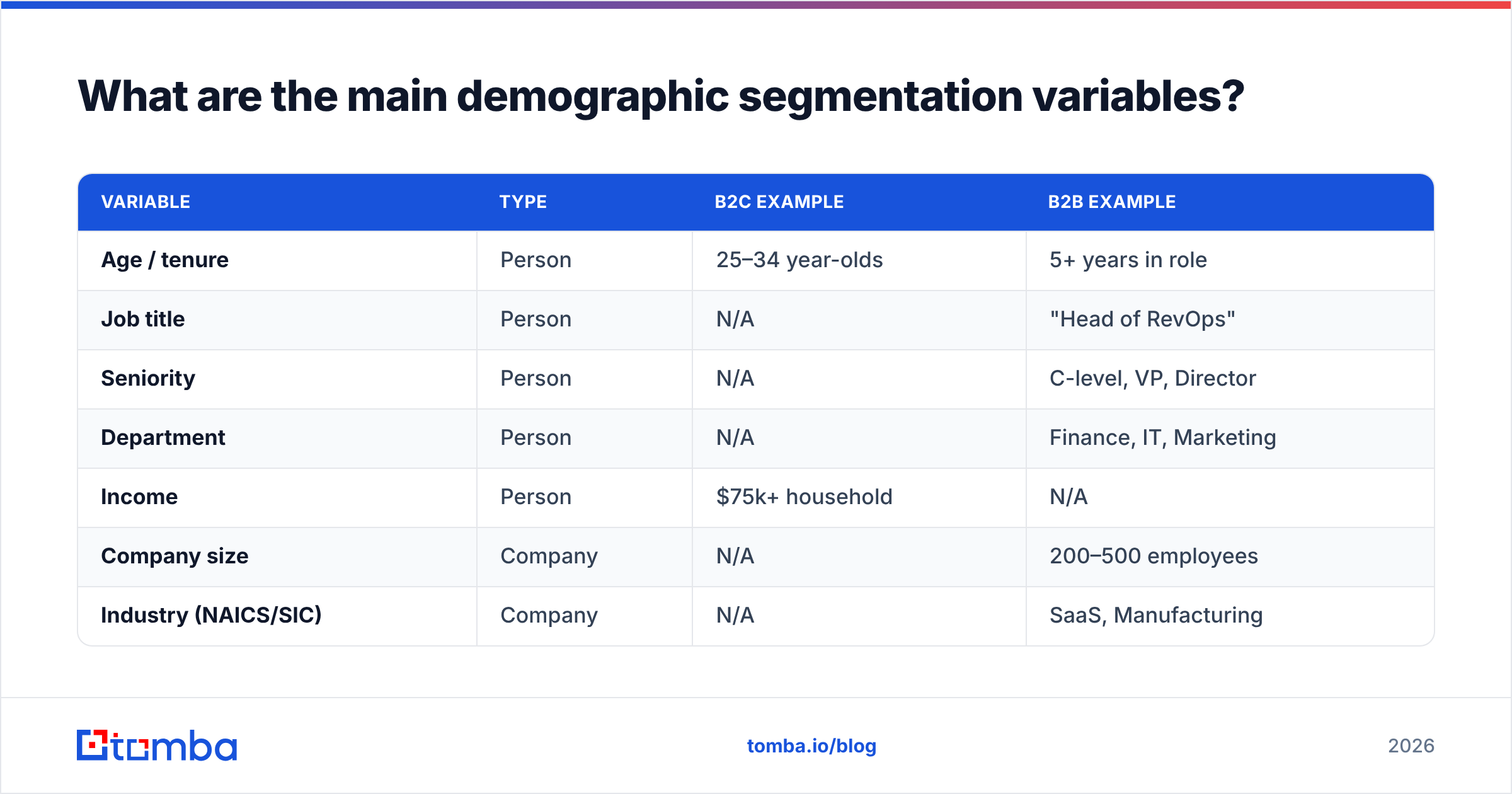
Before the examples, here's the raw material. These are the variables you'll mix and match, split by whether they describe a person or a company.
| Variable | Type | B2C example | B2B example |
|---|---|---|---|
| Age / tenure | Person | 25–34 year-olds | 5+ years in role |
| Job title | Person | N/A | "Head of RevOps" |
| Seniority | Person | N/A | C-level, VP, Director |
| Department | Person | N/A | Finance, IT, Marketing |
| Income | Person | $75k+ household | N/A |
| Company size | Company | N/A | 200–500 employees |
| Industry (NAICS/SIC) | Company | N/A | SaaS, Manufacturing |
| Revenue | Company | N/A | $10M–$50M ARR |
| Location | Both | Urban US | HQ in DACH region |
| Growth stage | Company | N/A | Series B, bootstrapped |
The takeaway: B2B demographic segmentation is mostly firmographic + role-based. The consumer-style variables (age, income, gender) rarely predict B2B buying behavior on their own. If you're building an B2B database or filtering a prospect list, weight your effort toward job title, seniority, company size, and industry.

What are some real demographic segmentation examples?#
Here are 12 worked examples. Each pairs a segment definition with the message angle it unlocks. Notice how specificity — not cleverness — is what makes them usable.
- Seniority + department: VPs and Directors of Finance at mid-market firms. Angle: ROI, budget control, audit-readiness. These buyers respond to numbers, not vibes.
- Company size band: Companies with 50–200 employees. Angle: "You've outgrown spreadsheets but a full enterprise suite is overkill." The size band is the pain point.
- Industry vertical: Healthcare SaaS vendors. Angle: HIPAA-compliant workflows. A vertical segment lets you name their regulations.
- Growth stage: Series A and B startups. Angle: "Scale your outbound without hiring three SDRs." Fast-growing firms have budget and urgency.
- Geography + language: Prospects headquartered in the DACH region. Angle: localized outreach in German, GDPR-first messaging.
- Job function + tool stack: Marketing ops managers using HubSpot. Angle: native integration, faster onboarding. (See how HubSpot itself segments by tech stack for a reference model.)
- Tenure in role: Executives in their first 90 days. Angle: new leaders reshape budgets. Timing beats persuasion.
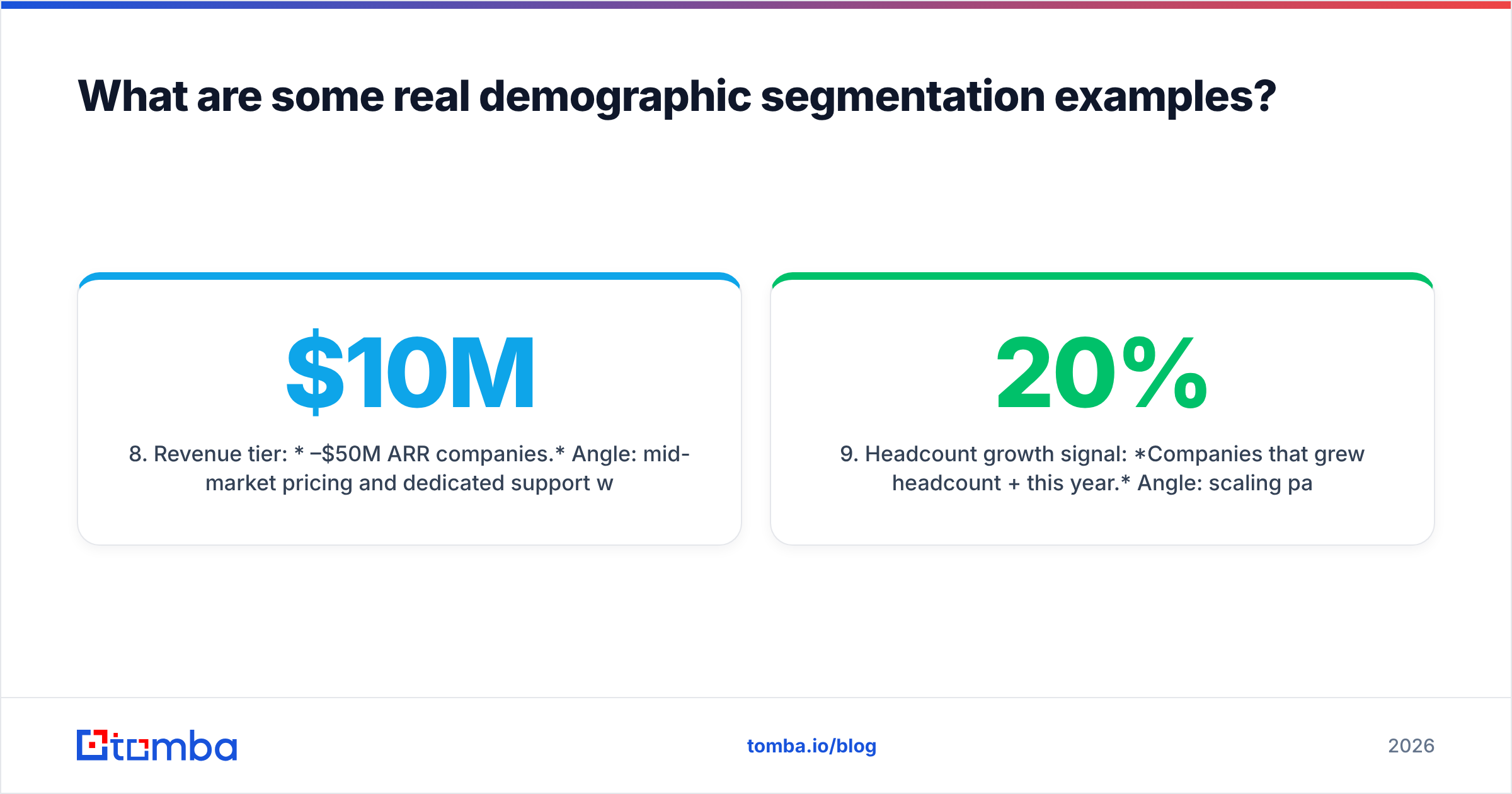
- Revenue tier: $10M–$50M ARR companies. Angle: mid-market pricing and dedicated support without enterprise procurement friction.
- Headcount growth signal: Companies that grew headcount 20%+ this year. Angle: scaling pain — the demographic shift itself is the trigger.
- Multi-title account mapping: Both the economic buyer (CFO) and the champion (RevOps lead) at the same account. Angle: two messages, one deal.
- Founder-led firms: Bootstrapped agencies under 30 employees. Angle: cost efficiency, no bureaucracy, speed.
- Educational / certification demographic: Firms hiring for specific certifications (e.g., AWS-certified engineers). Angle: their hiring pattern reveals their tech direction.
Every one of these is buildable from real fields — a job title, an employee count, a location, a revenue band. That's the whole point of demographic segmentation: it's the part of targeting you can actually query.
How is demographic segmentation different from other types?#
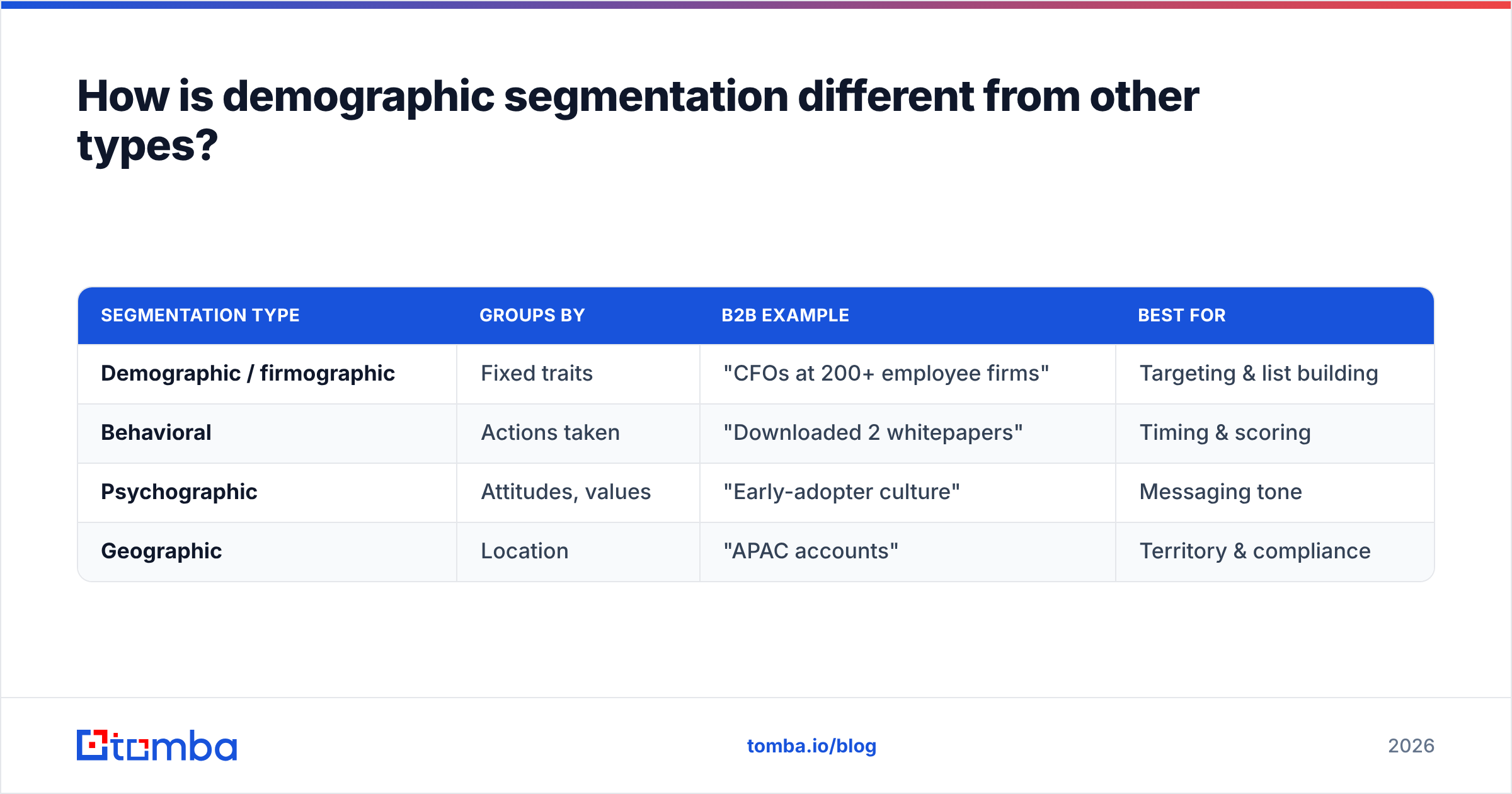
Demographic segmentation is one of four classic lenses. Confusing them is a common reason campaigns underperform — teams think they're segmenting by behavior when they're really just splitting by industry.
| Segmentation type | Groups by | B2B example | Best for |
|---|---|---|---|
| Demographic / firmographic | Fixed traits | "CFOs at 200+ employee firms" | Targeting & list building |
| Behavioral | Actions taken | "Downloaded 2 whitepapers" | Timing & scoring |
| Psychographic | Attitudes, values | "Early-adopter culture" | Messaging tone |
| Geographic | Location | "APAC accounts" | Territory & compliance |
The strongest programs stack them. You start with a demographic segment (who they are), layer behavioral signals (what they did), and tune the message with psychographics (what they care about). Demographics are the foundation because they're stable and knowable before any interaction. Behavior only exists after someone engages.
If you want the deeper distinction between account-level and person-level targeting, our data enrichment resources walk through how to attach firmographic fields to raw contacts.
Why does demographic segmentation fail in practice?#
Because the data underneath it decays. A segment is a filter, and a filter over bad data returns bad prospects. Three failure modes show up again and again:
- Stale job titles. People change roles roughly every two to three years. Your "VP of Sales" segment is quietly full of people who left, got promoted, or never had the title. Forrester and other analysts peg B2B data decay at 20–30% annually — a segment built 12 months ago is meaningfully wrong today.
- Missing firmographic fields. You can't segment by employee count if 40% of rows have a blank company-size field. The filter silently drops those prospects, and you never see the ones you excluded.
- Over-broad definitions. "Decision-makers in tech" isn't a segment; it's a genre. Without a bounded title list, size band, and geography, you're mailing a category, not a cohort.
The fix is boring but decisive: verify and enrich before you segment. Confirm the contact exists (email verifier), attach the missing firmographic fields, and re-check titles on a schedule. Segmentation quality is a data-hygiene problem wearing a strategy costume.

How do you build a demographic segment step by step?#
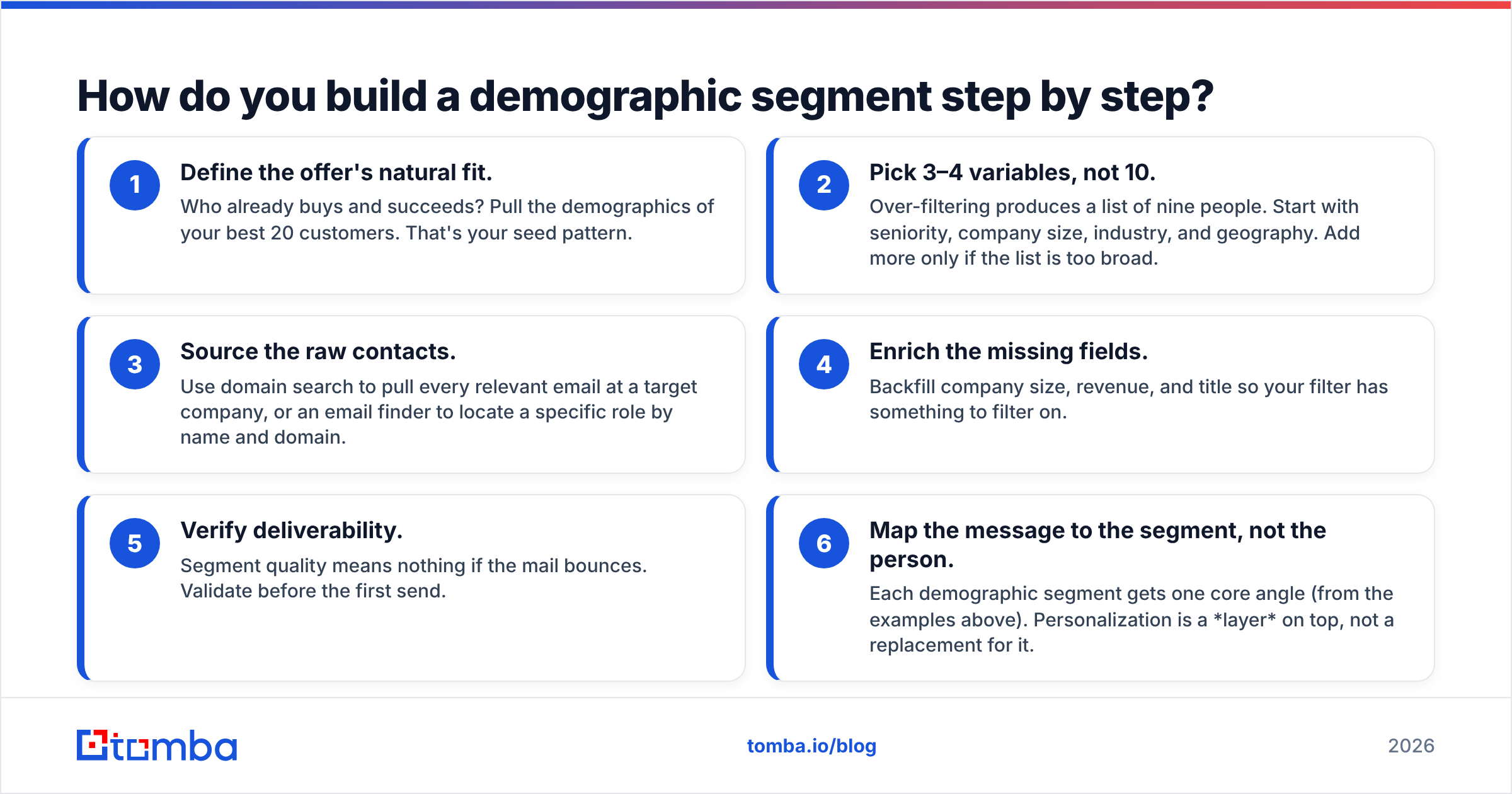
Here's the repeatable workflow, from blank slate to send-ready list.
- Define the offer's natural fit. Who already buys and succeeds? Pull the demographics of your best 20 customers. That's your seed pattern.
- Pick 3–4 variables, not 10. Over-filtering produces a list of nine people. Start with seniority, company size, industry, and geography. Add more only if the list is too broad.
- Source the raw contacts. Use domain search to pull every relevant email at a target company, or an email finder to locate a specific role by name and domain.
- Enrich the missing fields. Backfill company size, revenue, and title so your filter has something to filter on.
- Verify deliverability. Segment quality means nothing if the mail bounces. Validate before the first send.
- Map the message to the segment, not the person. Each demographic segment gets one core angle (from the examples above). Personalization is a layer on top, not a replacement for it.
The order matters. Teams that message first and segment later end up rewriting copy for a list that was wrong from row one.
Which demographic variables should you prioritize in B2B?#
Prioritize the variables that predict whether someone can buy and needs your thing — and drop the ones that just feel demographic.
- High signal: seniority, department, company size, industry, growth stage. These map directly to budget authority and pain.
- Medium signal: location (matters for compliance, language, and territory), revenue tier, tech stack.
- Low signal in B2B: individual age, gender, personal income. They rarely predict B2B purchasing and can introduce bias. Skip them unless you have a specific, defensible reason.
A practical rule: if a variable wouldn't change your message or your qualification, don't segment on it. Segmentation exists to alter what you do next. A variable that doesn't change the next action is just metadata.
Putting it together#
Demographic segmentation is not the flashy part of go-to-market, and that's exactly why it's undervalued. The teams winning at outbound aren't using secret channels — they're using ordinary channels aimed at precisely defined segments, built on data that's actually current. Specificity plus fresh data beats volume plus cleverness every time.
Start with one segment. Define it tightly — a real title list, a real size band, a real geography. Enrich the gaps, verify the contacts, and write one message for that cohort. Then measure, and let the reply rate tell you whether your demographics were the right ones.
When you're ready to build those segments from accurate, verified contacts, the Tomba Email Finder is the fastest way to go from a target company and role to a real, deliverable email — so your carefully defined demographic segment actually reaches an inbox. Pair it with enrichment to fill the firmographic fields your filters depend on, and check current Tomba pricing to match a plan to your list volume. Segment sharp, verify first, and send to people who are really there.
Related guides#
Ready to find emails that actually work?
Join 150,000+ professionals who stopped guessing and started sending. Free credits on signup — no credit card required.
Get the Tomba newsletter
Practical outbound tactics and product updates — once every two weeks.
About the author