Demostack Pricing Reviews Pros and Cons: 2026 Buyer Guide
A neutral breakdown of Demostack pricing, real user reviews, and the honest pros and cons — plus who should buy, who should skip it, and the cheaper alternatives worth a look in 2026.
Demostack Pricing Reviews Pros and Cons: 2026 Buyer Guide
Demostack sells a simple promise: stop letting your live product break in front of buyers. Your sales engineers demo on a captured, fully editable clone of your app, not a fragile staging server. It's a clever idea. But it's also an enterprise purchase with quote-only pricing, so it's hard to judge from the outside. This guide breaks down Demostack pricing reviews pros and cons in plain terms.
This is a neutral, third-party look at Demostack pricing, reviews, pros and cons. Use it to decide whether the tool fits your motion before you sit through three sales calls just to see a number.
TL;DR — Is Demostack worth it?#
- Pricing is custom (quote-only). Demostack does not publish plans. Real-world contracts typically land in the low-to-mid five figures per year, scaling with seats and demo volume.
- Best for: mid-market and enterprise teams whose live product is slow, flaky, or data-sensitive to demo — and who have the demo volume to justify a dedicated platform.
- The core strength is a captured, editable environment your reps can personalize per prospect without touching engineering.
- The main knock in reviews is setup effort and price versus lighter interactive-demo tools like Navattic, Reprise, and Walnut.
- The catch nobody mentions: a polished demo means nothing if you're demoing to the wrong contact. Clean targeting data upstream moves the number more than demo software does.
What is Demostack and what are you actually paying for?#
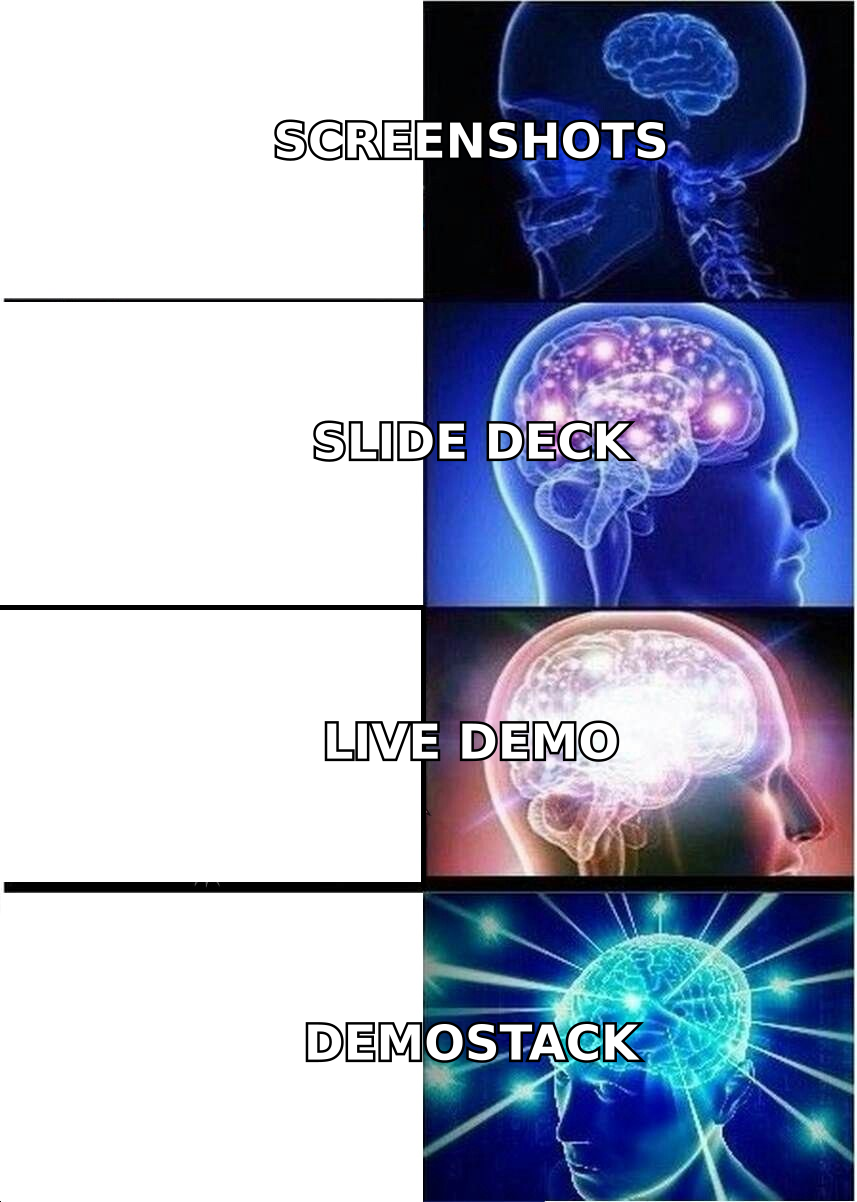
Demostack is a demo experience platform. It captures a working copy of your web application — the UI, the flows, the data — and stores it as a standalone, editable "demo environment" that lives independently of your real product.
That distinction is what you're paying for. A live demo depends on your staging server being up, your seed data looking realistic, and no feature flag breaking mid-call. A Demostack environment doesn't. Reps get a stable, branded, on-message version of the product they can reshape per buyer — swap the logo to the prospect's, change the sample data to their industry, hide a half-built feature — all without a single engineering ticket.
Concretely, a Demostack subscription bundles:
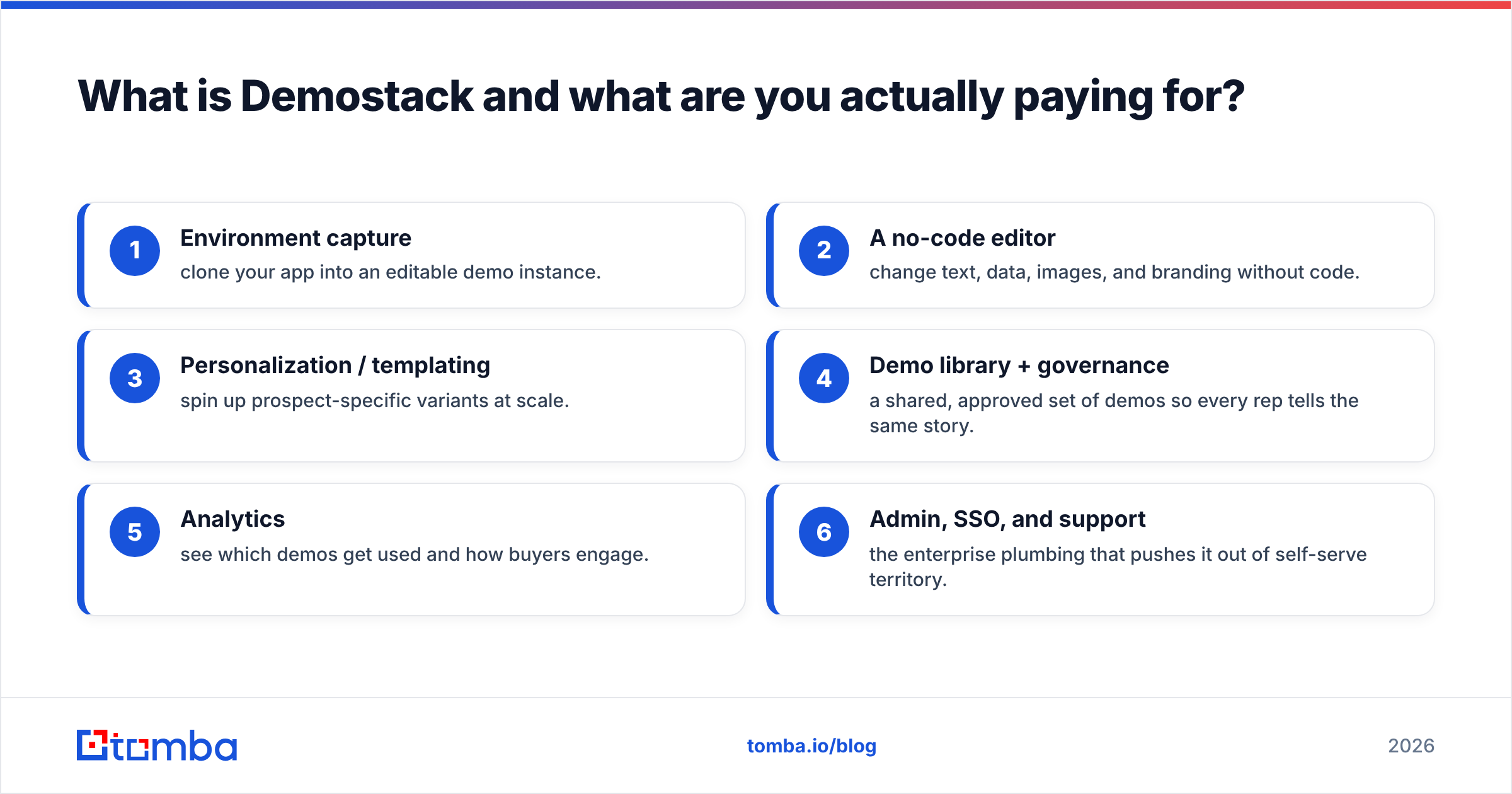
- Environment capture — clone your app into an editable demo instance.
- A no-code editor — change text, data, images, and branding without code.
- Personalization / templating — spin up prospect-specific variants at scale.
- Demo library + governance — a shared, approved set of demos so every rep tells the same story.
- Analytics — see which demos get used and how buyers engage.
- Admin, SSO, and support — the enterprise plumbing that pushes it out of self-serve territory.
If you only need a clickable product tour on your website, this is far more platform than you need. If your sales engineers burn hours babysitting a demo environment, it's aimed squarely at you.
How much does Demostack pricing actually cost?#
Short answer: Demostack doesn't publish pricing — every deal is a custom quote. There's no public free tier and no self-serve checkout. You book a demo, they scope your usage, and you get a number.
That's normal for this category, but it has real consequences for buyers:
- You can't budget from the website. Expect a discovery call before any figure.
- Price scales with seats and demo volume, plus add-ons like advanced analytics or premium support.
- Annual contracts are the default. Month-to-month is rare at this tier.
- The "sticker" and the "signed" numbers differ. Onboarding, environment capture services, and CSM support are frequent line items.
Because the vendor keeps numbers private, treat any figure you read online — including here — as a directional estimate, not a quote. Based on publicly shared buyer anecdotes and the mid-market/enterprise positioning, most teams should plan for a low-to-mid five-figure annual commitment, rising quickly with large SE teams. Always confirm against a live quote and compare it the way you'd compare Tomba pricing or any other tool: on price per outcome, not per feature.
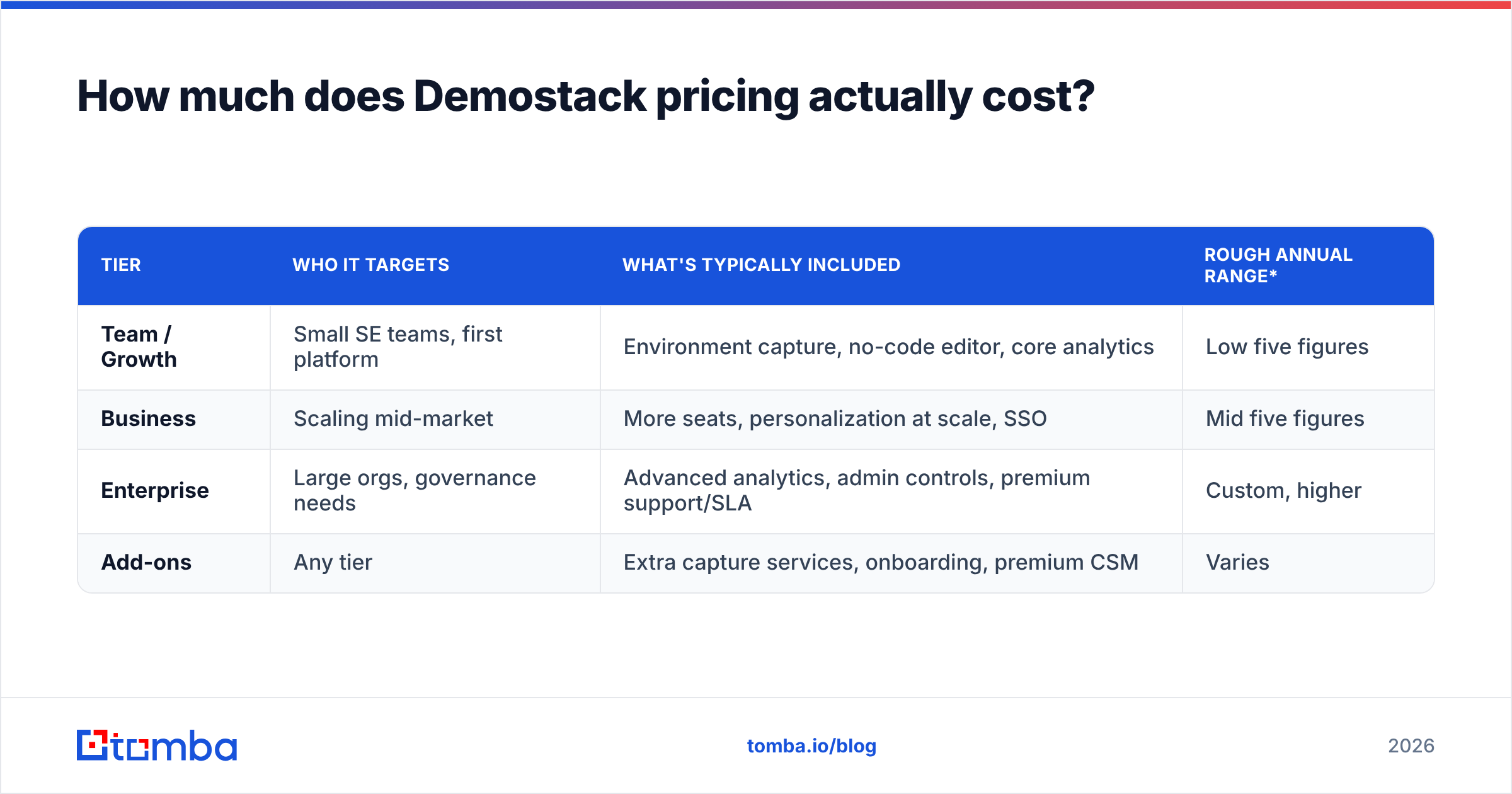
Estimated Demostack pricing tiers (directional, not official)#
| Tier | Who it targets | What's typically included | Rough annual range* |
|---|---|---|---|
| Team / Growth | Small SE teams, first platform | Environment capture, no-code editor, core analytics | Low five figures |
| Business | Scaling mid-market | More seats, personalization at scale, SSO | Mid five figures |
| Enterprise | Large orgs, governance needs | Advanced analytics, admin controls, premium support/SLA | Custom, higher |
| Add-ons | Any tier | Extra capture services, onboarding, premium CSM | Varies |
*Directional estimates from public buyer reports and category norms — not vendor-published figures. Get a real quote.
Demostack pricing reviews pros and cons: what reviewers actually say#
Across G2 and other review sites, the pattern is consistent: buyers love the demo stability and hate the setup lift and opacity around price. Here's the balanced read.
Pros (what reviewers praise)#
- Rock-solid demos. No more "let me refresh, it's usually faster than this." The environment doesn't depend on your live stack.
- Real personalization without engineers. Reps tailor data and branding per prospect, which lifts perceived fit.
- Consistency and governance. Marketing and enablement can lock an approved narrative so 20 reps don't improvise 20 different pitches.
- Sensitive-data safety. You demo on synthetic/captured data instead of exposing real customer records.
- Genuinely responsive support, frequently called out in reviews.
Cons (what reviewers flag)#
- Setup and maintenance effort. Capturing and keeping a complex app in sync takes real time; heavy, fast-changing UIs are the hardest.
- Price and opacity. Quote-only pricing and enterprise-level cost push out smaller teams.
- Overkill for simple needs. If you just want a website product tour, lighter tools do it for less.
- Learning curve. The editor is powerful, which also means it isn't instant.
How does Demostack compare to Reprise, Walnut, and Navattic?#
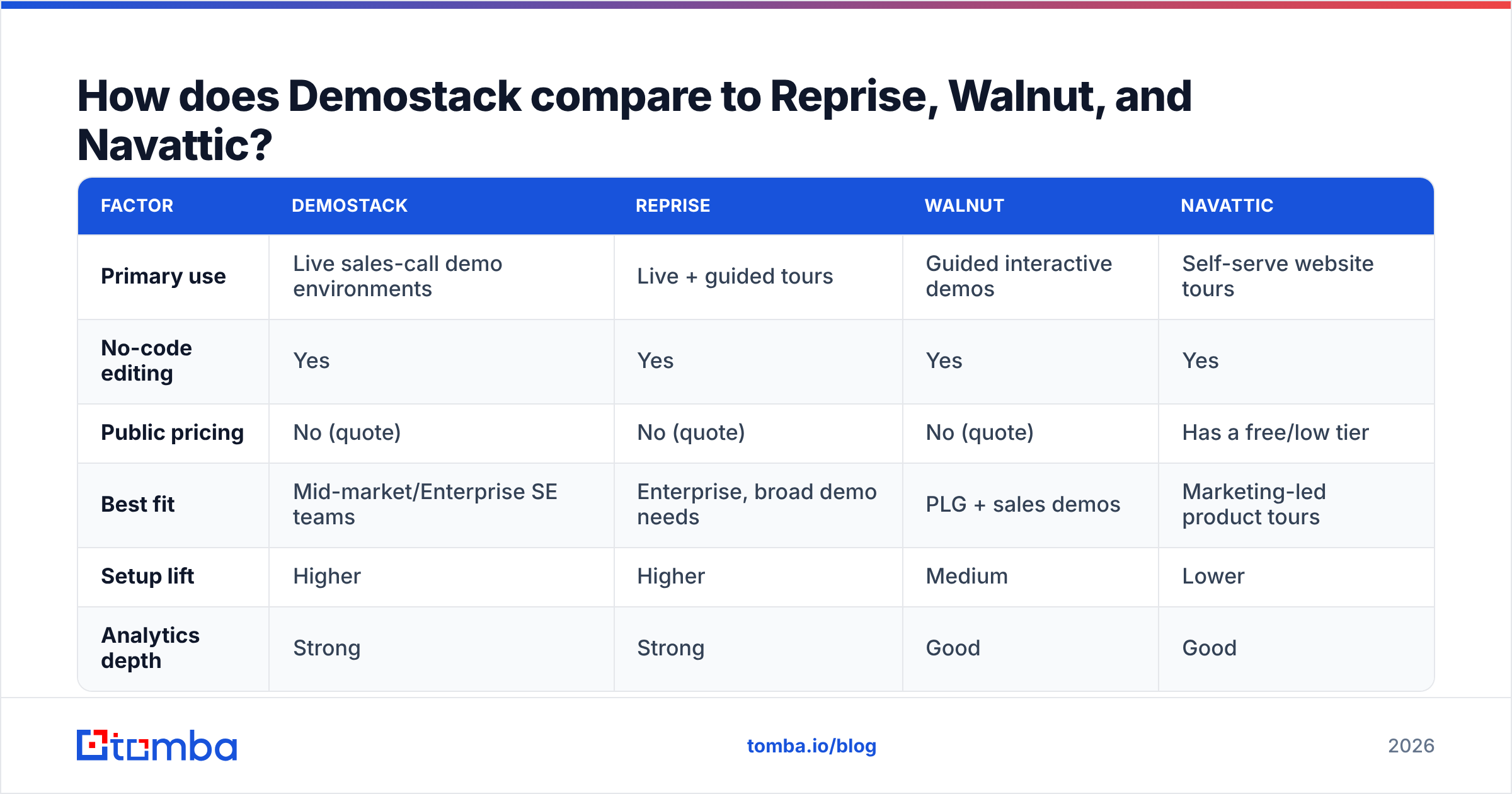
Demostack sits in a crowded "demo experience" category. The others overlap but optimize for different jobs — website-embedded tours versus live sales-call environments.
| Factor | Demostack | Reprise | Walnut | Navattic |
|---|---|---|---|---|
| Primary use | Live sales-call demo environments | Live + guided tours | Guided interactive demos | Self-serve website tours |
| No-code editing | Yes | Yes | Yes | Yes |
| Public pricing | No (quote) | No (quote) | No (quote) | Has a free/low tier |
| Best fit | Mid-market/Enterprise SE teams | Enterprise, broad demo needs | PLG + sales demos | Marketing-led product tours |
| Setup lift | Higher | Higher | Medium | Lower |
| Analytics depth | Strong | Strong | Good | Good |
The practical takeaway: if your buying committee sits through live, high-stakes demos and your product is complex or flaky, Demostack and Reprise are the serious contenders. If you mainly want a click-through tour on your marketing site, Navattic (which actually publishes an accessible entry tier) or Walnut will get you there faster and cheaper. Read the category on a neutral source like Gartner before you commit to any annual contract.
Who should buy Demostack — and who should skip it?#
Buy it if you match most of these:
- You run frequent live demos where a broken environment costs deals.
- Your product is data-sensitive or genuinely hard to seed with realistic data.
- You have a team of SEs or reps and need one approved, governed narrative.
- You have budget for an enterprise tool and demo volume to justify it.
Skip it (or start lighter) if:
- You mostly need a self-serve, embeddable product tour → start with a tool that has a public entry tier.
- You're a small team doing occasional demos → the price-to-usage ratio won't pay off.
- Your app changes daily in ways that would constantly break a captured environment.
- You haven't first fixed the upstream problem: reaching the right buyer at all.
That last point is the one demo-software comparisons skip, so let's give it the section it deserves.
Why demo quality can't fix a targeting problem#
Here's the uncomfortable math. A world-class demo converts a qualified buyer better. It does nothing for a demo that never gets booked — or one booked with the wrong person. If half your pipeline is aimed at junk contacts, buying a five-figure demo platform is like installing a chef's kitchen in a restaurant with no reservations.
Before you optimize the demo, optimize what fills the calendar:
- Reach the right title. A perfect demo shown to a non-decision-maker still stalls.
- Use accurate, verified contact data. Bounces and wrong-number dials burn rep hours no demo tool recovers.
- Enrich before you route. Company size, stack, and role should shape which demo variant a rep even loads.
This is where an email-first prospecting layer pays for itself long before demo software does. Tools like the Tomba Email Finder let you find and verify decision-maker emails by name or domain, while data enrichment fills in the firmographics that decide which demo story fits. Feed a clean, enriched list into your outreach, and every downstream investment — Demostack included — gets more at-bats. You can even pull whole org contact sets from a company's B2B database footprint before a rep ever preps a call.
The order matters: right person → booked meeting → great demo. Demostack is strong at the third step. It can't do the first two.
What's the smartest way to evaluate Demostack pricing?#
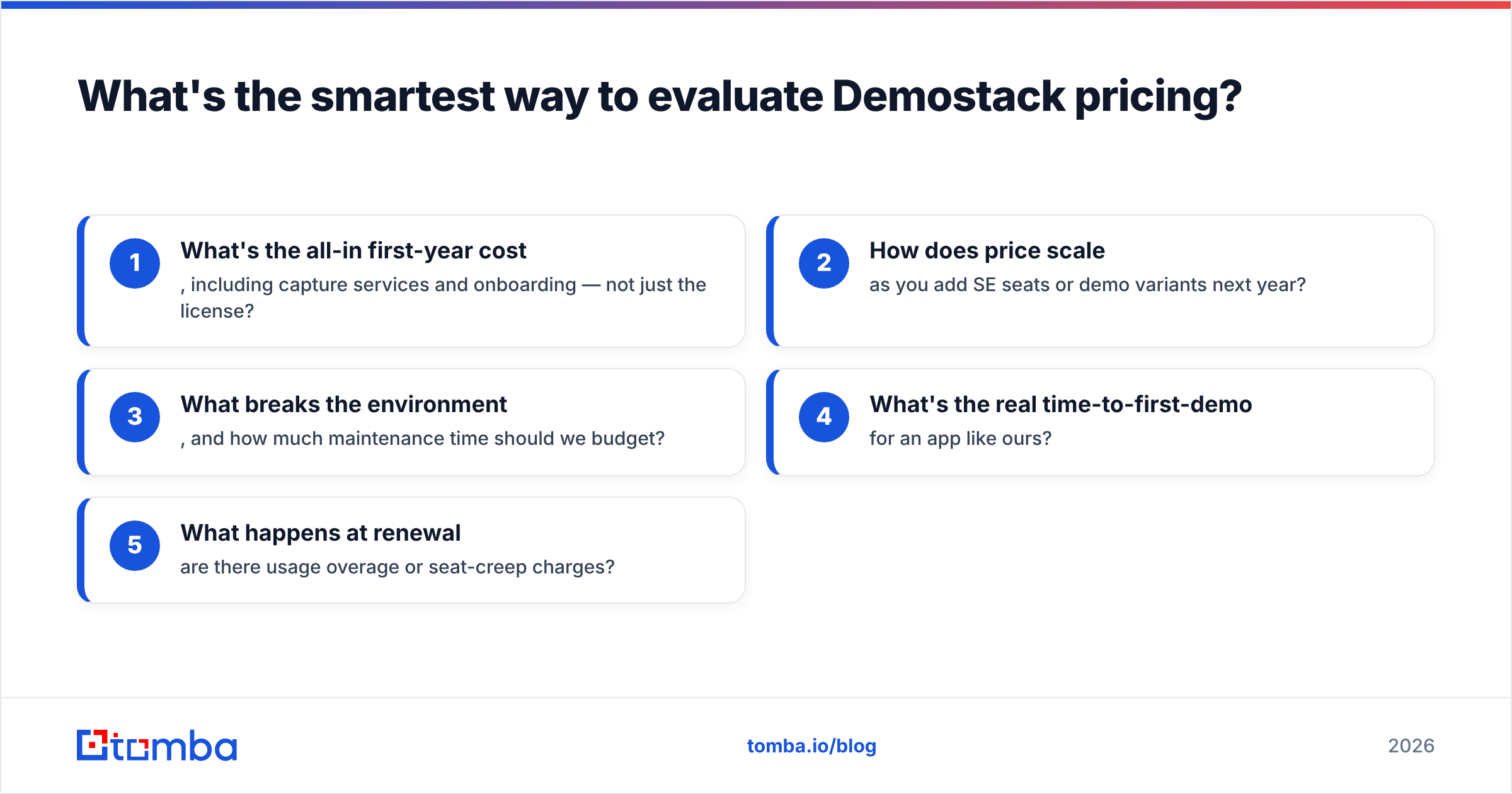
Run the numbers as a cost-per-outcome, not a feature checklist. Ask the vendor:
- What's the all-in first-year cost, including capture services and onboarding — not just the license?
- How does price scale as you add SE seats or demo variants next year?
- What breaks the environment, and how much maintenance time should we budget?
- What's the real time-to-first-demo for an app like ours?
- What happens at renewal — are there usage overage or seat-creep charges?
Then divide the annual cost by the number of deals your demos actually influence. If Demostack lifts win rate on high-ACV deals, a five-figure spend is trivially justified. If your demos are low-stakes or infrequent, that same spend is hard to defend, and a lighter tool wins.
Final verdict and your next step#
Here's the bottom line on Demostack pricing reviews pros and cons. Demostack is a legitimately strong platform for teams whose live demos are too important to leave to a fragile staging server. Its quote-only pricing is the biggest friction, not the product itself. If you do frequent, high-value demos and have the budget, it earns its place. If you don't, start lighter and revisit later.
But wherever you land on the demo platform, fix the top of the funnel first. The cheapest, fastest lever on your demo count isn't demo software — it's putting verified, decision-maker contacts into your reps' hands. Start with the Tomba Email Finder to find and verify the right buyers by name or domain, layer in contact enrichment so every demo is tailored before it starts, and let your polished demo do what it does best: close the meetings you actually booked. Fill the calendar first, then dazzle.
Related guides#
Ready to find emails that actually work?
Join 150,000+ professionals who stopped guessing and started sending. Free credits on signup — no credit card required.
Get the Tomba newsletter
Practical outbound tactics and product updates — once every two weeks.
About the author