Sales Dialers in 2026: Types, Pricing, and How to Choose
Predictive, power, or parallel? This 2026 guide breaks down every sales dialer type — how they work, what they cost, and which one actually fills your pipeline.
TL;DR
- A sales dialer automates the mechanical part of outbound calling — dialing, waiting, logging — so reps spend minutes talking instead of hours punching numbers.
- The four types that matter in 2026 are power (progressive), predictive, parallel/multi-line, and preview dialers. Each trades speed for control differently.
- Predictive and parallel dialers get you the most conversations per hour but carry the highest compliance and "dead air" risk.
- A dialer only multiplies the list you feed it. Bad numbers just let you reach the wrong people faster — data quality is the real lever.
- Budget $25–$150 per seat per month for a standalone dialer, on top of your CRM. The cheapest way to raise connect rates is usually cleaner phone data, not a fancier dialer.
What is a sales dialer?#
A sales dialer is software that places outbound calls for you and connects a live human to your rep, removing the manual steps between "I should call this lead" and "the lead is talking."
Think of it like a dishwasher for phone calls. You still cook the meal (the conversation), but the tedious scrubbing — copying a number, dialing it, waiting through four rings, leaving the same voicemail for the ninth time — gets handled by the machine. A rep dialing by hand realistically completes 40–60 dials in a day. Put a decent dialer in front of the same rep and 150–250 dials is normal, because the dead time between calls collapses.
That efficiency is the whole pitch. Cold calling still works in 2026, but only at volume and only when the rep's energy goes into talking, not typing. Every second spent looking up a number or listening to a busy signal is a second not spent selling. Dialers exist to reclaim those seconds.
What are the main types of dialers?#
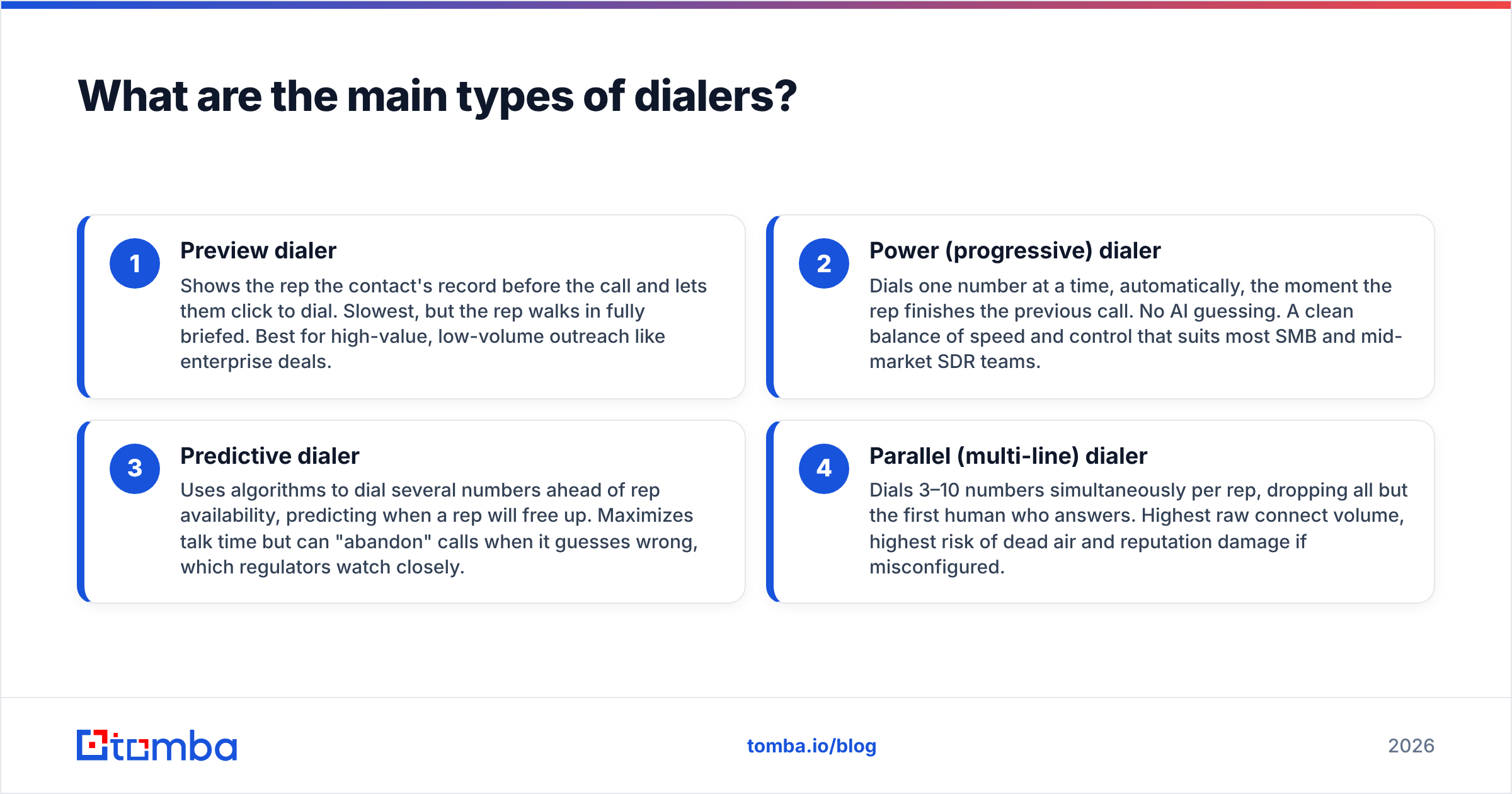
There is no single "auto dialer." The category splits into distinct modes, and picking the wrong one wastes money or gets your numbers flagged as spam. Here are the four you'll actually evaluate:
- Preview dialer — Shows the rep the contact's record before the call and lets them click to dial. Slowest, but the rep walks in fully briefed. Best for high-value, low-volume outreach like enterprise deals.
- Power (progressive) dialer — Dials one number at a time, automatically, the moment the rep finishes the previous call. No AI guessing. A clean balance of speed and control that suits most SMB and mid-market SDR teams.
- Predictive dialer — Uses algorithms to dial several numbers ahead of rep availability, predicting when a rep will free up. Maximizes talk time but can "abandon" calls when it guesses wrong, which regulators watch closely.
- Parallel (multi-line) dialer — Dials 3–10 numbers simultaneously per rep, dropping all but the first human who answers. Highest raw connect volume, highest risk of dead air and reputation damage if misconfigured.
The trade-off is a straight line: the more the software dials on your behalf, the more conversations you get — and the more compliance and call-quality risk you take on. A predictive dialer that abandons 5% of answered calls will torch your caller ID reputation faster than any script mistake.
Which dialer type is right for you?#
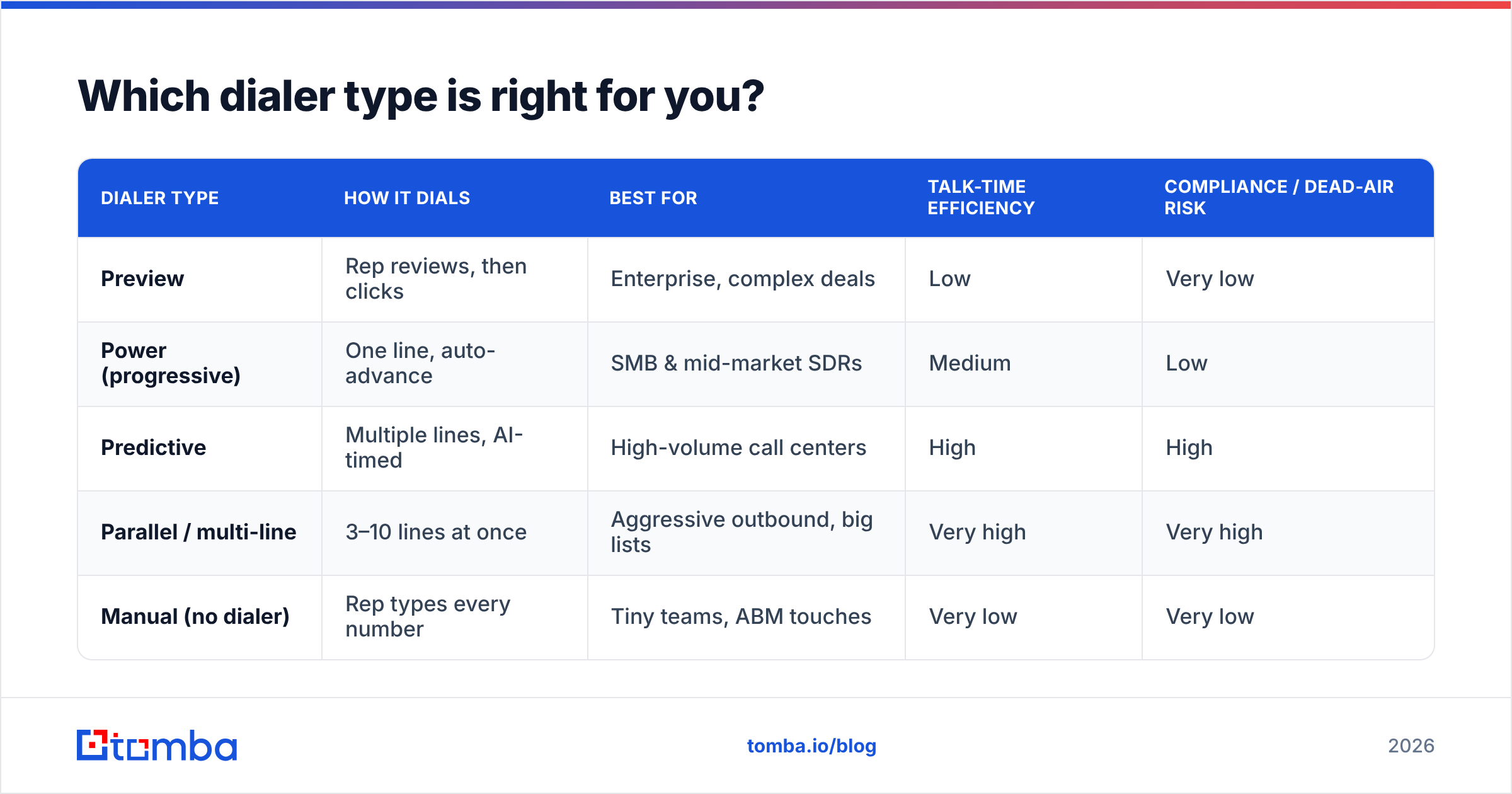
Match the dialer to your motion, not the other way around. A 30-person SDR team blasting SMB leads has different needs than two account executives working named enterprise accounts.
| Dialer type | How it dials | Best for | Talk-time efficiency | Compliance / dead-air risk |
|---|---|---|---|---|
| Preview | Rep reviews, then clicks | Enterprise, complex deals | Low | Very low |
| Power (progressive) | One line, auto-advance | SMB & mid-market SDRs | Medium | Low |
| Predictive | Multiple lines, AI-timed | High-volume call centers | High | High |
| Parallel / multi-line | 3–10 lines at once | Aggressive outbound, big lists | Very high | Very high |
| Manual (no dialer) | Rep types every number | Tiny teams, ABM touches | Very low | Very low |
If you're unsure, start with a power dialer. It captures most of the speed gain without the abandoned-call baggage, and it keeps every conversation feeling one-to-one. Move up to predictive or parallel only when your list is genuinely huge, your reps are consistently waiting on the machine, and you have a compliance process in place.
How much do sales dialers cost in 2026?#
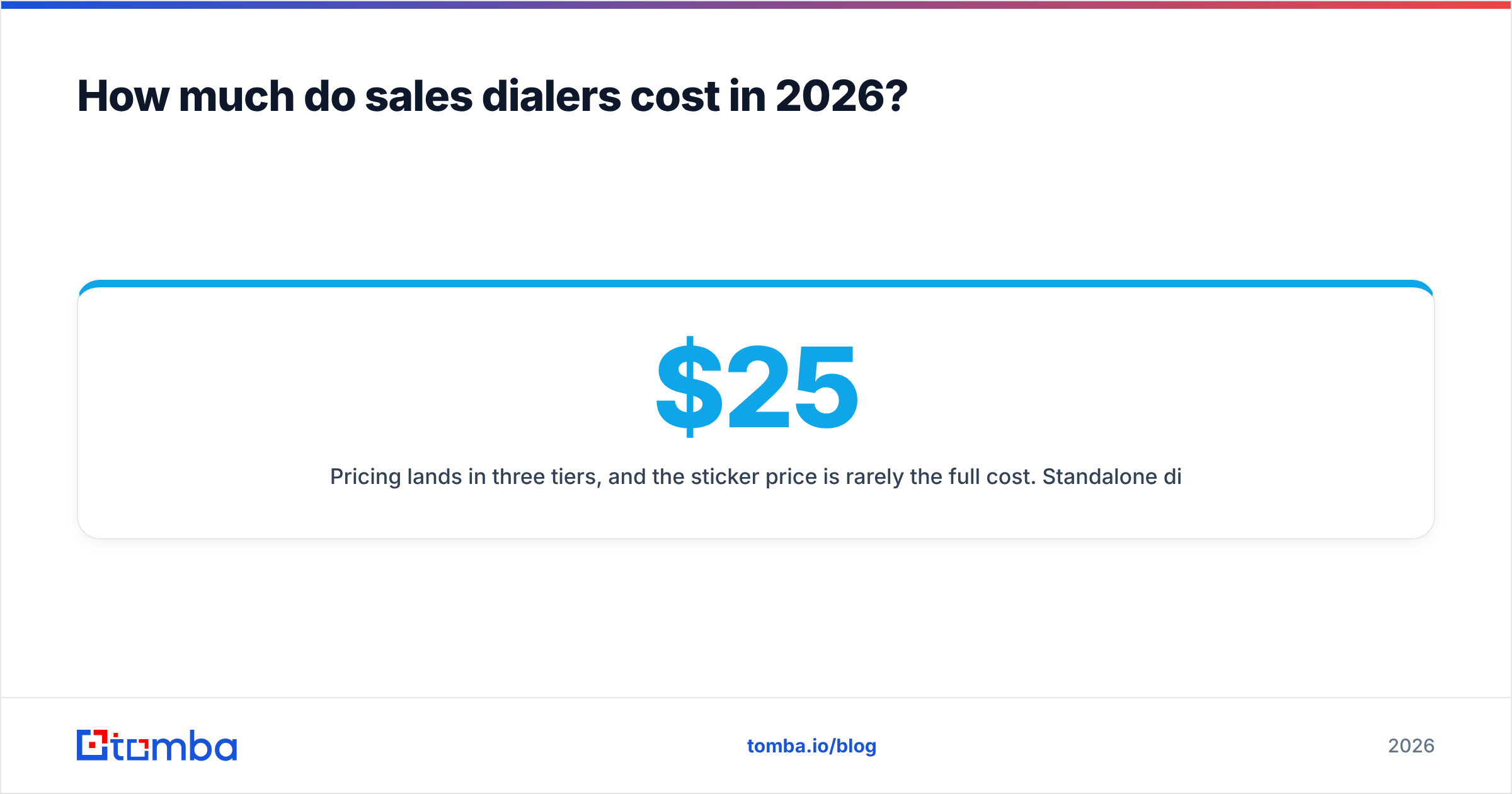
Pricing lands in three tiers, and the sticker price is rarely the full cost. Standalone dialers typically run $25–$50 per seat/month at the low end (power dialers, basic logging), $60–$100 per seat/month for predictive and multi-line features, and $100–$150+ per seat/month for platforms bundling local presence, AI call summaries, and conversation intelligence.
Then come the hidden lines on the invoice:
- Phone numbers and minutes — carrier fees, local presence numbers, and per-minute rates add up fast at volume.
- Number rotation / spam remediation — once your caller IDs get flagged, you pay to cycle in fresh ones.
- Integrations — syncing to Salesforce or HubSpot is sometimes a higher tier.
- The data underneath — the biggest silent cost. A dialer billed per minute burns money every time it dials a disconnected or wrong number.
You can browse and compare live vendor pricing on a marketplace like G2's auto-dialer category before you commit. But run the math on total cost per connected conversation, not cost per seat. A cheaper dialer fed dirty data can cost more per real conversation than a pricier one fed clean numbers.
Why does data quality matter more than the dialer?#
Your dialer is a multiplier, and multiplying garbage gives you more garbage, faster. This is the single most overlooked truth in outbound calling.
Picture two SDRs with identical predictive dialers. Rep A works a list where 35% of the phone numbers are stale, wrong, or belong to someone who left the company two years ago. Rep B works a list that's been verified this quarter. The dialer treats both lists the same — it happily dials all the dead numbers in Rep A's list, eating minutes, triggering abandons, and dragging down the caller ID reputation. Rep B has more live conversations by lunch than Rep A has by close.
That's why the sequence matters: verify the number, then dial it. Feeding your dialer validated contact data does three things at once — it raises your connect rate, it protects your caller ID from spam flags, and it stops you paying per-minute fees to reach disconnected lines.
This is where your prospecting stack feeds your calling stack. Use a phone finder to source direct-dial and mobile numbers for your target contacts, run them through a phone validator to strip out disconnected and invalid lines, and only then load the survivors into your dialer. Layering in data enrichment to fill in titles, company size, and time zone means your reps also know who they're calling before the line connects — which is the difference between a pitch and a conversation.
How do dialers stay compliant and avoid the spam label?#
Compliance and deliverability are now the make-or-break factors, because carriers in 2026 aggressively label and block numbers that behave like robocallers. A dialer that ignores this will quietly destroy your outbound program.
Watch these four fronts:
- Abandon rate — The share of answered calls with no rep available. Predictive and parallel dialers create abandons by design; keep the rate low (many programs target under 3%) or carriers notice.
- Caller ID reputation — High volume from one number, low answer rates, and quick hang-ups get you flagged as "Spam Likely." Local presence and number rotation help, but they're a bandage, not a cure.
- Consent and do-not-call rules — Scrub against DNC lists and honor opt-outs. Regulatory expectations only tighten. Vendors like HubSpot and Salesforce publish guidance worth reading before you scale.
- Answer rate as the real signal — The healthiest way to keep numbers clean is to actually reach the right humans. Clean, verified data isn't just efficiency; it's reputation protection.
Notice the theme: nearly every compliance safeguard comes back to not blasting dead or wrong numbers. The dialer settings matter, but the data flowing into them matters more.
Do you still need a dialer if you also do email and LinkedIn?#
Yes — but the dialer works best as one channel in a coordinated sequence, not a standalone volume machine. In 2026, the teams winning outbound run the phone alongside email and social, using the same verified contact record everywhere.
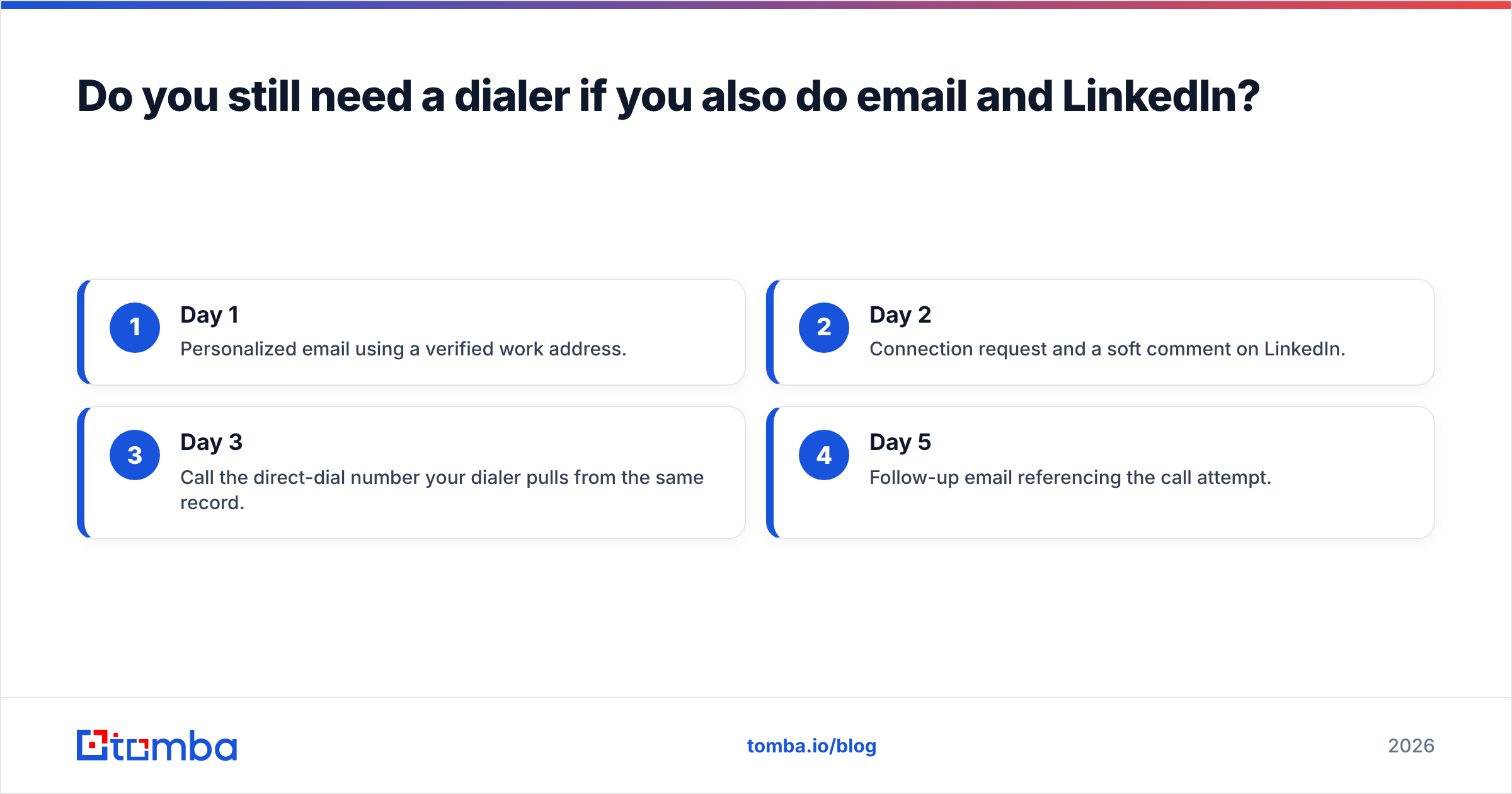
A realistic multichannel touch pattern looks like this:
- Day 1 — Personalized email using a verified work address.
- Day 2 — Connection request and a soft comment on LinkedIn.
- Day 3 — Call the direct-dial number your dialer pulls from the same record.
- Day 5 — Follow-up email referencing the call attempt.
The phone call lands harder when the prospect has already seen your name in their inbox and feed. And all three channels draw from one source of truth — the contact record you built during prospecting. If the phone number, email, and title in that record are verified, every channel performs better. If they're guesses, every channel underperforms and you've just automated the underperformance.
That's the strategic point about dialers: they're a force multiplier bolted onto your data. Get the data right first, and the dialer, the email tool, and the social touches all compound. Get the data wrong, and you've bought expensive software to reach the wrong people through three channels instead of one.
The bottom line#
A sales dialer is one of the highest-ROI tools an outbound team can add — but only in that order: data first, dialer second. Pick the dialer type that matches your motion (power for most teams, predictive or parallel only at real scale with compliance controls), budget for the hidden minute-and-number costs, and obsess over the quality of every phone number and contact you load into it.
Before you shop for a faster way to dial, make sure you're dialing numbers worth reaching. Start by building a clean, verified contact list with the Tomba Email Finder and its companion phone and enrichment tools — find the right person, confirm their direct line and work email, and feed your dialer only the contacts that will actually pick up. The best dialer in the world can't fix a bad list, but a clean list makes an average dialer look brilliant. Fix the data, then let the dialer multiply it.
Related guides#
Ready to find emails that actually work?
Join 150,000+ professionals who stopped guessing and started sending. Free credits on signup — no credit card required.
Get the Tomba newsletter
Practical outbound tactics and product updates — once every two weeks.
About the author