Dialfire Pricing, Reviews, Pros and Cons (2026 Guide)
A neutral breakdown of Dialfire pricing, real user reviews, and the honest pros and cons of its pay-as-you-go dialer — plus how to feed it clean, dialable data.
Dialfire gets recommended a lot in outbound-calling circles because of one word: free. But "free to start" and "cheap at scale" are two very different claims, and the gap between them is where most call-center budgets get surprised. This guide breaks down Dialfire pricing, what real reviewers say, and the honest pros and cons — without pretending a dialer alone fixes a weak pipeline.
TL;DR: Is Dialfire worth it in 2026?#
- Dialfire pricing is genuinely usage-based. You can run manual and preview campaigns on a free tier, then pay per predictive-dialing agent plus per-minute telephony. No forced annual seat contracts.
- Best fit: small-to-mid outbound teams and agencies that want a browser-based predictive dialer without heavy setup or long lock-in.
- Weak fit: teams needing deep native CRM automation, advanced conversation intelligence, or an all-in-one revenue platform.
- The hidden cost isn't the software — it's the data. A predictive dialer amplifies whatever list you feed it, so bad numbers burn minutes and agent morale fast.
- Verdict: solid value for the dialing itself; pair it with clean, verified contact data to actually see ROI.
What is Dialfire and who is it for?#
Dialfire is a cloud-based outbound call-center platform built around a predictive dialer. It runs entirely in the browser, which means no desktop installs, no on-prem PBX, and campaigns you can spin up in an afternoon. It's developed by a German software company and leans toward transparency: you see per-minute and per-agent costs rather than a "contact sales" wall.
The product targets a specific buyer. If you're a boutique lead-gen agency, a market-research firm running phone surveys, or an SMB sales team doing high-volume outbound, Dialfire fits the shape of your work. If you're an enterprise RevOps leader who wants dialing fused into a broader sales automation stack with forecasting and coaching built in, you'll feel the ceiling.
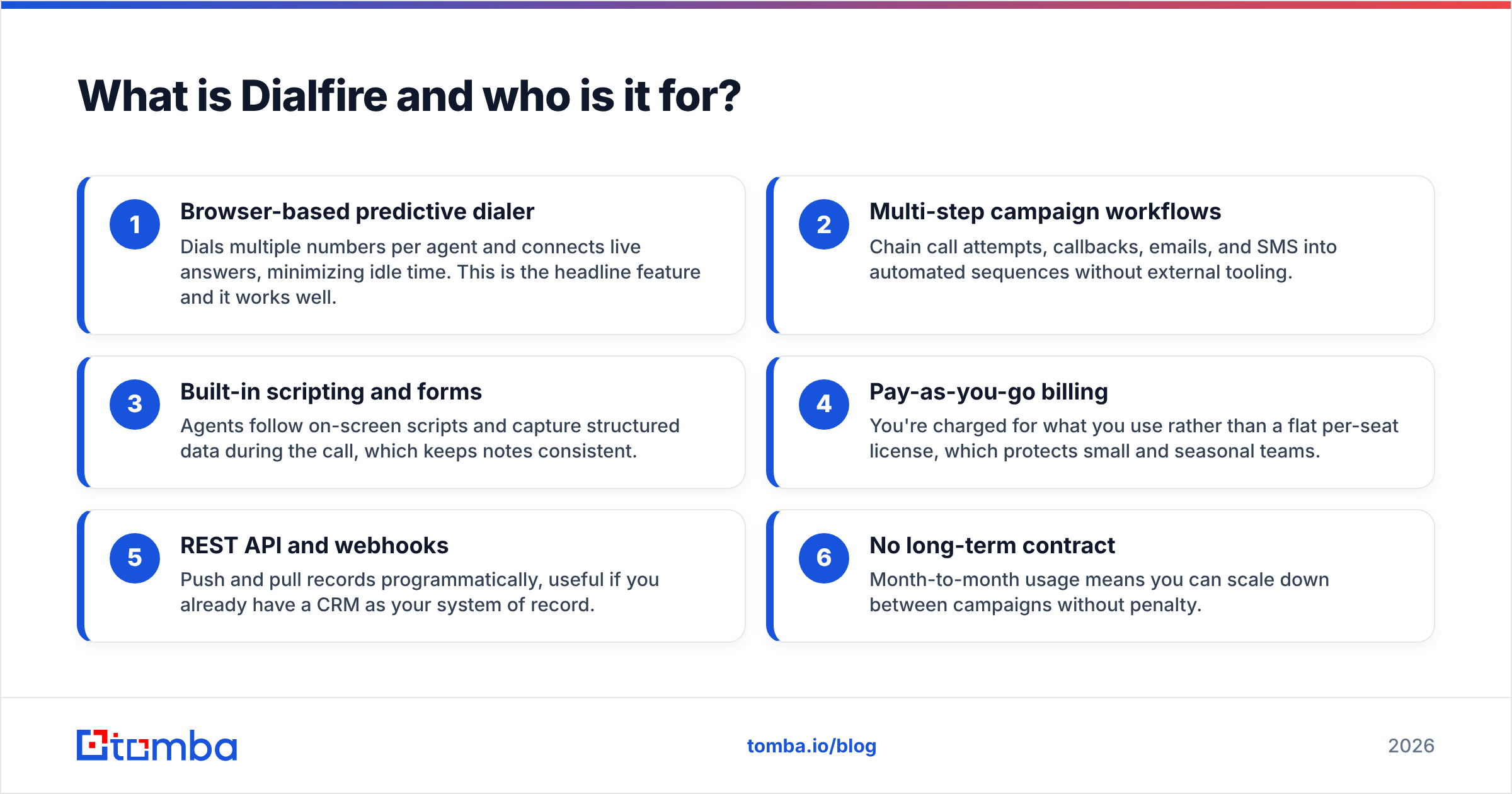
Here's the core of what you're buying, and where each piece helps or limits you:
- Browser-based predictive dialer — Dials multiple numbers per agent and connects live answers, minimizing idle time. This is the headline feature and it works well.
- Multi-step campaign workflows — Chain call attempts, callbacks, emails, and SMS into automated sequences without external tooling.
- Built-in scripting and forms — Agents follow on-screen scripts and capture structured data during the call, which keeps notes consistent.
- Pay-as-you-go billing — You're charged for what you use rather than a flat per-seat license, which protects small and seasonal teams.
- REST API and webhooks — Push and pull records programmatically, useful if you already have a CRM as your system of record.
- No long-term contract — Month-to-month usage means you can scale down between campaigns without penalty.
How does Dialfire pricing actually work?#
Dialfire pricing has three layers, and understanding all three is the difference between an accurate budget and a nasty end-of-month invoice.
- The free tier. Manual and preview dialing is available at no cost for small teams. This is real, not a 14-day trap, and it's why Dialfire spreads by word of mouth. You get the campaign builder, scripting, and forms.
- Predictive-dialing fee. The automated predictive mode — the reason most people choose a dialer in the first place — is billed per active agent, typically as a modest per-agent, per-time-unit charge. This is where "free" ends for serious outbound.
- Telephony minutes. Calls are billed per minute and vary by destination country. You either use Dialfire's bundled telephony or bring your own SIP trunk, which changes the math significantly.
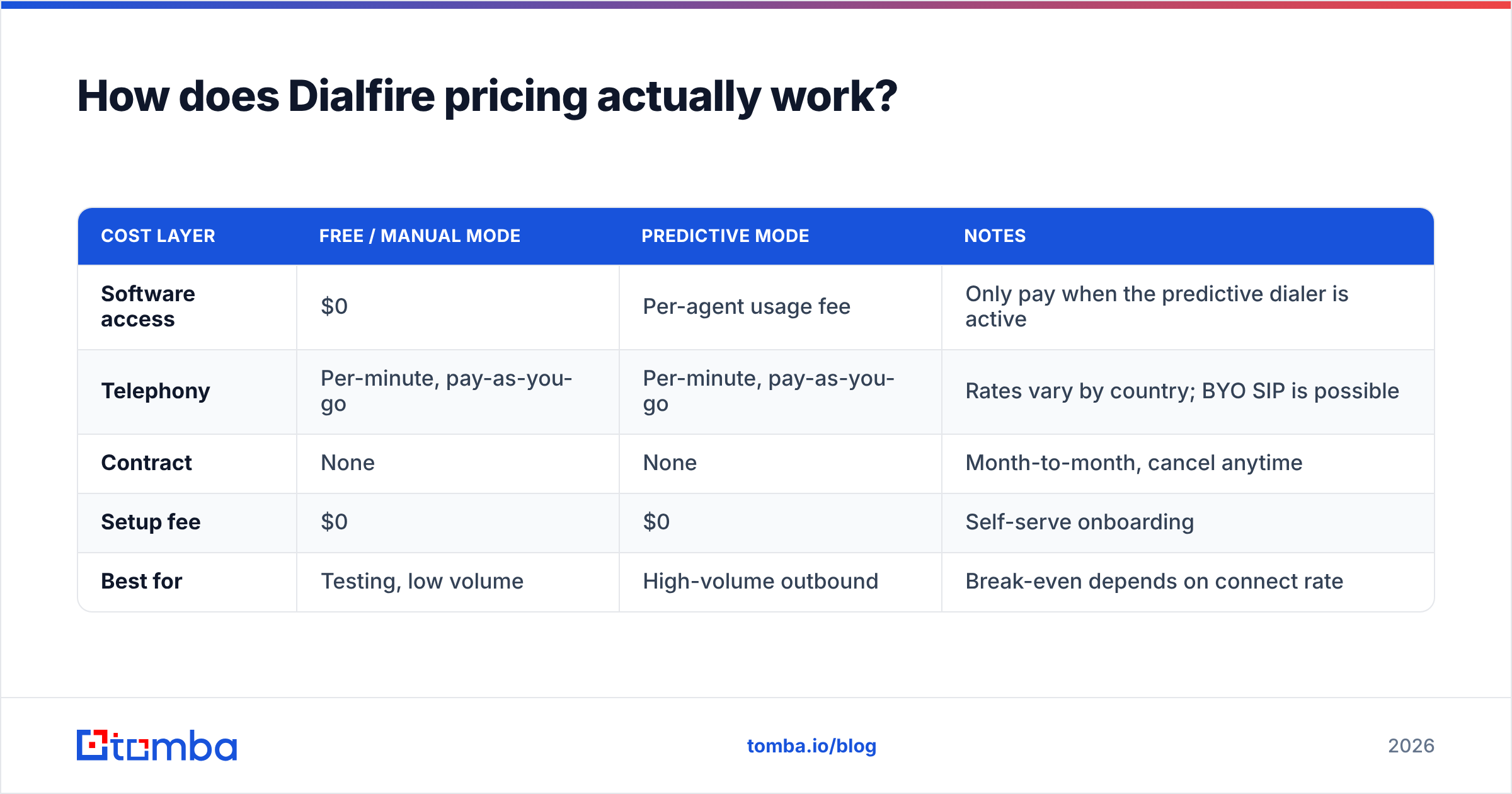
Because the exact rates shift by region and change over time, always confirm current numbers on the official pricing page before you commit. The structure below reflects how the tiers are organized, not a rate card frozen in stone — treat the figures as illustrative ranges and verify against dialfire.com.
| Cost layer | Free / manual mode | Predictive mode | Notes |
|---|---|---|---|
| Software access | $0 | Per-agent usage fee | Only pay when the predictive dialer is active |
| Telephony | Per-minute, pay-as-you-go | Per-minute, pay-as-you-go | Rates vary by country; BYO SIP is possible |
| Contract | None | None | Month-to-month, cancel anytime |
| Setup fee | $0 | $0 | Self-serve onboarding |
| Best for | Testing, low volume | High-volume outbound | Break-even depends on connect rate |
The takeaway: Dialfire is cheap for low-volume or manual work and stays reasonable at scale — but only if your connect rate is healthy. Every disconnected number, wrong contact, and dead line still consumes telephony minutes and agent attention. That's the quiet tax on any pay-per-use dialer.
What do Dialfire reviews say (pros and cons)?#
Across public review platforms like G2 and Capterra, Dialfire earns consistently warm ratings, with reviewers clustering around the same praises and the same gripes. Here's the honest synthesis.
The pros reviewers repeat#
- Fast setup. Users routinely mention going from signup to live campaign in under a day. No IT ticket required.
- Transparent, fair pricing. The pay-as-you-go model is the single most-praised trait, especially from agencies with fluctuating call volume.
- Genuinely capable dialer. The predictive engine keeps agents busy and the connect-to-idle ratio impresses teams migrating from manual dialing.
- Flexible workflows. Multi-step campaigns with automated callbacks and mixed channels reduce the need for bolt-on tools.
- Responsive support. Smaller-vendor advantage: reviewers report real humans answering real questions.
The cons reviewers repeat#
- Dated interface. The UI is functional but not modern; teams used to polished SaaS dashboards notice.
- Shallow native integrations. Beyond the API, out-of-the-box connectors to major CRMs are thinner than platform buyers expect.
- Learning curve on advanced workflows. The campaign builder is powerful, which also means it's not always intuitive.
- Reporting is basic. Analytics cover the essentials but stop short of the conversation intelligence enterprise teams want.
- You supply the data — and the discipline. Nothing in Dialfire finds or verifies contacts for you.
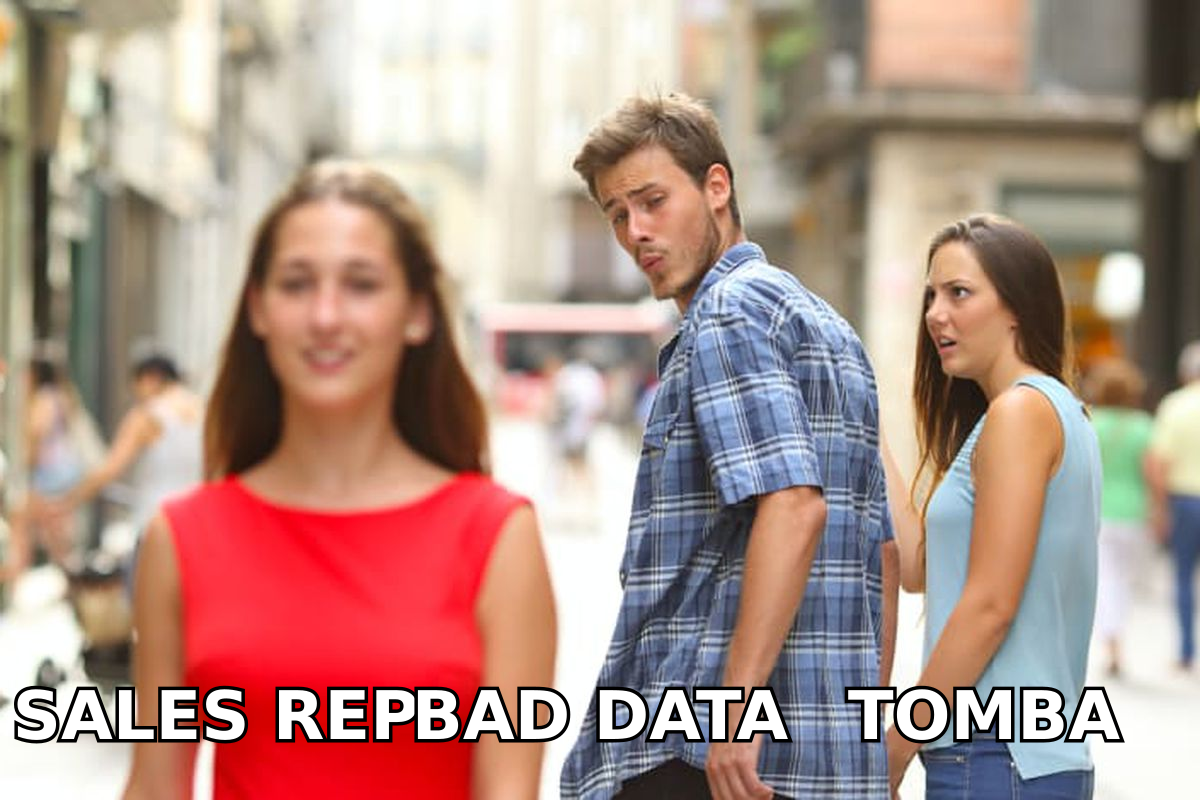
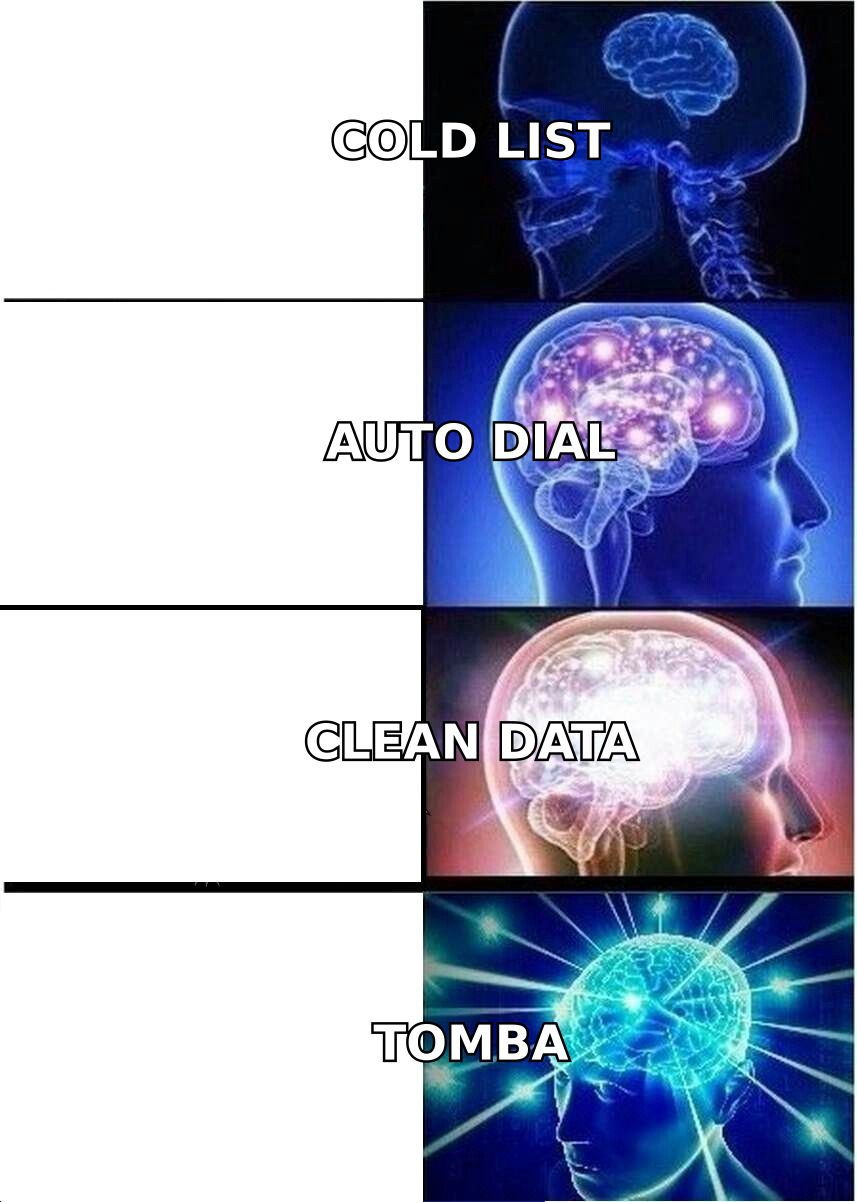
That last point is the one most buyers underestimate. A dialer is a distribution engine, not a data source. Feed it a list scraped six months ago and you'll pay per-minute to reach voicemails, disconnected lines, and people who left the company. This is why experienced outbound teams pair any dialer with a real data layer — a phone finder to source direct B2B numbers and a phone validator to confirm they're live before an agent ever dials.
How does Dialfire compare to other dialers?#
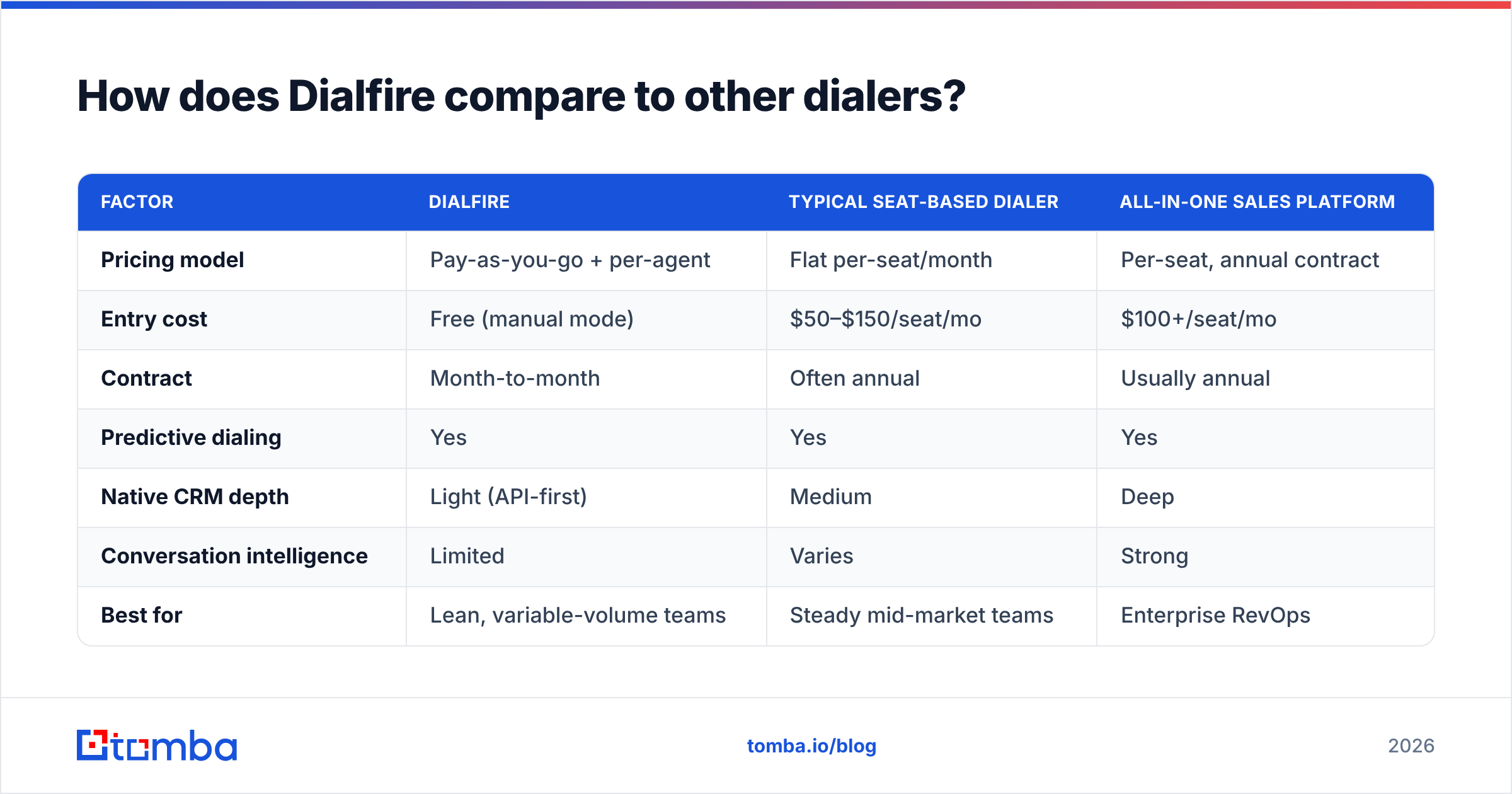
Dialfire competes in a crowded outbound category. The right comparison isn't "which has more features" — it's "which pricing model matches your volume and which ceiling you'll hit first." Here's how it stacks up against the common alternatives at a structural level.
| Factor | Dialfire | Typical seat-based dialer | All-in-one sales platform |
|---|---|---|---|
| Pricing model | Pay-as-you-go + per-agent | Flat per-seat/month | Per-seat, annual contract |
| Entry cost | Free (manual mode) | $50–$150/seat/mo | $100+/seat/mo |
| Contract | Month-to-month | Often annual | Usually annual |
| Predictive dialing | Yes | Yes | Yes |
| Native CRM depth | Light (API-first) | Medium | Deep |
| Conversation intelligence | Limited | Varies | Strong |
| Best for | Lean, variable-volume teams | Steady mid-market teams | Enterprise RevOps |
Read it this way: Dialfire wins on flexibility and cost control for teams whose volume swings month to month. Seat-based tools win when your volume is steady and predictable enough that a flat fee is cheaper than usage. All-in-one platforms win when you need dialing, CRM, and analytics fused — and you have the budget to match. None of them fixes list quality, which is the variable that actually moves your response rate.
Is Dialfire the cheapest option — and is cheap the right question?#
Dialfire is often among the cheapest ways to start dialing, and for many teams it stays cheap. But "cheapest software" and "lowest cost per booked meeting" are different metrics, and only the second one pays your salary.
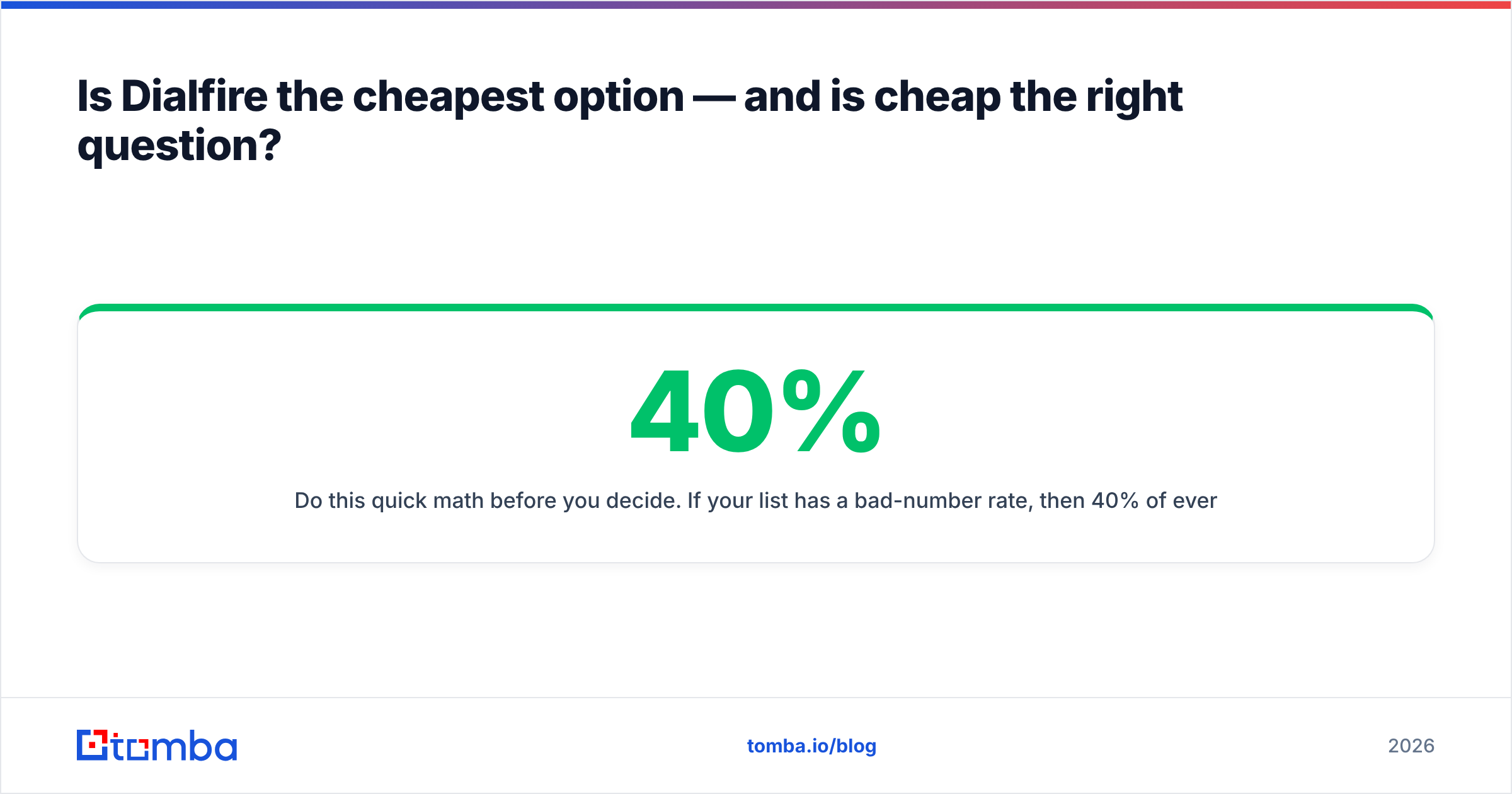
Do this quick math before you decide. If your list has a 40% bad-number rate, then 40% of every telephony minute, every agent hour, and every predictive-dial cycle is pure waste — no matter how low the per-minute rate is. Cut that bad-number rate to 10% with verified data and your effective cost per conversation can drop more than any pricing plan could save you. The dialer is a small lever; the data is the big one.
That's the strategic case for spending on contact quality first. Tools like Dialfire are commoditizing the dialing layer, which is good news — it means the durable advantage moved upstream to who you call, not how you dial them. A tight, verified list run through a modest dialer beats a bloated, unverified list run through the fanciest platform on the market. If you want the underlying playbook, our team keeps a running guide to sourcing accurate B2B numbers via the phone finder, and you can pressure-test any vendor's promises against Tomba's transparent pricing as a benchmark for fair, usage-based billing.
Who should choose Dialfire, and who should skip it?#
Choose Dialfire if:
- Your call volume is variable or seasonal and you hate paying for idle seats.
- You want a working predictive dialer live this week, not next quarter.
- You're comfortable using an API to connect your own CRM and data sources.
- You value transparent, cancel-anytime pricing over a polished dashboard.
Skip Dialfire if:
- You need deep, native CRM automation and coaching baked into the dialer.
- Conversation intelligence and advanced analytics are non-negotiable.
- Your team expects a modern, low-learning-curve UI above all else.
- You want a single vendor to also find and enrich your contact data.
For most lean outbound teams and agencies, Dialfire lands as a "yes, with a caveat." The software earns its keep. The caveat is that it assumes you're bringing dial-ready data to the table — and if you're not, the pay-per-use meter turns your data gaps into a line item.
The bottom line on Dialfire pricing, pros, and cons#
Dialfire is a legitimately good deal for the dialing itself: a capable predictive dialer, honest pay-as-you-go pricing, no lock-in, and a real free tier to start. Its weaknesses — dated UI, light integrations, basic reporting, and zero built-in data sourcing — are the predictable trade-offs of a focused, affordable tool rather than a bloated platform. Judge it on that, and it's an easy recommendation for the right team.
Just remember what it doesn't do. A dialer distributes calls; it doesn't create good ones. Before you spend a cent on predictive minutes, make sure the numbers and email addresses you're dialing and following up with are real. That's where a dedicated data layer pays for itself — start with the Tomba Email Finder to build verified, decision-maker contact lists, layer in data enrichment to fill the gaps, and feed your dialer a list that actually connects. Cheap dialing plus clean data is the combination that turns outbound from a cost center into a pipeline.
Related guides#
Ready to find emails that actually work?
Join 150,000+ professionals who stopped guessing and started sending. Free credits on signup — no credit card required.
Get the Tomba newsletter
Practical outbound tactics and product updates — once every two weeks.
About the author