Dialpad Pricing, Reviews, Pros and Cons: A 2026 Breakdown
A neutral look at Dialpad pricing, real user reviews, and the honest pros and cons in 2026 — plus where the AI phone system fits (and where it falls short) for outbound sales teams.
This is a straight look at Dialpad pricing, reviews, pros and cons. Dialpad calls itself an "AI-powered customer intelligence platform." Under the hype, it is a business phone system, a contact center, and a sales dialer with speech AI on top. If you are sizing it up for an outbound team, the real questions are simple. What does it cost per seat? What do reviewers gripe about once the shine wears off? And where does it truly beat the rest?
This is a neutral breakdown of Dialpad pricing, reviews, pros and cons in 2026 — written for sales and RevOps buyers, not for Dialpad's marketing team.
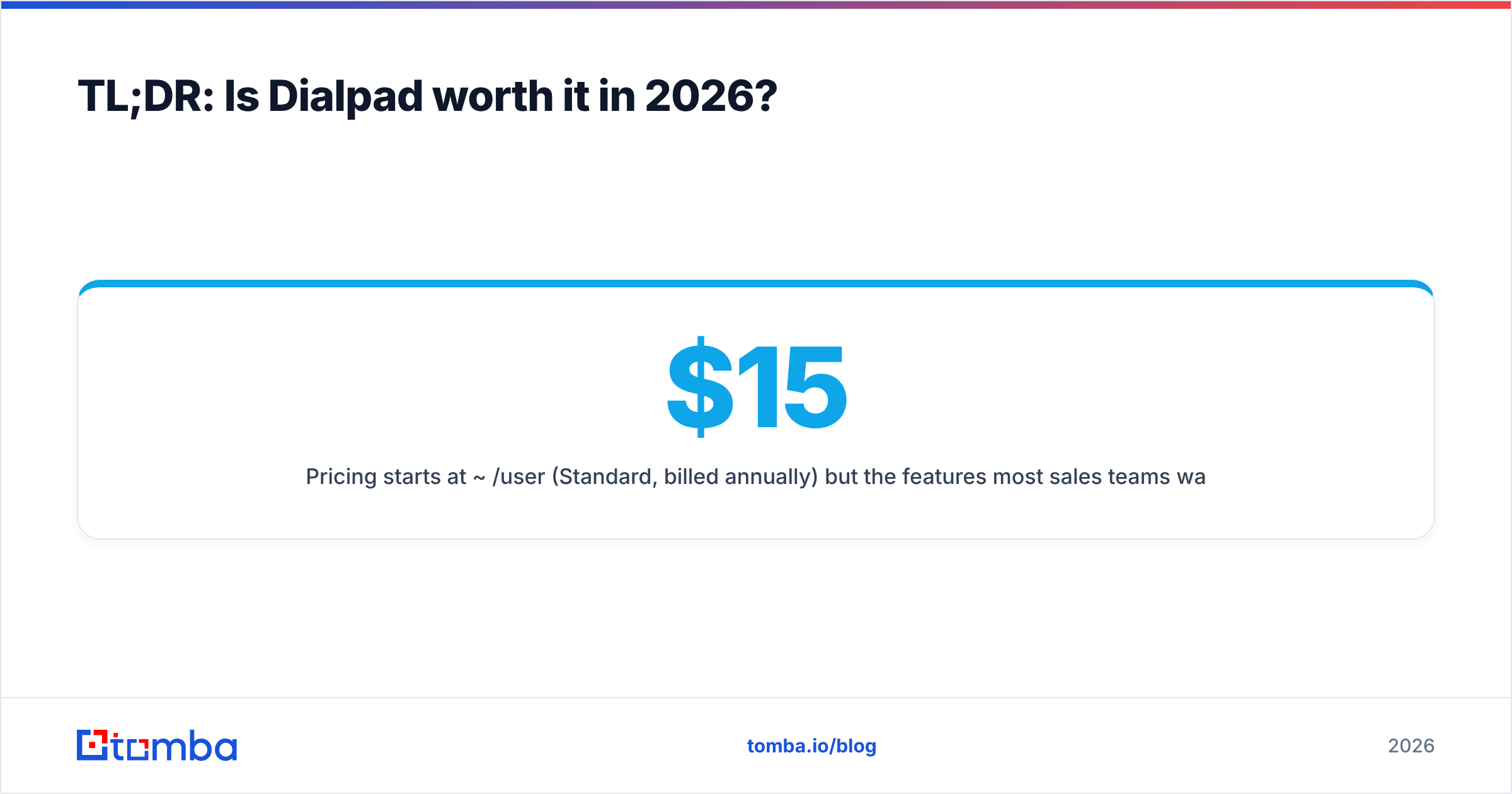
TL;DR: Is Dialpad worth it in 2026?#
- Pricing starts at ~$15/user/month (Standard, billed annually) but the features most sales teams want live on Pro (~$25/user/mo) and the Ai Sales Center (~$95+/user/mo) — the entry price is not the price you'll pay.
- The AI is the real draw. Live transcription, call summaries, and real-time assist are genuinely strong and are what most positive reviews praise.
- The common complaints are dropped calls on weak connections, occasional transcription errors, support response times, and annual-contract lock-in.
- It is a phone platform, not a prospecting engine. Dialpad dials and analyzes conversations; it does not find the numbers or emails you dial. You still need a data layer feeding it.
- Best fit: mid-market sales and support teams that live on the phone and want AI coaching. Weakest fit: tiny teams or anyone who mostly needs data and email outreach.
What is Dialpad and who is it for?#
Think of Dialpad as a smartphone that took notes in every meeting and never forgot a detail. It is a cloud communications suite — voice, video, SMS, and contact center — with an AI layer ("Dialpad Ai") that transcribes calls in real time, surfaces coaching prompts, and auto-generates summaries.
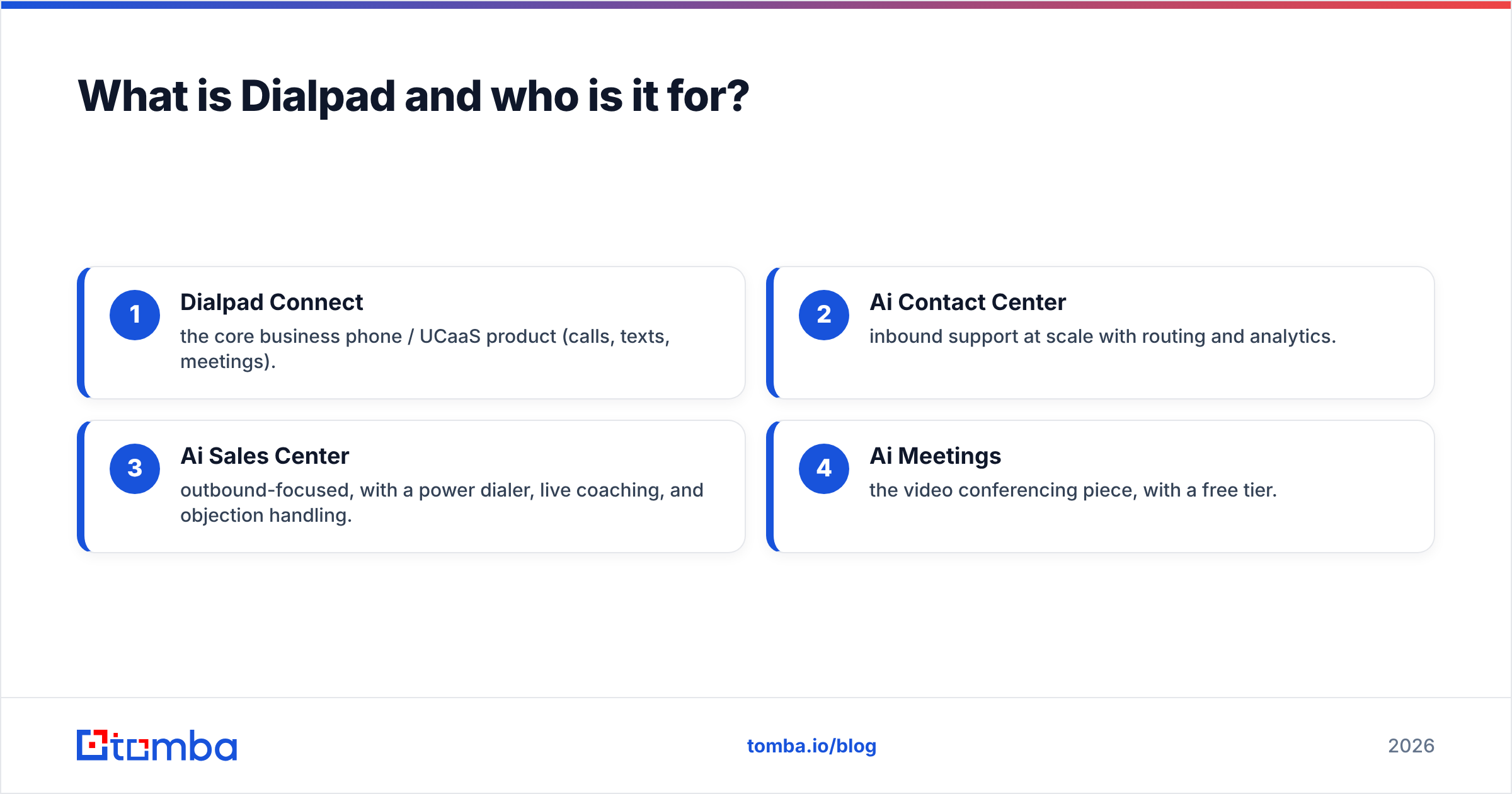
Dialpad splits into a few product lines, and this matters for pricing:
- Dialpad Connect — the core business phone / UCaaS product (calls, texts, meetings).
- Ai Contact Center — inbound support at scale with routing and analytics.
- Ai Sales Center — outbound-focused, with a power dialer, live coaching, and objection handling.
- Ai Meetings — the video conferencing piece, with a free tier.
The buyer who gets the most value is a team that spends its day on live calls — SDRs, AEs, and support reps — and wants the conversation itself turned into structured data. If your motion is mostly asynchronous email and LinkedIn, Dialpad is overkill.
How much does Dialpad cost? (2026 pricing breakdown)#
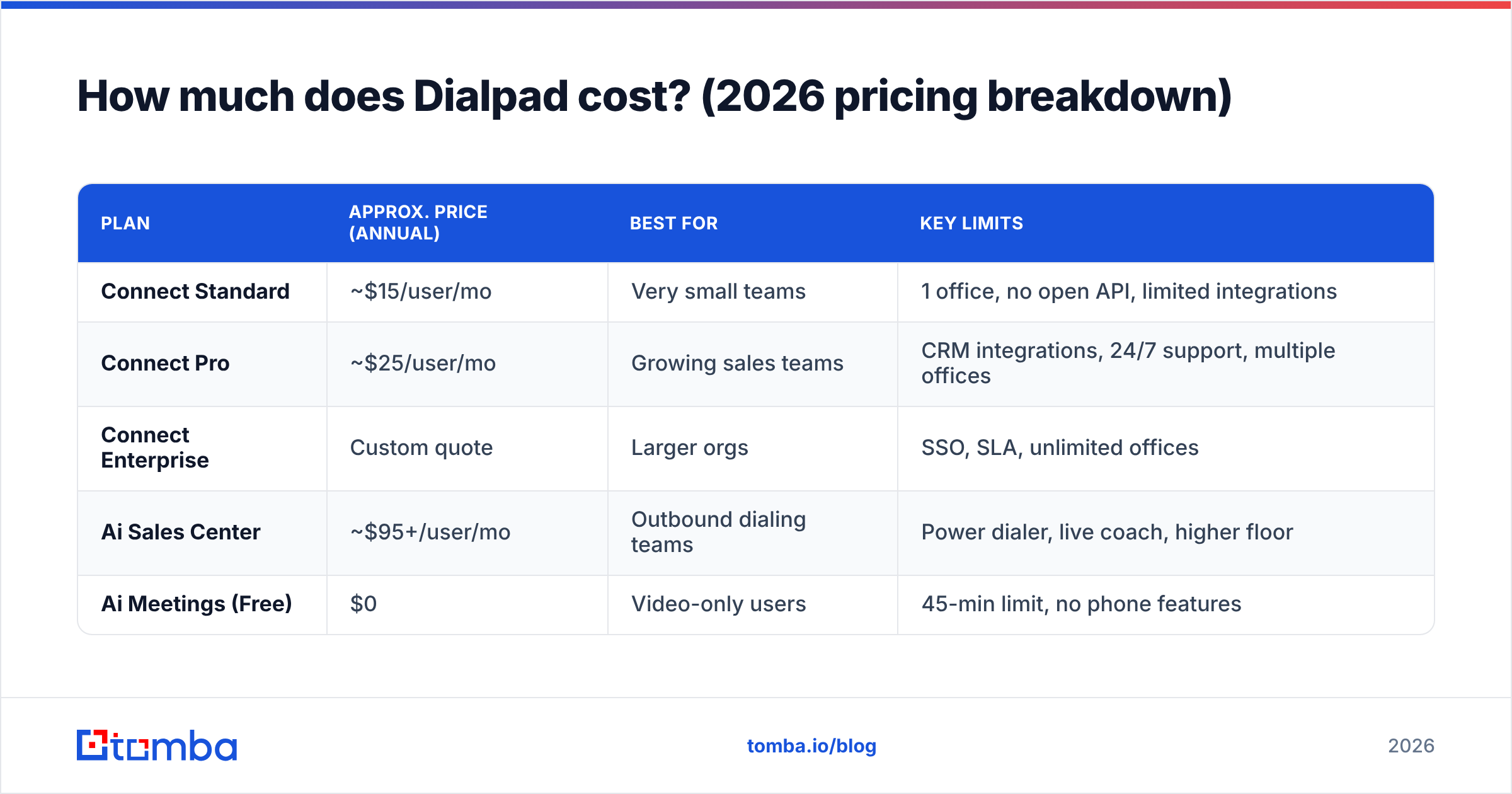
Dialpad publishes per-seat pricing for Connect and quote-based pricing for its contact center tiers. The headline numbers below reflect annual billing; month-to-month runs roughly 20% higher, and you should always confirm current numbers on Dialpad's own pricing page before you buy.
| Plan | Approx. price (annual) | Best for | Key limits |
|---|---|---|---|
| Connect Standard | ~$15/user/mo | Very small teams | 1 office, no open API, limited integrations |
| Connect Pro | ~$25/user/mo | Growing sales teams | CRM integrations, 24/7 support, multiple offices |
| Connect Enterprise | Custom quote | Larger orgs | SSO, SLA, unlimited offices |
| Ai Sales Center | ~$95+/user/mo | Outbound dialing teams | Power dialer, live coach, higher floor |
| Ai Meetings (Free) | $0 | Video-only users | 45-min limit, no phone features |
A few things buyers miss:
- The 3-seat minimum on paid plans. "Starts at $15" assumes you buy at least three seats.
- Sales-specific features are gated to the Sales Center tier, which is a large jump from Connect Pro. If you came for the power dialer and real-time objection handling, budget for ~$95/user/mo, not $15.
- Add-ons stack up. Additional local numbers, international calling, and toll-free numbers are billed on top.
- Annual commitment is the default for the advertised price. Monthly billing exists but costs more.
The honest read: Dialpad's floor price is competitive, but the "real" sales configuration lands in the same neighborhood as dedicated dialers and sales-engagement tools. Price it on the tier you'll actually use.
What do Dialpad reviews say? (Pros and cons)#
Across G2 and other review sites, Dialpad holds up well — generally in the low-to-mid 4-star range — but the pattern of praise and complaints is consistent enough to summarize.
The pros reviewers actually mention#
- AI transcription and summaries. This is the most-praised feature by a wide margin. Reps stop taking manual notes; managers get searchable call records.
- Real-time assist. Battle cards and prompts pop up mid-call when a keyword ("competitor," "pricing," "cancel") is detected. New reps ramp faster.
- Clean, modern interface. The desktop and mobile apps get consistent praise for being intuitive versus legacy PBX systems.
- Unified voice, SMS, and video in one app instead of three tools.
- Fast basic setup for standard configurations.
The cons reviewers keep flagging#
- Call quality on weak networks. Dropped calls and choppy audio show up repeatedly for users on poor Wi-Fi or mobile data. It is VoIP, so your connection is the ceiling.
- Transcription accuracy with accents and jargon. The AI is good, not perfect; industry terms and strong accents trip it up.
- Support responsiveness. Slower resolution times and reliance on chat/email are common gripes, especially on lower tiers.
- Contract and billing friction. Annual lock-in, renewal surprises, and the cost of adding numbers frustrate some buyers.
- Admin depth. Power users occasionally hit limits in reporting granularity and routing customization compared to specialized contact-center platforms.
Dialpad pricing, reviews, pros and cons at a glance#
Here is the honest scorecard if you are weighing Dialpad against staying on your current system:
- Pro — AI that earns its keep. The transcription, summaries, and live coaching are best-in-class for the price and genuinely reduce admin time.
- Pro — All-in-one comms. One vendor for phone, text, video, and contact center simplifies your stack and billing.
- Pro — Fast ramp for new reps. Real-time assist and call libraries shorten onboarding.
- Con — VoIP reliability is connection-dependent. No software fixes a bad network, and complaints cluster here.
- Con — The useful tier is expensive. Sales Center pricing is far above the advertised entry point.
- Con — It does not source your contacts. Dialpad optimizes the call; it does not tell you who to call or find the number.
That last point is the one most sales leaders underrate, so it deserves its own section.
Does Dialpad find leads and phone numbers?#
No — and this is the most important thing to understand before buying. Dialpad is a conversation platform. It makes the calls better; it does not fill your dialer with the right people.
Think of it like a world-class kitchen. Dialpad is the oven, the knives, and the sous-chef who plates every dish perfectly. But someone still has to buy the groceries. If your list is stale, your reps will dial disconnected numbers and wrong contacts all day, and the best AI coaching in the world won't help.
That "groceries" layer is prospecting data: verified direct-dial numbers, mobile numbers, and business emails for the accounts you target. This is where a data provider sits upstream of Dialpad, not in competition with it. You enrich your CRM with accurate contacts, then push them into Dialpad to dial.
A few practical building blocks for that data layer:
- A phone finder to source B2B direct-dial and mobile numbers before they hit your dialer.
- A phone validator to scrub dead and invalid numbers so reps aren't burning hours on bad data.
- An email finder for the multichannel follow-up that live calls always need — because most deals close on the third or fourth touch, not the first cold call.
Feed Dialpad clean, verified contacts and its AI has something worth analyzing. Feed it a bad list and you are paying premium per-seat pricing to auto-transcribe voicemails.
How does Dialpad compare to alternatives?#
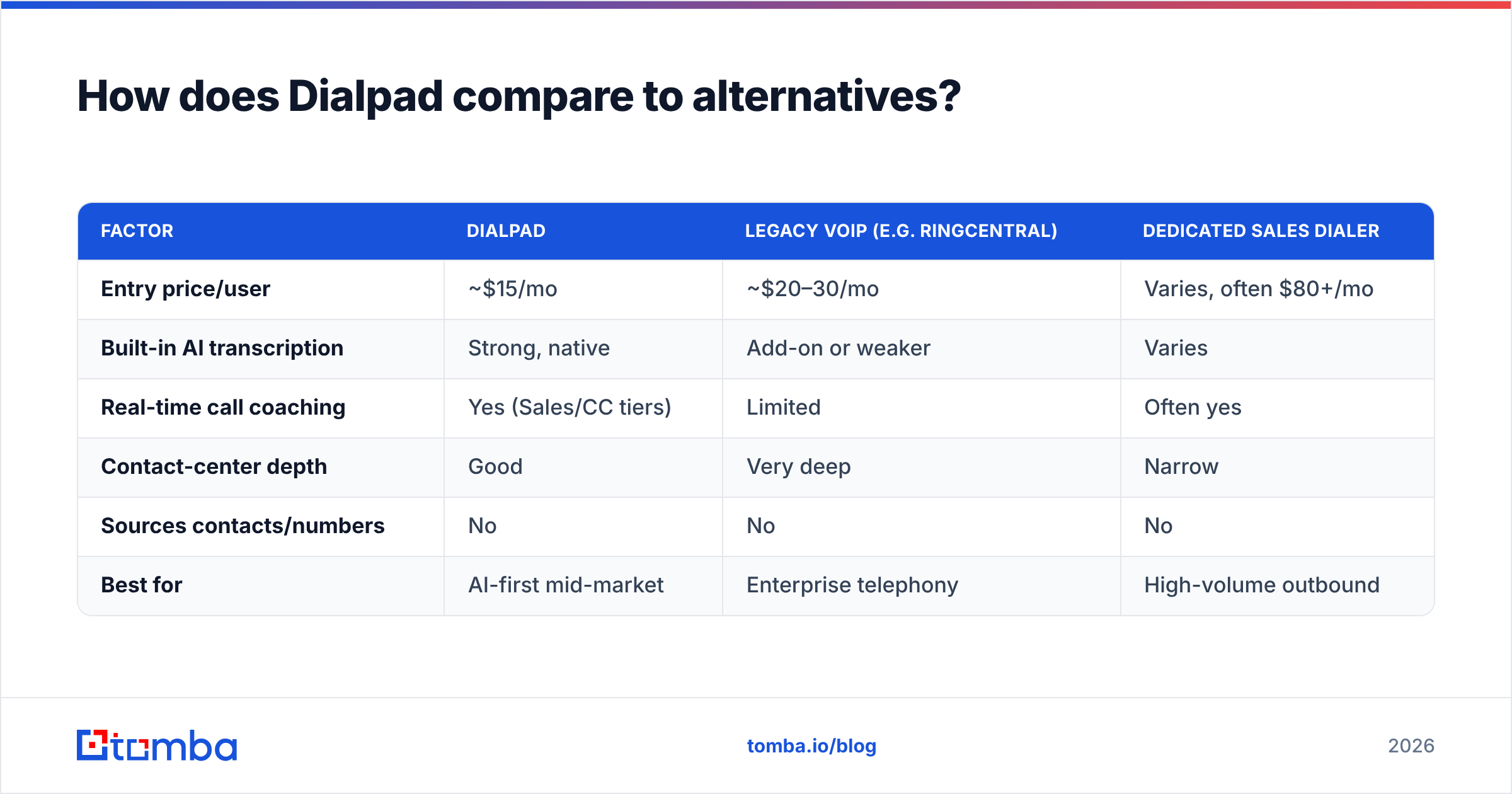
Dialpad competes on the "AI-native communications" angle. The right comparison depends on whether you weight phone reliability, contact-center depth, or AI features.
| Factor | Dialpad | Legacy VoIP (e.g. RingCentral) | Dedicated sales dialer |
|---|---|---|---|
| Entry price/user | ~$15/mo | ~$20–30/mo | Varies, often $80+/mo |
| Built-in AI transcription | Strong, native | Add-on or weaker | Varies |
| Real-time call coaching | Yes (Sales/CC tiers) | Limited | Often yes |
| Contact-center depth | Good | Very deep | Narrow |
| Sources contacts/numbers | No | No | No |
| Best for | AI-first mid-market | Enterprise telephony | High-volume outbound |
The consistent theme: none of these platforms find your prospects. Whatever dialer you land on, the contact data feeding it is a separate — and arguably more important — decision. A great dialer on bad data loses to a decent dialer on accurate data every time.
If you are cross-shopping, weigh Dialpad's AI against how much of it you'll actually use. Many teams buy the Sales Center tier for the AI, use 30% of it, and would have been better served by Connect Pro plus a strong data layer.
Who should buy Dialpad — and who should skip it?#
Buy Dialpad if:
- Your team lives on live calls and you want conversations turned into coachable, searchable data.
- You are consolidating phone, SMS, and video into one vendor.
- You have new reps to ramp and want real-time assist to shorten onboarding.
- You have reliable network infrastructure (this is non-negotiable for VoIP quality).
Skip or delay Dialpad if:
- You are a very small team where the 3-seat minimum and annual contract feel heavy.
- Your motion is mostly email and social, not phone.
- Your reps work from unstable connections where call quality will suffer.
- You haven't fixed your data problem yet — a better phone system won't rescue a bad list.
That last point loops back to the core lesson. Dialpad is a strong AI-powered phone platform with real pros and a few real cons, but it is one layer of a working outbound stack. The other layer — knowing exactly who to reach and having a verified number and email for them — determines whether any of the AI matters.
The verdict#
Dialpad's pricing is fair for what it is, its AI features are legitimately good, and its main weaknesses (call quality on poor networks, support speed, and annual lock-in) are livable for the right team. It earns its 4-star reviews. Just price it on the tier you'll actually run — usually Pro or Sales Center, not the $15 headline — and go in knowing it optimizes calls rather than sourcing them.
Before you invest in any dialer, fix the input. Accurate, verified contact data is what turns dial time into pipeline. Start with the Tomba Email Finder to build clean, verified contact lists — then pair it with a phone finder to feed your Dialpad seats with numbers that actually connect. Check the Tomba pricing to see how far a free tier and a $49/mo Starter plan get you before you commit a dollar to per-seat phone software. The best AI phone system in the world is only as good as the list you point it at.
Related guides#
Ready to find emails that actually work?
Join 150,000+ professionals who stopped guessing and started sending. Free credits on signup — no credit card required.
Get the Tomba newsletter
Practical outbound tactics and product updates — once every two weeks.
About the author