Diggernaut Alternatives: 7 Web Scraping & Data Tools Compared for 2026
Diggernaut is a capable cloud scraper, but it's not the only way to turn the open web into structured B2B data. Here are 7 alternatives compared on price, learning curve, and output quality.
You picked Diggernaut because you needed data off the open web and you didn't want to babysit a Python script. That's a reasonable choice. But if you've hit its learning curve, its config-file workflow, or its limits on the kind of data you actually need — business contacts, not just page text — you're right to look around.
This guide compares seven Diggernaut alternatives across two overlapping jobs: raw web scraping (extracting structured data from pages) and B2B data acquisition (getting verified emails, phones, and company records you can actually sell to). Some of these tools do the first job better than Diggernaut. Others skip scraping entirely and hand you the clean data at the end — which is usually what you wanted in the first place.
TL;DR#
- Diggernaut is a solid visual/config-driven cloud scraper, but it's built for extracting page content, not for producing verified B2B contact data.
- If you want a general scraper with more power or a gentler ramp, look at Octoparse (no-code), Apify (developer marketplace), or ParseHub (visual).
- If your real goal is leads — emails, phones, company data — a scraper is the slow path. A dedicated finder like Tomba gives you verified contacts without maintaining selectors.
- Pricing ranges from free tiers to $249+/mo. Match the tool to the job: content extraction vs. contact data.
- Our pick for most B2B teams: stop scraping raw HTML for contacts and use a purpose-built email finder plus data enrichment.
What is Diggernaut and what is it actually good at?#
Diggernaut is a cloud-based web scraping service. You define a "digger" — a set of instructions written in its own YAML-like configuration language (or built with its visual tool) — that tells the crawler which pages to visit and which elements to extract. It runs in the cloud on a schedule, handles pagination, and exports to JSON, CSV, XML, or XLSX.
It's genuinely good at a specific thing: structured extraction of on-page content from sites that don't fight back too hard. Product catalogs, listings, articles, prices. If that's your job, Diggernaut does it without you renting servers.
Where teams outgrow it usually comes down to four things:
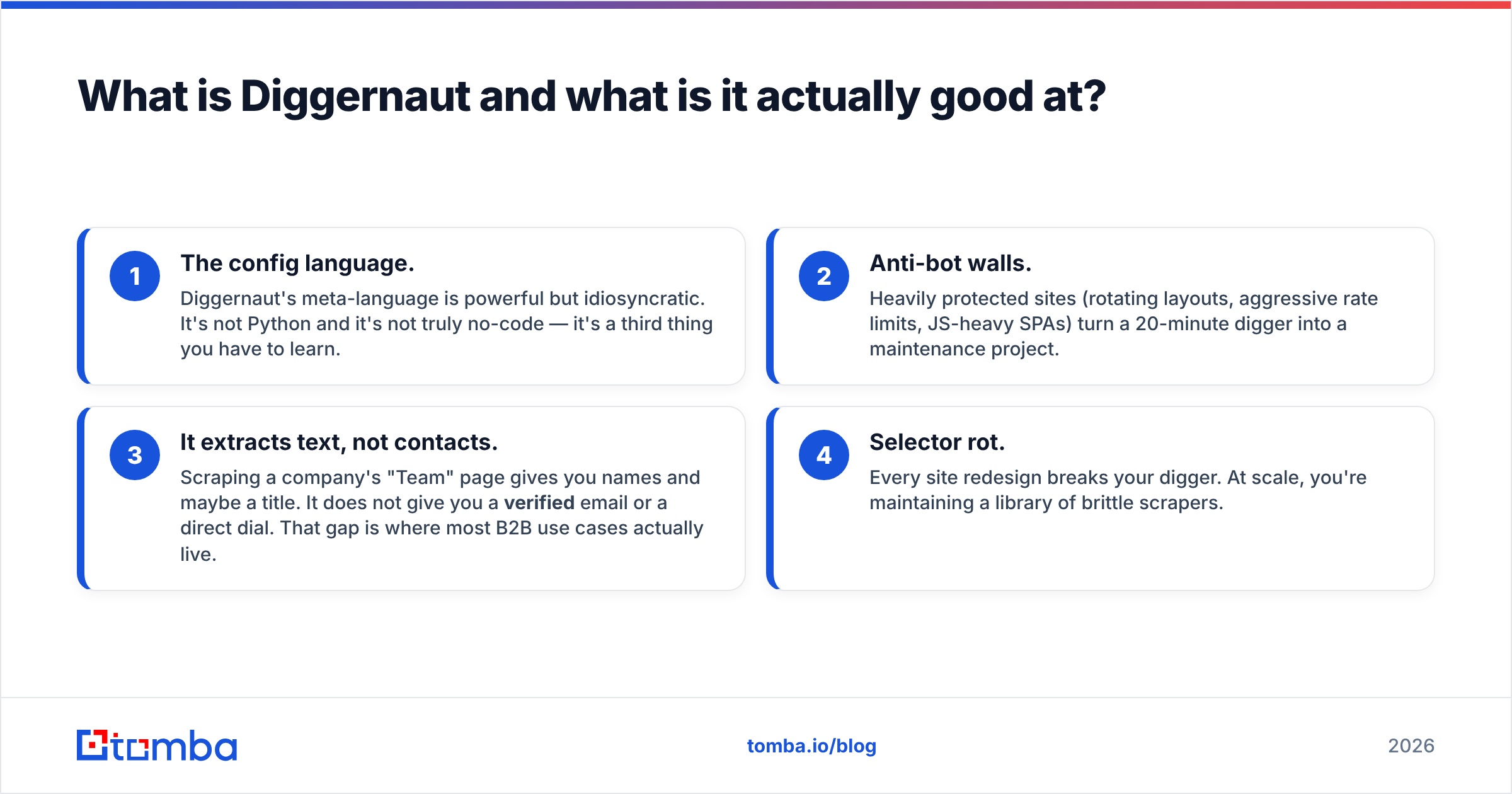
- The config language. Diggernaut's meta-language is powerful but idiosyncratic. It's not Python and it's not truly no-code — it's a third thing you have to learn.
- Anti-bot walls. Heavily protected sites (rotating layouts, aggressive rate limits, JS-heavy SPAs) turn a 20-minute digger into a maintenance project.
- It extracts text, not contacts. Scraping a company's "Team" page gives you names and maybe a title. It does not give you a verified email or a direct dial. That gap is where most B2B use cases actually live.
- Selector rot. Every site redesign breaks your digger. At scale, you're maintaining a library of brittle scrapers.
Understanding that split — "content extraction" versus "contact data" — is the single most useful thing when choosing an alternative. Pick the wrong category and you'll fight the tool forever.
How do I choose the right Diggernaut alternative?#
Work through these five questions before you sign up for anything. The answer routes you to a completely different class of tool.
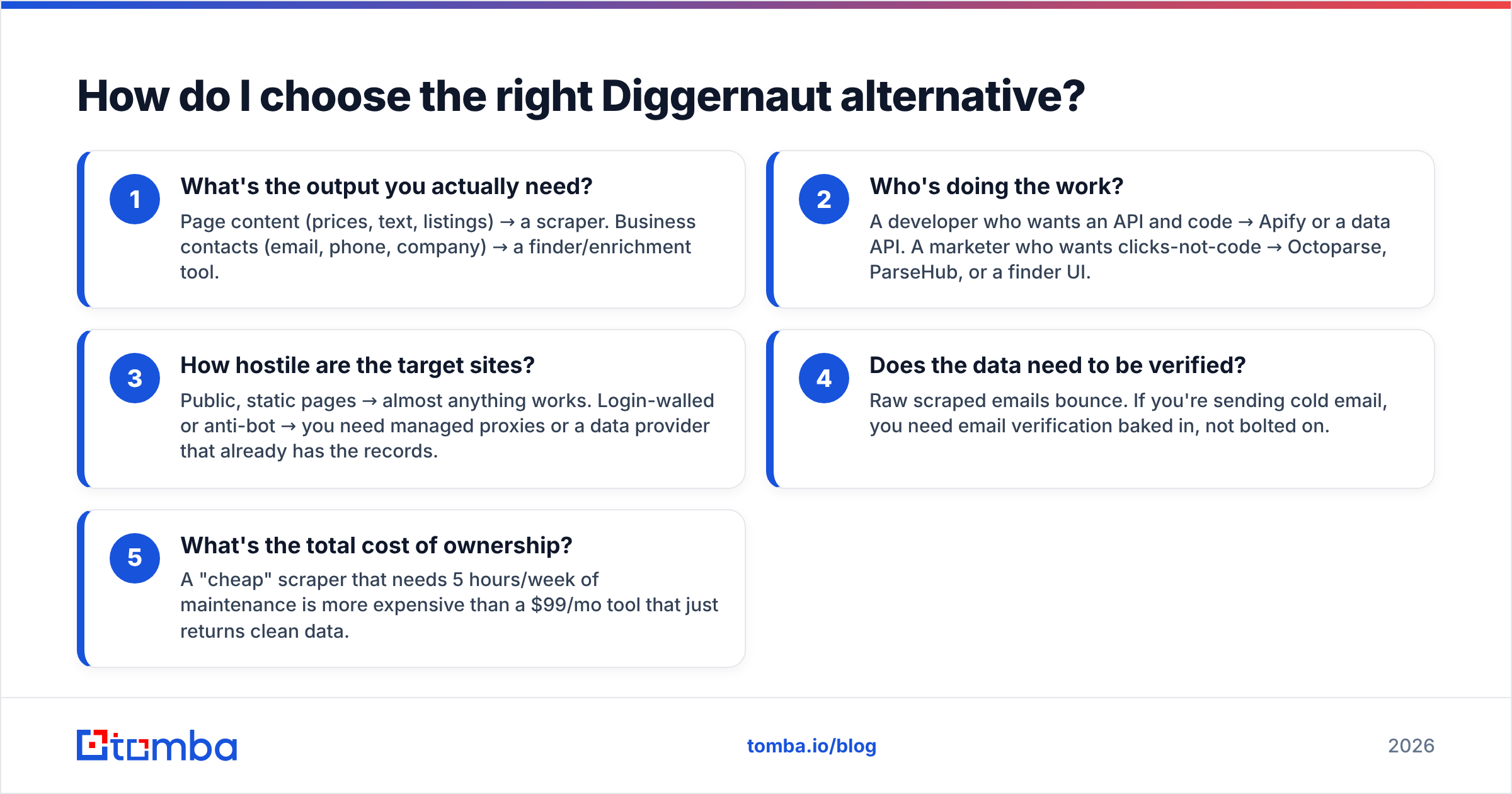
- What's the output you actually need? Page content (prices, text, listings) → a scraper. Business contacts (email, phone, company) → a finder/enrichment tool.
- Who's doing the work? A developer who wants an API and code → Apify or a data API. A marketer who wants clicks-not-code → Octoparse, ParseHub, or a finder UI.
- How hostile are the target sites? Public, static pages → almost anything works. Login-walled or anti-bot → you need managed proxies or a data provider that already has the records.
- Does the data need to be verified? Raw scraped emails bounce. If you're sending cold email, you need email verification baked in, not bolted on.
- What's the total cost of ownership? A "cheap" scraper that needs 5 hours/week of maintenance is more expensive than a $99/mo tool that just returns clean data.
If your honest answers point at "verified business contacts," most general scrapers — Diggernaut included — are the wrong altitude. You'd be building a pipeline to reproduce what a B2B database already ships.
Which tools are the best Diggernaut alternatives in 2026?#
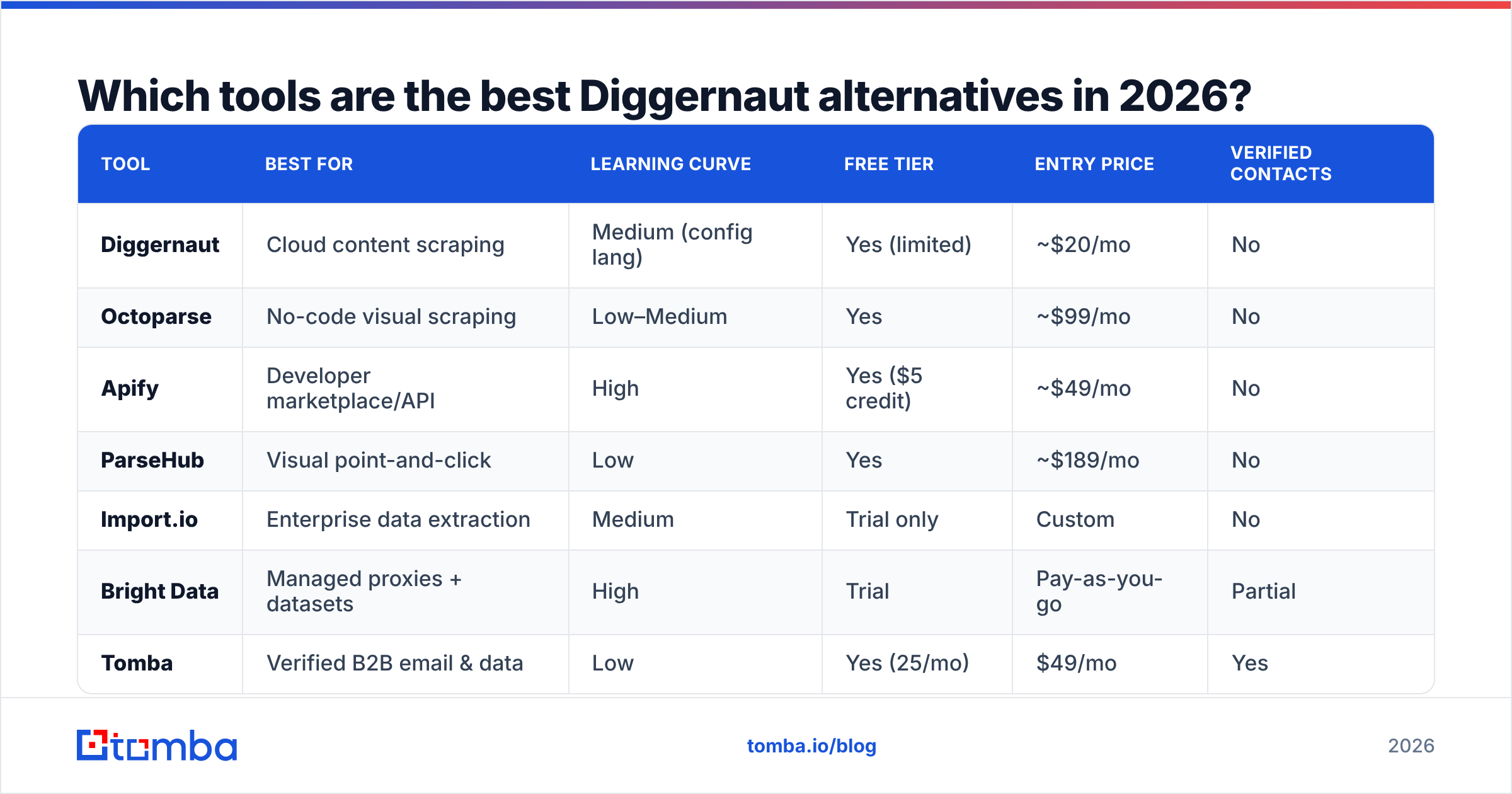
Here's the head-to-head. Prices are entry-level paid tiers as of 2026; free tiers noted separately.
| Tool | Best for | Learning curve | Free tier | Entry price | Verified contacts |
|---|---|---|---|---|---|
| Diggernaut | Cloud content scraping | Medium (config lang) | Yes (limited) | ~$20/mo | No |
| Octoparse | No-code visual scraping | Low–Medium | Yes | ~$99/mo | No |
| Apify | Developer marketplace/API | High | Yes ($5 credit) | ~$49/mo | No |
| ParseHub | Visual point-and-click | Low | Yes | ~$189/mo | No |
| Import.io | Enterprise data extraction | Medium | Trial only | Custom | No |
| Bright Data | Managed proxies + datasets | High | Trial | Pay-as-you-go | Partial |
| Tomba | Verified B2B email & data | Low | Yes (25/mo) | $49/mo | Yes |
A few notes that a pricing table can't capture:
- Octoparse is the closest "friendlier Diggernaut." Fully visual, cloud runs, scheduled scraping, decent anti-bot handling. If you like Diggernaut's model but hate its config language, start here. See its G2 profile for current user sentiment.
- Apify is the power option. It's a marketplace of pre-built "Actors" plus an SDK, so a developer can compose scrapers and run them at scale. Overkill if you're not writing code; unbeatable if you are.
- ParseHub is the gentlest visual tool but its paid tiers jump fast, and desktop-app-plus-cloud can feel dated.
- Bright Data isn't really a scraper-builder — it's proxy infrastructure plus ready-made datasets. You go here when the target sites are actively blocking you and you have budget.
- Tomba is in a different category on purpose, and that's the point of this section: for the most common B2B reason people reach for a scraper, you don't want a scraper.
Why is a scraper often the wrong tool for B2B contact data?#
Because scraping a page and getting a usable contact are two different problems, and the second one is the hard one.
Say you scrape a company's team page. You get "Jane Doe, VP Marketing." Now you still need her email. So you guess the pattern (jane@, j.doe@, jane.doe@?), you send to all of them, half bounce, your domain reputation tanks, and your cold campaign is dead before it started. You've done the easy 20% and skipped the 80% that matters.
A dedicated finder inverts that. Instead of scraping HTML and guessing, it queries known email patterns, cross-references multiple data sources, and returns an address with a confidence score — already checked against an email verifier. Same input (a name and a company), radically better output (a deliverable email).
The workflow difference in practice:
- The scraper way: build digger → maintain selectors → export raw text → guess emails → verify separately → dedupe → still bounce.
- The finder way: search by domain → get verified contacts → export → send.
For a single company that's a rounding error. Across a 5,000-account territory it's the difference between a project and a workflow.

How does Tomba compare to Diggernaut for lead generation?#
Directly: they barely compete, and that's why Tomba wins for B2B. Diggernaut extracts what's on a page. Tomba's job is to give you the contact you're actually after — a verified professional email, a company's email pattern, direct phone numbers — without you owning any scraping infrastructure.
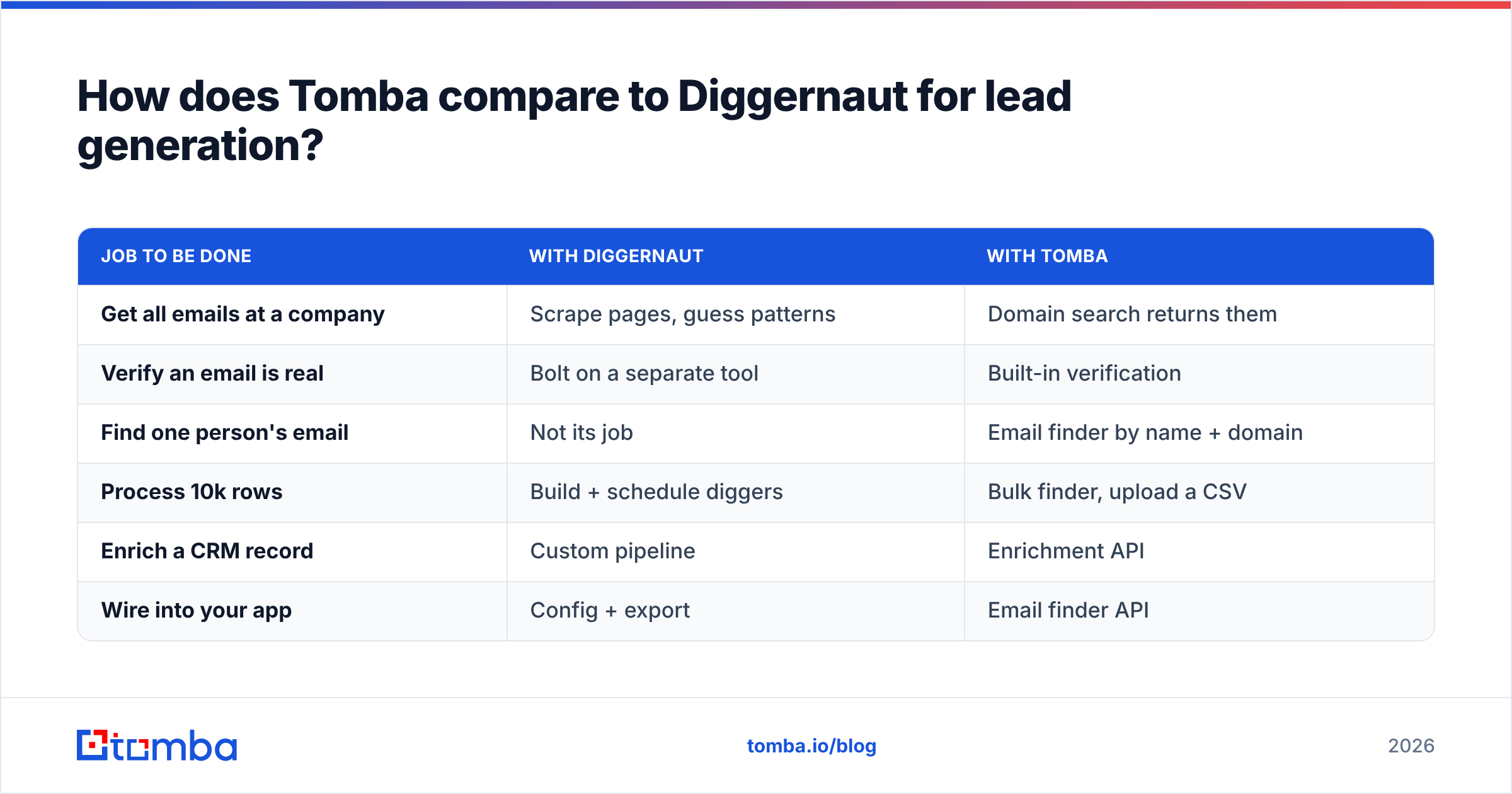
Concretely, if your goal is building a prospect list:
| Job to be done | With Diggernaut | With Tomba |
|---|---|---|
| Get all emails at a company | Scrape pages, guess patterns | Domain search returns them |
| Verify an email is real | Bolt on a separate tool | Built-in verification |
| Find one person's email | Not its job | Email finder by name + domain |
| Process 10k rows | Build + schedule diggers | Bulk finder, upload a CSV |
| Enrich a CRM record | Custom pipeline | Enrichment API |
| Wire into your app | Config + export | Email finder API |
Tomba's pricing is straightforward: a Free tier at 25 searches/month, Starter at $49/mo, Growth at $99/mo, Pro at $249/mo, and custom Enterprise. That's not a scraping-runtime meter — you pay for finds and verifications, which maps cleanly to "how many leads did I get."
Where Diggernaut still wins: scraping non-contact data. Competitor prices, real estate listings, review text, catalog data. If that's your use case, keep Diggernaut (or move to Octoparse/Apify) — Tomba isn't trying to do that job.
What about developers who want an API, not a UI?#
If you're building automation, the choice narrows to three: Apify (if you truly need custom scraping logic), Bright Data (if you need proxies at scale), or a data API like the Tomba API (if you need contacts).
The API path matters because it removes the whole "maintain a scraper" tax. A single call — domain in, verified contacts out — replaces a digger you'd otherwise babysit. Tomba also ships a CLI, an MCP server for AI agents, and native integrations with HubSpot, Salesforce, and Zapier, plus Google Sheets and a Chrome extension for the non-developers on your team.
For pure scraping via API, Apify's Actor model is the strongest of the general tools — you can publish, schedule, and monetize scrapers, and their SDK is well documented. Just be honest about whether you need to build a scraper or just get the data.
A quick decision guide#
Match yourself to a row and stop overthinking it:
- "I scrape prices/listings/content and Diggernaut's config language annoys me." → Octoparse (no-code) or Apify (if you code).
- "Sites keep blocking me." → Bright Data for managed proxies, or a data provider that already holds the records.
- "I actually just need business emails and phones." → An email finder + phone finder. Skip scraping.
- "I need to enrich thousands of CRM rows." → Bulk finder + enrichment, not a scraper farm.
- "I'm a developer wiring data into a product." → Tomba API for contacts, Apify for arbitrary page data.
Most B2B teams who arrive at "Diggernaut alternatives" started from job #3 or #4 and wandered into scraper-land by accident. If that's you, the answer isn't a better scraper — it's a tool built for contacts.
Are the free tiers actually useful?#
Mostly yes, for evaluation. Diggernaut, Octoparse, Apify, and Tomba all offer free tiers, and they're the fastest way to test fit before paying.
- Octoparse free lets you build and run local tasks — enough to feel the visual builder.
- Apify gives a small monthly credit; enough to run a pre-built Actor a few times.
- Tomba free is 25 searches/month — enough to test accuracy on companies you already know, which is exactly how you should benchmark any contact tool (check the emails against people whose addresses you can confirm).
The trap with all free tiers is treating "it ran once" as "it works at scale." Test the failure modes: hostile sites for scrapers, catch-all domains for finders (Tomba has a dedicated catch-all verifier for exactly this). If a tool degrades badly on the hard 20%, its free tier flattered it.
The verdict#
For content scraping, the best Diggernaut alternative is Octoparse (no-code) or Apify (developer). Both handle the "extract structured data from pages" job with a friendlier ramp or more raw power than Diggernaut's config workflow.
For B2B contact data — which is why most people are really here — stop scraping. A purpose-built finder returns verified emails and phones without selectors, proxies, or maintenance, and it costs less in total than the time you'd sink into keeping diggers alive.
If your endgame is a clean, deliverable prospect list, start with the Tomba Email Finder. Find contacts by name, company, or domain; verify them in the same pass; export or push straight to your CRM via the API. The Free tier gives you 25 searches to test accuracy on companies you already know — begin there, then scale on a plan that matches your volume instead of your patience for maintaining scrapers.
Related guides#
Ready to find emails that actually work?
Join 150,000+ professionals who stopped guessing and started sending. Free credits on signup — no credit card required.
Get the Tomba newsletter
Practical outbound tactics and product updates — once every two weeks.
About the author