DiscoverOrg vs FindEmails.com (Toofr): Which Wins in 2026?
One is an enterprise sales-intelligence contract that starts in five figures. The other is a $29 email lookup tool with a cult following. Here is how DiscoverOrg and FindEmails.com (Toofr) actually compare in 2026 — and when neither is the right call.
DiscoverOrg vs FindEmails.com is an odd matchup. One is a five-figure sales data contract. The other is a $29 email lookup tool. Here is how the two compare in 2026.
TL;DR
- DiscoverOrg is gone as a standalone product. It merged with ZoomInfo in 2019. If a rep still pitches you "DiscoverOrg," you are buying ZoomInfo.
- FindEmails.com is Toofr, renamed. It is a cheap email lookup tool for solo founders and small teams, not for enterprise territory planning.
- The two barely compete. One costs $20K–$40K a year and ships org charts, intent, and CRM sync. The other costs under $50 a month.
- The verdict: need org charts and intent signals? ZoomInfo wins. Need work emails? A modern email finder does that job for $49 a month, with an API.
- Test any vendor on 200 contacts you can check yourself. Vendor accuracy numbers are marketing, not proof.
What happened to DiscoverOrg?#
DiscoverOrg was the most respected human-verified B2B contact database for about a decade. Its edge was research labor. Analysts called into companies to confirm titles, direct dials, reporting lines, and tech stacks. That work produced org charts you could sell into. You knew who reported to whom, and who held the budget.
In February 2019, DiscoverOrg bought ZoomInfo. It then took the ZoomInfo name for the merged company. Search for DiscoverOrg today and you land on zoominfo.com. The research method lives on inside ZoomInfo. The standalone product, price sheet, and login do not.
This matters in practice. Any DiscoverOrg review written before 2019 describes pricing and packaging that no longer exist. And any DiscoverOrg comparison in 2026 is really a ZoomInfo comparison with an old name attached.
What is FindEmails.com (formerly Toofr)?#
Toofr started as an indie project by Ryan Buckley. Feed it a name and a company domain, and it returned the most likely work email with a confidence score. It was one of the first tools to publish its guess-and-verify logic instead of hiding behind a magic-database claim.
It later became FindEmails.com, with a cleaner interface and the same promise. Cheap credits, single lookups, bulk CSV upload, and an API. There is no org chart, no intent data, and no buying-committee map. It finds emails. That focus was the selling point for years.
The trade-off is depth. FindEmails works well when you know who you want to reach. It does nothing to help you work out who that person should be.

DiscoverOrg vs FindEmails.com: the head-to-head table#
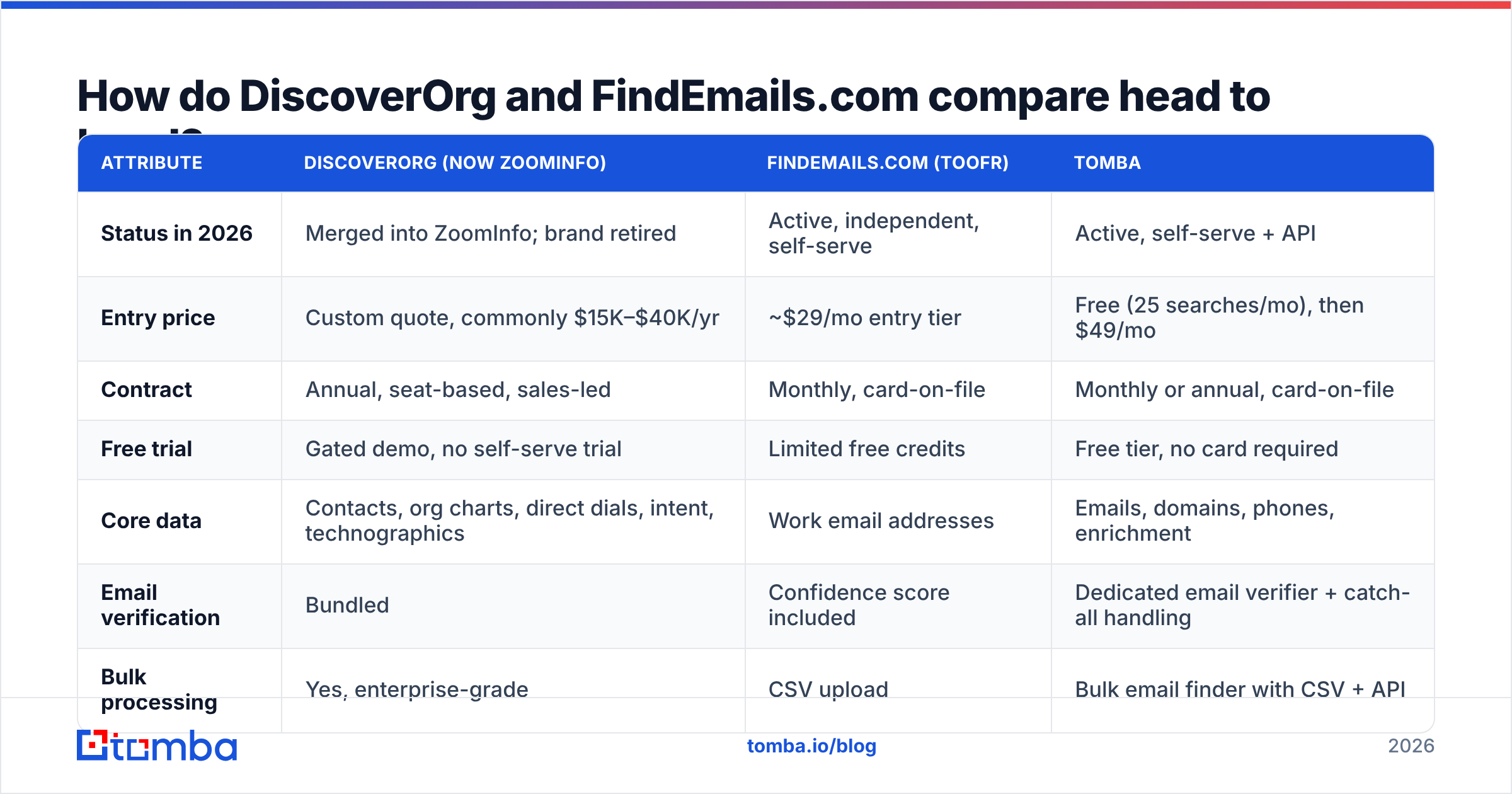
Here is DiscoverOrg vs FindEmails.com side by side. I added a self-serve option so you can see where the money goes.
| Attribute | DiscoverOrg (now ZoomInfo) | FindEmails.com (Toofr) | Tomba |
|---|---|---|---|
| Status in 2026 | Merged into ZoomInfo; brand retired | Active, independent, self-serve | Active, self-serve + API |
| Entry price | Custom quote, commonly $15K–$40K/yr | ~$29/mo entry tier | Free (25 searches/mo), then $49/mo |
| Contract | Annual, seat-based, sales-led | Monthly, card-on-file | Monthly or annual, card-on-file |
| Free trial | Gated demo, no self-serve trial | Limited free credits | Free tier, no card required |
| Core data | Contacts, org charts, direct dials, intent, technographics | Work email addresses | Emails, domains, phones, enrichment |
| Email verification | Bundled | Confidence score included | Dedicated email verifier + catch-all handling |
| Bulk processing | Yes, enterprise-grade | CSV upload | Bulk email finder with CSV + API |
| API access | Yes, on higher tiers | Yes | Yes on all paid tiers |
| Native CRM sync | Salesforce, HubSpot, Dynamics, Outreach | Limited / via export | HubSpot, Salesforce, Pipedrive, Zapier, Make |
| Best for | Enterprise SDR teams with ABM motions | Solo founders, freelancers, tiny teams | SMB to mid-market outbound and RevOps |
The price gap is not a typo. One product is sold by an account executive. The other is sold by a pricing page. They rarely land on the same shortlist. When they do, the buyer usually has not settled on the problem yet.
DiscoverOrg vs FindEmails.com: which one has better data?#
Accuracy is the metric that matters most. It is also the one both vendors describe least honestly.
ZoomInfo carries DiscoverOrg's research heritage and claims high accuracy. The claim rests on three sources: data contributed by users who install its tools, machine learning, and a human research layer. That mix works well on senior titles at mid-size and large North American firms. It slips on the long tail — small companies, markets outside the US, and roles that turn over fast. You will still hit records that went stale a year ago.
FindEmails works the other way round. It builds likely versions of a person's email from known company patterns. Then it checks them at the SMTP layer and returns a confidence score. The method is fair, and the openness is refreshing. But it has two built-in weak spots. It cannot settle catch-all domains for certain, because no SMTP check can do that alone. And it needs the right first name, last name, and domain going in. Bad input, bad output.
Four things to test before you trust any accuracy claim:
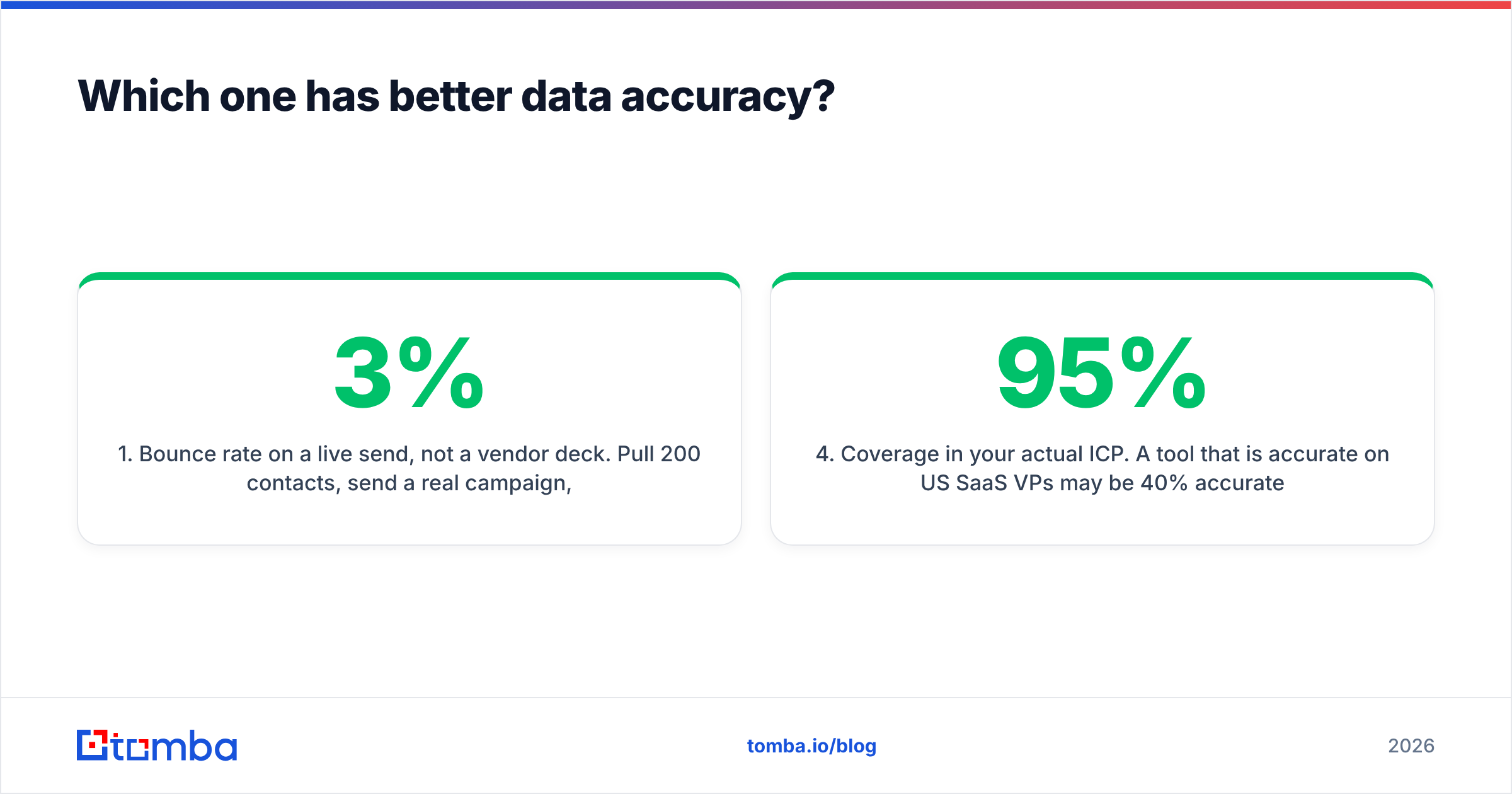
- Bounce rate on a real send, not a vendor deck. Pull 200 contacts, run a live campaign, count the hard bounces. Above 3% is a data problem, not a copy problem.
- Catch-all handling. Ask what the tool returns for a catch-all domain. "Valid" is the wrong answer. "Accept-all, unverifiable" is the honest one. Tools with a proper catch-all verifier tell you which of the two you have.
- Recency stamp. Ask when each record was last confirmed. If the vendor cannot answer per record, the freshness claim is an average. Averages hide the stale tail.
- Coverage in your own market. A tool can be 95% accurate on US SaaS VPs and 40% accurate on German plant managers. Test your segment, not the vendor's.
Run that test on any two vendors and the debate ends. It turns into a spreadsheet.
Is DiscoverOrg's pricing still worth it?#
It depends on whether you use the parts you pay for.
ZoomInfo's value is not the email addresses. Emails are close to a commodity now. Several vendors will sell you 5,000 verified work emails a month for under $100. At the enterprise tier you are really buying:
- Org charts and reporting lines, so a team can map a nine-person buying group instead of emailing one champion.
- Intent data, so reps call accounts already looking at your category.
- Tech stack filters, so you can target accounts running a rival's software.
- CRM enrichment and workflow, so records stay current without an ops person babysitting exports.
- Data guarantees and compliance, which matter when legal reviews your GDPR and CCPA exposure.
Use all five and the contract holds up. If your reps log in, search a name, copy an email, and log out, you are paying enterprise rates for a lookup tool. That math rarely survives the next budget review.
This is the most common finding when teams audit their data spend. Five figures a year for work that a $49 tool covers.

Is FindEmails.com enough for a real outbound team?#
For one to three people sending a few hundred emails a month, yes. It is cheap, you skip the sales call, and the confidence score is honest.
Past that point, three limits show up fast.
You outgrow the input rule. FindEmails needs a name and a domain. Real prospecting starts earlier. You have a company list and need to find the right people. That is a domain search job — pull every public contact at a company, filtered by team and seniority. FindEmails is not built for it.
Checks are single-layer. A score based mostly on an SMTP reply is one signal. Good deliverability work needs more: pattern checks, MX checks, throwaway-domain flags, role-account flags, and a clear catch-all label. Sending to unchecked addresses is how you hurt your sender reputation. That damage costs far more than the credits you saved.
There is no workflow layer. No native CRM push. No browser extension. No Sheets add-on, MCP, or CLI for the engineers on your team. You get a CSV, and somebody has to move it.
None of that makes FindEmails a bad product. It makes it a narrow one, priced to match.
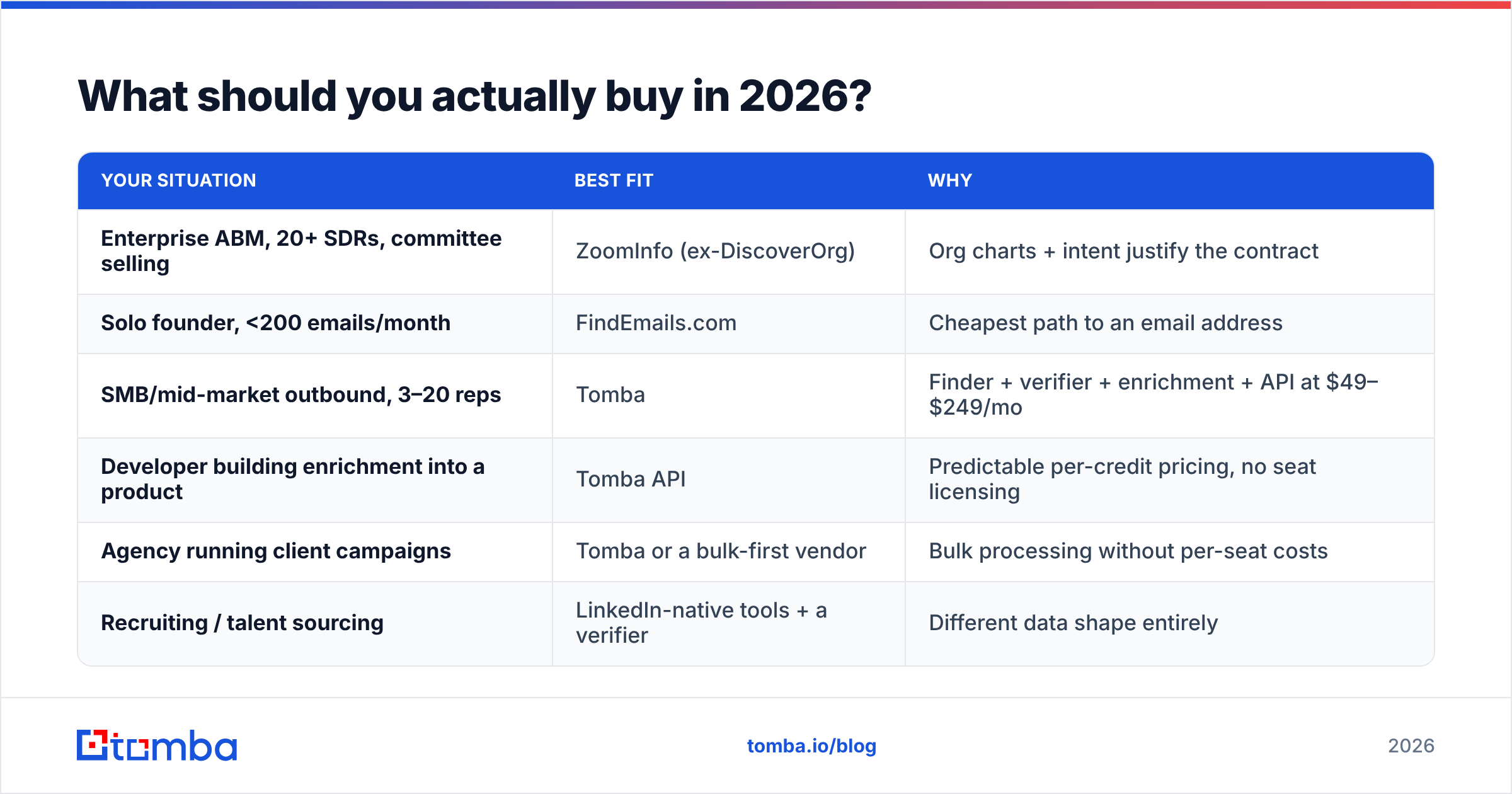
What should you actually buy in 2026?#
Match the tool to the job, not to the brand you know. In the DiscoverOrg vs FindEmails.com debate, most teams belong in neither camp.

| Your situation | Best fit | Why |
|---|---|---|
| Enterprise ABM, 20+ SDRs, committee selling | ZoomInfo (ex-DiscoverOrg) | Org charts + intent justify the contract |
| Solo founder, <200 emails/month | FindEmails.com | Cheapest path to an email address |
| SMB/mid-market outbound, 3–20 reps | Tomba | Finder + verifier + enrichment + API at $49–$249/mo |
| Developer building enrichment into a product | Tomba API | Predictable per-credit pricing, no seat licensing |
| Agency running client campaigns | Tomba or a bulk-first vendor | Bulk processing without per-seat costs |
| Recruiting / talent sourcing | LinkedIn-native tools + a verifier | Different data shape entirely |
Most teams land on the same pattern. Buy the costly platform only for the intelligence you truly use. Handle contact discovery with a self-serve tool that charges for credits, not seats. Two small line items usually beat one big one, and you can cancel half of it without a renewal fight.
A stack that works at mid-market scale:
- Build the account list from your ICP filters: industry, size, and tech stack.
- Find the people with a domain-level search that returns every relevant contact at once.
- Verify before you send, with a clear catch-all label rather than a blanket "valid."
- Enrich into the CRM so reps see title, seniority, and company data without switching tabs.
- Re-verify every quarter. B2B contact data decays 25–30% a year. Treat your list like stock, not an asset.
To sanity-check market rates, G2's category listings and Capterra both show published pricing next to verified reviews. That helps when a vendor calls their quote "standard."
How do you run a fair 30-day bake-off?#
Do not decide on demos. Test on your own data, with the same list, in the same week. That is the only honest way to settle DiscoverOrg vs FindEmails.com for your team.
- Pick 200 contacts you can verify yourself — customers, past leads, or people whose emails sit in a CRM you trust.
- Strip the known emails. Feed each tool only the name and domain, or just the domain.
- Score match rate (how many came back with anything), accuracy (how many matched the known-good address), and false confidence (how many wrong answers were labeled high-confidence). Vendors never volunteer that third number, and it is the one that burns your domain.
Then compare the economics:
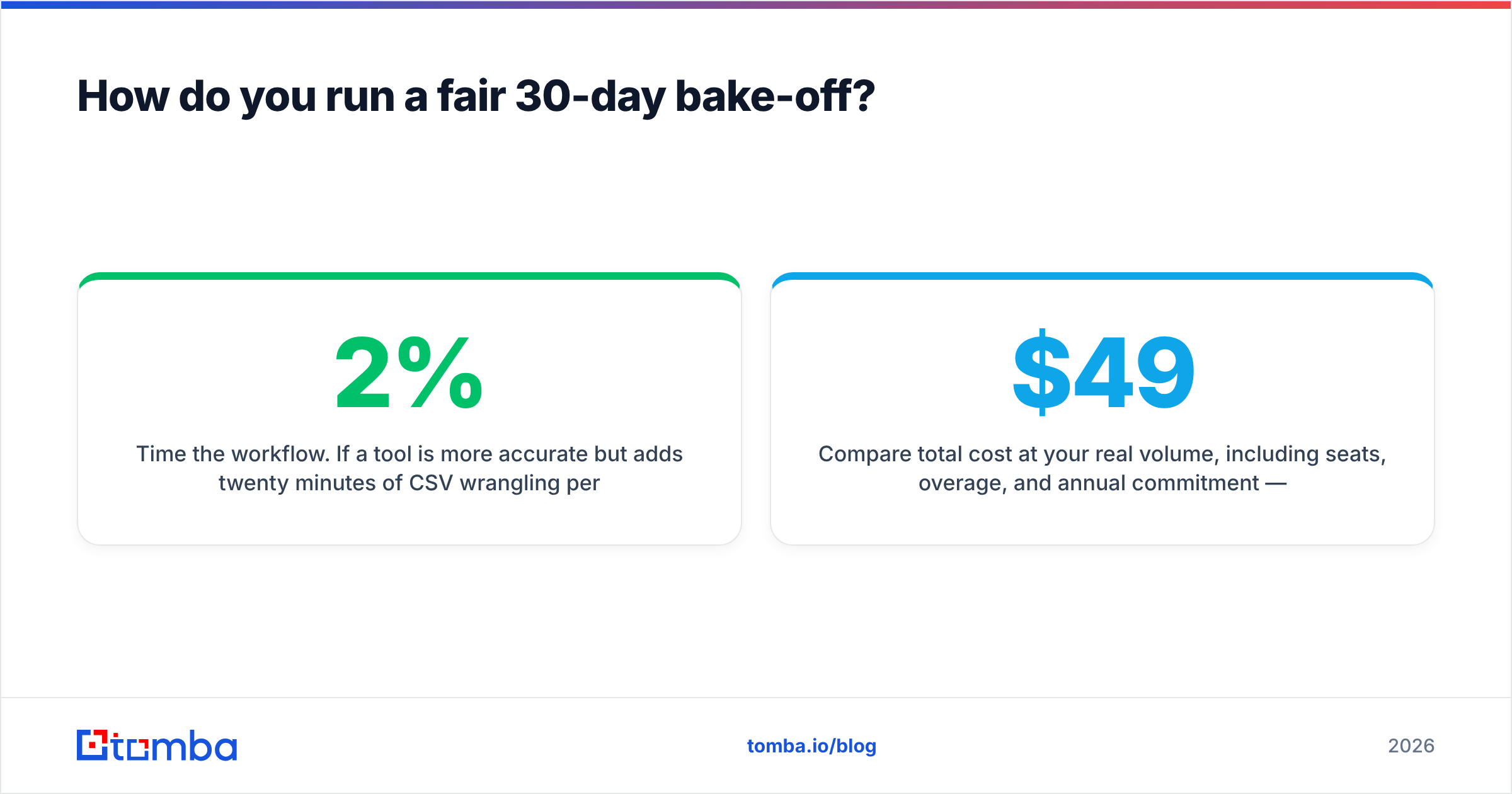
- Time the workflow. A tool that is 2% more accurate but adds twenty minutes of CSV wrangling per list is not more accurate in any way that counts.
- Compare total cost at your real volume: seats, overage, and annual commitment, not the headline tier. Tomba pricing starts free at 25 searches, then runs $49 Starter, $99 Growth, and $249 Pro per month. That makes the math easy to run against a custom quote.
Thirty days of that gives you a decision you can defend. Thirty minutes of a demo gives you a preference.
The bottom line#
DiscoverOrg vs FindEmails.com pits a product that no longer carries that name against a tool built to do one small thing cheaply. Neither is the default answer for most teams in 2026.
Buy ZoomInfo if org charts, intent, and compliance carry weight in your sales motion. Then audit every year whether you still use them. Buy FindEmails if you are one person, sending now and then, and want the lowest line item. Buy something in the middle if you are like most teams: real volume, close watch on deliverability, and no appetite for a year-long contract just to get a work email.
Start with the free tier of the Tomba Email Finder. 25 searches a month, no card, no sales call. Run it against the same 200-contact list you would use to test an enterprise quote. Then decide with numbers instead of a pitch deck. If the accuracy holds on your market, you just replaced a five-figure line item with a $49 one.
Related guides#
Ready to find emails that actually work?
Join 150,000+ professionals who stopped guessing and started sending. Free credits on signup — no credit card required.
Get the Tomba newsletter
Practical outbound tactics and product updates — once every two weeks.
About the author