DiscoverOrg vs Gigasheet: Which B2B Data Tool Wins in 2026?
DiscoverOrg is now ZoomInfo. Gigasheet is a browser spreadsheet for huge files. They solve different problems — here's which one your team actually needs in 2026, and what it costs.
TL;DR
- DiscoverOrg no longer exists as a standalone product. It merged with ZoomInfo in 2019 and the brand was folded into ZoomInfo SalesOS. If a vendor is still pitching you "DiscoverOrg," you're being pitched ZoomInfo.
- Gigasheet is not a data provider at all. It's a browser-based spreadsheet that opens files with hundreds of millions of rows. It ships with zero contacts.
- They are complements, not competitors. DiscoverOrg/ZoomInfo sells you records; Gigasheet helps you clean, join, and filter records you already have.
- Cost gap is enormous: ZoomInfo contracts commonly land in the five figures annually with seat minimums and annual commitments, while Gigasheet has a free tier and self-serve paid plans.
- If what you actually need is verified work emails at a predictable price, neither tool is the cheapest path — a dedicated email finder starting at $49/mo covers the same job for most teams under 20 reps.
Why are people comparing DiscoverOrg vs Gigasheet at all?#
Because both show up when you search "B2B data tool," and the category label hides the fact that they sit on opposite ends of the pipeline.
Here's the everyday analogy. DiscoverOrg is the wholesale supplier that delivers pallets of raw ingredients to your kitchen. Gigasheet is the industrial food processor that chops and sorts whatever you already have in the walk-in. Asking which one is better is like asking whether a supplier beats a blender. The real question is which end of your pipeline is broken.
Most teams that land on this comparison are trying to answer one of two questions:
- "Where do I get contact and company data?" → That's the DiscoverOrg/ZoomInfo lane.
- "How do I work with the 40M-row export I already have without Excel dying?" → That's the Gigasheet lane.
If you're asking both at once, you probably need two tools, and the budget conversation gets interesting fast.
What happened to DiscoverOrg?#
DiscoverOrg was a B2B intelligence provider founded in 2007, best known for hand-verified org charts, direct dials, and IT install-base data. It acquired ZoomInfo in 2019, then adopted the ZoomInfo name for the combined company. Today the product you'd be buying is ZoomInfo — SalesOS, MarketingOS, or the platform bundle.
What survived from the DiscoverOrg side:
- Org-chart depth. Reporting lines and department hierarchies are still a genuine strength versus scraped-only databases.
- Direct dials. Mobile and desk numbers remain a headline selling point.
- Technographics. Install-base data (what CRM, cloud, or security stack a company runs) came largely from the DiscoverOrg heritage.
- Intent signals. Layered on post-merger, now a core part of the pitch.
What did not survive: DiscoverOrg's separate, sometimes cheaper entry pricing. You buy the ZoomInfo platform now, with ZoomInfo's contract structure.

What is Gigasheet actually for?#
Gigasheet is a no-code big-data spreadsheet that runs in your browser. You upload a CSV, JSON, Parquet, or log file that would freeze Excel, and it opens in seconds. Then you filter, group, pivot, dedupe, and join without writing SQL.
Where it earns its keep:
- Files Excel refuses to open. Excel caps at 1,048,576 rows. Gigasheet handles hundreds of millions.
- Joining two exports. CRM export plus enrichment export plus suppression list, merged on a key, without a data engineer.
- Deduplication and cleanup. Collapsing duplicate accounts before they poison your CRM.
- Sharing analysis with non-technical teammates. A RevOps analyst can build the view; an SDR manager can read it.
Where it does nothing for you: sourcing. Gigasheet has no contact database, no email verification, no direct dials. It's a workbench, not a warehouse.
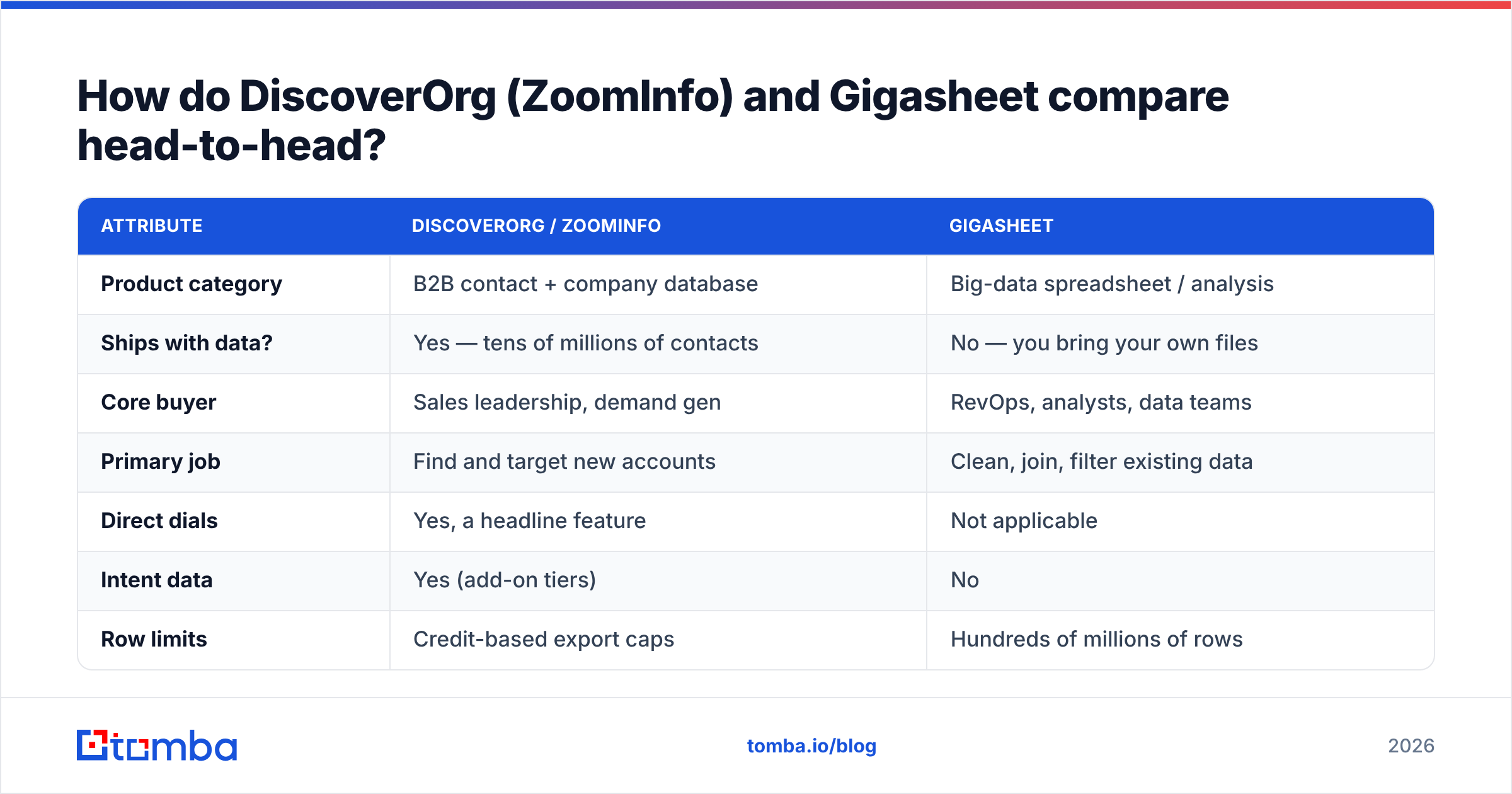
How do DiscoverOrg (ZoomInfo) and Gigasheet compare head-to-head?#
| Attribute | DiscoverOrg / ZoomInfo | Gigasheet |
|---|---|---|
| Product category | B2B contact + company database | Big-data spreadsheet / analysis |
| Ships with data? | Yes — tens of millions of contacts | No — you bring your own files |
| Core buyer | Sales leadership, demand gen | RevOps, analysts, data teams |
| Primary job | Find and target new accounts | Clean, join, filter existing data |
| Direct dials | Yes, a headline feature | Not applicable |
| Intent data | Yes (add-on tiers) | No |
| Row limits | Credit-based export caps | Hundreds of millions of rows |
| Free tier | Limited trial, sales-gated | Yes, self-serve free plan |
| Pricing model | Annual contract, seat minimums | Self-serve monthly/annual tiers |
| Typical annual spend | Five figures and up | Hundreds to low thousands |
| Contract friction | Demo required, negotiated | Sign up with a credit card |
| Best at | Net-new account discovery | Making messy data usable |
The table makes the verdict obvious: there is no head-to-head winner because there is no head-to-head. The useful comparison is DiscoverOrg vs other data providers, and Gigasheet vs other analysis tools.
Which one should you buy for your situation?#
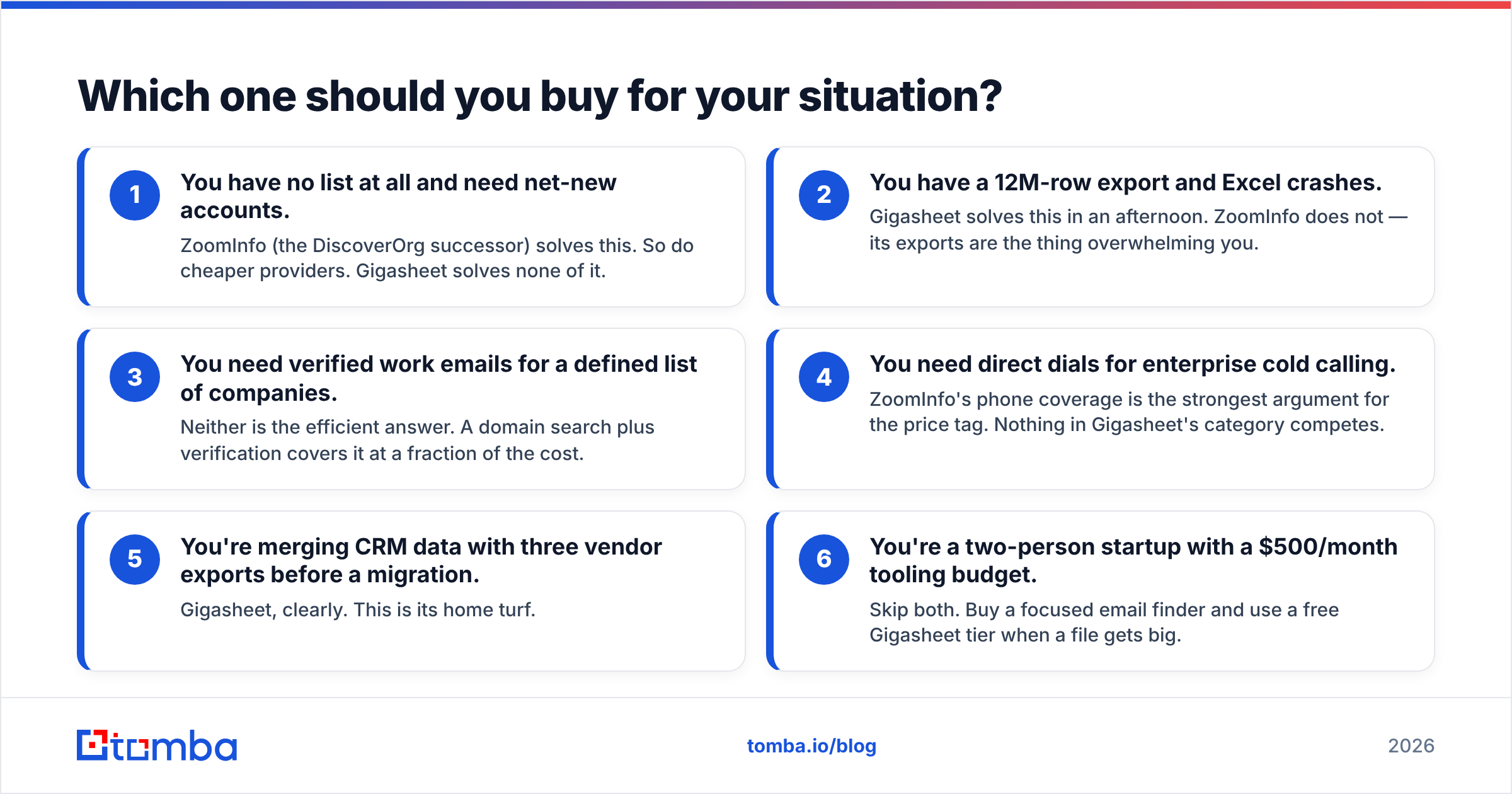
Rather than a single winner, match the tool to the constraint you're actually hitting:
- You have no list at all and need net-new accounts. ZoomInfo (the DiscoverOrg successor) solves this. So do cheaper providers. Gigasheet solves none of it.
- You have a 12M-row export and Excel crashes. Gigasheet solves this in an afternoon. ZoomInfo does not — its exports are the thing overwhelming you.
- You need verified work emails for a defined list of companies. Neither is the efficient answer. A domain search plus verification covers it at a fraction of the cost.
- You need direct dials for enterprise cold calling. ZoomInfo's phone coverage is the strongest argument for the price tag. Nothing in Gigasheet's category competes.
- You're merging CRM data with three vendor exports before a migration. Gigasheet, clearly. This is its home turf.
- You're a two-person startup with a $500/month tooling budget. Skip both. Buy a focused email finder and use a free Gigasheet tier when a file gets big.
What does each one actually cost in 2026?#
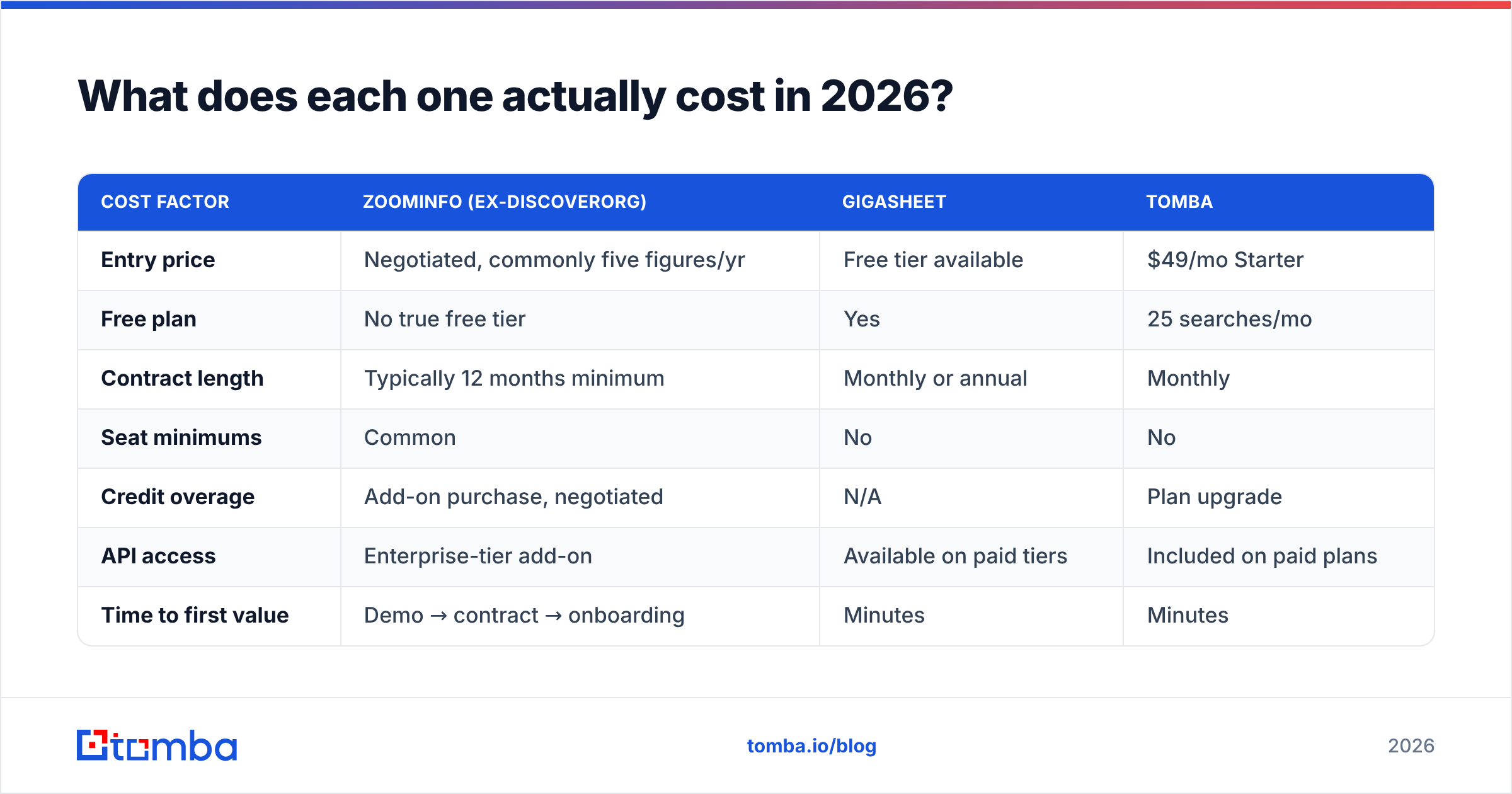
ZoomInfo does not publish pricing. Everything public comes from buyer reports on G2, procurement forums, and renewal war stories — so treat the numbers below as directional ranges, not a rate card.
| Cost factor | ZoomInfo (ex-DiscoverOrg) | Gigasheet | Tomba |
|---|---|---|---|
| Entry price | Negotiated, commonly five figures/yr | Free tier available | $49/mo Starter |
| Free plan | No true free tier | Yes | 25 searches/mo |
| Contract length | Typically 12 months minimum | Monthly or annual | Monthly |
| Seat minimums | Common | No | No |
| Credit overage | Add-on purchase, negotiated | N/A | Plan upgrade |
| API access | Enterprise-tier add-on | Available on paid tiers | Included on paid plans |
| Time to first value | Demo → contract → onboarding | Minutes | Minutes |
Three things buyers consistently underestimate on the ZoomInfo side:
- Seat math. Prices scale with users, not just credits. Adding four SDRs mid-year is a mid-year invoice.
- Export caps. Credits gate how much data actually leaves the platform, which is separate from what you can view.
- Auto-renewal terms. Read the notice window. This is the single most common complaint in public reviews.
On the Gigasheet side, the trap is different: it's cheap to start, and it's easy to conclude you've solved your data problem when you've only solved your file size problem. Clean garbage is still garbage.

Is a full platform overkill for what you're doing?#
Ask three questions before signing anything with a negotiated price:
How many accounts do you actually work per quarter? If the answer is under 2,000, you're paying platform prices for list-sized needs. Enterprise data platforms are priced for teams burning through tens of thousands of records.
Do you need discovery, or just contact details? Discovery means "show me companies I've never heard of that match this profile." Contact details means "I know the company, I need the right person's email." The second job costs a fraction of the first. Most SMB and mid-market teams think they need discovery and actually need contact details — their ICP list already exists in a spreadsheet somewhere.
How stale is the data by the time you use it? Every provider's database decays. B2B contact data degrades meaningfully every year as people change jobs. That's why a real-time email verifier step matters more than raw database size. A 200M-record database with a 20% bounce rate is worse than a 40M-record database you verify at send time.
Where does an email finder fit between these two?#
In the gap both tools leave open.
Here's a stack that covers most of what a DiscoverOrg-plus-Gigasheet combo does, at a fraction of the cost, for teams that aren't doing enterprise ABM:
- Target list — Build it from your CRM, LinkedIn, conference attendee pages, or a niche database. This is the step teams overpay for.
- Contact discovery — Run domain search against each target company to pull the people who match your buyer titles, or use the bulk email finder if you already have first/last/company triples.
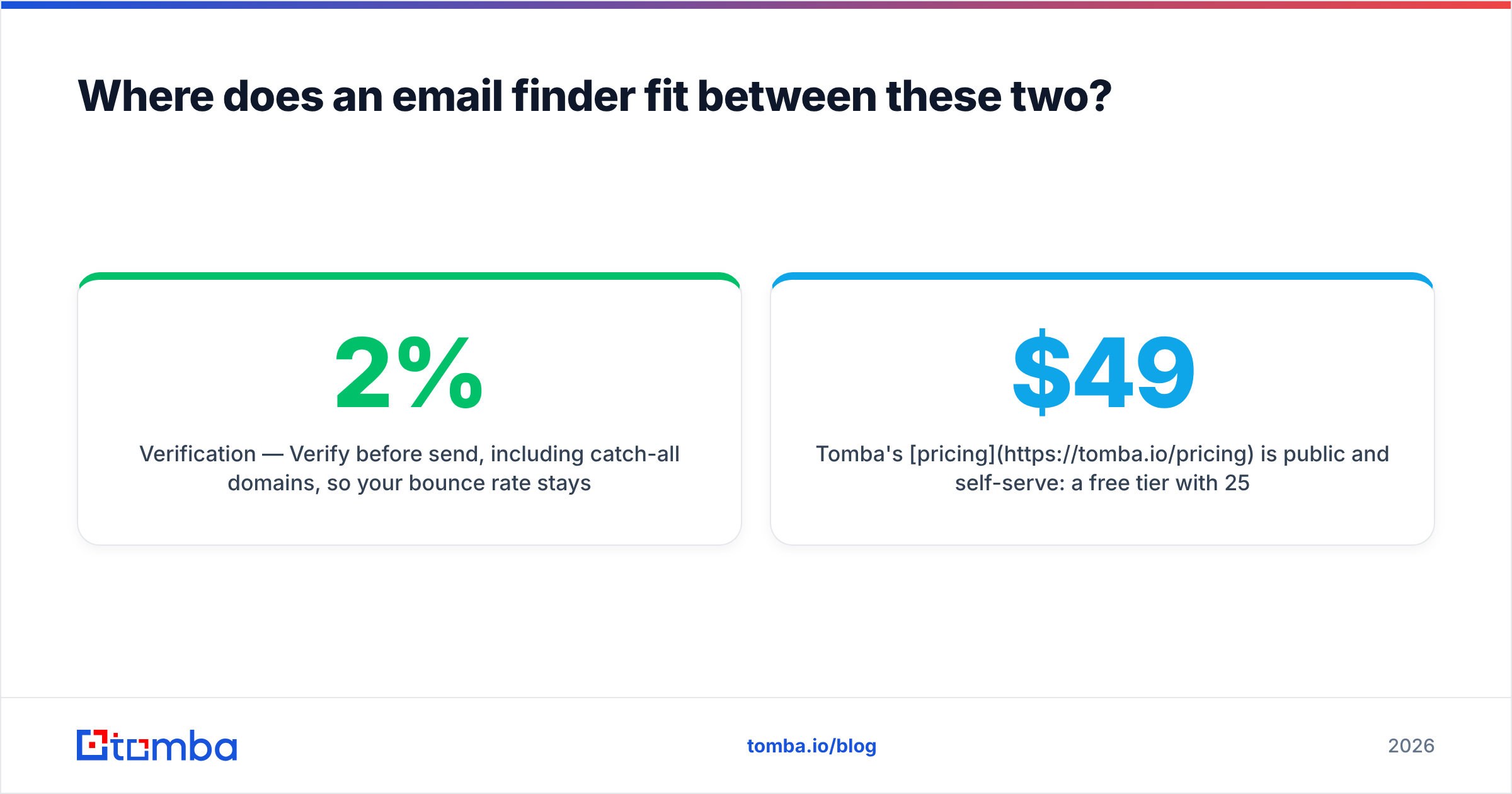
- Verification — Verify before send, including catch-all domains, so your bounce rate stays under 2%.
- Enrichment — Layer job title, seniority, and company firmographics via data enrichment so your segmentation actually works.
- Analysis — When the resulting file gets past a few million rows, that's exactly when Gigasheet's free tier earns its place. Use it for the joins and dedupes.
Tomba's pricing is public and self-serve: a free tier with 25 searches per month, Starter at $49/mo, Growth at $99/mo, Pro at $249/mo, and Enterprise for custom volume. No demo gate, no seat minimum, no auto-renew clause to negotiate out of.
To be fair to the alternatives: if you need verified direct dials at scale for enterprise cold calling, ZoomInfo's phone coverage is legitimately hard to replicate cheaply. And if you want a pay-as-you-go list purchase without a subscription at all, providers like BookYourData occupy a genuinely different and useful niche. The point isn't that one vendor wins everything — it's that most teams buy a platform when they needed a component.
What mistakes do teams make with this stack?#
Buying discovery when you needed delivery. The most expensive line item in most sales-tooling budgets is a database bought to solve a deliverability problem. If your emails bounce, more records won't help — verification will.
Treating row count as data quality. "300M contacts" is a marketing number. What matters is coverage of your ICP and freshness of those records. Test both against a sample of 100 companies you know well before you sign.
Skipping the sample test entirely. Any vendor worth buying will let you test against a real list. Pull 100 companies from your pipeline, request emails for a specific role at each, and measure: match rate, bounce rate on send, and how many contacts had left the company. Run the same 100 through every vendor on your shortlist. That single afternoon is worth more than every review site combined.
Assuming Gigasheet replaces a data engineer. It replaces Excel's ceiling, not a warehouse strategy. If you need scheduled, governed, versioned pipelines, you need actual data infrastructure.
Forgetting the exit. Ask how you export your data if you cancel, and in what format. Some platforms make leaving expensive by design.
So what's the verdict on DiscoverOrg vs Gigasheet?#
They don't compete, and the framing is the problem. DiscoverOrg is now ZoomInfo — a premium sourcing platform priced for teams with real headcount and a real ABM motion. Gigasheet is an analysis workbench with a free tier that makes oversized files usable by non-engineers. Buying one because you compared it to the other is how tooling budgets get wasted.
If your bottleneck is finding the right people at companies you've already identified — which is the actual bottleneck for most teams under 50 reps — neither product is aimed at you. You need accurate, verified contact data on demand, priced per use, without a procurement cycle.
That's what the Tomba Email Finder does. Give it a name and a domain, or just a domain, and get verified professional emails back with a confidence score and the sources behind each result. Start on the free tier at 25 searches a month, test it against the same 100 companies you'd test any enterprise vendor with, and only upgrade when the match rate proves itself. If it holds up, $49/mo replaces a line item that costs some teams more per month than their entire CRM.
Related guides#
Ready to find emails that actually work?
Join 150,000+ professionals who stopped guessing and started sending. Free credits on signup — no credit card required.
Get the Tomba newsletter
Practical outbound tactics and product updates — once every two weeks.
About the author