DiscoverOrg vs Lusha 2026: Which B2B Data Tool Wins?
DiscoverOrg (now ZoomInfo) and Lusha sit at opposite ends of the B2B data market — enterprise contract vs self-serve credits. Here's the honest cost, coverage, and accuracy breakdown.
TL;DR
- DiscoverOrg no longer exists as a standalone product. It merged with ZoomInfo in 2019 and its data now ships inside ZoomInfo SalesOS — so "DiscoverOrg vs Lusha" is really "enterprise ZoomInfo contract vs Lusha's self-serve credits."
- Lusha wins on speed to value: free tier, card-on-file signup, a Chrome extension that works on LinkedIn in about four seconds. DiscoverOrg/ZoomInfo wins on org charts, intent data, and technographics you cannot get anywhere else at that depth.
- Pricing gap is brutal. Lusha lands around $36–$79 per user per month; ZoomInfo's DiscoverOrg-lineage tiers typically start near $15,000/year and climb fast with seats and credits.
- Neither is the right first purchase for a team under ten reps. A focused email finder plus verification covers 80% of the job at 5% of the cost.
- Accuracy is the real tiebreaker: both decay, both need re-verification, and neither guarantees a valid inbox at send time.
What happened to DiscoverOrg, and does it still exist?#
DiscoverOrg was acquired by — and then merged into — ZoomInfo. The deal closed in 2019, ZoomInfo took the public-facing brand, and the DiscoverOrg dataset became the human-verified backbone of what is now sold as ZoomInfo SalesOS. If a rep on your team says "we use DiscoverOrg," they almost certainly mean a ZoomInfo contract with the legacy DiscoverOrg org-chart and technographic modules attached.
This matters for your evaluation. You cannot buy DiscoverOrg by itself, you cannot get its pricing published anywhere, and every quote runs through a sales cycle with a demo, a scoping call, and an annual commitment. Lusha is the opposite: you sign up, you get 50 free credits, you start pulling contacts the same afternoon.
So the honest framing of DiscoverOrg vs Lusha in 2026 is not "which database is bigger." It is: do you need a research-grade account intelligence platform with a procurement process, or do you need contact records fast and cheap?

How do DiscoverOrg and Lusha actually differ?#
The two tools were built for different buyers and it shows in every design decision.
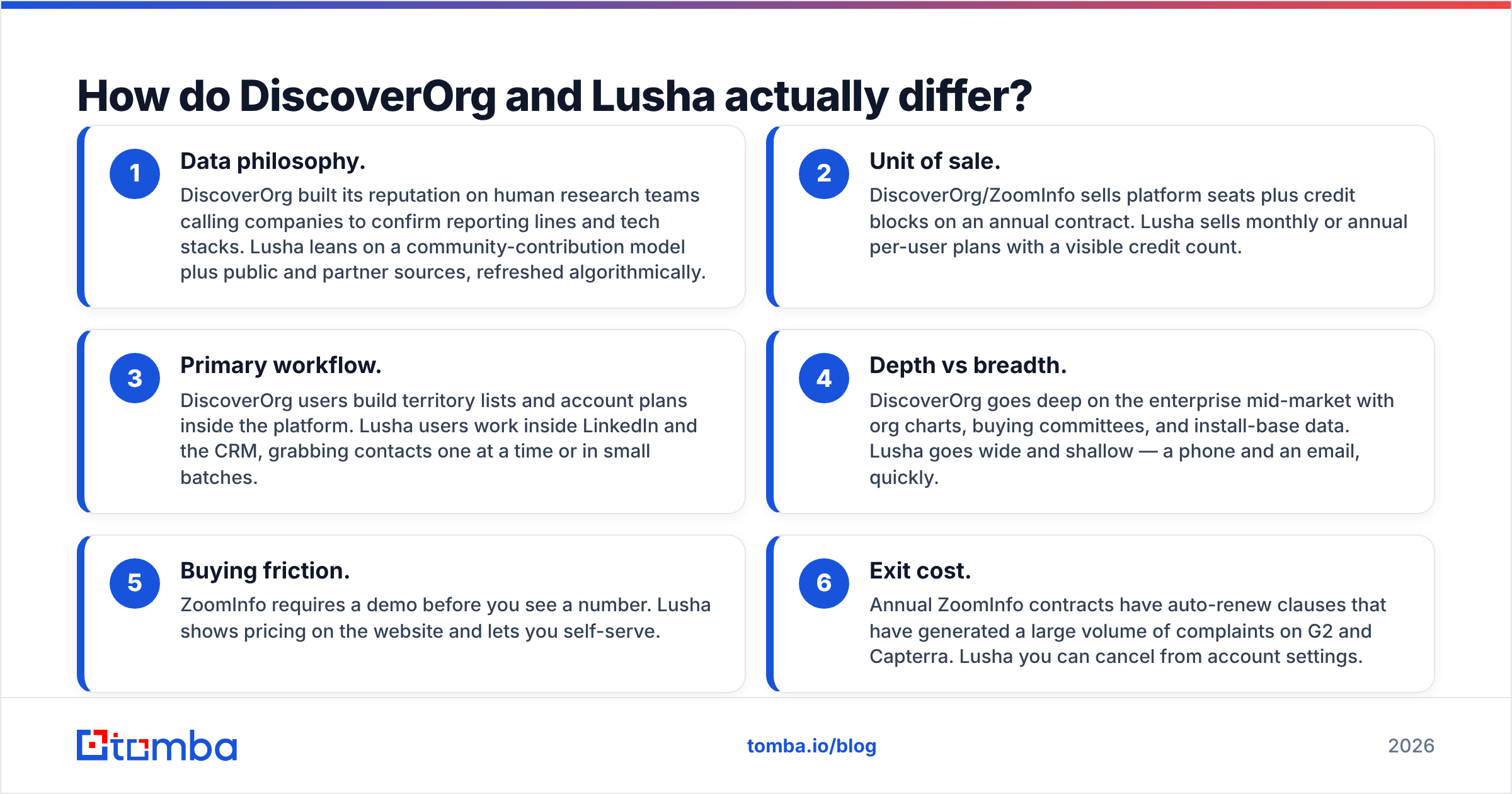
- Data philosophy. DiscoverOrg built its reputation on human research teams calling companies to confirm reporting lines and tech stacks. Lusha leans on a community-contribution model plus public and partner sources, refreshed algorithmically.
- Unit of sale. DiscoverOrg/ZoomInfo sells platform seats plus credit blocks on an annual contract. Lusha sells monthly or annual per-user plans with a visible credit count.
- Primary workflow. DiscoverOrg users build territory lists and account plans inside the platform. Lusha users work inside LinkedIn and the CRM, grabbing contacts one at a time or in small batches.
- Depth vs breadth. DiscoverOrg goes deep on the enterprise mid-market with org charts, buying committees, and install-base data. Lusha goes wide and shallow — a phone and an email, quickly.
- Buying friction. ZoomInfo requires a demo before you see a number. Lusha shows pricing on the website and lets you self-serve.
- Exit cost. Annual ZoomInfo contracts have auto-renew clauses that have generated a large volume of complaints on G2 and Capterra. Lusha you can cancel from account settings.
If your GTM motion is account-based selling into 500 named enterprise accounts, item 4 decides it for you. If you are running volume outbound into SMB and mid-market, items 2 and 5 decide it.
Which one is more accurate for emails and phone numbers?#
Both vendors publish accuracy numbers that are true under their own definitions and unhelpful in practice.
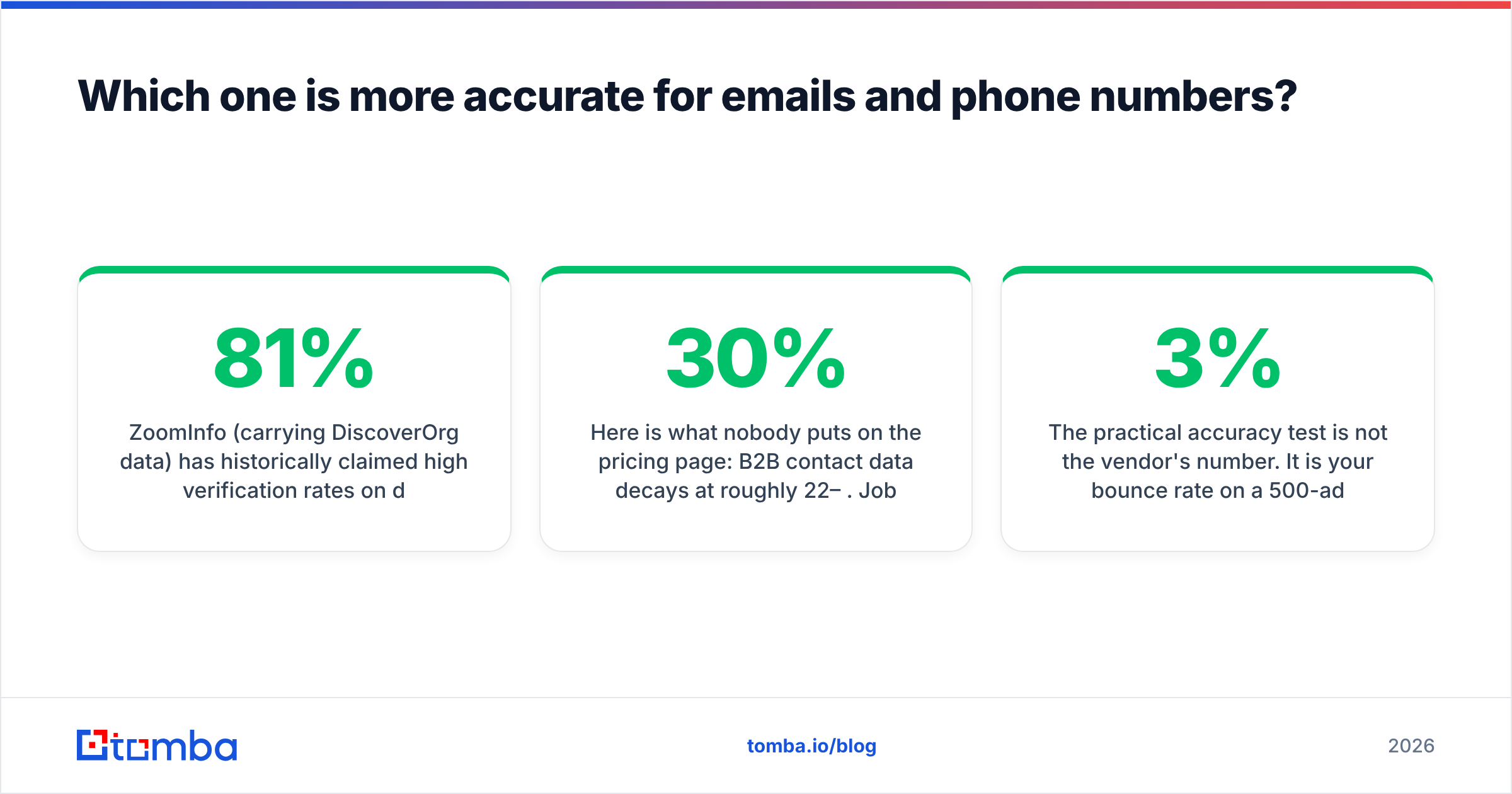
ZoomInfo (carrying DiscoverOrg data) has historically claimed high verification rates on direct dials, and its mobile coverage in North America is genuinely strong — that is the single feature enterprise SDR teams renew for. Lusha markets around 81% accuracy on contact data and is competitive on European mobile numbers, where ZoomInfo has thinner coverage.
Here is what nobody puts on the pricing page: B2B contact data decays at roughly 22–30% per year. Job changes, domain migrations, and mailbox retirements do not wait for your refresh cycle. Whatever you buy, a record pulled in January is meaningfully worse by June. That is why serious teams run a separate email verifier pass immediately before a send, regardless of the source database.
The practical accuracy test is not the vendor's number. It is your bounce rate on a 500-address sample from your actual ICP. Run that test during the trial, on both tools, with the same account list. Anything above a 3% hard-bounce rate will start damaging your sender reputation within two campaigns.
DiscoverOrg vs Lusha: full comparison table#
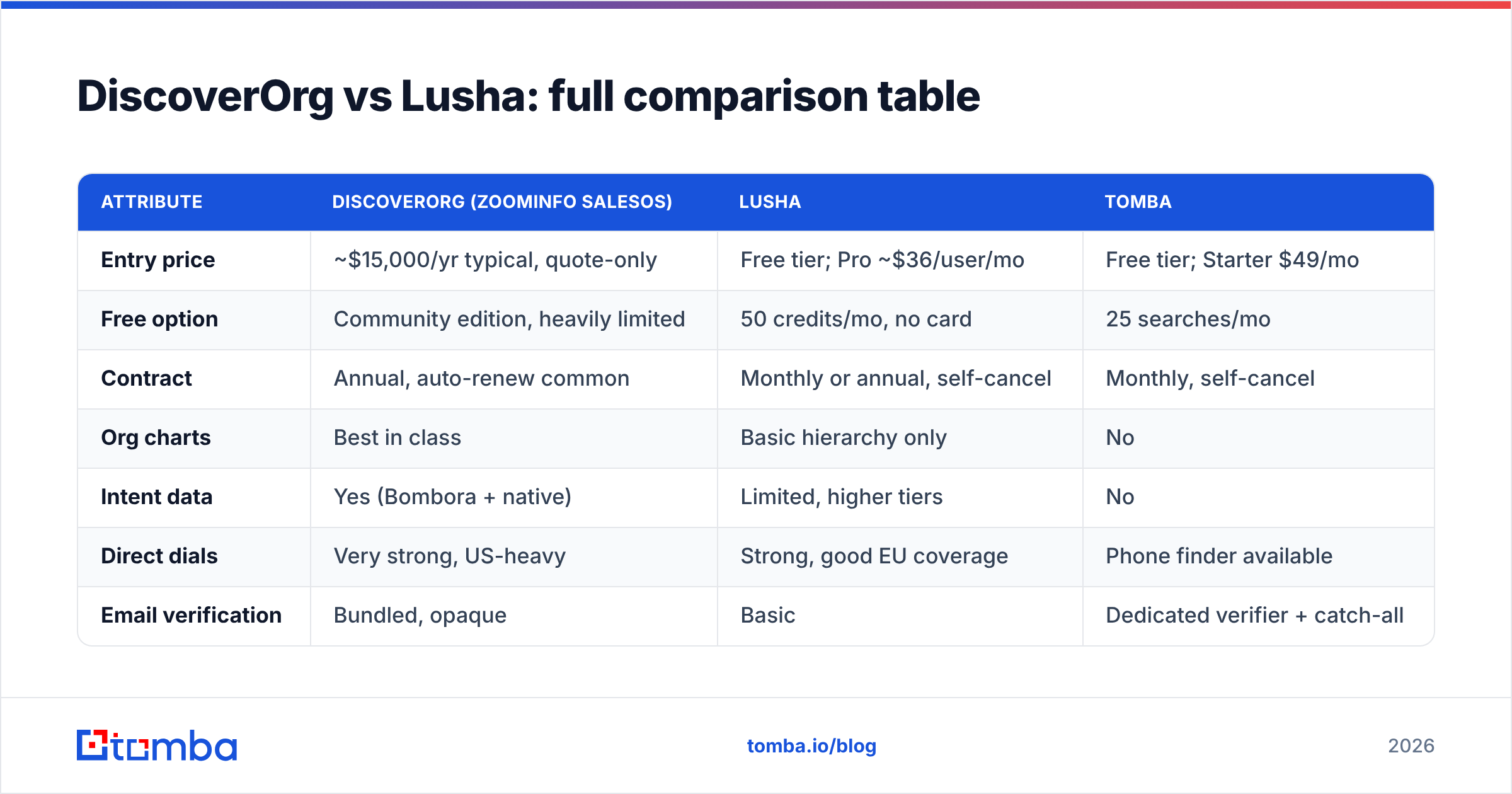
| Attribute | DiscoverOrg (ZoomInfo SalesOS) | Lusha | Tomba |
|---|---|---|---|
| Entry price | ~$15,000/yr typical, quote-only | Free tier; Pro ~$36/user/mo | Free tier; Starter $49/mo |
| Free option | Community edition, heavily limited | 50 credits/mo, no card | 25 searches/mo |
| Contract | Annual, auto-renew common | Monthly or annual, self-cancel | Monthly, self-cancel |
| Org charts | Best in class | Basic hierarchy only | No |
| Intent data | Yes (Bombora + native) | Limited, higher tiers | No |
| Direct dials | Very strong, US-heavy | Strong, good EU coverage | Phone finder available |
| Email verification | Bundled, opaque | Basic | Dedicated verifier + catch-all |
| Chrome extension | Yes | Yes, fastest of the three | Yes |
| API access | Enterprise add-on | Higher tiers only | All paid plans |
| Time to first contact | 2–6 weeks (sales cycle) | Under 10 minutes | Under 10 minutes |
| Best for | Enterprise ABM, 20+ seats | SMB/mid-market SDRs | Volume email discovery + verification |
Read the "time to first contact" row twice. For a lot of teams, a six-week procurement cycle to start prospecting is the actual dealbreaker, not the price.
What does each one really cost in 2026?#
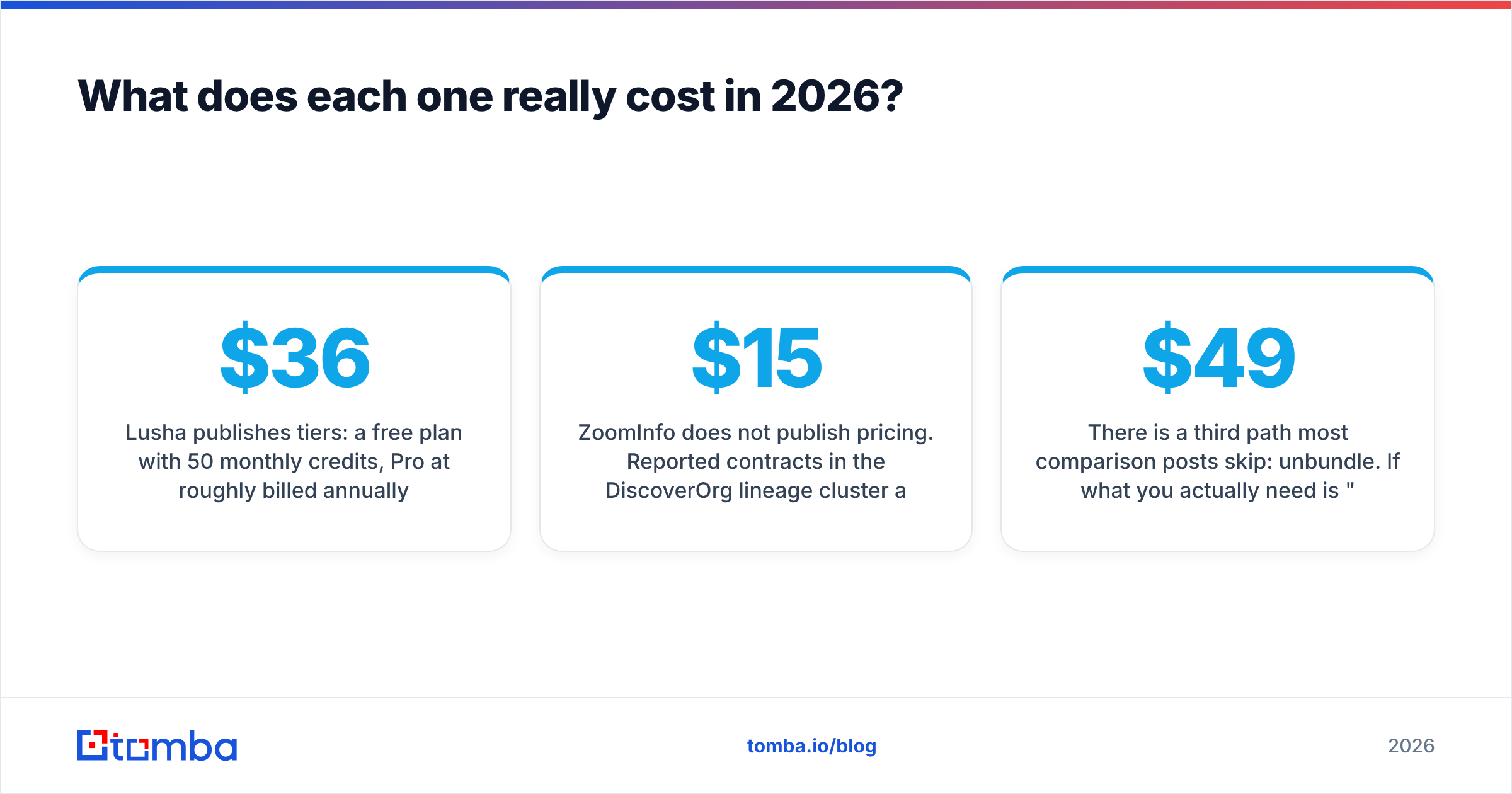
Lusha publishes tiers: a free plan with 50 monthly credits, Pro at roughly $36 per user per month billed annually, Premium around $59–$79, and a custom Scale tier. Credits are consumed per revealed contact, and phone numbers can cost more credits than emails on some plans — check the current terms on lusha.com before you model it out.
ZoomInfo does not publish pricing. Reported contracts in the DiscoverOrg lineage cluster around $15,000–$40,000 annually for a small team, with enterprise deployments running well into six figures. Add-ons that used to be DiscoverOrg's differentiators — org charts, technographics, intent — are frequently priced as separate modules. Budget for an implementation ramp and a CRM integration project on top.
The credit math is where teams get burned. A 5-rep team pulling 400 contacts a month each needs 24,000 credits a year. On Lusha's per-seat plans that is manageable. On an enterprise contract, credit overage pricing is where the renewal conversation gets uncomfortable.
There is a third path most comparison posts skip: unbundle. If what you actually need is "a valid work email for this person at this company," a dedicated email finder plus verification handles it for a fraction of either bill. Tomba pricing runs a free tier at 25 searches, Starter at $49/mo, Growth at $99/mo, and Pro at $249/mo — no annual lock, no demo gate. For teams that need firmographics too, BookYourData is a solid pay-as-you-go peer worth pricing alongside it.

Is DiscoverOrg better than Lusha for enterprise sales?#
Yes, if — and only if — you sell into complex buying committees and can prove the org-chart data changes your win rate.
DiscoverOrg's original value proposition was mapping who reports to whom inside a 3,000-person company, so an AE could sequence a multi-threaded deal correctly. That data is expensive to maintain because humans maintain it, and it is genuinely hard to replicate. If your average deal has seven stakeholders and a nine-month cycle, that map is worth real money.
Where it stops being worth it:
- Deal size under $20k ACV. The data cost per closed deal breaks the model.
- SMB targets. Org charts for a 40-person company are trivially discoverable on LinkedIn.
- Under 10 seats. You will pay enterprise pricing for a team-sized use case.
- Highly technical or niche verticals. Coverage thins outside mainstream B2B software, finance, and manufacturing.
Lusha inverts every one of those. Its weakness is exactly the enterprise depth ZoomInfo owns: you will not build a buying-committee map in Lusha, and its intent signals are thin compared to a full ABM stack. Research firms like Gartner consistently segment these tools this way — depth platforms and speed tools rarely serve the same buyer well.
What should you use if you only need emails?#
Most teams evaluating DiscoverOrg vs Lusha are over-buying. Audit what your reps actually use from the platform. In practice it is usually three things: a work email, sometimes a mobile, and a company domain lookup.
If that describes you, a focused stack costs a tenth as much:
- Find by domain. A domain search returns every discoverable address at a company plus the pattern it uses, so you can extrapolate to contacts the database never had.
- Enrich from LinkedIn. A LinkedIn finder turns a profile URL into a verified work address without a per-seat platform fee.
- Verify before you send. Run every address through verification, and use a catch-all verifier for the domains that accept everything — those are where blind sends quietly destroy deliverability.
- Automate it. A Tomba API key on any paid plan means enrichment runs in your own workflow instead of a rep's browser tab.
That stack will not tell you that the VP of Engineering reports to a CTO who joined last quarter. If you need that, buy ZoomInfo. If you need 4,000 verified addresses this month, do not.
How should you run the evaluation?#
Do not take the demo first. Do this instead:
- Build a 200-account ICP sample — real accounts you would actually prospect, not a vendor-supplied list.
- Trial both tools on the same sample. Lusha's free tier and a ZoomInfo trial both allow enough volume to be meaningful.
- Measure match rate, not database size. What percentage of your 200 accounts returned a usable contact at the right seniority?
- Measure bounce rate on a live send of 100 addresses from each. This is the number that matters.
- Price per usable contact. Total annual cost divided by contacts that matched, verified, and did not bounce. Compare that number, not the sticker price.
Teams that run this test frequently discover the enterprise platform wins on match rate but loses badly on cost per usable contact — and that a cheaper finder plus a verification layer beats both on the metric that pays the bills. It is also worth checking Capterra reviews for renewal and contract complaints before signing anything annual.
The verdict#
Buy ZoomInfo (the DiscoverOrg lineage) if you run account-based selling into enterprise, have 20+ seats, need org charts and intent data, and have budget approval for a five-figure annual line item. Nothing else replicates that depth.
Buy Lusha if you are an SMB or mid-market team that needs contacts today, wants transparent pricing, and works primarily inside LinkedIn and your CRM. It is the better tool for the majority of teams reading this.
Buy neither if your real requirement is volume email discovery. Start with a free tier, measure your bounce rate, and scale the spend only when the pipeline justifies it.
Ready to test the cheap path first? Tomba Email Finder gives you 25 free searches a month — enough to run the 200-account match-rate test above before you sit through a single enterprise demo. Find the addresses, verify them, send, and let your actual bounce rate decide which platform (if any) deserves your budget.
Related guides#
Ready to find emails that actually work?
Join 150,000+ professionals who stopped guessing and started sending. Free credits on signup — no credit card required.
Get the Tomba newsletter
Practical outbound tactics and product updates — once every two weeks.
About the author