DiscoverOrg vs Minelead: Which B2B Data Tool Wins in 2026?
DiscoverOrg (now ZoomInfo) and Minelead sit at opposite ends of the B2B data market — one costs five figures a year, the other starts free. Here's which one actually fits your team.
TL;DR
- DiscoverOrg no longer exists as a standalone product. It merged with ZoomInfo in 2019 and the brand was folded into ZoomInfo's platform — if a rep pitches you "DiscoverOrg," you're being sold a ZoomInfo contract.
- Minelead is a lightweight email-finder with a free tier, a Chrome extension, and a domain-search API. It is not a data platform, and it doesn't pretend to be.
- The two aren't really competitors. DiscoverOrg/ZoomInfo sells org charts, intent data, and technographics at $15K–$40K+/year. Minelead sells email lookups at hobbyist prices.
- Most teams comparing them are actually asking a different question: "do I need an enterprise data warehouse, or do I just need accurate emails?" For 80% of SMB and mid-market outbound teams, the answer is the second one.
- If you want verified emails without an annual contract, tools in the $49–$99/month band — Tomba, Findymail, BookYourData — hit the accuracy bar without the enterprise procurement cycle.
What happened to DiscoverOrg?#
DiscoverOrg was acquired by — and then merged with — ZoomInfo. The company announced the deal in 2019, kept both brands running briefly, and by 2021 had consolidated everything under the ZoomInfo name. Today "DiscoverOrg" is effectively a legacy search term. The underlying dataset lives inside ZoomInfo Copilot, SalesOS, and the various ZoomInfo API products.
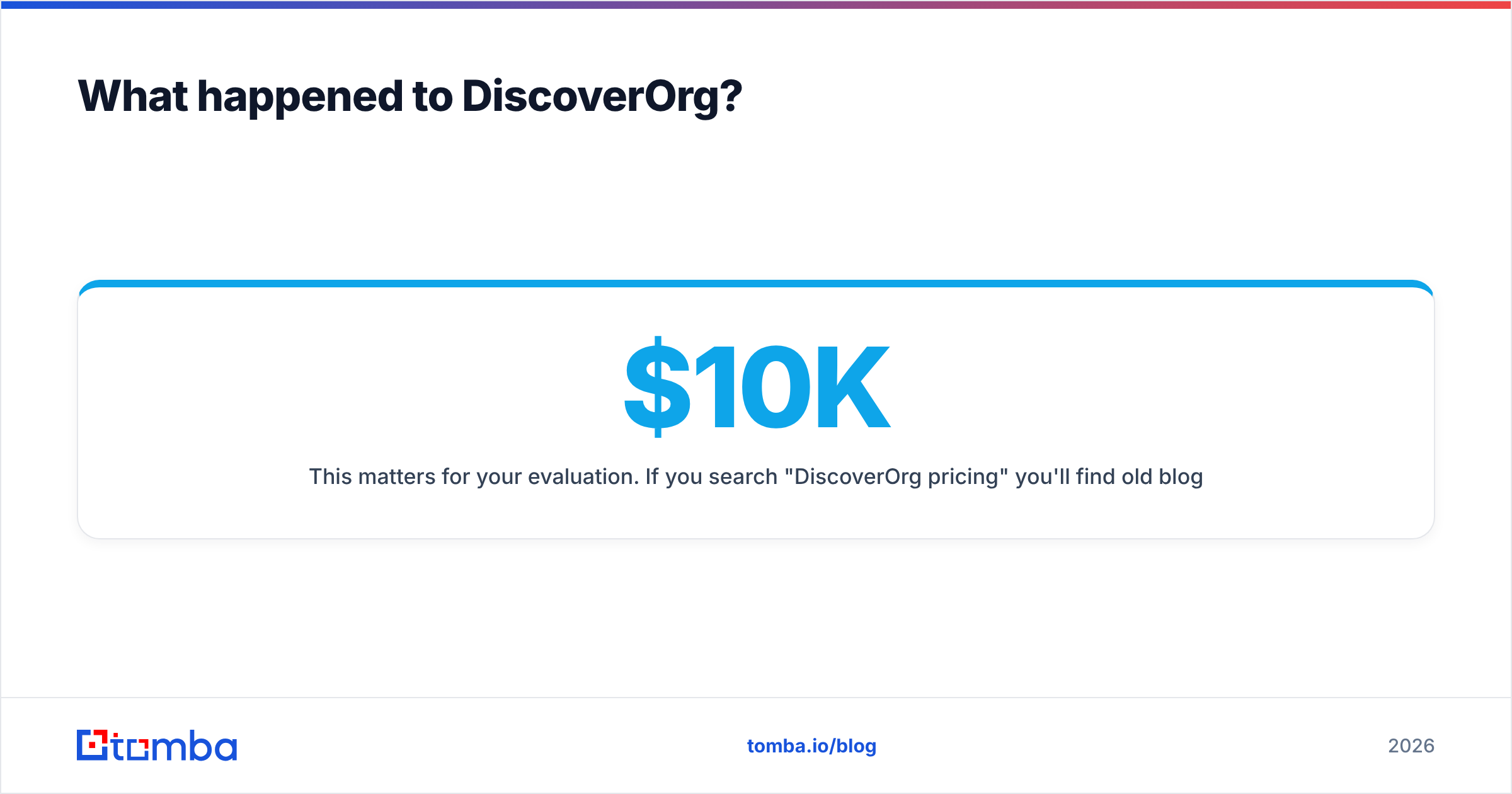
This matters for your evaluation. If you search "DiscoverOrg pricing" you'll find old blog posts quoting $10K–$25K annual contracts. Those numbers are stale. ZoomInfo's current model bundles seats, credits, and data modules, and mid-market contracts commonly land in the $20K–$40K/year range depending on how many of intent, technographics, scoops, and workflow automation you turn on. Public reviews on G2 consistently flag the same two things: the data depth is genuinely strong, and the contract terms are rigid.
What DiscoverOrg brought to that merger is still the differentiator: human-researched org charts, direct dials, and IT department mapping. It was never a bulk email tool. It was a research product for enterprise sellers who needed to know that the VP of Infrastructure at a 4,000-person manufacturer reports to a CIO who just replaced their ERP.

What is Minelead and who is it for?#
Minelead is an email-finding utility. You give it a domain, it returns the email addresses it has associated with that domain, plus a pattern guess. There's a browser extension, a bulk domain upload, a simple REST API, and a free tier that most casual users never exceed.
The positioning is honest: it's a lookup tool, not a go-to-market platform. There's no intent scoring, no org chart, no CRM-native workflow, no buying committee mapping. You're paying for a search box against a scraped-and-inferred email index.
That's a legitimate product category. Freelancers, agencies doing one-off list builds, recruiters sourcing candidate contacts, and founders sending their first 200 cold emails all need exactly that and nothing more. Where Minelead runs into trouble is volume and verification depth. Free-tier email indexes tend to be heavier on scraped public addresses (info@, contact@, support@) than on the individual, role-specific addresses that actually convert in outbound. And "found" is not the same as "deliverable" — you still need an email verifier in the loop before you send.
Is DiscoverOrg better than Minelead?#
Better at what? That's the honest framing, because these tools solve different problems.
DiscoverOrg/ZoomInfo wins decisively on:
- Org structure. Knowing who reports to whom, which is the whole point when your ACV justifies a six-person buying committee.
- Direct dials. Human-verified phone numbers are expensive to maintain and ZoomInfo maintains them.
- Intent and technographics. Signals about what a company is researching and what software it already runs.
- CRM depth. Native Salesforce and HubSpot sync with field-level mapping, dedupe rules, and enrichment on record creation.
- Compliance posture. Enterprise DPAs, GDPR/CCPA tooling, and the documentation your legal team will demand.
Minelead wins decisively on:
- Cost of entry. Free tier, no sales call, no annual commitment.
- Time to first result. Minutes, not a two-week procurement cycle.
- Simplicity. One input, one output. Nobody needs onboarding.
- API accessibility. A single endpoint you can wire into a script in an afternoon.
So the question isn't which is better. It's whether your motion needs a data platform or a data utility. If you sell $200K enterprise deals into named accounts, the DiscoverOrg lineage is worth the money. If you sell $500/month SaaS via volume outbound, you are paying for org charts you'll never open.
How do DiscoverOrg, Minelead, and the alternatives compare on price and coverage?#
Here's the practical comparison, including the middle-tier tools most teams end up choosing after they price out both extremes.
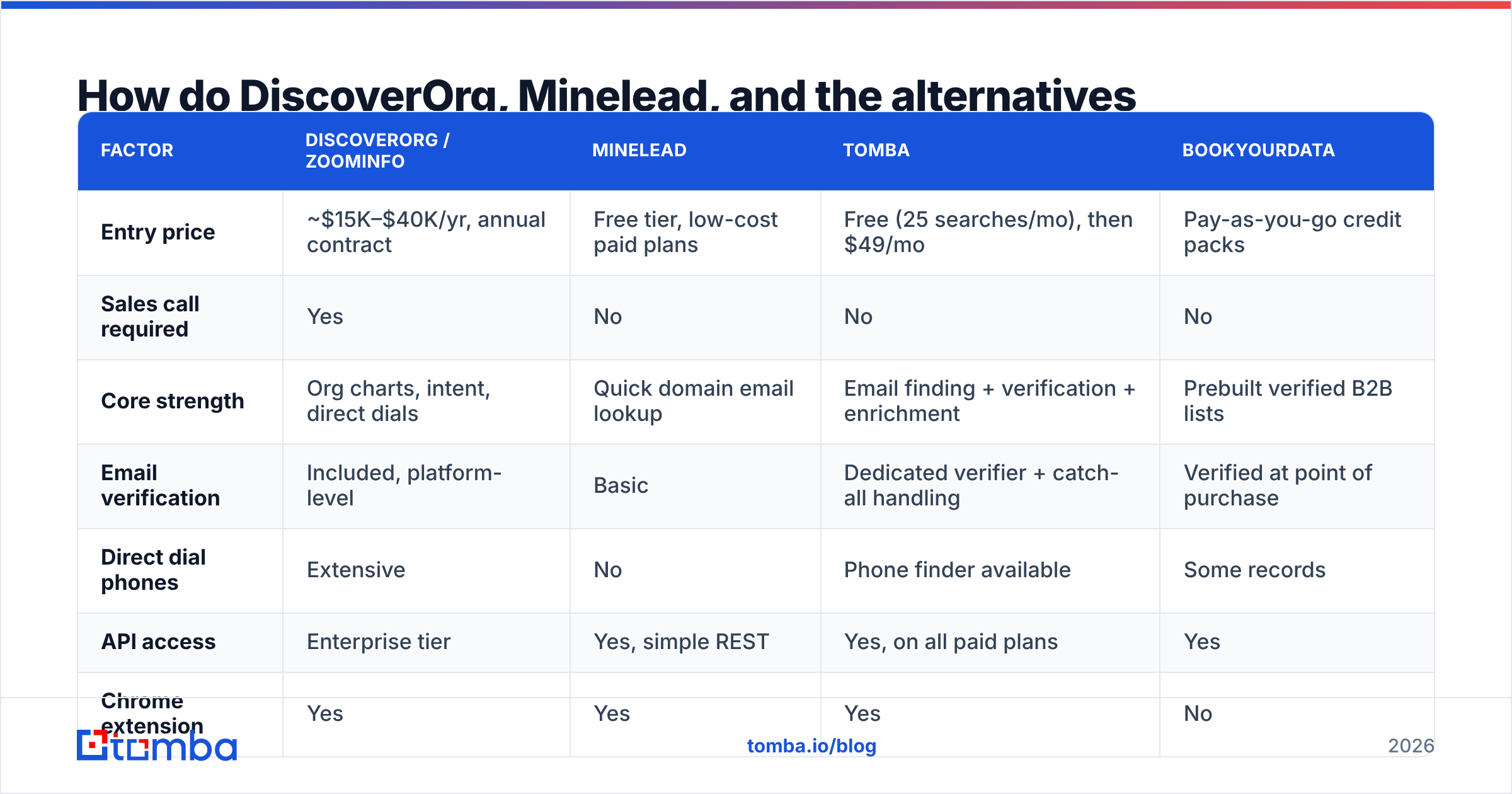
| Factor | DiscoverOrg / ZoomInfo | Minelead | Tomba | BookYourData |
|---|---|---|---|---|
| Entry price | ~$15K–$40K/yr, annual contract | Free tier, low-cost paid plans | Free (25 searches/mo), then $49/mo | Pay-as-you-go credit packs |
| Sales call required | Yes | No | No | No |
| Core strength | Org charts, intent, direct dials | Quick domain email lookup | Email finding + verification + enrichment | Prebuilt verified B2B lists |
| Email verification | Included, platform-level | Basic | Dedicated verifier + catch-all handling | Verified at point of purchase |
| Direct dial phones | Extensive | No | Phone finder available | Some records |
| API access | Enterprise tier | Yes, simple REST | Yes, on all paid plans | Yes |
| Chrome extension | Yes | Yes | Yes | No |
| Bulk processing | Yes, large scale | Limited | Yes, bulk finder + verifier | Native (list export) |
| Contract flexibility | Rigid, annual | Month-to-month | Month-to-month | No subscription needed |
| Best fit | Enterprise ABM teams | Solo users, light usage | SMB/mid-market outbound | Teams buying ready-made lists |
Two things jump out. First, the price gap between the enterprise tier and everything else is roughly 20x — that's not a feature gap, it's a business-model gap. Second, the middle of that table is where most teams actually land, because they need verified, individual email addresses at volume and nothing above that.
BookYourData deserves a specific mention here because it solves a different shape of the problem: instead of searching one domain at a time, you filter a pre-verified database by title, industry, and geography and export the list. If your bottleneck is "I need 5,000 verified marketing directors in DACH by Friday," that's a cleaner path than either a $30K contract or a free lookup tool.
What about data accuracy — does the price gap buy you better emails?#
Partly, and less than you'd expect on the email field specifically.
Enterprise platforms buy their accuracy advantage in three places: human research teams, contributory networks (users sync their inboxes, the platform learns), and refresh cadence. That advantage is real for phone numbers, job titles, and org structure — fields that decay fast and are hard to infer.
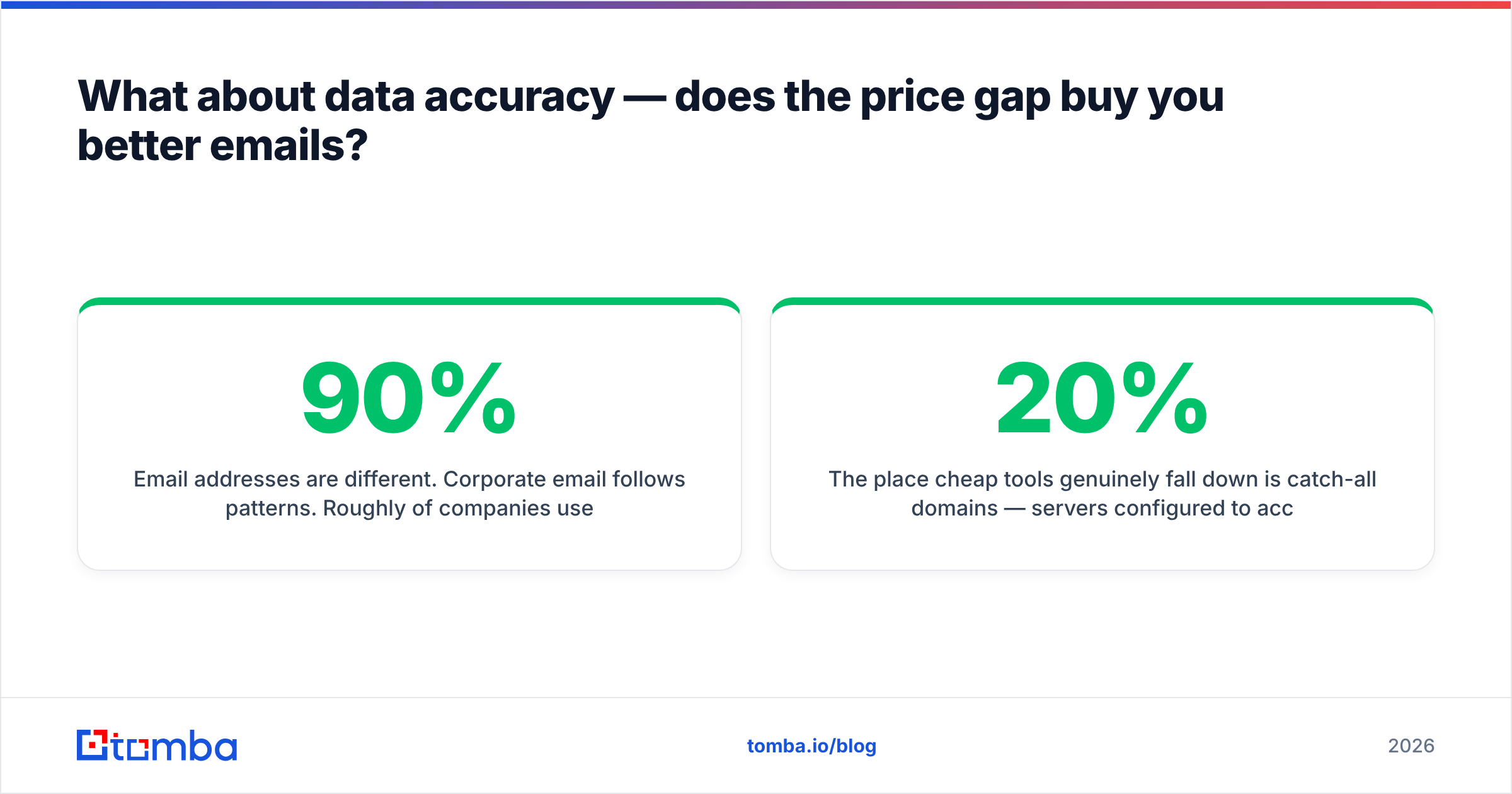
Email addresses are different. Corporate email follows patterns. Roughly 90% of companies use one of a handful of formats: first.last@, flast@, first@, or firstl@. A good finder identifies the domain pattern, generates the candidate, and then verifies it via SMTP. That process doesn't require a $30K contract — it requires a solid pattern database and a verification engine that handles catch-all domains without guessing.

The place cheap tools genuinely fall down is catch-all domains — servers configured to accept mail at any address, which makes standard SMTP verification return "valid" for addresses that don't exist. Somewhere between 20% and 30% of B2B domains are catch-all. If your tool marks all of those as valid, your reported 98% accuracy is fiction and your bounce rate will tell you so. This is why a dedicated catch-all verifier matters more to deliverability than another 50 million records in the database.
Practical test before you commit to anything: take 100 contacts you already know are correct, run them through each tool, and measure. Vendor-published accuracy numbers are marketing. Your own list is evidence.

When should you pay enterprise prices?#
There are four honest triggers. If none apply, you're overbuying.
- Your ACV is above $50K. At that deal size, one closed deal pays for the year. The math stops being an argument.
- You sell into large, multi-stakeholder orgs. If a deal requires mapping seven people across three departments, org chart data is the product you're buying — not emails.
- Phone is a primary channel. Verified direct dials are the single hardest data type to source cheaply. If your SDRs live on the phone, this is where the money goes.
- Intent data drives your account prioritization. If you have a mature ABM motion that routes accounts based on surge signals, you need a platform that produces those signals.
Notice that "we need lots of email addresses" isn't on the list. Volume email sourcing is the most commoditized part of the B2B data stack — it's the field where a $49/month tool and a $30K/year platform produce the most similar output.

What's the practical middle path?#
Unbundle. The enterprise platforms sell you eight capabilities in one contract; most teams use three. Buy the three.
A typical unbundled stack for a mid-market outbound team:
- Contact discovery — an email finder with domain search and a browser extension, so reps can source from LinkedIn or a company site in two clicks.
- Verification — a dedicated verifier with real catch-all handling, run as a mandatory step before any list enters your sequencer.
- Enrichment — data enrichment on inbound leads and CRM records so your routing and scoring have real firmographics to work with.
- Sequencing — whatever sending tool you already use. This is not the layer to consolidate on.
- Phone (optional) — a phone finder if calling is part of the motion, bought separately rather than bundled.
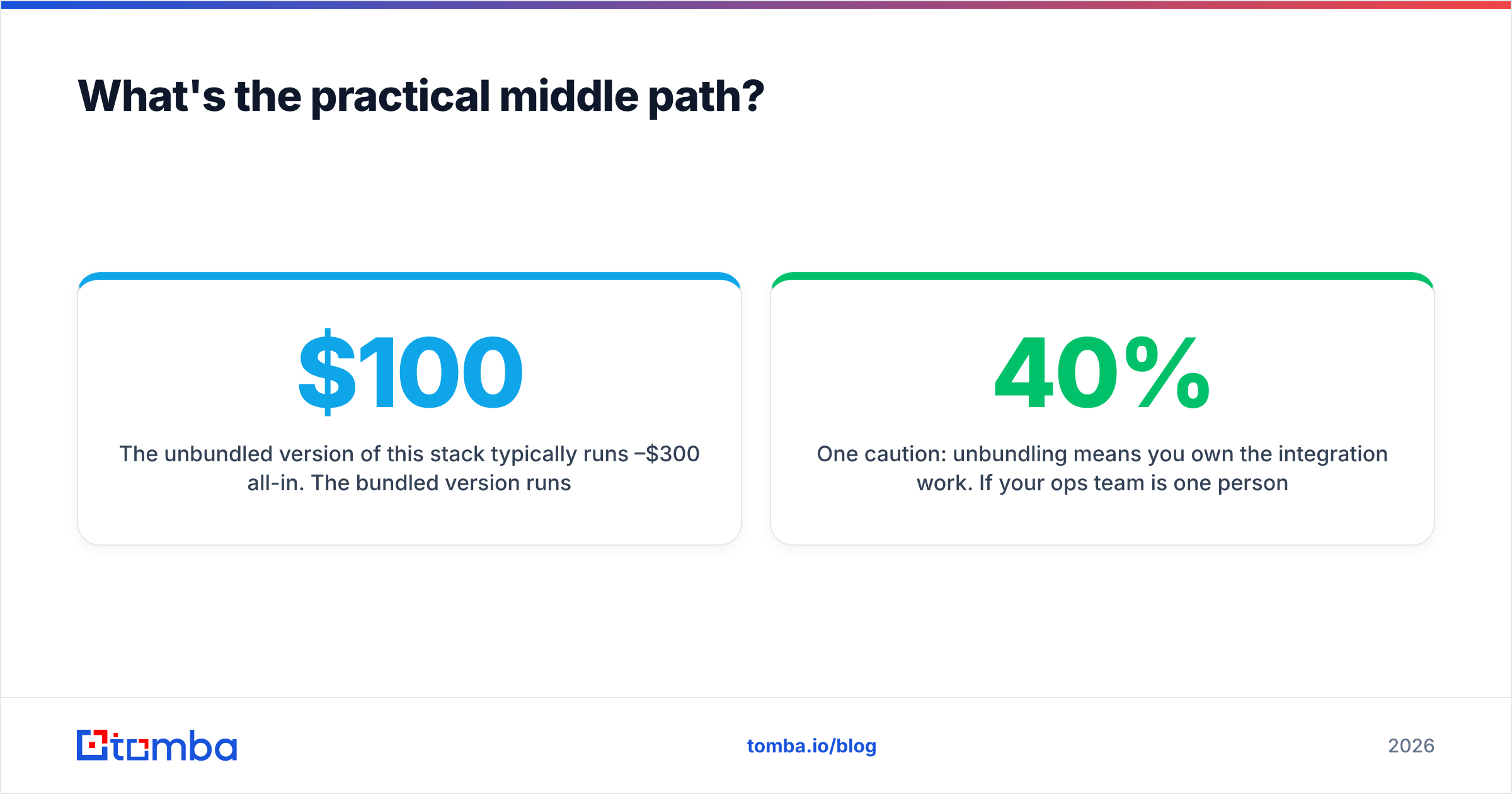
The unbundled version of this stack typically runs $100–$300/month all-in. The bundled version runs $1,500–$3,500/month. The difference is intent data, org charts, and a customer success manager — real things, just not things every team needs.
One caution: unbundling means you own the integration work. If your ops team is one person at 40% capacity, the bundled platform's native CRM sync has genuine value. Price your own time honestly.
How do you actually run the evaluation?#
Do this in a week, not a quarter.
Day 1 — Build the truth set. Pull 100 contacts from closed-won deals where you know the email is correct. Include a mix of company sizes and at least 20 contacts at domains you know are catch-all.
Day 2–3 — Run every candidate tool against it. Measure three numbers: match rate (how many it found), accuracy (how many matched your known-correct address), and false-positive rate (how many it marked valid that weren't). The third number is the one vendors don't publish and the one that determines your bounce rate.
Day 4 — Test the workflow, not the data. Can a rep go from LinkedIn profile to verified email to CRM record without leaving the browser? Count the clicks. A tool with 5% better accuracy and triple the friction loses in practice, because reps route around friction.
Day 5 — Price the real usage. Take your actual monthly contact volume, not the vendor's suggested tier. Check overage rates. Check whether credits roll over. Check whether a failed lookup burns a credit — some tools charge for misses, which quietly doubles your effective cost.
Compare the totals against published Tomba pricing and the equivalent tiers elsewhere. If the enterprise quote doesn't beat the unbundled stack by more than its price premium on the metrics that matter to your motion, the answer is obvious.
The verdict#
DiscoverOrg vs Minelead is a comparison between a discontinued enterprise brand and a lightweight lookup utility, which means neither is the right default for most buyers.
If you need org charts, intent, and direct dials at enterprise scale, go to ZoomInfo directly and negotiate hard — ask about multi-year discounts, credit rollover, and what happens to your data access at renewal. If you need a handful of emails a month with zero commitment, Minelead's free tier does the job.
But if you're running real outbound — a few thousand verified contacts a month, a sequencer, a CRM, and a bounce rate you have to defend — neither extreme fits. You want a tool that finds individual business emails accurately, verifies them properly including on catch-all domains, and doesn't require a procurement process.
Start with the Tomba Email Finder. The free tier gives you 25 searches a month to run your own accuracy test — use your real truth set, not a demo list — and paid plans start at $49/month with domain search, bulk processing, catch-all verification, and full API access included. Run the seven-day evaluation above against it and whatever else is on your shortlist. Let the bounce rate pick the winner.
Related guides#
Ready to find emails that actually work?
Join 150,000+ professionals who stopped guessing and started sending. Free credits on signup — no credit card required.
Get the Tomba newsletter
Practical outbound tactics and product updates — once every two weeks.
About the author