DiscoverOrg vs Nymeria: Which B2B Data Tool Wins in 2026
DiscoverOrg no longer exists as a standalone product, and Nymeria plays a very different game. Here is the honest comparison of coverage, pricing, contracts, and who each one actually fits in 2026.
DiscoverOrg vs Nymeria is a fair question with an odd answer. One of these tools no longer exists on its own. The other is far smaller than most buyers expect. Here is the plain version.
TL;DR
- DiscoverOrg vs Nymeria is not a fair fight. You cannot buy DiscoverOrg today. It merged with ZoomInfo in 2019, and the brand was folded in. So "DiscoverOrg pricing" now means ZoomInfo pricing: yearly deals, seat minimums, five-figure spend.
- Nymeria sits at the far end of that market. It is a light people-search and contact lookup tool. You get a LinkedIn add-on, monthly plans, and an API. No sales call. No yearly lock-in.
- They are not true rivals. One is a large sales data platform with intent data and org charts. The other looks up one contact at a time.
- Want DiscoverOrg-grade company data? You will pay top rates for it. Just need verified work emails at volume? A focused email finder with usage-based pricing is cheaper and faster.
- Our pick for most small and mid-size outbound teams: skip both ends. Pay for accurate contact data you can meter. Think $49 a month, not $25,000 a year.
What happened to DiscoverOrg?#
DiscoverOrg was one of the first big B2B data vendors. It was known for hand-checked org charts, IT install data, and deep coverage of tech buying teams. In 2019 it bought Zoom Information. The merged company then took the name ZoomInfo. The DiscoverOrg product name was retired.
That matters if you are shopping now. A rep may offer to sell you "DiscoverOrg." What you would sign is a ZoomInfo Copilot or SalesOS deal. The old research habits live on inside ZoomInfo. Analysts still call firms to confirm who reports to whom. But the packaging, the price, and the terms are ZoomInfo's.
So DiscoverOrg vs Nymeria is really one big suite against one self-serve tool. See that gap first, and you avoid a bad buy in either direction.
What is Nymeria and who is it for?#
Nymeria is a contact tool built around people search. Give it a LinkedIn profile, a name plus company, or an old record. It hands back a work email, a personal email, a phone, and social links. It ships as a browser add-on, a web app with bulk lookups, and an API.
Its users are recruiters, solo founders, agency prospectors, and developers. They want quick lookups with no buying process. Plans are monthly. Credits are the unit you spend. You can cancel without talking to anyone. The first paid tier has sat near $39–$49 a month, based on credit volume. Check the pricing page yourself, because self-serve tools change tiers often.
What Nymeria skips is just as clear. No company filters at scale. No intent signals. No org charts. No tech install data. No CRM workflow with territory rules. It is a lookup layer, not a go-to-market platform.

DiscoverOrg vs Nymeria: how do they compare?#
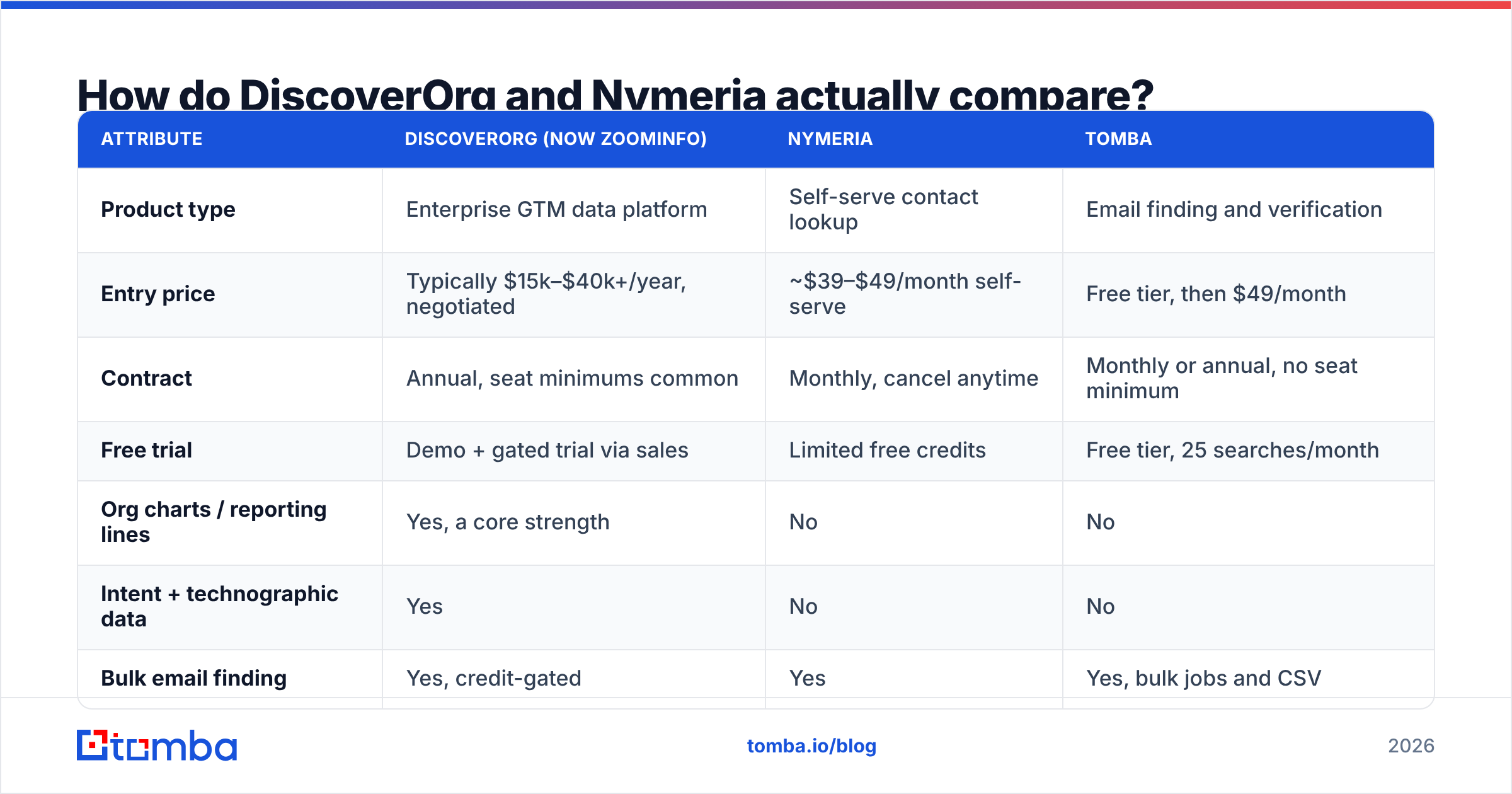
Here is the head-to-head on the traits that swing a buying choice. The ZoomInfo figures reflect common market ranges, not a public rate card. Big data deals are negotiated, not listed.
| Attribute | DiscoverOrg (now ZoomInfo) | Nymeria | Tomba |
|---|---|---|---|
| Product type | Enterprise GTM data platform | Self-serve contact lookup | Email finding and verification |
| Entry price | Typically $15k–$40k+/year, negotiated | ~$39–$49/month self-serve | Free tier, then $49/month |
| Contract | Annual, seat minimums common | Monthly, cancel anytime | Monthly or annual, no seat minimum |
| Free trial | Demo + gated trial via sales | Limited free credits | Free tier, 25 searches/month |
| Org charts / reporting lines | Yes, a core strength | No | No |
| Intent + technographic data | Yes | No | No |
| Bulk email finding | Yes, credit-gated | Yes | Yes, bulk jobs and CSV |
| Email verification included | Yes | Partial | Yes, dedicated verifier + catch-all handling |
| API access | Yes, usually higher tiers | Yes, all paid tiers | Yes, all paid tiers |
| Best for | Enterprise ABM and RevOps | Recruiters, solo prospectors, devs | SMB and mid-market outbound at volume |

The table shows one pattern. It repeats in every big-suite versus self-serve match-up. The big tool wins on breadth. The small tool wins on cost, speed to value, and the freedom to walk away.
Which one has better data accuracy?#
DiscoverOrg vs Nymeria on accuracy is not one contest. It is two. Each tool is right about a different thing.
ZoomInfo inherited the DiscoverOrg research method. It is strongest on company facts. Think headcount, revenue bands, parent firms, reporting lines, and the software a firm runs. Say your pitch needs to know that a VP of Infrastructure sits under a new CTO. That is what the price buys.
Nymeria and other lookup-first tools are strongest on people. Does this person's work email resolve, and what is it? The weak spot is the long tail. Think small domains, firms outside the US, and roles that never show up on LinkedIn.

Screenshot placeholder: side-by-side of a ZoomInfo contact record with org-chart panel next to a Nymeria browser-extension result on the same LinkedIn profile.
Five things to test before you sign:
- Run the same 200 contacts through both tools. Skip the vendor sample. Use your own list, odd segments included.
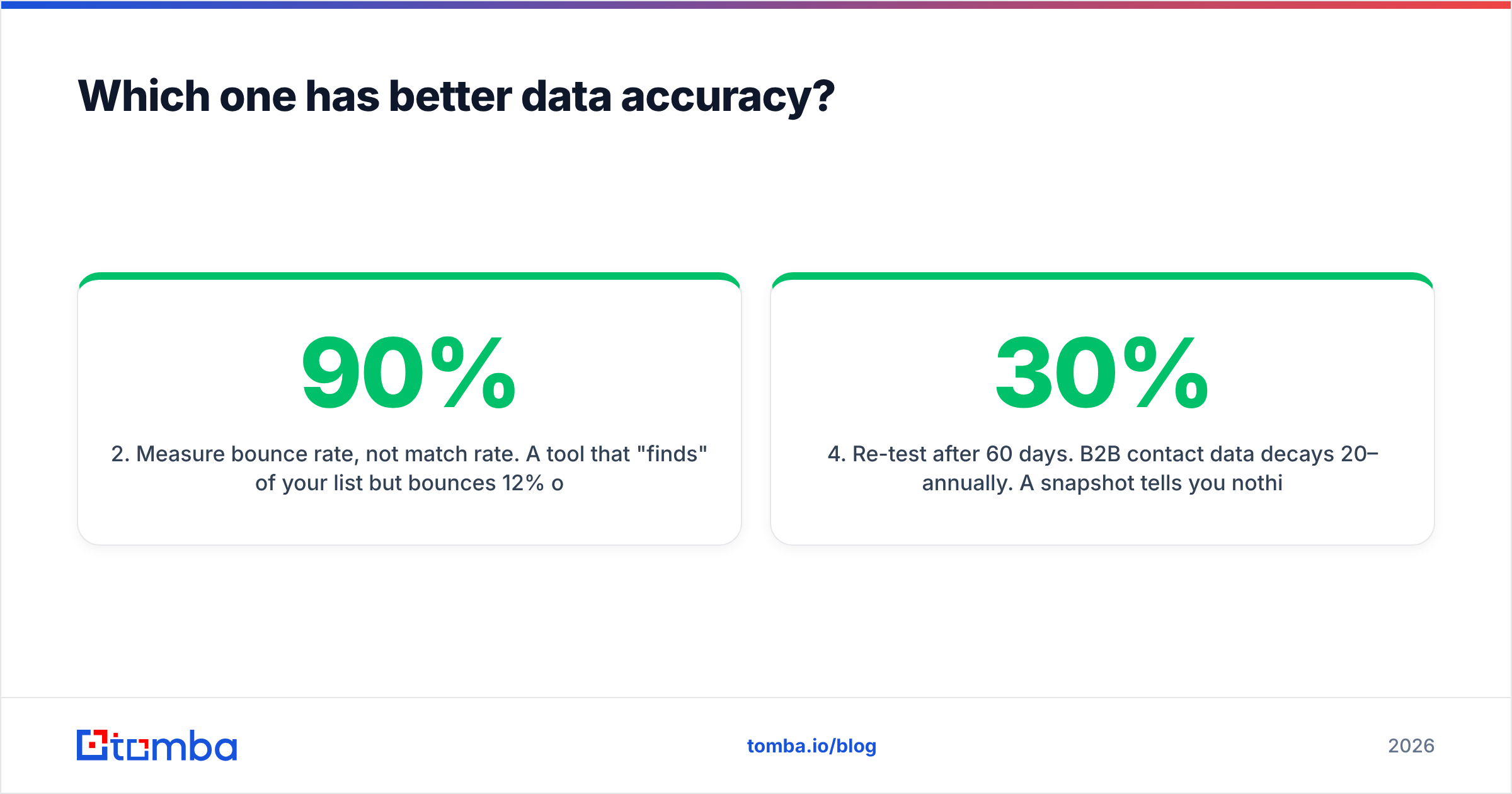
- Measure bounce rate, not match rate. A tool may "find" 90% of your list and bounce 12% of it. That is worse than 70% found at a 2% bounce rate. Match rate is a vanity number. Deliverability is the real one.
- Ask about catch-all domains. About a fifth of B2B domains accept any address at the mail server. Simple checks then mean nothing. Ask each vendor how they handle these: guess, skip, or resolve. A catch-all verifier exists for that reason.
- Re-test after 60 days. B2B contact data goes stale by 20–30% a year. One snapshot tells you nothing about refresh speed.
- Check the legal posture. GDPR and CCPA rules differ. Some vendors scrape personal emails. Others stick to work contacts. Read the data sources page of any tool you pick.
DiscoverOrg vs Nymeria on price: what will you pay?#
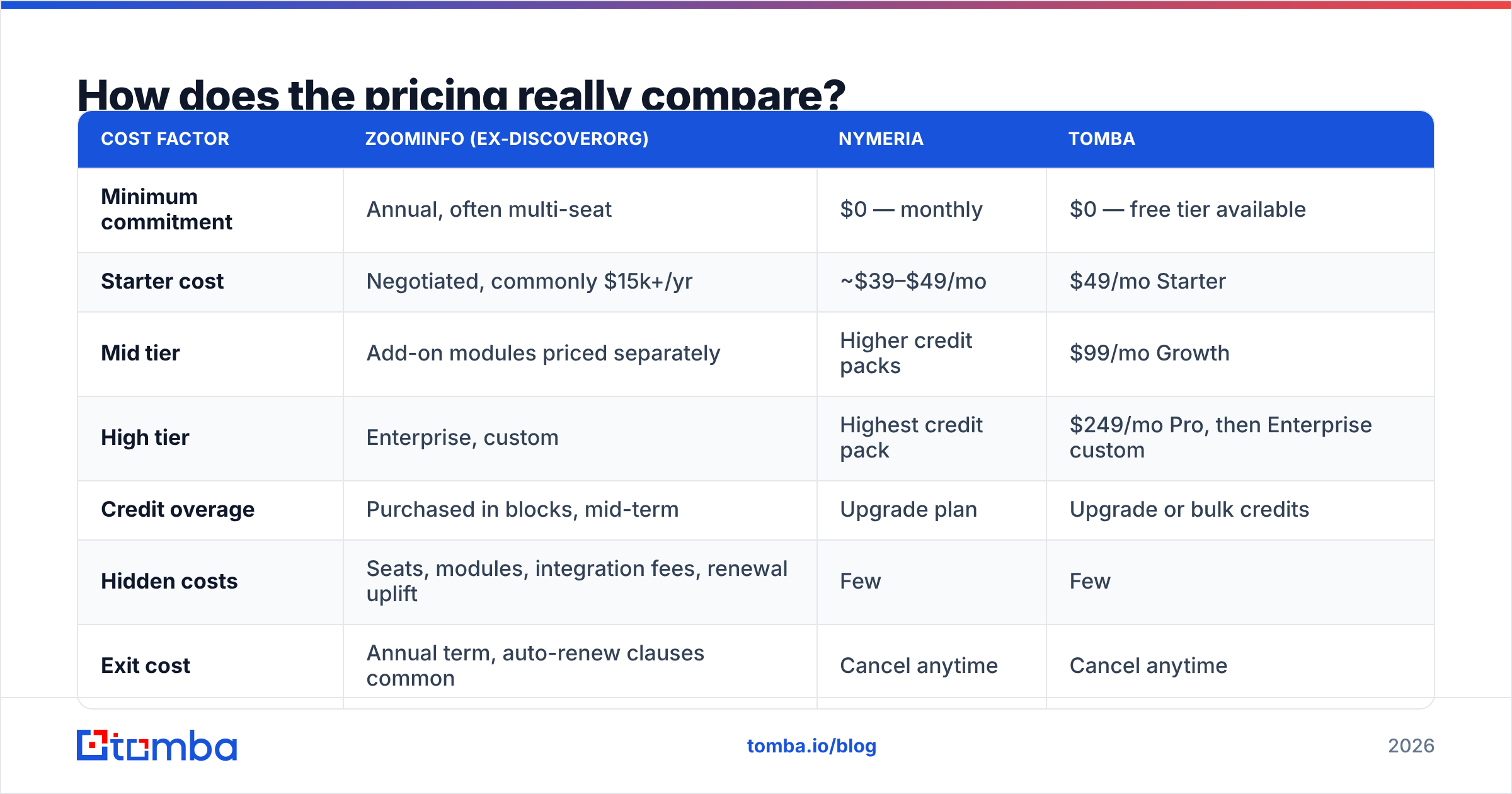
Most reviews stop at the sticker price. Look at total cost instead.
| Cost factor | ZoomInfo (ex-DiscoverOrg) | Nymeria | Tomba |
|---|---|---|---|
| Minimum commitment | Annual, often multi-seat | $0 — monthly | $0 — free tier available |
| Starter cost | Negotiated, commonly $15k+/yr | ~$39–$49/mo | $49/mo Starter |
| Mid tier | Add-on modules priced separately | Higher credit packs | $99/mo Growth |
| High tier | Enterprise, custom | Highest credit pack | $249/mo Pro, then Enterprise custom |
| Credit overage | Purchased in blocks, mid-term | Upgrade plan | Upgrade or bulk credits |
| Hidden costs | Seats, modules, integration fees, renewal uplift | Few | Few |
| Exit cost | Annual term, auto-renew clauses common | Cancel anytime | Cancel anytime |
The renewal uplift is the number that shocks teams. Big data deals often reprice 10–20% at renewal. By then your sequences, CRM rules, and territory logic sit on the platform. Switching is costly, and the vendor knows it. Reviews on G2 name this pattern across the whole category. It is how the segment works, not one bad vendor.
Self-serve tools have the opposite flaw. They are cheap to start and easy to outgrow. Soon you run a lookup tool, a verifier, an enrichment vendor, and a spreadsheet to glue them. One bill is usually cheaper in the end. Compare Tomba pricing with the sum of three small tools before you assume small is cheap.

When is DiscoverOrg-grade data worth it?#
Be honest about how you sell. Big data earns its price in four cases:
- You run account-based marketing on a fixed list. You have 500 named accounts. You must map every buyer in each one. Org charts are the product here. No lookup tool covers that.
- You sell to a tech stack. "Firms running Snowflake and hiring data engineers" is a filter query, not an email search.
- You have a RevOps team to run it. Without routing, territory rules, and clean CRM data, the platform sits idle. If nobody owns it, you bought a costly contact list.
- Intent data changes who you call first. If reps work an intent-ranked queue and it lifts win rates, that signal is hard to copy.
If none of those fit, you are paying top rates for plain contact data. Plain contact data is a commodity. Buy it by usage.
When is a light tool like Nymeria the right call?#
Nymeria fits when the job is narrow and the volume is small.
- Solo or small teams doing manual, LinkedIn-led prospecting, where the add-on saves real clicks.
- Recruiting work, where personal emails and phones matter as much as work emails.
- Dev projects that need a simple lookup endpoint with no buying cycle.
- Short campaigns, where a plan you can cancel beats a twelve-month deal.
It stops working when the job scales. "Every marketing manager at 4,000 SaaS firms in DACH" is a different task. That needs domain-level search, dedupe, checks, and bulk speed. That is another class of tool.
Where does Tomba fit between the two?#
Tomba sits in the gap on purpose. You get contact search and email checks, with public pricing, built for volume.
The core tool is the email finder. Give it a name and domain, or just a domain. It returns verified work emails with a score and the sources behind each one. Around it sit the parts that decide if a campaign lands. An email verifier flags risky addresses. Catch-all handling covers domains that simple checks give up on. Domain search finds a whole company at once. Bulk email finder jobs build lists. An email finder API wires it all into your own stack.
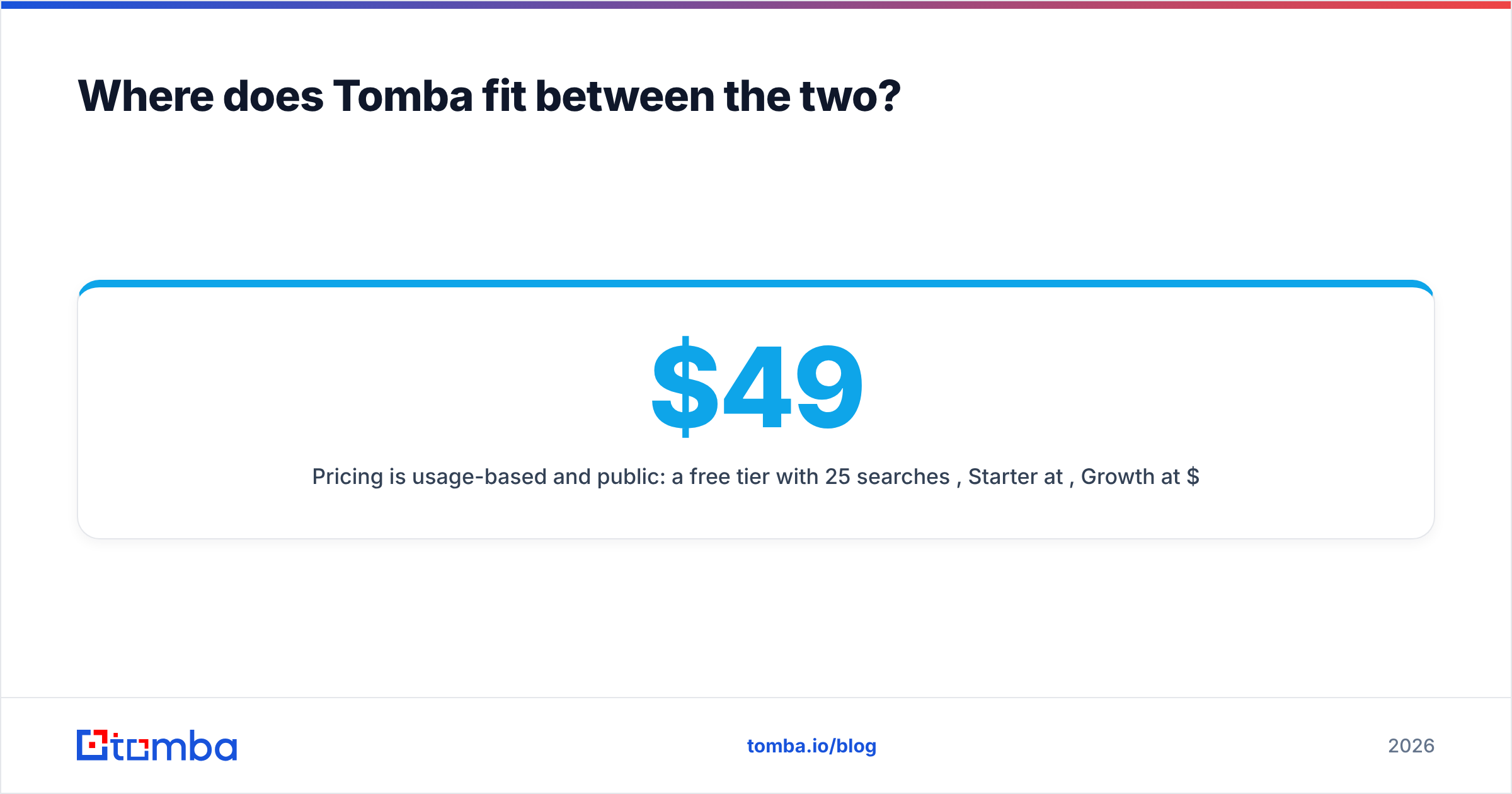
Pricing is usage-based and public. There is a free tier with 25 searches a month. Then Starter at $49, Growth at $99, and Pro at $249 a month. Enterprise covers custom volume. No seat minimums. No yearly deal just to get a working plan.
Tomba is not an intent-data platform. It is not an org-chart vendor either. If you need reporting lines and tech install data, buy the big suite and accept the cost. If your block is "we need verified emails for 5,000 firms this quarter, with no buying cycle," a finder plus a verifier fits better.
This middle lane has more than one good option. BookYourData, for one, sells prebuilt lists as you go. Some teams like that more than search-and-verify. Judge each on your own list, not on the label.
What should you do next?#
The DiscoverOrg vs Nymeria choice comes down to volume and fit. Pick on the limit that binds you.
- Need org charts, intent, and tech data, with a RevOps team to run them? Get quotes from ZoomInfo. Push hard on term length and renewal caps.
- Doing manual, profile-by-profile prospecting at low volume? A light tool like Nymeria does the job for the price of lunch.
- Building lists at real volume and tired of bounces? Test a finder plus verifier on your own data before you renew.
Start with the free tier of the Tomba Email Finder. That is 25 searches a month, no card, no call. Run the same 200 contacts you would use on any big vendor. Compare bounce rates. Let the numbers pick the tool, not the sales deck.
Related guides#
Ready to find emails that actually work?
Join 150,000+ professionals who stopped guessing and started sending. Free credits on signup — no credit card required.
Get the Tomba newsletter
Practical outbound tactics and product updates — once every two weeks.
About the author