DiscoverOrg vs QuickEnrich: Which B2B Data Tool Wins in 2026?
DiscoverOrg is now ZoomInfo. QuickEnrich is a lean enrichment API. Here's how the two actually compare on coverage, accuracy, contracts, and cost — plus who each one really fits in 2026.
DiscoverOrg vs QuickEnrich is an odd match-up. Only one of the two is still a product you can buy on its own. Here is the short version first.
TL;DR
- DiscoverOrg no longer exists as a standalone product. It merged with ZoomInfo in 2019, and the brand was folded into the ZoomInfo platform. If a rep pitches you "DiscoverOrg," you are buying ZoomInfo seats on an annual contract.
- QuickEnrich is the opposite shape. It is a light, API-first enrichment service. It fits developers and small RevOps teams who want to fill gaps in records they already own.
- The two are not real rivals. One is a database you search. The other is a pipe you feed. So the DiscoverOrg vs QuickEnrich choice comes down to one question: do you already have a list?
- The cost gap is huge. Enterprise sales-intelligence deals often land in the five figures a year, with seat minimums. Light enrichment APIs cost tens to low hundreds of dollars a month.
- Most teams under 50 reps need neither. A good email finder plus a verifier does about 80% of the job for a small slice of the price.
What happened to DiscoverOrg, and does it still exist?#
For about fifteen years, DiscoverOrg was one of the most trusted human-checked B2B contact databases. Research quality was the pitch. Real analysts called into companies, mapped org charts, and confirmed who reported to whom. Teams selling to tech buying committees paid a premium for that depth.
Then, in February 2019, DiscoverOrg bought ZoomInfo. The combined company kept the ZoomInfo name. The DiscoverOrg product line was absorbed. Visit the old DiscoverOrg web pages today and you land on ZoomInfo. The contracts, pricing, and sales motion are all ZoomInfo's now. Some of the old human-checking method still lives inside ZoomInfo's data team. But you cannot buy "DiscoverOrg" as its own product.
This matters more than it sounds. Plenty of comparison posts still treat DiscoverOrg as a live, separately priced option. It is not. So a DiscoverOrg vs QuickEnrich review in 2026 really means one thing: an enterprise sales-intelligence suite against a light enrichment API. Two products, two budgets, two very different buyers.

What is QuickEnrich and who is it for?#
QuickEnrich sits with the modern, API-first enrichment tools. Think Clearbit-style services, waterfall providers, and single-purpose lookup APIs. The promise is simple. You send an identifier — an email, a domain, a LinkedIn URL, a company name. You get back a clean record with company and contact fields filled in.
The buyer looks nothing like a database buyer:
- You already have the list. Inbound signups, event scans, or CRM rows with holes in them. You are not finding new accounts. You are filling blanks.
- You want it in code, not a UI. A script, a Zapier step, or a nightly job calls the API. No rep clicks through search filters.
- You buy monthly, not yearly. Credit packs, cancel anytime, no procurement cycle.
- You care about cost per record, not seats. Nobody logs in, so there is no seat to price.
Prices in this segment move often, and bigger volumes are quote-based. Treat any number you read — including here — as a rough guide. Check the vendor's own pricing page before you sign.
How do DiscoverOrg vs QuickEnrich compare, side by side?#
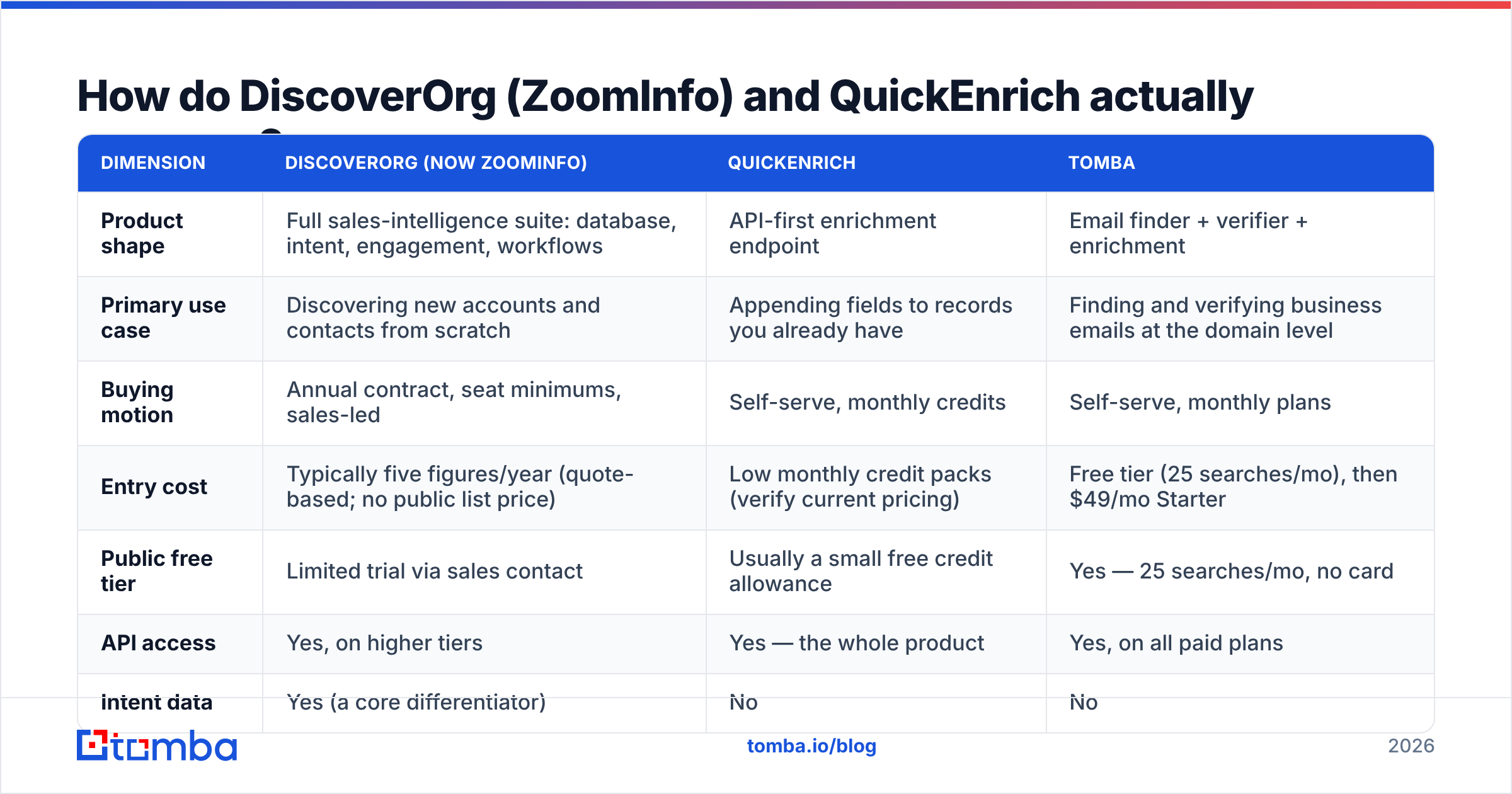
Here is the honest table. Where a number is a market range and not a list price, it says so.
| Dimension | DiscoverOrg (now ZoomInfo) | QuickEnrich | Tomba |
|---|---|---|---|
| Product shape | Full sales-intelligence suite: database, intent, engagement, workflows | API-first enrichment endpoint | Email finder + verifier + enrichment |
| Primary use case | Discovering new accounts and contacts from scratch | Appending fields to records you already have | Finding and verifying business emails at the domain level |
| Buying motion | Annual contract, seat minimums, sales-led | Self-serve, monthly credits | Self-serve, monthly plans |
| Entry cost | Typically five figures/year (quote-based; no public list price) | Low monthly credit packs (verify current pricing) | Free tier (25 searches/mo), then $49/mo Starter |
| Public free tier | Limited trial via sales contact | Usually a small free credit allowance | Yes — 25 searches/mo, no card |
| API access | Yes, on higher tiers | Yes — the whole product | Yes, on all paid plans |
| Intent data | Yes (a core differentiator) | No | No |
| Org charts / hierarchy | Yes — historically the DiscoverOrg strength | No | No |
| Phone numbers | Yes, including direct dials | Varies by plan | Yes, via phone finder |
| Best for | Enterprise ABM teams with 25+ reps | Developers and lean RevOps | SMB/mid-market outbound and list building |
| Contract escape hatch | Difficult — annual, auto-renew common | Cancel anytime | Cancel anytime |
The table makes the real choice clear. These two tools solve different halves of the same funnel. Need to answer "who should we sell to?" Then an enrichment API is useless, because it has nothing to enrich. Need to answer "what is this person's email?" Then an enterprise suite is a very costly way to get one field.
Is DiscoverOrg's data accuracy still worth the enterprise price?#
The DiscoverOrg heritage was strong, and some of it lives on. Human-checked org charts and direct dials are hard to scrape. If you sell six-figure deals into IT teams, that depth pays. Knowing the VP of Infrastructure reports to the CIO is worth real money.
Three things have changed since the merger:
- The moat got smaller. Waterfall enrichment queries several providers in turn until one returns a hit. That makes "one best database" a weak claim. Reviews on G2 show most buyers run two or three sources.
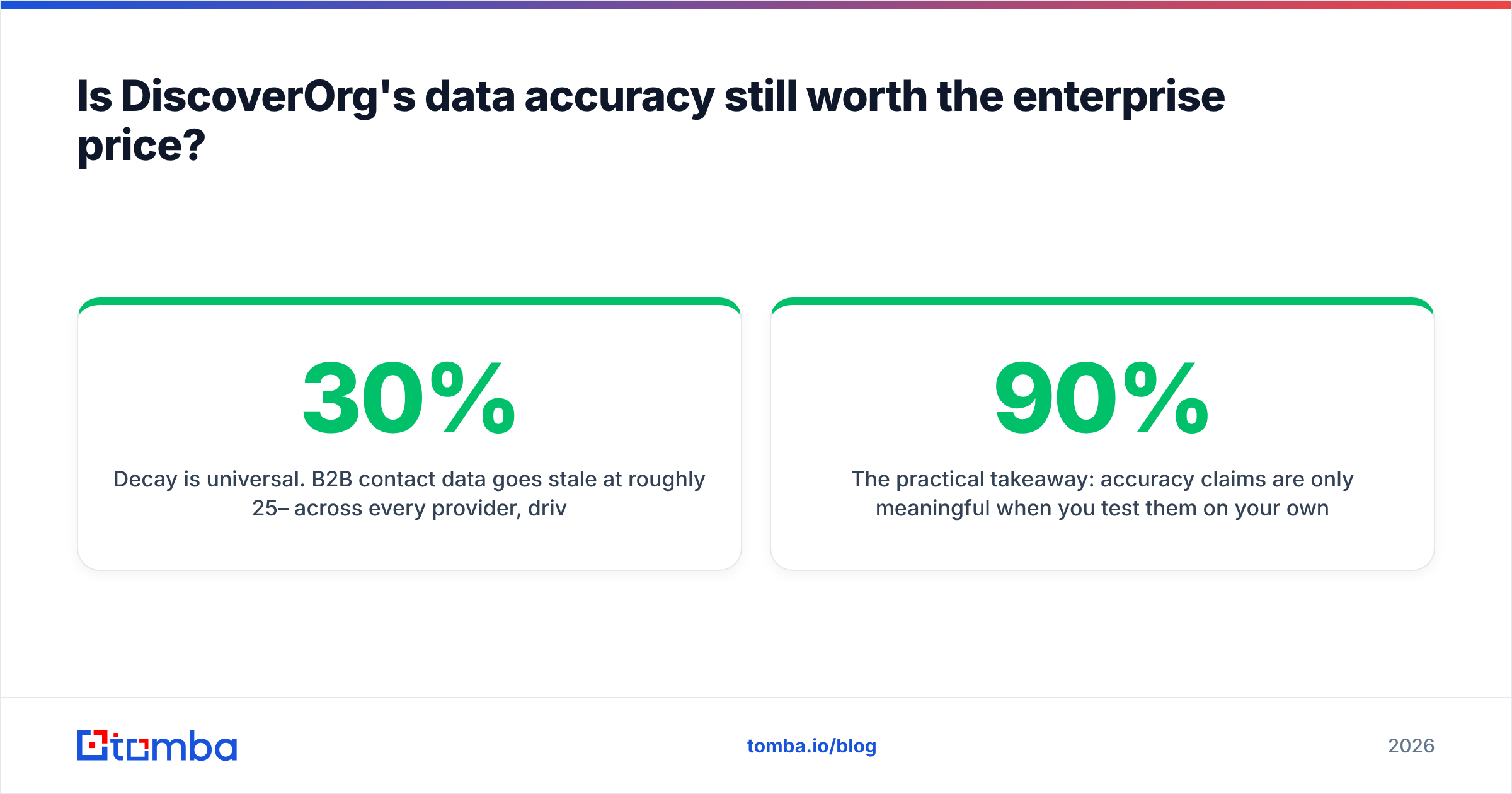
- Decay hits everyone. B2B contact data goes stale at roughly 25–30% a year, mostly from job changes. No vendor escapes it. Analysts such as Gartner push buyers toward constant clean-up instead of one-time accuracy claims.
- Checking emails got cheap. Live SMTP checks now cost cents per record. Paying enterprise rates for accuracy you can test yourself is a poor trade.
So here is the practical rule. Accuracy claims only matter when you test them on your own list. Take 200 records from your target segment. Run them through each vendor. Then run every returned address through an email verifier you did not buy from that same vendor.
Measure the verified hit rate, not the raw match rate. A vendor that returns 90% matches but only 62% deliverable is worse than one at 70% matches and 95% deliverable.
What does each option actually cost in practice?#
Cost is lopsided here, and it drives most decisions.
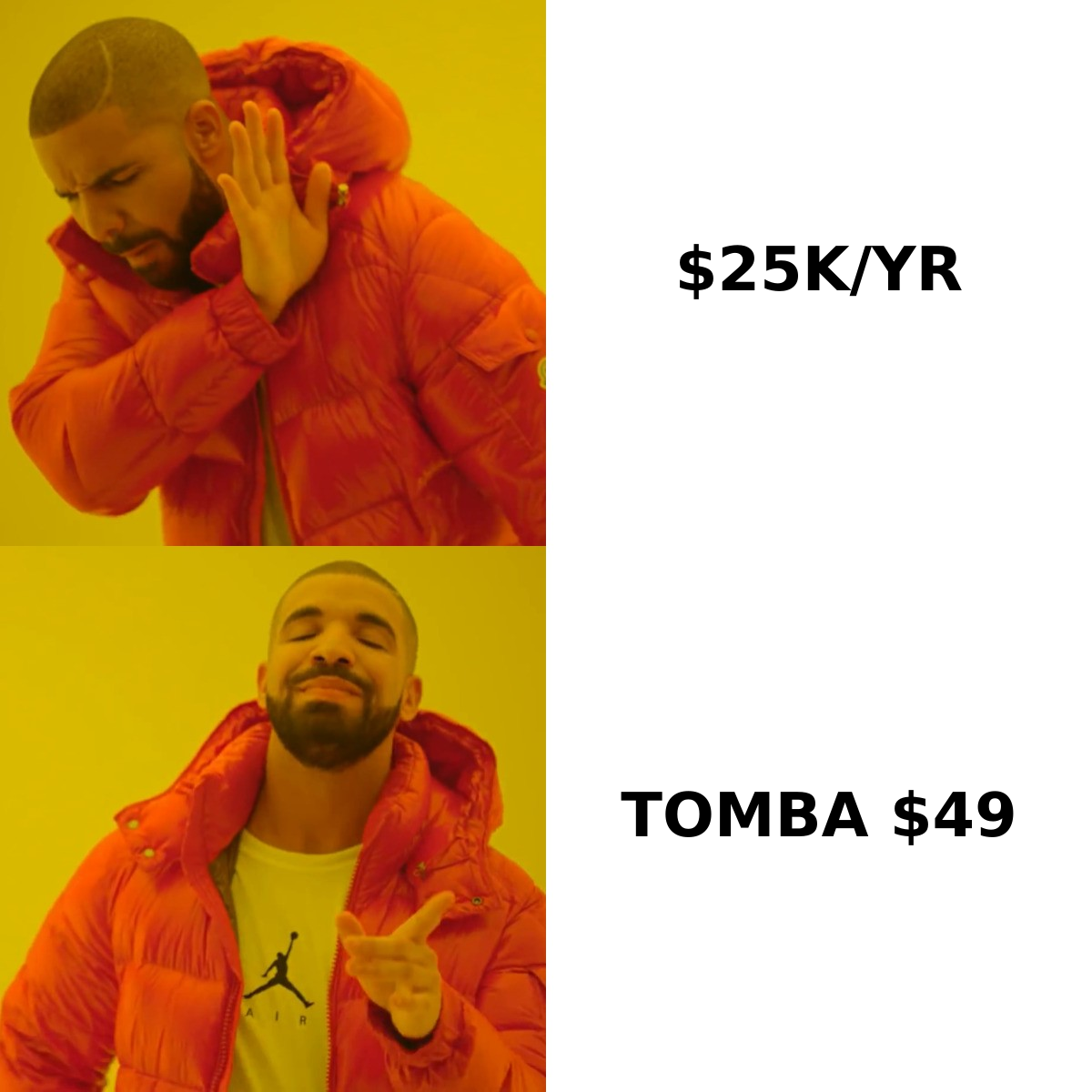
Enterprise platforms price on seats, plus credits, plus modules. A three-rep team is often quoted well into five figures a year once intent data and integrations are added. The term is usually twelve months, with auto-renewal.
Expect procurement, a security review, and a two- to six-week sales cycle. None of that is a flaw. It is how enterprise software works. But it does put the tool out of reach for teams with no budget line for it.
Light enrichment APIs price per record or per credit pack. You pay monthly with a card. A team enriching 5,000 records a month usually sees a bill in the tens to low hundreds of dollars. No procurement. No seat count. No renewal trap.
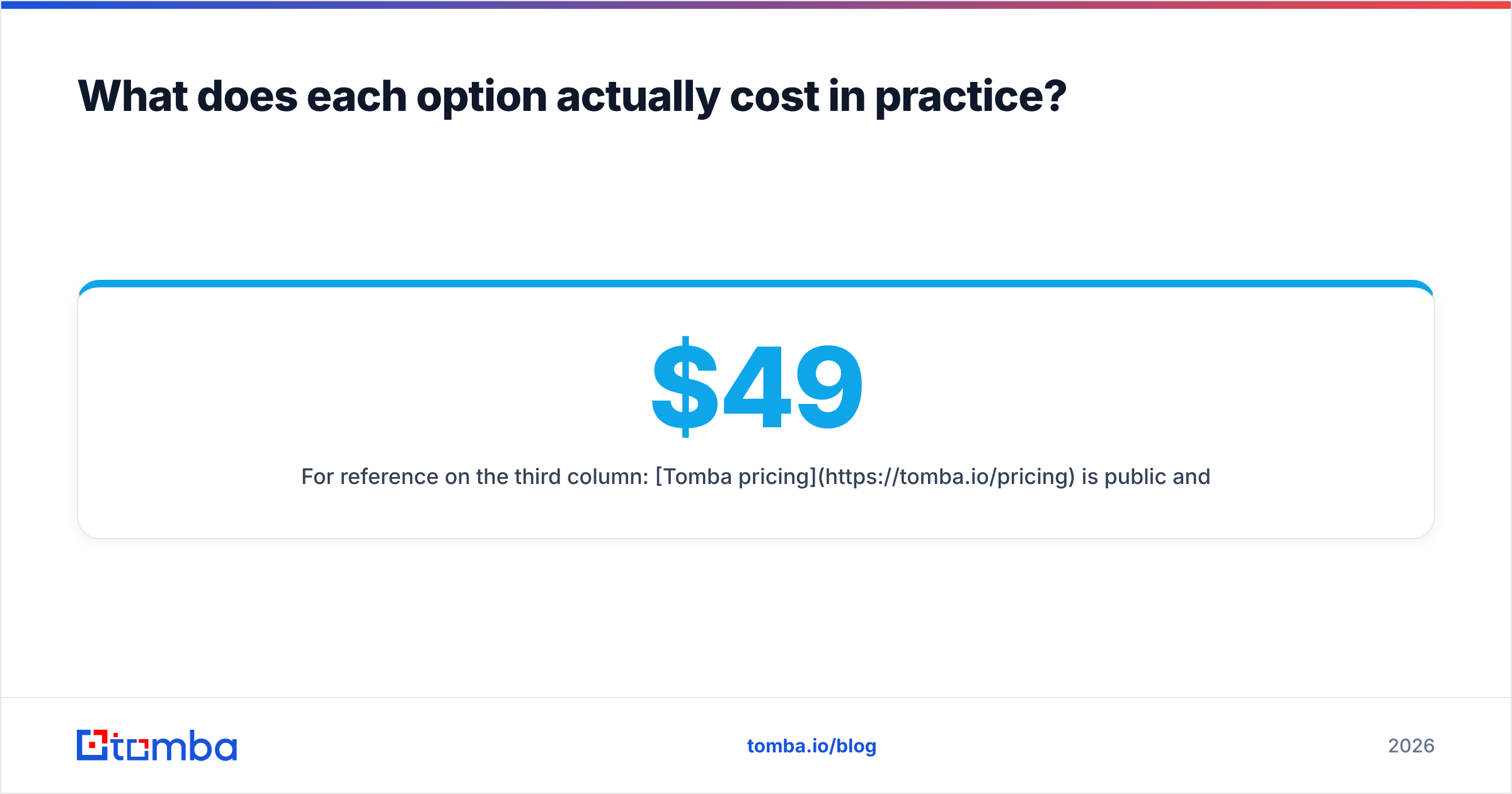
For the third column: Tomba pricing is public and flat. The free tier gives 25 searches a month. Starter is $49/mo, Growth $99/mo, Pro $249/mo, plus custom Enterprise. You can work out your cost per lead before you talk to anyone.
The math is blunt. Say five reps need 2,000 verified emails a month. An enterprise suite can cost 20–40x what a focused finder plus verifier costs for the same output. And you pay for intent data, org charts, and a workflow engine you may never open.
When should you pick a full database over an enrichment API?#
There are good reasons to write the big cheque. Pick the enterprise suite when:
- You run account-based marketing at scale. Intent signals, tech stack data, and buying-committee maps are hard to piece together yourself. They do improve targeting.
- You sell into a narrow, high-value segment. If your deal size is $150k, one extra win pays for the year.
- You need the org chart, not just contacts. Working a nine-person buying committee means knowing who reports to whom. This is the strongest surviving DiscoverOrg edge.
- You need one vendor for compliance. Some legal teams prefer one contract and one DPA over five API vendors in three countries.
Pick the enrichment API when:
- Your list already exists. Inbound leads, CRM rows with gaps, event attendees, or a scraped ICP list.
- You want data inside a workflow, not a UI. A nightly job that fills blank fields beats a rep copying rows by hand.
- Your volume jumps around. Credit packs flex. Annual seats do not.
- You want to test before you commit. Monthly billing is a real feature.
Where does a dedicated email finder fit between them?#
Most DiscoverOrg vs QuickEnrich comparisons skip a third path. You may not need a database or a general enrichment API. You may just need emails.
Many outbound programs run a simple loop. Pick target companies. Find the right people. Get verified emails. Send. That loop needs three things: domain search to list the people at a company, an email finder to turn a name and domain into an address, and verification to keep bounces low. It does not need intent data, org charts, or a workflow engine.
That is the gap Tomba fills. The email finder API resolves name-and-domain pairs. The verifier confirms deliverability before you send. Data enrichment adds company fields when you need them. It is all self-serve, priced in public, with a free tier so you can test first.
One more honest option. Maybe you want to buy a ready-made list for a segment instead of looking people up one by one. Then a list vendor like BookYourData fits better, and it often costs less than either tool here. Different job, different tool.
How should you run the evaluation?#
Do not decide on a feature grid. Run a bake-off:
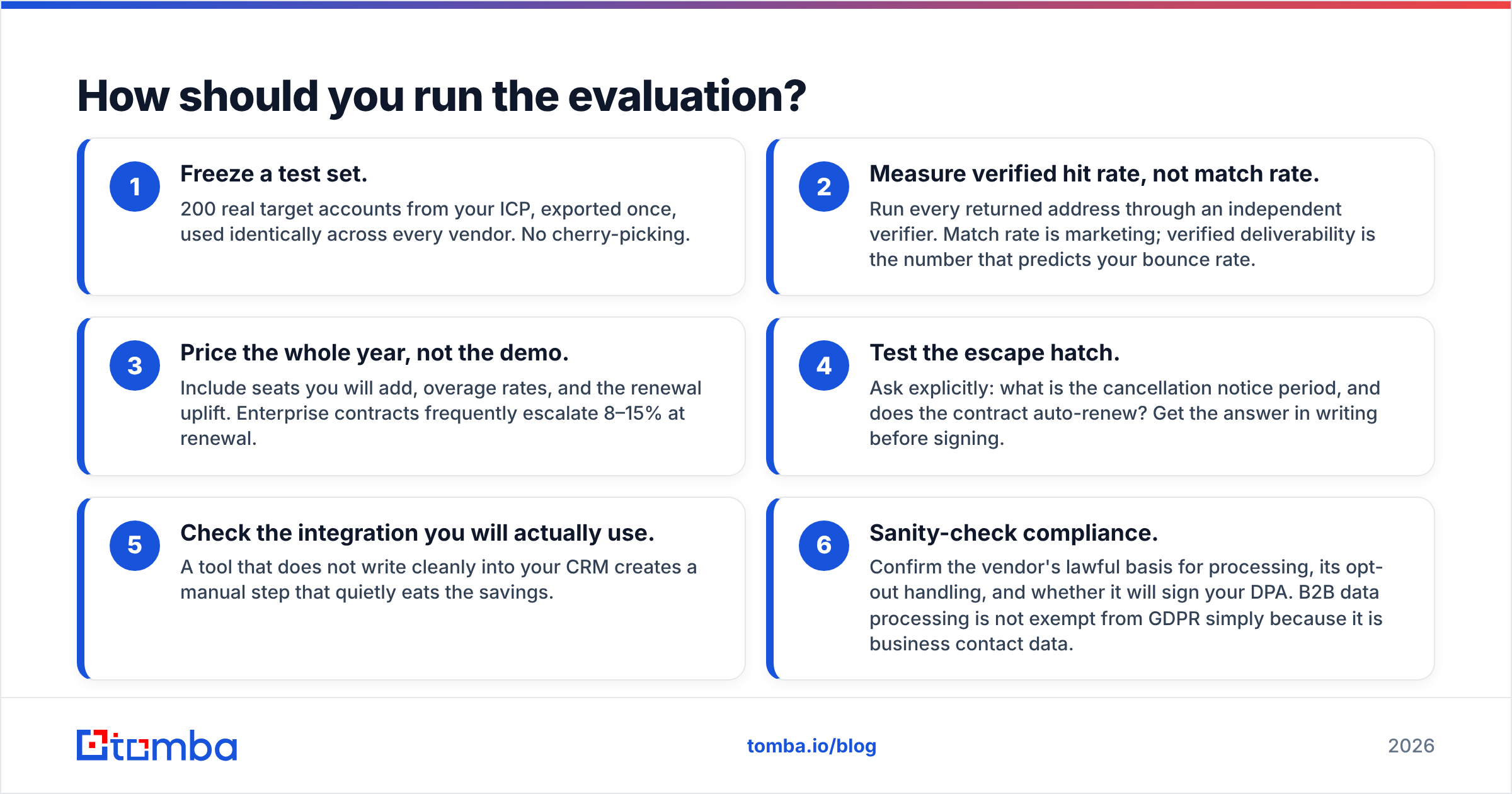
- Freeze a test set. Export 200 real target accounts once, then use the same file for every vendor. No cherry-picking.
- Measure verified hits, not matches. Run every returned address through an outside verifier. Match rate is marketing. Deliverability predicts your bounce rate.
- Price the full year, not the demo. Include the seats you will add, overage rates, and the renewal bump. Renewals often rise 8–15%.
- Test the escape hatch. Ask how much notice a cancellation needs, and whether the deal auto-renews. Get the answer in writing.
- Check the integration you will use. A tool that writes badly into your CRM adds manual work and quietly eats the savings.
- Check compliance. Ask about lawful basis, opt-out handling, and whether the vendor will sign your DPA. B2B data is not exempt from GDPR.
Run that process and the winner tends to pick itself. Often it is neither name in the headline.
DiscoverOrg vs QuickEnrich: the verdict#
DiscoverOrg vs QuickEnrich is a mismatched fight. DiscoverOrg is a legacy brand living inside ZoomInfo. It sells on annual enterprise contracts to teams that need intent data and org charts. QuickEnrich is a lean API that fills gaps in records you already own.
Need buying-committee intelligence at scale, and have the budget? Then the ZoomInfo platform is the credible pick. Have a list with holes in it? Then the enrichment API is the sane one, and it costs an order of magnitude less.
If what you really need is verified business emails at a price you can predict, skip both. Start with the Tomba Email Finder. You get 25 free searches a month with no card, $49/mo when you outgrow it, and a public API you can wire into whatever you run. Test it on your own 200-account list, measure verified deliverability, and let the numbers decide.
Related guides#
Ready to find emails that actually work?
Join 150,000+ professionals who stopped guessing and started sending. Free credits on signup — no credit card required.
Get the Tomba newsletter
Practical outbound tactics and product updates — once every two weeks.
About the author