DiscoverOrg vs Skrapp: Which B2B Data Tool Wins in 2026?
One is an enterprise data platform that no longer exists under its own name. The other is a $49 LinkedIn email finder. Here is how DiscoverOrg and Skrapp actually compare on price, coverage, and accuracy in 2026.
TL;DR — what you actually need to know#
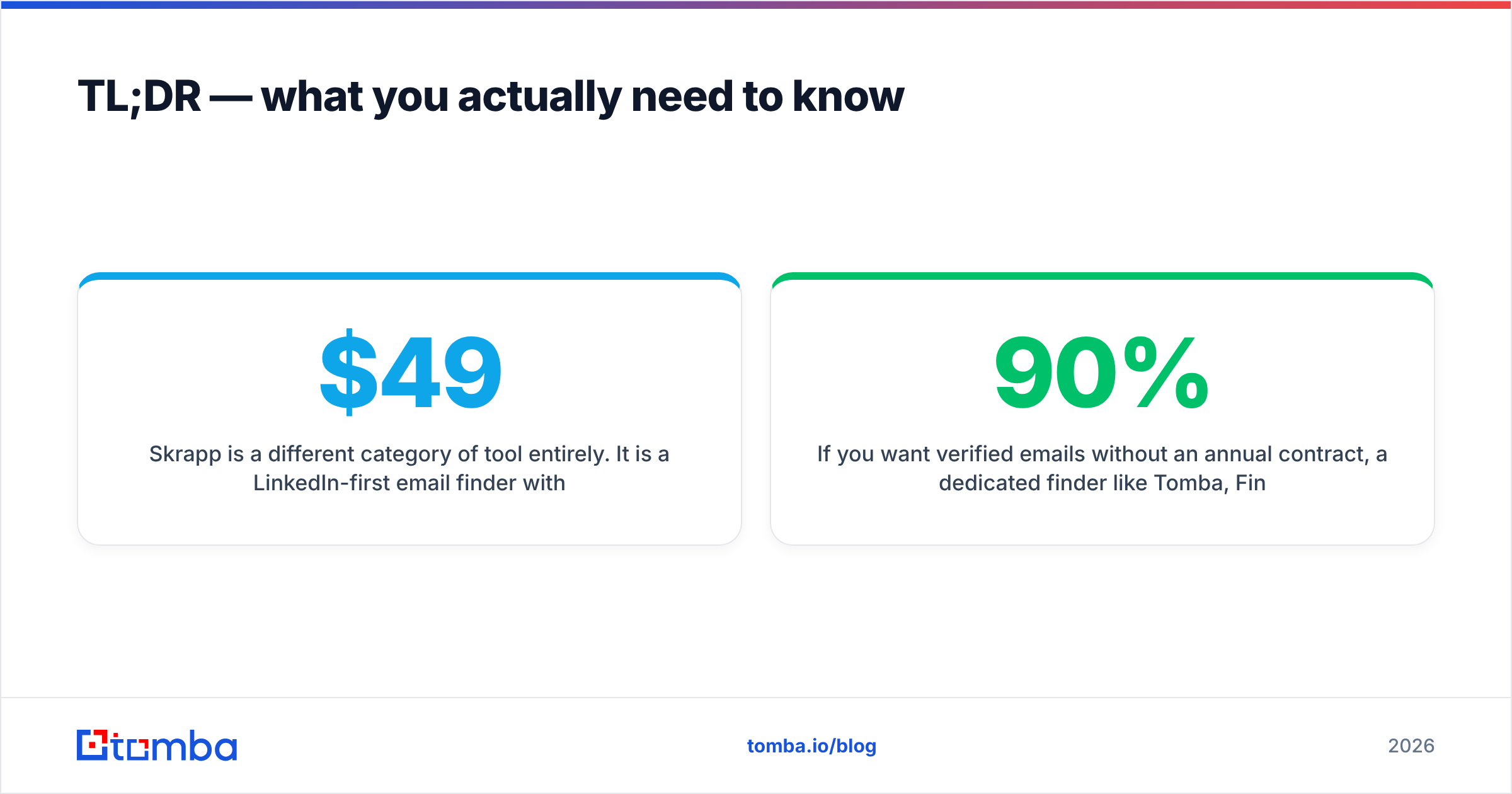
- DiscoverOrg no longer exists as a standalone product. It merged with ZoomInfo in 2019 and the brand was folded into the ZoomInfo platform. If a rep is selling you "DiscoverOrg," you are buying ZoomInfo — with ZoomInfo's annual contract, seat minimums, and five-figure entry point.
- Skrapp is a different category of tool entirely. It is a LinkedIn-first email finder with a browser extension, monthly self-serve plans starting around $49/mo, and a free tier. No org charts, no intent data, no phone-verified direct dials.
- Comparing them head-to-head only makes sense if you have not yet decided how much data infrastructure you actually need. A 4-person outbound team buying an enterprise data platform is the most common budget mistake in B2B sales.
- Coverage differs by region and seniority, not by "who has more contacts." Legacy DiscoverOrg data is strongest in North American mid-market and enterprise IT/tech. Skrapp mirrors whatever is publicly visible on LinkedIn.
- If you want verified emails without an annual contract, a dedicated finder like Tomba, Findymail, or Skrapp will cover 90% of what most SDR teams actually use a data platform for — at roughly 2% of the cost.
What happened to DiscoverOrg, and can you still buy it?#
Short answer: not under that name. DiscoverOrg acquired ZoomInfo in 2019 and then adopted the ZoomInfo name for the combined company, which went public in 2020. The legacy DiscoverOrg database — human-verified org charts, IT install data, direct dials for technology decision-makers — became the backbone of what ZoomInfo now sells as its core contact and company dataset.
That matters for this comparison in three practical ways:
- Pricing is enterprise-shaped. Annual contracts, seat licenses, and credit caps negotiated per deal. Public benchmarks and buyer reviews on G2 consistently put realistic entry points in the low five figures per year, scaling well past that with add-ons like intent, Engage, or Data-as-a-Service. There is no meaningful self-serve tier.
- You buy a platform, not an email finder. Org hierarchies, technographics, scoops (buying signals), intent topics, CRM enrichment jobs, and a workflow layer. If you use one-tenth of it, you still pay for all of it.
- The evaluation is procurement-heavy. Expect a demo cycle, a data sample against your ICP, security review, and a multi-week negotiation. Skrapp takes about four minutes to evaluate: install the extension, run 20 lookups, check the bounce rate.
If your buying committee is one person and your budget is a credit card, the DiscoverOrg-lineage product is almost certainly not on your shortlist. Check the current lineup at zoominfo.com before assuming otherwise.
What is Skrapp and who is it built for?#
Skrapp is a LinkedIn-centric email finder. The primary workflow is a Chrome extension that sits on top of LinkedIn and Sales Navigator: you browse a search result or a company page, click, and Skrapp appends business emails to those profiles. It also offers domain search (pull the known email pattern and contacts for a company), a bulk CSV upload, and an API.
Its plans are published on skrapp.io and follow the familiar credit-tier model — a free plan with a small monthly allowance, then paid tiers that scale from roughly $49/mo into the low hundreds for tens of thousands of finds. Verify the current numbers on their pricing page; email-finder vendors reshuffle tiers often.
Who Skrapp fits:
- Solo founders and 2–10 person sales teams who prospect directly on LinkedIn.
- Agencies running cold outbound for clients where per-lead cost matters more than data depth.
- Recruiters sourcing candidates from LinkedIn profiles.
Who it does not fit: anyone who needs org charts, verified direct dials at scale, install-base technographics, or a governed enrichment pipeline feeding Salesforce nightly.

DiscoverOrg vs Skrapp: the side-by-side comparison#
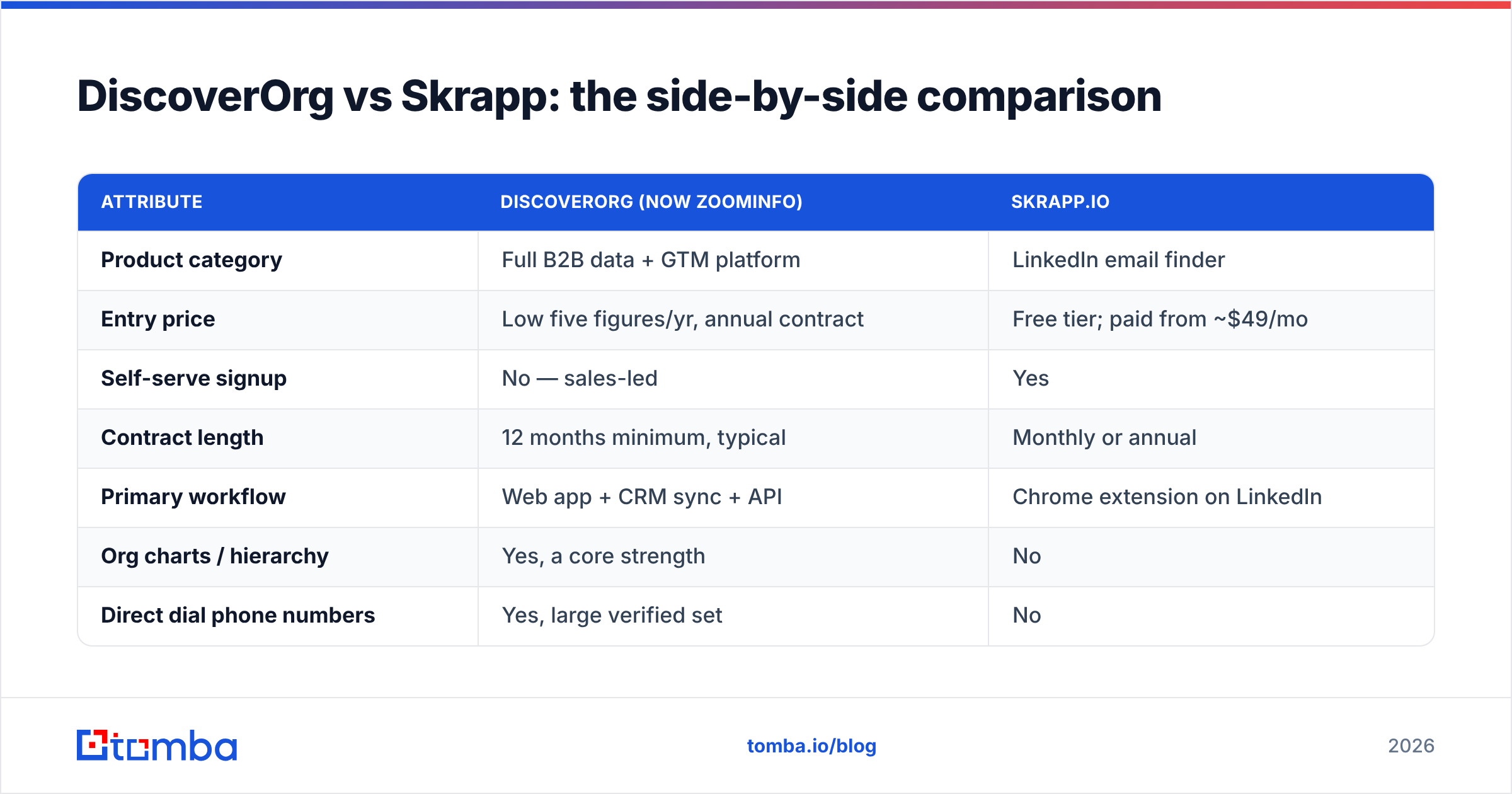
Here is the honest version. Prices reflect publicly reported ranges and vendor pages at time of writing — enterprise pricing is negotiated, so treat the DiscoverOrg/ZoomInfo column as a band, not a quote.
| Attribute | DiscoverOrg (now ZoomInfo) | Skrapp.io |
|---|---|---|
| Product category | Full B2B data + GTM platform | LinkedIn email finder |
| Entry price | Low five figures/yr, annual contract | Free tier; paid from ~$49/mo |
| Self-serve signup | No — sales-led | Yes |
| Contract length | 12 months minimum, typical | Monthly or annual |
| Primary workflow | Web app + CRM sync + API | Chrome extension on LinkedIn |
| Org charts / hierarchy | Yes, a core strength | No |
| Direct dial phone numbers | Yes, large verified set | No |
| Intent / buying signals | Yes (add-on) | No |
| Technographics | Yes, historically best-in-class | No |
| Email verification | Built in | Built in, lighter |
| Bulk enrichment | Yes, enterprise-grade | Yes, CSV-based |
| API access | Yes, tiered/add-on | Yes, on paid plans |
| Best for | 20+ seat revenue orgs | 1–10 seat outbound teams |
| Worst for | Small teams, tight budgets | Teams needing phones + org data |
The table makes the real conclusion obvious: these tools are not competitors, they are different budget tiers of the same job. The question is not "which is better." The question is "which layer of the data stack do I actually need to pay for?"
Which one has better data accuracy?#
Accuracy comparisons in this category are noisy, because vendors publish self-reported numbers against their own test sets. What holds up across independent buyer reviews:
Legacy DiscoverOrg data is strongest where it was originally built: North American mid-market and enterprise technology buyers, IT decision-makers, and companies above ~200 employees. Human research plus phone verification produced direct dials and reporting structures that scraped sources genuinely cannot replicate. That advantage is real and it is the main reason enterprise teams keep renewing.
It is weakest on long-tail SMB, non-US markets, and freshly changed roles. Any large static database decays — B2B contact data typically churns 25–30% per year as people change jobs. Buyer complaints about stale records are the single most common criticism in review sites for every large-database vendor, not just this one.
Skrapp's accuracy tracks LinkedIn. Because it derives contacts from profiles you are actively looking at, the job-title freshness is often better than a static database — the person updated their own profile. The trade-off is email verification depth. Pattern-guessed addresses on catch-all domains are where every LinkedIn-based finder struggles, and where bounce rates spike.
The practical fix, regardless of vendor: never send to a list you have not independently verified. Run the output of any finder through a dedicated email verifier and treat catch-all domains as a separate risk bucket — a catch-all verifier will tell you whether an address on a domain that accepts everything is actually deliverable, instead of leaving it as an unknown that quietly wrecks your sender reputation.
Rule of thumb before you commit money: run the same 100-contact ICP sample through every tool on your shortlist. Measure (a) match rate, (b) bounce rate after verification, (c) title accuracy on a 20-record manual spot check. That test takes an afternoon and beats any vendor deck.

What does each one actually cost per usable contact?#
Cost-per-contact is the only pricing metric that survives contact with reality. Here is how the math tends to play out for a small team finding 2,000 contacts a month:
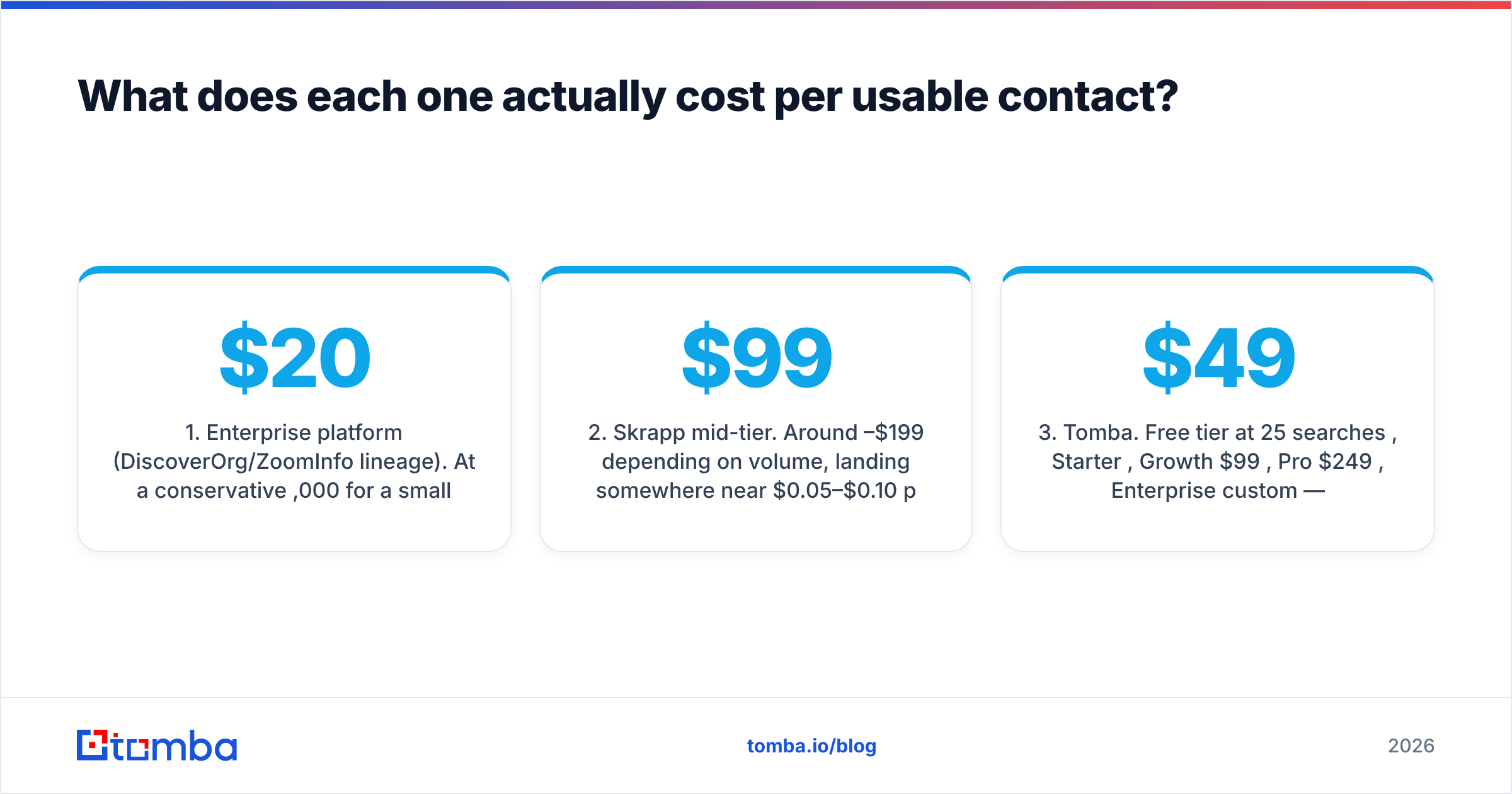
- Enterprise platform (DiscoverOrg/ZoomInfo lineage). At a conservative $20,000/yr for a small seat count with a credit cap, 24,000 contacts/yr works out to roughly $0.83 per contact — before you account for credits burned on records you discard. The platform value has to come from the org charts, phones, and intent, not the emails.
- Skrapp mid-tier. Around $99–$199/mo depending on volume, landing somewhere near $0.05–$0.10 per email found. Verification and bounce loss push the effective number up.
- Tomba. Free tier at 25 searches/mo, Starter $49/mo, Growth $99/mo, Pro $249/mo, Enterprise custom — see Tomba pricing for current credit allowances. Comparable per-contact economics to other self-serve finders, with the verifier bundled rather than sold separately.
- Hybrid stack. The most cost-efficient setup we see: a self-serve finder for volume email discovery, plus a narrowly scoped enterprise seat only for the accounts where org charts and direct dials genuinely change the deal. Two tools, one-fifth the spend.
- Free-first. For teams doing under a few hundred lookups a month, the free tiers across Skrapp, Tomba, and similar tools cover the workload entirely. Paying anything is premature.

Are there better alternatives to both in 2026?#
Yes — and the honest framing is that "better" depends on which of the two you were considering.
If you were leaning toward DiscoverOrg/ZoomInfo and got sticker shock, the realistic swaps are Apollo (large database plus sequencing, self-serve), Cognism (strong EMEA coverage and phone-verified data with GDPR posture), Lusha (lighter, seat-friendly), and BookYourData if you prefer buying pre-built, pay-as-you-go lists rather than renting seat access to a platform. BookYourData's model is worth a look specifically because there is no annual commitment — you buy the records you need and own them.
If you were leaning toward Skrapp, the comparable set is Hunter, Findymail, Anymail Finder, and Tomba. They differ mainly on match rate by region, verification rigor, and whether the workflow you care about (LinkedIn, domain sweep, bulk CSV, API) is a first-class citizen or an afterthought.
Where Tomba fits in that second group: it covers the same core job — find email addresses by name and domain — but bundles the pieces most teams end up buying separately. Domain search, a LinkedIn finder, catch-all handling, phone lookup, and enrichment sit on the same credit pool, and the Tomba API exposes all of it if you would rather build the workflow than click through a UI. Starter is $49/mo, which is the same ballpark as Skrapp's entry tier, and the free tier gives you 25 searches to sanity-check match rates before paying anything.
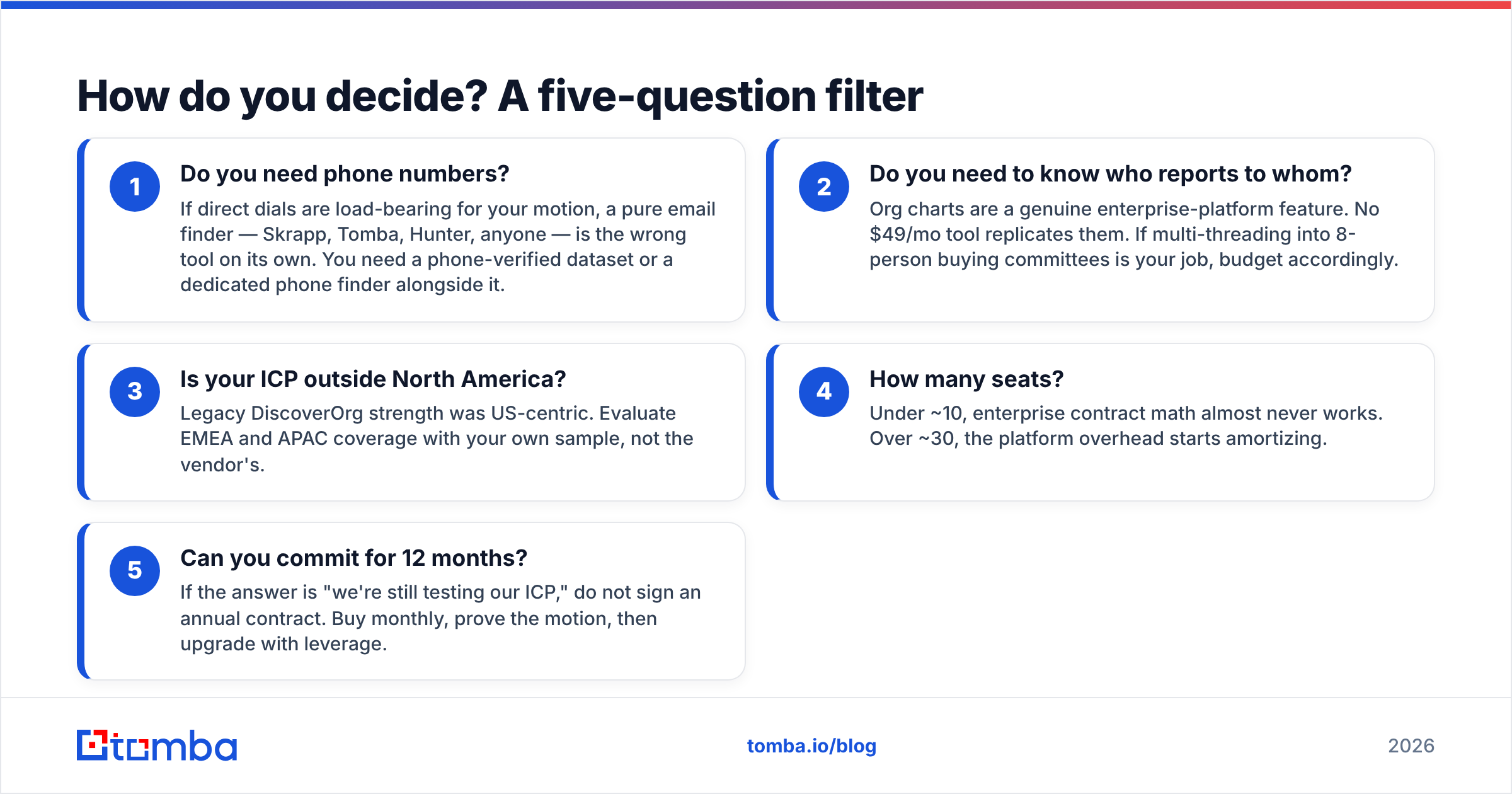
How do you decide? A five-question filter#
Run your situation through these. The answers make the choice for you.
- Do you need phone numbers? If direct dials are load-bearing for your motion, a pure email finder — Skrapp, Tomba, Hunter, anyone — is the wrong tool on its own. You need a phone-verified dataset or a dedicated phone finder alongside it.
- Do you need to know who reports to whom? Org charts are a genuine enterprise-platform feature. No $49/mo tool replicates them. If multi-threading into 8-person buying committees is your job, budget accordingly.
- Is your ICP outside North America? Legacy DiscoverOrg strength was US-centric. Evaluate EMEA and APAC coverage with your own sample, not the vendor's.
- How many seats? Under ~10, enterprise contract math almost never works. Over ~30, the platform overhead starts amortizing.
- Can you commit for 12 months? If the answer is "we're still testing our ICP," do not sign an annual contract. Buy monthly, prove the motion, then upgrade with leverage.
If you answered "no phones, no org charts, small team, month-to-month" — which is most teams reading this — you do not have a DiscoverOrg vs Skrapp decision. You have a "which self-serve email finder" decision, and you should be comparing match rates and bounce rates across three tools this week rather than sitting through demos.
The verdict#
DiscoverOrg (as ZoomInfo) wins if you are a 20+ seat revenue org that needs org charts, direct dials, intent signals, and governed CRM enrichment — and can defend a five-figure annual line item. Nothing in the self-serve tier replaces that combination.
Skrapp wins if you prospect on LinkedIn, need emails, and want to start today for free or $49/mo. It does one job and does it without a procurement cycle.
Neither wins if your real requirement is "verified emails at volume, across domains, with an API, without a contract." That is a third bucket, and it is worth running a 100-contact bake-off across Skrapp, Hunter, Findymail, and Tomba before you spend anything meaningful.
Start with the sample test. Whatever you buy, buy it with bounce-rate evidence in hand.
Ready to run that bake-off? Point the Tomba Email Finder at 25 contacts from your ICP on the free tier — no card, no demo call — and compare the match rate and bounce rate against whatever else is on your shortlist. If the numbers hold up, Starter is $49/mo with verification, domain search, and API access on the same credits. If they do not, you have lost an afternoon instead of a fiscal year.
Related guides#
Ready to find emails that actually work?
Join 150,000+ professionals who stopped guessing and started sending. Free credits on signup — no credit card required.
Get the Tomba newsletter
Practical outbound tactics and product updates — once every two weeks.
About the author