DiscoverOrg vs Tami AI: Which B2B Data Platform Wins in 2026?
DiscoverOrg became ZoomInfo. Tami AI is the AI-native challenger. We break down coverage, accuracy, contracts and real cost — plus the cheaper stack most teams actually need.
TL;DR
- DiscoverOrg no longer exists as a standalone product. It merged with ZoomInfo in 2019 and the technology now ships inside ZoomInfo SalesOS. If a rep pitches you "DiscoverOrg," you are buying a ZoomInfo contract.
- Tami AI is one of a wave of AI-native GTM data tools that promise research-agent workflows instead of static database lookups. Public pricing and independent benchmarks are thin — treat vendor claims as unverified until you run a trial on your own ICP.
- The real decision is not feature-vs-feature. It is annual seat contract (DiscoverOrg/ZoomInfo) versus usage-based tooling (Tami AI and lighter alternatives).
- Most teams under 20 reps do not need either. They need accurate contact discovery plus verification, which costs a fraction of a six-figure data contract.
- Run the same 200-account test list through every finalist before signing. Coverage on your ICP is the only benchmark that matters.
What actually happened to DiscoverOrg?#
DiscoverOrg was, for about fifteen years, the premium human-verified B2B database. Its pitch was research rigor: analysts on the phone confirming org charts, direct dials, and tech stacks for mid-market and enterprise accounts. Sales leaders paid a premium precisely because the data was manually checked rather than scraped.
Then DiscoverOrg acquired ZoomInfo in 2019 and adopted the ZoomInfo name. Today the combined company trades publicly and sells ZoomInfo SalesOS, Marketing OS, and Talent — DiscoverOrg's contributor network and research layer live underneath. The corporate history is documented on the ZoomInfo Wikipedia page if you want the timeline.
Why this matters for your evaluation: when you compare "DiscoverOrg vs Tami AI," you are comparing an AI-native startup against one of the largest, most expensive data platforms in the category. The buying experience is completely different. One is a self-serve or light-touch signup. The other is a multi-call enterprise sales cycle with an annual commitment, seat minimums, and export credit caps written into the order form.

What is Tami AI?#
Tami AI belongs to the newer class of AI-native go-to-market data tools. The shared thesis across this category: instead of querying a pre-built database with filters, you describe the account or persona you want in natural language, and an agent researches the web, company sites, filings, and public profiles to assemble a list on demand.
That model has genuine advantages. Research agents can catch signals a static database never indexed — a new office lease, a hiring page, a product launch, a compliance filing. They also degrade differently: instead of returning a stale record from 2023, they return something recent but occasionally wrong in a novel way.
Be honest about the evidence gap. Tami AI does not publish transparent tiered pricing the way established vendors do, independent third-party accuracy audits are scarce, and category reviews on G2 skew thin for newer entrants. That is not a disqualifier — every strong tool starts there — but it means you cannot outsource the evaluation to a review site. You have to test it yourself.
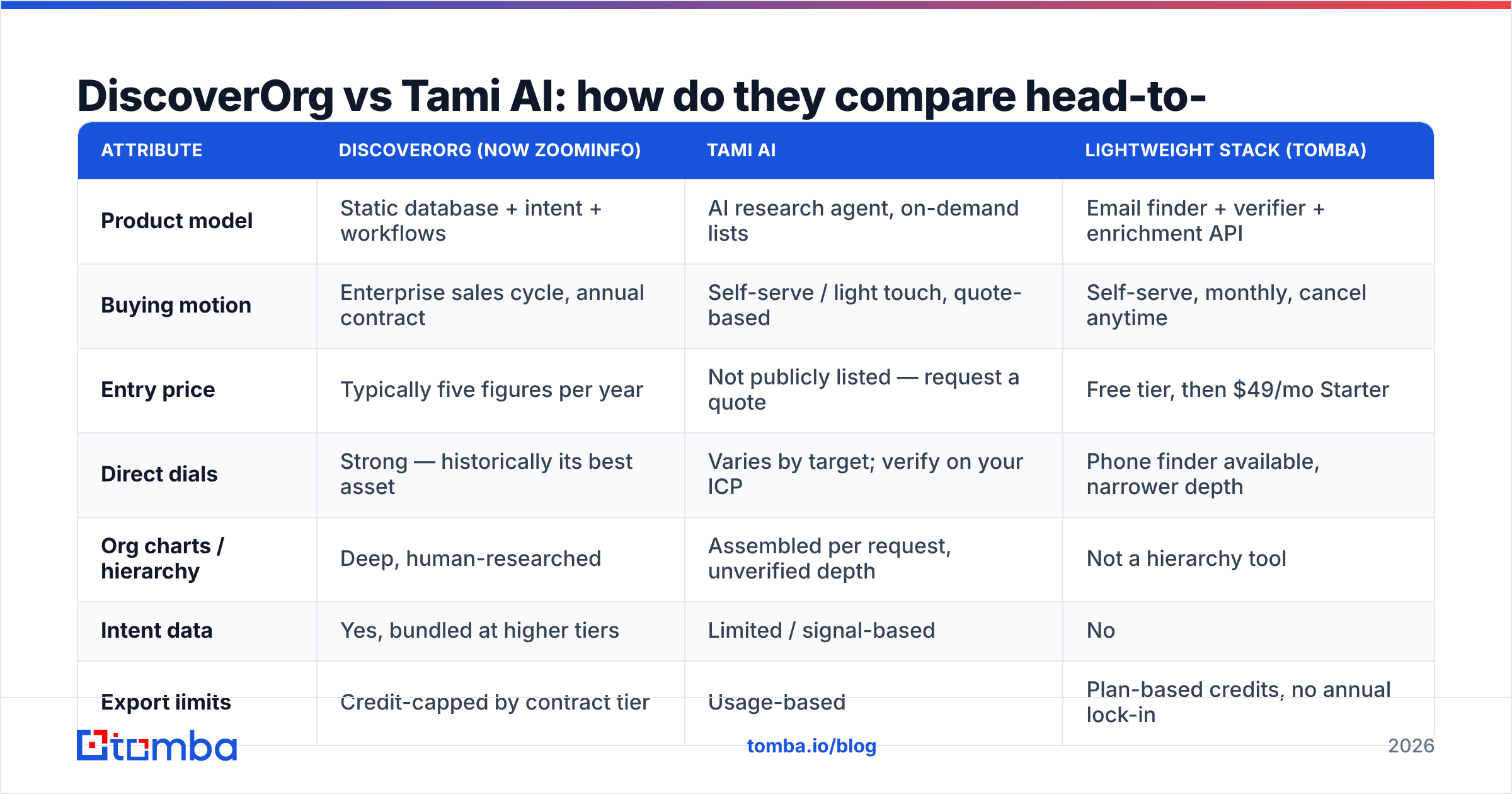
DiscoverOrg vs Tami AI: how do they compare head-to-head?#
| Attribute | DiscoverOrg (now ZoomInfo) | Tami AI | Lightweight stack (Tomba) |
|---|---|---|---|
| Product model | Static database + intent + workflows | AI research agent, on-demand lists | Email finder + verifier + enrichment API |
| Buying motion | Enterprise sales cycle, annual contract | Self-serve / light touch, quote-based | Self-serve, monthly, cancel anytime |
| Entry price | Typically five figures per year | Not publicly listed — request a quote | Free tier, then $49/mo Starter |
| Direct dials | Strong — historically its best asset | Varies by target; verify on your ICP | Phone finder available, narrower depth |
| Org charts / hierarchy | Deep, human-researched | Assembled per request, unverified depth | Not a hierarchy tool |
| Intent data | Yes, bundled at higher tiers | Limited / signal-based | No |
| Export limits | Credit-capped by contract tier | Usage-based | Plan-based credits, no annual lock-in |
| Best fit | Enterprise ABM, 50+ seat teams | Teams wanting fresh niche research | SMB and mid-market outbound, dev teams |
| Contract risk | High — annual commit, auto-renew clauses | Low to moderate | Low |
Two rows deserve emphasis.
Export limits. ZoomInfo contracts routinely cap how many records you can export per year even when your subscription lets you view far more. Teams discover this in month four when they are rationing credits mid-quarter. Ask for the export cap in writing before you sign, and ask what an overage costs.
Direct dials. This is the strongest historical argument for DiscoverOrg lineage. If cold calling drives your pipeline and you sell to enterprise IT, security, or finance, the phone data depth is real and hard to replicate. If you run email-first outbound, you are paying a large premium for an asset you barely touch.
How should you actually judge data accuracy?#
Accuracy claims are the most abused numbers in this category. Every vendor publishes a figure in the nineties, and none of them are measured the same way. Here is the evaluation sequence that survives contact with reality:
- Build a 200-row control list from your own CRM. Use closed-won accounts and current opportunities — records where you already know the correct email, title, and phone. Never let a vendor supply the test list.
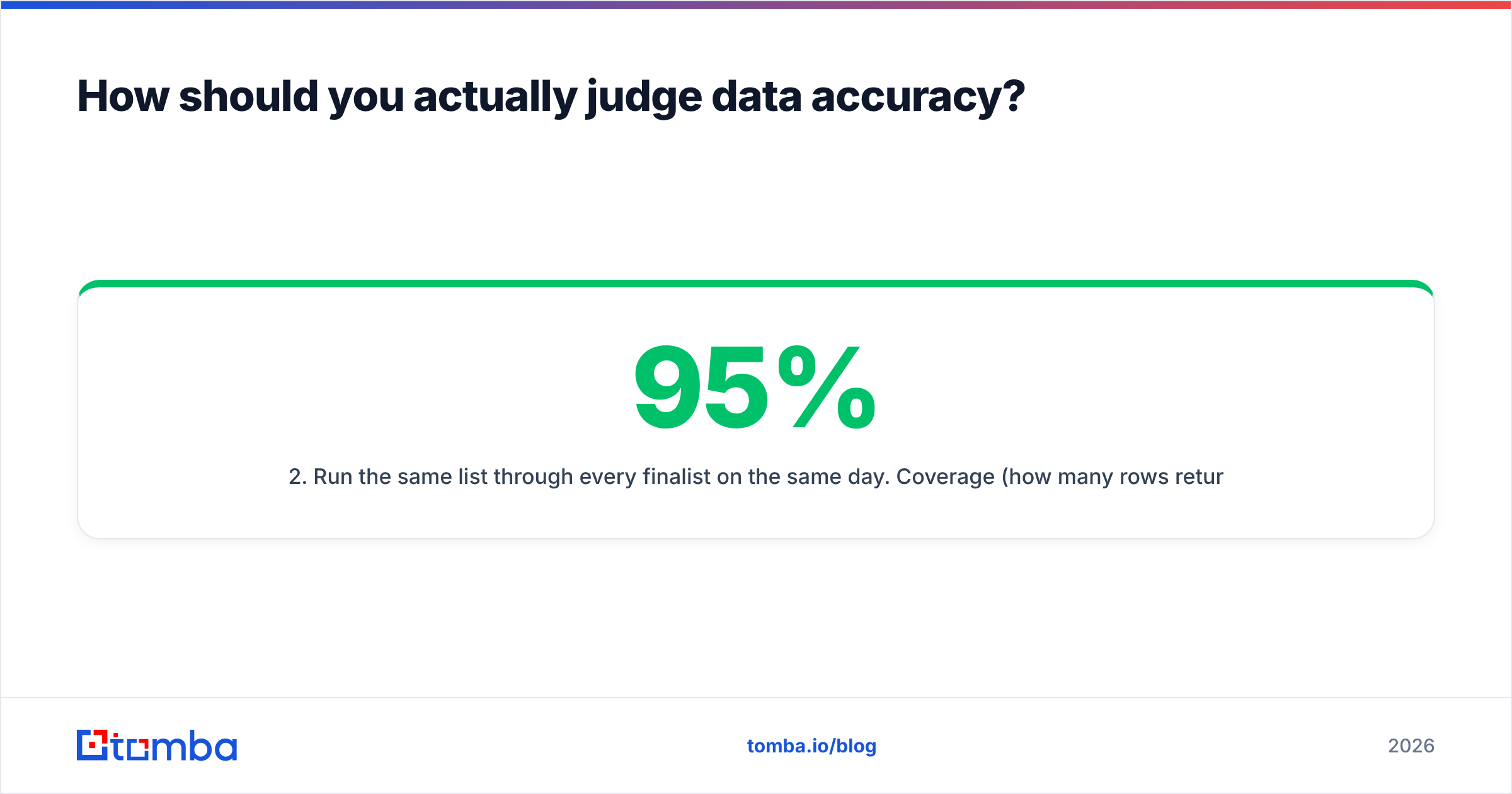
- Run the same list through every finalist on the same day. Coverage (how many rows returned anything) and accuracy (how many returned the correct value) are separate metrics. A tool that returns 95% correct on the 40% of rows it can find is worse than one returning 90% correct on 80% of rows.
- Verify independently, not with the vendor's own checker. Push every returned address through a neutral email verifier so the tool that found the address is not also grading its own homework.
- Test freshness, not just correctness. Pick 20 people you know changed jobs in the last six months. A database that still lists their old employer is telling you exactly how often it refreshes.
- Check catch-all handling explicitly. Roughly a fifth of B2B domains accept all mail, so a naive verifier marks them "valid" and your bounce rate finds out later. A dedicated catch-all verifier is the difference between an honest score and a flattering one.
- Price the result per usable contact. Divide total annual cost by verified, correct, in-ICP records. This single number reorders most shortlists — and it is the number your CFO will ask for.
Run that on DiscoverOrg/ZoomInfo, Tami AI, and one budget option. Most teams find the accuracy spread between vendors is far narrower than the price spread.
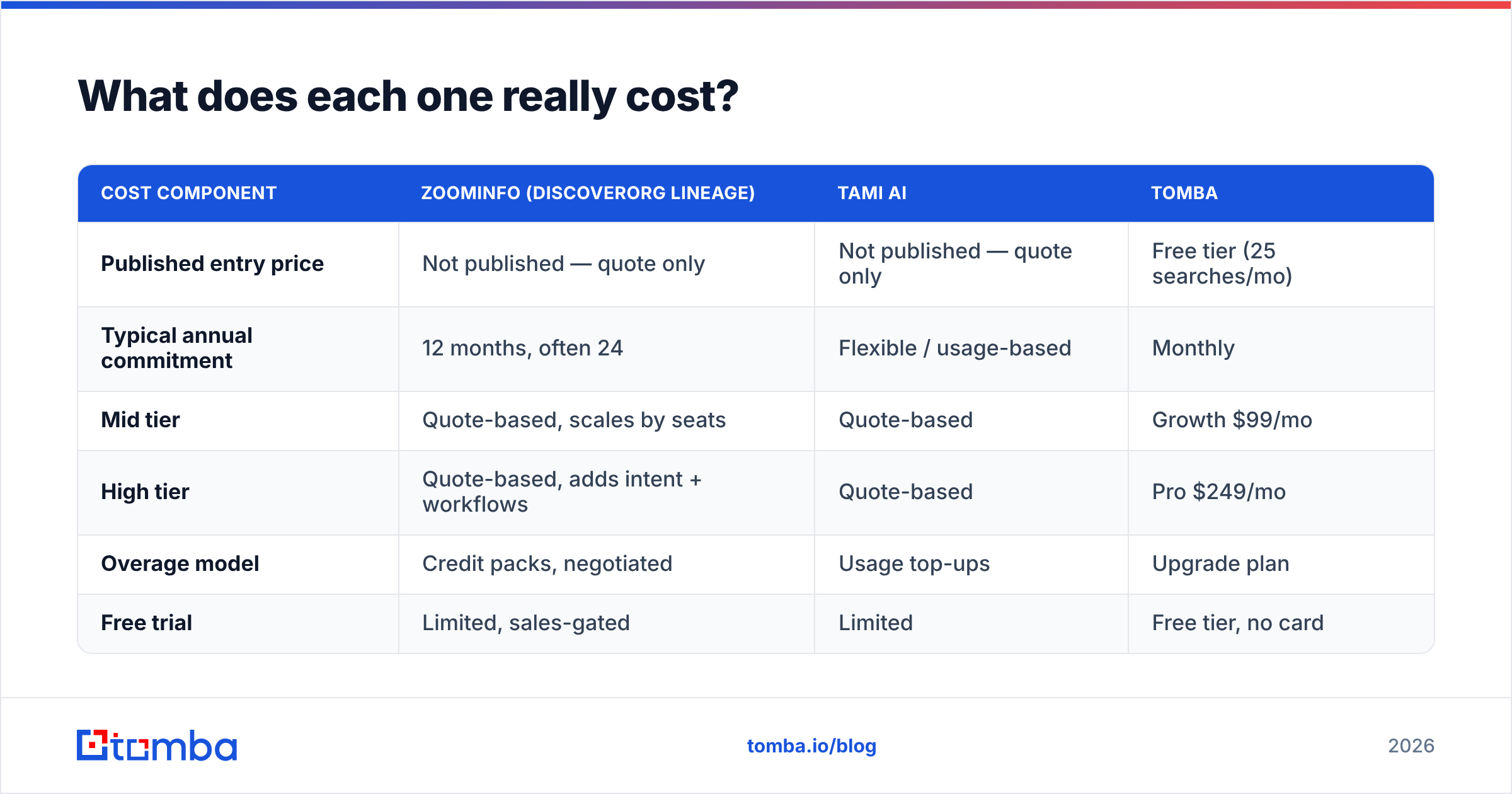
What does each one really cost?#
| Cost component | ZoomInfo (DiscoverOrg lineage) | Tami AI | Tomba |
|---|---|---|---|
| Published entry price | Not published — quote only | Not published — quote only | Free tier (25 searches/mo) |
| Typical annual commitment | 12 months, often 24 | Flexible / usage-based | Monthly |
| Mid tier | Quote-based, scales by seats | Quote-based | Growth $99/mo |
| High tier | Quote-based, adds intent + workflows | Quote-based | Pro $249/mo |
| Overage model | Credit packs, negotiated | Usage top-ups | Upgrade plan |
| Free trial | Limited, sales-gated | Limited | Free tier, no card |
Full Tomba pricing is public, which is itself a data point: vendors that publish pricing are usually confident it survives comparison. Vendors that don't are optimizing for the negotiation.
The hidden cost line nobody models is ramp. An enterprise data platform needs admin configuration, CRM field mapping, credit governance, and training. Budget four to six weeks before the first rep gets clean value. A usage-based API is live the afternoon you get the key.
Is DiscoverOrg's premium justified in 2026?#
Sometimes. Be specific about when.
It is justified if you sell six-figure deals into enterprise accounts, your motion depends on multithreading across an org chart, cold calling is a primary channel, and you need intent signals to prioritize a large account list. In that scenario the direct-dial depth and hierarchy research earn their price, and the annual contract is a rounding error against a single closed deal.
It is not justified if you run email-first outbound to SMB or mid-market, your team is under 20 reps, you enrich a few thousand records a month, or your list-building is driven by product signals and inbound rather than a fixed target account list. You will pay enterprise pricing for a fraction of the platform and hit export caps anyway.
Tami AI's argument sits in the gap: fresher, more specific research for niches a static database indexes poorly. If your ICP is "Series A companies that just posted a DevOps role and use Kubernetes," a research agent genuinely does something a 2019-era database cannot. If your ICP is "VP Sales at US SaaS companies, 200–1000 employees," the static database wins because that segment is already fully indexed.
What does a cheaper stack look like?#
Most teams evaluating DiscoverOrg vs Tami AI are really asking a different question: how do we get accurate contacts into sequences without a six-figure line item?
The unbundled answer has three parts.
Discovery. Find the people at target companies. A domain search returns the addresses and patterns at a company; an email finder resolves a specific name at a specific domain. For list-scale work, run it in bulk rather than one at a time.
Verification. Never send to an unverified address. Verification is what protects email deliverability and keeps your sending domain out of the spam folder — one bad list can cost you months of sender reputation repair, which is far more expensive than the data.
Enrichment. Fill in titles, company size, and firmographics with data enrichment so your sequences can personalize and your routing rules work.
Wire all three through the Tomba API and the stack becomes a background job rather than a tool your reps have to remember to open. That is usually the honest end state: enterprise platforms sell a workflow, and if you already have a CRM and a sequencer, you are paying twice for it.
Which should you pick?#
| Your situation | Recommended direction |
|---|---|
| Enterprise ABM, phone-heavy, 50+ reps | ZoomInfo (DiscoverOrg lineage) — negotiate export caps hard |
| Niche ICP that static databases miss | Trial Tami AI or a comparable research-agent tool |
| Email-first outbound, under 20 reps | Unbundled stack: finder + verifier + enrichment |
| Developer-led enrichment inside your own app | API-first provider, usage-based billing |
| Testing a new market before committing budget | Free tier first, contract only after coverage is proven |
Whatever you shortlist, do these three things before you sign anything:
- Get the export cap, overage rate, and auto-renew notice window in writing.
- Run the 200-account control test yourself, on the same day, across all finalists.
- Ask for a month-to-month option. If the vendor refuses, that tells you how confident they are that you will still want it in month nine.
The bottom line#
DiscoverOrg vs Tami AI is a comparison between a legacy enterprise database that now lives inside ZoomInfo and an AI-native challenger whose public track record is still forming. Neither is wrong. The mistake is treating "which tool is better" as the question when "which cost structure matches my motion" is the one that determines ROI.
If you sell enterprise and live on the phone, pay for depth. If you research unusual segments, test the agent approach on your own list. And if you mostly need correct, verified email addresses at scale without an annual commitment, start with the Tomba Email Finder — the free tier covers 25 searches a month, Starter is $49/mo, and you can prove coverage on your own ICP this afternoon instead of scheduling three discovery calls first.
Sources: ZoomInfo, ZoomInfo — Wikipedia, G2 Sales Intelligence category
Related guides#
Ready to find emails that actually work?
Join 150,000+ professionals who stopped guessing and started sending. Free credits on signup — no credit card required.
Get the Tomba newsletter
Practical outbound tactics and product updates — once every two weeks.
About the author