DiscoverOrg vs Webbula: B2B Data Accuracy Compared (2026)
DiscoverOrg (now ZoomInfo) sells org charts and intent. Webbula sells hygiene and fraud filtering. They are not the same product — here is which one your pipeline actually needs in 2026.
TL;DR
- DiscoverOrg is no longer a standalone product — it merged into ZoomInfo in 2019 and its org-chart and technographic data now ships inside ZoomInfo SalesOS. You are buying ZoomInfo when you buy "DiscoverOrg" in 2026.
- Webbula is not a prospecting database. It is an email hygiene, multi-source verification, and fraud/bot-filtering layer that cleans lists you already own.
- Comparing them head-to-head is only fair on one axis: data quality of the contacts that end up in your CRM. On sourcing, DiscoverOrg wins by default. On list decay and spam-trap removal, Webbula wins by default.
- Both are annual-contract, quote-only vendors. Expect $15K–$40K/year for ZoomInfo seats and mid-four-figure minimums for Webbula volume tiers.
- Most teams under 50 reps do not need either. A pay-as-you-go finder plus a verifier covers 80% of the job at roughly 2% of the cost.
What are DiscoverOrg and Webbula, actually?#
They solve different halves of the same problem, which is why so many "DiscoverOrg vs Webbula" searches end in confusion.
DiscoverOrg launched in 2007 as a human-researched B2B contact database focused on IT, marketing, finance, and HR org charts. Its differentiator was depth: verified direct dials, reporting structures, installed technology, and triggers like budget cycles and new-hire alerts. In February 2019 DiscoverOrg acquired ZoomInfo and adopted the ZoomInfo name. The DiscoverOrg research methodology survives inside ZoomInfo, but you cannot buy a product called DiscoverOrg anymore. Anyone selling you one is reselling ZoomInfo.
Webbula is a data hygiene and audience-data company. Its core product, CloudHygiene, runs an email address through a multi-source verification stack that goes beyond syntax and SMTP ping: it flags spam traps, honeypots, known complainers, bots, fraudulent signups, and "risky" domains. It also sells demographic and behavioral audience data for targeting. Webbula sits after you have a list, not before.
Put simply: DiscoverOrg fills the bucket. Webbula checks the bucket for holes.

How do DiscoverOrg and Webbula compare on features and price?#
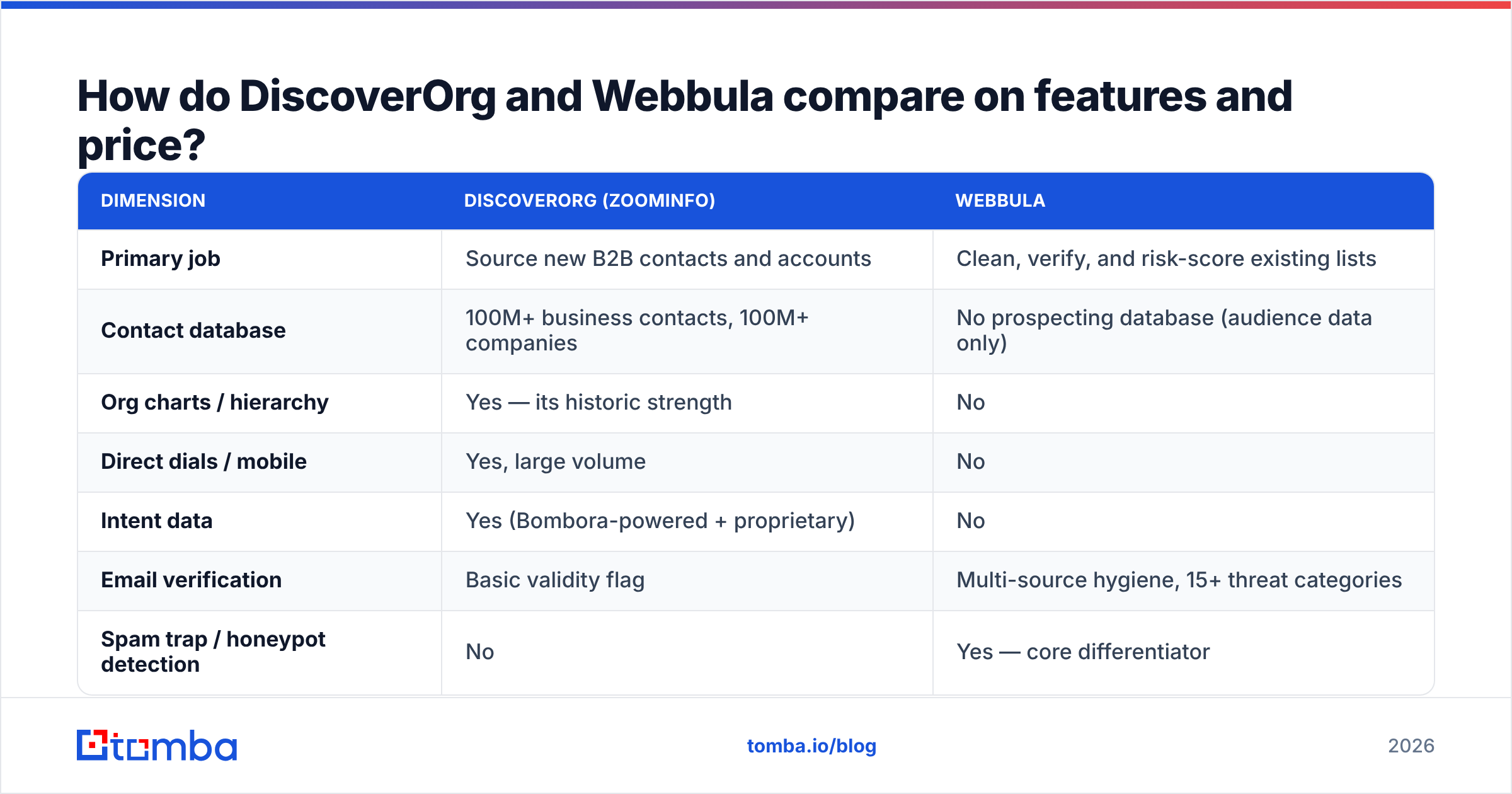
| Dimension | DiscoverOrg (ZoomInfo) | Webbula |
|---|---|---|
| Primary job | Source new B2B contacts and accounts | Clean, verify, and risk-score existing lists |
| Contact database | 100M+ business contacts, 100M+ companies | No prospecting database (audience data only) |
| Org charts / hierarchy | Yes — its historic strength | No |
| Direct dials / mobile | Yes, large volume | No |
| Intent data | Yes (Bombora-powered + proprietary) | No |
| Email verification | Basic validity flag | Multi-source hygiene, 15+ threat categories |
| Spam trap / honeypot detection | No | Yes — core differentiator |
| Bot and fraud filtering | No | Yes |
| Demographic append | Limited firmographic | Yes, consumer + business attributes |
| Free tier | No (demo only) | No (sample file review) |
| Pricing model | Annual seat + credit contract | Volume-based, per-record quote |
| Typical entry cost | ~$15,000/year | Low four figures per project, annual minimums for API |
| Contract length | 12 months, auto-renew common | 12 months typical for API |
| Best for | Enterprise outbound with a research budget | Email marketers with large owned lists |
The pricing rows are the ones that end most evaluations. Neither vendor publishes rates. Both route you through a demo, a discovery call, and a quote shaped by your seat count and record volume. Public review data on G2 consistently shows ZoomInfo contracts clustering in the $15K–$40K range for small teams, with enterprise deals well past six figures. Webbula quotes are smaller but still carry minimums that make one-off cleaning uneconomical.
Which one has better data quality?#
Different failure modes, so measure them separately.
DiscoverOrg's legacy strength was human verification — analysts calling companies to confirm titles and reporting lines. Post-merger, ZoomInfo leans much harder on automated collection, contributory data from its email-scraping community plugin, and machine inference. The result is more coverage and less depth. In practice you get high match rates on US enterprise contacts, weaker accuracy on EMEA and APAC, and title drift on records that have not been touched in 12+ months. Direct dials remain the strongest single asset.
Webbula never claims to find anyone. Its claim is that when you hand it a list, it will tell you which addresses will damage your sender reputation. That includes categories most verifiers miss entirely — pristine spam traps, recycled traps, litigators, and bot-generated signups from form-fill fraud. If your problem is that Google and Microsoft are throttling your sends, that is exactly the right diagnosis tool. Understanding email deliverability as a reputation problem rather than a content problem is what makes Webbula's pitch land.
Here is the honest framing: a contact database with 92% deliverable emails and a hygiene tool that removes the other 8% are complementary, not competitive. Teams running large volumes buy both. Teams running under 5,000 sends per month usually need neither at that price point.
When should you pick DiscoverOrg over Webbula?#
Buy the ZoomInfo/DiscoverOrg side if these describe you:
- You sell into enterprise IT or finance and need to know who reports to whom before you write a single email. Org charts are hard to reconstruct from LinkedIn alone.
- Your reps live on the phone. Direct-dial volume is the clearest justification for the price. If cold calling is 40% of your motion, the math works.
- You need intent signals to prioritize accounts already researching your category.
- You have a RevOps function that can enforce enrichment hygiene, dedupe rules, and CRM sync discipline. Without one, expensive data rots in Salesforce.
- Your ACV is above $25,000. Two closed deals pay for the contract.
Skip it if you are a founder-led sales motion, a two-person agency, or a startup validating ICP. The contract structure punishes small teams: annual commitment, seat-based pricing, credit overage fees, and auto-renewal clauses that catch people out. That last point comes up repeatedly in ZoomInfo reviews on Capterra — read the renewal terms before signing.
When should you pick Webbula over DiscoverOrg?#
Buy Webbula if the list already exists and the problem is what's in it:
- You inherited a database of 500K+ addresses with unknown provenance. Hygiene before send is cheaper than a blocklisting.
- Form-fill fraud is polluting your funnel. Bot signups inflate MQL counts and destroy campaign metrics. Webbula's bot detection is genuinely differentiated here.
- Your ESP has flagged your sender reputation and standard verification (syntax, MX, SMTP) already returned "valid" on the addresses causing trouble. That gap is where trap detection matters.
- You run consumer-adjacent B2B, where demographic append improves segmentation more than firmographics do.
Webbula will not build you a prospect list. If you show up expecting a database of CTOs at Series B companies, you will leave disappointed.
What are the alternatives to both in 2026?#
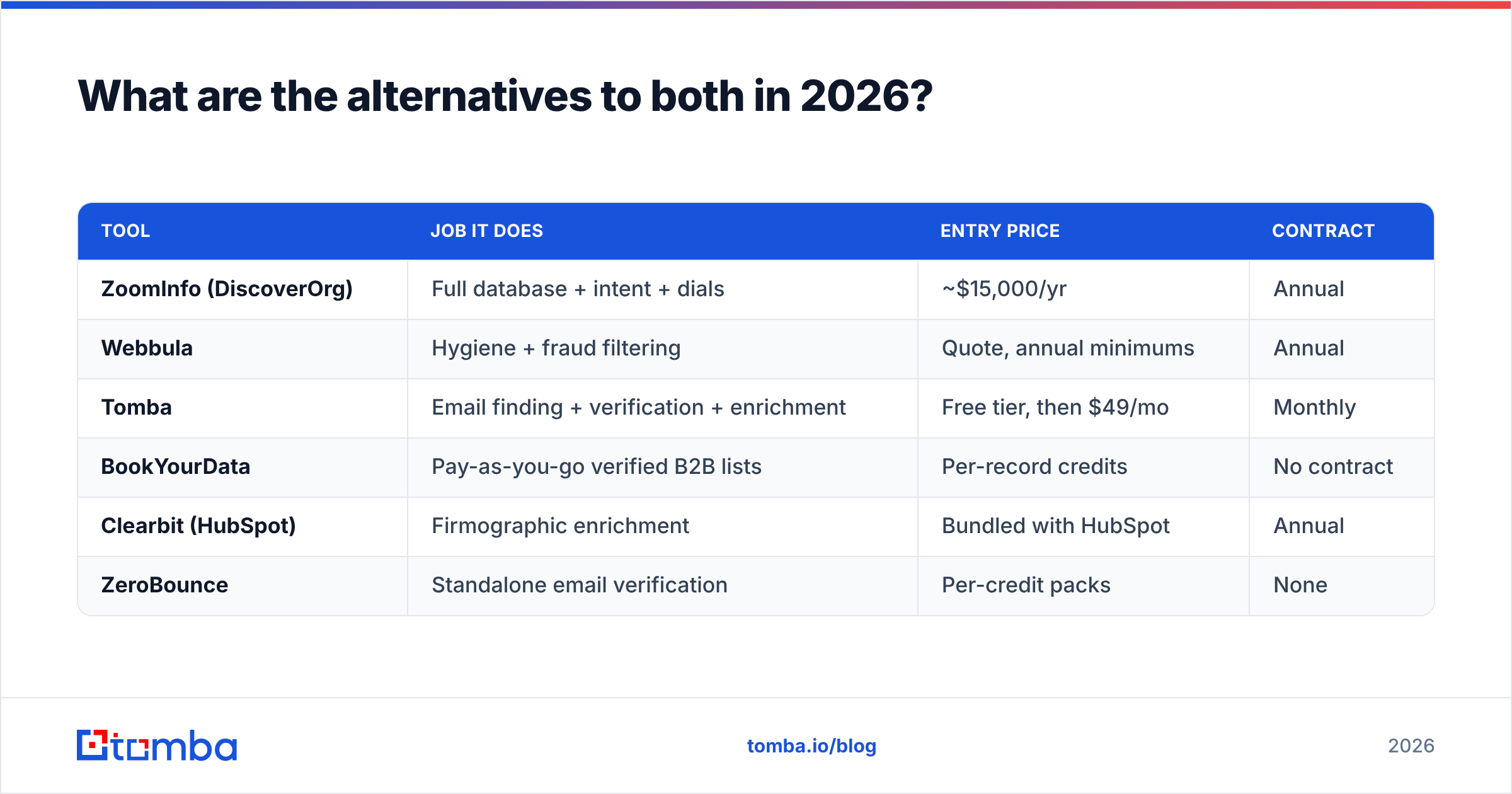
The DiscoverOrg-vs-Webbula framing hides a third option most teams should evaluate first: unbundle. Buy sourcing and verification separately, pay per use, and skip the annual contract entirely.
| Tool | Job it does | Entry price | Contract |
|---|---|---|---|
| ZoomInfo (DiscoverOrg) | Full database + intent + dials | ~$15,000/yr | Annual |
| Webbula | Hygiene + fraud filtering | Quote, annual minimums | Annual |
| Tomba | Email finding + verification + enrichment | Free tier, then $49/mo | Monthly |
| BookYourData | Pay-as-you-go verified B2B lists | Per-record credits | No contract |
| Clearbit (HubSpot) | Firmographic enrichment | Bundled with HubSpot | Annual |
| ZeroBounce | Standalone email verification | Per-credit packs | None |
BookYourData is worth a serious look if your objection to both incumbents is the contract rather than the data — it sells verified B2B records on a credit basis with no annual lock-in, which suits campaign-driven teams that buy in bursts.
Tomba fits the other common profile: you want to build lists continuously rather than buy them in bulk. The email finder resolves names and domains into verified addresses, the email verifier runs validity checks before send, and the catch-all verifier handles the domains that break most verification stacks. Tomba pricing starts with a free tier at 25 searches per month, then $49/mo Starter, $99/mo Growth, and $249/mo Pro — monthly, cancellable, no seat minimums.
That is not a claim that Tomba replaces ZoomInfo's org charts or Webbula's trap database. It doesn't. It's a claim that most teams evaluating a $30K contract are trying to solve a $600/year problem.
How do you actually run the evaluation?#
Do not accept the vendor's sample file. Run your own test.
Step 1 — Build a gold-set. Take 200 contacts you have already confirmed by hand: correct name, title, company, email, phone. This is your answer key.
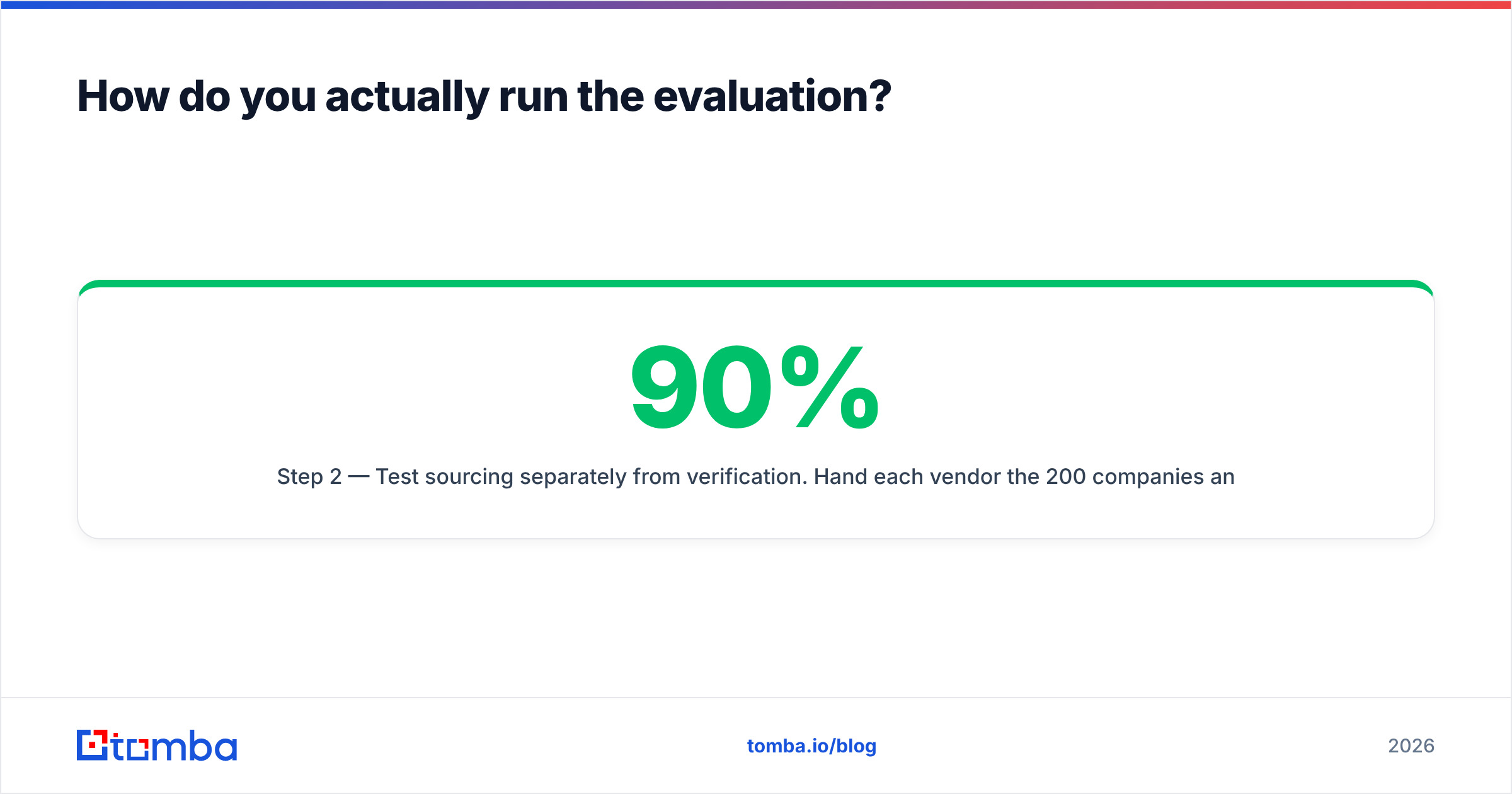
Step 2 — Test sourcing separately from verification. Hand each vendor the 200 companies and job titles, not the emails. Measure match rate (how many did it find?) and accuracy (how many matched your answer key?). A vendor with a 90% match rate and 70% accuracy is worse than one with 60% match and 95% accuracy — the first fills your sequences with bounces.
Step 3 — Test hygiene on a dirty list. Salt a 1,000-record list with 20 addresses you know are dead, plus 5 role accounts and a few obvious typo domains. See what each tool catches. Webbula should catch categories the others miss; if it doesn't, its premium isn't justified for you.
Step 4 — Price the whole workflow, not the license. Include enrichment credits, overage rates, API call costs, and the RevOps hours to maintain the integration. Compare against your current cost per meeting booked, not against the sticker price.
Step 5 — Read the renewal clause. Auto-renew with a 60-day cancellation window is standard at this tier. Diary the date the day you sign.
Step 6 — Check CRM fit. Enrichment that doesn't write cleanly into your CRM creates duplicate records faster than it creates pipeline. Test the Salesforce or HubSpot sync during the trial, not after.
What does the verdict look like?#
If you must pick one: DiscoverOrg/ZoomInfo, because sourcing is the harder problem and no amount of hygiene fixes an empty list. Webbula is a specialist tool that assumes you already solved the sourcing question.
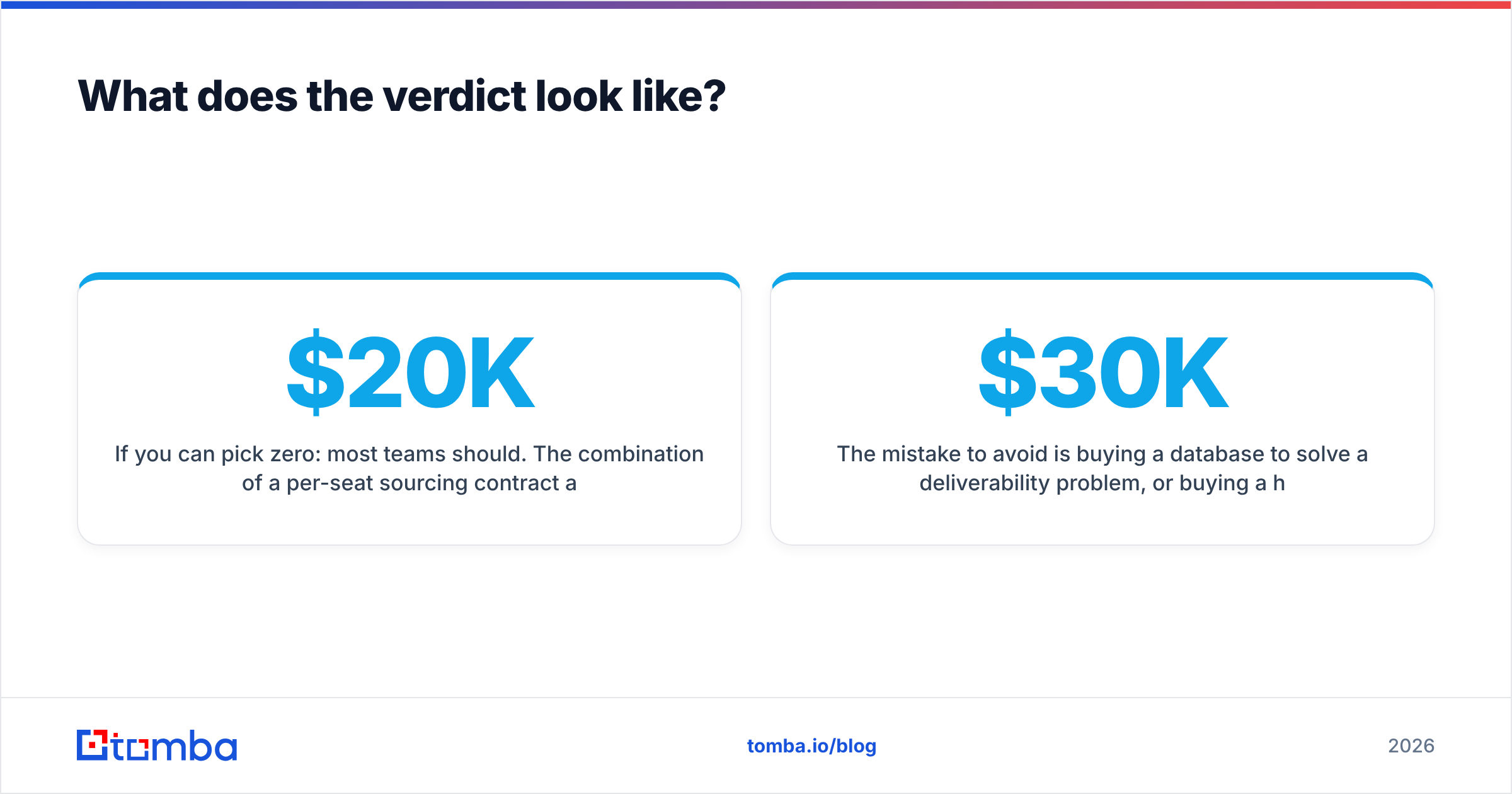
If you can pick zero: most teams should. The combination of a per-seat sourcing contract and a per-record hygiene contract runs $20K–$50K annually before anyone sends an email. Unbundled tooling — a finder, a verifier, and disciplined list building — gets you 80% of the outcome at a fraction of the spend, and lets you scale up only when volume justifies it.
If you are enterprise: run both. ZoomInfo for org charts and intent, Webbula as the hygiene layer between your CRM and your ESP. That stack is coherent and defensible. It is also expensive enough that you should have a RevOps owner accountable for its ROI.
The mistake to avoid is buying a $30K database to solve a deliverability problem, or buying a hygiene tool to solve an empty-pipeline problem. Diagnose which half is broken before you sign anything.
Ready to test whether you actually need an enterprise contract? Start with the Tomba Email Finder — search by domain, name, or company, verify every result before it hits your sequence, and run 25 free searches a month with no card and no annual commitment. Run it against your gold-set alongside the vendor quotes on your desk, and let the match-rate numbers make the decision for you.
Related guides#
Ready to find emails that actually work?
Join 150,000+ professionals who stopped guessing and started sending. Free credits on signup — no credit card required.
Get the Tomba newsletter
Practical outbound tactics and product updates — once every two weeks.
About the author