Ditlead Pros and Cons: An Honest 2026 Review for Outbound Teams
Ditlead bundles email sequences, LinkedIn automation, and a mini-CRM at a price that undercuts most sequencers. Here's where that trade-off pays off, where it quietly costs you, and who should skip it.
TL;DR
- Ditlead is a multichannel sales engagement platform — email sequences, LinkedIn automation, calling, a shared inbox, and a lightweight pipeline — sold at a price point well below Outreach or Salesloft.
- The strongest pros: unlimited (or very high) sending mailbox allowances on paid tiers, warmup bundled instead of billed separately, and agency/whitelabel features that normally cost extra.
- The strongest cons: a crowded UI with a real learning curve, LinkedIn automation that carries account risk regardless of vendor, support that runs on chat/community time rather than a named CSM, and no serious native contact data.
- The last point matters most. Ditlead moves messages; it does not find or validate the people you send them to. Pair it with a dedicated finder and verifier or your bounce rate will eat the savings.
- Best fit: solo founders, lean outbound teams, and agencies running many client workspaces. Worst fit: enterprise RevOps teams with strict security review, deep Salesforce sync needs, and no appetite for LinkedIn automation risk.
What is Ditlead, exactly?#
Ditlead is a cold outreach and sales engagement tool that tries to collapse four purchases into one subscription: an email sequencer, a LinkedIn automation layer, a click-to-call dialer, and a simple CRM pipeline with a unified inbox on top. You can see the current feature set and plan structure on the vendor's own site at ditlead.com.
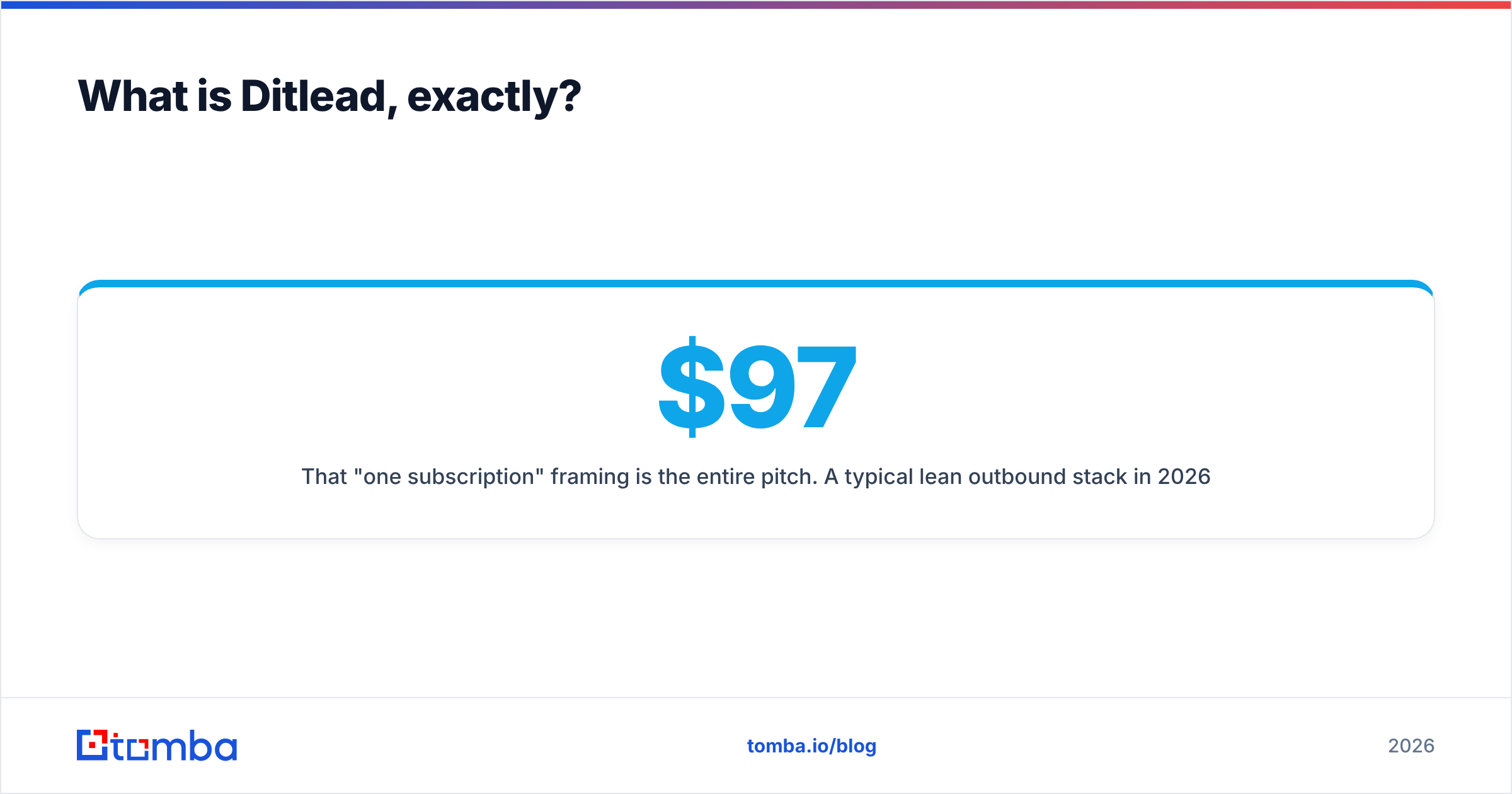
That "one subscription" framing is the entire pitch. A typical lean outbound stack in 2026 looks like a sequencer ($97/mo), a warmup service ($29/mo), a LinkedIn tool ($59/mo), and a dialer ($30/user). Ditlead's argument is that you can fold most of that into a single tier and stop paying four vendors to do one job.
The counter-argument — and the reason this post exists — is that bundles win on price and lose on depth. Every bundled module is somebody else's core product. Understanding which Ditlead modules are genuinely good and which are "good enough" is the whole decision.
If you want the neutral crowd view alongside this analysis, the G2 sales engagement category is where practitioner reviews for this segment cluster.
What are the main Ditlead pros?#
Here's what the tool actually does well, ranked by how much it changes your monthly spend or your workflow.
- Mailbox economics that scale with you, not against you. Most sequencers price per connected sending account or per active contact, which punishes exactly the behavior modern cold email requires — spreading volume thin across many inboxes. Ditlead's paid tiers lean toward unlimited or very generous mailbox connections, so adding your eleventh and twelfth domain doesn't trigger an invoice conversation.
- Warmup included rather than upsold. Warmup is table stakes now, and buying it separately adds $25–$50/mo per stack. Having it in-platform also means your warmup and your live sending share a reputation view instead of living in two dashboards nobody reconciles.
- Genuine multichannel sequencing. You can build a step sequence that mixes email, LinkedIn connection requests and messages, and call tasks in one flow with conditional branching. Tools that only do email force you to run LinkedIn touches manually in a second tab, and that manual step is where most sequences quietly break.
- Unified inbox and a usable mini-pipeline. Replies from every channel land in one place, and you can push a positive reply into a deal stage without exporting to a separate CRM. For a two-person team, that's often enough — no HubSpot seat required until you're past the first ten customers.
- Agency and whitelabel tooling at a normal price. Multiple client workspaces, separated sending infrastructure, and client-facing reporting are standard here rather than an enterprise add-on. If you run outbound for clients, this is usually the single biggest line-item saving.
- Fast, iterative shipping. The product ships changes frequently. That's a pro if you like features arriving; see the cons section for the flip side.

What are the real Ditlead cons?#
None of these are dealbreakers on their own. Together they define who should walk away.
The interface is dense. Cramming five product categories into one navigation produces a lot of tabs. Expect a genuine ramp — most teams report a week before sequence building feels natural, and settings you need (sending schedules, per-mailbox limits, tracking-domain config) are not always where you'd guess. If your SDRs are junior and you need day-one productivity, budget training time.
LinkedIn automation is a risk you own, not the vendor. LinkedIn's terms prohibit unauthorized automated activity, and enforcement is not consistent or predictable. Cloud-based automation reduces some signals but eliminates none. A restricted profile costs far more than the subscription saved. Cap daily actions well below what the tool permits, and never automate from a profile you can't afford to lose.
Support is community-speed. Chat and knowledge base, not a named customer success manager with an SLA. When a sending issue costs you a day of pipeline, that gap is felt. Larger vendors charge more partly because someone picks up.
Deep CRM sync is shallow. Native integrations exist, and Zapier or Make covers most gaps, but bidirectional field-level sync with Salesforce objects is not the same as a purpose-built connector. RevOps teams with custom objects and strict attribution reporting will find the mapping thin.
Rapid shipping means occasional rough edges. Fast release cadence and rock-solid stability are trade-offs. Reports of intermittent bugs following updates are normal for this tier of tool. Don't run a client's flagship campaign on a feature released last week.
There is no serious native contact database. This is the big one, and it deserves its own section.
How does Ditlead compare to other sequencers on price and scope?#
Prices below reflect publicly listed entry tiers at the time of writing and move often — verify on each vendor's pricing page before you commit budget.
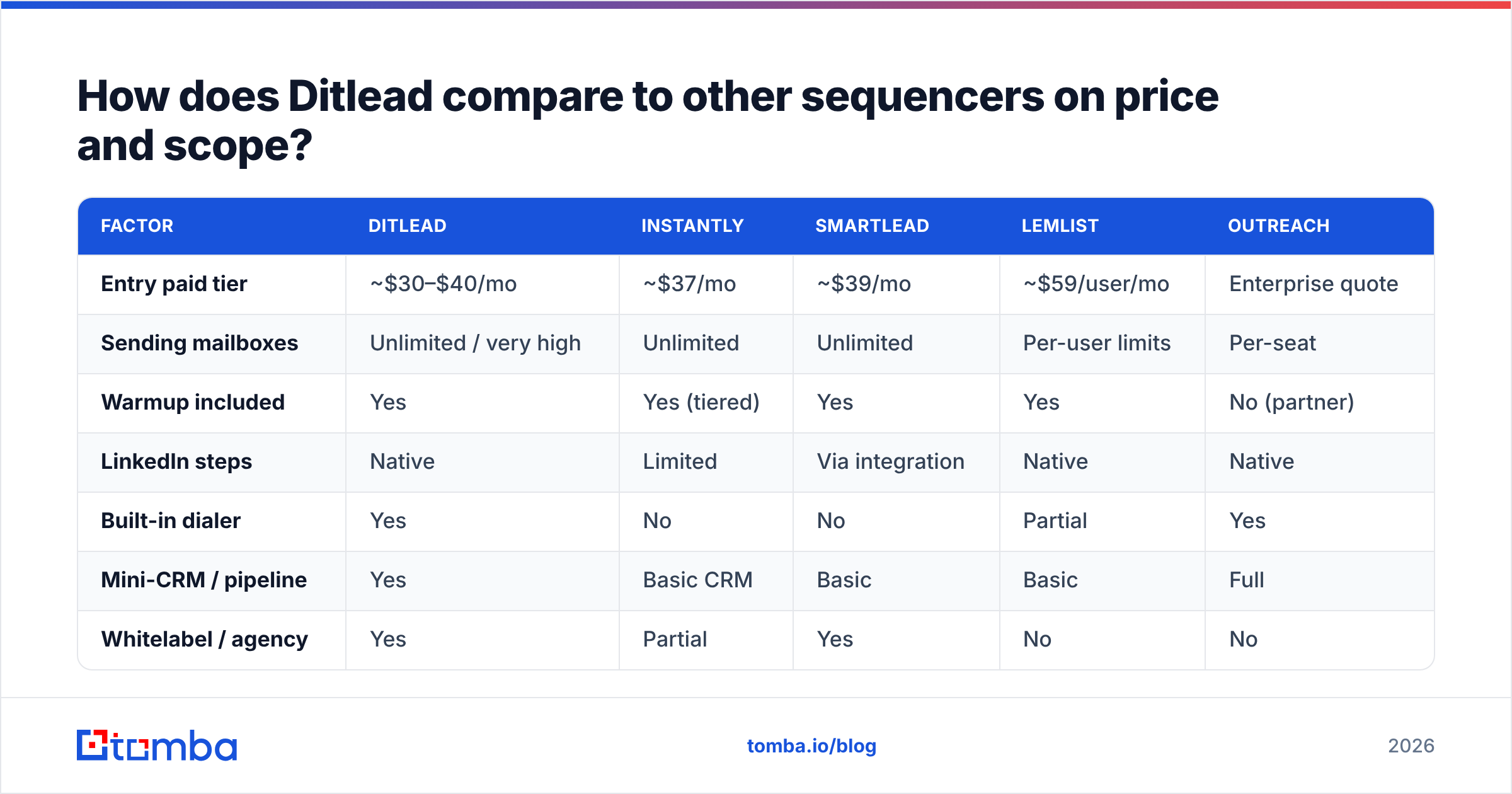
| Factor | Ditlead | Instantly | Smartlead | lemlist | Outreach |
|---|---|---|---|---|---|
| Entry paid tier | ~$30–$40/mo | ~$37/mo | ~$39/mo | ~$59/user/mo | Enterprise quote |
| Sending mailboxes | Unlimited / very high | Unlimited | Unlimited | Per-user limits | Per-seat |
| Warmup included | Yes | Yes (tiered) | Yes | Yes | No (partner) |
| LinkedIn steps | Native | Limited | Via integration | Native | Native |
| Built-in dialer | Yes | No | No | Partial | Yes |
| Mini-CRM / pipeline | Yes | Basic CRM | Basic | Basic | Full |
| Whitelabel / agency | Yes | Partial | Yes | No | No |
| Native contact data | Minimal | Lead database add-on | No | Limited | Marketplace |
| Deep Salesforce sync | Weak | Weak | Weak | Moderate | Strong |
| Best for | Agencies, lean teams | Volume email | Volume email + agencies | Personalized email | Enterprise |
Read that table as a positioning map, not a scoreboard. Ditlead's column is wide and shallow; Outreach's is narrow and deep. If your problem is "I pay for six tools and use 20% of each," the wide column wins. If your problem is "my VP needs forecast-grade activity data in Salesforce," it doesn't.
Is Ditlead accurate enough on contact data?#
No — because that isn't what it is. Ditlead is a delivery and orchestration layer. Whatever list you import is the list it sends to, and a sequencer cannot rescue bad input.
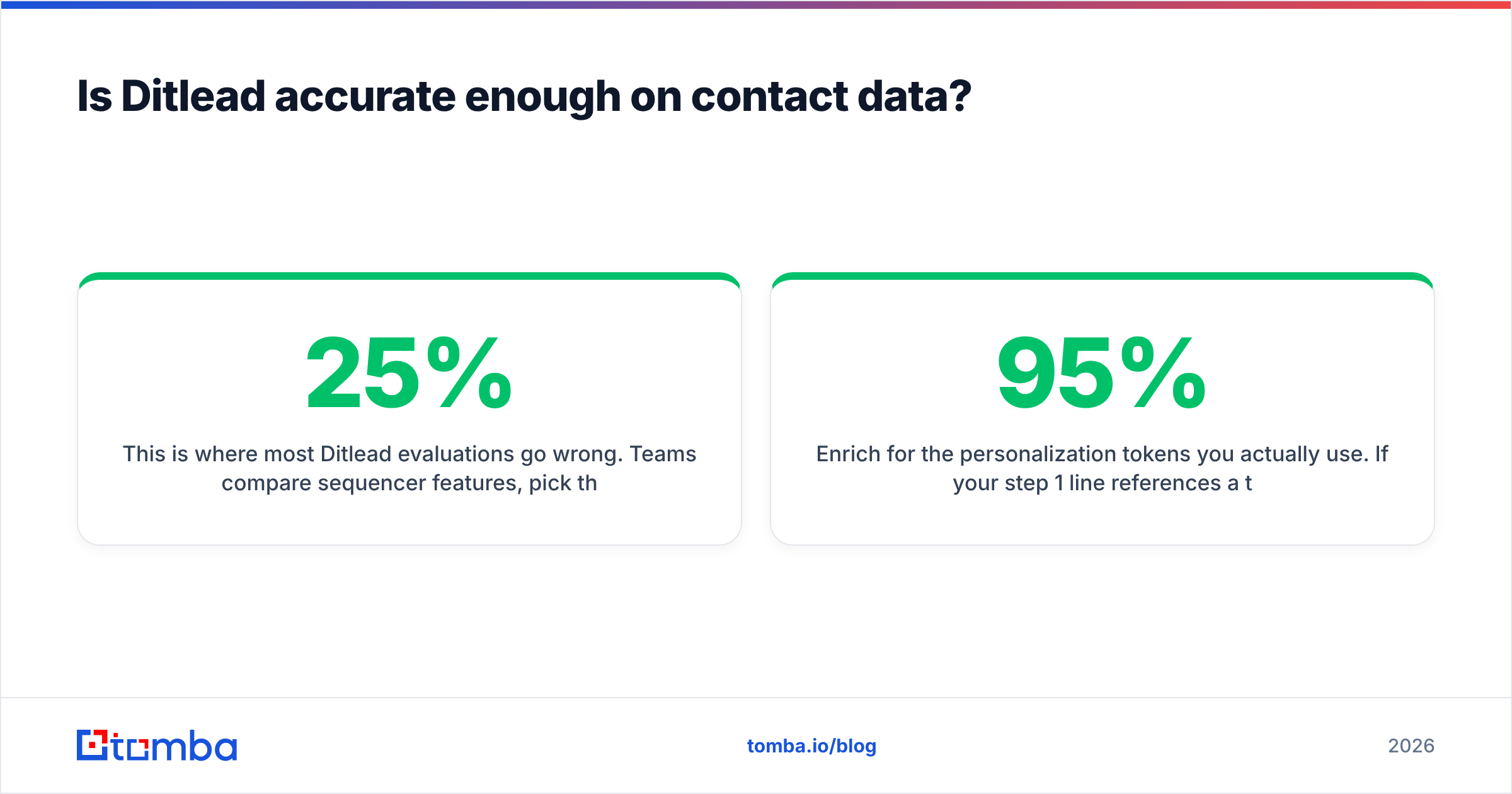
This is where most Ditlead evaluations go wrong. Teams compare sequencer features, pick the cheapest one, then blame it when open rates collapse and a domain gets flagged. The actual cause is almost always upstream: 15–25% of a scraped or aged B2B list is invalid by the time you send, and bounce rates above roughly 3% start damaging email deliverability at the mailbox-provider level. Google and Microsoft both tightened bulk-sender enforcement, and neither cares which sequencer you used.
The practical fix is a two-step pre-send layer that runs before anything touches Ditlead:
- Find, don't guess. Pattern-guessing an address ("first.last@") produces a plausible string, not a real mailbox. A dedicated email finder resolves the address against actual signals instead. For whole target accounts, domain search pulls the full pattern and known contacts in one pass.
- Verify, then verify the weird ones twice. Run every import through an email verifier, and handle catch-all domains separately — they accept everything at the SMTP layer and tell you nothing, which is exactly how a "verified" list still bounces.
- De-duplicate before upload, not after. The same person across three exported lists means three sequence enrollments from three of your inboxes. That's a spam complaint waiting to happen.
- Enrich for the personalization tokens you actually use. If your step 1 line references a title or a company detail, that field has to be populated for 95%+ of rows or your merge tags degrade into obvious mail-merge.
Purchased list providers can sit alongside this too — vendors like BookYourData sell verified B2B records directly, which is a reasonable shortcut when you need volume in a defined segment rather than a targeted account list. Either path, the rule is the same: the data layer is a separate purchase from the sending layer, and treating it as optional is the most expensive mistake in outbound.

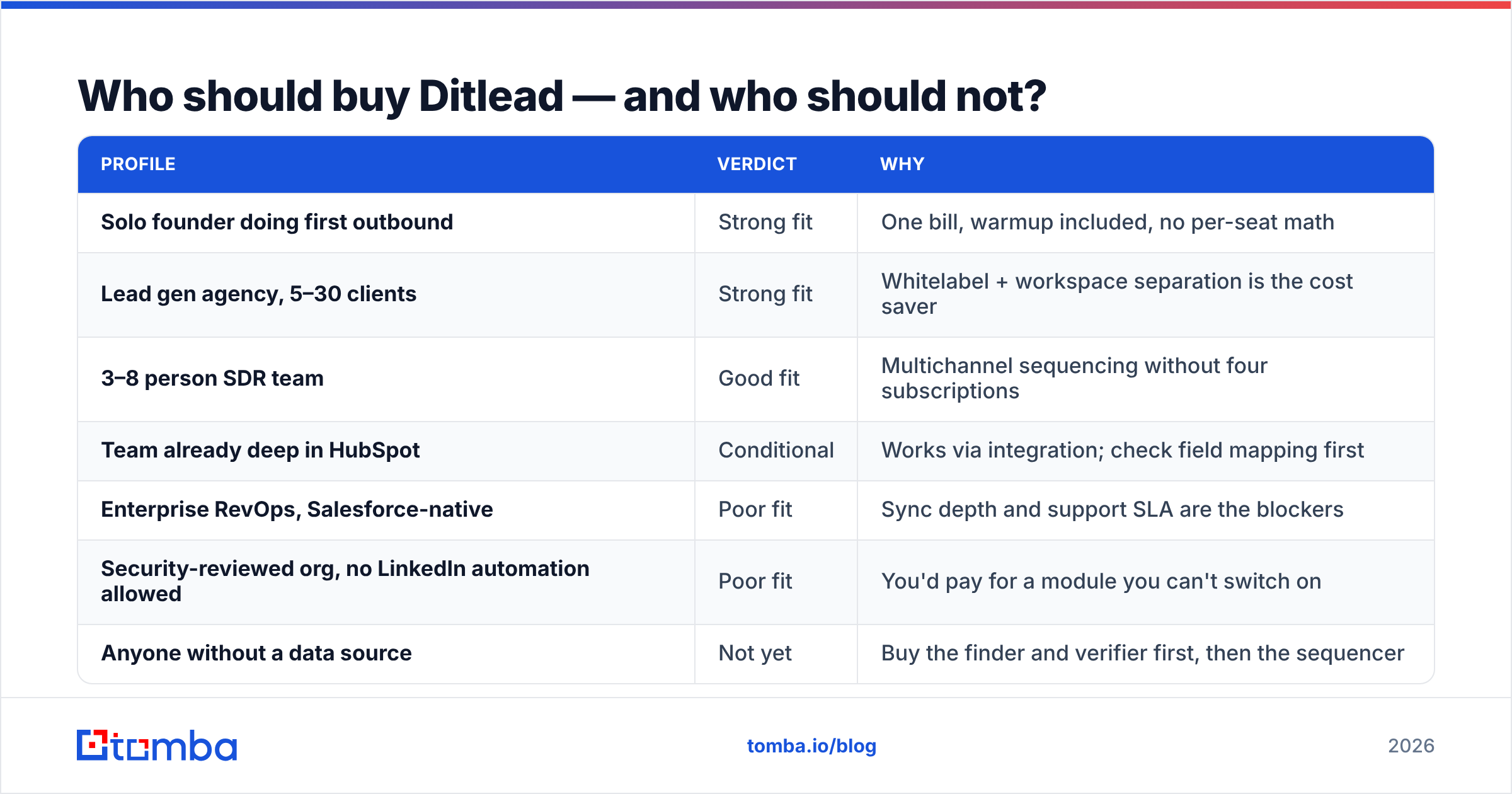
Who should buy Ditlead — and who should not?#
| Profile | Verdict | Why |
|---|---|---|
| Solo founder doing first outbound | Strong fit | One bill, warmup included, no per-seat math |
| Lead gen agency, 5–30 clients | Strong fit | Whitelabel + workspace separation is the cost saver |
| 3–8 person SDR team | Good fit | Multichannel sequencing without four subscriptions |
| Team already deep in HubSpot | Conditional | Works via integration; check field mapping first |
| Enterprise RevOps, Salesforce-native | Poor fit | Sync depth and support SLA are the blockers |
| Security-reviewed org, no LinkedIn automation allowed | Poor fit | You'd pay for a module you can't switch on |
| Anyone without a data source | Not yet | Buy the finder and verifier first, then the sequencer |
How should you run a fair 14-day Ditlead trial?#
Most trials fail because people test features instead of outcomes. Do this instead:
- Day 1–2: infrastructure only. Connect two secondary domains (never your primary), configure SPF, DKIM, and DMARC, set the custom tracking domain, and start warmup. Do not build a sequence yet.
- Day 3–5: build one list properly. 300 contacts, single ICP segment, sourced and verified before import. Record the verification pass rate — you'll need it as a baseline.
- Day 6–7: build one sequence, three steps. Email, LinkedIn view or connect, email. Resist branching complexity; you're testing the platform, not your creativity.
- Day 8–12: send at 20–30 per mailbox per day. Watch bounce rate, spam-placement, and reply handling in the unified inbox. Bounces above 2% mean your data layer failed, not Ditlead.
- Day 13: break something on purpose. Open a support ticket with a real question and time the response. That number is your risk premium.
- Day 14: price the alternative honestly. Add up what the separate best-in-class tools would cost for the same job, then decide whether the depth gap is worth the delta.
If you're scaling this past a pilot, the bulk email finder workflow handles list-building at campaign volume, and Tomba pricing starts free at 25 searches a month so you can run step 2 without a second commitment. For teams comparing full stacks, HubSpot's sales resources are a decent neutral reference on sequence structure and cadence design.
What's the verdict on Ditlead pros and cons?#
Ditlead is a legitimately good deal for the buyer it was built for: someone paying for breadth, running many mailboxes or many client accounts, and comfortable trading support depth and CRM depth for a much smaller bill. The unlimited-mailbox economics and bundled warmup are real advantages, not marketing. The dense UI, thin enterprise sync, community-speed support, and inherent LinkedIn automation risk are real costs, also not marketing.
What it is definitively not is a complete outbound solution. It is the delivery half. The other half — knowing who to contact, at what address, and whether that address will accept mail — is a separate discipline with separate tooling, and it's the half that determines whether your sequences land in an inbox or a spam folder.
Build the data layer first. Start with the Tomba Email Finder to source verified professional addresses by domain, name, or company, run them through verification before a single contact reaches your sequencer, and let Ditlead — or whichever platform you choose — do the job it's actually good at. Clean input is the cheapest deliverability upgrade you will ever buy.
Related guides#
Ready to find emails that actually work?
Join 150,000+ professionals who stopped guessing and started sending. Free credits on signup — no credit card required.
Get the Tomba newsletter
Practical outbound tactics and product updates — once every two weeks.
About the author