Dropcontact vs Hunter: Which Email Finder Wins in 2026?
Dropcontact enriches with GDPR-safe algorithms and no database. Hunter runs the biggest public web index. We compare accuracy, credits, pricing and integrations to show which one actually fits your outbound motion.
Dropcontact vs Hunter — TL;DR
- Dropcontact is an enrichment engine, not a database. It computes and verifies contact data on the fly from public sources. That is why it markets itself as the GDPR-native option for European teams.
- Hunter is a search-first email finder. It runs one of the largest public web indexes, a genuinely useful free tier, and the best-known domain search on the market.
- In a Dropcontact vs Hunter test, Dropcontact usually wins on European B2B coverage and CRM cleanup. Hunter usually wins on raw discovery volume, developer tooling, and English-language SMB coverage.
- The pricing models do not compare line for line. Hunter charges per search and per verification. Dropcontact charges per enrichment request, even when nothing useful comes back.
- Want discovery and verification in one credit pool, on a flatter price curve? Benchmark a third option like Tomba before you commit for a year.
Dropcontact vs Hunter is not a feature checklist problem. The two tools solve overlapping problems with very different architectures. The winner depends on where your prospects live, how your CRM is built, and whether you are finding new contacts or cleaning old ones.
Here's the honest comparison.
What are Dropcontact and Hunter, exactly?#
Dropcontact (dropcontact.com) is a French enrichment API. Its core claim is that it stores no personal contact database. You send it a name and a company. It then runs a chain of steps — pattern detection, syntax construction, SMTP-level checks, cross-checks against public registries — and returns a computed, verified email.
The company leans hard on this design as a GDPR argument. You cannot be accused of trading a scraped contact database if you never hold one. In practice, Dropcontact is strong at two jobs: enriching a list you already have (names and companies in, emails out), and keeping a CRM clean as records go stale. It is weaker at open-ended discovery, because you need to know who you are looking for first.
Hunter (hunter.io) went the other way. It crawls the public web at scale. It keeps an index of email addresses tied to domains, plus the email format each company uses.
That index powers three tools: Domain Search (show me everyone at stripe.com), Email Finder (first name, last name and domain in, address out), and a standalone Email Verifier. Hunter also ships Campaigns, a light cold-email sender. A small team can go from discovery to first touch without a second subscription.
So the Dropcontact vs Hunter split is easy to picture. Hunter is the familiar shape: type a domain, get a list. Dropcontact is the quiet shape: pipe your CRM through it and watch the fields fill in.
Dropcontact vs Hunter: how do they find emails?#
Most comparison posts skip this part. It is also the part that predicts your bounce rate. The mechanics differ at every stage.
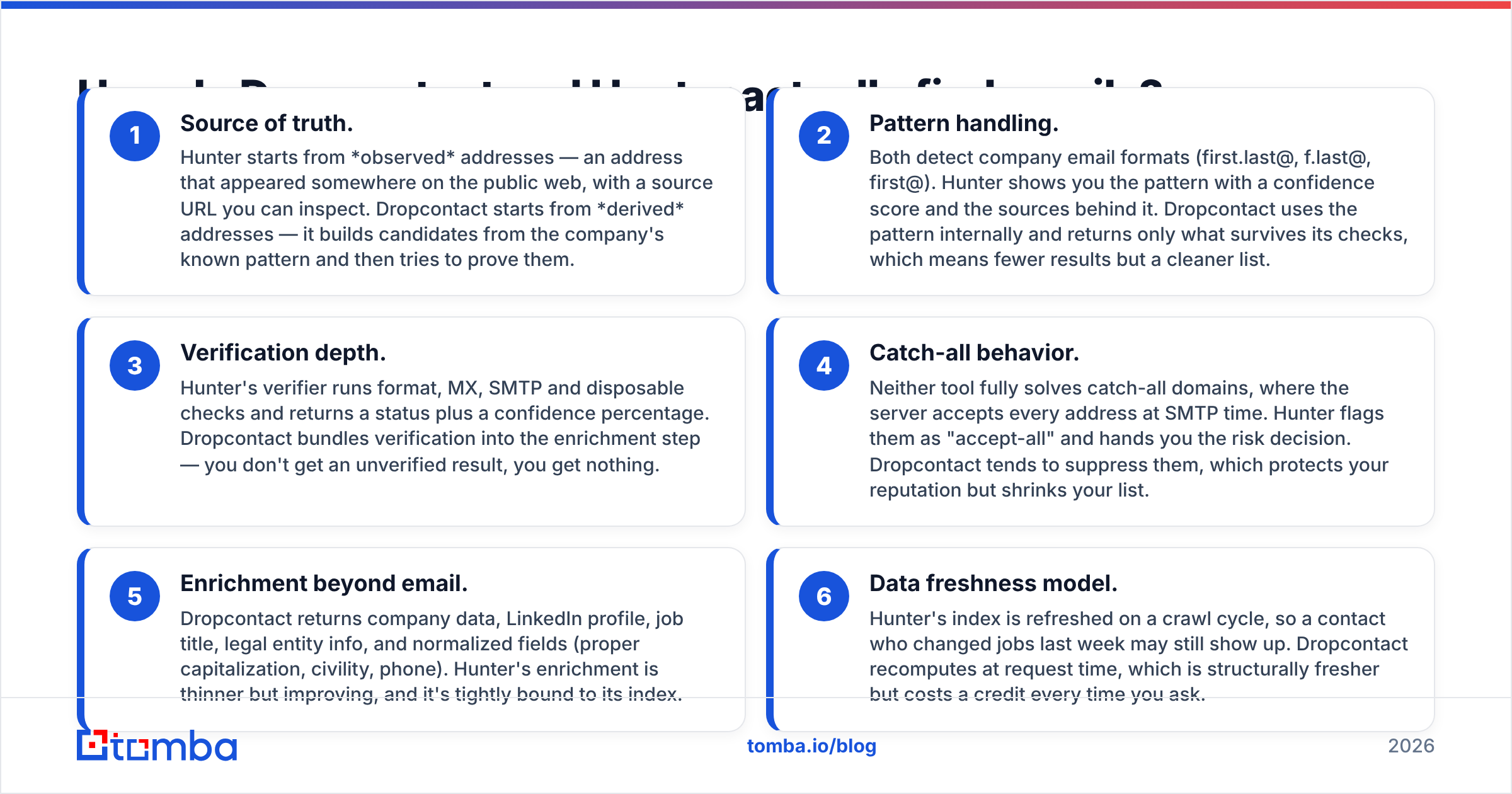
- Source of truth. Hunter starts from observed addresses. Each one showed up somewhere on the public web, with a source URL you can inspect. Dropcontact starts from derived addresses. It builds candidates from the company pattern, then tries to prove them.
- Pattern handling. Both tools detect company email formats (first.last@, f.last@, first@). Hunter shows you the pattern, a confidence score, and the sources behind it. Dropcontact uses the pattern internally and returns only what survives its checks. Fewer results, cleaner list.
- Verification depth. Hunter's verifier runs format, MX, SMTP and disposable checks, then returns a status and a confidence score. Dropcontact folds verification into enrichment. You never get an unverified result. You get nothing.
The next three differences show up once you are live.
- Catch-all behavior. Neither tool fully solves catch-all domains, where the server accepts every address. Hunter flags them as "accept-all" and hands you the risk call. Dropcontact tends to drop them, which protects your reputation but shrinks your list.
- Enrichment beyond email. Dropcontact returns company data, LinkedIn profile, job title, legal entity info, and tidy fields (capitalization, civility, phone). Hunter's enrichment is thinner, though it keeps improving.
- Data freshness. Hunter's index refreshes on a crawl cycle, so someone who changed jobs last week can still show up. Dropcontact recomputes at request time. That is fresher by design, but it costs a credit every time you ask.
The takeaway: Hunter aims for recall. Find as many as possible, then you filter. Dropcontact aims for precision. It returns only what it can stand behind, so you get fewer rows.
Dropcontact vs Hunter: which one is more accurate?#
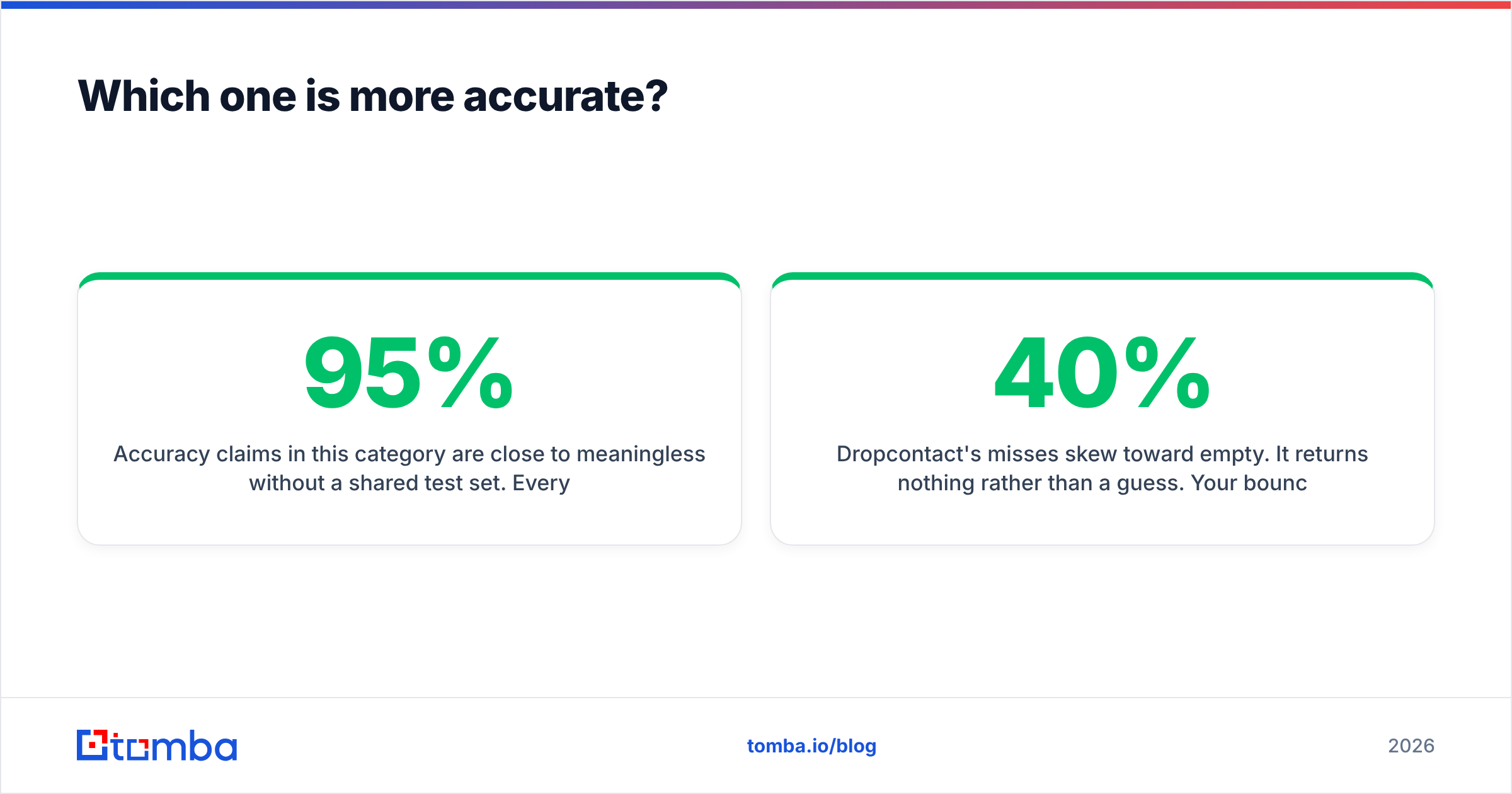
Accuracy claims here mean little without a shared test set. Every vendor publishes a number — 95%, 97%, 98%. Each one is measured on a list they chose, with a definition of "accurate" they wrote themselves.
What you can reproduce is the shape of the errors.
- Hunter's misses skew stale. The index reflects what was published. Contacts who left a company still return a valid-looking address. Those rarely hard bounce, since the mailbox often still exists. They just never reply. That is the expensive failure mode, because it looks like a delivery win and a copy problem.
- Dropcontact's misses skew empty. It returns nothing rather than a guess. Your bounce rate stays low and your coverage takes the hit. On a US-heavy SMB list, gaps of 30-40% are common. On French and Benelux mid-market lists, Dropcontact often out-covers Hunter.
- Both degrade on catch-all domains, which now cover a large share of enterprise mail. If your ICP is enterprise, run a dedicated catch-all verifier either way. Neither vendor's default answer is good enough alone.

The only accuracy test that matters is yours. Take 200 contacts whose emails you already know. Strip the emails, run both tools, and measure two numbers: coverage (how many came back with anything) and precision (how many matched the known-good address). Do it before you sign an annual contract, not after.
Dropcontact vs Hunter pricing: how do the plans compare?#
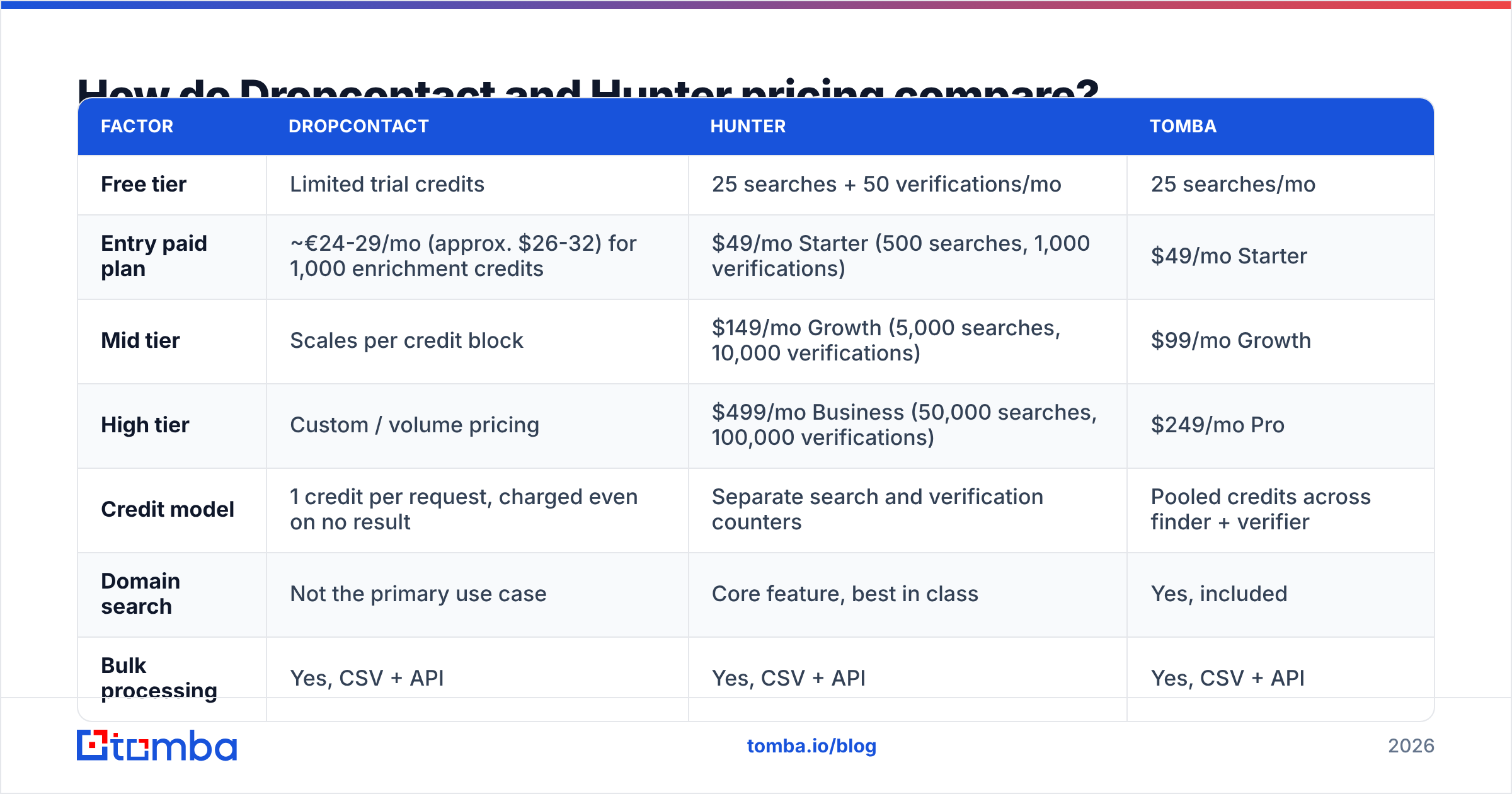
Pricing is where the two diverge hardest. Sticker prices per month also mislead here. Hunter separates searches from verifications. Dropcontact charges one credit per enrichment request, whatever the outcome. Some rivals pool everything.
| Factor | Dropcontact | Hunter | Tomba |
|---|---|---|---|
| Free tier | Limited trial credits | 25 searches + 50 verifications/mo | 25 searches/mo |
| Entry paid plan | ~€24-29/mo (approx. $26-32) for 1,000 enrichment credits | $49/mo Starter (500 searches, 1,000 verifications) | $49/mo Starter |
| Mid tier | Scales per credit block | $149/mo Growth (5,000 searches, 10,000 verifications) | $99/mo Growth |
| High tier | Custom / volume pricing | $499/mo Business (50,000 searches, 100,000 verifications) | $249/mo Pro |
| Credit model | 1 credit per request, charged even on no result | Separate search and verification counters | Pooled credits across finder + verifier |
| Domain search | Not the primary use case | Core feature, best in class | Yes, included |
| Bulk processing | Yes, CSV + API | Yes, CSV + API | Yes, CSV + API |
| Built-in email sending | No | Yes (Campaigns) | No — integrates with your sequencer |
| Data model | No stored contact DB (computed on request) | Crawled public index | Index + verification layer |
| Best for | GDPR-sensitive CRM enrichment, EU contacts | Discovery, domain research, English-language SMB | Mixed discovery + verification on one budget |
Prices reflect publicly listed plans in early 2026. Check each vendor's page before you buy, since credit allowances change more often than headline prices.
Two things are worth watching in that table.
First, Dropcontact charges for empty results. That is not a trick; it is how a compute-based model has to work. Still, your real cost per usable email is higher than the credit price suggests. On a list with 60% coverage, a €0.029 credit is really €0.048 per delivered contact.
Second, Hunter splits its counters. Heavy verifiers hit the verification ceiling long before the search ceiling. You then pay for an upgrade you never needed on the discovery side.

Run your own numbers with each vendor's published rates and your real monthly volume. For a third data point on how a pooled-credit model changes the math, Tomba pricing puts finder and verifier credits in one bucket: $49/mo for Starter and $99/mo for Growth.
Is Dropcontact's GDPR angle a real advantage?#
Partly. It depends who is asking.
The claim is architectural. Dropcontact says it keeps no database of personal data. So there is no stored profile to be the subject of an access request or a data-broker complaint. Its servers sit in the EU and it publishes a DPA. For a French, German or Dutch company whose legal team has already flagged US-hosted contact databases, that is a real procurement unlock. Sometimes it decides the deal.
Be precise about what it does not cover.
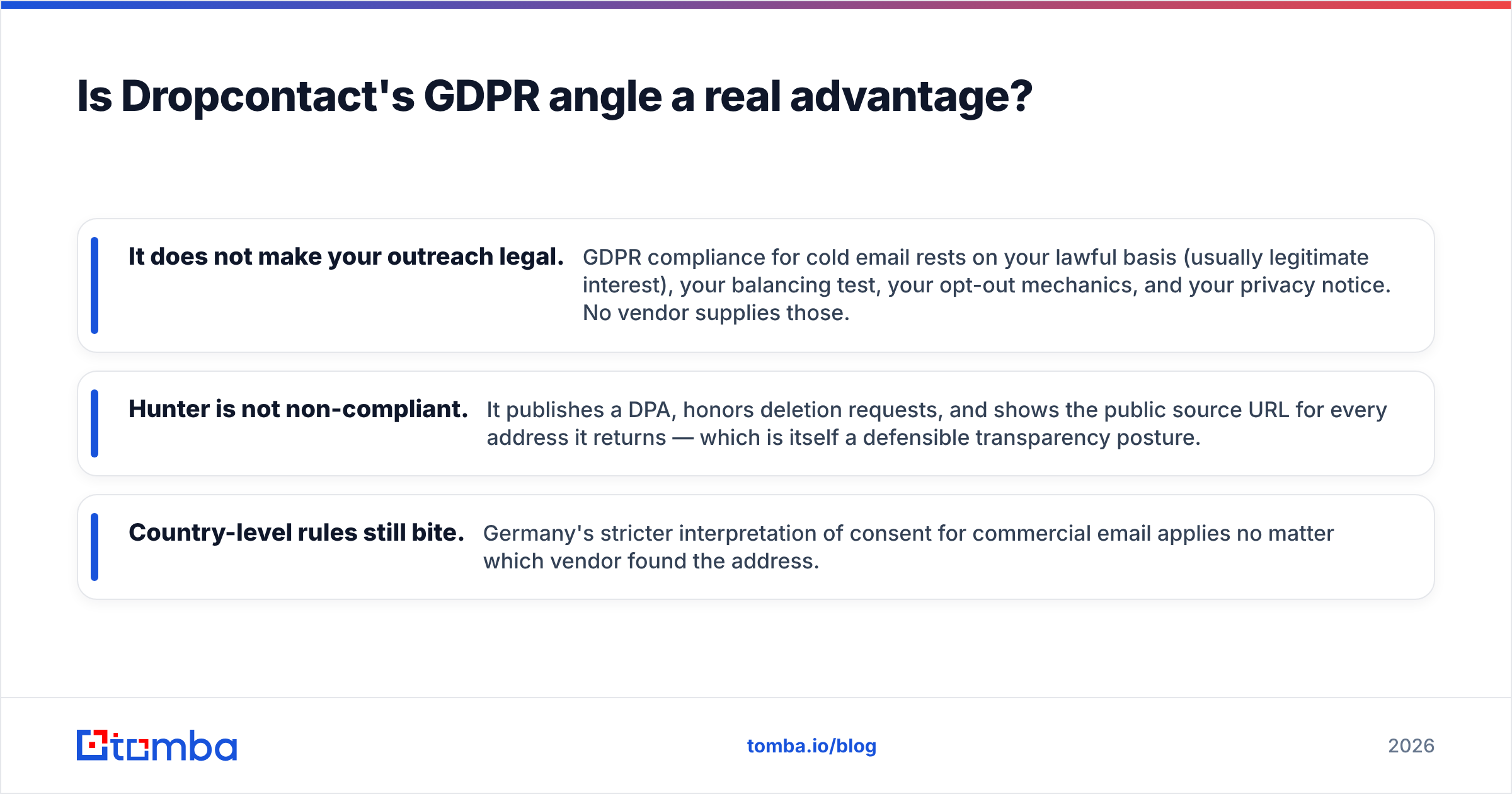
- It does not make your outreach legal. GDPR compliance for cold email rests on your lawful basis (usually legitimate interest), your balancing test, your opt-out, and your privacy notice. No vendor supplies those.
- Hunter is not non-compliant. It publishes a DPA, honors deletion requests, and shows the public source URL for every address it returns. That is a defensible transparency posture.
- Country rules still bite. Germany reads consent for commercial email strictly, whichever vendor found the address.
If legal review is your bottleneck, Dropcontact's architecture is the easier story to tell. If it is not, this factor should not outweigh coverage and cost. For the concepts behind it, the email deliverability and sender reputation entries are worth ten minutes.
Dropcontact vs Hunter: which one fits your stack?#
Hunter has the broader surface for individual reps. Its Chrome extension, Google Sheets add-on, and native links to HubSpot, Pipedrive, Salesforce and Zapier let an SDR work in the tab they are already in. Campaigns closes the loop for teams too small to pay for a sequencer.
Dropcontact is built for the RevOps seat. Its best integrations run without a human: HubSpot and Pipedrive auto-enrichment that fires on record creation, a clean API, and Make or Zapier scenarios that keep a CRM topped up. If your goal is "every contact in HubSpot has a verified email within 24 hours," Dropcontact fits better.
Check both vendors' current listings on G2 before you assume an integration goes as deep as you need. "Supports HubSpot" can mean a full two-way sync or a CSV export.
If your team works in Sheets, Excel, the browser or a CLI, compare Tomba's integrations too. Integration breadth often decides adoption.
Who should pick Dropcontact, and who should pick Hunter?#
Pick Dropcontact if:
- Your ICP is European, especially France, Belgium, Switzerland or the Netherlands.
- Your main job is enriching and maintaining an existing CRM, not sourcing net-new names.
- Legal or procurement has raised concerns about stored contact databases.
- You value a short, clean list over a long one you have to filter.
Pick Hunter if:
- You need open-ended discovery: give me everyone at these 300 domains.
- Your market is mostly US/UK SMB and mid-market.
- You want a free tier big enough to test seriously before paying.
- You want sending built in and do not have a sequencer yet.
Consider a third option if:
- You pay for a finder and a separate verifier, and the credits never line up.
- You need bulk email finder throughput plus verification in one pass.
- Your volume sits between two Hunter tiers. The $149-to-$499 jump is steep if you only needed 15,000 verifications.
That last case is common enough to name. Splitting discovery and verification across two vendors doubles your reconciliation work. It usually costs more than a pooled-credit plan at the same volume.
What should you actually do next?#
Run the 200-contact test. Both vendors have free or low-commitment entry points, so no one has to decide on marketing copy. Measure coverage and precision on your list. Then divide monthly cost by usable contacts delivered. The winner is rarely the one with the better landing page.
If the test shows you are paying twice — once to find, once to verify — fix that before you renew. Tomba's email finder runs discovery and verification on the same credit pool. Starter is $49/mo, and the free tier gives you 25 searches a month to benchmark against whatever Dropcontact vs Hunter return on your list. Run all three on the same 200 rows and let the numbers pick.
Related guides#
Ready to find emails that actually work?
Join 150,000+ professionals who stopped guessing and started sending. Free credits on signup — no credit card required.
Get the Tomba newsletter
Practical outbound tactics and product updates — once every two weeks.
About the author