E Mail Verifier: How Email Verification Works in 2026
Most bounce problems trace back to one skipped step. Here's how an e mail verifier actually works, where vendor accuracy claims break down, and what verification should cost in 2026.
TL;DR
- An e mail verifier checks whether an address can receive mail. It tests syntax, the domain, MX records, and the mailbox itself.
- B2B lists decay 22–30% a year. A list you built in January is badly broken by December.
- Vendor "99% accuracy" claims come from clean test lists. What matters is how a tool treats catch-all and role-based addresses.
- Pricing splits two ways. Credit packs suit one-off cleanups. Monthly plans suit steady prospecting.
- Verify twice: once when you collect the address, and again right before you send.
What is an e mail verifier?#
An e mail verifier answers one question. If I send to this address, will it reach a real mailbox?
Think of a courier who checks an address before loading the truck. He can see that the street exists. He can see that the building is real. He can see that someone still lives there. He never has to knock. An e mail verifier works the same way. It asks the mail server for signals, and it never sends a message.
The tool runs a chain of checks. Each one catches a different failure:
- Syntax check — Does the address follow RFC 5322? This catches
john.doe@@company.com, stray spaces, and the commongmial.comtypo. It is instant, and it kills 3–5% of a raw list. - Domain and MX lookup — Does the domain resolve? Does it publish mail records? No MX record means no mail at all. This catches dead firms, parked domains, and sites that send mail from another domain.
- Disposable and role checks — Is the domain
mailinator.com? Is the addressinfo@,sales@, orsupport@? Neither type is invalid. Both wreck reply rates and raise complaints in cold outbound.
The last two checks are where tools split apart:
- SMTP handshake — The tool opens a connection and issues
RCPT TOwithout sending data. A helpful server answers250(accept) or550(no such user). This step separates a real e mail verifier from a regex script. - Catch-all and greylist analysis — Some servers accept every address. Others stall unknown senders on purpose. Good tools flag both cases. Weak tools mark them "valid" and let you eat the bounce.
Want the protocol detail? The SMTP specification on Wikipedia lists the codes these checks rely on. Short version: the handshake is a chat, and not every server tells the truth.

Why do email lists decay so fast?#
Because people change jobs. That is the whole story, and it moves faster than most teams plan for.
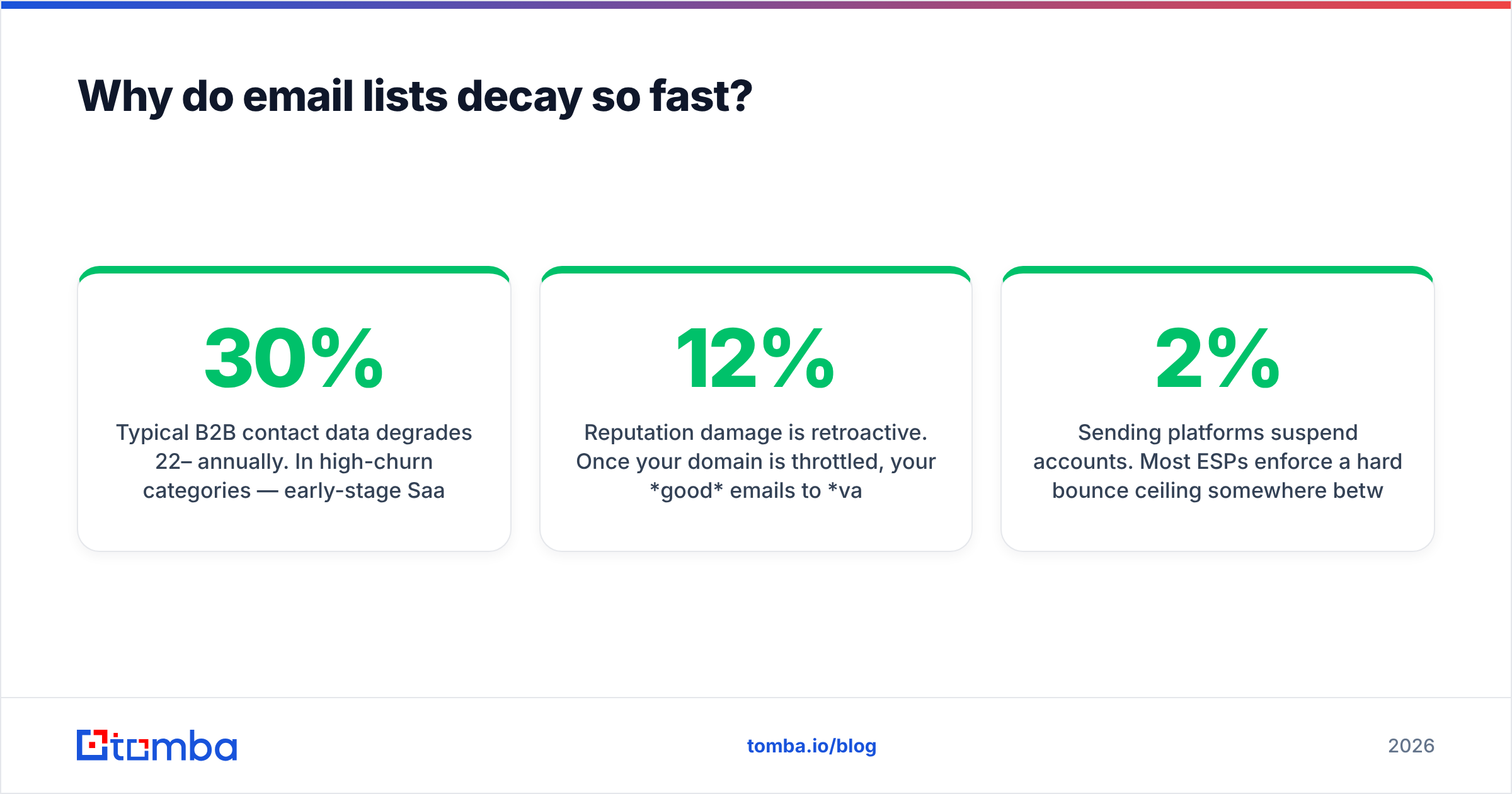
B2B contact data goes stale at 22–30% a year. In high-churn markets it runs higher. Think early-stage SaaS, agencies, and anything venture-funded in a down cycle. A 10,000-contact list built 18 months ago is 60–70% deliverable at best.
The damage stacks up:
- Bounces hurt your sender reputation. Mailbox providers read a high hard-bounce rate as a spam signal. Google says so in its own Postmaster Tools guidance.
- The damage spreads backward. Once your domain is throttled, good mail to valid contacts lands in spam too. You do not just lose the bad 12%. You lose reach across the whole list.
- Sending platforms suspend accounts. Most ESPs cap hard bounces between 2% and 5%. Cross the line and your campaign stops.
So an e mail verifier is not a nice-to-have. It stands between one stale spreadsheet and a burned sending domain. Not sure where your domain stands today? Run a sender reputation checker before your next batch.
How accurate are e mail verifiers, really?#
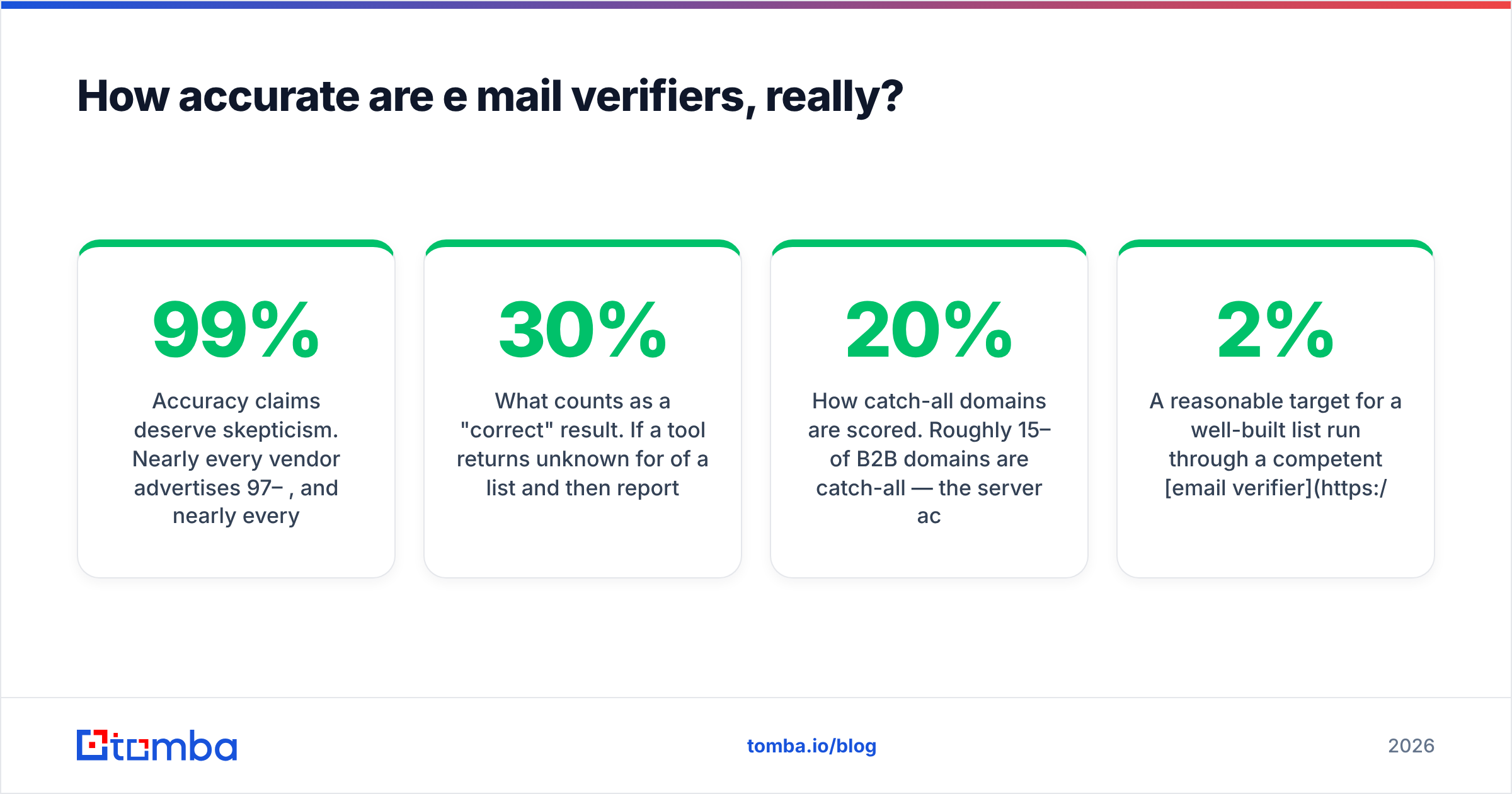
Treat accuracy claims with care. Almost every e mail verifier claims 97–99%. Almost every one measures it a bit differently.

Here is what really varies between tools:
What counts as a "correct" result. Say a tool returns unknown for 30% of your list. Then it claims 99% accuracy on the rest. That number is true and almost useless. Ask for the coverage rate next to the accuracy rate.
How catch-all domains are scored. Roughly 15–20% of B2B domains are catch-all. The server takes mail for any name, real or not. Some tools count these as valid. That inflates accuracy and hurts your results. Others mark them risky and stop there. A few run extra pattern and activity checks to build a real confidence score.
Whether the test set is fair. A test against Gmail and Outlook will always look great. Corporate Exchange, Zoho, Proton, and strict spam gateways are where tools drift apart.
How fresh the data is. Some tools cache results for 30–90 days to save money. You cannot see that cache. It is why one address can get two verdicts a week apart. Reviews in G2's email verification category help here. Look for complaints about stale results, not star ratings.
A good list run through a competent email verifier should bounce under 2%. Under 1% is doable when a list is fresh and checked twice. Anyone who promises 0% is selling.
What should you do about catch-all domains?#
This is the biggest split between tools, so it earns its own framework.
A catch-all server accepts anything@company.com at the SMTP layer. It then decides in private whether to deliver or bin it. The handshake tells you nothing. You have four options.
- Skip them. Safest for your reputation. But you drop 15–20% of your list. Catch-all is common at mid-market and enterprise firms, and those are often your best accounts.
- Send anyway. Fine if your domain reputation is strong and your volume is low.
- Use pattern confidence. Say nine known contacts at
acme.comall usefirst.last@. A tenth address in that shape is very likely real. A catch-all verifier earns its keep here. It blends the SMTP result with pattern data and web evidence instead of shrugging. - Warm up, then send in tiers. Mail confirmed addresses for two weeks. Build a good engagement record. Then add your best catch-alls.
Simple rule: if an e mail verifier gives you valid or invalid with no catch-all bucket, it is hiding a guess.
Which e mail verifier should you use in 2026?#
It depends on one thing. Is verification a standalone job, or part of how you prospect? Here is how the main options compare.

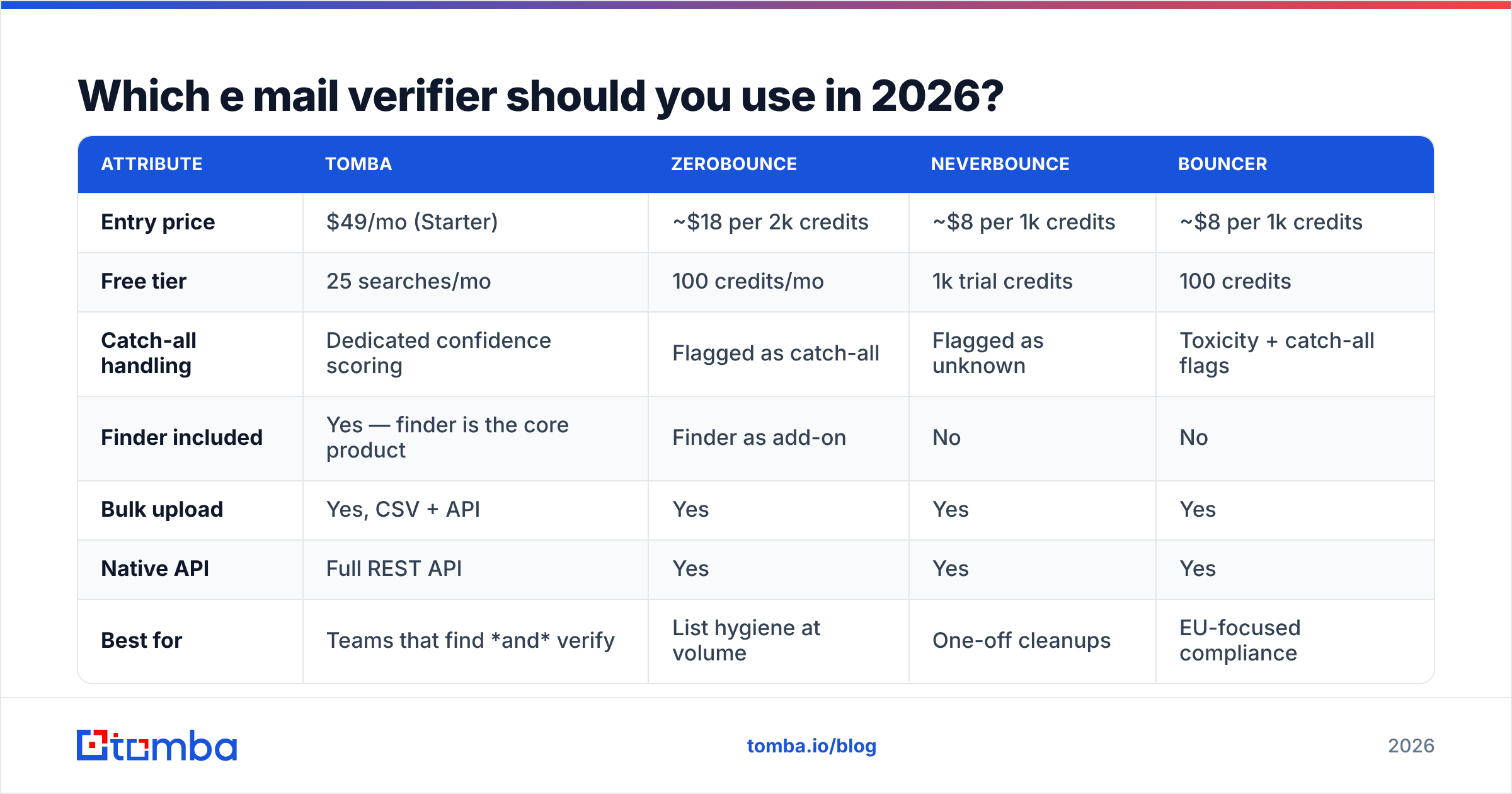
| Attribute | Tomba | ZeroBounce | NeverBounce | Bouncer |
|---|---|---|---|---|
| Entry price | $49/mo (Starter) | ~$18 per 2k credits | ~$8 per 1k credits | ~$8 per 1k credits |
| Free tier | 25 searches/mo | 100 credits/mo | 1k trial credits | 100 credits |
| Catch-all handling | Dedicated confidence scoring | Flagged as catch-all | Flagged as unknown | Toxicity + catch-all flags |
| Finder included | Yes — finder is the core product | Finder as add-on | No | No |
| Bulk upload | Yes, CSV + API | Yes | Yes | Yes |
| Native API | Full REST API | Yes | Yes | Yes |
| Best for | Teams that find and verify | List hygiene at volume | One-off cleanups | EU-focused compliance |
Vendor pricing changes often. Treat these figures as directional, and check each vendor's own page before you buy. ZeroBounce reworks its credit packs on a regular basis.
Two things the table cannot show:
Cheap per credit is not cheap overall. Find addresses in one tool and verify in another, and you pay twice for the same contact. You also keep two exports in sync. For steady outbound, one tool that finds and verifies usually wins on total cost.
Pre-verified data is a fair third path. Vendors like BookYourData sell lists that arrive already checked. That skips the step for teams who want speed. You trade some targeting control for pace, and it suits broad ICP coverage. An e mail verifier fits better when you source narrowly and often.

How much does email verification actually cost?#
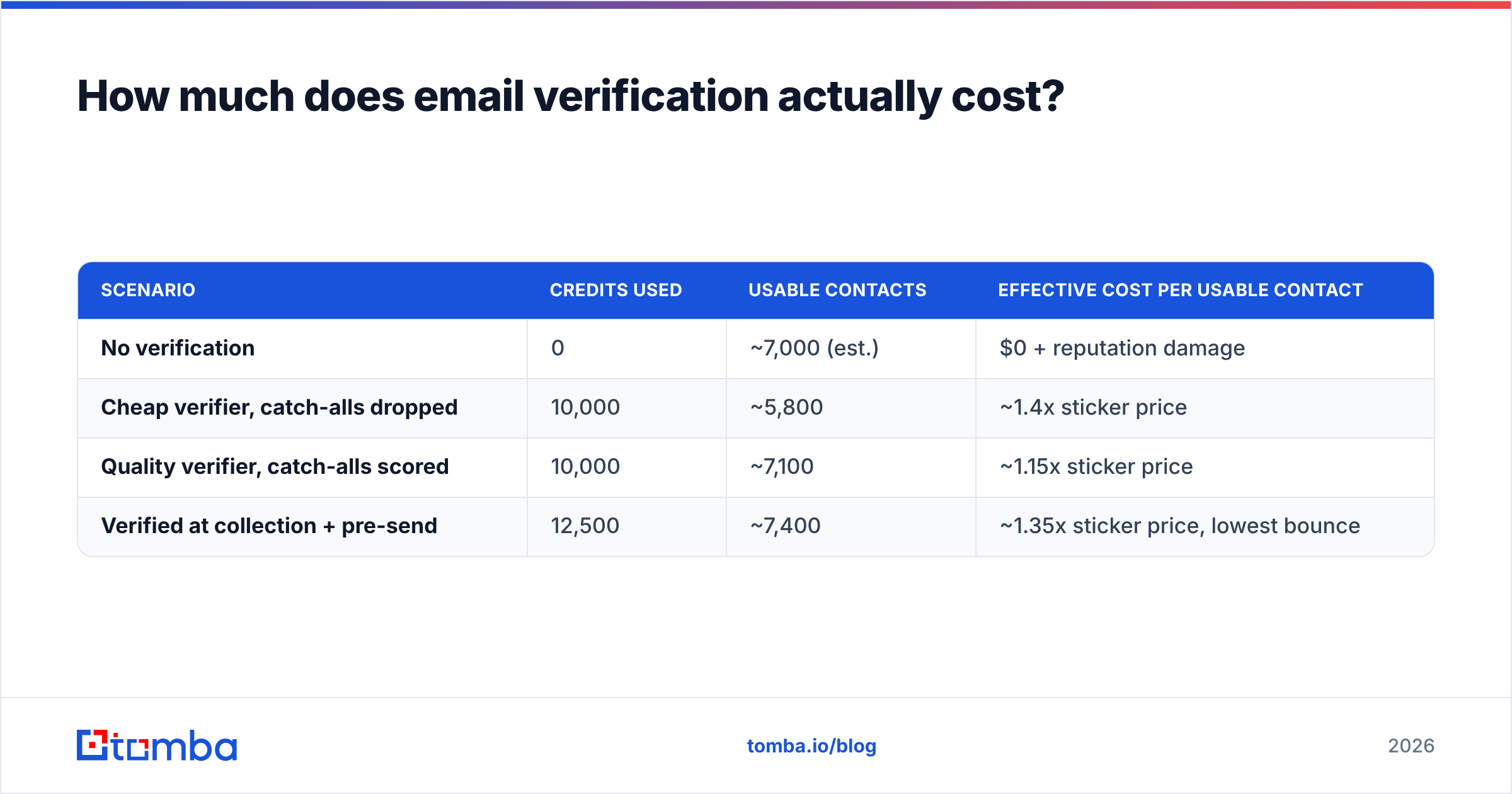
Sticker price is per credit. Real cost is per usable contact. The two numbers drift apart fast.
Run the math on a 10,000-address raw list:
| Scenario | Credits used | Usable contacts | Effective cost per usable contact |
|---|---|---|---|
| No verification | 0 | ~7,000 (est.) | $0 + reputation damage |
| Cheap verifier, catch-alls dropped | 10,000 | ~5,800 | ~1.4x sticker price |
| Quality verifier, catch-alls scored | 10,000 | ~7,100 | ~1.15x sticker price |
| Verified at collection + pre-send | 12,500 | ~7,400 | ~1.35x sticker price, lowest bounce |
The cheap row is the trap. A tool that bins every catch-all looks the same on the invoice. It also hands you 1,300 fewer real prospects. At any normal deal size, that gap dwarfs the price per credit.
On the subscription side, Tomba pricing runs Free (25 searches/mo), Starter at $49/mo, Growth at $99/mo, Pro at $249/mo, and custom Enterprise. Finding, verifying, domain search, and enrichment all draw from one credit pool.
How do you verify emails at scale without breaking your workflow?#
Four patterns, roughly in order of team size.
- Browser extension, one contact at a time. Good for founder-led sales and under 30 prospects a week. Verify as you find, paste into your sequencer, and move on.
- Bulk CSV upload. The default for bought lists and quarterly CRM cleanups. Upload, wait, then download a file with a status on every row. A bulk email finder that finds and verifies in one pass saves a whole export cycle.
The last two patterns are where the real leverage sits.
- API calls at the point of capture. Verify on form submit, on CRM record create, and on import. Bad data never enters the system, so you clean up far less later. One call on a webform takes about 200ms.
- Scheduled re-checks. Anything older than 90 days gets re-run on its own. Log the results. Decay then shows up as a report instead of a bounce spike.
Already in a CRM? Read the HubSpot data quality documentation next to your e mail verifier docs. Dedupe and field validation overlap with verification more than teams expect. You do not want two systems fighting over one field.
What are the most common verification mistakes?#
Verifying once and calling it done. A result has a shelf life of weeks, not years. Re-check before every big campaign.
Treating role addresses as invalid. sales@ and support@ deliver fine. They are poor cold outbound targets. That is a targeting call, not a data call. Filter them in the campaign, not in the database. Otherwise you wreck your inbound and support records.
Ignoring the greylisted bucket. Some servers soft-reject a first contact on purpose. A tool that calls these invalid throws away real addresses. Retry after a wait before you drop them.
Skipping the free sanity check. Before you buy a big batch, run a few known-good and known-bad addresses through a free email checker. If a tool cannot classify addresses you already know, do not buy 50,000 credits from it.
Verifying but not fixing the source. If 40% of a list bounces, the verifier is not the problem. The source is. Verification is a filter, not a data source.
Where does verification fit in the bigger picture?#
Verification is the last checkpoint in a chain, not the whole system. Here is the sequence that keeps bounces under 2%. Source addresses from a provider with clear data sources. Verify at the moment you collect. Enrich with role and company data so you can segment well. Re-check right before you send. Then watch bounce and complaint rates per domain, so decay shows up early.
Skip one link and the chain still mostly holds. Until it does not, which tends to happen right after you scale your volume.
Ready to stop guessing which addresses are real? The Tomba Email Finder finds work addresses by domain, name, or company. It verifies them in the same pass. That includes confidence scores on catch-all domains that most tools just flag and abandon. Start free with 25 searches a month. Move to Starter at $49/mo when your outbound volume calls for it.
Related guides#
Ready to find emails that actually work?
Join 150,000+ professionals who stopped guessing and started sending. Free credits on signup — no credit card required.
Get the Tomba newsletter
Practical outbound tactics and product updates — once every two weeks.
About the author