Easir Pricing Review 2026: Real Costs, Pros and Cons
An independent look at Easir's pricing model, what real reviewers praise and complain about, where the hidden costs sit, and which teams get more value from a leaner data-first stack instead.
This Easir pricing review breaks down what the 2026 plans really cost, what reviewers praise and complain about, and where the hidden fees sit.
TL;DR
- Easir sells a per-seat, tiered plan: a cheap entry tier, a mid tier that adds automation and reporting, and a quote-only enterprise tier. Annual billing cuts the rate.
- The sticker price is not the real price. Seats, onboarding, extra channels, and enrichment are billed on top. Budget 1.3–1.8× list for year one.
- Reviewers praise the unified inbox, the fast setup, and the support. They complain about shallow reporting, thin integrations, and missing contact data.
- Easir is a CRM and engagement layer, not a prospect database. If your bottleneck is finding verified contacts, no tier fixes that — you need an email finder.
- Best fit: SMB teams that live in shared inboxes and social channels. Worst fit: outbound teams that need deep sequencing or high-volume contact discovery.
What is Easir, and who is it actually built for?#
Easir (easir.com) is a customer engagement platform that bundles CRM, a shared multi-channel inbox, and light sales automation into one subscription. The pitch is consolidation: instead of running a CRM, a social inbox, a chat widget, and a ticketing tool separately, you run one workspace where every customer conversation — email, web chat, social messages — lands in the same thread against the same contact record.
That positioning matters for the pricing conversation. Easir does not compete with the enterprise CRMs on depth of configuration. It competes on time-to-value. The buyer is a team of 3–50 people stuck in a shared Gmail inbox and a spreadsheet. Read the CRM definition if you want the category boundaries, but the practical version is this: Easir manages relationships you already have. It does not create new ones.
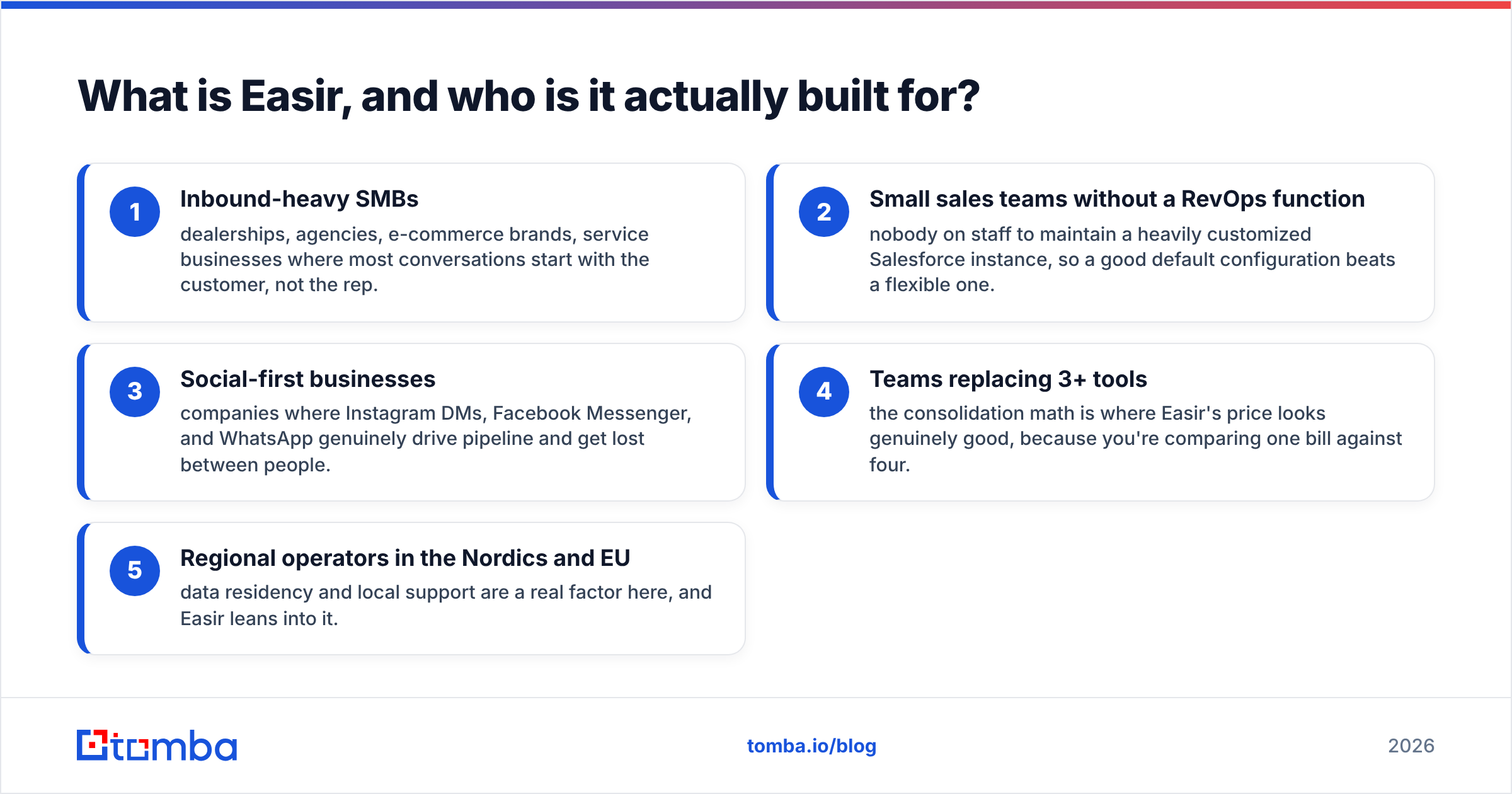
The teams that get the most out of it tend to look like:
- Inbound-heavy SMBs — dealerships, agencies, e-commerce brands, service businesses where most conversations start with the customer, not the rep.
- Small sales teams without a RevOps function — nobody on staff to maintain a heavily customized Salesforce instance, so a good default configuration beats a flexible one.
- Social-first businesses — companies where Instagram DMs, Facebook Messenger, and WhatsApp genuinely drive pipeline and get lost between people.
- Teams replacing 3+ tools — the consolidation math is where Easir's price looks genuinely good, because you're comparing one bill against four.
- Regional operators in the Nordics and EU — data residency and local support are a real factor here, and Easir leans into it.
If none of those describe you, the pricing analysis below will probably conclude "no," and that's a fine outcome to reach in 10 minutes rather than after a 12-month contract.
How much does Easir cost in 2026?#
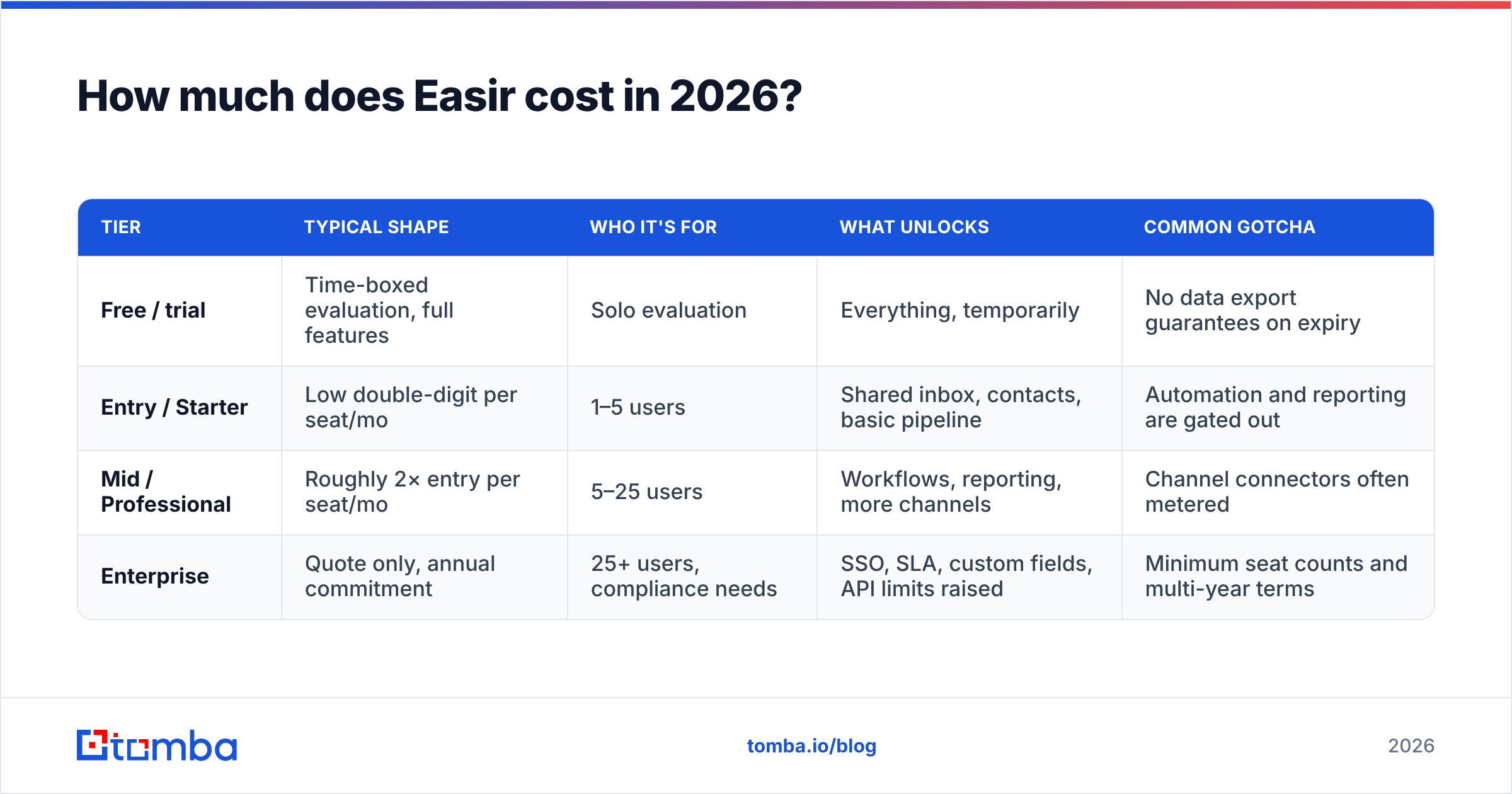
Easir uses a classic three-tier SaaS ladder plus a custom enterprise option. Prices are published per user, per month, with a meaningful discount for annual prepay — the standard 15–20% you see across the category.
Here is the structure, with one caveat: any vendor can reprice at will, and regional currency lists (EUR, DKK) differ from USD. Confirm the live numbers on the vendor's own pricing page before you build a budget around them.
| Tier | Typical shape | Who it's for | What unlocks | Common gotcha |
|---|---|---|---|---|
| Free / trial | Time-boxed evaluation, full features | Solo evaluation | Everything, temporarily | No data export guarantees on expiry |
| Entry / Starter | Low double-digit per seat/mo | 1–5 users | Shared inbox, contacts, basic pipeline | Automation and reporting are gated out |
| Mid / Professional | Roughly 2× entry per seat/mo | 5–25 users | Workflows, reporting, more channels | Channel connectors often metered |
| Enterprise | Quote only, annual commitment | 25+ users, compliance needs | SSO, SLA, custom fields, API limits raised | Minimum seat counts and multi-year terms |
Three structural things to understand before you compare that against anything else:
Per-seat billing punishes team growth. A 6-person team on a mid tier looks cheap. The same team at 18 people, 24 months later, is paying triple with no change to the underlying value delivered per conversation. Model your seat count at the end of the contract, not the start.
Channel connectors are frequently the metered resource. The base subscription covers the workspace. Extra social accounts, extra inboxes, extra phone numbers, and higher-volume chat widgets each carry their own line item. This is where quotes drift above the calculator.
Onboarding and migration are real numbers. For anything above the entry tier, expect a one-time implementation fee — data migration from your existing CRM, pipeline configuration, and team training. It is often negotiable to zero if you commit annually, so ask.
What does the "real" first-year cost look like?#
A useful sanity check: take the list price, multiply by seats, multiply by 12, then add 30–80% for the things that aren't on the pricing page. For a 10-person team on a mid tier, that's the difference between a $6,000 plan and a $9,000 actual spend. Nobody is being deceptive. The pricing page prices software; your invoice prices a deployment.
What do Easir reviews actually say?#
Every Easir pricing review runs into the same pattern. Sentiment on G2 and Capterra for tools in this category clusters into a predictable shape, and Easir is no exception. Star ratings move month to month, so here is the signal that stays stable:
What reviewers praise, repeatedly:
- Setup speed. Teams report being operational in days, not the multi-week implementation cycle enterprise CRMs demand. For a 10-person company, that difference is worth more than a feature checklist.
- The unified inbox. This is the single most-cited strength. Consolidating social DMs, chat, and email into one threaded view genuinely removes a category of dropped-ball errors.
- Support responsiveness. Smaller vendors compete on this and it shows. Named contacts, fast replies, and actual product influence for paying customers.
- Interface clarity. Reps who resisted the last CRM tend to adopt this one. Adoption is the CRM metric that actually predicts ROI, and a clean UI moves it.
What reviewers complain about, repeatedly:
- Reporting depth. Fine for pipeline and activity volume. Thin if you need multi-touch attribution, cohort analysis, or custom revenue modelling. Several reviewers export to a BI tool.
- Integration coverage. The major connectors exist. The long tail — niche ERPs, regional accounting tools, specific marketing automation platforms — often means Zapier, Make, or an API build.
- Customization ceilings. Custom objects and deeply bespoke pipelines hit walls that a HubSpot or Salesforce would not. That's a deliberate trade-off for simplicity, but it's a real one at scale.
- No native prospect data. Easir manages the contacts you put into it. Sourcing verified emails and phone numbers is a separate job with a separate tool.
That last point is the one that quietly costs teams the most money, so it deserves its own section.
Is Easir a substitute for a prospecting data tool?#
No — and treating it as one is the most expensive mistake in this evaluation.
Engagement platforms and contact-data platforms solve opposite problems. Easir answers "what's happening with the people in my database?" A data tool answers "who should be in my database, and how do I reach them?" Upgrading your CRM tier does not populate your pipeline. It just makes an empty pipeline more beautifully organized.
This is why a lot of teams end up over-buying on the CRM side. They feel the pain of a thin pipeline, assume the CRM tier is the fix, jump to the Professional plan, and six months later have the same number of conversations with better dashboards.
The cheaper structural fix is to split the budget: keep the engagement layer on the tier you actually need, and spend the difference on a dedicated email finder plus verification. A verified-contact workflow costs a fraction of a CRM tier upgrade and moves the metric that actually matters — conversations started.
How does Easir pricing compare to the alternatives?#
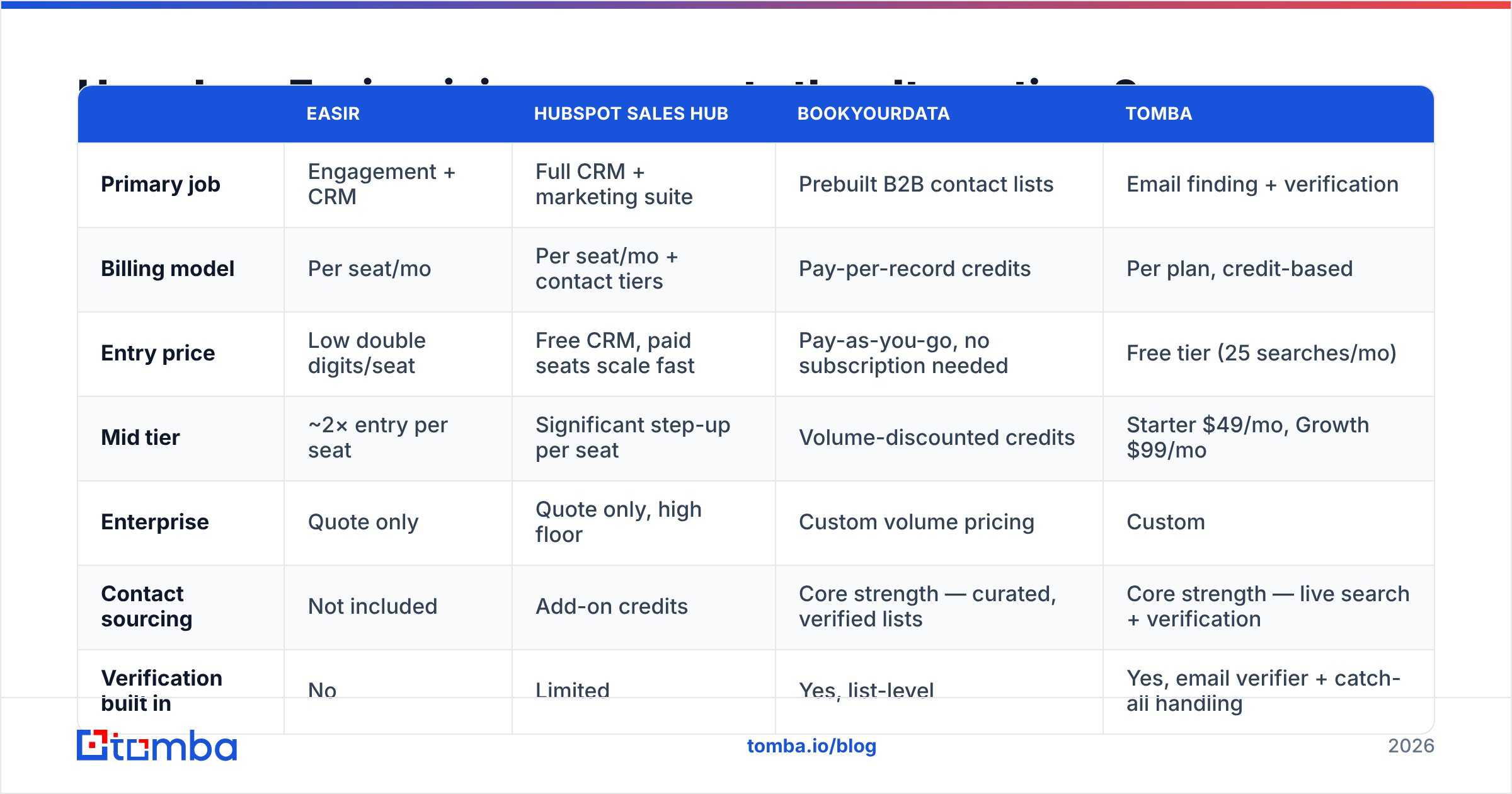
The honest comparison is not "which tool is best" but "which layer are you buying." Here's how the common options stack up across the axes that decide budgets:
| Easir | HubSpot Sales Hub | BookYourData | Tomba | |
|---|---|---|---|---|
| Primary job | Engagement + CRM | Full CRM + marketing suite | Prebuilt B2B contact lists | Email finding + verification |
| Billing model | Per seat/mo | Per seat/mo + contact tiers | Pay-per-record credits | Per plan, credit-based |
| Entry price | Low double digits/seat | Free CRM, paid seats scale fast | Pay-as-you-go, no subscription needed | Free tier (25 searches/mo) |
| Mid tier | ~2× entry per seat | Significant step-up per seat | Volume-discounted credits | Starter $49/mo, Growth $99/mo |
| Enterprise | Quote only | Quote only, high floor | Custom volume pricing | Custom |
| Contact sourcing | Not included | Add-on credits | Core strength — curated, verified lists | Core strength — live search + verification |
| Verification built in | No | Limited | Yes, list-level | Yes, email verifier + catch-all handling |
| API access | Higher tiers | Higher tiers | Available | All paid plans |
| Best for | Inbound-heavy SMBs | Teams wanting one suite | Buying a targeted list fast | Building lists continuously at low cost |
A few reads from that table:
BookYourData is the right call when you want a list now. If your motion is "give me 5,000 verified contacts matching this ICP and let me start Monday," a pay-per-record model with no subscription is genuinely more efficient than paying a monthly fee to search. It's a different purchase shape, and for one-off campaigns it wins on simplicity.
Tomba is the right call when list-building is continuous. If you're finding contacts every week — new accounts, new champions, new inbound domains to research — a credit plan beats per-record pricing on unit economics. Tomba pricing runs Free (25 searches/mo), Starter $49/mo, Growth $99/mo, and Pro $249/mo, with domain search and bulk workflows included rather than gated behind an enterprise call.
HubSpot wins when you want one vendor. It also costs the most, and the contact-tier pricing model has bitten more teams than per-seat ever has. Model it at 3× your current contact count.
Easir wins on conversation consolidation. Nothing in that table replaces a genuinely good unified inbox if that's your pain.
What are the real pros and cons of Easir?#
Pros
- Fast, low-friction deployment. Weeks of implementation cost is real money you don't spend.
- Genuine multi-channel consolidation. Social DMs are a first-class citizen, not a bolt-on.
- Predictable per-seat billing. No contact-tier cliff waiting to surprise you at 12 months, which is more than HubSpot can say.
- Strong support relationship. Smaller vendor, faster escalation path, actual roadmap influence.
- Reasonable entry point. The starter tier is genuinely usable, not a demo-ware trap.
Cons
- Reporting is shallow for data-driven teams. Plan on exporting if you need real analysis.
- Per-seat costs compound with headcount. The model is fine at 8 users and painful at 40.
- Integration long tail is thin. Budget engineering time or Zapier fees.
- No contact sourcing or verification. You still need a data enrichment layer to keep records accurate as people change jobs.
- Enterprise tier is quote-only. Which means it costs whatever your procurement team can negotiate, and comparison shopping gets harder.
Who should buy Easir, and who should skip it?#
Buy it if: you have 3–30 people, most of your revenue conversations start inbound across multiple channels, and you're currently coordinating through a shared inbox and a spreadsheet. The consolidation value alone justifies the entry or mid tier, and you'll feel it in week two.
Skip it if: you're running high-volume outbound sequences (you need a sequencer, not an inbox), you need custom-object modelling and multi-touch attribution (you need a full CRM platform), or your actual bottleneck is not having enough verified contacts to talk to (you need a data tool, and no CRM tier will substitute).
Negotiate hard if: you're being quoted the enterprise tier. Ask for onboarding waived, ask for the annual discount stacked with a multi-year term, ask for channel connectors bundled, and get the seat-count minimum in writing so a headcount dip doesn't leave you paying for empty chairs.
How do you keep the total cost down?#
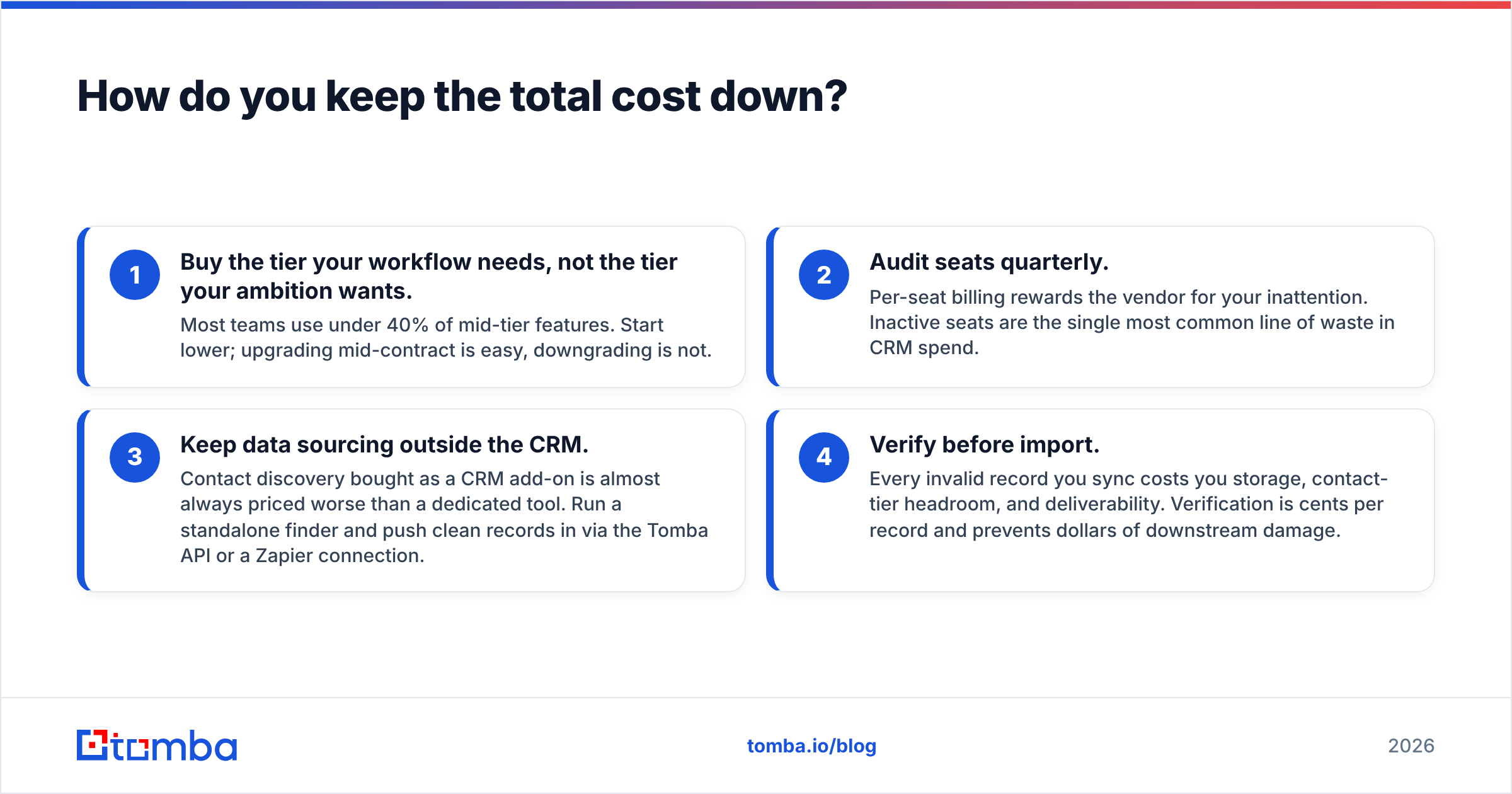
Four tactics that consistently work, regardless of which engagement platform you land on:
- Buy the tier your workflow needs, not the tier your ambition wants. Most teams use under 40% of mid-tier features. Start lower; upgrading mid-contract is easy, downgrading is not.
- Audit seats quarterly. Per-seat billing rewards the vendor for your inattention. Inactive seats are the single most common line of waste in CRM spend.
- Keep data sourcing outside the CRM. Contact discovery bought as a CRM add-on is almost always priced worse than a dedicated tool. Run a standalone finder and push clean records in via the Tomba API or a Zapier connection.
- Verify before import. Every invalid record you sync costs you storage, contact-tier headroom, and deliverability. Verification is cents per record and prevents dollars of downstream damage.
Easir pricing review: the bottom line#
Easir prices honestly for what it is: a well-built engagement layer for small and mid-sized teams that need their conversations in one place. The list price is fair. The real first-year cost is meaningfully higher once seats, connectors, and onboarding are counted. And the reviews land where you'd expect — strong on usability and support, thinner on reporting depth and integration breadth.
The mistake to avoid is buying up a tier to solve a pipeline problem. If your conversations are disorganized, Easir helps. If you don't have enough conversations, the fix costs far less and sits upstream.
That's where Tomba's Email Finder fits alongside whichever engagement platform you choose. Start on the free tier — 25 searches a month, no card — and see how many verified contacts you can push into your pipeline before you commit to an upgrade you may not need. Full Tomba pricing starts at $49/mo when you're ready to scale, which is less than most teams spend on the CRM seats they forgot to cancel.
Related guides#
Ready to find emails that actually work?
Join 150,000+ professionals who stopped guessing and started sending. Free credits on signup — no credit card required.
Get the Tomba newsletter
Practical outbound tactics and product updates — once every two weeks.
About the author