Easy Email Verification vs FinalScout: Full 2026 Comparison
One tool cleans lists, the other scrapes LinkedIn profiles. Here is where Easy Email Verification and FinalScout actually overlap, where they don't, and which one belongs in your outbound stack in 2026.
TL;DR
- The easy email verification vs FinalScout matchup is an odd one: the two tools solve different problems. One checks addresses you already have. The other pulls addresses out of LinkedIn profiles. Comparing them head-on is like comparing a water filter to a well.
- Pick Easy Email Verification if your bottleneck is a dirty list — imported CRM data, old newsletter exports, scraped CSVs — and you just need bounce risk removed before you send.
- Pick FinalScout if your bottleneck is sourcing, your ICP lives on LinkedIn or Sales Navigator, and you work profile-by-profile inside the browser.
- Neither one covers the full loop. Verify-only tools leave you hunting for addresses. LinkedIn-only finders tie you to a platform that fights scrapers, and they give you no domain-level coverage.
- Want find, verify, and enrich in one place with an API behind it? A general provider like Tomba (free tier, then $49/mo) usually replaces both line items for less than the cost of running them side by side.
What is Easy Email Verification?#
Easy Email Verification is a list-cleaning tool. You upload a file of addresses, or push them through an API. It returns a status for each one: valid, invalid, catch-all, role-based, disposable, or unknown.
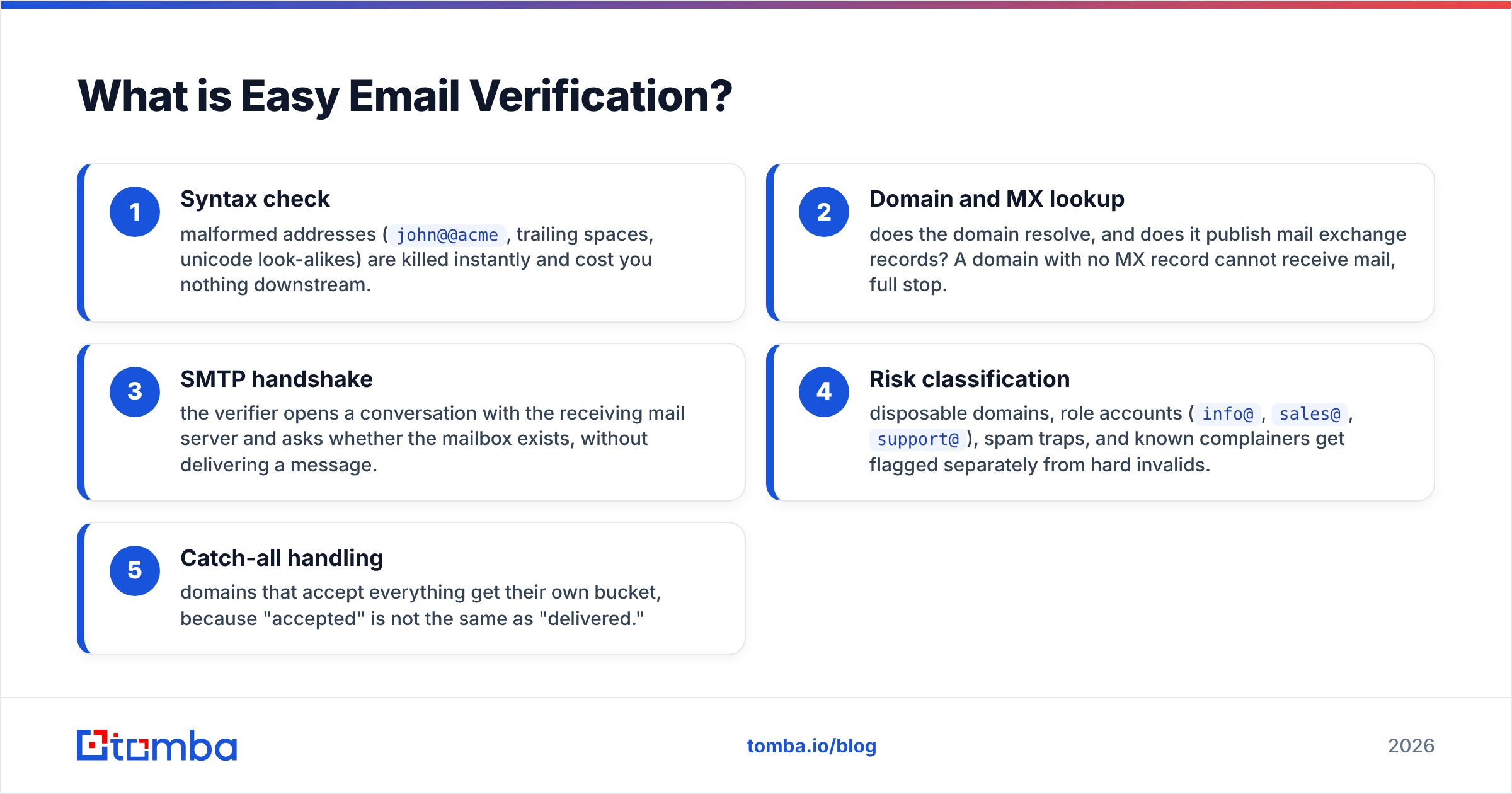
It works the same way as every serious verifier on the market, in stages:
- Syntax check — malformed addresses (
john@@acme, trailing spaces, unicode look-alikes) are dropped right away, so they cost you nothing later. - Domain and MX lookup — does the domain resolve, and does it publish mail exchange records? A domain with no MX record cannot receive mail, full stop.
- SMTP handshake — the verifier asks the receiving mail server whether the mailbox exists. No message is sent.
- Risk classification — disposable domains, role accounts (
info@,sales@,support@), spam traps, and known complainers get flagged apart from hard invalids. - Catch-all handling — domains that accept everything get their own bucket, because "accepted" is not the same as "delivered."
That last step is where verifiers separate themselves. An accept-all domain will say yes to asdkjh@company.com. A naive verifier then marks the whole domain green, and you learn the truth from your bounce log. Better tools score catch-all as its own risk tier — that is the idea behind a dedicated catch-all verifier.
What Easy Email Verification does not do: give you addresses you don't already have. There is no prospecting layer, no LinkedIn integration, and no domain search. It is a filter, and it is priced like one — usually pay-as-you-go credits rather than a per-seat plan.

What is FinalScout?#
FinalScout works at the opposite end of the funnel. It is a Chrome extension plus a web app, and it pulls contact data out of LinkedIn. Sources include profiles, search results, Sales Navigator lists, group members, event attendees, and post engagers.
Each result comes back as a work email plus title, company, and profile data. FinalScout also ships an AI email writer that drafts outreach copy from the profile it just scraped.
The pitch is "deliverability-guaranteed" emails. The workflow is fast when your prospecting is already LinkedIn-shaped: open a Sales Navigator search, click the extension, export a few hundred contacts with emails attached.
Three structural things to understand before you commit:
- Coverage is bounded by LinkedIn. If a prospect is not on the platform, or the profile is thin, FinalScout has nothing to work with. Fields with low LinkedIn use — trades, local services, much of manufacturing outside the US and EU — return poor hit rates.
- You carry platform risk. LinkedIn's terms ban automated data extraction, and enforcement waves happen. Most teams that scale LinkedIn scraping run it on a burner account for exactly that reason.
- Credits are spent on found emails. So your real cost per usable contact depends on the match rate for your ICP, not on the headline price.
Easy Email Verification vs FinalScout: head-to-head comparison#
Here is the honest side-by-side. Pricing reflects the plans listed at the time of writing. Both vendors change tiers often, so check their own pages before you buy.
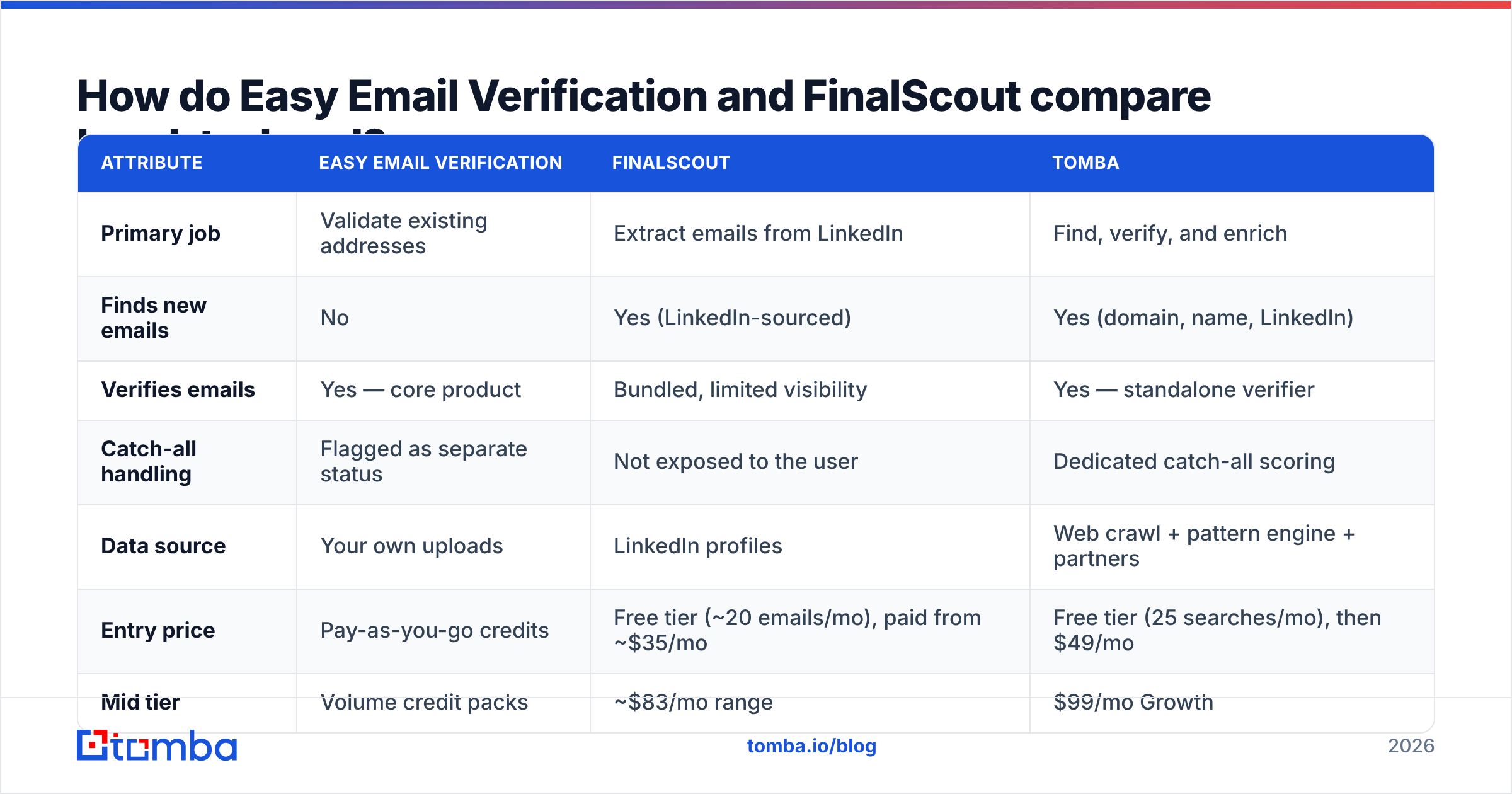
| Attribute | Easy Email Verification | FinalScout | Tomba |
|---|---|---|---|
| Primary job | Validate existing addresses | Extract emails from LinkedIn | Find, verify, and enrich |
| Finds new emails | No | Yes (LinkedIn-sourced) | Yes (domain, name, LinkedIn) |
| Verifies emails | Yes — core product | Bundled, limited visibility | Yes — standalone verifier |
| Catch-all handling | Flagged as separate status | Not exposed to the user | Dedicated catch-all scoring |
| Data source | Your own uploads | LinkedIn profiles | Web crawl + pattern engine + partners |
| Entry price | Pay-as-you-go credits | Free tier (~20 emails/mo), paid from ~$35/mo | Free tier (25 searches/mo), then $49/mo |
| Mid tier | Volume credit packs | ~$83/mo range | $99/mo Growth |
| API access | Yes | Limited | Full REST API, CLI, MCP |
| Bulk CSV workflow | Yes | Yes (export) | Yes |
| Chrome extension | No | Yes — core UX | Yes |
| Best for | List hygiene before send | LinkedIn-first prospecting | End-to-end outbound data |

The table makes the real point: these two products barely overlap. Teams that put them on the same shortlist are usually asking the wrong question. The better question is simple. Which half of the problem costs you money right now — sourcing, or bouncing?
Which one is more accurate?#
You cannot score both tools on the same axis. Any blog that gives you one number for both is guessing.
For Easy Email Verification, accuracy means the false-valid and false-invalid rate. A good verifier agrees with real send results more than 97% of the time on normal domains.
The failure mode that hurts is the false valid: an address marked green that hard-bounces. That is the one that damages your sender reputation. The opposite failure is quieter. Some verifiers throw away good addresses on servers that greylist or rate-limit SMTP probes. Both stay invisible until you send.
For FinalScout, accuracy means match rate plus address correctness. Match rate is how often it returns any email for a profile. Correctness is how often that email is the person's real, current work address. A tool can post a 70% match rate and still hurt you if a third of those matches are guesses that were never checked.

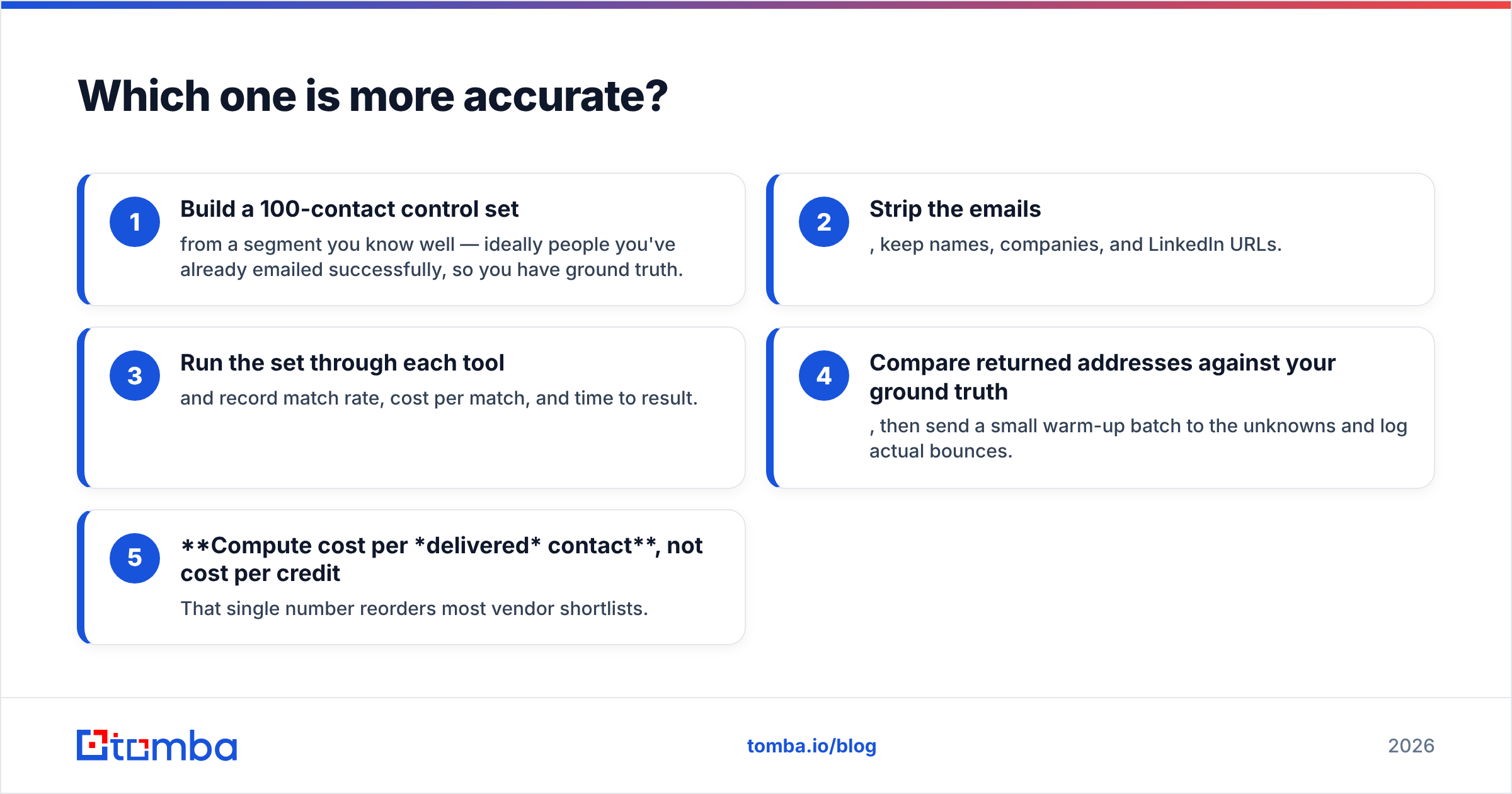
Run your own test before you trust anyone's marketing page, including this one. The protocol takes an afternoon:
- Build a 100-contact control set from a segment you know well. Ideally these are people you have already emailed, so you have ground truth.
- Strip the emails. Keep names, companies, and LinkedIn URLs.
- Run the set through each tool and record match rate, cost per match, and time to result.
- Compare the returned addresses against your ground truth. Then send a small warm-up batch to the unknowns and log the real bounces.
- Compute cost per delivered contact, not cost per credit. That one number reorders most vendor shortlists.
Vendors measure accuracy on their favorite dataset. You measure it on your ICP. Only one of those pays your quota.
Review sites like G2 help you spot repeat complaints: slow support, billing surprises, credits that expire. They still will not tell you the match rate on your own accounts.
Where does each tool break down?#
Easy Email Verification breaks down when the list itself is the problem. No verifier can rescue a badly sourced list. Say 40% of your addresses are role accounts scraped off website footers. The verifier will confirm that info@acme.com exists, because it does, and you will still get zero replies. Garbage in, verified garbage out.
It also gives you nothing when you start from a company list with no contacts at all. For that you need a domain search that maps a domain to real people and their email patterns.
FinalScout breaks down outside LinkedIn. Three specific scenarios where it stalls:
- Domain-first prospecting. You have 500 target companies and no named contacts. FinalScout expects you to start from a profile, not a domain.
- Non-LinkedIn ICPs. Local services, healthcare admin, education, and most non-English mid-market segments have thin profile data.
- Automatic enrichment. You may need contacts to land in your CRM the moment a new account is created. A browser extension is the wrong shape of tool for that. It is an API job.
There is also a quiet cost nobody budgets for. Two vendors means two invoices, two credit systems with different expiry dates, two support queues, and a manual CSV shuttle between them. For a two-person SDR team, that is an annoyance. For a RevOps team, it is a data-integrity problem.

Do you need a finder, a verifier, or both?#
Both — always. The only real question is whether you buy them separately.
The sequence that works looks like this:
- Define the account list first. Domains, not people. This is where most outbound goes wrong. Teams source contacts before they agree on the ICP, then verify their way through the noise.
- Find contacts per domain. Pull them from LinkedIn profiles, or from a pattern engine that resolves formats like
firstname.lastname@domainagainst a crawl index. An email finder that works from name plus domain covers the accounts LinkedIn misses. - Verify every address before it enters a sequence. No exceptions, including addresses a finder claims are pre-verified. Run them through a dedicated email verifier and treat anything marked catch-all as its own risk tier.
- Enrich what survived with title, seniority, company size, and phone where relevant. Your segmentation and personalization need something to bite on.
- Route by confidence, not by volume. High-confidence valids go into full sequences. Catch-alls go into a low-volume, high-personalization track on a separate sending domain. Unknowns get dropped, or handled on LinkedIn instead.
Skip step three and your bounce rate creeps past 3%. That is roughly where Google and Microsoft start throttling. Skip step five and one bad segment poisons the domain you use for everything else.
HubSpot's email deliverability guidance is blunt about the same point. List quality is the biggest variable, ahead of copy, timing, and volume.
Easy Email Verification vs FinalScout: which should you choose in 2026?#
Choose Easy Email Verification if: your sourcing already works, your problem is inherited data, and you want a cheap pay-as-you-go filter to run before every send. It does one job and does not pretend otherwise.
Choose FinalScout if: LinkedIn is your database, your reps live in Sales Navigator, and per-profile extraction with drafted copy fits how they already work. Accept the platform risk and run it on a dedicated account.
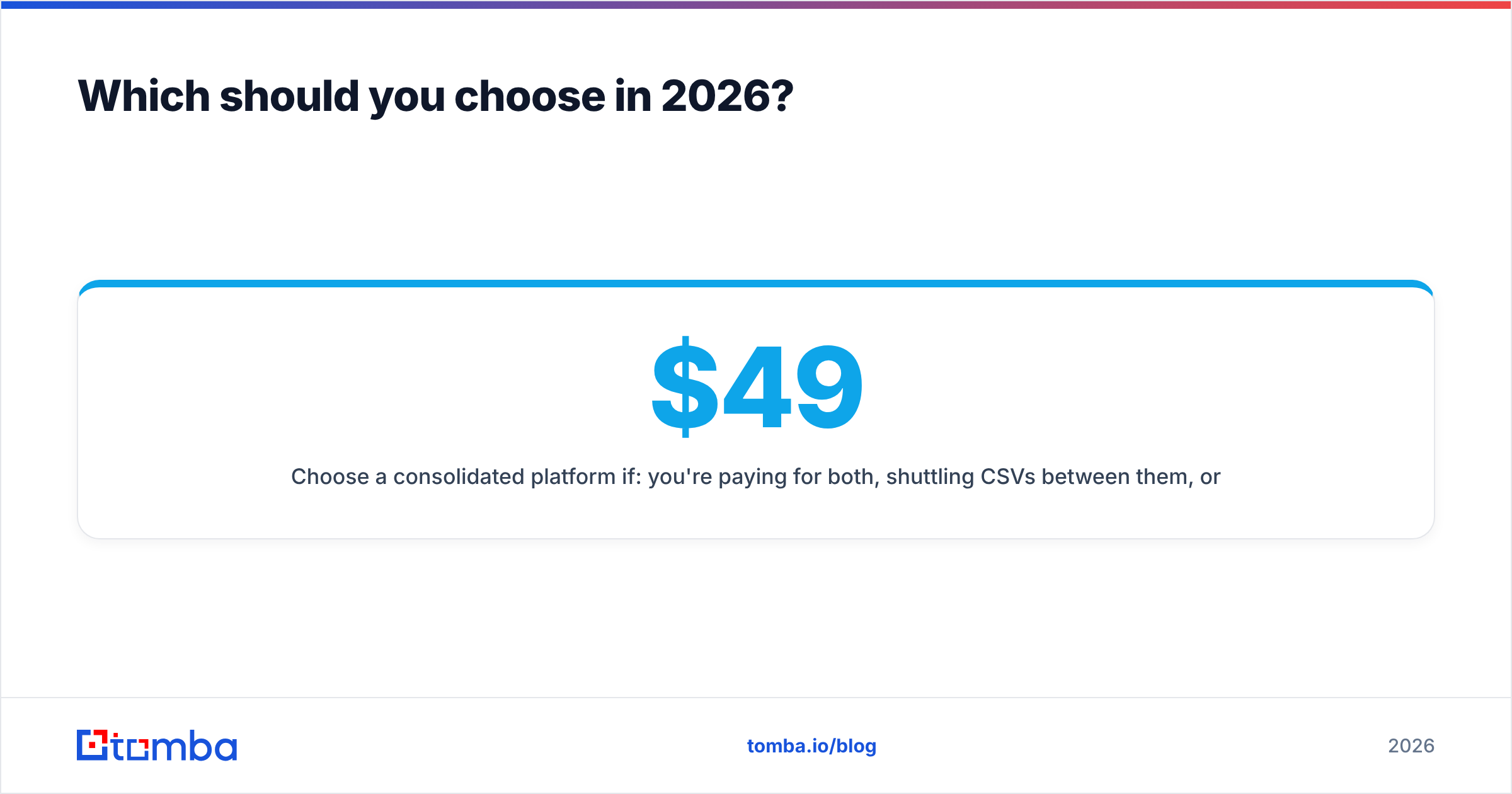
Choose a consolidated platform if: you already pay for both, you shuttle CSVs between them, or you need contact data inside a CRM without a human clicking anything. That covers most teams past their first two SDRs.
Tomba's free tier gives you 25 searches a month, so you can test match rate on your own accounts. Starter runs $49/mo, Growth $99/mo, and Pro $249/mo — see the full Tomba pricing breakdown. Finder, verifier, catch-all scoring, phone finder, and enrichment share one credit pool and one API key. A LinkedIn finder covers the profile workflow FinalScout owns.
The decision rule is simple. Count the hours a month your team spends moving contact data between tools. If it is more than four, the consolidation math already works, no matter which two vendors you compare.
What's the fastest way to test this yourself?#
Don't take a comparison post's word for it — including this one. The easy email verification vs FinalScout call should rest on your own data, not on a vendor's chart.
Pull 100 accounts from your real pipeline. Run the five-step protocol above against each candidate. Then compare cost per delivered contact. Most teams find the ranking flips once real bounce data lands in the spreadsheet.
Start with the free tier of the Tomba Email Finder: 25 searches a month, no card needed. Every result comes back with a verification status attached, so you can measure match rate and deliverability in one run instead of paying two vendors to answer half the question each.
Related guides#
Ready to find emails that actually work?
Join 150,000+ professionals who stopped guessing and started sending. Free credits on signup — no credit card required.
Get the Tomba newsletter
Practical outbound tactics and product updates — once every two weeks.
About the author