Easy Email Verification vs LeadEngineAI: Which One Wins in 2026?
One tool cleans lists. The other tries to build them with AI. Here is an honest breakdown of Easy Email Verification vs LeadEngineAI — accuracy, pricing models, bounce risk, and which stack actually fits your outbound motion.
TL;DR
- These two tools are not actually competitors. Easy Email Verification is a list-hygiene tool — you bring emails, it tells you which ones bounce. LeadEngineAI positions itself as an AI-assisted lead sourcing platform — it tries to produce the contacts in the first place.
- If your problem is a 12% bounce rate on a list you already own, a dedicated verifier wins. If your problem is an empty CRM, a verifier does nothing for you.
- Pay-as-you-go credit pricing (typical of verifiers) beats subscriptions when your volume is spiky. Subscriptions win when you send weekly and predictably.
- The hidden cost in both models is the second tool you end up buying. Sourcing without verification burns your domain; verification without sourcing leaves you with a clean list of 400 people.
- A combined find-plus-verify platform removes that double spend. Tomba runs both from one credit pool starting at $49/mo, with a free tier for testing.
What are Easy Email Verification and LeadEngineAI, exactly?#
Start here, because the category confusion is what makes this comparison hard to research.
Easy Email Verification is an email validation service. You upload a CSV or push addresses through an API, and it runs each address through a chain of checks: syntax, domain and MX record lookup, disposable-domain detection, role-account flagging (info@, sales@, support@), and an SMTP handshake that asks the receiving server whether the mailbox exists without sending a message. You get back a status — valid, invalid, risky, catch-all, unknown — and a cleaned file. It does not find anyone. It grades what you bring.
LeadEngineAI sits in the AI lead generation bucket: tools that use language models plus a contact database to identify accounts matching your ICP, surface decision-makers, and return contact records. Vendors in this category usually bundle some enrichment and sometimes light outreach features. Verification, when it exists, is a checkbox on the export rather than the product.
So the honest framing of "easy email verification vs leadengineai" is not which tool is better. It is which stage of the pipeline is currently costing you money.
One warning before the tables. LeadEngineAI is a smaller, newer entrant, and its published plan details change often. Treat every number below as directional and confirm on the vendor's own pricing page before you buy. I have flagged anything I could not verify rather than inventing a figure.

How do sourcing tools and verification tools actually differ?#
Five differences decide which one you need first:
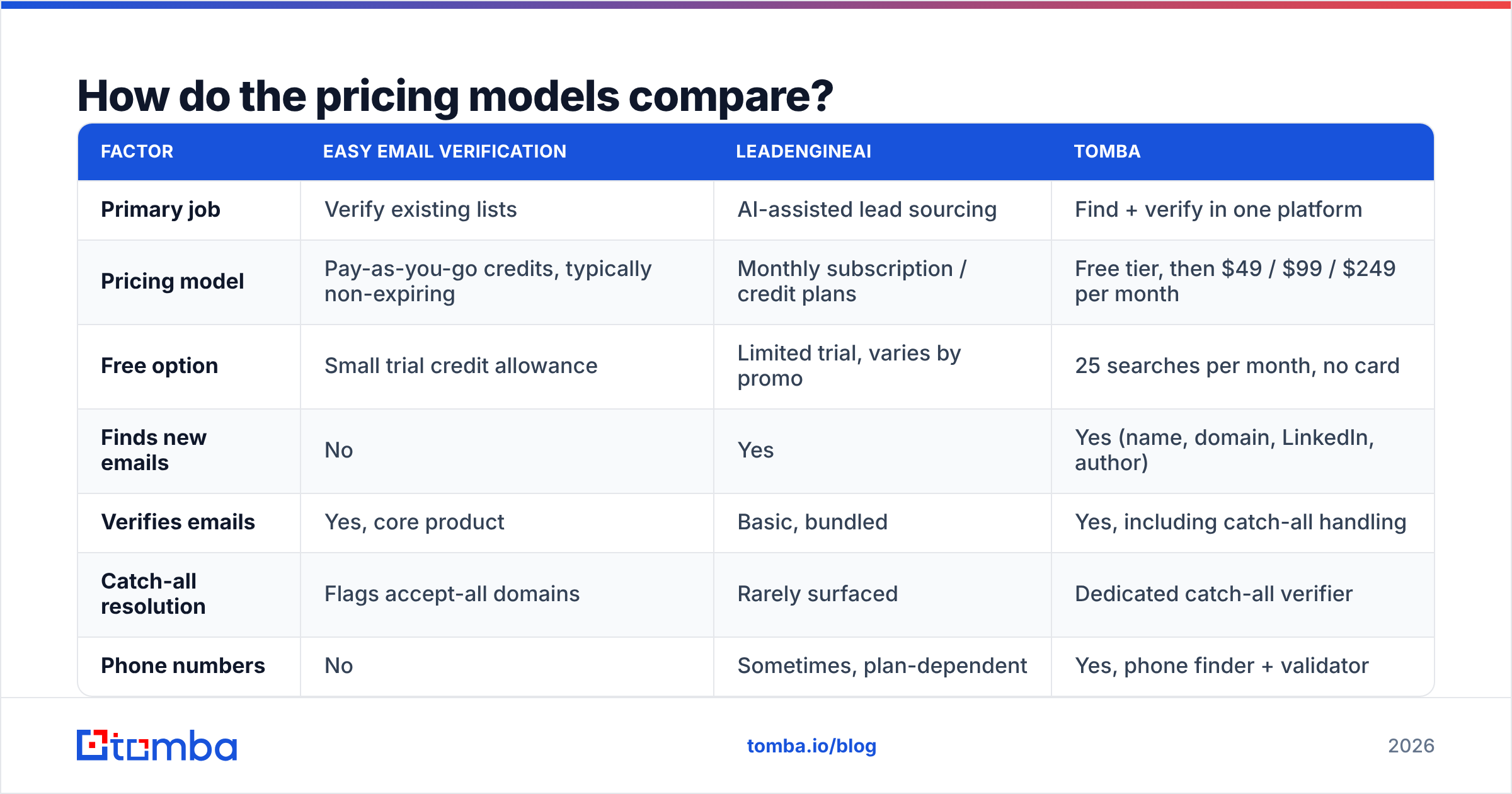
- Input vs output. A verifier consumes a list and returns the same list, smaller and cleaner. A sourcing tool consumes a description of your ICP and returns rows that did not exist in your CRM before. If you have no rows, hygiene is not your bottleneck.
- Failure mode. A verifier fails quietly — it marks a good address "risky" and you skip a real buyer. A sourcing tool fails loudly — it hands you an address that never existed, you send, and the bounce hits your sender reputation.
- Pricing shape. Verification is almost always priced per address, often as non-expiring credits. Sourcing is almost always a monthly seat or credit subscription with reset cycles, because the underlying database costs money to maintain whether you query it or not.
- Freshness pressure. B2B contact data decays roughly 22–30% a year as people change jobs. A sourcing tool's entire value is how recently it refreshed. A verifier does not care how old your list is — it checks live, right now.
- Where accuracy is measured. For verifiers, accuracy means "did the mailbox status prediction match reality." For finders, accuracy means "was this the person's real work address." Those are different benchmarks, and vendors happily blur them in marketing.
Once you separate those, the buying decision gets simple. Most teams need both capabilities — the argument is only about whether you buy them from two vendors or one.
Which tool is more accurate — and how would you even know?#
You would test it, because vendor-published accuracy numbers are not comparable across categories.

Here is a test protocol that takes an afternoon and settles the question for your data, not someone else's:
- Take 500 addresses you already know the outcome for — a past campaign where you have the bounce log. This is your ground truth.
- Run them through the verifier. Score four numbers: true valid, false valid (marked good, actually bounced), false invalid (marked bad, actually delivered), and unknown rate.
- Separately, take 200 named contacts with a company domain and ask the sourcing tool to find their emails. Measure hit rate (how many it returned) and accuracy (how many of those actually delivered).
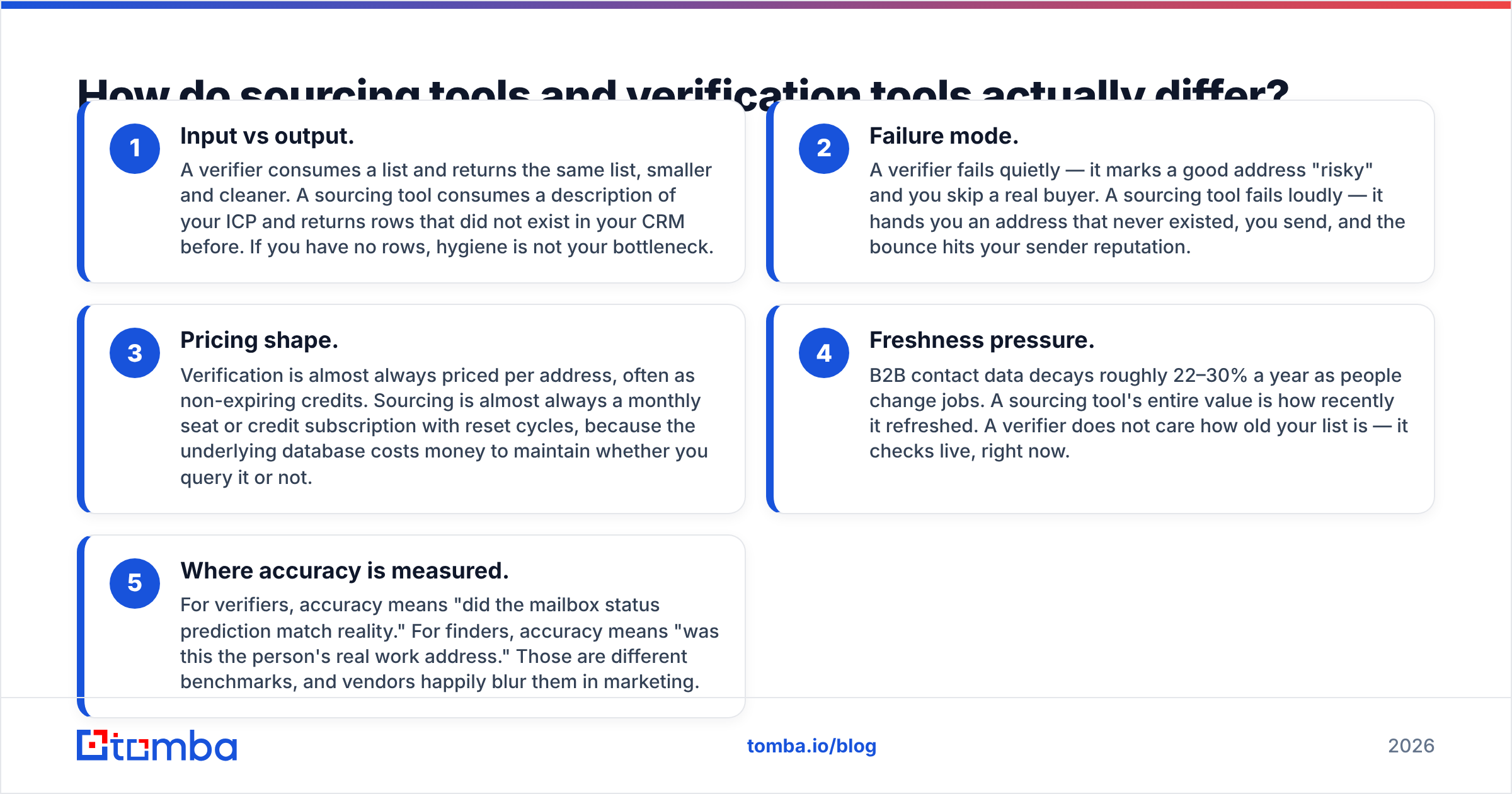
- Watch the "unknown" and "catch-all" buckets. A verifier that dumps 25% of your list into "unknown" is quietly handing the decision back to you. That is the single most under-reported metric in this category.
Catch-all domains are where verifiers separate. Any tool can confirm a mailbox on a server that answers honestly. Roughly 15–20% of B2B domains accept everything at the gateway and bounce internally later, which makes a naive SMTP check useless. Tools that invest in pattern intelligence and historical send data resolve a meaningful share of those; tools that do not just return "accept-all" and shrug. If your ICP skews enterprise, run your test set against a catch-all verifier before you commit to any vendor — that bucket alone can swing your usable list size by a fifth.
The false-valid rate is the one that costs you real money. A verifier that clears 98% of a list but lets 3% of dead addresses through will still push you over the 2% bounce threshold that Google and Microsoft use as a spam signal. Cheap verification that misses is worse than no verification, because it makes you confident.
How do the pricing models compare?#
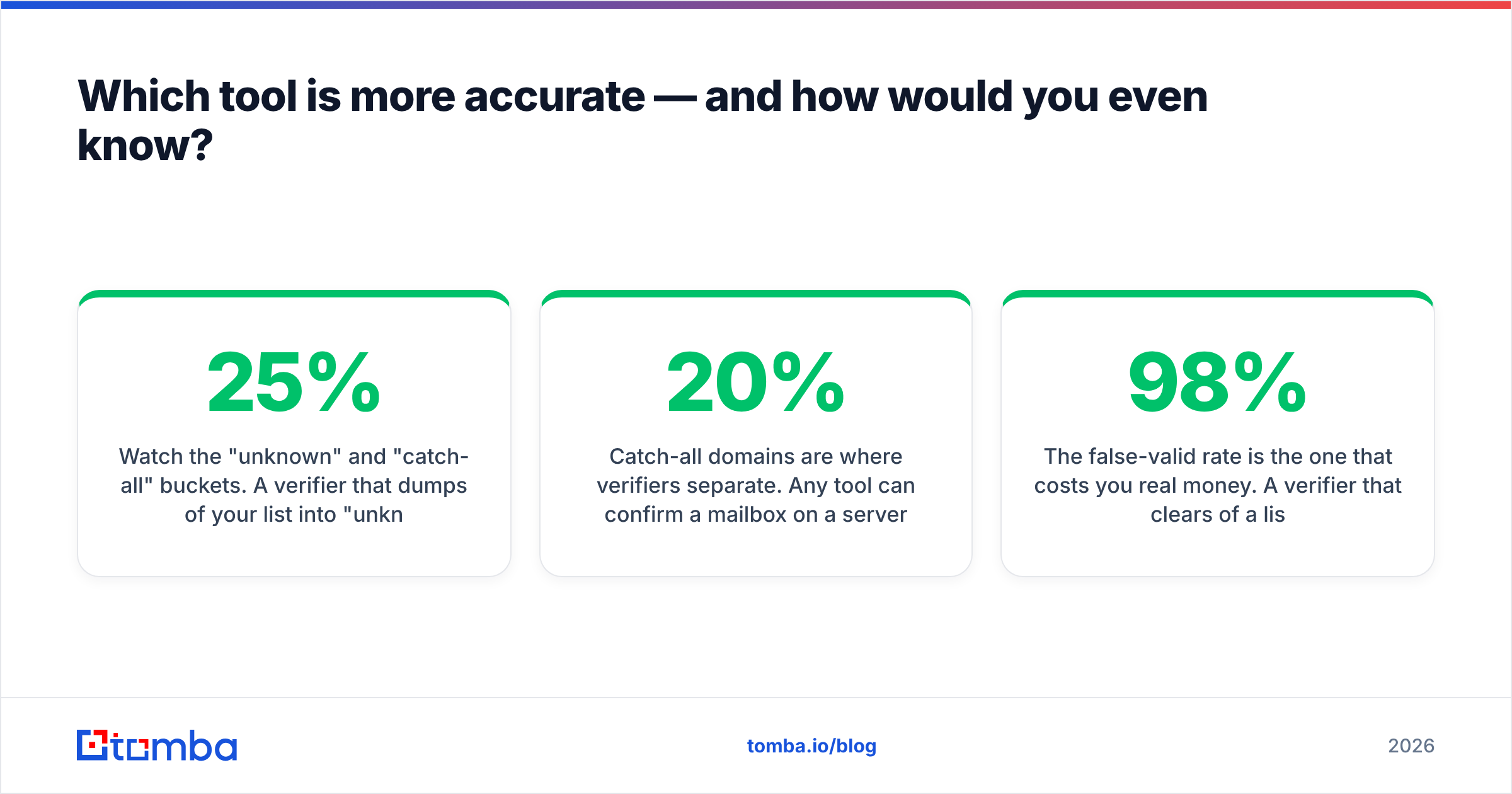
| Factor | Easy Email Verification | LeadEngineAI | Tomba |
|---|---|---|---|
| Primary job | Verify existing lists | AI-assisted lead sourcing | Find + verify in one platform |
| Pricing model | Pay-as-you-go credits, typically non-expiring | Monthly subscription / credit plans | Free tier, then $49 / $99 / $249 per month |
| Free option | Small trial credit allowance | Limited trial, varies by promo | 25 searches per month, no card |
| Finds new emails | No | Yes | Yes (name, domain, LinkedIn, author) |
| Verifies emails | Yes, core product | Basic, bundled | Yes, including catch-all handling |
| Catch-all resolution | Flags accept-all domains | Rarely surfaced | Dedicated catch-all verifier |
| Phone numbers | No | Sometimes, plan-dependent | Yes, phone finder + validator |
| API access | Yes | Yes, plan-dependent | Yes, on all paid plans |
| Bulk CSV workflow | Yes, core strength | Yes | Yes, bulk finder and verifier |
| Best for | Cleaning lists you already own | Filling an empty pipeline fast | Teams that need both without two invoices |
Two things to read out of that table.
First, credit economics. Pay-as-you-go verification looks cheaper per unit and often is — if you verify in bursts. Buy 50,000 credits before a quarterly campaign, use 40,000, keep the rest. Subscriptions punish that pattern: unused monthly credits usually vanish at reset. But if you run continuous outbound and verify every new lead on entry, a subscription with a generous monthly allowance usually costs less per usable contact.
Second, the two-invoice problem. If you buy a sourcing tool and a verifier separately, you pay twice for the same contact — once to find it, once to confirm it. At small volumes that is noise. At 20,000 contacts a quarter it is a line item your finance team will ask about. Consolidating find-and-verify into one credit pool is the main structural argument for a platform like Tomba over a best-of-breed pair; see Tomba pricing for how the tiers stack up against buying both.

Is a dedicated verifier still worth it in 2026?#
Yes, in three specific situations.
You inherited a list. A 200,000-row database from a departed marketer, a trade-show export, a merged CRM from an acquisition. Nothing sources that; you just need it graded before anyone touches send. Bulk pay-as-you-go verification is exactly right here.
You are re-warming a dormant domain. Addresses that were valid 18 months ago are now 25–30% dead. Sending to that list first is how good domains get blocklisted. Run a full verification pass, then send to the "valid" tier only, then expand.
Your ESP or CRM already sources for you. If demand gen produces inbound signups and your problem is fake and typo'd addresses at the form, a verification API call on submit is a targeted, cheap fix. That is a real-time hygiene job, not a prospecting job.
Outside those cases, standalone verification is a feature you are paying vendor overhead for. Independent buyer reviews on G2's email verification category show the same pattern — teams start with a point solution, then consolidate once they realize the finder they bought includes verification anyway.

Is AI lead sourcing better than a traditional email finder?#
Not automatically, and the distinction matters more than the marketing suggests.
"AI-powered" in this category usually means one of three things: natural-language ICP search instead of filter dropdowns, LLM-written summaries of accounts, or predictive scoring of which leads to work first. None of those change the underlying data quality. The AI is a layer on top of a contact database, and the database is what determines whether the email lands.
So when you evaluate LeadEngineAI or anything like it, push past the interface and ask the boring questions:
- Where does the data come from? Public web crawl, contributed contacts, partner licences, or user-uploaded address books? Each has a different legal and freshness profile. Tomba publishes its data sources for exactly this reason.
- How often is it refreshed? "Continuously" is not an answer. Ask for the median record age.
- Is verification live or cached? A cached "valid" from four months ago is a guess. A live SMTP check at export time is a fact.
- What is the credit policy on misses? Good vendors do not charge for a search that returns nothing. Ask explicitly.
- Is there GDPR/CCPA documentation? If you sell into the EU and the vendor cannot produce a lawful-basis explanation, that is a procurement blocker, not a nice-to-have.
A traditional finder that returns a verified address on the first try beats an AI interface wrapped around stale data every time. Judge on delivered replies, not on how the search box feels.
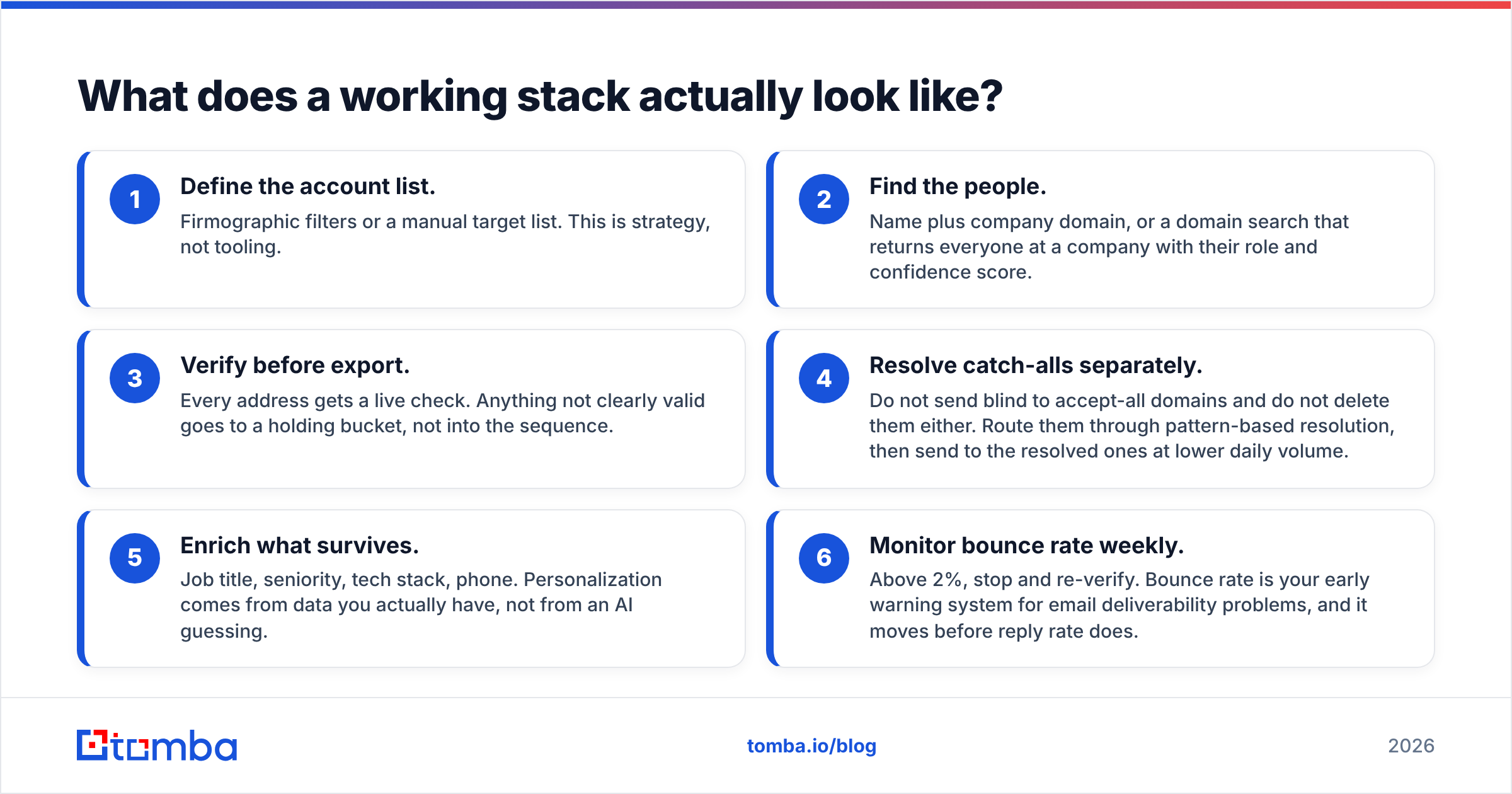
What does a working stack actually look like?#
Here is the sequence most functional outbound teams converge on, regardless of which vendors they picked:
- Define the account list. Firmographic filters or a manual target list. This is strategy, not tooling.
- Find the people. Name plus company domain, or a domain search that returns everyone at a company with their role and confidence score.
- Verify before export. Every address gets a live check. Anything not clearly valid goes to a holding bucket, not into the sequence.
- Resolve catch-alls separately. Do not send blind to accept-all domains and do not delete them either. Route them through pattern-based resolution, then send to the resolved ones at lower daily volume.
- Enrich what survives. Job title, seniority, tech stack, phone. Personalization comes from data you actually have, not from an AI guessing.
- Monitor bounce rate weekly. Above 2%, stop and re-verify. Bounce rate is your early warning system for email deliverability problems, and it moves before reply rate does.
Easy Email Verification covers step 3 well and nothing else. LeadEngineAI aims at steps 1, 2, and 5, with step 3 as a bundled afterthought. Neither covers step 4 seriously. That gap — catch-all domains and the verification pass that survives them — is where most B2B lists silently lose a fifth of their reach.
Which one should you buy?#
Buy Easy Email Verification if you already have volume, you have no sourcing problem, and you verify in unpredictable bursts. Non-expiring credits and a simple CSV workflow are genuinely the right shape for that job, and you should not overpay for features you will not open.
Buy LeadEngineAI if your pipeline is the constraint, your ICP is well-defined, and you have run a paid trial against your own test set with the accuracy protocol above. Do not buy on the demo — buy on your 200-contact hit-rate test.
Buy a combined platform if you are doing both jobs every week and are tired of paying twice per contact. That is most outbound teams past the first few months.
Worth noting: this category is not zero-sum. Providers like BookYourData and other established B2B data vendors serve buyers who want pre-built, pay-per-record lists rather than a self-serve search tool, and for some procurement processes that model is genuinely simpler. The right answer depends on whether you want to run the search yourself or buy the output.
Whatever you choose, run the bounce-log test before the contract. Vendor accuracy claims are marketing; your own 500-address ground truth set is evidence. And if you want the underlying mechanics, the SMTP protocol documentation explains exactly what a verification handshake can and cannot prove — which is the fastest way to spot a vendor overselling its certainty.
Ready to stop paying two vendors for one contact?#
If you are comparing easy email verification vs LeadEngineAI because you need both sourcing and hygiene, test the consolidated path first. The Tomba Email Finder finds addresses by name, domain, company, or LinkedIn profile, runs live verification before it hands anything back, and resolves catch-all domains that other tools mark "unknown" and abandon. Same credit pool, one invoice, an API and Chrome extension if you want it in your workflow rather than in a browser tab.
Start on the free tier — 25 searches a month, no card — and run your own 200-contact accuracy test against whatever you are using today. If Tomba does not win on delivered replies, you have lost an afternoon and gained a benchmark. Paid plans start at $49/mo when it does.
Related guides#
Ready to find emails that actually work?
Join 150,000+ professionals who stopped guessing and started sending. Free credits on signup — no credit card required.
Get the Tomba newsletter
Practical outbound tactics and product updates — once every two weeks.
About the author