8 Best Efficy Alternatives in 2026: Compared and Ranked
Efficy is a solid European CRM, but it is not the right fit for every sales team. Here are eight alternatives compared on price, setup time, automation depth, and how well they handle real B2B contact data.
TL;DR
- Efficy is a capable European CRM with strong customisation and GDPR positioning, but its per-user pricing and configuration overhead push smaller sales teams toward lighter tools.
- If you want the fastest path off Efficy: Pipedrive for pure pipeline selling, HubSpot for marketing plus sales in one place, Zoho CRM for the lowest cost per seat.
- If you need enterprise process depth, Salesforce Sales Cloud and Odoo CRM are the realistic replacements — not the cheap ones.
- Data residency matters more than most comparison posts admit. SuperOffice and Teamleader keep the EU-hosting argument intact if that was your reason for choosing Efficy in the first place.
- No CRM fixes empty or stale contact records. Whichever tool you land on, budget for a verified contact-data layer alongside it.
What is Efficy CRM, and who is it actually for?#
Efficy is a Brussels-born CRM suite that grew by acquisition into a European alternative to the American giants. It bundles contact and account management, pipeline tracking, marketing campaigns, project and case management, and a document layer that European mid-market companies genuinely use. You can read the current feature and tier breakdown on efficy.com.
Its sweet spot is a 20–200 seat organisation that wants one system for sales, marketing, and customer service, hosted in the EU, with enough configurability to model non-standard processes — insurance renewals, membership associations, project-driven B2B services.
Its weak spot is everything that comes with that: setup takes weeks not hours, admin skill is required to change anything meaningful, and the price per seat climbs once you need the tiers where automation and API access live. Publicly listed plans historically start in the low €20s per user per month and move into the €40–€80 range for SMB, Enterprise, and Corporate tiers — always confirm current numbers with sales, because CRM vendors reprice quietly and quotes vary by region and contract length.
Why do teams look for Efficy alternatives?#
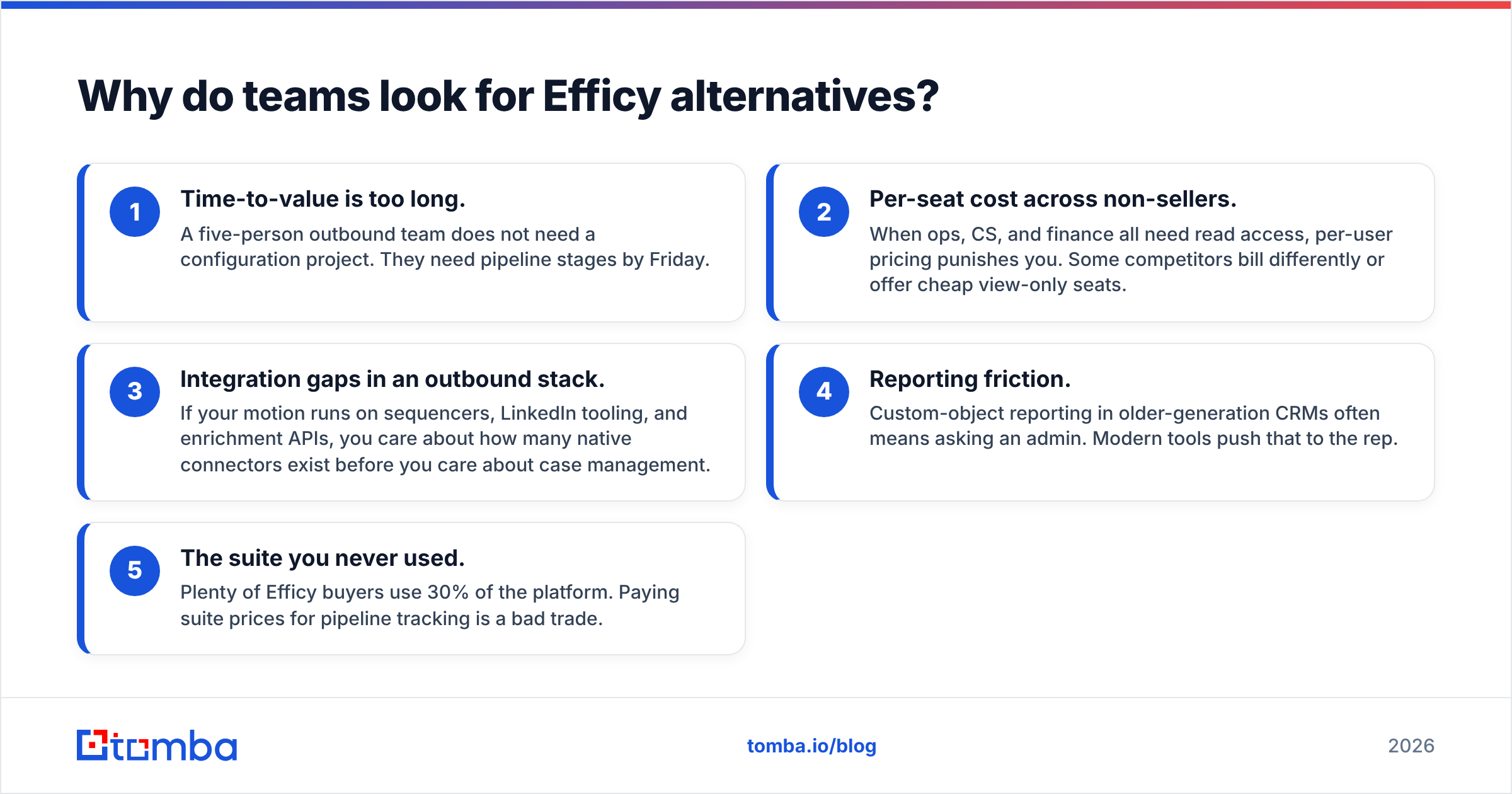
The complaints cluster into five patterns, and they predict which replacement will actually stick:
- Time-to-value is too long. A five-person outbound team does not need a configuration project. They need pipeline stages by Friday.
- Per-seat cost across non-sellers. When ops, CS, and finance all need read access, per-user pricing punishes you. Some competitors bill differently or offer cheap view-only seats.
- Integration gaps in an outbound stack. If your motion runs on sequencers, LinkedIn tooling, and enrichment APIs, you care about how many native connectors exist before you care about case management.
- Reporting friction. Custom-object reporting in older-generation CRMs often means asking an admin. Modern tools push that to the rep.
- The suite you never used. Plenty of Efficy buyers use 30% of the platform. Paying suite prices for pipeline tracking is a bad trade.
Be honest about which of those five is yours. "We want something better" is not a requirement — it is how teams end up migrating twice in eighteen months. If your only real issue is that nobody enriched your contact database, a new CRM will not help.
How should you evaluate an Efficy alternative?#
Score candidates on these six dimensions before you look at a demo:
- Total cost at your real headcount. Multiply the seat price by everyone who will touch it, then add the tier jump you will need for automation or API calls within twelve months.
- Time to first working pipeline. Under a day, under a week, or "implementation partner required." All three are valid answers — they just cost different amounts.
- Data model flexibility. Custom objects and many-to-many relationships matter if you sell through partners, manage renewals, or track assets. Ignore this if you sell one product to one buyer.
- Native integration count. Check specifically for your sequencer, your enrichment provider, and your accounting tool. A Zapier workaround is a maintenance cost, not a feature.
- Hosting and compliance posture. EU data residency, DPA terms, and sub-processor lists. If this was your original Efficy reason, it is a hard filter, not a nice-to-have.
- Export and exit terms. How easily you get your data out determines whether the next migration is a week or a quarter.
What are the best Efficy alternatives in 2026?#
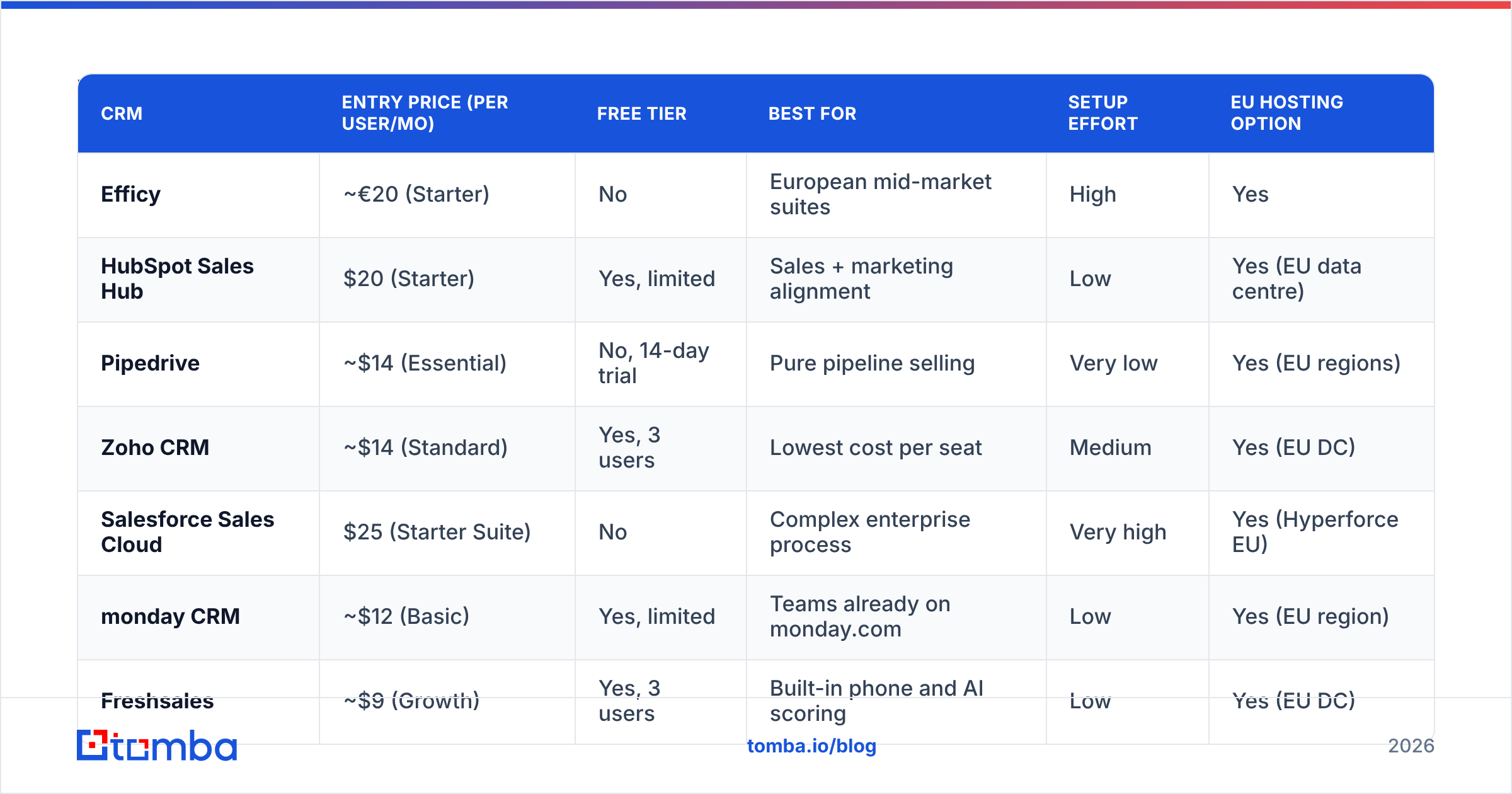
Here is the shortlist side by side. Entry prices are the vendors' published per-user monthly rates on annual billing at time of writing; treat them as directional and verify before you sign.
| CRM | Entry price (per user/mo) | Free tier | Best for | Setup effort | EU hosting option |
|---|---|---|---|---|---|
| Efficy | ~€20 (Starter) | No | European mid-market suites | High | Yes |
| HubSpot Sales Hub | $20 (Starter) | Yes, limited | Sales + marketing alignment | Low | Yes (EU data centre) |
| Pipedrive | ~$14 (Essential) | No, 14-day trial | Pure pipeline selling | Very low | Yes (EU regions) |
| Zoho CRM | ~$14 (Standard) | Yes, 3 users | Lowest cost per seat | Medium | Yes (EU DC) |
| Salesforce Sales Cloud | $25 (Starter Suite) | No | Complex enterprise process | Very high | Yes (Hyperforce EU) |
| monday CRM | ~$12 (Basic) | Yes, limited | Teams already on monday.com | Low | Yes (EU region) |
| Freshsales | ~$9 (Growth) | Yes, 3 users | Built-in phone and AI scoring | Low | Yes (EU DC) |
| Odoo CRM | ~$25 all-apps | Yes, one app | ERP + CRM in one stack | High | Yes (self-host) |
| SuperOffice | ~€45 (Sales) | No | Nordic/EU mid-market parity | Medium | Yes |
Is HubSpot the safest all-round Efficy replacement?#
For most teams leaving a suite CRM, yes. HubSpot gives you the same "one system for sales, marketing, and service" story with a dramatically shorter ramp and a free tier you can pilot inside a week. Sales Hub Starter is cheap; the pain arrives at Professional, where marketing contact tiers and onboarding fees can make the annual number look nothing like the sticker price.
Choose it if marketing and sales fight over lead handoff. Skip it if you only need pipeline and you resent paying for a marketing engine you will not run. Tomba's HubSpot integration pushes verified emails straight into records, which keeps the free-tier pilot honest — you are testing the CRM, not testing bad data.
Is Pipedrive better than Efficy for a small outbound team?#
For pipeline execution, it usually is. Pipedrive does one thing — visual deal stages with activity nudges — and does it with the least training of anything on this list. Reps adopt it because there is nowhere to hide an unworked deal.
What you give up is the suite: case management, deep marketing automation, and complex custom objects are thin or absent. Pipedrive is a downgrade in capability and an upgrade in usage, and usage is the metric that predicts CRM ROI. Pair it with the Pipedrive integration and a sequencer, and a five-person team is fully operational in two days.
Where does Zoho CRM win?#
Price and breadth. Zoho's per-seat cost is among the lowest of any serious CRM, and Zoho One bundles dozens of adjacent apps for roughly what one competitor's mid-tier seat costs. If cost per seat was your primary Efficy complaint, start here.
The trade-off is polish and support consistency — check recent G2 reviews rather than trusting a 2023 opinion, because Zoho has improved unevenly across modules. Admin work is also real: Zoho gives you the knobs, but you turn them yourself.
When is Salesforce the right answer?#
When your process genuinely is complex: multi-entity forecasting, partner channels, CPQ, territory management, regulated audit trails. Salesforce remains the deepest platform, and its ecosystem means any tool you buy later will integrate with it.
It is also the most expensive path once you count admin time, integration partners, and the seats you did not plan for. Moving from Efficy to Salesforce to "simplify" is a mistake. Moving there because you outgrew Efficy's data model is not.
What about monday CRM, Freshsales, Odoo, and SuperOffice?#
- monday CRM is the fastest win if your company already runs projects on monday.com. Same boards, same automations, one login. Weak as a standalone system of record for a data-heavy sales org.
- Freshsales bundles a phone dialler, email, and AI deal scoring at the lowest entry price here. Good for inside-sales teams that live on the phone; thinner on complex B2B account hierarchies.
- Odoo CRM is the real Efficy alternative if what you actually needed was an ERP. Inventory, invoicing, and CRM in one open-source stack, self-hostable. Expect implementation work measured in months, not days.
- SuperOffice is the closest like-for-like: European, mid-market, service-plus-sales, EU-hosted. It costs more per seat than the American entry tiers, and you switch for fit and support locality rather than savings.
Is a European CRM alternative worth prioritising?#
If EU data residency was a compliance requirement rather than a preference, keep it as a filter — but check the current facts instead of assuming. HubSpot, Salesforce, Zoho, Freshworks, and monday.com all now offer EU data-centre hosting and standard DPAs. The 2019-era argument that "American CRM means American servers" no longer holds cleanly.
What still differs is the sub-processor chain, support timezone, and contract language. If your DPO reviews sub-processor lists line by line, a smaller European vendor like SuperOffice or Teamleader is a shorter conversation than a global platform with dozens of downstream services. That is a legitimate reason to pay more per seat. "It feels safer" is not.
How do you migrate off Efficy without losing pipeline?#
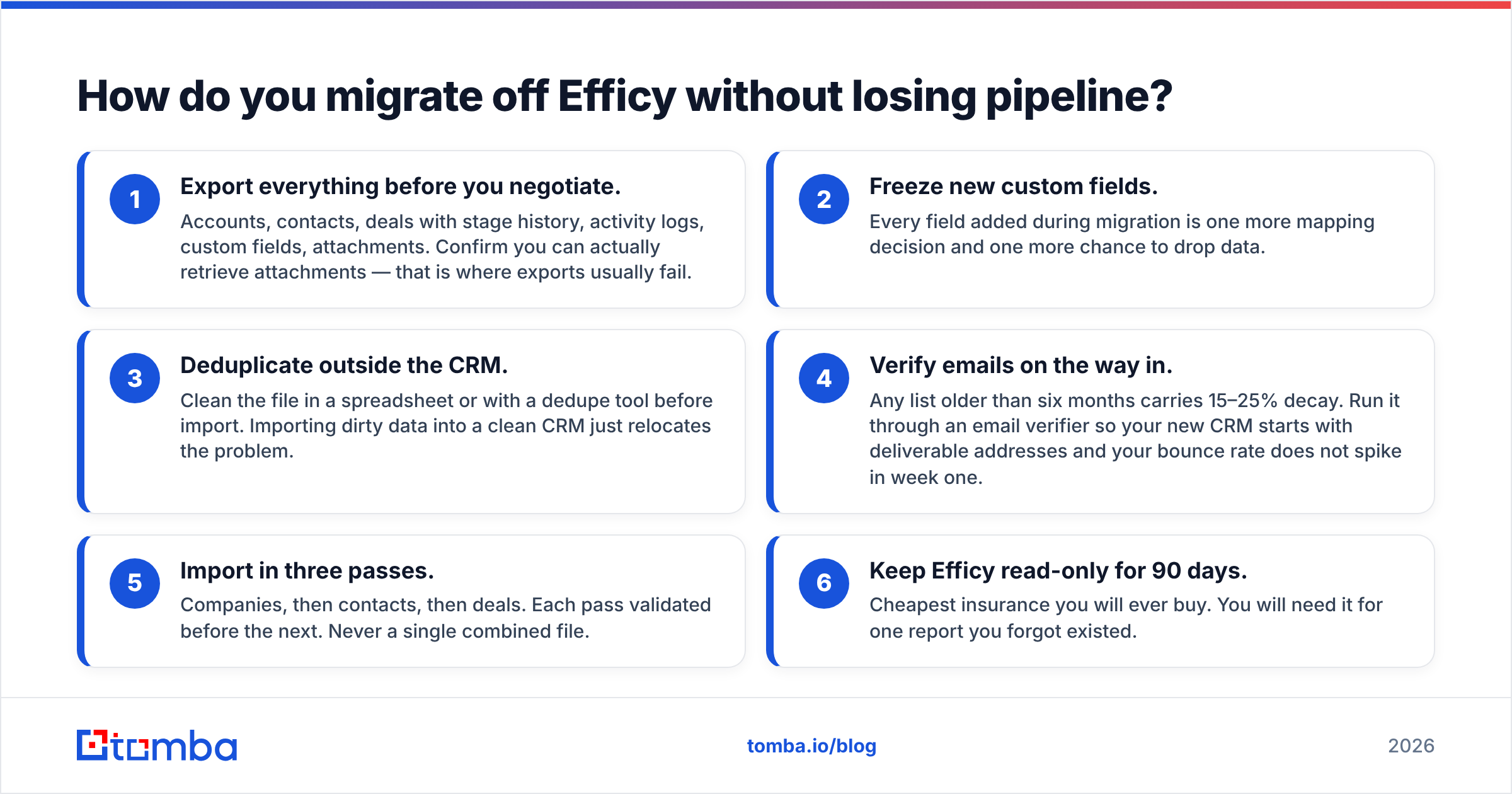
Run it in this order and the switch takes two weeks, not two quarters:
- Export everything before you negotiate. Accounts, contacts, deals with stage history, activity logs, custom fields, attachments. Confirm you can actually retrieve attachments — that is where exports usually fail.
- Freeze new custom fields. Every field added during migration is one more mapping decision and one more chance to drop data.
- Deduplicate outside the CRM. Clean the file in a spreadsheet or with a dedupe tool before import. Importing dirty data into a clean CRM just relocates the problem.
- Verify emails on the way in. Any list older than six months carries 15–25% decay. Run it through an email verifier so your new CRM starts with deliverable addresses and your bounce rate does not spike in week one.
- Import in three passes. Companies, then contacts, then deals. Each pass validated before the next. Never a single combined file.
- Keep Efficy read-only for 90 days. Cheapest insurance you will ever buy. You will need it for one report you forgot existed.
Does switching CRM fix your bad data?#
No — and this is the part most Efficy alternatives comparisons skip. A CRM is a filing cabinet. It stores what you put in it and decays at roughly 2% per month as people change jobs. Teams switch tools, feel a two-week productivity bump from the novelty, then land back at the same problem: half the records have no reachable contact.
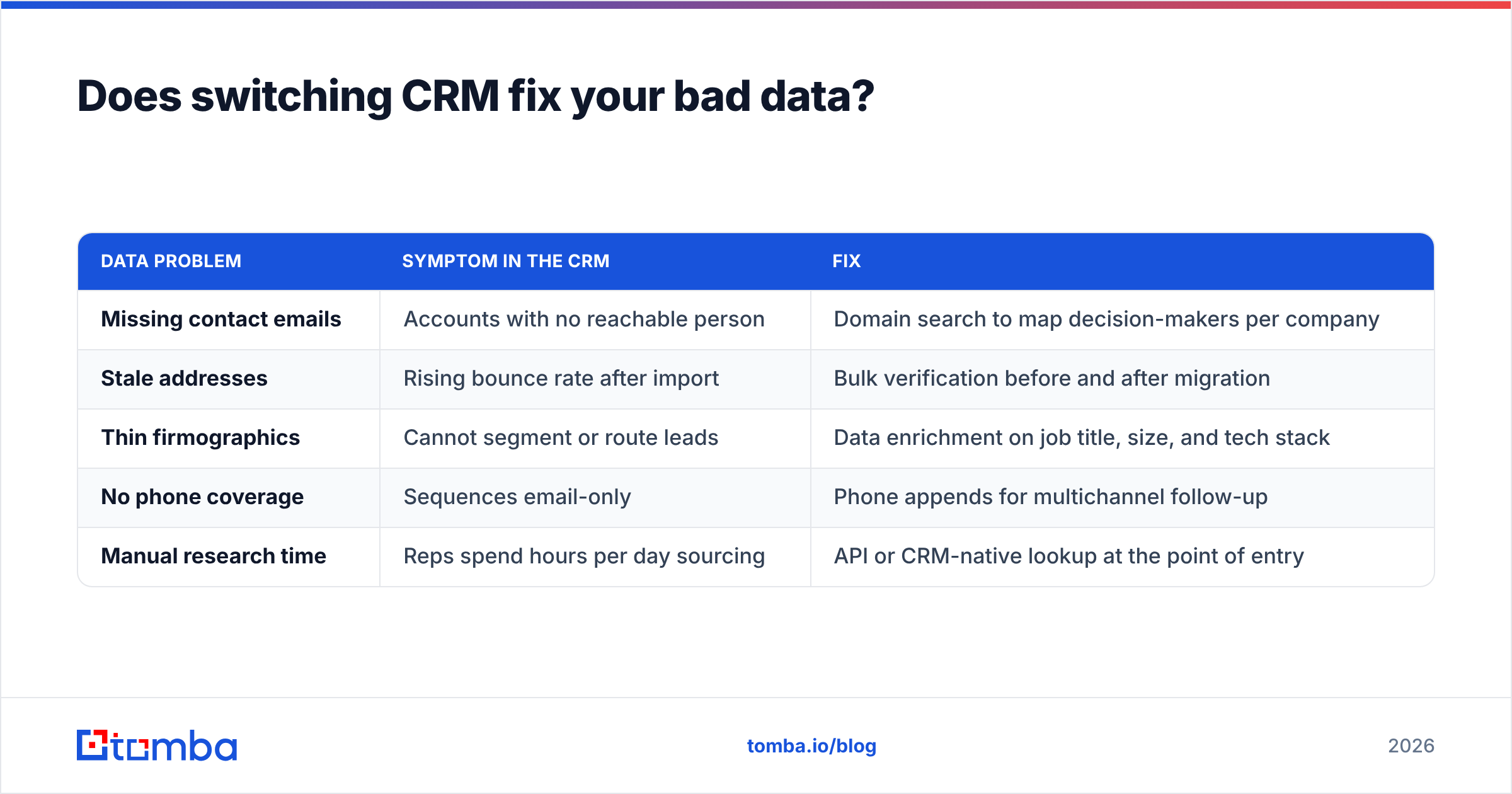
The layer that actually moves reply rates sits upstream of the CRM:
| Data problem | Symptom in the CRM | Fix |
|---|---|---|
| Missing contact emails | Accounts with no reachable person | Domain search to map decision-makers per company |
| Stale addresses | Rising bounce rate after import | Bulk verification before and after migration |
| Thin firmographics | Cannot segment or route leads | Data enrichment on job title, size, and tech stack |
| No phone coverage | Sequences email-only | Phone appends for multichannel follow-up |
| Manual research time | Reps spend hours per day sourcing | API or CRM-native lookup at the point of entry |
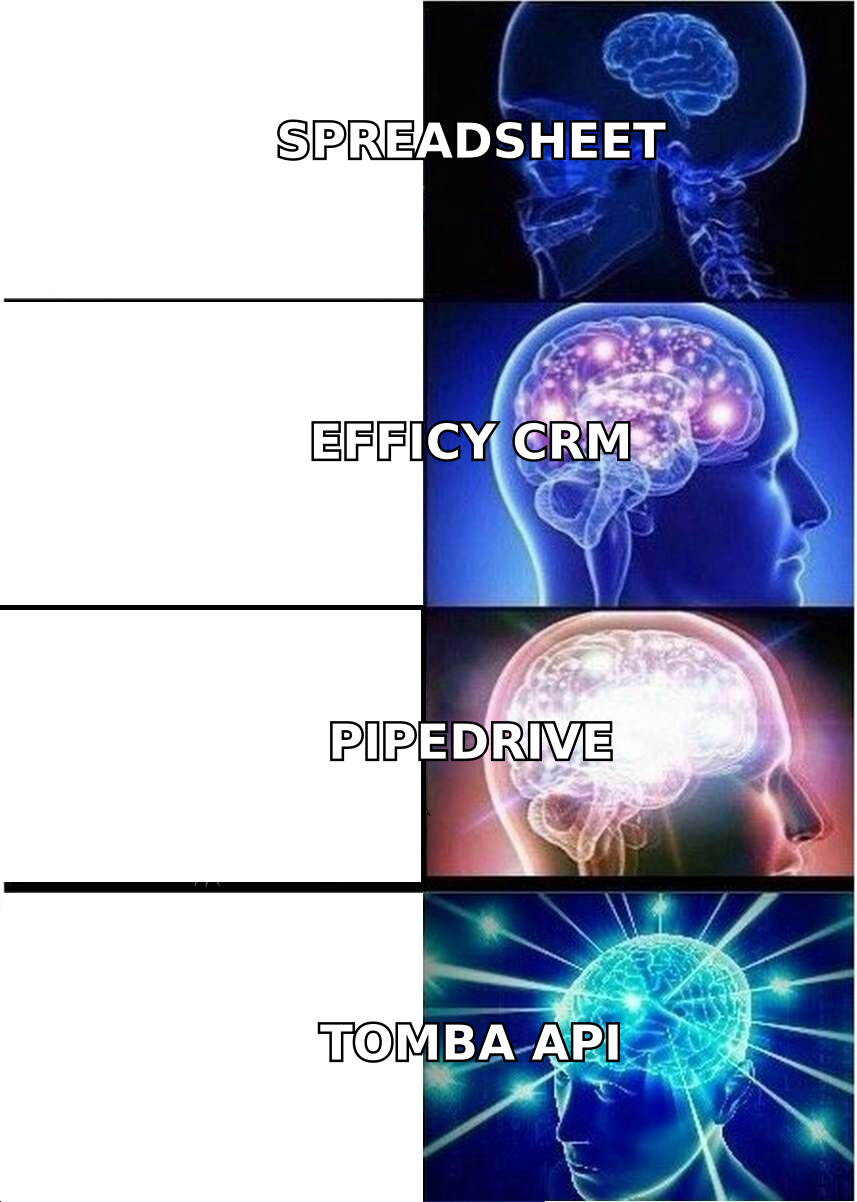
Providers split into two camps here. Database vendors like BookYourData sell pre-built, verified list access — a strong fit when you want volume for a defined ICP and you want it today. Discovery-first tools like Tomba find and verify addresses on demand against a specific domain or person, which fits better when your ICP is narrow or your target list comes out of your own research. Plenty of teams run both: buy a base list, then use on-demand lookup for the accounts no database covers.
Tomba's pricing sits low enough to layer alongside any CRM on this list — a free tier at 25 searches a month, then Starter at $49/mo, Growth at $99/mo, and Pro at $249/mo, with Enterprise negotiated. Full breakdown on Tomba pricing.
Which Efficy alternative should you choose?#
- Under 10 reps, pipeline only: Pipedrive. Fastest adoption, lowest friction.
- Sales and marketing in one system: HubSpot. Pilot free, model the Professional-tier cost before committing.
- Cost is the binding constraint: Zoho CRM, or Freshsales if you need a built-in dialler.
- Already standardised on monday.com: monday CRM, and stop shopping.
- You outgrew Efficy's data model: Salesforce Sales Cloud, with implementation budget attached.
- You actually need ERP: Odoo.
- EU residency and mid-market parity are non-negotiable: SuperOffice or Teamleader — and reconsider whether Efficy was wrong in the first place.
Whatever you pick, decide the data layer in the same week. A CRM migration is the one moment you can insert verified contact data at scale without fighting anyone's habits.
Start with the contact records, not the software. Run your Efficy export through Tomba Email Finder before you import a single row into the new system — find the missing decision-maker addresses, verify what you already have, and drop a clean file into whichever CRM you chose. The free tier covers a first sample, and the Tomba API keeps every new record enriched at the point of creation instead of six months later, when the deal is already cold.
Related guides#
Ready to find emails that actually work?
Join 150,000+ professionals who stopped guessing and started sending. Free credits on signup — no credit card required.
Get the Tomba newsletter
Practical outbound tactics and product updates — once every two weeks.
About the author