eGrabber vs GetProspect (2026): Pricing, Accuracy, Verdict
One is Windows desktop software sold on an annual license. The other is a LinkedIn-first Chrome extension with a credit meter. Here is how eGrabber and GetProspect actually compare on cost, accuracy, and workflow in 2026.
TL;DR
- eGrabber is Windows desktop software (LeadGrabber Pro, eMail-Prospector) sold on an annual license, typically four figures per seat. It shines when you already have a list of names and need appends run locally, at volume, without a per-credit meter.
- GetProspect is a browser-first email finder with a Chrome extension for LinkedIn, a free tier, and monthly credit plans starting around $49. It shines when your prospecting starts inside LinkedIn Sales Navigator.
- They are not really the same product category. One is a desktop append engine, the other is a SaaS list-builder. Comparing them on "accuracy" alone will mislead you.
- The real decision drivers are platform lock-in (Windows-only vs any OS), billing model (license vs credits), and whether you need an API for enrichment inside your own stack.
- If you need cross-platform, API-first email finding with verification built in, a third option like Tomba removes the desktop dependency and the four-figure entry price at once.
What are eGrabber and GetProspect, actually?#
They solve the same job — turn a name and a company into a working email address — from opposite ends of the software timeline.
eGrabber has been shipping since the late 1990s. Its flagship tools, LeadGrabber Pro and eMail-Prospector, run as installed Windows applications. You paste in a list of contacts (or pull a page of LinkedIn search results), and the software performs live web searches against public sources, then pattern-tests candidate addresses in real time. Nothing is served from a pre-built database you rent — the search happens on your machine, using your IP, when you press go.
GetProspect launched in 2016 and is built the way modern GTM tools are built: a web app plus a Chrome extension, a contact database you query, credits that decrement, and a free tier to get you started. Its center of gravity is LinkedIn. You browse a Sales Navigator search, click the extension, and it pushes matched profiles with emails into a list you can filter, tag, and export.
That architectural split explains almost every practical difference between them:
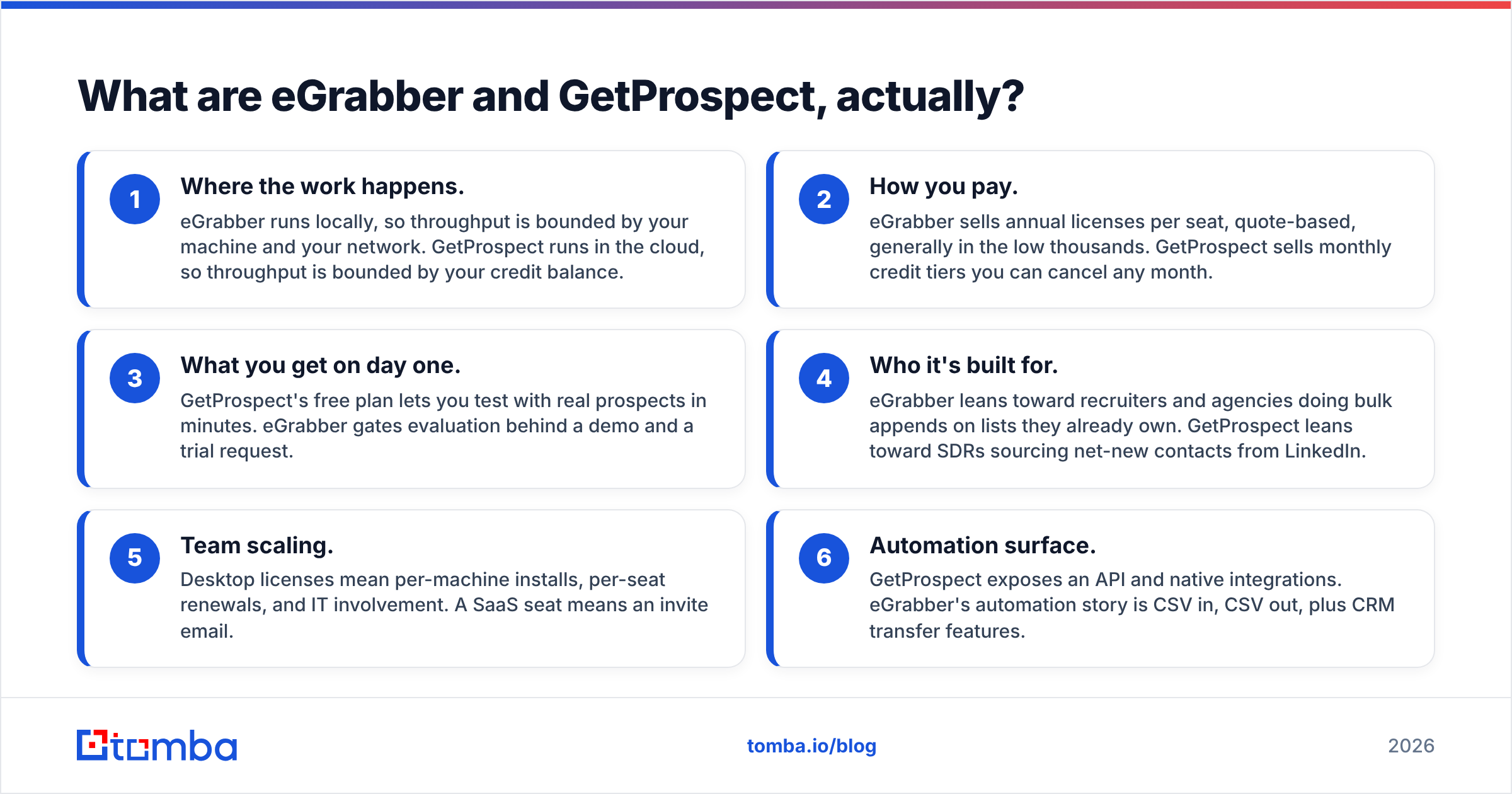
- Where the work happens. eGrabber runs locally, so throughput is bounded by your machine and your network. GetProspect runs in the cloud, so throughput is bounded by your credit balance.
- How you pay. eGrabber sells annual licenses per seat, quote-based, generally in the low thousands. GetProspect sells monthly credit tiers you can cancel any month.
- What you get on day one. GetProspect's free plan lets you test with real prospects in minutes. eGrabber gates evaluation behind a demo and a trial request.
- Who it's built for. eGrabber leans toward recruiters and agencies doing bulk appends on lists they already own. GetProspect leans toward SDRs sourcing net-new contacts from LinkedIn.
- Team scaling. Desktop licenses mean per-machine installs, per-seat renewals, and IT involvement. A SaaS seat means an invite email.
- Automation surface. GetProspect exposes an API and native integrations. eGrabber's automation story is CSV in, CSV out, plus CRM transfer features.

How do eGrabber and GetProspect compare head to head?#
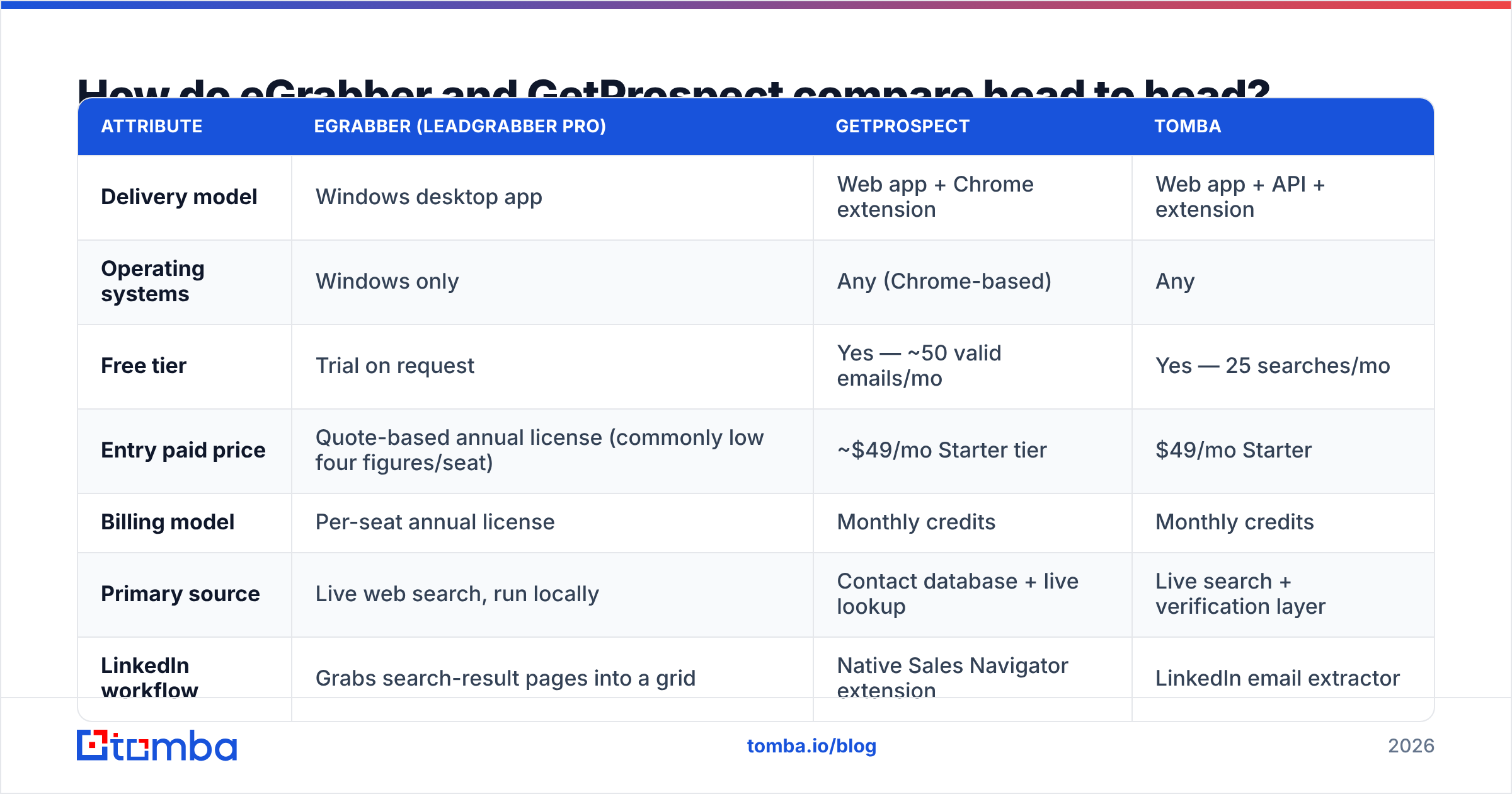
Here is the side-by-side. Treat all pricing as list price at the time of writing — both vendors change tiers, and eGrabber quotes rather than publishes for most SKUs, so confirm on their pages before you buy.
| Attribute | eGrabber (LeadGrabber Pro) | GetProspect | Tomba |
|---|---|---|---|
| Delivery model | Windows desktop app | Web app + Chrome extension | Web app + API + extension |
| Operating systems | Windows only | Any (Chrome-based) | Any |
| Free tier | Trial on request | Yes — ~50 valid emails/mo | Yes — 25 searches/mo |
| Entry paid price | Quote-based annual license (commonly low four figures/seat) | ~$49/mo Starter tier | $49/mo Starter |
| Billing model | Per-seat annual license | Monthly credits | Monthly credits |
| Primary source | Live web search, run locally | Contact database + live lookup | Live search + verification layer |
| LinkedIn workflow | Grabs search-result pages into a grid | Native Sales Navigator extension | LinkedIn email extractor |
| Bulk processing | Yes, local batch | Yes, cloud bulk upload | Yes, bulk finder + verifier |
| Email verification | Basic validation in-app | Verification included on found emails | Dedicated verifier + catch-all handling |
| Public API | Not the core offering | Yes | Yes, documented REST API |
| Phone numbers | Yes, on some editions | Limited | Yes, phone finder |
| Best fit | Recruiters, agencies, bulk appends on owned lists | SDRs sourcing from LinkedIn | Teams that want API-first enrichment |

Two rows in that table matter more than the rest.
The first is operating system. eGrabber's Windows-only requirement is not a footnote. If your team runs Macs — and in most SaaS sales orgs a meaningful share does — you are looking at a Parallels license, a Windows VM, or a shared "prospecting box" someone remotes into. That is real cost and real friction that never shows up on the quote.
The second is API. If your motion is "enrich every inbound signup automatically" or "fill missing emails on 40,000 CRM records nightly," desktop software is the wrong shape entirely. You want an email finder API you can call from a workflow. GetProspect has one. eGrabber's model assumes a human clicking through a grid.
Which one finds more valid emails?#
Neither vendor's marketing number will survive contact with your list. Test both on your own ICP before you commit.
That said, the mechanics predict where each will win. eGrabber's live-search approach tends to hold up better on long-tail domains — the 40-person manufacturer with no ZoomInfo record — because it goes and looks rather than checking a cache. Database-backed tools, GetProspect included, are strongest on well-covered mid-market and enterprise domains where the pattern has been observed thousands of times, and weaker in the tail where they simply have no row.

There is a bigger accuracy trap that neither tool fully solves for you: catch-all domains. When a mail server accepts every address at a domain, standard SMTP validation returns "valid" for asdf@company.com just as happily as for the real CEO. Tools that report a confident green checkmark on catch-all domains are reporting the server's politeness, not the address's existence.
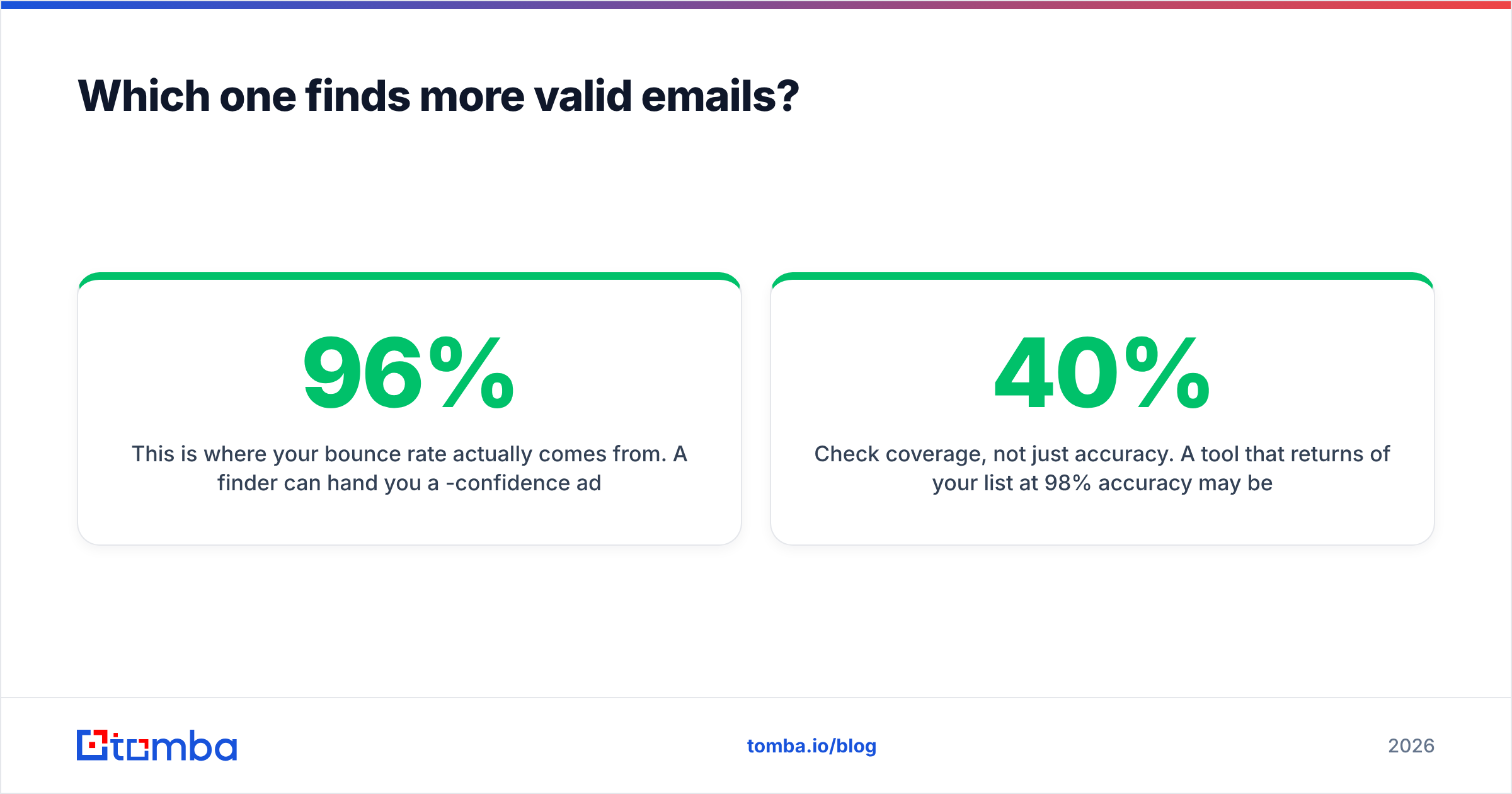
This is where your bounce rate actually comes from. A finder can hand you a 96%-confidence address, your ESP can accept it, and the domain can still hard-bounce it three days later. If a meaningful chunk of your target market runs catch-all (common in EU mid-market and in agencies), you need a dedicated catch-all verifier in the pipeline, not just whatever validation ships inside the finder.
Practical accuracy protocol before you buy either tool:
- Build a 200-row control list from your actual ICP, mixing company sizes and at least three countries.
- Run it through both trials and export raw results, including confidence scores and status labels.
- Send a real, low-volume campaign to the found addresses from a warmed domain and record hard bounces. This is the only number that matters.
- Segment the bounces by domain type. If most failures cluster on catch-all domains, your problem is verification, not the finder.
- Check coverage, not just accuracy. A tool that returns 40% of your list at 98% accuracy may be worse than one returning 75% at 92%.
Is eGrabber worth the license cost in 2026?#
For a specific buyer, yes. For most SDR teams, no.
eGrabber earns its price when three things are true at once: you process very large batches of names you already own, your workflow is Windows-native, and you dislike per-credit billing. Staffing agencies appending contact data to resume databases are the archetype. Under those conditions, a flat annual license with no credit ceiling is genuinely cheaper than metered SaaS, and the desktop model gives you control over pacing.
The friction is everything else. Buyer reviews on G2 consistently flag the same themes across desktop lead-extraction tools: dated interfaces, per-machine installs, and support cycles measured in days rather than minutes. Add the quote-based sales process — you cannot self-serve, you cannot see the price without talking to someone — and evaluation alone costs you a week.
There is also a durability question worth asking out loud. Tools whose core mechanism is scraping search-result pages live in an arms race with the platforms they scrape. LinkedIn has tightened extraction repeatedly. Any vendor whose value depends on grabbing rendered pages is one interface change away from a broken workflow. Database-and-API vendors face the same pressure, but they absorb it server-side, and you never notice.

Is GetProspect enough for a full outbound stack?#
It covers sourcing well and stops short of everything after that.
GetProspect's strengths are real: the free tier is genuinely usable for evaluation, the LinkedIn extension is fast, the list-management UI is cleaner than most, and the credit tiers scale in sane increments. If your SDRs live in Sales Navigator and hand off to a separate sequencer, it does its one job without much complaint.
The gaps show up as you mature:
- Credit anxiety. Metered billing means someone rations searches near month-end, which is exactly the wrong incentive when a rep finds a promising account list.
- Verification depth. Emails come with a status, but catch-all handling and standalone re-verification of aging lists are not the product's focus. Lists decay at roughly 2-3% per month as people change jobs; you need a re-verification loop regardless of who found the address.
- Phone coverage. If your motion is multi-channel, you will be bolting on a separate phone finder.
- Non-LinkedIn sourcing. Plenty of high-intent prospecting starts from a conference exhibitor list, a podcast guest roster, or a bylined article — not a LinkedIn URL. That needs domain search and author-level lookup, not a profile scraper.
None of that makes GetProspect a bad tool. It makes it one layer of a stack, priced accordingly.
Which should you choose — and is there a better third option?#
Choose by workflow shape, not by feature count.
- Pick eGrabber if you are Windows-native, you process bulk appends on lists you already own, and a flat annual license beats metered credits at your volume. Recruiting and staffing are the clearest fits.
- Pick GetProspect if LinkedIn is where prospecting starts, you want to test before paying, and monthly cancelable billing matters more than unlimited throughput.
- Pick neither if your real requirement is programmatic enrichment — enriching signups, filling CRM gaps, running nightly jobs — because that is an API problem, and a desktop app is the wrong tool while a LinkedIn extension is only half the answer.
That third case is more common than it looks. Most teams that shop for "an email finder" actually need four things: find, verify, handle catch-alls, and call it from code. Buying those separately is how you end up with three subscriptions and a spreadsheet gluing them together.
Tomba was built around that bundle. Tomba pricing starts with a free tier at 25 searches per month, then Starter at $49/mo, Growth at $99/mo, and Pro at $249/mo, with Enterprise quoted — the same entry point as GetProspect's paid tier, without the four-figure license floor of desktop software. Every plan includes the email verifier rather than selling it as a separate SKU, so verification sits inside the same workflow that found the address. And because it is API-first, the same lookup runs from a Chrome extension, a Google Sheet, a bulk CSV, or a nightly cron job against your CRM.
The honest caveat: if you specifically need unlimited local batch processing on a flat annual license, a desktop tool like eGrabber still has an argument. Tomba is credit-based like GetProspect. What it removes is the platform lock-in, the separate verification bill, and the gap between "found an email" and "trusted it enough to send."
Ready to test it on your own list?#
Stop comparing marketing claims and run your own 200-row control test. Start with the Tomba Email Finder free tier — 25 searches, no card, no demo call — and put it head to head against whichever trial you already have open. Export all three result sets, send to a warmed domain, and let the bounce report pick your winner. That is the only benchmark that ever mattered.
Related guides#
Ready to find emails that actually work?
Join 150,000+ professionals who stopped guessing and started sending. Free credits on signup — no credit card required.
Get the Tomba newsletter
Practical outbound tactics and product updates — once every two weeks.
About the author