Email Address Breakdown: Every Part Explained (2026)
Every email address is a stack of rules: local part, separator, domain, MX record. Understanding the breakdown is the difference between guessing addresses and finding them.
TL;DR
- Every email address splits into exactly two halves at the last
@: the local part (who) and the domain (where). Everything else — dots, plus signs, subdomains, MX records — hangs off those two. - The local part is case-sensitive by spec but almost never in practice, and mail providers each bend the rules differently (Gmail ignores dots, Outlook doesn't).
- The domain half is the only part you can verify from outside: DNS and MX lookups tell you whether mail can be delivered at all, before you ever touch the mailbox.
- Roughly a dozen naming patterns cover the large majority of B2B addresses —
first.last@,flast@,first@, and a handful of variants. Pattern detection plus verification beats permutation guessing every time. - Guessing formats burns your sender reputation. A verified email finder that returns a confidence score and the source pattern is cheaper than a bounce.
What is an email address breakdown?#
An email address breakdown is the practice of splitting an address into its structural components so you can validate, verify, or reconstruct it. Think of it like a postal address: "Apartment 4B" is meaningless without "221B Baker Street, London" — and the street is meaningless if the city doesn't exist. Email works the same way, in the same order of specificity, just written backwards.
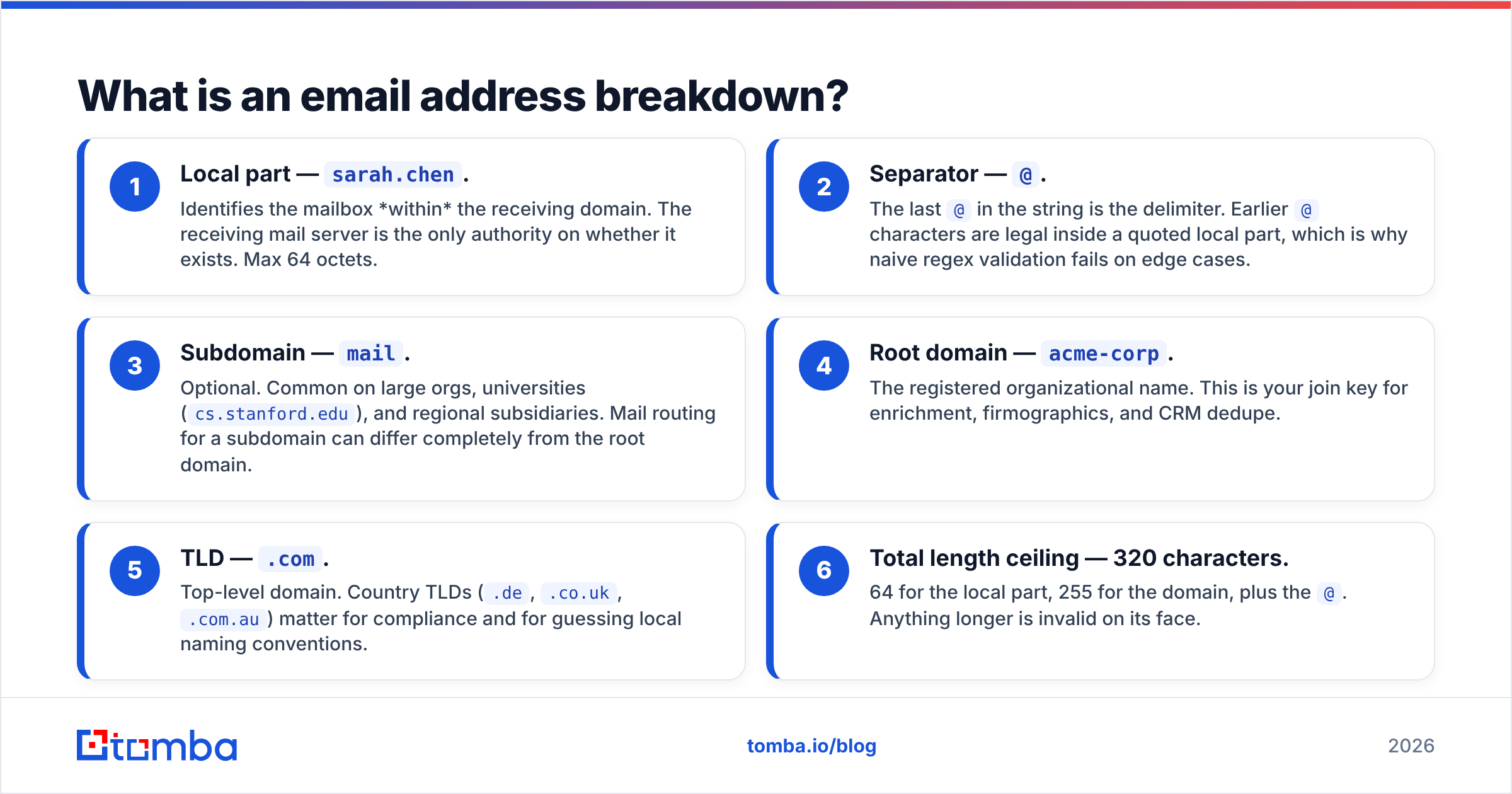
Take sarah.chen@mail.acme-corp.com. Here's what each piece is doing:
- Local part —
sarah.chen. Identifies the mailbox within the receiving domain. The receiving mail server is the only authority on whether it exists. Max 64 octets. - Separator —
@. The last@in the string is the delimiter. Earlier@characters are legal inside a quoted local part, which is why naive regex validation fails on edge cases. - Subdomain —
mail. Optional. Common on large orgs, universities (cs.stanford.edu), and regional subsidiaries. Mail routing for a subdomain can differ completely from the root domain. - Root domain —
acme-corp. The registered organizational name. This is your join key for enrichment, firmographics, and CRM dedupe. - TLD —
.com. Top-level domain. Country TLDs (.de,.co.uk,.com.au) matter for compliance and for guessing local naming conventions. - Total length ceiling — 320 characters. 64 for the local part, 255 for the domain, plus the
@. Anything longer is invalid on its face.
The full grammar lives in RFC 5322, and the Wikipedia entry on email address syntax is the most readable summary of it if you don't want to read the original spec. The practical takeaway: the spec is far more permissive than any real mail provider, so "valid per RFC" and "actually deliverable" are two different questions.
What are the rules for the local part?#
The local part is where most of the mess lives, because the spec allows things providers refuse.
Legal per spec, in unquoted form: letters, digits, and the printable characters ! # $ % & ' * + - / = ? ^ _ \ { | } ~`, plus dots that aren't leading, trailing, or consecutive. Wrap the local part in quotes and you can legally include spaces, @, and commas — "weird@name"@example.com is a valid address that will break most of the validation code you've ever written.
What providers actually do:
- Gmail ignores dots entirely.
sarahchen@gmail.com,sarah.chen@gmail.com, ands.a.r.a.h.chen@gmail.comall deliver to one mailbox. Google documents this in their Gmail help centre. This does not apply to Google Workspace custom domains, which is a mistake people make constantly. - Outlook and most corporate Exchange setups treat dots as significant.
s.chen@andschen@are two different mailboxes, and one of them will bounce. - Case is technically significant in the local part but functionally ignored by every major provider. Normalize to lowercase for storage and dedupe; never rely on case to distinguish two contacts.
- Length limits bite in the real world. German and Dutch compound surnames plus a
first.lastpolicy can push past 64 characters, and organizations respond with truncation rules you cannot guess.
That last point is the reason format guessing has a hard accuracy ceiling. You can generate every permutation of a name, but you cannot generate an org's internal truncation, collision-handling, or legacy-migration policy. When two Sarah Chens joined the same company, someone made an arbitrary decision — sarah.chen2@, sarah.c.chen@, schen2@ — and that decision is not recoverable from the name.
What does the domain part actually tell you?#
The domain half is the part you can interrogate without touching a mailbox, and it answers questions the local part can't.
A DNS lookup tells you the domain resolves. An MX record lookup tells you which server accepts mail for it and, by extension, who the company's mail provider is — Google Workspace, Microsoft 365, Zoho, Proofpoint, Mimecast, or a self-hosted Postfix box. That single fact changes your whole approach:
- MX points to Google → dot-insensitive local parts if it's
gmail.com; standard behaviour if it's Workspace. SMTP verification is usually reliable. - MX points to Microsoft 365 → SMTP verification is unreliable because Microsoft frequently accepts everything at the gateway and bounces later. You need a provider that handles this rather than reporting a false "valid".
- MX points to a security gateway (Proofpoint, Mimecast, Barracuda) → the gateway answers, not the mailbox. Treat naive verification results with suspicion.
- No MX record at all → the domain cannot receive mail. Stop. Don't send. This catches parked domains, expired brands, and typo'd domains before they cost you anything.
- Catch-all configured → the server accepts every local part, valid or not. This is where most verification tools quietly give up. A dedicated catch-all verifier uses additional signals rather than returning "unknown" and leaving you to gamble.
Domain-level intelligence is also why domain search is a better starting move than name-by-name lookups. Pull every known address at a company first, infer the pattern from real observed data, then apply it. Inferring from evidence beats generating from templates.
How do email address formats differ across companies?#
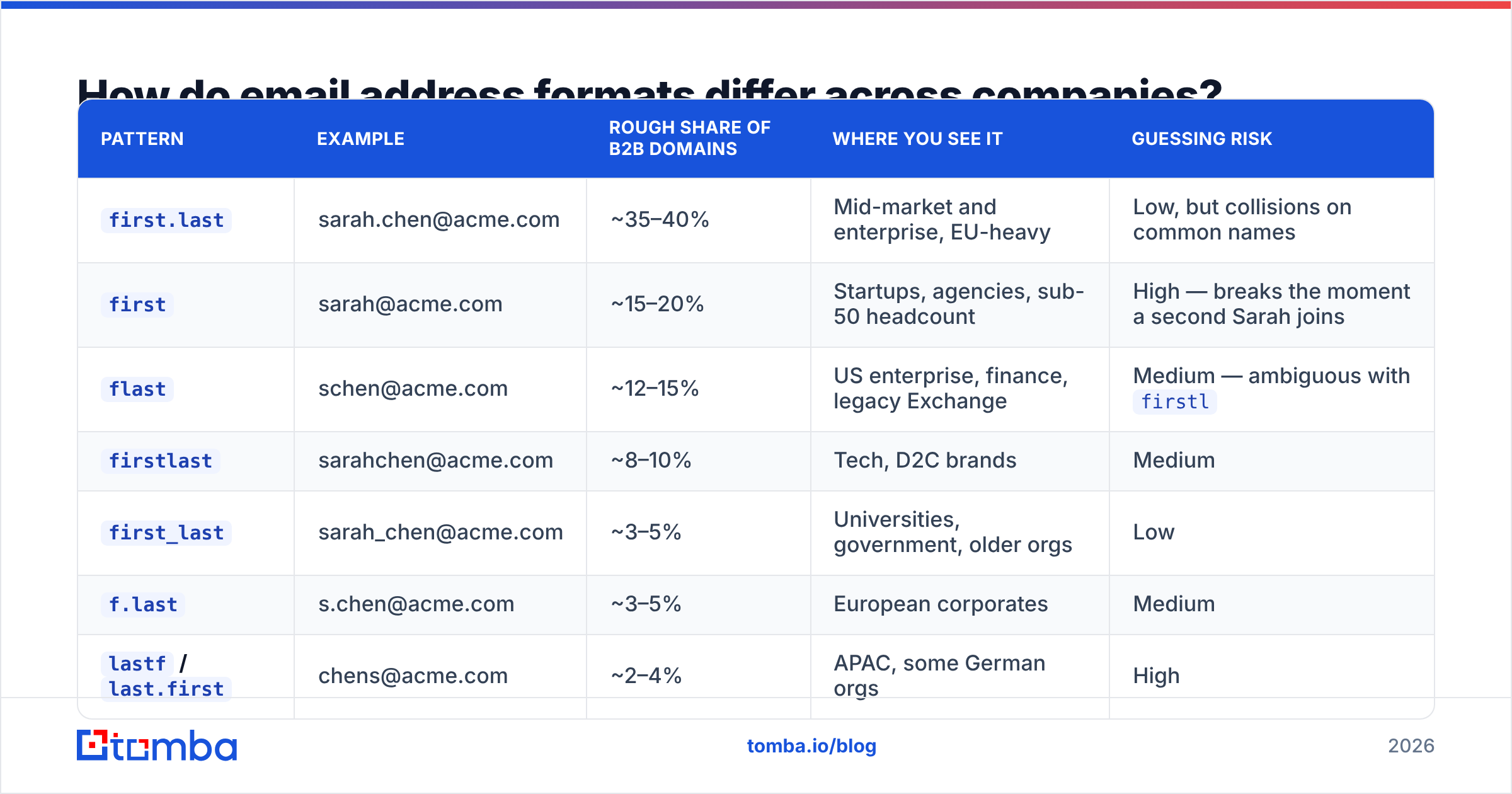
A small number of patterns cover most of B2B. Here's how they stack up, using Sarah Chen at acme.com as the test case.
| Pattern | Example | Rough share of B2B domains | Where you see it | Guessing risk |
|---|---|---|---|---|
first.last |
sarah.chen@acme.com | ~35–40% | Mid-market and enterprise, EU-heavy | Low, but collisions on common names |
first |
sarah@acme.com | ~15–20% | Startups, agencies, sub-50 headcount | High — breaks the moment a second Sarah joins |
flast |
schen@acme.com | ~12–15% | US enterprise, finance, legacy Exchange | Medium — ambiguous with firstl |
firstlast |
sarahchen@acme.com | ~8–10% | Tech, D2C brands | Medium |
first_last |
sarah_chen@acme.com | ~3–5% | Universities, government, older orgs | Low |
f.last |
s.chen@acme.com | ~3–5% | European corporates | Medium |
lastf / last.first |
chens@acme.com | ~2–4% | APAC, some German orgs | High |
| Role/alias only | info@, sales@acme.com | n/a | Small business, support desks | Deliverable but low reply rate |
Two things to notice. First, the top three patterns account for well under 80% of addresses combined — so a permutation approach that tries the top three and stops is wrong at least one time in five. Second, "risk" isn't about the pattern's popularity, it's about ambiguity. flast and firstl produce different strings for most names but identical strings for some, and there's no way to tell from the outside which convention produced jsmith@.
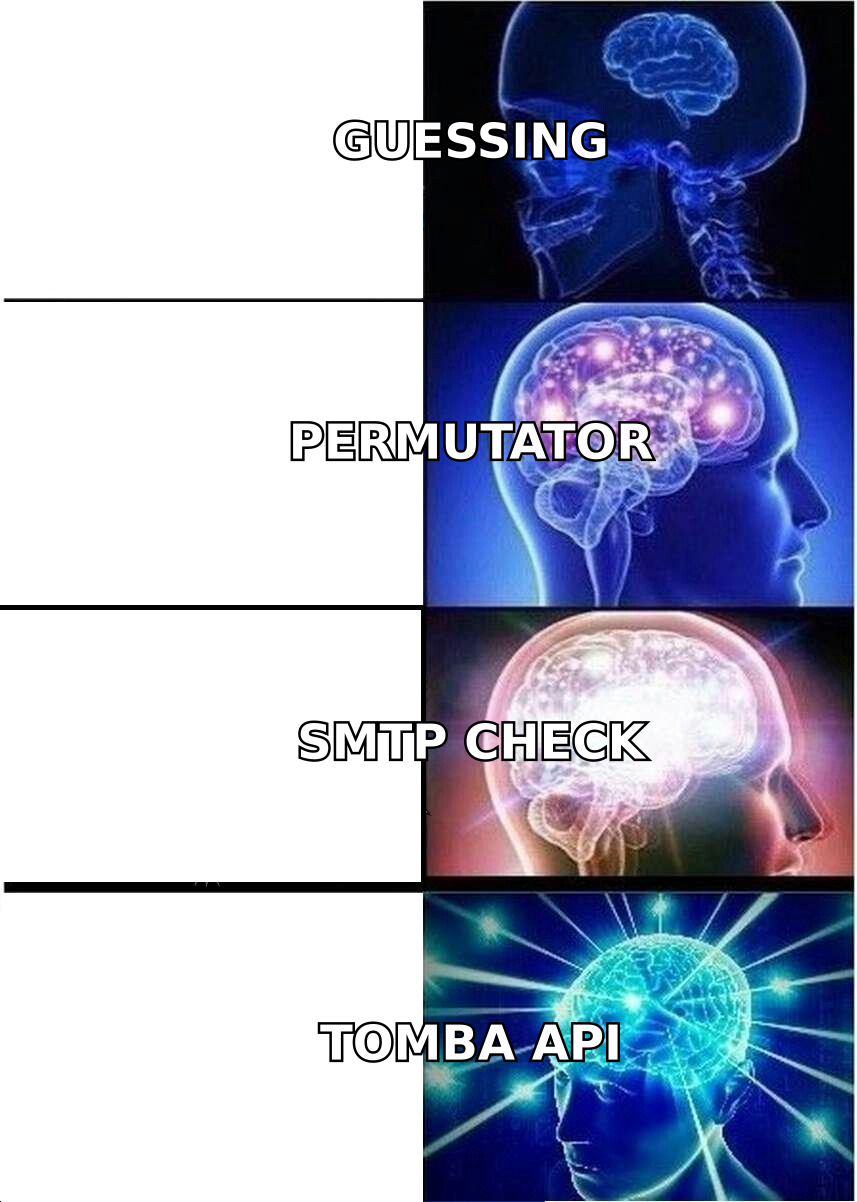
This is the practical argument for verification over generation. A generated address has a probability attached. A verified address has an SMTP-level answer. If you want to see how patterns get detected at scale rather than guessed, the company email pattern tool shows the observed format for a domain instead of asking you to pick one.
What is subaddressing, and why should you care?#
Subaddressing — also called plus addressing or tagged addressing — is the +tag suffix on the local part: sarah.chen+newsletter@acme.com. The mail server strips everything from the + to the @ and delivers to sarah.chen@acme.com.
It matters in three directions:
For your outreach data. A +tag address in your list is a signal, not noise. It usually means the contact signed up for something specific and wants to filter it. It also means the underlying mailbox is local@domain with the tag removed — so if you're deduplicating, normalize by stripping tags or you'll email the same person twice under two "different" addresses.
For your own testing. Plus addressing is the cheapest way to test a sequence end-to-end. Send to you+test1@yourdomain.com, you+test2@, and so on, and every variant lands in one inbox with a filterable tag.
For deliverability hygiene. Not every provider supports it. Gmail, Outlook.com, Fastmail, and Proton do. Many self-hosted and older corporate setups do not, and will bounce a tagged address outright. If you're building forms, don't assume support; if you're validating input, don't reject + as invalid, because that's a spec violation on your side.
A related quirk: some providers support - or = as the separator instead of +. Yahoo historically used -. If your regex only handles +, you'll misclassify those.
How do you verify each part of an email address?#
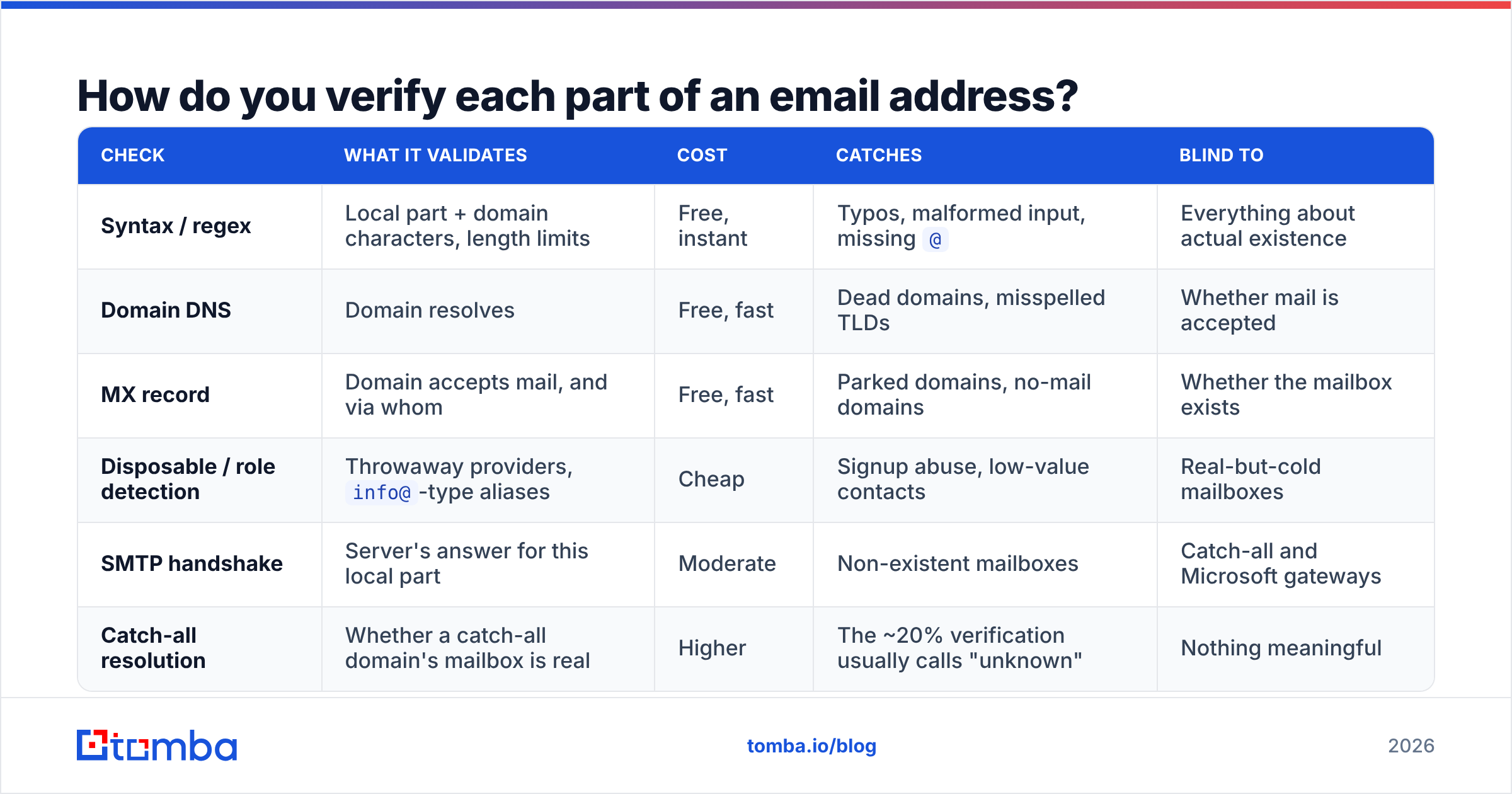
Different checks answer different questions, and running them in the wrong order wastes money. Cheap, deterministic checks first; expensive, network-dependent checks last.
| Check | What it validates | Cost | Catches | Blind to |
|---|---|---|---|---|
| Syntax / regex | Local part + domain characters, length limits | Free, instant | Typos, malformed input, missing @ |
Everything about actual existence |
| Domain DNS | Domain resolves | Free, fast | Dead domains, misspelled TLDs | Whether mail is accepted |
| MX record | Domain accepts mail, and via whom | Free, fast | Parked domains, no-mail domains | Whether the mailbox exists |
| Disposable / role detection | Throwaway providers, info@-type aliases |
Cheap | Signup abuse, low-value contacts | Real-but-cold mailboxes |
| SMTP handshake | Server's answer for this local part | Moderate | Non-existent mailboxes | Catch-all and Microsoft gateways |
| Catch-all resolution | Whether a catch-all domain's mailbox is real | Higher | The ~20% verification usually calls "unknown" | Nothing meaningful |
Run this as a funnel. Syntax removes the obvious garbage for free. MX kills whole domains at once — one lookup can invalidate 400 rows in a purchased list, which is the single highest-ROI check available. Only then pay for per-address SMTP work.
For lists rather than single addresses, do this in bulk. A bulk email finder run that returns per-row status and confidence is more useful than a binary valid/invalid flag, because it lets you segment: send to high confidence, hold medium confidence for a warmed-up second wave, discard the rest. And if you're only trying to answer "is this one address real," the free email checker handles the syntax-through-MX layers without a signup.
What breaks most often in practice?#
Five failure modes account for most bounced campaigns, and all five are structural.
Validating with a homemade regex. Almost every regex found in the wild rejects valid addresses (quoted local parts, new long TLDs, + tags) and accepts invalid ones (a@b). Validate loosely at the form, verify properly at the API. Never use a regex as your only gate.
Assuming the pattern from one data point. You found john@acme.com on a contact page, so you conclude the pattern is first. But that was the founder's vanity alias, created in 2019, and everyone hired since is first.last. Infer patterns from multiple observed addresses, not one.
Treating catch-all as valid. A catch-all domain says yes to everything. If your verifier reports these as deliverable, you're mailing generated strings into a void and your bounce rate is a lie until the hard bounces catch up two weeks later.
Ignoring subdomains. @acme.com and @emea.acme.com may have separate MX records, separate naming conventions, and separate admins. Enrichment that flattens subdomains to the root domain will assign the wrong pattern to a whole region's contacts.
Skipping re-verification. B2B email data decays fast — commonly cited estimates put churn around 22–30% annually, and reviews across data vendors on G2 consistently flag staleness as the top complaint regardless of vendor. An address verified 14 months ago is a guess. Re-run your list quarterly with an email verifier rather than trusting the timestamp on the original import.
Which tools handle the breakdown for you?#
You don't need to implement RFC 5322 parsing yourself. What you need is a pipeline that treats the local part and the domain as separate problems with separate evidence, and reports honestly when it isn't sure.
Concretely, that means: pattern detection from observed addresses at the domain (not templates), MX-aware verification that knows Microsoft 365 lies, explicit catch-all handling instead of an "unknown" shrug, and a confidence score you can threshold on. If you're doing this at volume, do it through an API so the checks sit inside your enrichment job rather than in a spreadsheet — the email finder API returns the pattern and the confidence alongside the address, which is what makes the result auditable later.
On cost, the free tier covers 25 searches a month, which is enough to sanity-check whether pattern detection actually beats your current guessing. Paid plans start at $49/mo for Starter, $99/mo for Growth, and $249/mo for Pro; full Tomba pricing breaks down credits per tier. Compare that against the real cost of a damaged sending domain, which takes weeks to recover and no amount of credits to fix.
Start with the domain, not the person. Run a company through Tomba Email Finder, look at the pattern it reports and the confidence attached to each address, and compare it against whatever your team is guessing today. If the pattern matches your assumption, you've confirmed it for free. If it doesn't — and for roughly one domain in five it won't — you just saved a batch of bounces and learned something about how that company actually names its mailboxes.
Related guides#
Ready to find emails that actually work?
Join 150,000+ professionals who stopped guessing and started sending. Free credits on signup — no credit card required.
Get the Tomba newsletter
Practical outbound tactics and product updates — once every two weeks.
About the author