Email Address Generator AI: How It Works and What to Use
AI email address generators promise the right work address from just a name and a domain. Here is what the technology actually does, where it guesses, and how to tell a verified hit from an expensive bounce.

TL;DR
- An "email address generator AI" is really two things stacked: a pattern engine that produces candidate addresses from a name plus a domain, and a validation layer that decides which candidate is real.
- The generation half is close to a solved problem — roughly 20 formats cover the vast majority of corporate mailboxes. The hard part is elimination, not creation.
- Tools that only generate (permutators, spreadsheet formulas, most free "AI" generators) hand you 8–14 guesses per person and no verdict. That is a bounce factory.
- Tools that generate and verify against SMTP, MX records, and observed source data return one address with a confidence score. That is what you actually want to send from.
- Budget reality: free permutators cost $0 and produce unusable lists; paid finders start around $39–$99/month, with Tomba at $49/mo for Starter and a free tier of 25 searches.
What is an email address generator AI?#
Think of it like a locksmith who has seen ten thousand doors. They do not know your lock, but they know that 70% of buildings on this street use one of four cylinder types — so they start with those four, test them, and stop the moment one turns. A generic key-cutter, by contrast, hands you forty blanks and wishes you luck.
That is the difference between an AI email address generator and a plain permutator.
Technically, the category covers tools that take minimal input — usually a first name, last name, and company domain — and return the probable work email address. The "AI" label gets applied to a spectrum of sophistication:
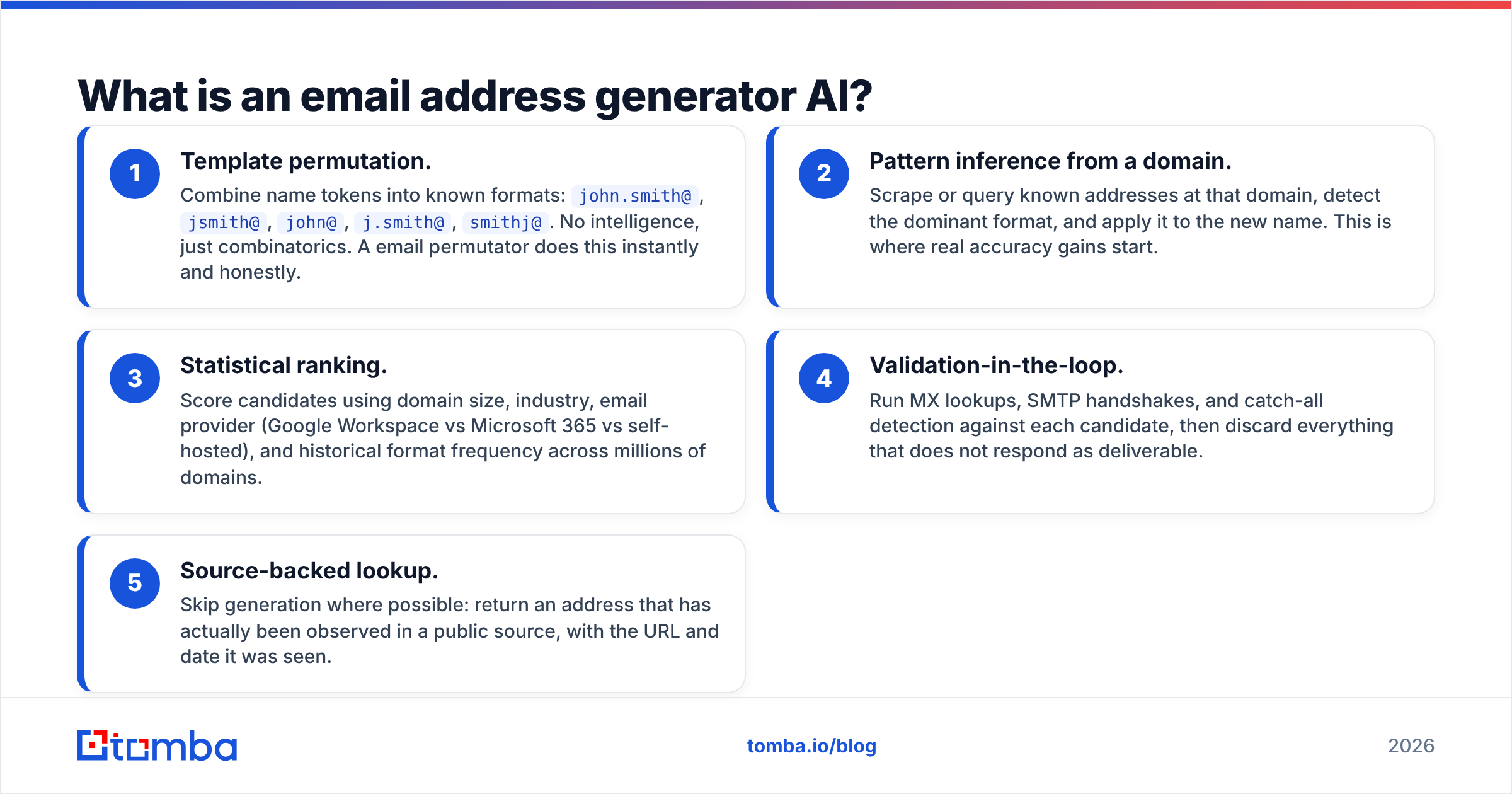
- Template permutation. Combine name tokens into known formats:
john.smith@,jsmith@,john@,j.smith@,smithj@. No intelligence, just combinatorics. A email permutator does this instantly and honestly. - Pattern inference from a domain. Scrape or query known addresses at that domain, detect the dominant format, and apply it to the new name. This is where real accuracy gains start.
- Statistical ranking. Score candidates using domain size, industry, email provider (Google Workspace vs Microsoft 365 vs self-hosted), and historical format frequency across millions of domains.
- Validation-in-the-loop. Run MX lookups, SMTP handshakes, and catch-all detection against each candidate, then discard everything that does not respond as deliverable.
- Source-backed lookup. Skip generation where possible: return an address that has actually been observed in a public source, with the URL and date it was seen.
Levels 1 and 2 are generation. Levels 4 and 5 are verification. A tool marketed as an "AI email generator" that stops at level 2 is selling you the easy half of the job.
How does an AI email generator actually find the right address?#
The pipeline is more mechanical than the marketing suggests. Here is what happens between your input and the returned address:
- Domain fingerprinting. The tool resolves the domain, reads MX records to identify the mail provider, and pulls any cached format history. Google Workspace domains behave differently from Microsoft 365 domains on SMTP probes, which changes how much can be verified.
- Format prediction. Against a known company email pattern, the candidate list collapses from twelve options to one or two. Without it, the tool is guessing.
- Candidate generation. Name tokens get normalized (accents stripped, hyphens handled, middle names dropped) and combined into the ranked format list.
- Deliverability testing. Each candidate gets an MX check, then an SMTP RCPT TO probe where the receiving server answers honestly. Servers that accept everything trigger catch-all handling.
- Confidence scoring. The output is a percentage or a label — deliverable, risky, catch-all, invalid — not a bare string.
The scoring step is where tools genuinely diverge. Two products can generate identical candidate lists and return wildly different final answers because one trusts its SMTP result and the other cross-references observed data.

Is AI generation more accurate than a permutator?#
Yes, but only because "AI generation" in practice includes verification. Strip the verification out and the accuracy gap narrows to almost nothing.
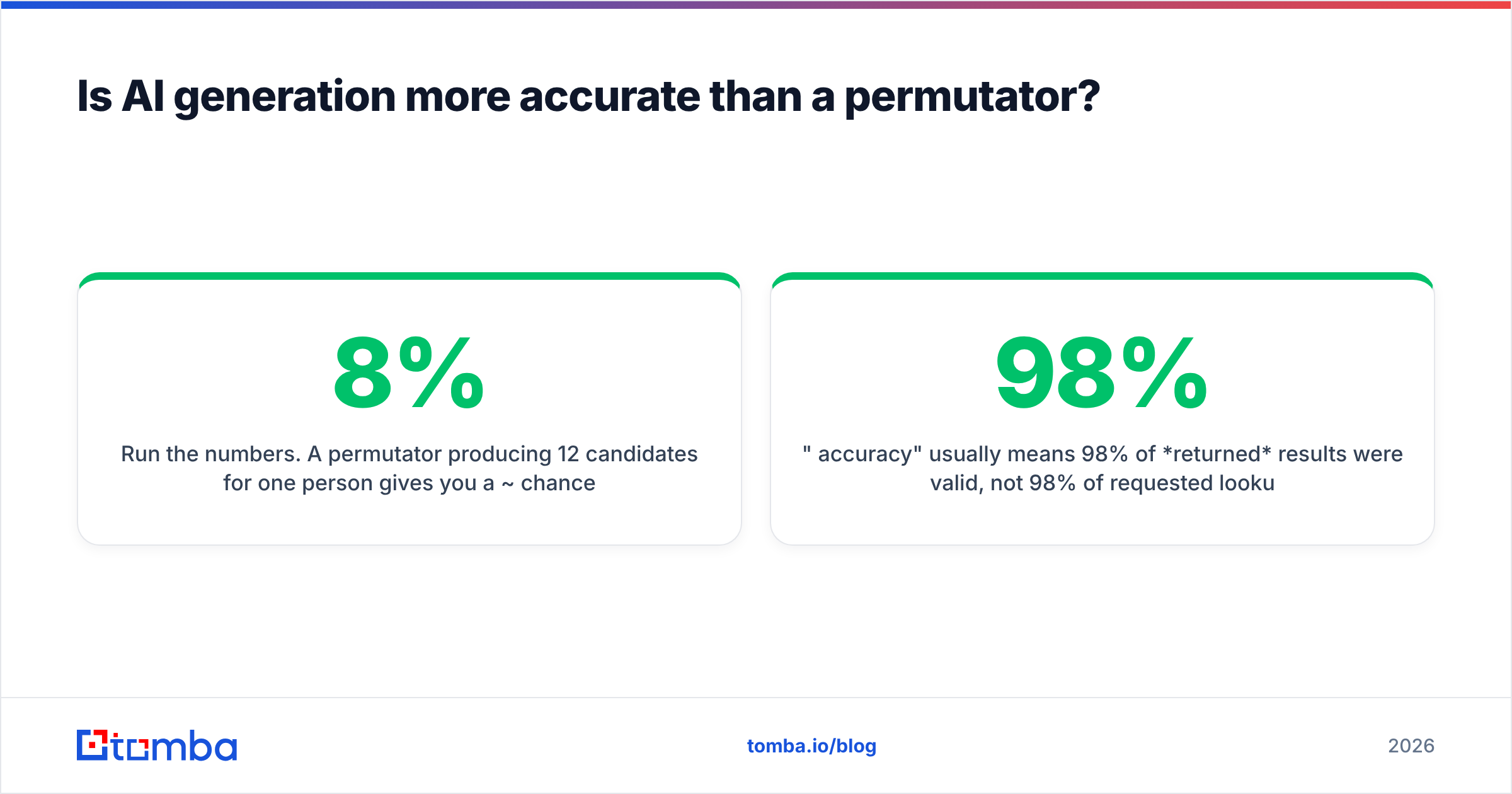
Run the numbers. A permutator producing 12 candidates for one person gives you a ~8% chance of picking the right one blind. Format inference from a known address at the same domain pushes that to 70–85% for standard corporate domains. Adding SMTP verification on top removes most of the remaining error — the residual failures are catch-all domains, aliases, and people who left the company.
That last category is worth dwelling on. No generator, however clever, knows that Sarah quit in March. Generation predicts format; it cannot predict employment. This is why source-backed lookup matters — an address observed on a company page last month carries information a permutation never can.

Two honest caveats about accuracy claims in this category:
- "98% accuracy" usually means 98% of returned results were valid, not 98% of requested lookups succeeded. A tool that returns nothing for hard domains scores beautifully and helps you less.
- Catch-all domains break everything. When a server accepts all mail, SMTP verification returns "yes" for
asdfgh@company.com. Any tool claiming certainty on a catch-all domain is overstating. Proper handling means flagging it and running a dedicated catch-all verifier rather than pretending the address is confirmed.
Which tools compare best in 2026?#
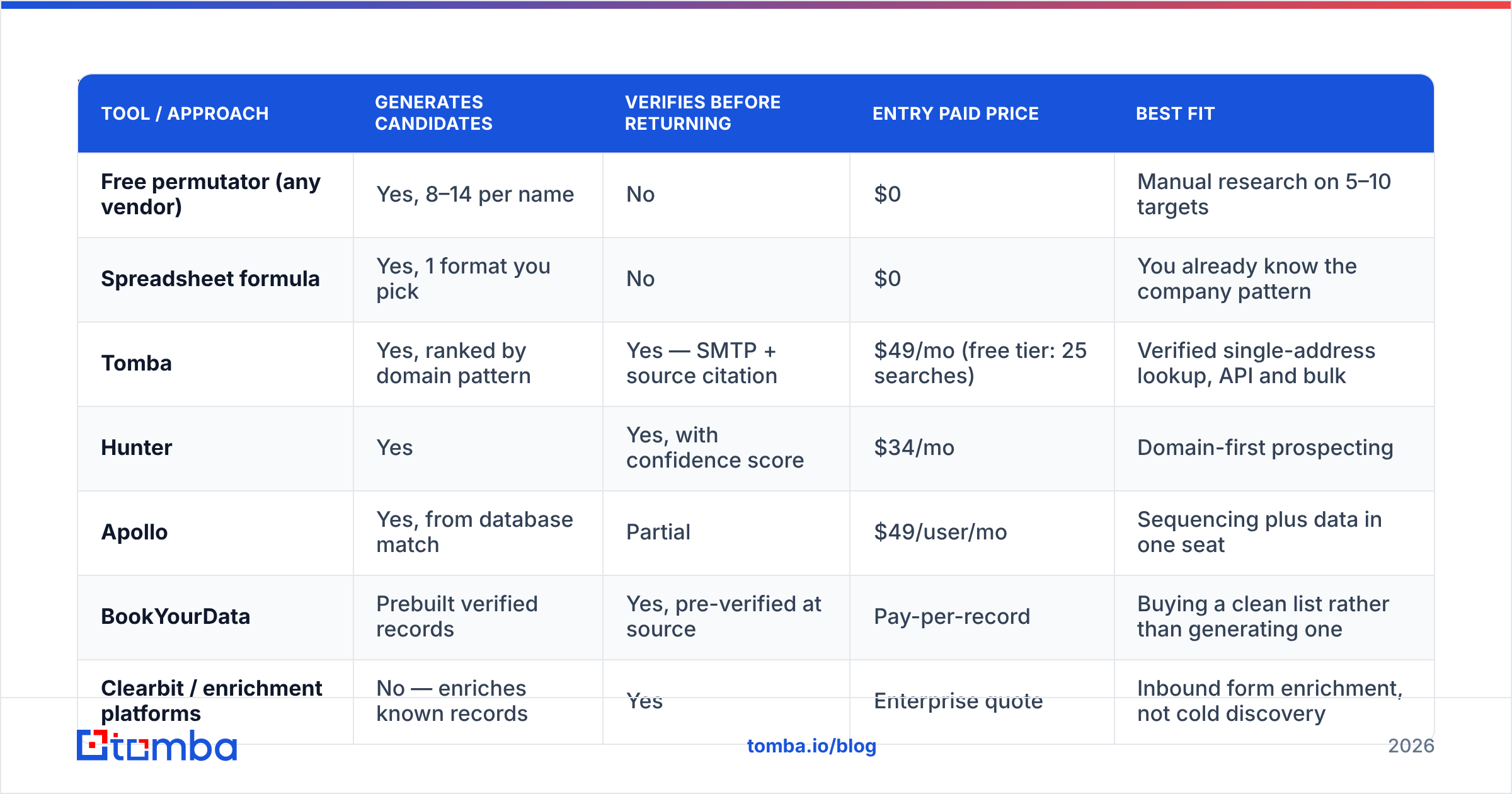
The table below compares the realistic options by what they actually do, not by how they market themselves. Prices are entry paid tier as published by each vendor at time of writing — check current pages before you buy.
| Tool / approach | Generates candidates | Verifies before returning | Entry paid price | Best fit |
|---|---|---|---|---|
| Free permutator (any vendor) | Yes, 8–14 per name | No | $0 | Manual research on 5–10 targets |
| Spreadsheet formula | Yes, 1 format you pick | No | $0 | You already know the company pattern |
| Tomba | Yes, ranked by domain pattern | Yes — SMTP + source citation | $49/mo (free tier: 25 searches) | Verified single-address lookup, API and bulk |
| Hunter | Yes | Yes, with confidence score | $34/mo | Domain-first prospecting |
| Apollo | Yes, from database match | Partial | $49/user/mo | Sequencing plus data in one seat |
| BookYourData | Prebuilt verified records | Yes, pre-verified at source | Pay-per-record | Buying a clean list rather than generating one |
| Clearbit / enrichment platforms | No — enriches known records | Yes | Enterprise quote | Inbound form enrichment, not cold discovery |

Two structural notes on that table. First, prebuilt-database vendors like BookYourData solve a different problem than generators — you are buying records someone else already verified, which is often the faster path for broad ICP coverage in a known geography. Second, enrichment platforms are frequently mistaken for finders. They fill in fields on contacts you already have; they will not find a person you have never heard of.
For pricing detail on the credit model, plan limits, and what counts as a search, see Tomba pricing — the Growth tier is $99/mo and Pro is $249/mo, with Enterprise quoted per volume.
What separates a usable result from a bounce?#
Four signals, and you should be able to see all four in the tool's output:
- Verification status, not just a score. "85% confident" is a probability. "Deliverable, SMTP accepted, MX resolved" is a test result. Prefer the second.
- Source citation. Where was this address observed? A returned URL and date lets you sanity-check without sending anything. Generated-only addresses have no source by definition — that is fine, as long as the tool says so.
- Catch-all flag. If the domain accepts all mail, you need to know before you commit the address to a sequence.
- Role-account detection.
info@,support@,sales@are valid addresses that will never reply to a cold pitch. Good tools label them; permutators cheerfully generate them.

How do you use an AI email generator without wrecking deliverability?#
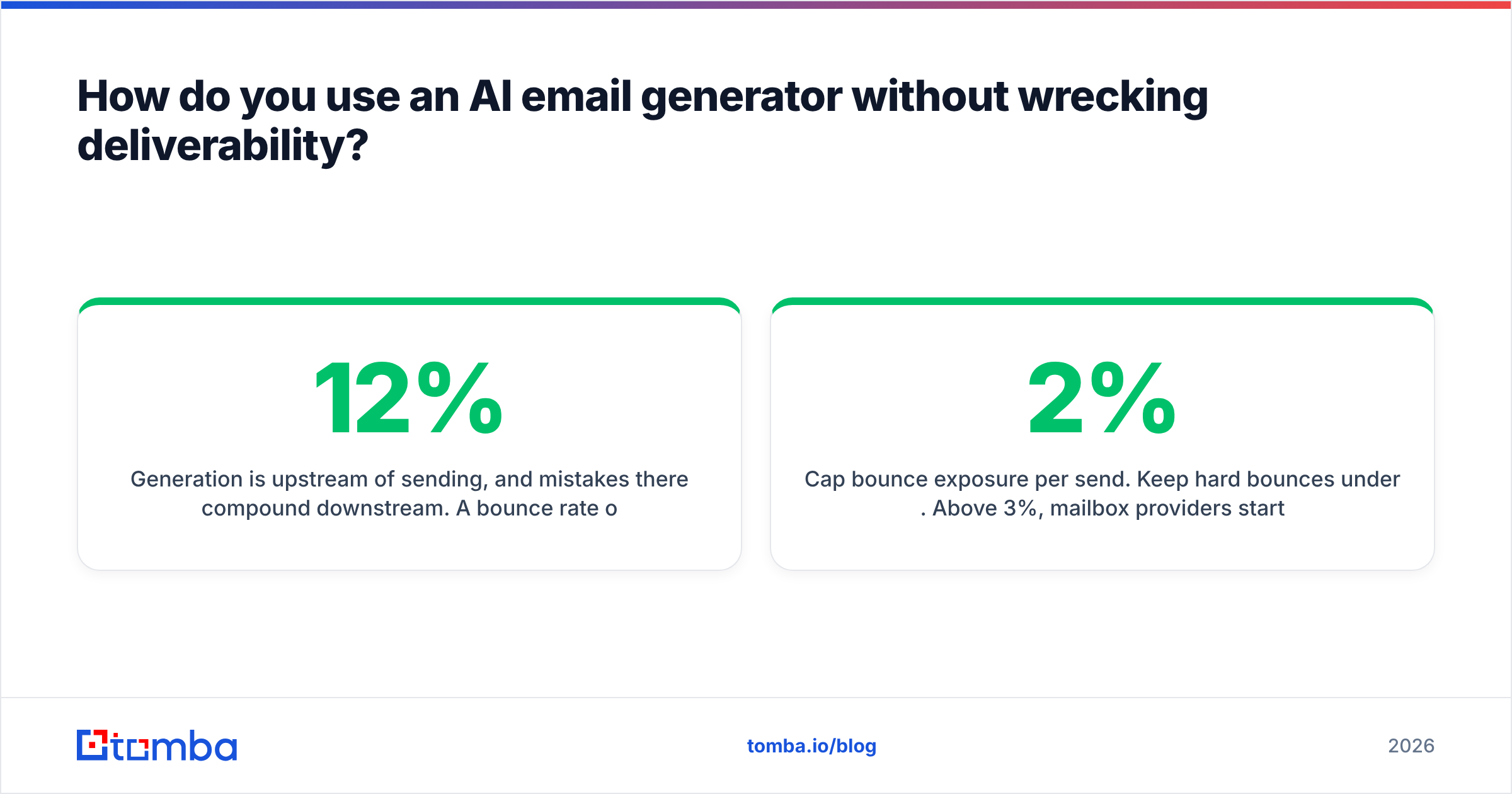
Generation is upstream of sending, and mistakes there compound downstream. A 12% bounce rate on a new domain does not just waste 12% of your list — it damages sender reputation for every future send from that mailbox.
- Never send to unverified generated addresses. This is the single rule that matters. If a tool gave you candidates without a verdict, run them through an email verifier before they touch your sequencer.
- Cap bounce exposure per send. Keep hard bounces under 2%. Above 3%, mailbox providers start throttling. Above 5%, expect filtering.
- Deduplicate before import. The same person often appears under two formats across sources. Merging them post-send is too late.
- Verify in batches, not one at a time. A bulk email finder run against a CSV is both cheaper per record and less likely to trip rate limits than 400 individual lookups.
- Re-verify anything older than 90 days. Job change rates in B2B run high enough that a quarter-old list has meaningful decay. Google's own Postmaster Tools documentation is worth reading on how reputation signals accumulate.
- Skip role accounts for personal outreach. Route them to a different play entirely, or drop them.
When should you skip generation entirely?#
Three cases where a generator is the wrong tool:
You have a LinkedIn profile, not a name and domain. Profile-based lookup uses a different key. A LinkedIn finder resolves the person to a company and address without you transcribing anything, and it handles the common case where the display name differs from the legal name on the mailbox.
You need everyone at a company, not one person. Generating per-person is the slow path. Domain search returns the roster with departments and formats already inferred, which also gives you the pattern to apply to anyone the crawl missed.
You are enriching existing records. If the email is already in your CRM and you need title, company size, or phone, that is enrichment territory, not generation.
Does the "AI" label mean anything here?#
Partly. There is genuine machine learning in format prediction — ranking candidates by domain characteristics is a real classification problem, and models trained across millions of domains outperform static rule lists, particularly for non-English names and hyphenated surnames.
But a lot of the "AI" in this category is branding applied to string concatenation. The test is simple: ask what the tool does that a 20-line script could not. If the answer is "nothing," you are looking at a permutator with a new landing page. If the answer involves observed source data, SMTP verification, provider-specific handling, and catch-all logic, the label is earned. For a broader vendor landscape and user-reported accuracy, the G2 lead intelligence category is a reasonable neutral reference, and the email address specification is worth skimming if you want to understand why some valid addresses fail naive validators.
One more practical distinction: a generator that fabricates plausible test addresses for QA work — the kind of thing an email generator does for sandbox data — is a completely separate use case from finding a real prospect. Do not confuse the two in your workflow, and never push fabricated addresses into a live sequence.
What should you actually do next?#
If you are researching under ten people, a free permutator plus a manual check will get you there. Past that, per-lookup verification is the whole game, and doing it by hand does not scale.
Start with the Tomba Email Finder — enter a name and a domain, get one verified address back with its confidence status and source, not a dozen guesses to sort through. The free tier covers 25 searches a month so you can test accuracy against contacts you already know before spending anything, and the Starter plan is $49/mo when you are ready to run real volume through the API or bulk uploads.
Related guides#
Ready to find emails that actually work?
Join 150,000+ professionals who stopped guessing and started sending. Free credits on signup — no credit card required.
Get the Tomba newsletter
Practical outbound tactics and product updates — once every two weeks.
About the author