Email Address Lookup Free: What Actually Works in 2026
Free email lookup tools all work until the 26th search. Here is what free tiers actually give you in 2026, which ones verify before they hand over an address, and the exact point where free costs you more than a paid plan.
TL;DR — email address lookup free, in five lines
- An email address lookup free tier is realistic for 10–50 contacts a month. Past that, every free plan throttles you, drops verification, or asks for a card.
- The number that matters is not "how many free searches" but "how many free verified searches." A tool that returns unverified guesses is handing you bounces.
- Best free combos in 2026: a real finder's free tier (Tomba's 25 searches/mo, Hunter's 25) for the contacts that matter, plus pattern tools for the rest.
On the workarounds and the paid line:
- Free browser extensions and "email permutator + SMTP check" workflows still work. But SMTP pings from a home IP get rate-limited fast, and they tell you nothing on catch-all domains.
- Pay the moment your list crosses ~200 contacts a month, or your bounce rate crosses 3%. At that point $49/mo is cheaper than one burned sending domain.
What is an email address lookup, and what does "free" actually mean?#
An email address lookup starts with what you already know: a full name plus a company domain, a LinkedIn profile, or a website. It returns the work email address tied to that person.
Under the hood, three very different things get sold as "lookup":
- Database retrieval. The vendor already has the address in an index built from crawls, public sources, contributed data, and partner feeds. This is fast, cheap, and only as fresh as the last crawl.
- Pattern inference. The vendor knows that acme.com uses
first.last@, applies the pattern to your name, and returns a constructed address. Accurate when the pattern sample is large, dangerous when it was inferred from two addresses. - Live verification. The vendor checks MX records, runs an SMTP handshake, and confirms the mailbox accepts mail before returning it. This is the step that separates a usable address from a coin flip.
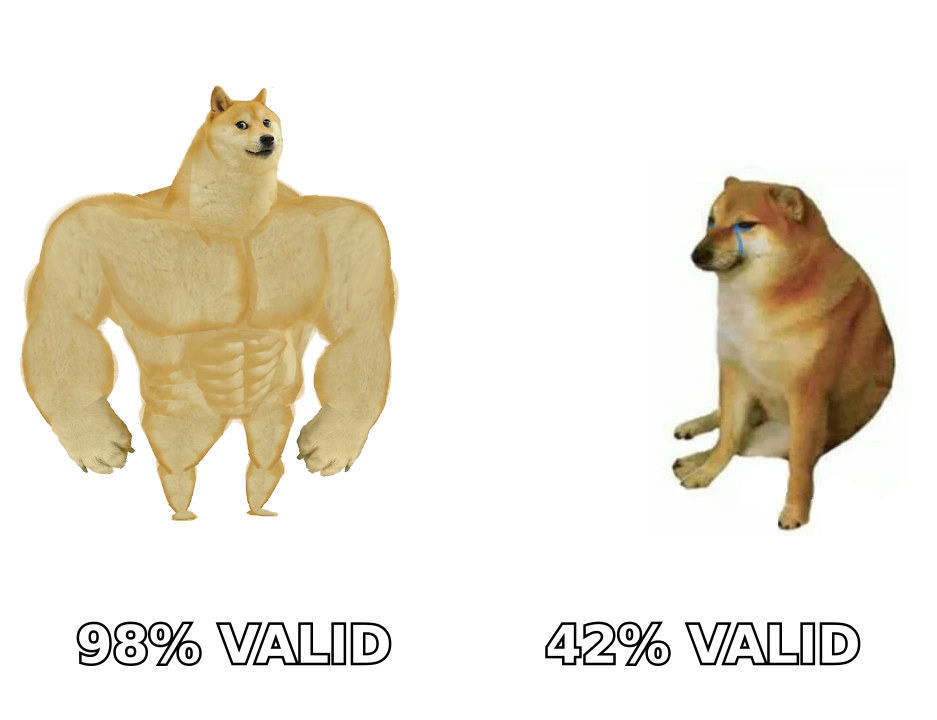
"Free" almost always means you get 1 and 2, plus a small ration of 3. That gap is the whole story. A tool that hands back 100 unverified addresses is not a better deal than one that hands back 25 verified ones. It is a slower way to damage your sender reputation.
Why do free email address lookup tools stop working at scale?#
Because the expensive part of the product is the part free users consume most. Here is where each free tier quietly breaks:
- Credit math is per-search, not per-result. Many tools burn a credit even when they return nothing. Twenty-five free searches on obscure domains can produce eight addresses.
- Verification is metered separately. Finder credits and verifier credits are usually different buckets. You can find 25 addresses and still have no way to confirm any of them.
- Catch-all domains eat your budget. Roughly a fifth of B2B domains accept mail to any address, so a standard SMTP check returns "valid" for everything. Resolving those needs a dedicated catch-all verifier, which free tiers rarely include.
Then come the structural limits:
- Rate limits are per-IP, not per-account. Signing up for six free accounts from the same office IP gets all six throttled.
- Data freshness is deprioritized. Free lookups often hit cached results, so you get the address from the last crawl rather than a live check.
- No API access. Nearly every free tier is UI-only. If you wanted to enrich a spreadsheet automatically, that is the wall you hit first.
None of that is vendors being hostile. An SMTP verification costs real money in infrastructure and IP reputation. Free tiers exist to prove the data is good, not to run your outbound program.
Which free email address lookup methods actually work in 2026?#
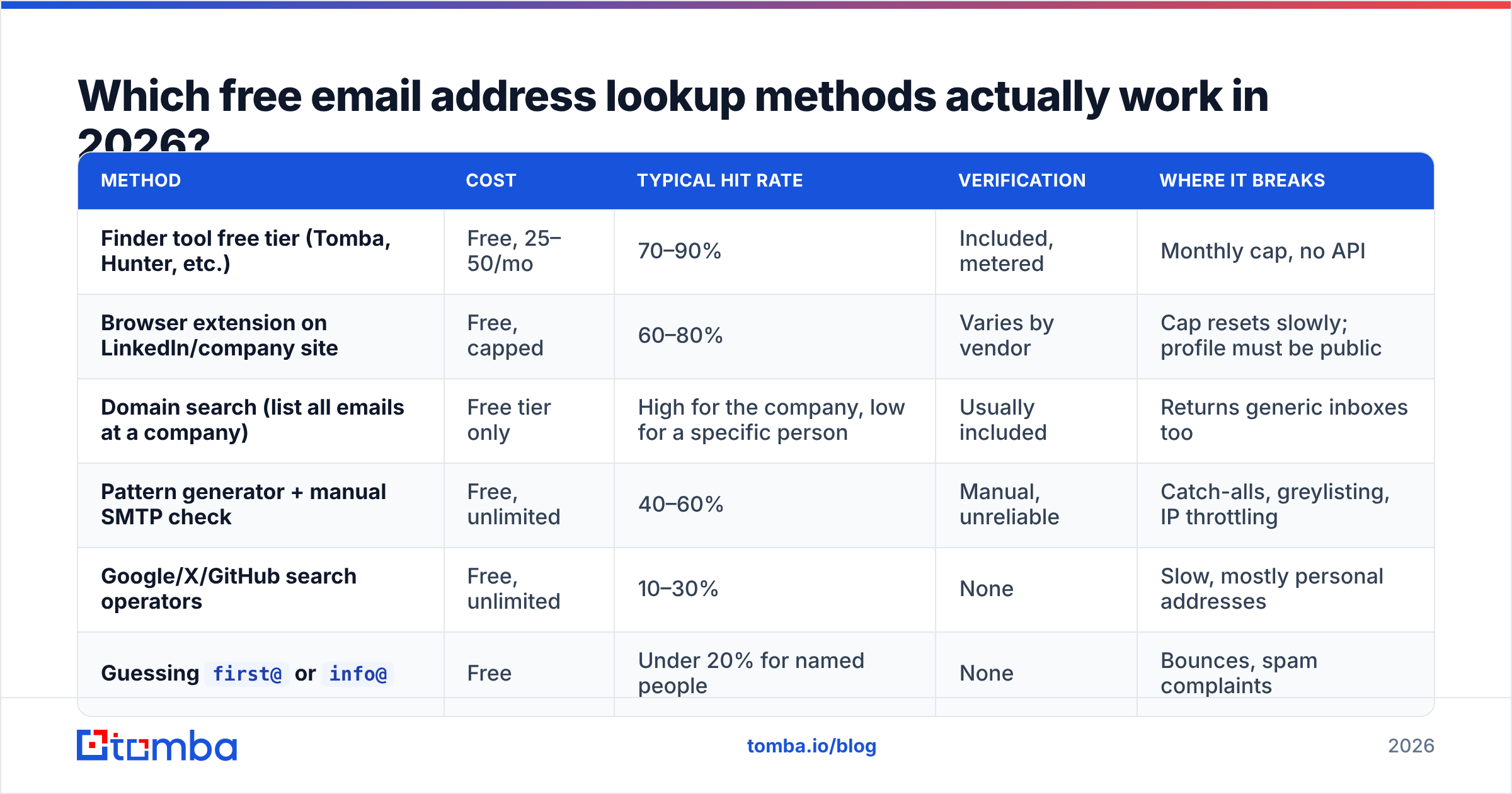
Ranked by hit rate on a typical B2B list, not by convenience:
| Method | Cost | Typical hit rate | Verification | Where it breaks |
|---|---|---|---|---|
| Finder tool free tier (Tomba, Hunter, etc.) | Free, 25–50/mo | 70–90% | Included, metered | Monthly cap, no API |
| Browser extension on LinkedIn/company site | Free, capped | 60–80% | Varies by vendor | Cap resets slowly; profile must be public |
| Domain search (list all emails at a company) | Free tier only | High for the company, low for a specific person | Usually included | Returns generic inboxes too |
| Pattern generator + manual SMTP check | Free, unlimited | 40–60% | Manual, unreliable | Catch-alls, greylisting, IP throttling |
| Google/X/GitHub search operators | Free, unlimited | 10–30% | None | Slow, mostly personal addresses |
Guessing first@ or info@ |
Free | Under 20% for named people | None | Bounces, spam complaints |
The practical read: spend your metered free credits on the 20 contacts you genuinely care about. Use the unlimited-but-crude methods only for triage — for example, confirming a company's format before you spend a credit.
A pattern-first workflow is worth learning even if you pay later. Run the domain through a company email pattern check, then generate candidates with an email permutator. Now spend one verification credit on the single most likely candidate instead of five finder credits on guesses. That one habit roughly doubles the value of any free tier.
How accurate is an email address lookup free tool?#
Accuracy depends far more on whether the result was verified than on which vendor you picked. Across email-finder tools, the pattern is consistent: verified results land in the 90%+ deliverable range, while unverified pattern guesses sit in the 40–60% band depending on company size.

Three things move accuracy on free tiers specifically:
Company size. A 5,000-person company has a well-sampled email pattern and a stable mail server. A 12-person startup on Google Workspace, with a founder using a nickname, is where pattern inference falls apart.
Region. English-language, US/EU-headquartered companies are heavily represented in every provider's index. Japanese, Korean, and Gulf-region domains have thinner coverage. Expect lower hit rates there, and treat any single-source result as unconfirmed.
Role seniority. VPs and above are usually easier to find (they appear in press, filings, and conference pages) and harder to reach. Individual contributors are the reverse.
The honest framing: no free tool gives you a 98% list. It gives you a small number of high-confidence addresses and a large number of maybes. Your job is to know which is which before you hit send. That means running results through an email verifier rather than trusting a green checkmark in a UI.
How do the main free tiers compare?#
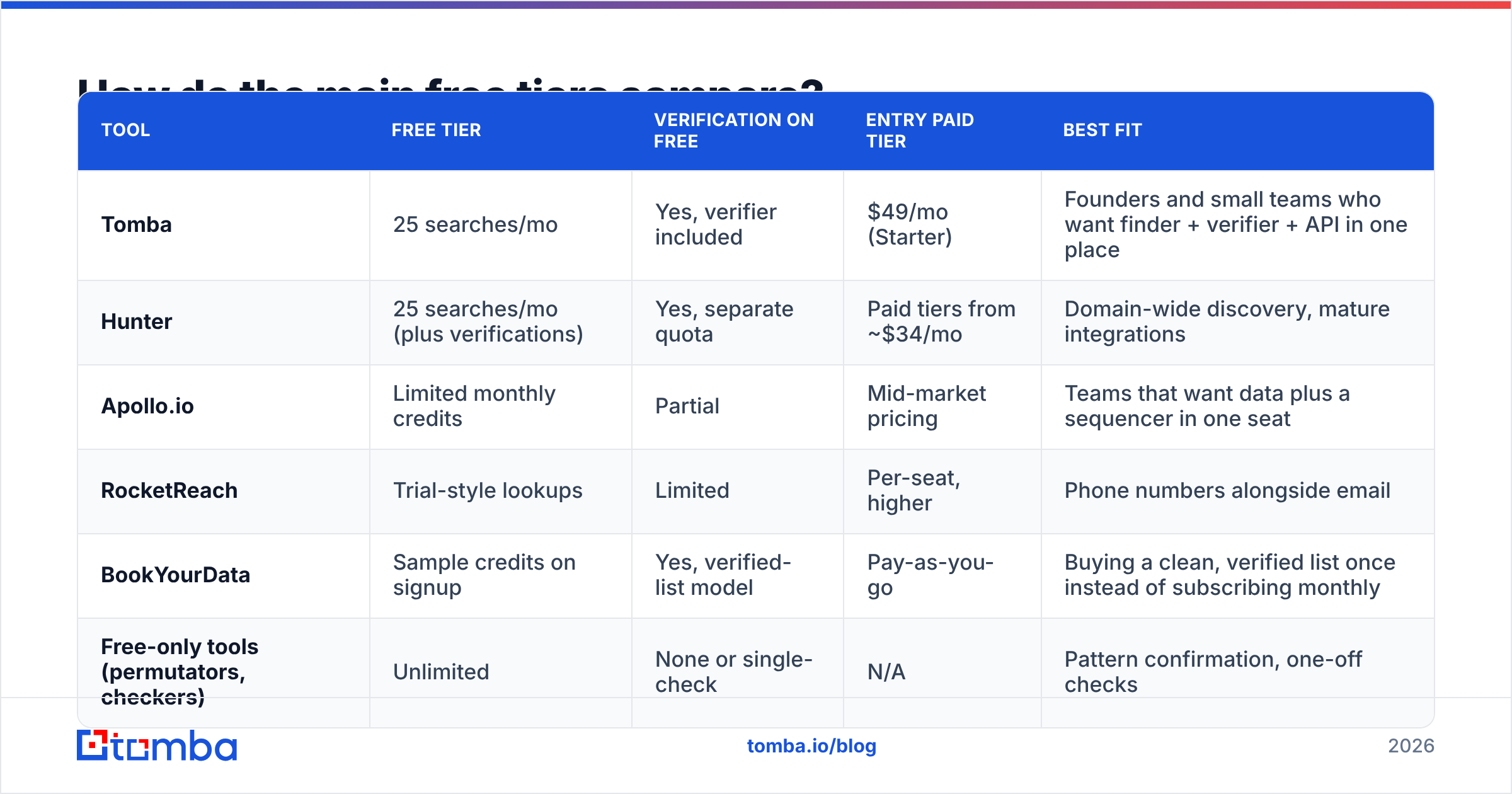
Free tiers change often, so treat these as the shape of the market rather than a contract. Always confirm on the vendor's own pricing page before you plan around a number.

| Tool | Free tier | Verification on free | Entry paid tier | Best fit |
|---|---|---|---|---|
| Tomba | 25 searches/mo | Yes, verifier included | $49/mo (Starter) | Founders and small teams who want finder + verifier + API in one place |
| Hunter | 25 searches/mo (plus verifications) | Yes, separate quota | Paid tiers from ~$34/mo | Domain-wide discovery, mature integrations |
| Apollo.io | Limited monthly credits | Partial | Mid-market pricing | Teams that want data plus a sequencer in one seat |
| RocketReach | Trial-style lookups | Limited | Per-seat, higher | Phone numbers alongside email |
| BookYourData | Sample credits on signup | Yes, verified-list model | Pay-as-you-go | Buying a clean, verified list once instead of subscribing monthly |
| Free-only tools (permutators, checkers) | Unlimited | None or single-check | N/A | Pattern confirmation, one-off checks |
Two structural notes worth more than the row-by-row detail:
Subscription vs. pay-as-you-go is a real fork. Need 4,000 contacts once for a single campaign? A pay-as-you-go verified-list provider like BookYourData is often cheaper and cleaner than a monthly subscription you cancel in week three. Need 300 fresh contacts every month, forever? Subscription credits win. Neither model is better in the abstract; they solve different problems.
API access is the hidden dividing line. Almost no free tier includes it. The moment your lookup needs to happen inside a workflow — a form fill, a CRM enrichment, a Sheets formula — you are looking at a paid plan. That is where Tomba pricing starting at $49/mo for Starter, $99/mo for Growth, and $249/mo for Pro tends to get compared against per-seat tools that cost more for a single user.

How do you run free lookups without wrecking your deliverability?#
This is the part most "free email finder" posts skip, and it is the part that costs money.
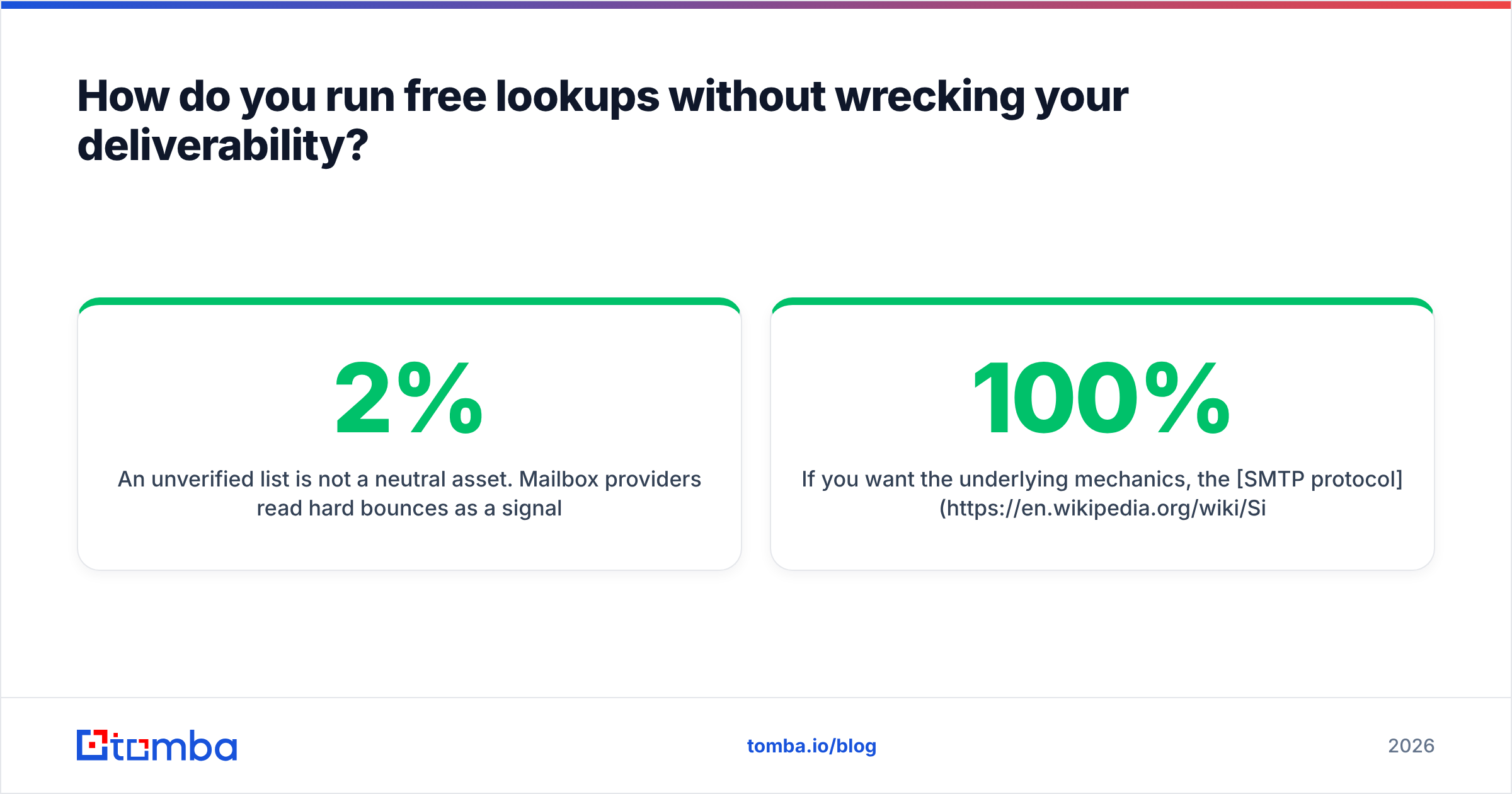
An unverified list is not a neutral asset. Mailbox providers read hard bounces as a signal that you bought or scraped data. Google and Microsoft both tightened bulk-sender enforcement. The practical threshold most teams operate under: keep hard bounces under 2%, spam complaints under 0.1%.
A safe free-tier workflow starts with the list itself:
- Cap the list at what you can verify. If you have 25 free searches and no verification budget, send to fewer than 25 people. Do not backfill with guesses.
- Separate confirmed from constructed. Tag every address by how you got it. Constructed addresses go in a quarantine segment, never in your main sending list.
- Verify in a batch right before sending, not when you found the address. A verification from six weeks ago is stale; people change jobs constantly.
Then mind the sending itself:
- Never send to
info@,contact@, orsales@as a "person." These are shared inboxes with aggressive filters and the fastest route to a complaint. - Watch the first 50 sends. If you bounce more than one in fifty, stop and re-verify the rest. Bounce data from your own sends is the most accurate free signal you will ever get.
- Keep your authentication clean. SPF, DKIM, and DMARC do not fix a bad list. But a bad list plus broken auth is how domains get blocked. Run an SPF checker once and be done with it.
If you want the underlying mechanics, the SMTP protocol spec explains why a mail server can legitimately answer "maybe" to a verification query. It also explains why any tool claiming 100% certainty on every domain is overselling.
When should you stop using free tools and pay?#
Four triggers. If any one is true, free is now costing you more than it saves:
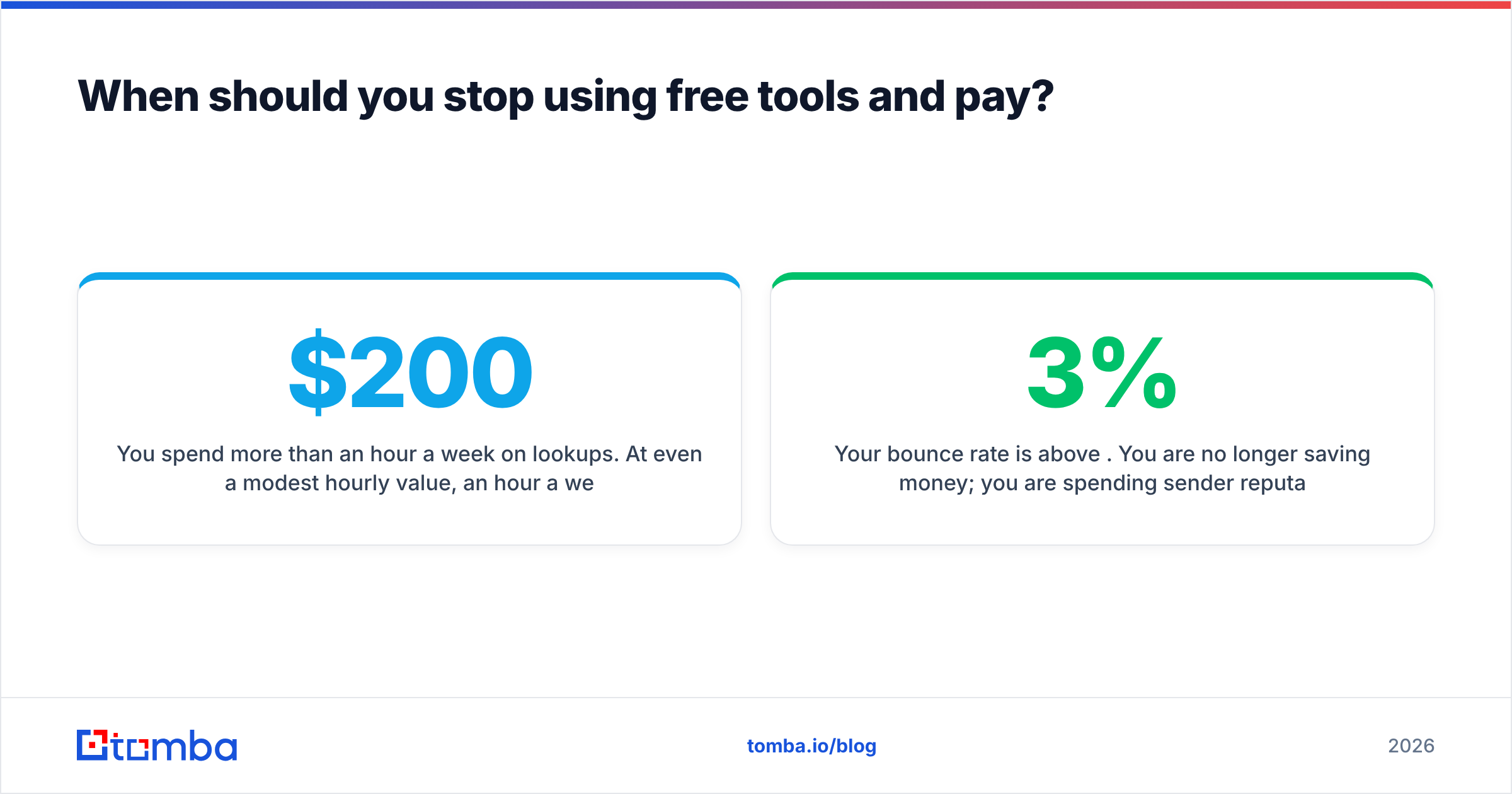
You spend more than an hour a week on lookups. At even a modest hourly value, an hour a week is $200+/month of your time to avoid a $49/mo tool. That math never works.
Your bounce rate is above 3%. You are no longer saving money. You are spending sender reputation, which is much harder to buy back than credits.
You need the data inside another system. CRM enrichment, a Sheets column, a signup-form check — anything programmatic means API, and API means paid. Tomba's email finder API and its Sheets and Excel add-ons exist for exactly this transition.
You are looking up the same domains repeatedly. If you keep researching the same 50 accounts, you want a full domain search once rather than 200 individual free lookups spread over eight months.
Conversely, stay free if you are validating an idea, doing 10–20 highly researched outreach emails a month, or hiring a handful of specific people. Free tiers are genuinely sufficient for low-volume, high-personalization outreach. They are not sufficient for anything resembling volume. For an independent read on how the category is priced, the lead intelligence category on G2 is a reasonable neutral starting point, as is checking the vendor's own homepage (for example, hunter.io) for current free-tier terms.
What about legality and GDPR?#
Short version: finding a business email address is generally lawful in both the US and EU. But processing and contacting it comes with obligations.
Under GDPR, a work email like firstname.lastname@company.com is personal data. You typically rely on legitimate interest for B2B outreach. That requires three things: your message must be relevant to the recipient's professional role, you must identify yourself clearly, and you must honor opt-outs immediately. Under CAN-SPAM in the US, the bar is lower: accurate headers, a real physical address, a working unsubscribe, and no deceptive subject lines.
What is not defensible anywhere: scraping personal Gmail addresses for B2B pitches, ignoring unsubscribes, or hiding who you are. Free tools do not change any of this. The compliance burden sits with the sender, not the lookup vendor. Check where your provider sources data before you build a program on it. Tomba documents its data sources publicly, and any vendor that won't is a risk you are absorbing.
The verdict on email address lookup free tools#
Free works, within a narrow band. Twenty-five to fifty verified addresses a month is enough to test a market, reach a shortlist of decision-makers, or fill a small recruiting pipeline. It is not enough to run outbound. Every attempt to stretch it — multiple accounts, unverified pattern guesses, unlimited SMTP pings from your laptop — trades a real asset (your domain reputation) for a small saving.
The dividing line is verification, not volume. One verified address beats five constructed ones, every time.
Start with the free tier and stay there as long as it fits. When it stops fitting, the Tomba Email Finder gives you 25 free searches to test accuracy on your own domains before you spend anything, with the verifier, domain search, and API on the same account when you outgrow it. Run ten of your hardest-to-find contacts through it and compare against whatever you use now. That test takes five minutes and tells you more than any comparison table, including this one.
Related guides#
Ready to find emails that actually work?
Join 150,000+ professionals who stopped guessing and started sending. Free credits on signup — no credit card required.
Get the Tomba newsletter
Practical outbound tactics and product updates — once every two weeks.
About the author