Email Append Vendors in 2026: Match Rates, Costs, Risks
Email append vendors quote 90% match rates and often deliver half that on real B2B files. Here's how the vendor types differ, what appends actually cost in 2026, and the 500-record pilot that exposes a bad match file before you pay for it.
TL;DR
- Email append vendors take a list you already own — names, companies, phone numbers, postal records — and attach business email addresses to it. The quoted match rate and the usable match rate are almost never the same number.
- Vendors split into four types: real-time API finders, static database licensors, legacy batch append bureaus, and waterfall aggregators. Each fails in a different way, so pick by file shape, not by brand.
- Expect $0.02–$0.40 per matched record in 2026 depending on model. Per-record billing on matches only is the fairest structure; per-row billing on the whole input file is the worst.
- Never buy an append without a paid 500-record pilot, and always verify the returned file with an independent verifier — not the vendor's own scoring.
- Appending is legal in most B2B contexts under CAN-SPAM but is much riskier under GDPR, where appended contacts usually lack a lawful basis for cold outreach.
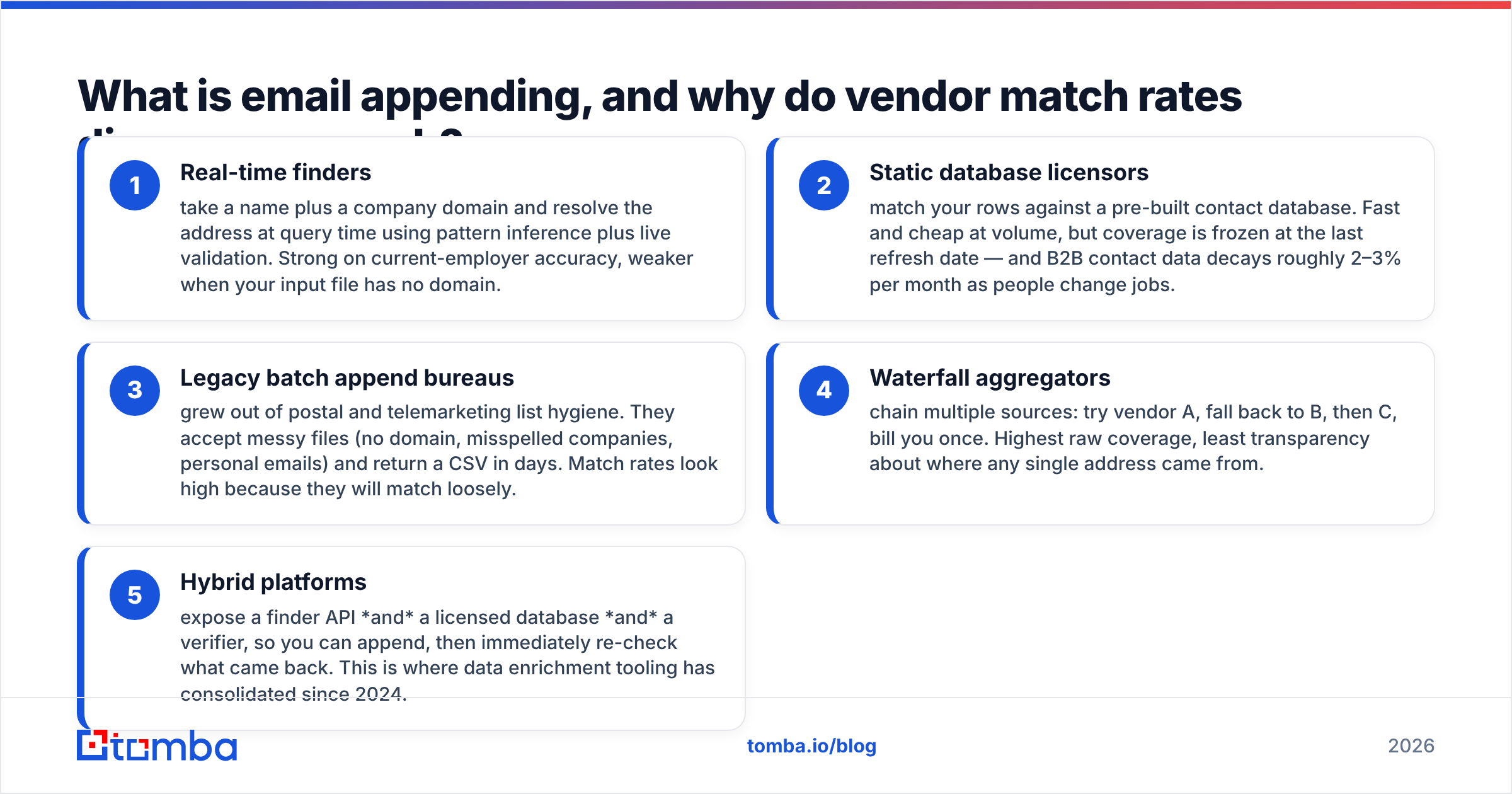
What is email appending, and why do vendor match rates disagree so much?#
Email appending is enrichment on a known population. You start with records that identify a person or company — a webinar registration list with no work email, a CRM full of 2019 contacts, a trade-show badge scan export — and a vendor returns the missing business email addresses.
That sounds like a single product. It isn't. Two vendors can process the same 10,000-row file and return match rates 40 points apart because they are doing structurally different work:
- Real-time finders take a name plus a company domain and resolve the address at query time using pattern inference plus live validation. Strong on current-employer accuracy, weaker when your input file has no domain.
- Static database licensors match your rows against a pre-built contact database. Fast and cheap at volume, but coverage is frozen at the last refresh date — and B2B contact data decays roughly 2–3% per month as people change jobs.
- Legacy batch append bureaus grew out of postal and telemarketing list hygiene. They accept messy files (no domain, misspelled companies, personal emails) and return a CSV in days. Match rates look high because they will match loosely.
- Waterfall aggregators chain multiple sources: try vendor A, fall back to B, then C, bill you once. Highest raw coverage, least transparency about where any single address came from.
- Hybrid platforms expose a finder API and a licensed database and a verifier, so you can append, then immediately re-check what came back. This is where data enrichment tooling has consolidated since 2024.
The disagreement is mostly definitional. A bureau counts a row as "matched" if it attached any deliverable address. A real-time finder counts it only if the address maps to that specific person at that specific company today. Ask any vendor which definition they are quoting before you compare quotes.
How accurate are email append vendors, really?#
Assume the quoted number is a ceiling achieved on the vendor's cleanest reference file, not your file.
Three failure modes eat the gap between the quote and reality:
- Role-account substitution. You asked for jane.doe@acme.com and got info@acme.com. Deliverable, technically matched, commercially worthless. Always require that role accounts be flagged in a separate column rather than counted as matches.
- Stale employment. The address is valid and the mailbox accepts mail, but Jane left Acme fourteen months ago. Verification cannot catch this — only recency of the underlying source can. Ask for a
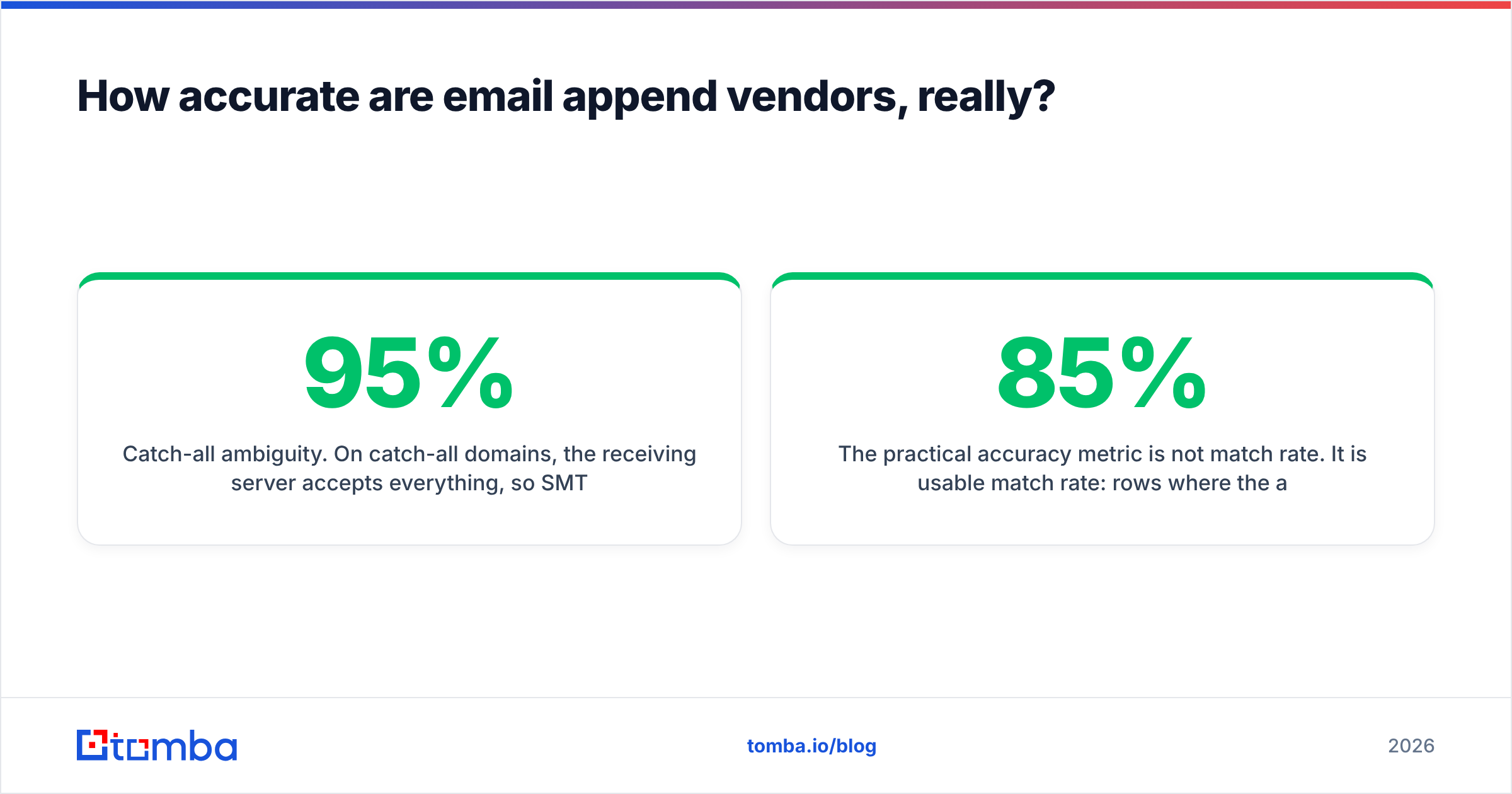
last_verified_attimestamp per row and reject vendors who won't provide one. - Catch-all ambiguity. On catch-all domains, the receiving server accepts everything, so SMTP checks return "valid" for addresses that don't exist. Roughly a fifth of mid-market B2B domains are catch-all. A vendor that reports 95% valid on a catch-all-heavy file is reporting server behavior, not accuracy. A dedicated catch-all verifier is the only honest way to score those rows.

The practical accuracy metric is not match rate. It is usable match rate: rows where the address is deliverable, personal (not a role account), and belongs to the person at the company you targeted. On a typical 10,000-row CRM reactivation file, a vendor quoting 85% match commonly lands at 45–60% usable. Budget for that spread instead of being surprised by it.

Which email append vendors should you shortlist in 2026?#
Shortlist by input shape first. If your file has clean company domains, real-time finders win. If it has only company names and cities, you need a bureau or a database licensor to resolve the entity before anything can be appended.

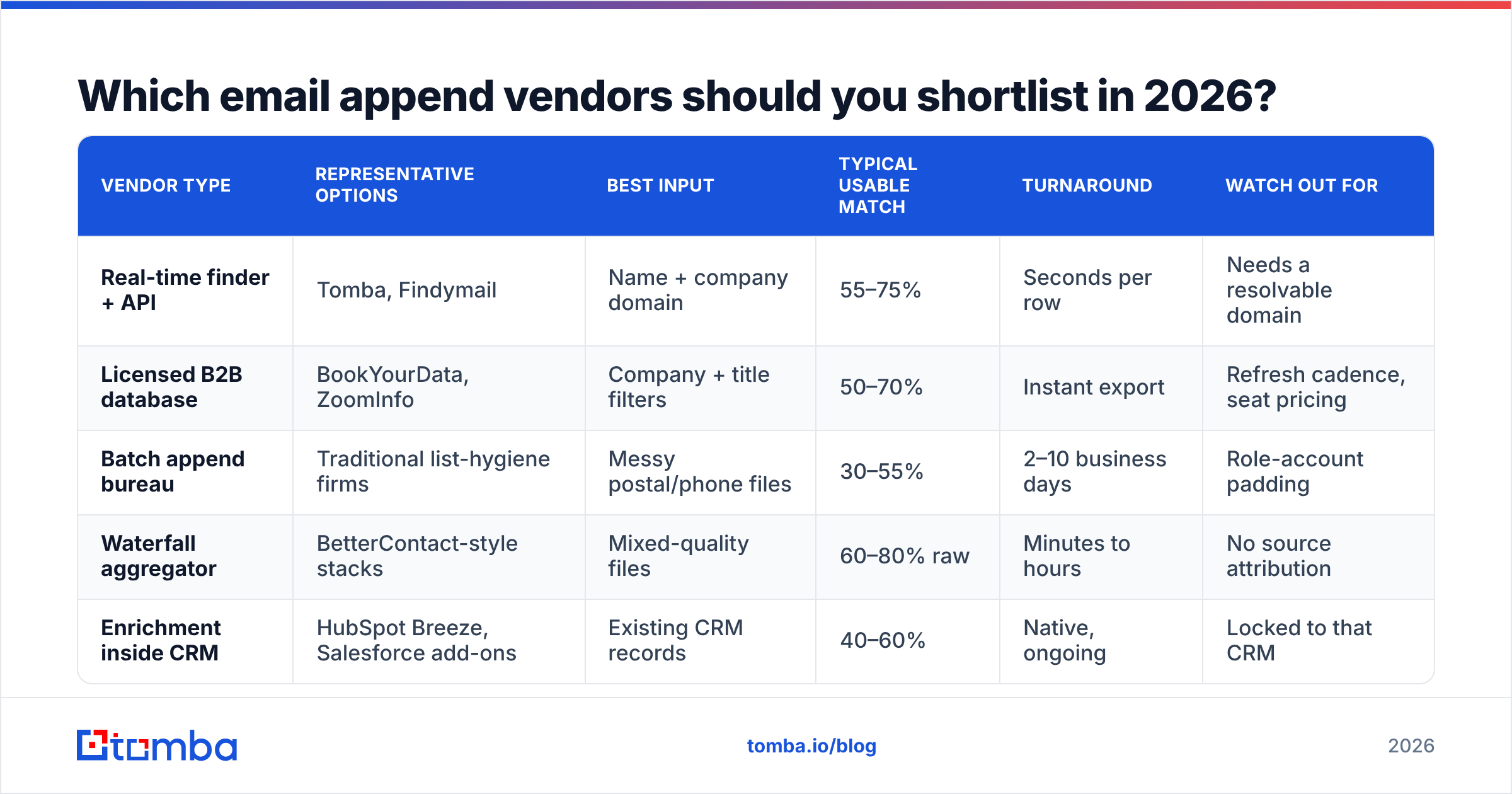
| Vendor type | Representative options | Best input | Typical usable match | Turnaround | Watch out for |
|---|---|---|---|---|---|
| Real-time finder + API | Tomba, Findymail | Name + company domain | 55–75% | Seconds per row | Needs a resolvable domain |
| Licensed B2B database | BookYourData, ZoomInfo | Company + title filters | 50–70% | Instant export | Refresh cadence, seat pricing |
| Batch append bureau | Traditional list-hygiene firms | Messy postal/phone files | 30–55% | 2–10 business days | Role-account padding |
| Waterfall aggregator | BetterContact-style stacks | Mixed-quality files | 60–80% raw | Minutes to hours | No source attribution |
| Enrichment inside CRM | HubSpot Breeze, Salesforce add-ons | Existing CRM records | 40–60% | Native, ongoing | Locked to that CRM |
Two shortlisting rules save the most money:
Rule one: buy the append and the verification from different logic. If the vendor grades its own homework, you learn nothing. Run the returned file through an independent email verifier before you accept the invoice. Tomba's Free tier gives 25 searches a month, which is enough to spot-check a sample.
Rule two: prefer per-match billing with an API you can re-run. A CSV is a snapshot that starts decaying the day it lands. An email finder API lets you re-append the same record in six months instead of buying a whole new file.
What does an email append actually cost?#
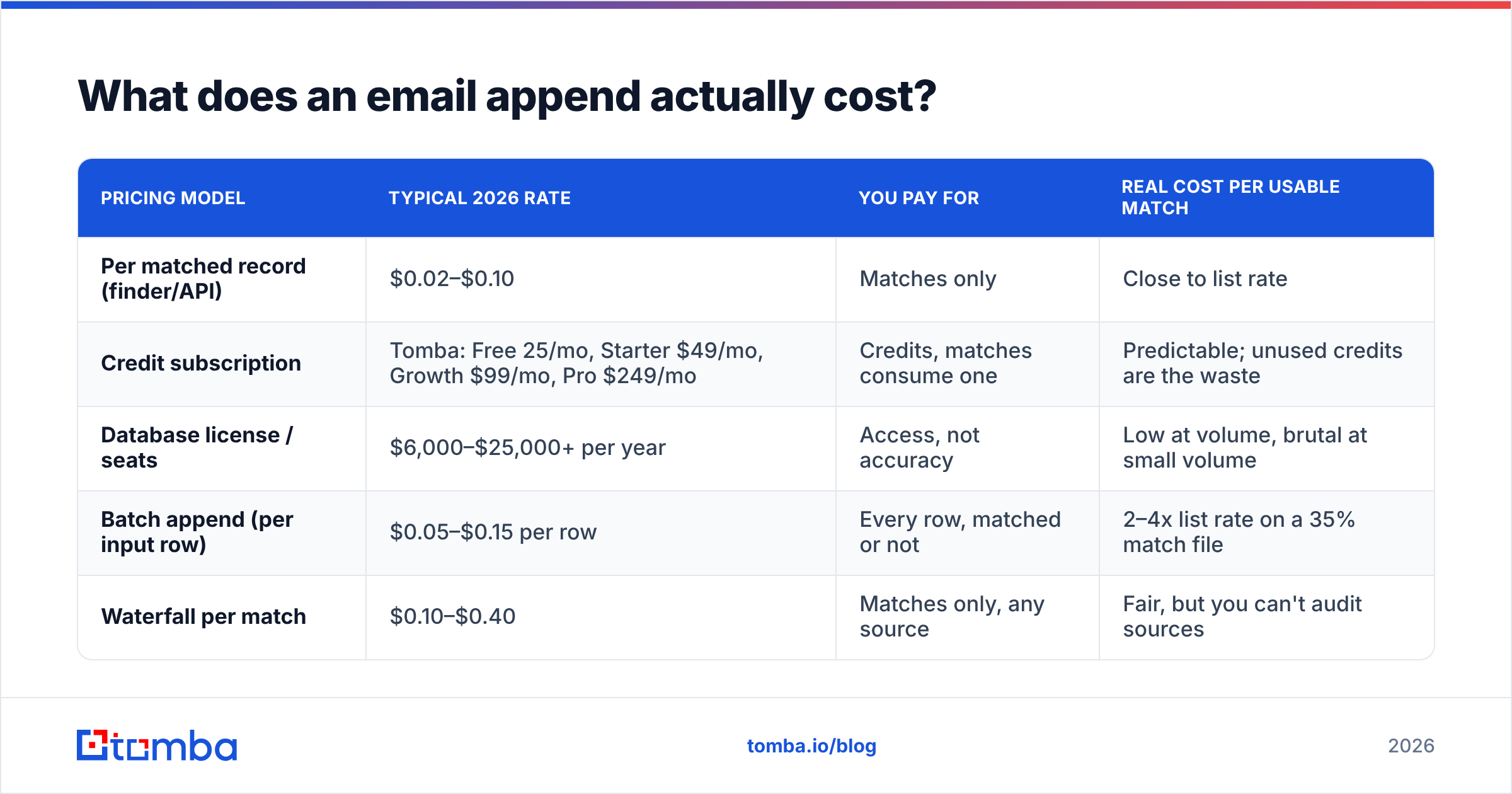
Price per row is a misleading unit. Compare cost per usable match instead — the number you get after stripping role accounts, undeliverables, and job-changers.
| Pricing model | Typical 2026 rate | You pay for | Real cost per usable match |
|---|---|---|---|
| Per matched record (finder/API) | $0.02–$0.10 | Matches only | Close to list rate |
| Credit subscription | Tomba: Free 25/mo, Starter $49/mo, Growth $99/mo, Pro $249/mo | Credits, matches consume one | Predictable; unused credits are the waste |
| Database license / seats | $6,000–$25,000+ per year | Access, not accuracy | Low at volume, brutal at small volume |
| Batch append (per input row) | $0.05–$0.15 per row | Every row, matched or not | 2–4x list rate on a 35% match file |
| Waterfall per match | $0.10–$0.40 | Matches only, any source | Fair, but you can't audit sources |
Run one calculation before signing anything. A 20,000-row file at $0.08 per input row costs $1,600 regardless of outcome; if the usable match rate is 38%, you paid $0.21 per usable contact. The same file through a credit-based finder at Growth-tier Tomba pricing costs a flat monthly fee and only burns credits on hits. On files under ~50,000 rows, subscription credits almost always beat per-row batch work.
How do you run an append pilot that actually proves something?#
Never buy volume first. Every credible vendor will run a paid pilot; the ones that refuse are telling you something.
- Build a 500-row holdout sample that mirrors your real file — same industry mix, same share of missing domains, same age distribution. Do not hand over your cleanest 500 rows.
- Seed 25 known-good records where you already have the verified address. This is your ground-truth control. Any vendor returning a different address for a seeded row has a resolution problem, not just a coverage problem.
- Require per-row metadata: confidence score, source type,
last_verified_at, and a role-account flag. No metadata, no deal. - Verify independently with a third-party verifier and score catch-all domains separately from clean domains.
- Send a 200-address canary campaign through a warmed domain you don't care about, and measure hard bounces plus reply sentiment. Bounces above 3% on a freshly appended file means the file is not campaign-ready.
- Score cost per usable match, then compare vendors on that single number.
Two vendors that both quote "90% match" will separate by 30+ points on step 6. That is the whole point of the exercise.

Is email appending legal under GDPR and CAN-SPAM?#
Short answer: usually fine for US B2B, genuinely risky for EU contacts.
Under the US CAN-SPAM Act, consent is not required to send commercial email. You need accurate headers, a real physical address, a working unsubscribe, and no deceptive subject lines. Appended B2B addresses are lawful to mail under that framework.
GDPR is a different regime. An appended address is personal data you obtained without the person's knowledge, so you need a lawful basis — usually legitimate interest — plus Article 14 notification telling the individual you collected their data and where from. Most append-and-blast programs skip that notification entirely, which is the actual compliance failure. Add to this that some national implementations of ePrivacy require prior consent even for B2B email, and the practical rule becomes: append US and non-EU records freely, treat EU records as consent-gated, and keep provenance for every row so you can answer a data-subject request.
Also read the vendor's contract for the reverse risk: a few bureaus reserve the right to retain and resell the input file you uploaded. If your CRM export becomes part of their database, you have just licensed your own customer list to your competitors. Look for explicit language that input files are processed and deleted, and check where the vendor says its data sources come from.
What should you do the moment the appended file lands?#
An append is the beginning of the work, not the end of it. Files that go straight from vendor CSV into a sequence are how domains get burned.
- Dedupe against existing records before import, including alias variants of the same mailbox. Appends collide with contacts you already own more often than vendors admit.
- Suppress unsubscribes, competitors, current customers, and open opportunities. Appended rows carry none of your history.
- Segment by confidence. High-confidence, clean-domain rows can enter normal sequences. Catch-all and low-confidence rows belong in a separate, slower, lower-volume send with tighter bounce monitoring.
- Throttle the first sends. Ramp appended segments over two to three weeks rather than mailing 8,000 cold rows on day one; bounce spikes are what trigger reputation damage, not volume itself.
- Re-verify quarterly. With 2–3% monthly decay, a file is roughly a third wrong after twelve months. A bulk verify pass is far cheaper than re-buying.
Which vendor type fits your team?#
- Under 5,000 records, domains mostly known — real-time finder on a credit subscription. Lowest total cost, highest freshness, no procurement cycle.
- 5,000–50,000 records, messy inputs — a hybrid platform: resolve companies via domain search, append via API, then verify in the same stack.
- Ongoing inbound enrichment — an API called at form-submit time, not a monthly batch. Enrich when the record is created and the data is current by definition.
- Six-figure TAM build with title-level filtering — a licensed database is the right tool, with a finder API layered on top to refresh the rows that matter.
- Postal-to-email conversion on legacy files — a batch bureau is genuinely the only option, but negotiate per-match billing and demand role-account flags.
The teams that get burned are the ones that pick a category based on a G2 grid rather than their input file. If you want to sanity-check where a vendor sits, the lead intelligence category on G2 is useful for support and onboarding signals — just don't treat star ratings as accuracy data. Nobody reviewing a data vendor has run a controlled match-rate test.
Ready to test an append vendor against your own file?#
Skip the sales call and run the pilot yourself. Start with the Tomba Email Finder free tier — 25 searches a month, no card — and point it at 25 records where you already know the correct address. Check whether it returns the same address, whether the confidence score tracks reality, and whether role accounts are flagged instead of counted. If it holds up on your seeded control set, scale into a paid pilot on 500 rows and compare cost per usable match against whatever bureau quote is sitting in your inbox. That single test will tell you more about your append options than a quarter of vendor demos.
Related guides#
Ready to find emails that actually work?
Join 150,000+ professionals who stopped guessing and started sending. Free credits on signup — no credit card required.
Get the Tomba newsletter
Practical outbound tactics and product updates — once every two weeks.
About the author