Email Call to Action Best Practices: 12 Rules That Convert
Most cold emails don't fail at the subject line — they fail at the ask. Here are the CTA rules that actually move reply rates, with a side-by-side breakdown of which ask types work at which stage.
TL;DR
- Your call to action is the only sentence in the email that decides whether a reply happens. Everything before it just buys the right to ask.
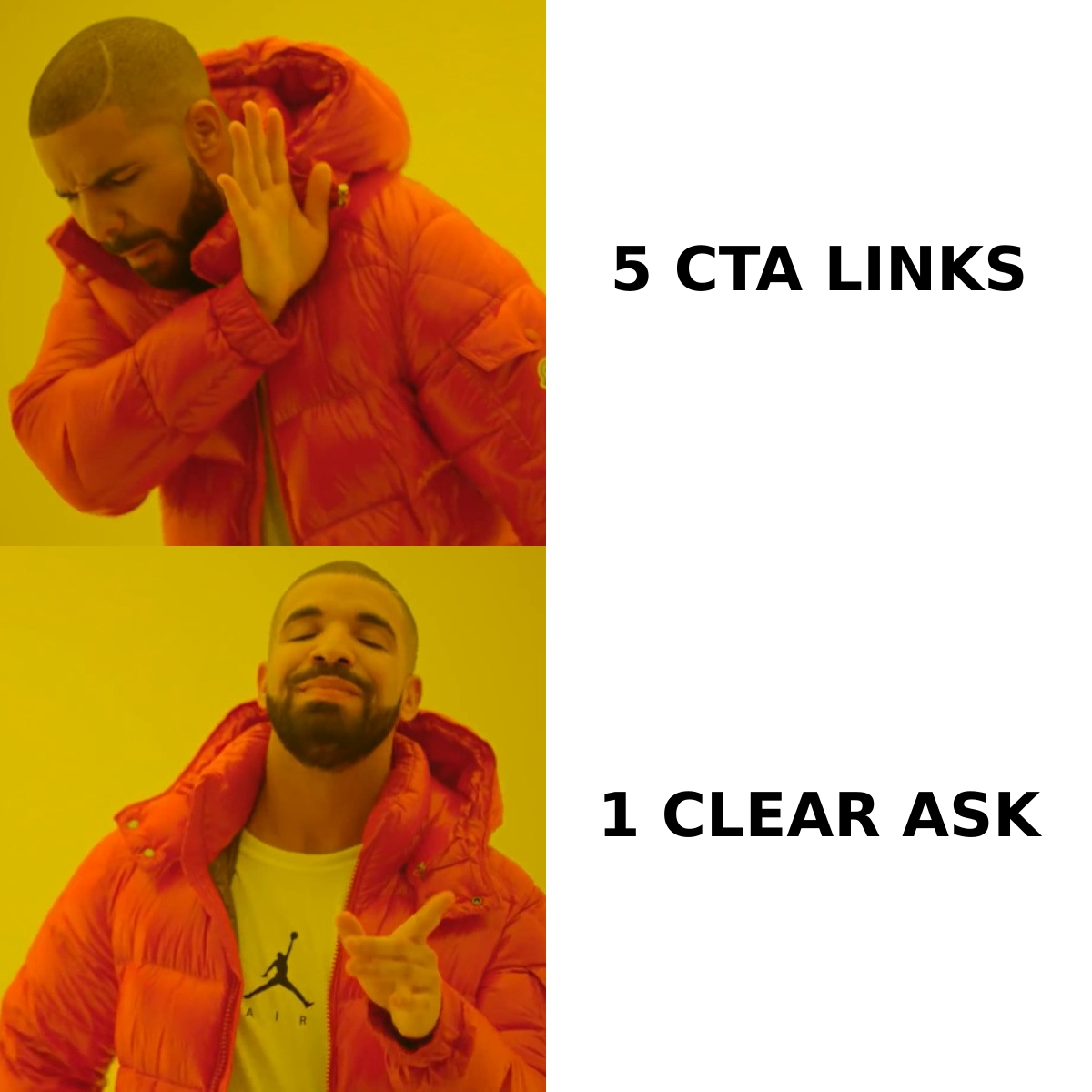
- One CTA per email. Two asks compete, and the reader resolves the conflict by doing nothing.
- Low-friction interest checks ("worth a look?") beat calendar links on first touch by a wide margin in most B2B sequences — calendar links earn their place at touch three or four.
- Specific beats polite. "Thursday 2pm or Friday 10am?" converts better than "let me know if you'd like to chat," but only when you've already established relevance.
- A great CTA sent to an unverified address is worth zero. Deliverability and data quality gate every copy improvement you make.
What is an email call to action, exactly?#
An email call to action is the specific, single request you make of the reader — the sentence that tells them what to do next and makes doing it feel small. In cold outbound it is usually the last line of the email. In nurture and lifecycle email it may be a button. In both cases, it is the conversion point: everything above it is context, and everything below it is signature noise.
The common failure is treating the CTA as a formality. Reps spend forty minutes researching a prospect, write three sharp lines of relevance, and then close with "Let me know if you'd like to learn more!" — a sentence that asks the reader to define the next step themselves. That is cognitive work you just outsourced to a stranger who owes you nothing.
The Wikipedia entry on calls to action frames it as a marketing device meant to provoke immediate response. That's the direct-response lineage. B2B email inherited the mechanic but not the context: your reader isn't browsing a landing page with intent, they're triaging an inbox with hostility. So the bar is different. A B2B CTA has to be worth answering in under three seconds of consideration.
Why does CTA friction matter more than CTA wording?#
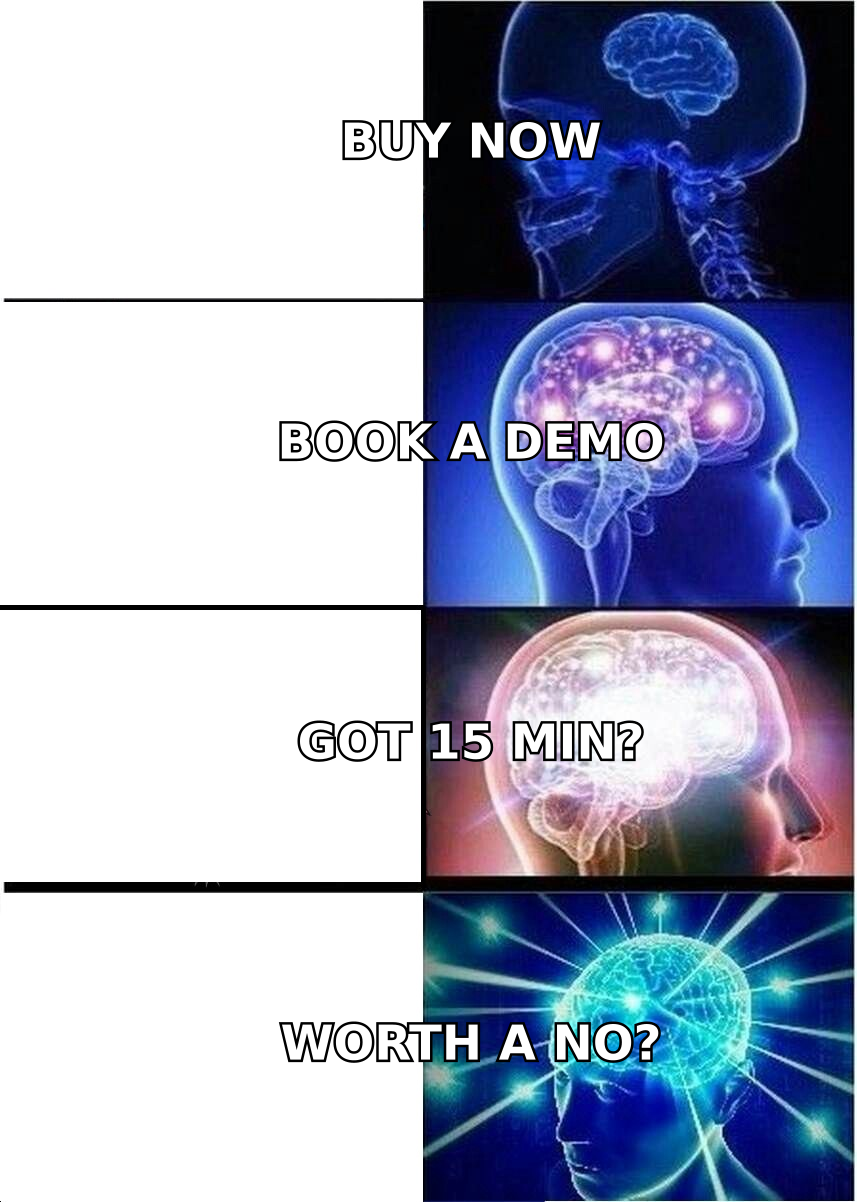
Because friction is what the reader actually evaluates. Not your verb choice — the size of the commitment.
Think of it like asking someone for directions versus asking them to walk you there. Same politeness, wildly different hit rate. A calendar link is "walk me there": it asks a stranger to open a scheduler, pick a slot, block 30 minutes of their week, and commit to a conversation about a problem they haven't yet agreed they have. An interest check is "point me the right way": it asks for a one-word reply.
Friction stacks in ways people underestimate:
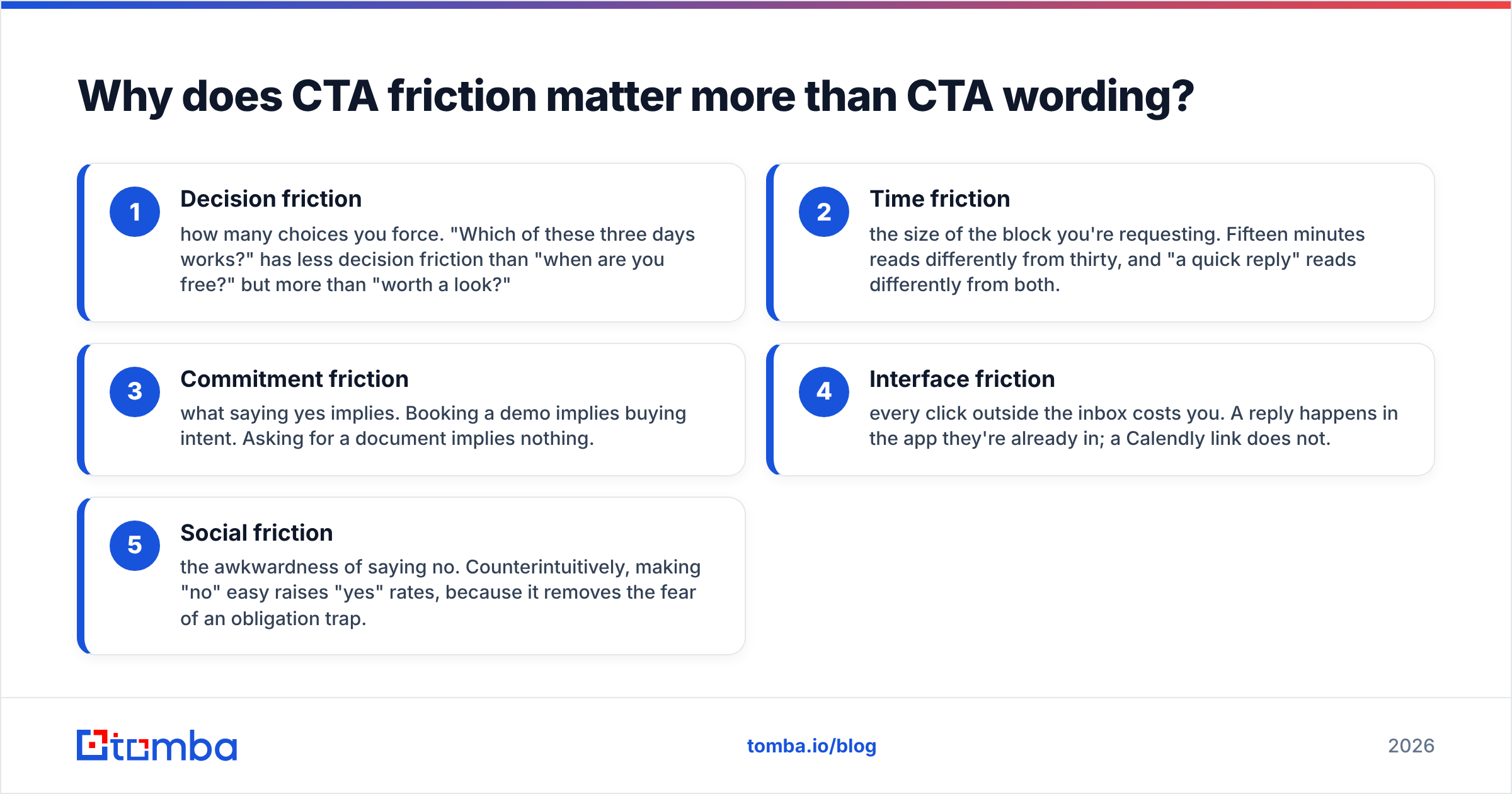
- Decision friction — how many choices you force. "Which of these three days works?" has less decision friction than "when are you free?" but more than "worth a look?"
- Time friction — the size of the block you're requesting. Fifteen minutes reads differently from thirty, and "a quick reply" reads differently from both.
- Commitment friction — what saying yes implies. Booking a demo implies buying intent. Asking for a document implies nothing.
- Interface friction — every click outside the inbox costs you. A reply happens in the app they're already in; a Calendly link does not.
- Social friction — the awkwardness of saying no. Counterintuitively, making "no" easy raises "yes" rates, because it removes the fear of an obligation trap.
Cut friction on all five axes and the same offer converts substantially better with no change to your value proposition. That's why CTA optimization is usually the highest-leverage edit in a sequence — it's the cheapest thing to change and the most direct lever on response rate.
Which type of email CTA should you use, and when?#
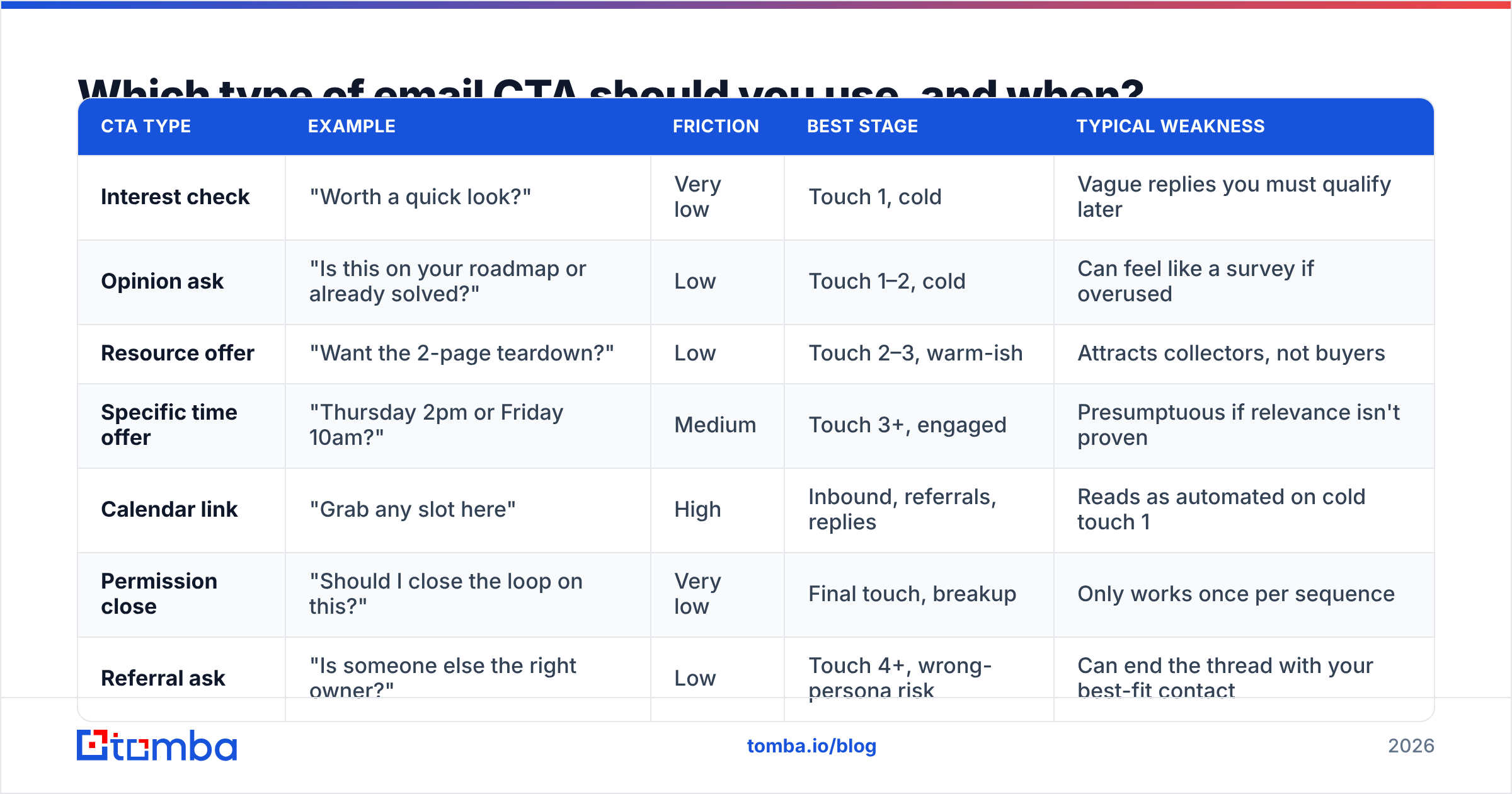
There is no universally best CTA. There is a best CTA for a given stage of awareness. Here is how the main types compare in real B2B sequences.
| CTA type | Example | Friction | Best stage | Typical weakness |
|---|---|---|---|---|
| Interest check | "Worth a quick look?" | Very low | Touch 1, cold | Vague replies you must qualify later |
| Opinion ask | "Is this on your roadmap or already solved?" | Low | Touch 1–2, cold | Can feel like a survey if overused |
| Resource offer | "Want the 2-page teardown?" | Low | Touch 2–3, warm-ish | Attracts collectors, not buyers |
| Specific time offer | "Thursday 2pm or Friday 10am?" | Medium | Touch 3+, engaged | Presumptuous if relevance isn't proven |
| Calendar link | "Grab any slot here" | High | Inbound, referrals, replies | Reads as automated on cold touch 1 |
| Permission close | "Should I close the loop on this?" | Very low | Final touch, breakup | Only works once per sequence |
| Referral ask | "Is someone else the right owner?" | Low | Touch 4+, wrong-persona risk | Can end the thread with your best-fit contact |
Read that table as a ladder rather than a menu. Cold touch one earns you a reply, not a meeting. A reply earns you the right to propose times. Proposed times earn you the calendar link. Skipping rungs is the single most common outbound mistake, and it looks like a 0.8% reply rate.
The one exception worth naming: if your prospect came inbound — downloaded something, replied to a LinkedIn post, visited your pricing page — the ladder collapses. Warm intent absorbs friction. Send the calendar link.
What are the 12 email call to action best practices that actually move numbers?#
These are ordered by impact, roughly. The first four are worth more than the rest combined.
1. One CTA per email. Not one CTA plus a P.S. link plus a "or reply here" plus a signature banner. When you offer two paths, you don't split traffic 50/50 — you introduce a decision, and the cheapest resolution of a decision is deferral. Kill everything but the primary ask.
2. Match friction to stage. Use the table above. If you are on touch one and your last line contains a scheduling URL, you have a stage mismatch and no amount of rewriting will fix it.
3. Make "no" explicitly acceptable. "If this isn't a priority, just say no and I'll stop" converts better than most people expect. It removes the trap fear. It also gives you clean disqualification data, which is worth almost as much as a yes.
4. Ask a question, end with a question mark. Statements ("Happy to share more.") don't create reply pressure. Questions do. The human reflex to answer a direct question is the strongest free mechanic in outbound copy.
5. Keep it to one sentence, under 15 words. Long CTAs read as hedging. "Would it be worth 15 minutes next week to walk through how we handled this for a team roughly your size, or would you prefer I send something over first?" is two CTAs and a hedge wearing a trench coat.
6. Put the CTA on its own line. Whitespace is a signal. A CTA buried at the end of a four-line paragraph gets skimmed past on mobile, where more than half of your opens happen.
7. Never use "circle back," "touch base," or "pick your brain." These are recognized filler. They trigger the same pattern-match as a template, and a template read is a delete.
8. Reference something specific in the ask itself. "Worth a look?" is fine. "Worth a look given the SOC 2 push on your careers page?" is better — the CTA carries the relevance, so a skimmer who reads only the last line still gets the point.
9. Vary the CTA across the sequence. Sending the same "got 15 minutes?" four times reads as a robot with one loop. Rotate: interest check, opinion ask, resource offer, permission close. Each variation gives a non-responder a new reason to engage.
10. Don't stack a CTA on top of an attachment. Attachments trip spam filters and add a second action. If you need to send a document, make sending it be the CTA: "Want me to send the teardown?"
11. Test the CTA before the subject line. Subject lines control opens; CTAs control replies. Since a reply is the thing you're paid for, and open rates have become an unreliable metric since Apple's Mail Privacy Protection, spend your testing budget on the last line. If you do want to tune the top of the email too, run candidates through a subject line tester rather than guessing.
12. Write the CTA first, then write backwards. Decide exactly what you're asking for, then construct only the context needed to make that ask reasonable. Most bloated cold emails are bloated because the writer discovered the ask on the way down.
How do you write CTAs for different email types?#
Cold outbound (touch 1). Interest check or opinion ask. Target: a one-word reply. Example: "Is inbound routing something you own, or is that ops?" It qualifies and invites a reply simultaneously.
Cold outbound (touch 3–4). Now you can escalate. "Would Thursday 2pm work for 15 minutes?" — one specific time, not three. Offering a single slot is faster to evaluate than a menu, and "that doesn't work, but Friday does" is a great reply to receive.
Breakup email. Permission close only. "Should I close this out?" Do not attach a new offer, a new resource, and a calendar link to your breakup email — that's a breakup with three phone numbers written on the back.
Follow-up after a meeting. Highest-friction CTA you'll ever legitimately send, because you've earned it. Be concrete: "Can you loop in whoever owns the security review before Friday?" Vague post-meeting CTAs are where deals go to stall.
Newsletter or nurture. Button, single, above the fold if the content is short. The classic direct-response guidance from teams like HubSpot's marketing blog still applies here: contrast, verb-first label, no competing buttons in the same block.
Re-engagement. Lowest friction possible, plus an easy exit. "Still the right person for this? A one-word reply either way is enough."
Does CTA copy matter if your list is bad?#
No — and this is the part most CTA guides skip.
A call to action is a multiplier on delivered, relevant emails. If 22% of your list bounces, your CTA is irrelevant for a fifth of your sends and your domain reputation is degrading for the rest. Mailbox providers read hard bounces and spam complaints as signals that you don't know who you're mailing, and once you're throttled, the sharpest last line in the world lands in a spam folder where nobody reads it. Google's own sender guidelines put complaint rate and list hygiene ahead of anything content-related.
The order of operations that actually works:
- Build the list from verified, current sources rather than scraped exports
- Run it through an email verifier and drop everything that isn't valid or safe-to-send
- Warm the domain and keep daily volume boring
- Then optimize the ask
Teams that invert this — polishing copy on a rotten list — see flat results and conclude that outbound is dead. Outbound isn't dead. Their deliverability is.
If you want a starting point for the copy itself rather than building from scratch, working from proven cold email templates and swapping in your own CTA is faster than blank-page drafting, and it keeps you from reinventing structures that already convert.
How do you test and measure email CTAs?#
Measure replies, not clicks. Clicks tell you the CTA was interesting; replies tell you it was answerable. For calendar-link CTAs, measure booked meetings, not link clicks — the gap between the two is where friction hides.
A workable test protocol:
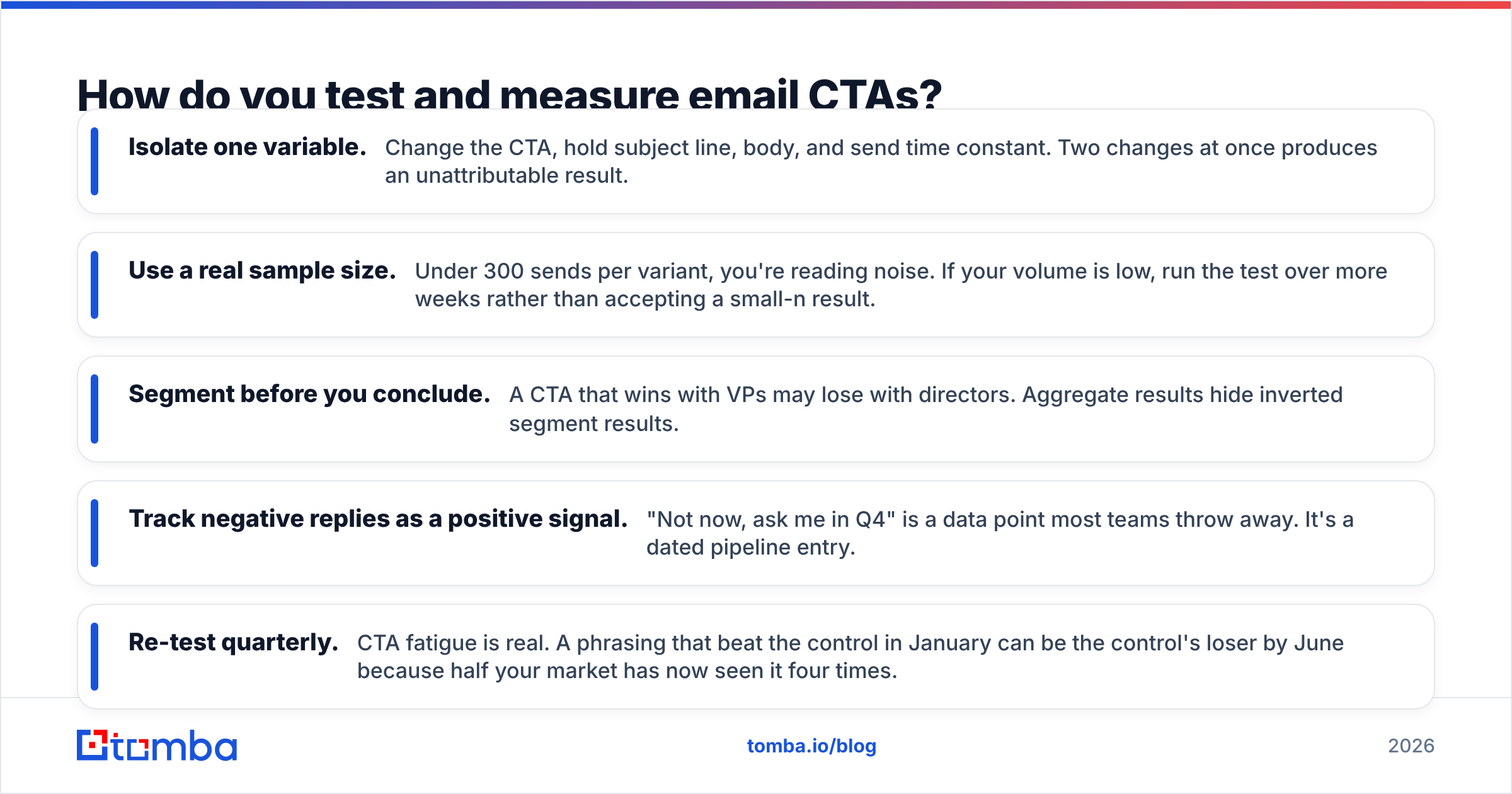
- Isolate one variable. Change the CTA, hold subject line, body, and send time constant. Two changes at once produces an unattributable result.
- Use a real sample size. Under 300 sends per variant, you're reading noise. If your volume is low, run the test over more weeks rather than accepting a small-n result.
- Segment before you conclude. A CTA that wins with VPs may lose with directors. Aggregate results hide inverted segment results.
- Track negative replies as a positive signal. "Not now, ask me in Q4" is a data point most teams throw away. It's a dated pipeline entry.
- Re-test quarterly. CTA fatigue is real. A phrasing that beat the control in January can be the control's loser by June because half your market has now seen it four times.
Also watch the unsubscribe and complaint rate per variant. A CTA that lifts replies while doubling complaints is a net loss you'll pay for six weeks later in deliverability.
What's the fastest way to fix your CTAs this week?#
Pull your last five sequences. For each email, read only the final sentence, in isolation, as if you were a stranger. Ask three questions: Is there exactly one ask? Can it be answered in under five seconds? Would a busy person feel trapped by saying yes? If any answer is no, rewrite that line and nothing else.
Most teams find that four out of five emails fail at least one of those checks, and that fixing only the last line — without touching subject lines, personalization, or sequencing — produces a measurable lift within two weeks. It is the highest return-per-minute edit available in outbound.
Then fix the input side. The best call to action in your industry, sent to a stale address, converts at exactly zero percent. Start your sequences with contacts you can actually reach: use the Tomba Email Finder to pull verified, current professional addresses by name or domain, so every sharpened CTA you write lands in a real inbox instead of a bounce log. The free tier gives you 25 searches a month to test the difference; paid plans start at $49/mo on Tomba pricing when you're ready to scale the list behind your new last line.
Related guides#
Ready to find emails that actually work?
Join 150,000+ professionals who stopped guessing and started sending. Free credits on signup — no credit card required.
Get the Tomba newsletter
Practical outbound tactics and product updates — once every two weeks.
About the author