Email Check API in 2026: How It Works and Which to Pick
An email check API validates addresses before you send. Here's how the syntax, MX, SMTP, and catch-all layers actually work, what each vendor charges, and how to wire one into your stack without wrecking throughput.
TL;DR
- An email check API is an HTTP endpoint that takes an address and returns a deliverability verdict — usually built from four layers: syntax, domain/MX, mailbox (SMTP), and risk classification.
- No API can be 100% accurate. Catch-all domains, greylisting, and role accounts are structurally unverifiable by SMTP probe alone, and honest vendors say so.
- Real-time (one address at API-call time) and bulk (a list, async) are different jobs with different latency budgets. Most teams need both.
- Pricing splits into credit packs versus subscriptions. At 50k checks/month the effective cost swings from roughly $0.0004 to $0.004 per check depending on the vendor.
- Wire verification at the point of capture — signup forms, CRM imports, list uploads — not the night before a campaign. Late verification is damage control; early verification is prevention.
What is an email check API?#
An email check API is a programmable endpoint that answers one question: if you send mail to this address, will it land? You POST or GET an address, you get back JSON with a status (valid, invalid, accept_all, unknown, disposable) plus supporting signals.
Think of it like a bouncer with a guest list. The bouncer can check the name spelling instantly (syntax), confirm the venue exists (MX records), and ask the door staff whether that person is on tonight's list (SMTP). What the bouncer cannot do is guarantee the guest will actually show up — that's the part vendors gloss over.
The practical value is negative: you're not finding good addresses, you're removing bad ones before they cost you. A 3% hard-bounce rate on a 20,000-address send is 600 bounces, and mailbox providers read that as a spam signal. Google and Yahoo both formalized bounce and complaint thresholds in their bulk sender requirements, which pushed verification from "nice hygiene" to "table stakes."
How does an email check API actually validate an address?#
Four layers, run in order, each cheaper than the next one down:
- Syntax and formatting — RFC 5322 conformance, obvious typos (
gamil.com), disallowed characters. Free, instant, catches maybe 2-5% of a dirty list. - Domain and MX lookup — does the domain resolve, and does it publish mail-exchange records? A domain with no MX cannot receive mail, full stop. Also cheap and definitive.
- Mailbox-level SMTP probe — the API opens a connection to the receiving mail server, issues
RCPT TO, and reads the response code without ever sending a message. A250suggests the mailbox exists;550means it doesn't. - Risk and reputation classification — is this a disposable domain (mailinator, temp-mail), a role account (
info@,sales@), a known spam trap pattern, or a catch-all domain that accepts everything?
Layer 3 is where vendors diverge most. Some mail servers rate-limit or greylist probes, some return 250 for every address regardless (that's a catch-all), and some blacklist the probing IP entirely. A vendor's IP pool quality and retry logic determine whether you get a real answer or an unknown.

Layer 4 matters more than people expect. Role accounts aren't invalid — support@company.com receives mail fine — but they're routed to shared inboxes, generate higher complaint rates, and rarely convert on cold outreach. A good API flags them separately rather than lumping them into valid.
What do the response statuses actually mean?#
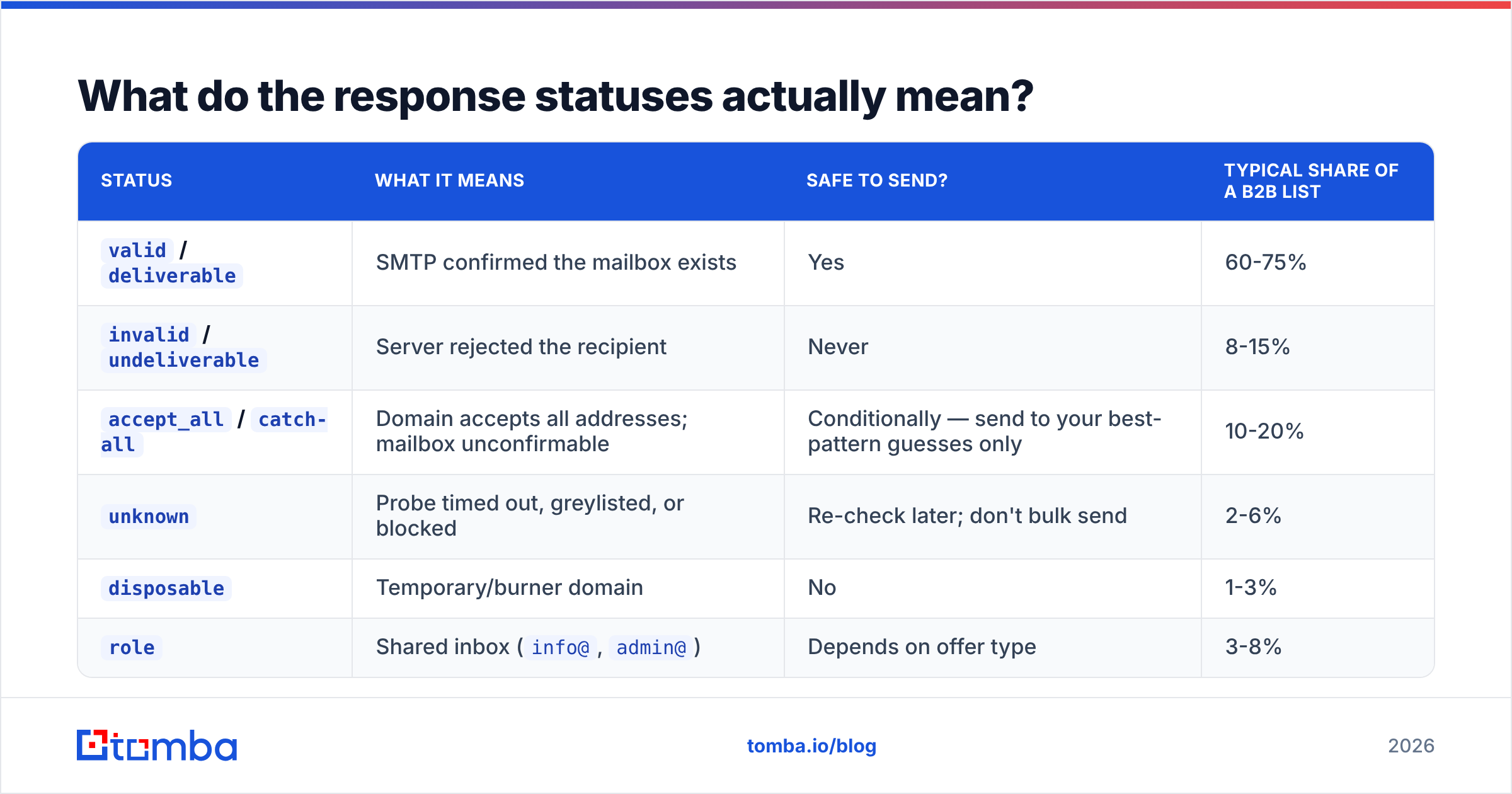
This is where teams misread the data and either over-suppress or under-suppress.
| Status | What it means | Safe to send? | Typical share of a B2B list |
|---|---|---|---|
valid / deliverable |
SMTP confirmed the mailbox exists | Yes | 60-75% |
invalid / undeliverable |
Server rejected the recipient | Never | 8-15% |
accept_all / catch-all |
Domain accepts all addresses; mailbox unconfirmable | Conditionally — send to your best-pattern guesses only | 10-20% |
unknown |
Probe timed out, greylisted, or blocked | Re-check later; don't bulk send | 2-6% |
disposable |
Temporary/burner domain | No | 1-3% |
role |
Shared inbox (info@, admin@) |
Depends on offer type | 3-8% |
The accept_all bucket is the one that decides whether a verification vendor is worth paying for. Roughly one in five B2B domains is catch-all, and if your API just dumps them all into unknown, you've paid to have 20% of your list handed back unresolved. Vendors that run pattern inference and secondary signals against catch-all domains — Tomba's catch-all verifier is built specifically for this — recover a meaningful slice of that bucket instead of writing it off.

Real-time vs bulk: which mode do you need?#
Both, almost always, and they have opposite constraints.
Real-time (single-address, synchronous) sits inline in a user-facing flow: a signup form, a checkout, a lead-capture widget. Your latency budget is 300-800ms before the form feels broken. Some checks — a full SMTP handshake against a slow server — can exceed that, so the sane pattern is to run syntax + MX synchronously and queue the SMTP probe asynchronously, flagging the record after the fact.
Bulk (list, asynchronous) runs against a CSV or a CRM segment. Latency doesn't matter; throughput and cost per record do. You submit a job, poll a status endpoint or receive a webhook, and download results. Anything over ~5,000 addresses should go through the bulk verify path rather than looping single calls — you'll hit rate limits and pay more per check.
A third mode worth knowing: enrichment-on-verify. Instead of just validating an address you already have, you pass a name + domain and get back the verified address. That's the email finder pattern, and it's strictly more useful when your source data is incomplete — which, for scraped or event-list data, it usually is.
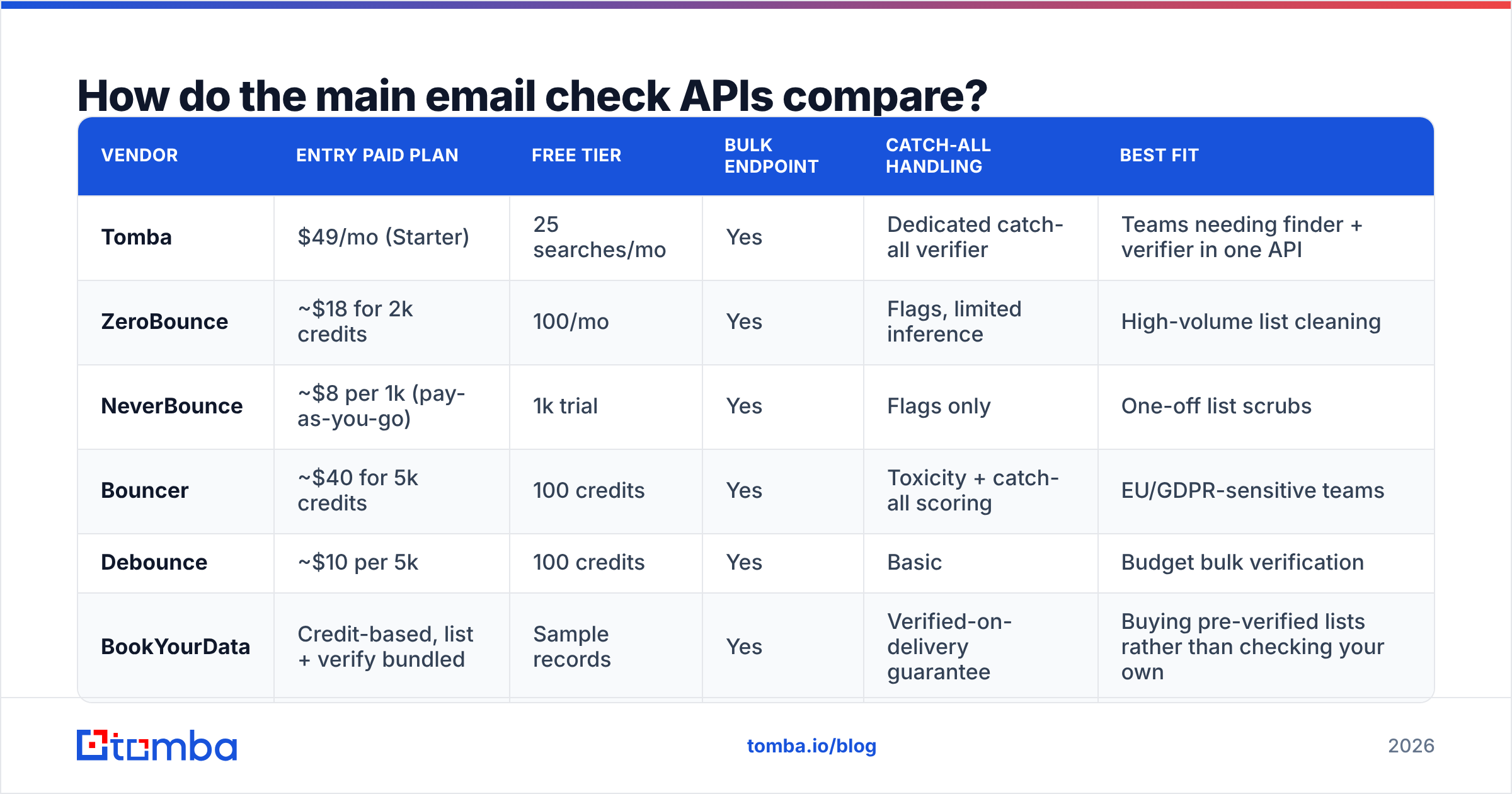
How do the main email check APIs compare?#
Pricing below reflects publicly listed rates as of mid-2026. Always confirm on the vendor's own page — these move.
| Vendor | Entry paid plan | Free tier | Bulk endpoint | Catch-all handling | Best fit |
|---|---|---|---|---|---|
| Tomba | $49/mo (Starter) | 25 searches/mo | Yes | Dedicated catch-all verifier | Teams needing finder + verifier in one API |
| ZeroBounce | ~$18 for 2k credits | 100/mo | Yes | Flags, limited inference | High-volume list cleaning |
| NeverBounce | ~$8 per 1k (pay-as-you-go) | 1k trial | Yes | Flags only | One-off list scrubs |
| Bouncer | ~$40 for 5k credits | 100 credits | Yes | Toxicity + catch-all scoring | EU/GDPR-sensitive teams |
| Debounce | ~$10 per 5k | 100 credits | Yes | Basic | Budget bulk verification |
| BookYourData | Credit-based, list + verify bundled | Sample records | Yes | Verified-on-delivery guarantee | Buying pre-verified lists rather than checking your own |
Two structural differences matter more than the headline price:
- Credits vs subscription. Pay-as-you-go credit packs (NeverBounce, Debounce) win for occasional list scrubs. Subscriptions win when verification is continuous — every signup, every CRM sync — because the per-check rate drops and you don't babysit a balance. Tomba pricing runs Free (25/mo), Starter $49/mo, Growth $99/mo, Pro $249/mo, Enterprise custom.
- Verify-only vs find-and-verify. ZeroBounce, NeverBounce, Debounce and Bouncer are verification specialists — you bring the addresses. Tomba and BookYourData sit on the data side too, so you can go from a company domain to verified contacts in one workflow. If your bottleneck is "I have a list and it's dirty," a specialist is fine and often cheaper. If your bottleneck is "I don't have the addresses yet," a verify-only API solves the wrong half of the problem.

Independent user reviews on G2's email verification category are the best sanity check on accuracy claims, since every vendor markets a 95-99% number computed on its own test set.
What accuracy numbers should you actually believe?#
Treat any single headline accuracy percentage as marketing until you've defined the denominator.
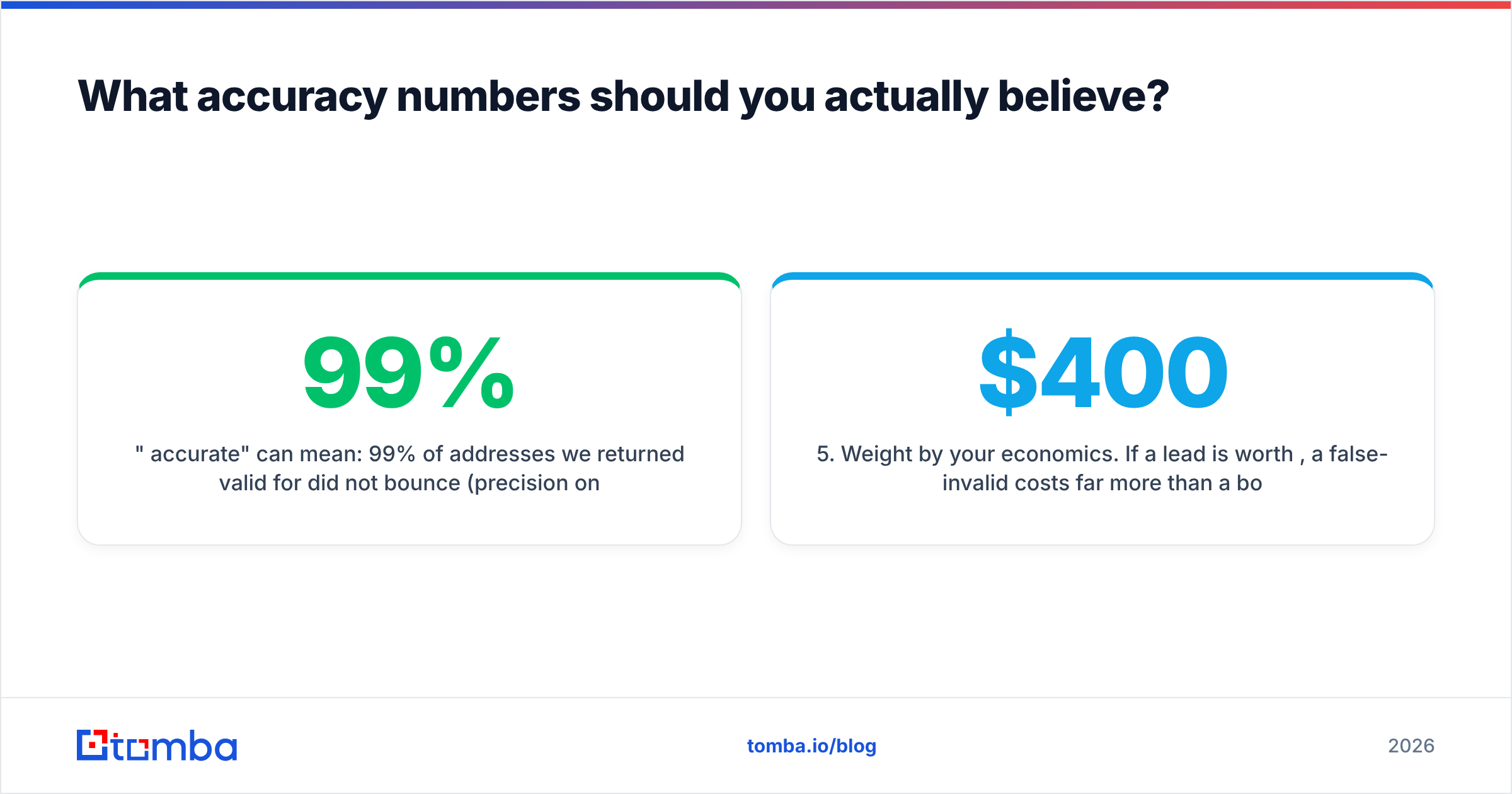
"99% accurate" can mean: 99% of addresses we returned valid for did not bounce (precision on valid) — a strong claim. Or: 99% of addresses we returned a definitive verdict for were correct, excluding all unknown and catch-all results — a much weaker claim, because a vendor can inflate it by classifying anything hard as unknown.
Run your own test instead. It takes an afternoon:
- Build a control set of 300-500 addresses where you know the truth — internal aliases, addresses that bounced last quarter, addresses that replied last quarter.
- Salt it with known-bad patterns — a dozen fabricated addresses at real domains, a few disposable domains, a few role accounts.
- Run the same file through 2-3 APIs on their free tiers.
- Score four numbers per vendor: false-valid rate (worst error — these bounce), false-invalid rate (silently kills good leads), unknown rate, and catch-all resolution rate.
- Weight by your economics. If a lead is worth $400, a false-invalid costs far more than a bounce. If you're protecting a fragile sending domain, invert that.
False-invalids are the underrated failure. A bounce is visible and annoying; a good prospect silently suppressed is invisible and expensive. Vendors optimize for the visible metric because that's what customers complain about.

How do you wire an email check API into your stack?#
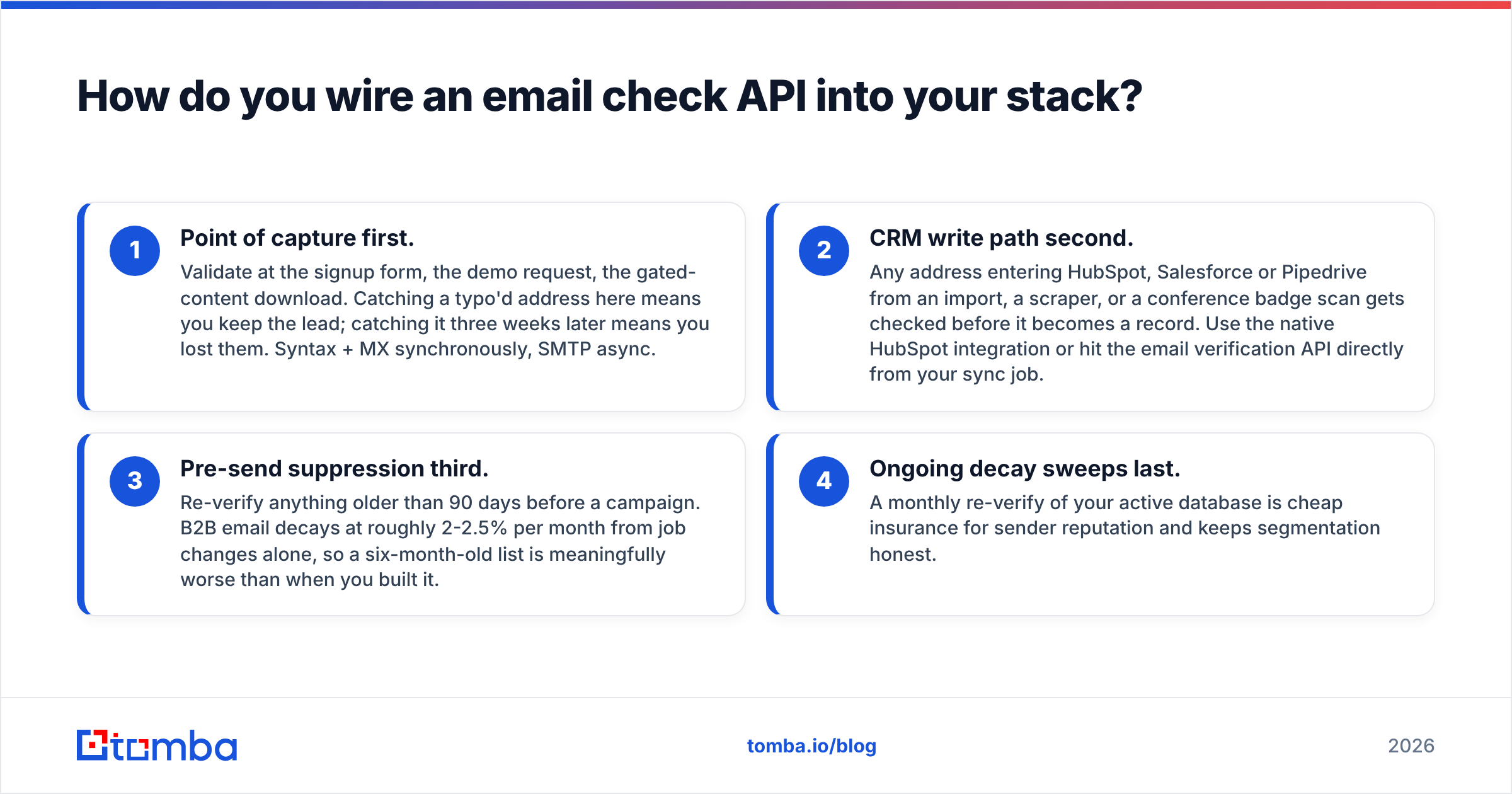
Order of operations, from highest ROI to lowest:
- Point of capture first. Validate at the signup form, the demo request, the gated-content download. Catching a typo'd address here means you keep the lead; catching it three weeks later means you lost them. Syntax + MX synchronously, SMTP async.
- CRM write path second. Any address entering HubSpot, Salesforce or Pipedrive from an import, a scraper, or a conference badge scan gets checked before it becomes a record. Use the native HubSpot integration or hit the email verification API directly from your sync job.
- Pre-send suppression third. Re-verify anything older than 90 days before a campaign. B2B email decays at roughly 2-2.5% per month from job changes alone, so a six-month-old list is meaningfully worse than when you built it.
- Ongoing decay sweeps last. A monthly re-verify of your active database is cheap insurance for sender reputation and keeps segmentation honest.
Implementation details that bite people:
- Cache aggressively. A verdict is good for 30-90 days. Re-checking the same address on every sync burns credits for nothing.
- Handle
unknownwith a retry queue, not a suppression rule. Greylisting resolves on retry; permanent suppression from a transient timeout is pure loss. - Respect rate limits with backoff. Most APIs throttle at 10-60 requests/second on lower tiers. Exponential backoff on 429s, always.
- Log the raw response, not just the verdict. When you later argue about why a good lead got suppressed, you'll want the SMTP code.
- Fail open on the capture path. If the API times out during a signup, accept the address and flag it for async review. Blocking a real signup because your vendor had a bad minute is a worse outcome than one unverified record.
When is an email check API not the answer?#
Three cases where you're solving the wrong problem:
- Your bounce rate is fine but replies are zero. That's targeting or copy, not data hygiene. Verification won't fix a bad offer.
- You're sending to purchased lists. Verification makes an unconsented list technically deliverable, not legally or reputationally safe. GDPR and CAN-SPAM don't care that the address resolves.
- You need phone or firmographic data too. A verification API returns a boolean-ish verdict. If your workflow needs company size, tech stack, or a direct dial, you want data enrichment or a phone finder alongside it, not a bigger verification plan.
Which email check API should you pick?#
Decide on your actual bottleneck, not on the accuracy chart:
- Dirty list, one time — a pay-as-you-go verification specialist. Cheapest per check, no subscription.
- Continuous verification in-product — a subscription API with a real free tier for staging, solid uptime, and documented rate limits.
- Missing addresses, not just dirty ones — a combined find-and-verify API, so one integration covers discovery and validation.
- Buying contacts outright — a list vendor with verification baked in, like BookYourData, where the guarantee sits on the delivered records.
If your workflow is the third case — you have company domains and contact names but not confirmed addresses — start with the Tomba Email Finder. It returns the address and its verification status in a single call, covers catch-all domains that most verify-only APIs hand back as unknown, and the free tier gives you 25 searches to benchmark it against whatever you're using now before you commit to a plan. Run your own control set through it, score the false-valid and false-invalid rates yourself, and pick on the numbers you measured rather than the ones on a pricing page.
Related guides#
Ready to find emails that actually work?
Join 150,000+ professionals who stopped guessing and started sending. Free credits on signup — no credit card required.
Get the Tomba newsletter
Practical outbound tactics and product updates — once every two weeks.
About the author