Email Check vs Wiza: Which Finds Verified Emails in 2026?
Wiza pulls contacts out of LinkedIn. An email check tool proves those contacts are real. Here's how the two compare on accuracy, credits, cost per verified email, and workflow fit in 2026.
TL;DR
- They solve different halves of the same problem. Wiza extracts contact data from LinkedIn searches and Sales Navigator lists. An email check tool takes any address — from Wiza, a CRM, a trade-show badge scan — and tells you whether it will bounce.
- Wiza is fastest when LinkedIn is your source of truth. If your ICP lives in a Sales Navigator filter, Wiza's export is hard to beat for raw speed.
- A dedicated verifier wins on cost per validated contact. Verification credits are cheaper than enrichment credits almost everywhere, and you can re-check an aging list without paying finder prices again.
- Catch-all domains are where most tools quietly fail. Anything that returns "accept-all" as a pass is inflating your deliverable count.
- The realistic setup is both, in sequence: source → verify → send. Tomba's email verifier and free email checker exist precisely for the second step.
What does "email check" actually mean?#
An email check is a validation pass on an address you already have. Nothing is discovered; something is confirmed or rejected.
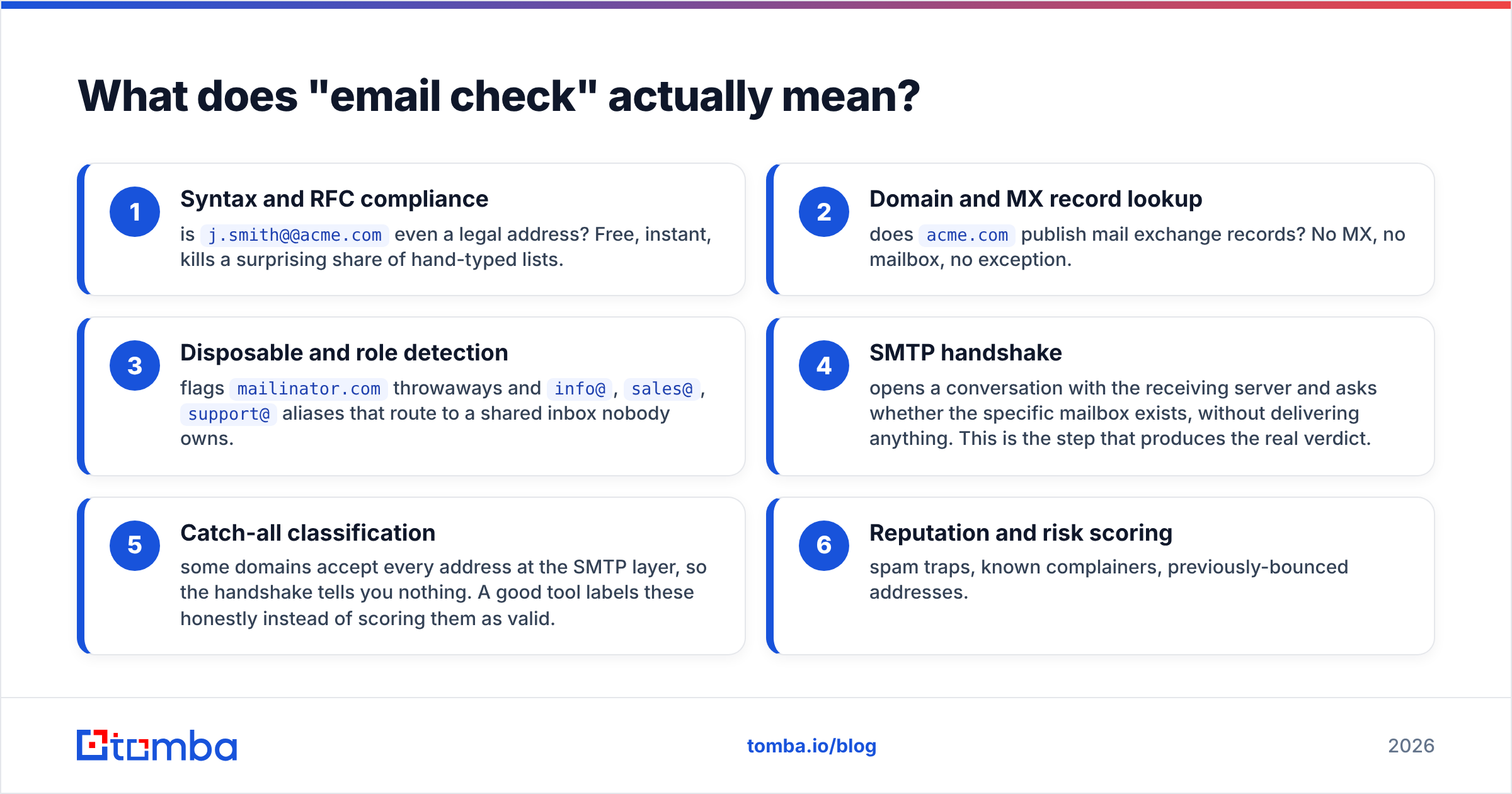
A serious checker runs a chain of tests in order, cheapest first:
- Syntax and RFC compliance — is
j.smith@@acme.comeven a legal address? Free, instant, kills a surprising share of hand-typed lists. - Domain and MX record lookup — does
acme.compublish mail exchange records? No MX, no mailbox, no exception. - Disposable and role detection — flags
mailinator.comthrowaways andinfo@,sales@,support@aliases that route to a shared inbox nobody owns. - SMTP handshake — opens a conversation with the receiving server and asks whether the specific mailbox exists, without delivering anything. This is the step that produces the real verdict.
- Catch-all classification — some domains accept every address at the SMTP layer, so the handshake tells you nothing. A good tool labels these honestly instead of scoring them as valid.
- Reputation and risk scoring — spam traps, known complainers, previously-bounced addresses.
That last chain is the whole product. Everything else — dashboards, CSV uploads, API endpoints — is packaging around those six checks. If you want the mechanics of why a rejected message comes back at all, the bounce message primer covers the SMTP status codes involved.
What is Wiza, and who is it for?#
Wiza is a LinkedIn-native prospecting tool. You run a search in LinkedIn or Sales Navigator, point Wiza at the result set, and it returns a CSV of names, titles, companies, work emails, personal emails, and — on higher tiers — phone numbers. There's a Chrome extension for one-off lookups and an API for programmatic pulls.
Wiza's positioning is straightforward: LinkedIn is where B2B buyers maintain their own data, so treat it as the source and automate the export. Wiza also claims verification on the emails it returns, which is where the comparison with a dedicated checker gets interesting — and slightly muddier than the marketing suggests.
The strength is real. If your entire ICP definition is expressible as a Sales Navigator filter ("VP Engineering, 200–1000 employees, SaaS, North America"), Wiza collapses a two-hour manual job into a five-minute export. Its G2 reviews consistently praise that speed.
The limit is also real: Wiza is only as good as LinkedIn coverage. Prospects with stale profiles, no profile, or a profile in a market where LinkedIn penetration is thin simply don't exist to it.

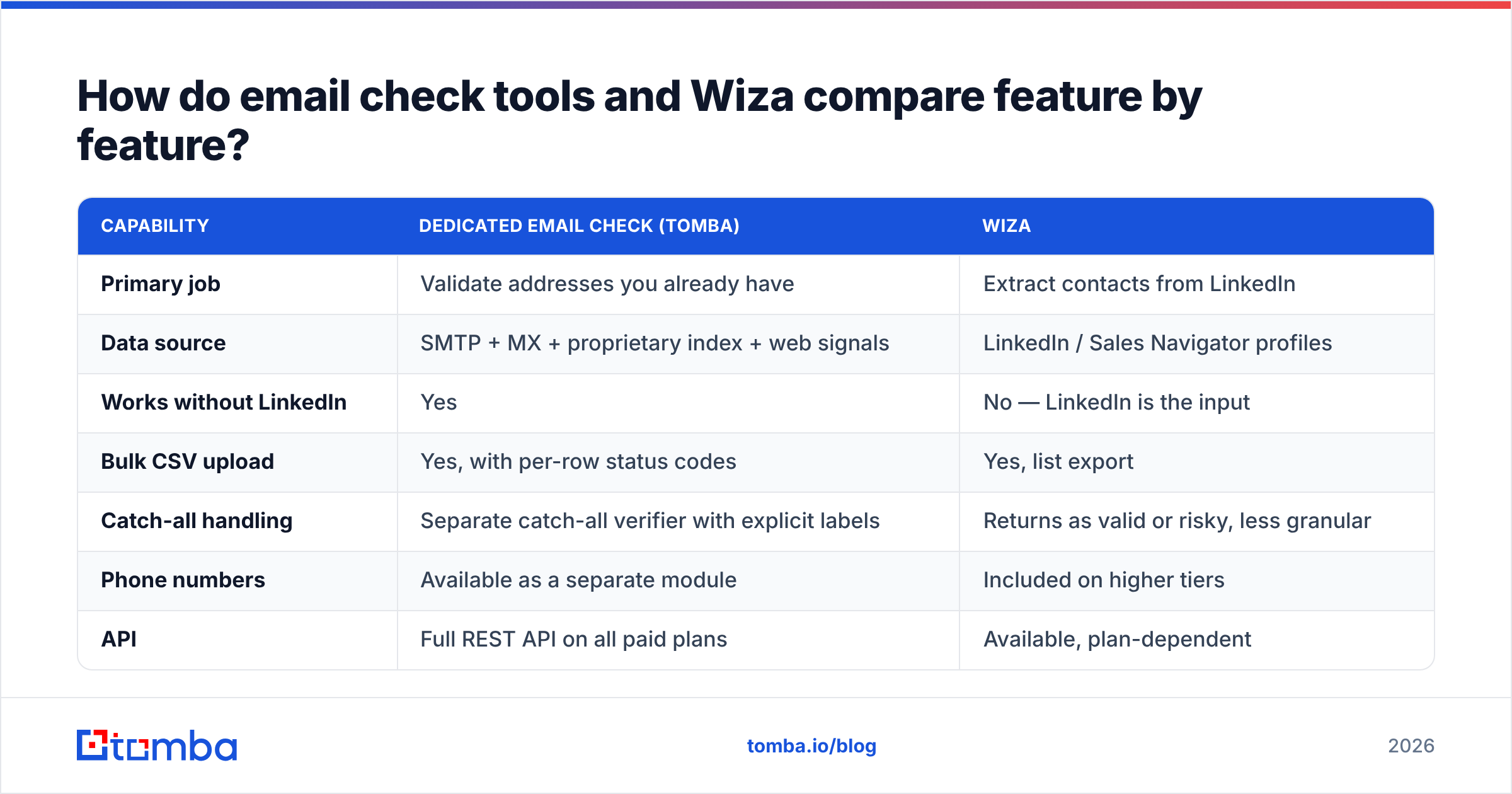
How do email check tools and Wiza compare feature by feature?#
| Capability | Dedicated email check (Tomba) | Wiza |
|---|---|---|
| Primary job | Validate addresses you already have | Extract contacts from LinkedIn |
| Data source | SMTP + MX + proprietary index + web signals | LinkedIn / Sales Navigator profiles |
| Works without LinkedIn | Yes | No — LinkedIn is the input |
| Bulk CSV upload | Yes, with per-row status codes | Yes, list export |
| Catch-all handling | Separate catch-all verifier with explicit labels | Returns as valid or risky, less granular |
| Phone numbers | Available as a separate module | Included on higher tiers |
| API | Full REST API on all paid plans | Available, plan-dependent |
| Free tier | 25 searches/mo + free checker tool | Limited credits on signup |
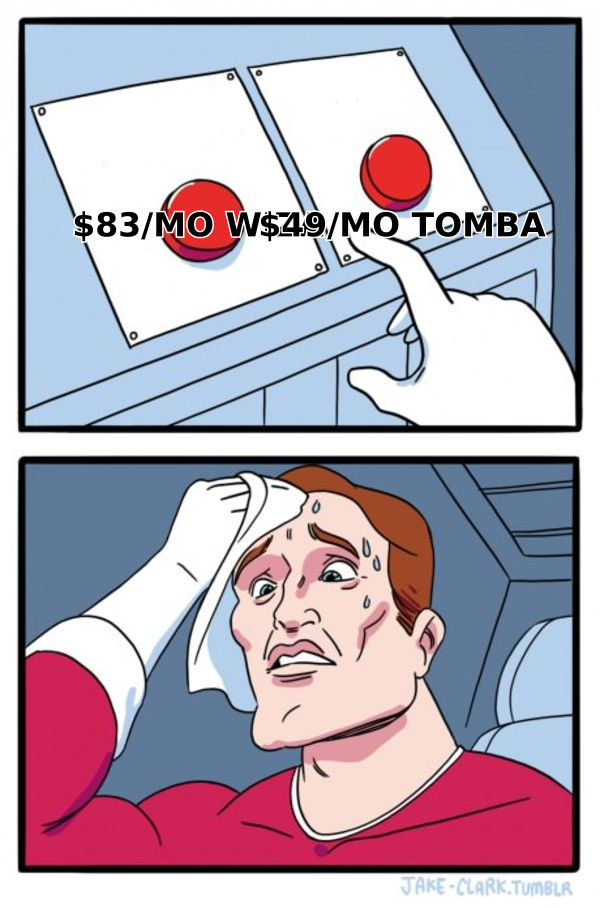
| Entry paid price | $49/mo (Starter) | Roughly $83/mo billed annually at time of writing |
| Best for | Cleaning and validating any list, any source | Fast LinkedIn-sourced list building |
Two things stand out. First, the input differs: Wiza needs a LinkedIn identity, a checker needs an address string. Second, the pricing models differ in kind, not just amount — enrichment credits are consumed per contact discovered, verification credits per address tested, and the second unit is almost always cheaper.

Which one is more accurate?#
Wrong question, slightly. They're measuring different things.
Wiza's accuracy claim is about match rate — of the profiles you exported, how many came back with a usable email. A 65–75% match rate on a clean Sales Navigator list is a normal result for LinkedIn-based tools, higher on US tech, lower on European mid-market and non-English markets.
A checker's accuracy claim is about verdict precision — of the addresses it labeled valid, how many actually delivered. That's a bounce-rate measurement, and it's the number your email service provider cares about.
You can have a great match rate and a terrible bounce rate simultaneously. That happens when a finder returns pattern-guessed addresses (first.last@domain.com because that's the company convention) and marks them verified after a shallow MX-only check. The address is syntactically perfect and the domain accepts mail. It still bounces, because that specific person left in March.

The practical benchmark to run yourself, before you commit to either:
- Take 200 contacts you already have confirmed delivery for.
- Run them through both tools.
- Count false positives (labeled valid, actually dead) and false negatives (labeled invalid, actually fine).
False negatives cost you pipeline silently. Most buyers only measure false positives because those show up as bounces, then wonder why their TAM shrank. Tomba publishes its data sources so you can reason about where a verdict came from rather than trusting a green checkmark.
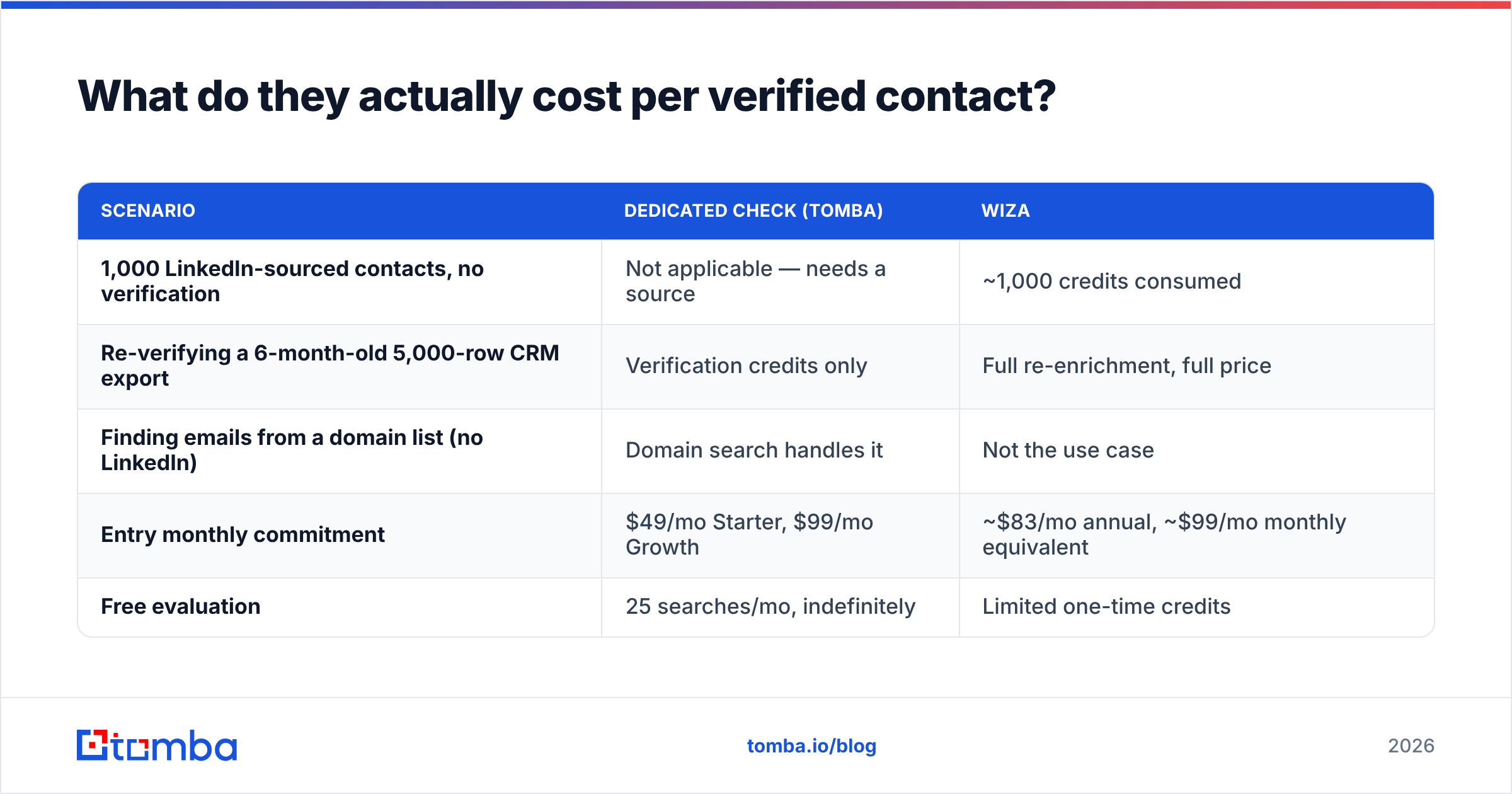
What do they actually cost per verified contact?#
Sticker price is the wrong comparison unit. Cost per usable, verified, deliverable contact is the right one.
| Scenario | Dedicated check (Tomba) | Wiza |
|---|---|---|
| 1,000 LinkedIn-sourced contacts, no verification | Not applicable — needs a source | ~1,000 credits consumed |
| Re-verifying a 6-month-old 5,000-row CRM export | Verification credits only | Full re-enrichment, full price |
| Finding emails from a domain list (no LinkedIn) | Domain search handles it | Not the use case |
| Entry monthly commitment | $49/mo Starter, $99/mo Growth | ~$83/mo annual, ~$99/mo monthly equivalent |
| Free evaluation | 25 searches/mo, indefinitely | Limited one-time credits |
The re-verification row is where budgets leak. B2B contact data decays at roughly 22–30% annually — people change jobs, companies rebrand, domains consolidate. HubSpot's research on database decay has been quoting numbers in that range for years and nothing about 2026 has improved it.
If your only tool is an enrichment platform, refreshing a list means paying discovery prices for contacts you already own. If you have a verifier, you pay verification prices to find out which rows moved, then only re-enrich those. On a 10,000-row database that's the difference between a full plan cycle and a rounding error.
Full Tomba pricing runs Free (25 searches/mo), Starter $49/mo, Growth $99/mo, Pro $249/mo, and Enterprise custom. Wiza's tiers shift periodically and gate phone data behind the higher plans, so check their pricing page before budgeting against a number you read in a blog post — including this one.
When should you pick Wiza?#
Choose Wiza when these are true:
- LinkedIn is your prospecting surface. You live in Sales Navigator, you build saved searches, and your ICP is expressible in LinkedIn's filter language.
- You need speed over completeness. A 70% match rate delivered in four minutes beats a 90% match rate that takes a week of manual research, if your sequences are volume-driven.
- You want phones bundled. Wiza's higher tiers include mobile numbers alongside email, which saves you a second vendor if you're running a call-plus-email motion.
- Your team won't adopt a two-step workflow. Some SDR teams simply won't run an extra verification pass. A single tool that's decent at both beats a two-tool stack nobody uses.
Choose a dedicated email check when:
- Your leads come from everywhere. Webinar signups, form fills, conference lists, partner referrals, purchased data. None of that has a LinkedIn URL attached.
- Deliverability is already fragile. If your domain has taken bounce damage, you need verdict precision, not more contacts.
- You're cleaning rather than building. Existing CRM hygiene is a verification problem by definition.
- You need catch-all clarity. Roughly one in five B2B domains is catch-all configured. A tool that lumps those in with valid addresses is handing you a bounce-rate time bomb.
- You want API-level control. Verification inside a signup form, a CRM webhook, or a nightly job is a Tomba API call, not a CSV round trip.
For a side-by-side on the sourcing dimension specifically, the Wiza alternative breakdown goes deeper on match rates and export limits than a general comparison can.
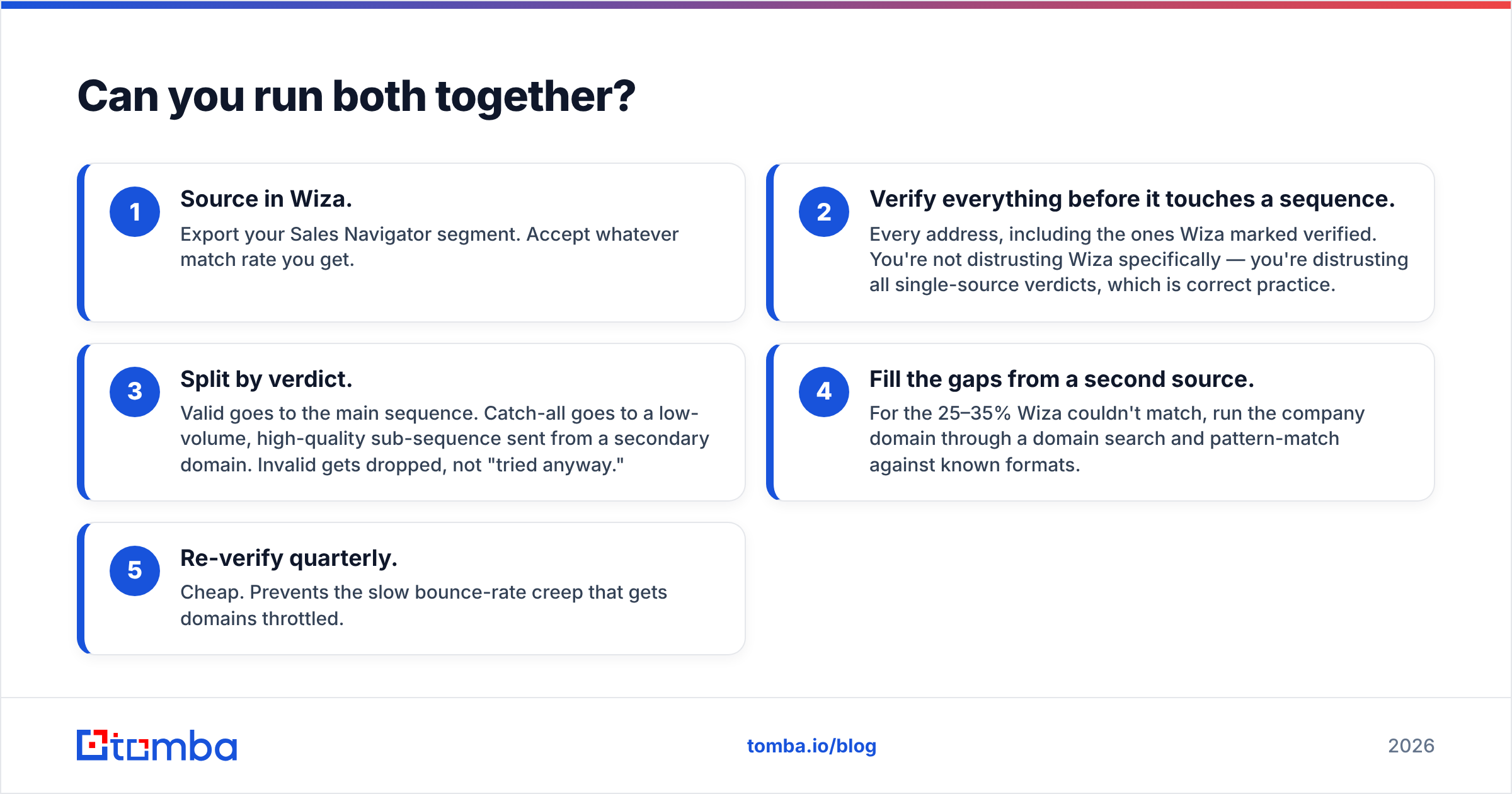
Can you run both together?#
Yes, and for most teams that's the honest answer rather than a diplomatic dodge.
The sequence that works:
- Source in Wiza. Export your Sales Navigator segment. Accept whatever match rate you get.
- Verify everything before it touches a sequence. Every address, including the ones Wiza marked verified. You're not distrusting Wiza specifically — you're distrusting all single-source verdicts, which is correct practice.
- Split by verdict. Valid goes to the main sequence. Catch-all goes to a low-volume, high-quality sub-sequence sent from a secondary domain. Invalid gets dropped, not "tried anyway."
- Fill the gaps from a second source. For the 25–35% Wiza couldn't match, run the company domain through a domain search and pattern-match against known formats.
- Re-verify quarterly. Cheap. Prevents the slow bounce-rate creep that gets domains throttled.
Teams that also buy static list data — BookYourData is a solid option in that category — benefit from the same middle step. Any list, from any vendor, ages the moment it's delivered. Verification is what keeps a purchased or exported file honest six months later.
The measurable payoff: getting bounce rate under 2% is the single highest-leverage deliverability move available to most senders, ahead of copy, ahead of send-time optimization, roughly level with proper authentication. Gmail and Microsoft both treat sustained high bounce rates as a spam signal, and that damage follows your domain, not your list.
What's the verdict on email check vs Wiza?#
If you're forced to pick one, pick based on your bottleneck.
Bottleneck is "I don't have enough contacts" → Wiza, assuming your market is on LinkedIn. It solves list building faster than manual research and its export flow is genuinely good.
Bottleneck is "my emails bounce" or "my leads come from mixed sources" → a dedicated email check. It's cheaper per unit, source-agnostic, and it fixes the problem that actually kills domains.
Bottleneck is both → source with whatever gets you volume, then verify centrally. The verification layer is the one that should be non-negotiable, because it's the only step that protects the asset you can't replace: your sending domain reputation.
Neither tool is a scam and neither is magic. Wiza is a good LinkedIn extractor with adequate verification bolted on. A dedicated checker is a precise verifier with no opinion about where your addresses came from. Those are complementary shapes, not competing ones.
Ready to stop guessing which addresses are real? Start with the Tomba Email Finder — find work emails by domain, name, or company, then push every result through built-in verification before it reaches a sequence. The free tier gives you 25 searches a month with no card, and Starter is $49/mo when you're ready to scale. Run your existing list through it first and see how many "verified" contacts survive.
Related guides#
Ready to find emails that actually work?
Join 150,000+ professionals who stopped guessing and started sending. Free credits on signup — no credit card required.
Get the Tomba newsletter
Practical outbound tactics and product updates — once every two weeks.
About the author