Email Checker Info: How Email Verification Works in 2026
A neutral breakdown of what an email checker actually does, why 98% accuracy claims rarely survive contact with a real list, and how to pick one without overpaying for credits you never use.
Most email checker info online is vendor copy. This guide is the plain version: how verification works, what accuracy claims leave out, and how to pick a tool without wasting credits.
TL;DR
- An email checker is a validation service that decides whether a mailbox will accept mail. It runs syntax parsing, DNS/MX lookups, and an SMTP handshake, in that order.
- Headline "99% accuracy" numbers only cover the addresses a tool is willing to grade. What you care about is coverage-adjusted accuracy: how many addresses came back
unknown, and what your bounce rate was on the ones marked valid. - Catch-all domains are the biggest source of disagreement between tools. Roughly 15–25% of B2B domains accept everything at the SMTP layer, so a plain checker cannot resolve them.
- Real cost is per usable verified address, not per credit. A cheap tool that returns 30%
unknowncosts more than a pricier one that resolves them. - Verify at capture, re-verify anything older than 90 days, and keep hard bounces under 2%.
Email checker info: what an email checker does#
An email checker tells you whether an email address will accept mail before you send to it. Think of it as a phone company checking whether a number is connected. It dials, listens for the ring, and hangs up before anyone answers.
That last part is the whole trick. A checker opens a conversation with the recipient's mail server, asks whether a given mailbox exists, and ends the session before delivering anything. No email is sent. No one sees a ping in their inbox.
People use "email checker," "email verifier," and "email validator" to mean the same thing. There is no real industry distinction. What does differ is scope:
- Single check — paste one address into a form, get a verdict. Useful before a high-value outreach email.
- Bulk verification — upload a CSV of 10,000 addresses, get a scored file back. This is where most spend happens.
- API / real-time — validate at the point of capture (signup form, lead form, CRM write) so bad data never enters your database.
- Enrichment-attached — verification bundled with finding, so the address is validated the moment it is discovered.
If you only run a list through a checker after buying it, you are using the tool in its weakest mode. The best placement is at capture.
How does an email checker actually work?#
Every serious checker runs the same pipeline. Once you know the stages, almost every odd result makes sense.
- Syntax and RFC parsing. Does the string match the SMTP address spec? This catches typos, illegal characters, and missing TLDs. It costs nothing and clears maybe 2–4% of a messy list.
- Domain and MX record lookup. Does the domain resolve, and does it publish mail exchanger records? A domain with no MX record cannot receive mail. Parked domains, expired domains, and typo'd domains (
gmial.com) die here. - Role, disposable, and risk classification. Is this
info@,sales@,support@? Is it a burner from a temporary-mail provider? Is the domain a known spam trap host? These addresses are deliverable but bad bets. Role accounts inflate complaint rates and depress replies.
Those first three stages are cheap, and every vendor does them well. The next two are where tools pull apart.
- SMTP handshake. The checker connects to the MX server, issues
MAIL FROMandRCPT TO, and reads the response code. A250means the mailbox exists. A550means it does not. Anything unclear — greylisting, rate limits, catch-all acceptance — becomesunknownorrisky. - Catch-all resolution (advanced only). When step 4 returns "accept everything," better tools fall back to pattern data, past engagement, and cross-source checks. They return a probability instead of a shrug. This step separates a $10 tool from a $99 one.

Stages 1–3 are commoditized. Stage 4 depends on IP reputation and infrastructure, because servers that get blocked mid-scan return garbage. Stage 5 depends on proprietary data. That is where the real product differences live.
What do accuracy claims actually mean?#
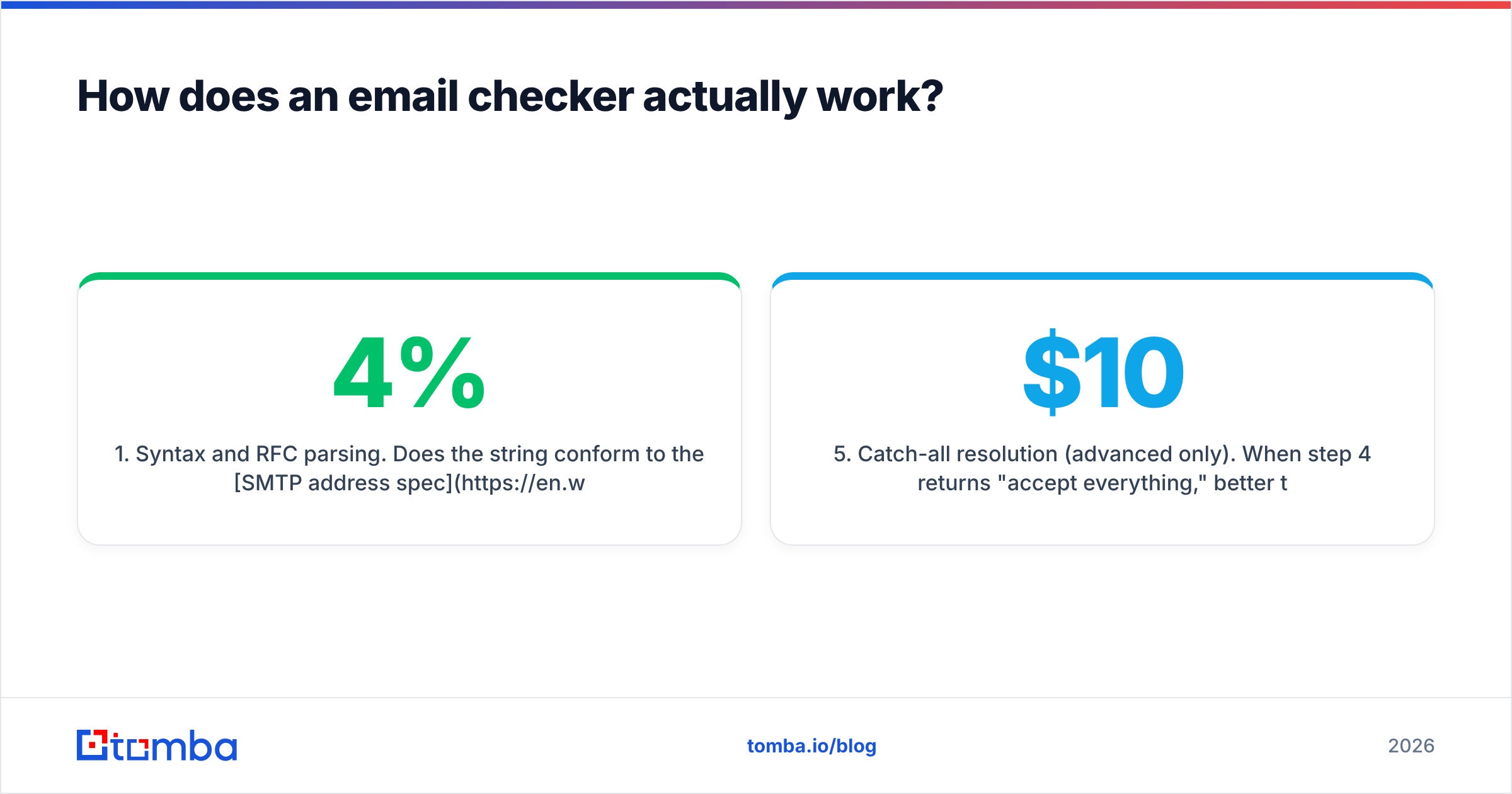
Almost every vendor claims somewhere between 95% and 99.5% accuracy. Those numbers are not lies. They are just measured in a way that flatters the tool.
Accuracy is usually computed like this: of the addresses we graded confidently, what share of our verdicts were correct? Notice what drops out. Every address returned as unknown, risky, or catch-all leaves the denominator. A tool can refuse to grade 35% of your list and still post a beautiful number, while a third of your data sits unusable.

Most email checker info stops at that headline figure. The number that matters is coverage-adjusted accuracy: confident verdicts as a share of the whole list, times the correctness rate on those verdicts. You can measure it yourself in an afternoon:
- Take 500 addresses you already know the truth about — your own CRM, with confirmed replies on some and confirmed hard bounces on others.
- Run the same 500 through each candidate tool.
- Record three numbers per tool: false-valid rate (marked valid, actually bounced), false-invalid rate (marked invalid, actually replied), and unknown rate.
False-invalids are the silent killer. A tool that over-marks addresses as bad looks great on bounce rate. Meanwhile it quietly deletes reachable prospects from your pipeline. If your checker discards 8% of a list and 3% of those were fine, you paid to shrink your own market.
Review sites like G2's email verification category help you spot patterns in complaints. Treat the star ratings as noise. Read the one-star reviews for specific failure modes instead.
Which email checker should you use in 2026?#
There is no universal winner. The right answer depends on whether verification is your whole workflow or one step inside a bigger prospecting motion.

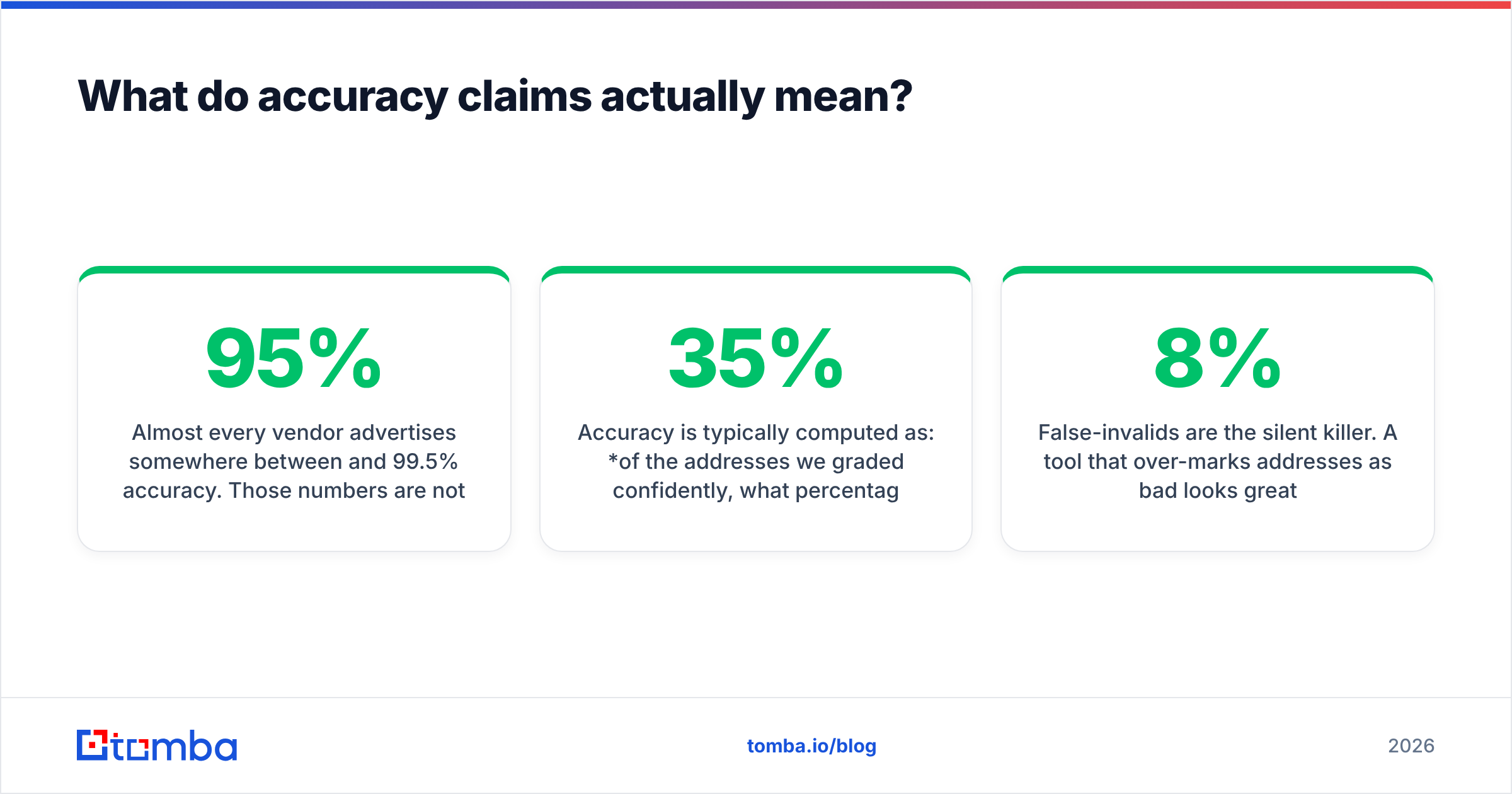
| Factor | Tomba | Standalone verifiers (ZeroBounce, NeverBounce, Bouncer) | List providers (BookYourData) | Free/open tools |
|---|---|---|---|---|
| Primary job | Find and verify in one pass | Verify a list you already own | Supply pre-verified contacts | One-off spot checks |
| Entry pricing | Free tier (25 searches/mo), Starter $49/mo | Typically credit packs, ~$15–$30 per 5k | Per-record or credit bundles | Free, rate-limited |
| Catch-all handling | Dedicated catch-all verifier | Varies — often returned as unknown |
Handled upstream before delivery | Not handled |
| Bulk workflow | CSV + API + Sheets/Excel add-ins | CSV + API | Download filtered list | Manual, one at a time |
| Best for | Teams that need the address and the validation | Teams with an existing database to clean | Teams that want to skip sourcing entirely | Testing a single address |
| Weak spot | Overkill if you never need to find addresses | You still have to source the list somewhere | Less control over targeting criteria | No reporting, no SLA |
Standalone verifiers are excellent at their one job. If your only problem is a stale 200k-row database, they are the efficient choice. BookYourData takes a different angle. It sells contacts that arrive already validated, which removes the verification step instead of tuning it. That is a fair trade when sourcing is your bottleneck rather than data hygiene.
A combined platform wins on the discovery-plus-validation loop. When you use an email finder that validates at the moment of discovery, you never build the dirty list at all. The cheapest verification is the one you never run.
What is a catch-all domain and why does it break email checkers?#
A catch-all domain accepts mail sent to any mailbox, valid or not, then sorts it out inside. From the outside, the SMTP handshake returns 250 OK for ceo@company.com and asdfgh@company.com alike.

This matters more than most guides admit. Catch-all setups track with company size and industry. Big companies on Microsoft 365 with strict security gateways are often catch-all. So are agencies, law firms, and anyone behind a mail-filtering proxy. If you sell upmarket, more of your list will stump a basic checker, not less.
Your three options:
- Skip them. Safest for deliverability, worst for coverage. You throw away real contacts.
- Send anyway. Coverage stays high, but bounce risk is unknown. Fine on a warmed, high-reputation domain at low volume. Reckless on a new one.
- Resolve them with a specialist tool. A catch-all verifier uses pattern data and other sources to assign a confidence score. You send to the high-confidence tier and drop the rest.
Whatever you choose, do it on purpose and segment those sends. Never blend unresolved catch-alls into a main campaign. If they bounce, you want the damage in one segment, not smeared across your whole sending domain.
How much does email verification really cost?#
Sticker price is per credit. Real cost is per usable address. The formula:
effective cost = (list size × price per credit) ÷ addresses returned with a confident verdict
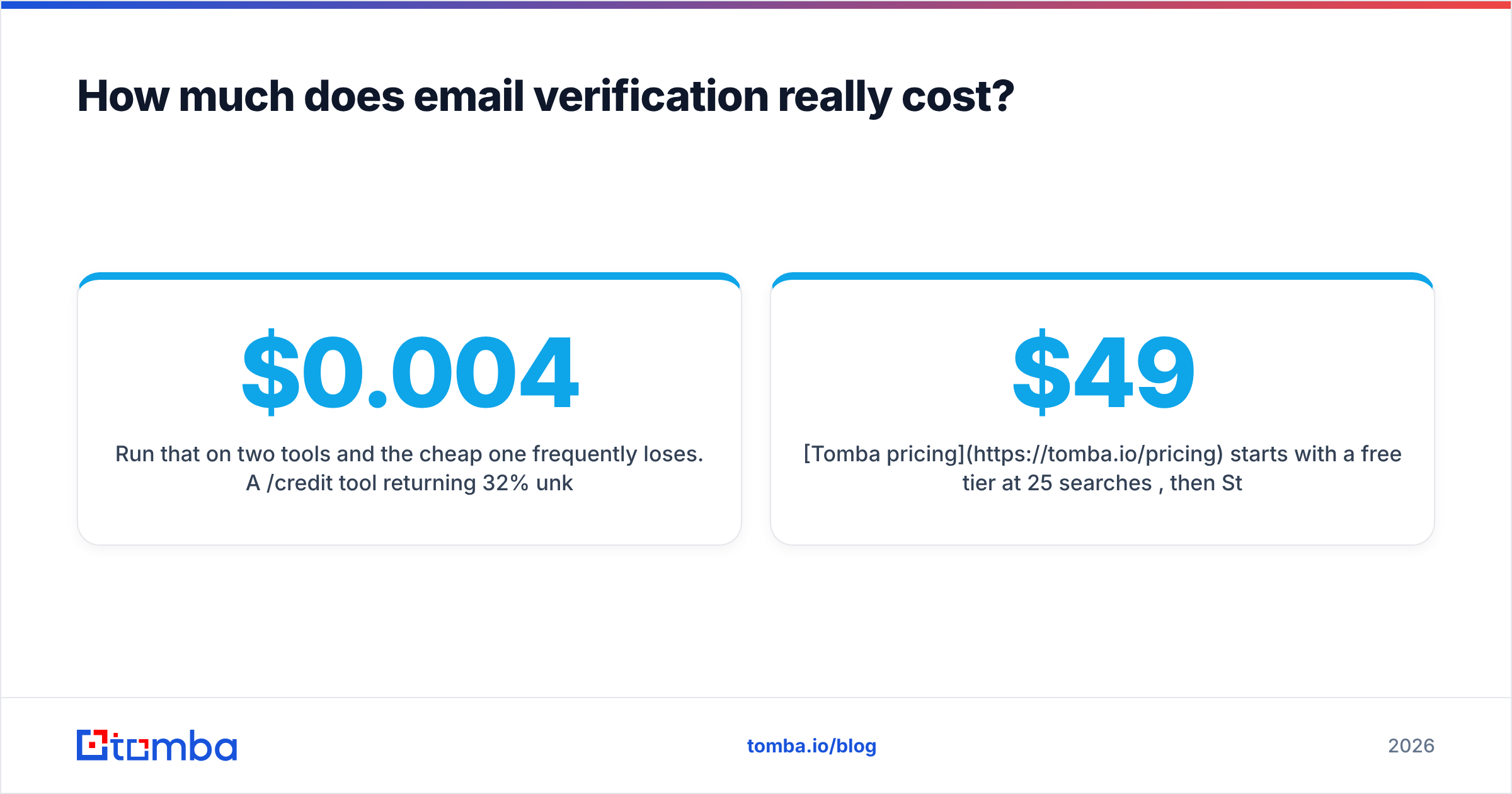
Run that on two tools and the cheap one often loses. A $0.004/credit tool returning 32% unknown costs $0.0059 per usable address. A $0.007/credit tool returning 6% unknown costs $0.0074. That is barely more, and you keep a quarter of your list that the cheap option threw away.
| Cost factor | What to check before you buy |
|---|---|
| Credit expiry | Do unused credits roll over, or evaporate monthly? |
| Unknown billing | Are you charged for unknown results? Many vendors charge full price for a shrug. |
| Rate limits | How many verifications per minute on your tier? Bulk jobs stall on low limits. |
| API included | Is API access on the entry plan or gated behind a higher tier? |
| Overage pricing | What happens when you exceed the plan — hard stop, or a surprise invoice? |
Tomba pricing starts with a free tier at 25 searches per month, then Starter at $49/mo, Growth at $99/mo, and Pro at $249/mo, with API access rather than a separate developer SKU. Whatever vendor you compare, ask whether unknown results are billable. That answer changes your true cost more than the headline rate does.
How do you fit an email checker into your workflow?#
Verification fails when you treat it as a one-time cleanup project. It works when it becomes a routine.
- Verify at capture. Wire the API into your signup form, lead form, and CRM create hook. A bad address that never enters the database costs nothing to remove later.
- Verify at import. Every list from a trade show, a partner, a scraped source, or a data vendor gets validated before it touches your sending tool. No exceptions, including lists that arrive "pre-verified."
- Re-verify on a decay schedule. B2B email data decays roughly 2–3% per month through job changes alone. Anything untouched for 90+ days should go back through bulk verify before you mail it.
Those three cover intake. The last two cover what you do with the verdicts.
- Segment by confidence, not by a yes/no flag. Valid addresses go in the main campaign. High-confidence catch-alls go in a smaller segment on a secondary domain. Everything else gets suppressed.
- Watch bounce rate as a control chart, not a target. Keep hard bounces under 2%. If a campaign spikes above that, stop and re-verify rather than push through. Mailbox providers weight recent behavior heavily, as Google's postmaster guidelines make clear.
For quick one-offs, a free email checker is enough to test a single address before you send something that matters. At volume, use the API so validation happens without a human remembering to do it.
What results should you expect after verifying?#
Set expectations honestly. Verification is a floor, not a ceiling.
What it fixes: hard bounce rate drops to the 0.5–2% range on a clean list. Sender reputation stabilizes. Your sending tool stops throttling you. Deliverability numbers become readable, because bounces stop drowning out the signal.
What it does not fix: reply rates. A verified address that belongs to someone with zero interest in your product is still a wasted send. Verification protects your ability to reach the inbox. Targeting and copy decide what happens once you are there. Teams that verify a bad-fit list and expect a pipeline lift are pulling the wrong lever.
One more caveat: no checker resolves everything. Some servers rate-limit verification traffic. Some greylist hard. Some enterprise gateways are opaque on purpose. A tool that claims a 0% unknown rate is either resolving catch-alls probabilistically (fine, if it says so) or guessing (not fine). Ask which.
Where to start#
If your problem is a stale database, buy credits from a standalone verifier and run the cleanup. That is the efficient path, and you do not need a platform for it.
If your problem is getting the addresses in the first place, start with the Tomba Email Finder. Discovery and verification run in the same pass, so you never build the dirty list. The free tier gives you 25 searches a month to test against contacts you can confirm yourself, and Starter is $49/mo when you are ready to scale.
If you keep one piece of email checker info from this guide, keep this: run your own 500-address control test before you commit to any vendor, including this one.
Related guides#
Ready to find emails that actually work?
Join 150,000+ professionals who stopped guessing and started sending. Free credits on signup — no credit card required.
Get the Tomba newsletter
Practical outbound tactics and product updates — once every two weeks.
About the author