Email Checker Tool: How to Verify Emails Accurately in 2026
Most email checker tools quote 98%+ accuracy and still let bounces through. Here's how verification actually works, what the accuracy math hides, and how to pick a checker that holds up on real B2B lists.
TL;DR
- An email checker tool runs four layers of checks — syntax, domain/MX, mailbox (SMTP), and risk scoring. Cheap tools stop after the first two and still market themselves as "verification."
- Vendor accuracy numbers are mostly marketing. A tool that marks 40% of your list "unknown" can technically claim 99% accuracy on what's left.
- Catch-all domains are where checkers separate. Roughly 20–25% of B2B domains accept everything at the SMTP layer, so a plain SMTP ping tells you nothing.
- Verify at capture, verify again before send. Data decays about 2–3% per month, and a list verified in January is materially worse by April.
- Budget by usable results, not credits. A $10 tool that returns "unknown" for a third of your list costs more per usable contact than a $49/mo tool that resolves them.
What Is an Email Checker Tool?#
An email checker tool is software that tells you whether an email address will accept mail before you actually send to it. Think of it like a phone company's line test: you can dial the number and find out the hard way, or you can check the line first and skip the ones that ring dead.
The distinction that matters: finding an address and checking one are different jobs. A finder produces a candidate like sarah.chen@acme.com from a name plus a domain. A checker answers whether that candidate is a real, reachable mailbox. Most teams need both, and most bounce problems come from doing the first without the second.
Here's what a serious checker actually runs, in order:
- Syntax validation — Does the string conform to RFC 5322? Catches typos like
sarah@@acme.com, trailing spaces, and thegmial.comclass of mistakes. This is free and instant, and it's roughly 5% of the value. - Domain and MX record lookup — Does
acme.comresolve, and does it publish mail exchange records? A domain with no MX record cannot receive mail at all. This kills dead companies, parked domains, and typo'd TLDs. - SMTP mailbox probe — The checker opens a conversation with the receiving mail server and asks whether that specific mailbox exists, without delivering a message. This is the load-bearing step, and it's the one that gets throttled, blocked, or lied to by well-configured servers.
- Catch-all and accept-all detection — Some servers say "yes" to every address. A checker that doesn't detect this will report garbage as valid.
- Risk and role classification — Is it a disposable domain (
mailinator.com), a role account (info@,sales@), a known spam trap pattern, or a mailbox that's been complained about? These are technically deliverable but strategically bad. - Confidence scoring — The output layer that turns four signals into one decision: send, don't send, or send at your own risk.
If a tool doesn't do steps 3 through 5, it's a syntax linter with a pricing page.

How Does Email Verification Actually Work Under the Hood?#
The SMTP probe is worth understanding, because everything downstream depends on how well a vendor handles it.
Your checker connects to the recipient's mail server on port 25 and starts a normal SMTP handshake: HELO, then MAIL FROM, then RCPT TO: <sarah.chen@acme.com>. At that point the server responds with a code. A 250 means the mailbox is accepted. A 550 means no such user. The checker then disconnects before issuing DATA, so no message is ever delivered. The mechanics are documented well in the SMTP specification if you want the protocol detail.
Three things break this clean picture, and they're the reason checkers differ so much in quality:
Greylisting. Many servers return a temporary 4xx on first contact from an unknown IP, expecting a retry. A lazy checker reads 4xx as "unknown" and moves on. A good one queues a retry from a warm IP minutes later.
Rate limiting and IP reputation. Microsoft 365 and Google Workspace throttle aggressively. If a vendor probes from a small pool of burned IPs, results degrade — you get "unknown" verdicts that reflect the vendor's infrastructure, not your contact's mailbox. This is invisible from the outside and is most of what you're actually paying for.
Deliberate ambiguity. Plenty of enterprise servers accept every RCPT TO on purpose, specifically to defeat directory harvesting. That's the catch-all problem, and it deserves its own section below.
The practical upshot: two tools running "the same" SMTP check on the same list will disagree on 10–20% of rows. The disagreement is concentrated on exactly the contacts you most want — enterprise decision makers behind hardened mail infrastructure.
What Do "99% Accuracy" Claims Actually Mean?#
Almost nothing, unless the vendor also publishes its coverage rate.
Here's the trick. Accuracy is usually reported as: of the addresses we marked valid, what share actually delivered? A vendor can push that number toward 100% simply by marking anything uncertain as "unknown" or "risky." If a tool resolves 60% of your list and is 99% accurate on that 60%, and a second tool resolves 92% and is 96% accurate, the second tool is better by a wide margin on every metric you care about — usable contacts, cost per meeting, and total bounces avoided.

So when you evaluate an email checker tool, ask for three numbers together:
- Coverage / resolution rate — what percentage of a real list gets a definitive verdict (not "unknown")
- Accuracy on valid verdicts — of those marked deliverable, how many actually delivered
- False-valid rate — the one nobody advertises, and the one that burns your domain
The only honest way to get these is to run your own test. Take 500 addresses you already know the outcome for — pull them from a past campaign where you have bounce logs — and run them through two or three tools on free credits. Compare verdicts against your known-good ground truth. It takes an afternoon and it will contradict at least one vendor's landing page.

Which Email Checker Tool Should You Use in 2026?#
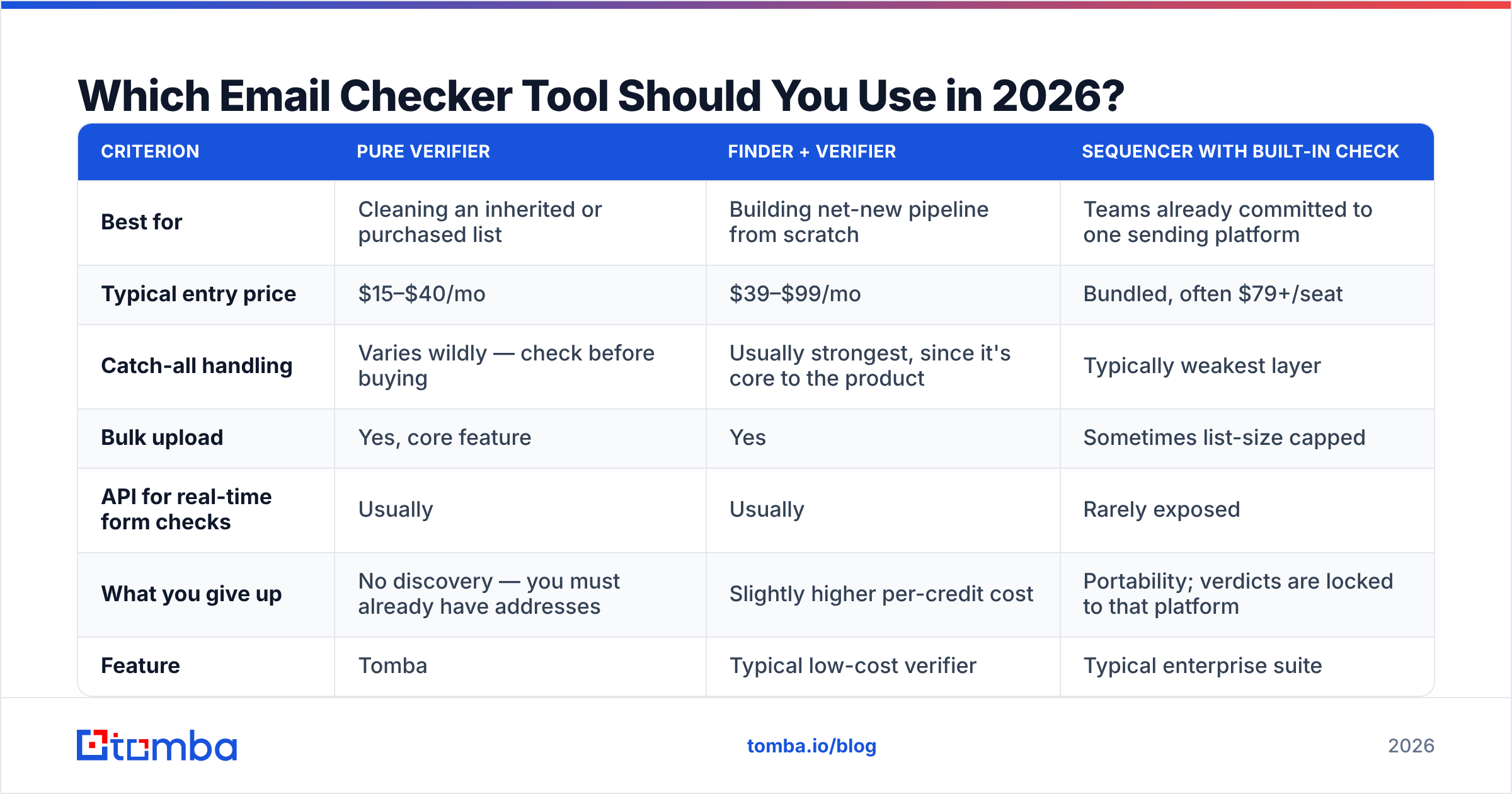
The market splits into three shapes, and picking the wrong shape is a more expensive mistake than picking the wrong vendor within a shape.
Pure verifiers take a list you already have and clean it. Finder-plus-verifier platforms discover addresses and check them in one pass. Suites bundle verification into a sequencer or CRM, where verification is a feature rather than the product.
| Criterion | Pure verifier | Finder + verifier | Sequencer with built-in check |
|---|---|---|---|
| Best for | Cleaning an inherited or purchased list | Building net-new pipeline from scratch | Teams already committed to one sending platform |
| Typical entry price | $15–$40/mo | $39–$99/mo | Bundled, often $79+/seat |
| Catch-all handling | Varies wildly — check before buying | Usually strongest, since it's core to the product | Typically weakest layer |
| Bulk upload | Yes, core feature | Yes | Sometimes list-size capped |
| API for real-time form checks | Usually | Usually | Rarely exposed |
| What you give up | No discovery — you must already have addresses | Slightly higher per-credit cost | Portability; verdicts are locked to that platform |
Within the finder-plus-verifier category, here's how the practical trade-offs line up:
| Feature | Tomba | Typical low-cost verifier | Typical enterprise suite |
|---|---|---|---|
| Free tier | 25 searches/mo | 100 one-time credits | Demo only |
| Entry paid plan | $49/mo (Starter) | $19–$29/mo | $500+/mo, annual |
| Mid tier | $99/mo (Growth) | $79/mo | Custom |
| Catch-all resolution | Dedicated catch-all verifier | Usually returns "unknown" | Varies by module |
| Finder + verifier in one | Yes | Verify only | Yes, plus CRM |
| API + CLI + Sheets/Excel | Yes | API only | API, enterprise onboarding |
| Bulk processing | Yes | Yes | Yes |
| Contract | Monthly, no lock-in | Monthly | Annual, typically |

If you want an independent read on any specific vendor, G2's email verification category is the least-bad public source — filter reviews to your company size, because a 10-person agency and a 2,000-seat sales org experience the same tool very differently.
What About Catch-All Domains?#
This is the single biggest quality separator, so it's worth being blunt about it.
A catch-all (or accept-all) domain is configured to accept mail for any address at that domain, then sort it internally or discard it. When your checker probes nonexistent-random-string@bigcorp.com and the server says 250 OK, the SMTP layer has told you nothing.
Around a fifth to a quarter of B2B domains behave this way, and they skew toward larger companies — which is to say, toward your best accounts. Three responses exist:
- Mark everything "unknown" and move on. Cheapest to build, most common in budget tools. You lose access to a quarter of the enterprise market.
- Mark everything "valid" and hope. Worst outcome. Inflates the vendor's coverage number while quietly destroying your sender reputation.
- Resolve it with secondary signals. Cross-reference pattern data across the domain, check whether the specific human exists, and look at whether that exact address has appeared in verified sources. This is what a dedicated catch-all verifier does, and it's the difference between "we can't tell you" and "yes, this person's mailbox is real."
When you demo tools, hand each one a list of 50 known catch-all domains and compare. The vendor that returns useful verdicts instead of a wall of "unknown" is doing real work.
When Should You Run the Check?#
Twice, at minimum. Verification is not a one-time cleanup — it's a state that decays.
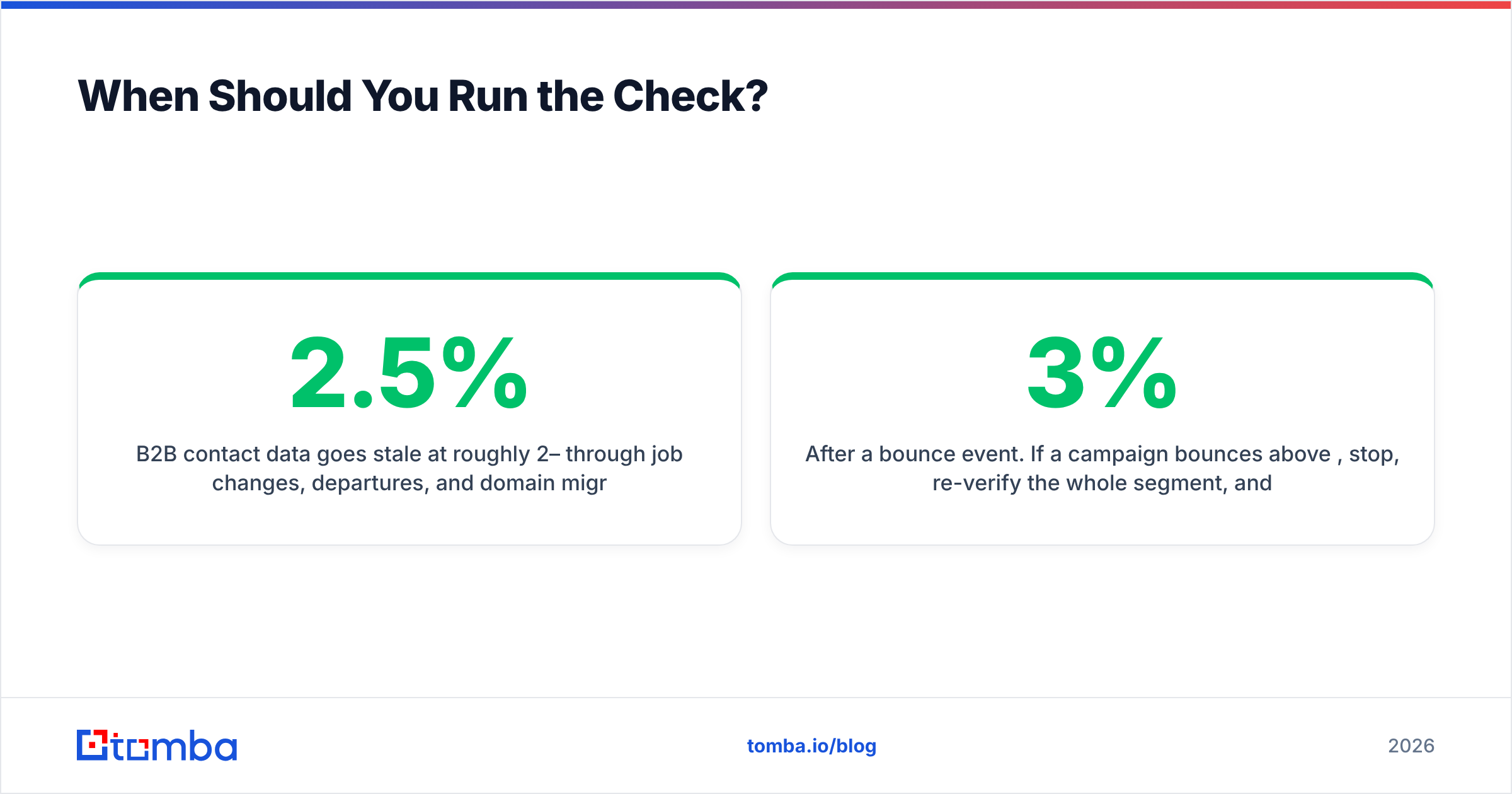
B2B contact data goes stale at roughly 2–2.5% per month through job changes, departures, and domain migrations. That compounds to somewhere near 25–30% annually. A list you verified in January is meaningfully wrong by April, and badly wrong by the following January.
The workflow that actually holds up:
- At capture. Real-time API check on your signup and demo-request forms. Blocks typos and disposable addresses before they enter the CRM. This is the highest-ROI integration point and the most commonly skipped.
- At enrichment. When you build a list via domain search or a scrape, verify in the same pass. Never let unverified rows touch a sequencer.
- Before every send. Re-verify anything older than 30 days. For high-value ABM lists, tighten that to 14.
- After a bounce event. If a campaign bounces above 3%, stop, re-verify the whole segment, and don't resume until you're under 2%.
That last threshold isn't arbitrary. Google's bulk sender requirements set a hard spam-complaint ceiling and expect authenticated, low-bounce sending. Blowing past it doesn't just hurt one campaign — it degrades every message from that domain for weeks.
How Much Should an Email Checker Tool Cost?#
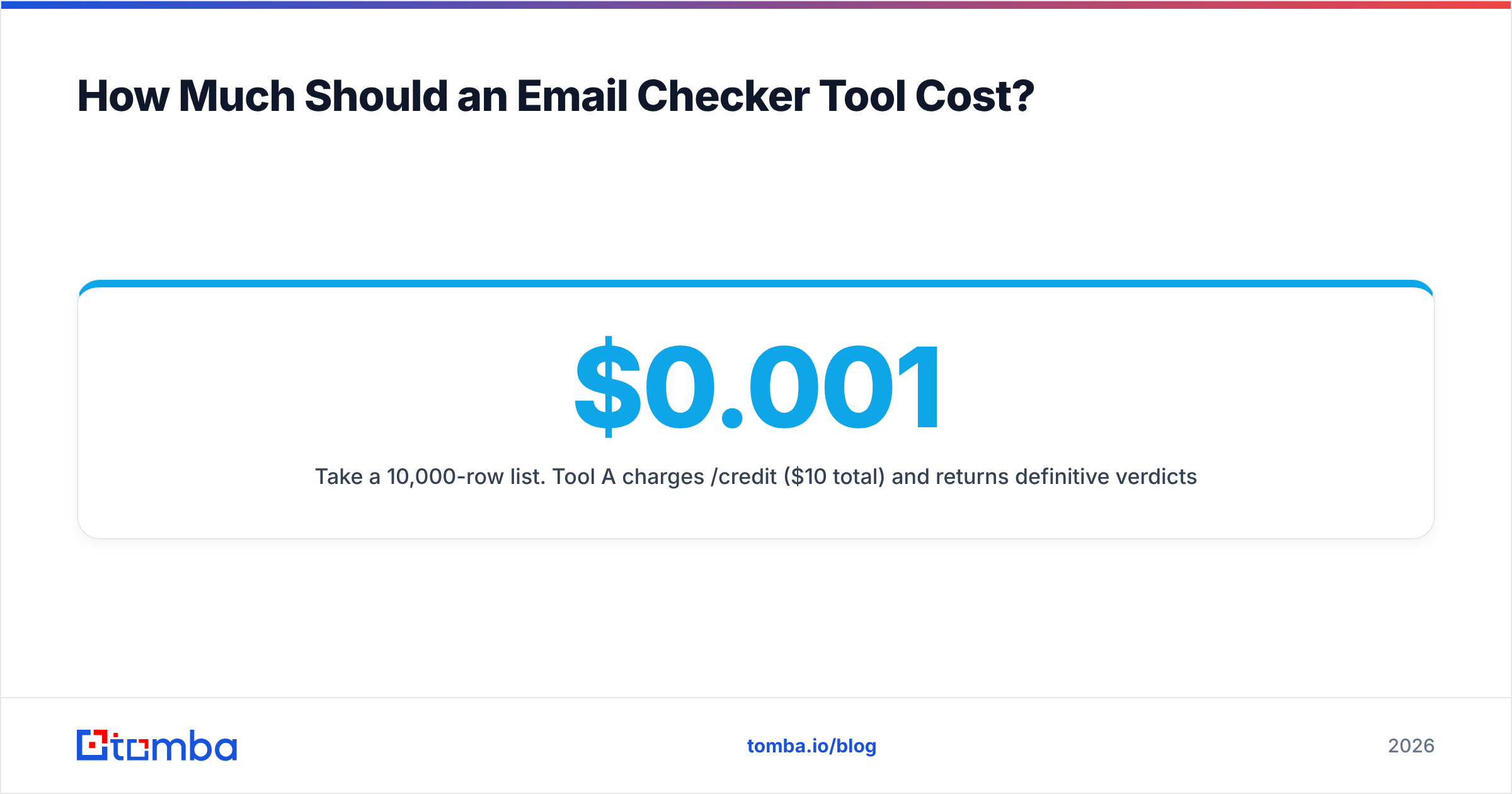
Compare cost per usable contact, not cost per credit. The math flips more often than you'd expect.
Take a 10,000-row list. Tool A charges $0.001/credit ($10 total) and returns definitive verdicts on 6,000 rows. Tool B charges $0.005/credit ($50 total) and resolves 9,200. Tool A's real cost is $0.0017 per usable contact; Tool B's is $0.0054. Tool B looks 5x more expensive and is only 3x more expensive per usable result — but it also handed you 3,200 additional reachable prospects that Tool A simply couldn't see. If a single one of those becomes a customer, the comparison stops being close.
Second variable: credit expiry. Monthly-expiring credits punish spiky workflows. If you build lists in bursts, prepaid credits that roll over are worth a premium over a subscription with use-it-or-lose-it allowances. Check the pricing details and the fine print on rollover before you commit — the difference between plans is usually rollover policy, not features.
Third: whether the checker is bundled with discovery. Paying separately for a finder and a verifier means two vendors, two APIs, two invoices, and a handoff where records get mangled. A single platform that runs email verification as part of the find operation removes an entire class of pipeline bug.
What Are the Most Common Mistakes?#
Treating "risky" as "valid." Risky means role account, catch-all-unresolved, or reputation-flagged. Sending to a bucket of risky addresses is how a warmed domain gets cold.
Verifying once and reusing the list for a year. Covered above. Decay is real and it is fast.
Skipping the free-tier bake-off. Every serious vendor offers free credits — Tomba's free tier is 25 searches per month, and most competitors offer something comparable. Running the same 200 rows through three tools costs nothing but an hour and settles the argument with data instead of landing-page copy.
Ignoring role accounts entirely. info@ and support@ are usually deliverable and usually useless for outbound — but they're genuinely useful for partnerships, vendor outreach, and support escalation. Classify them, don't blanket-delete them.
Verifying but not fixing the source. If 30% of a list bounces, the checker did its job and your data source didn't. Fix the input.
Where Does This Leave You?#
Pick your shape first: pure verifier if you're cleaning an inherited list, finder-plus-verifier if you're building pipeline from nothing. Then test on your own data — 500 rows with known outcomes, three vendors, free credits. Compare coverage and false-valid rate, not the accuracy number on the homepage. Then wire the winner into your form at capture, not just your list at send time.
If you're building lists rather than just cleaning them, start with the Tomba Email Finder. It resolves addresses by domain, name, or company and runs verification in the same pass, so what lands in your CRM is already checked instead of checked later. The free tier gives you 25 searches a month to run the bake-off described above, and paid plans start at $49/mo when you're ready to scale. Run it against a list you already know the answers to — that's the only benchmark that counts.
Related guides#
Ready to find emails that actually work?
Join 150,000+ professionals who stopped guessing and started sending. Free credits on signup — no credit card required.
Get the Tomba newsletter
Practical outbound tactics and product updates — once every two weeks.
About the author