Email Checker.net vs Wiza: Which Email Tool Wins in 2026?
One cleans lists, the other scrapes LinkedIn. Email Checker.net vs Wiza is not a fair fight until you know which job you're hiring for — here's the honest breakdown on accuracy, pricing, and fit.
TL;DR
- These tools do different jobs. Email Checker.net is a verification engine — you feed it addresses you already have. Wiza is a LinkedIn-native prospecting tool — it produces addresses you don't have yet.
- Pick Email Checker.net if your problem is a dirty list, a rising bounce rate, or a CRM full of stale contacts, and you want cheap pay-as-you-go credits with an API.
- Pick Wiza if your problem is "I have a Sales Navigator search and no contact data," and you're willing to pay roughly $83–$166/mo (annual billing) for LinkedIn-sourced emails plus mobile numbers.
- Neither covers both jobs well. Wiza's verification is bundled and opaque; Email Checker.net finds nothing on its own.
- If you want find + verify in one system, a domain-based finder with a built-in verifier (Tomba, from $49/mo) or a static database vendor like BookYourData usually beats stitching two single-purpose tools together.
What are you actually comparing here?#
Start with the honest framing: Email Checker.net vs Wiza is a comparison between a cleaner and a hunter. People search for it because both show up in the same "email tools" roundups on G2, but they sit at opposite ends of the outbound pipeline.
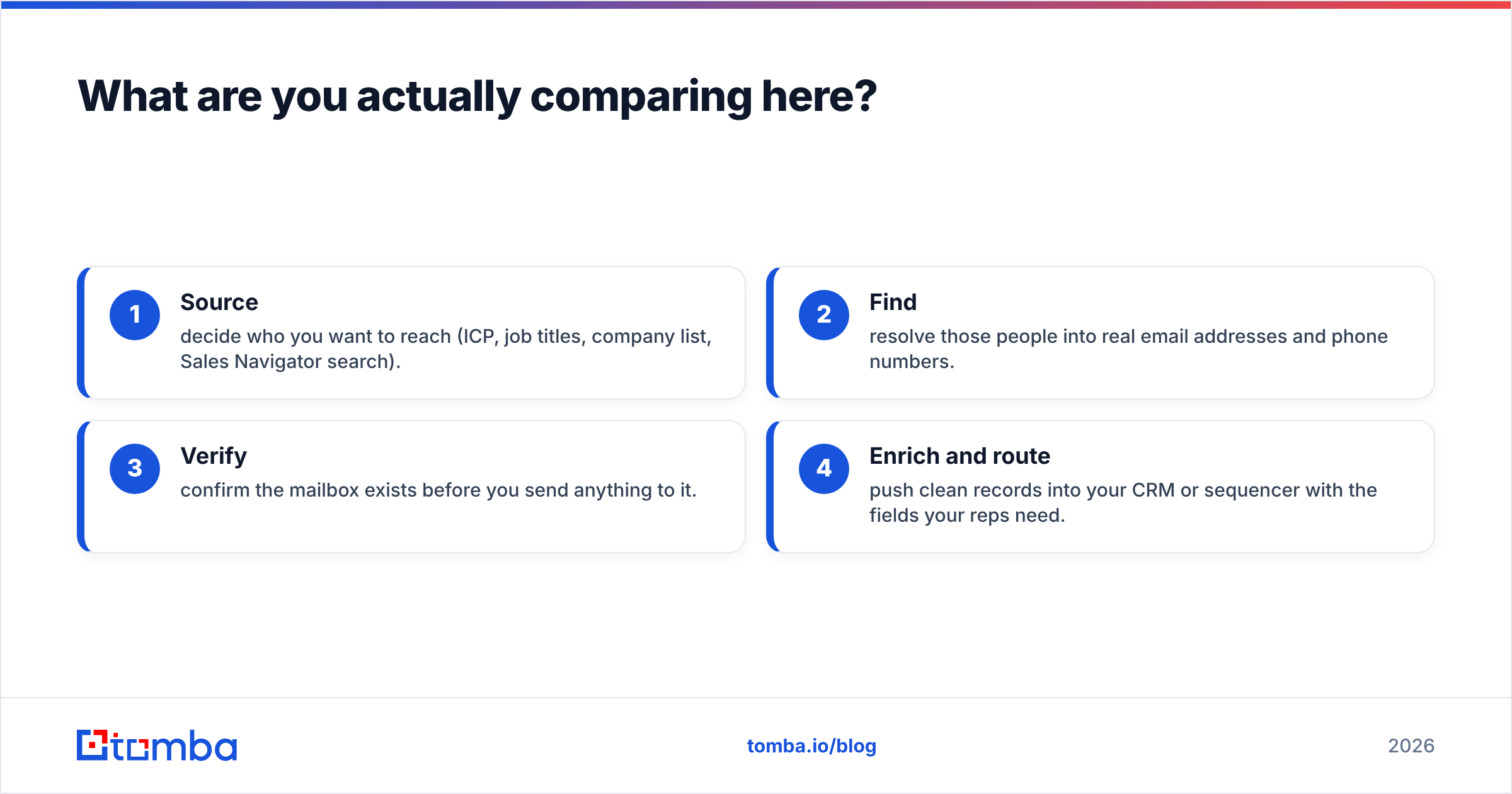
Your outbound data pipeline has four stages:
- Source — decide who you want to reach (ICP, job titles, company list, Sales Navigator search).
- Find — resolve those people into real email addresses and phone numbers.
- Verify — confirm the mailbox exists before you send anything to it.
- Enrich and route — push clean records into your CRM or sequencer with the fields your reps need.
Email Checker.net plays in stage 3. Wiza plays in stages 1–2 with a verification layer bolted on. If you buy one expecting it to do the other's job, you'll be disappointed in a predictable way.

What is Email Checker.net?#
Email Checker.net is a straightforward email verification service. You paste in a single address or upload a CSV, and it runs the standard validation stack: syntax check, domain and MX record lookup, disposable-domain detection, role-account flagging (info@, sales@, support@), and an SMTP-level mailbox probe where the receiving server allows it.
What it does well:
- Simple pricing model. Credits are bought in blocks rather than locked behind a monthly seat. If you verify 10,000 addresses this quarter and nothing next quarter, you don't pay for idle months.
- API access. There's a REST endpoint for real-time validation, which is the main reason developers reach for it — dropping a check on your signup form to block typos and disposables before they hit your database.
- No learning curve. Upload, wait, download. There is no dashboard to master.
Where it falls short:
- It generates nothing. No domain search, no name-to-email resolution, no LinkedIn integration. It's the last mile, not the road.
- Catch-all handling is a coin flip. Like most SMTP-based verifiers, it returns "unknown" or "accept-all" on domains configured to accept every address. On enterprise targets — Microsoft 365 tenants especially — that bucket can swallow 20–30% of a B2B list. Tools with a dedicated catch-all verifier resolve a meaningful share of those instead of shrugging.
- Thin enrichment. You get a validity verdict, not a job title, company size, or LinkedIn URL.
What is Wiza?#
Wiza is built around one workflow: turn a LinkedIn or Sales Navigator search into an exportable contact list. You install the Chrome extension, run a search, click export, and Wiza returns rows with names, titles, companies, work emails, personal emails, and — on higher tiers — mobile numbers.
What it does well:
- LinkedIn-native sourcing. If your ICP is defined by LinkedIn filters (headcount, seniority, region, technology), Wiza collapses hours of manual copy-paste into one export. That's real leverage.
- Phone numbers. Mobile data is the reason many teams pay the premium tier. Cold calling on top of email lifts reply rates, and Wiza bundles both.
- Only charges for valid emails. Wiza's credit model has historically not charged for addresses it can't validate, which is friendlier than vendors that bill you for every row of garbage.
Where it falls short:
- You're locked to LinkedIn as a source. If your target list starts as a spreadsheet of 4,000 domains from a trade association, a funding database, or your own site's traffic, Wiza has no natural entry point. A domain search tool does.
- Price scales fast. The email-only plan lands around $83/mo billed annually (higher month-to-month), and adding phone data roughly doubles it. For a two-person team testing outbound, that's a meaningful line item before a single reply arrives.
- Verification is a black box. You get "valid" or "risky" — not a reason code, not an SMTP response, not a catch-all classification you can audit.
- Personal emails carry compliance weight. Gmail and Yahoo addresses on B2B prospects raise GDPR and CAN-SPAM questions your legal team may not enjoy.
How do Email Checker.net and Wiza compare head-to-head?#

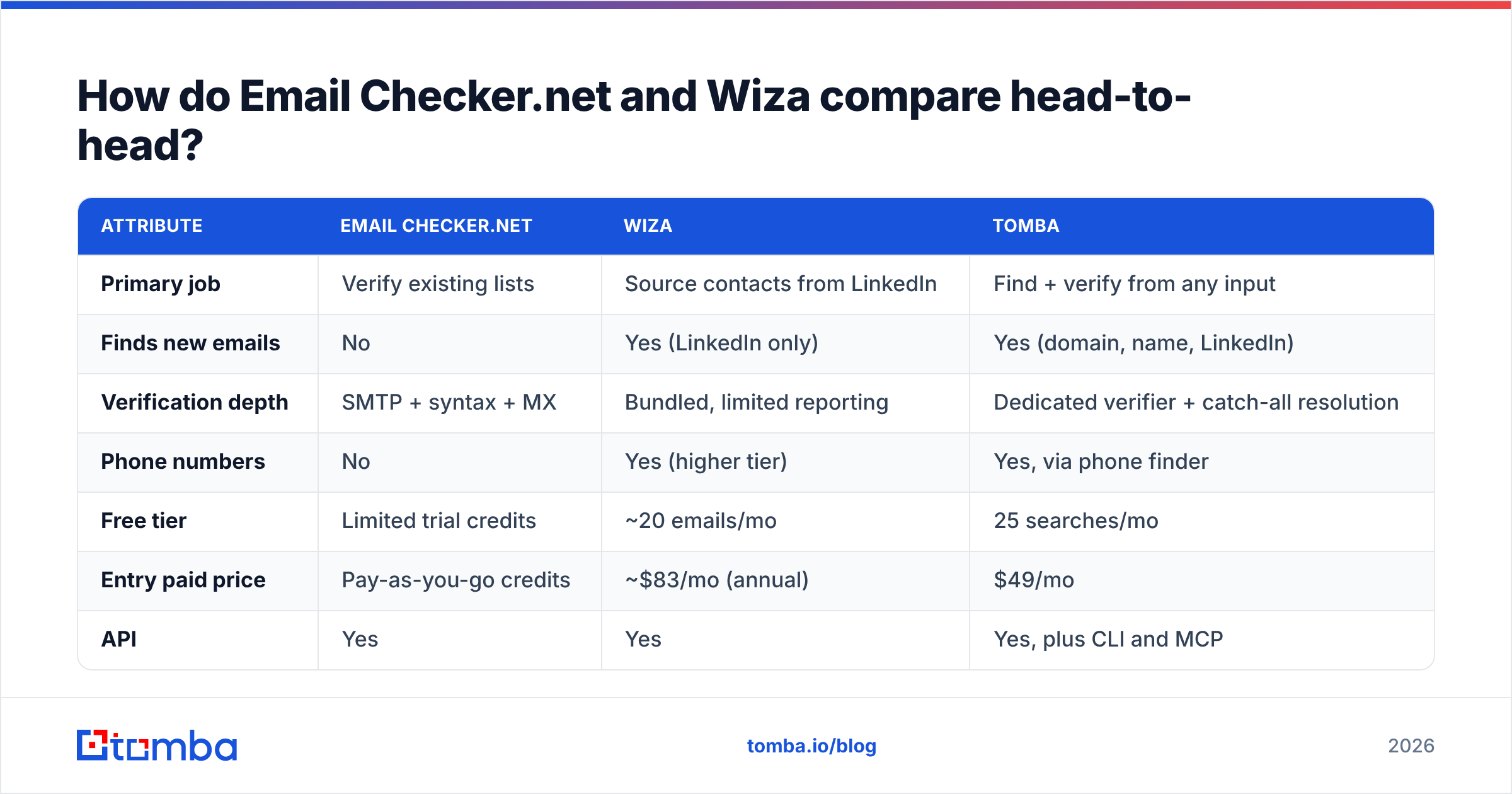
| Attribute | Email Checker.net | Wiza | Tomba |
|---|---|---|---|
| Primary job | Verify existing lists | Source contacts from LinkedIn | Find + verify from any input |
| Finds new emails | No | Yes (LinkedIn only) | Yes (domain, name, LinkedIn) |
| Verification depth | SMTP + syntax + MX | Bundled, limited reporting | Dedicated verifier + catch-all resolution |
| Phone numbers | No | Yes (higher tier) | Yes, via phone finder |
| Free tier | Limited trial credits | ~20 emails/mo | 25 searches/mo |
| Entry paid price | Pay-as-you-go credits | ~$83/mo (annual) | $49/mo |
| API | Yes | Yes | Yes, plus CLI and MCP |
| Bulk CSV workflow | Yes | Yes (export-first) | Yes |
| CRM integrations | Minimal | HubSpot, Salesforce, Outreach | HubSpot, Salesforce, Pipedrive, Zapier, Make |
| Best for | Cleaning what you own | LinkedIn-defined ICPs | Domain-defined ICPs at scale |
The pattern in that table is the whole article: Email Checker.net has one column of depth, Wiza has one column of reach, and neither has both. Prices are list rates at time of writing — check each vendor's page before you budget, since annual/monthly splits move.
Which one is more accurate?#
Accuracy is the wrong single question — ask about accuracy at which stage.
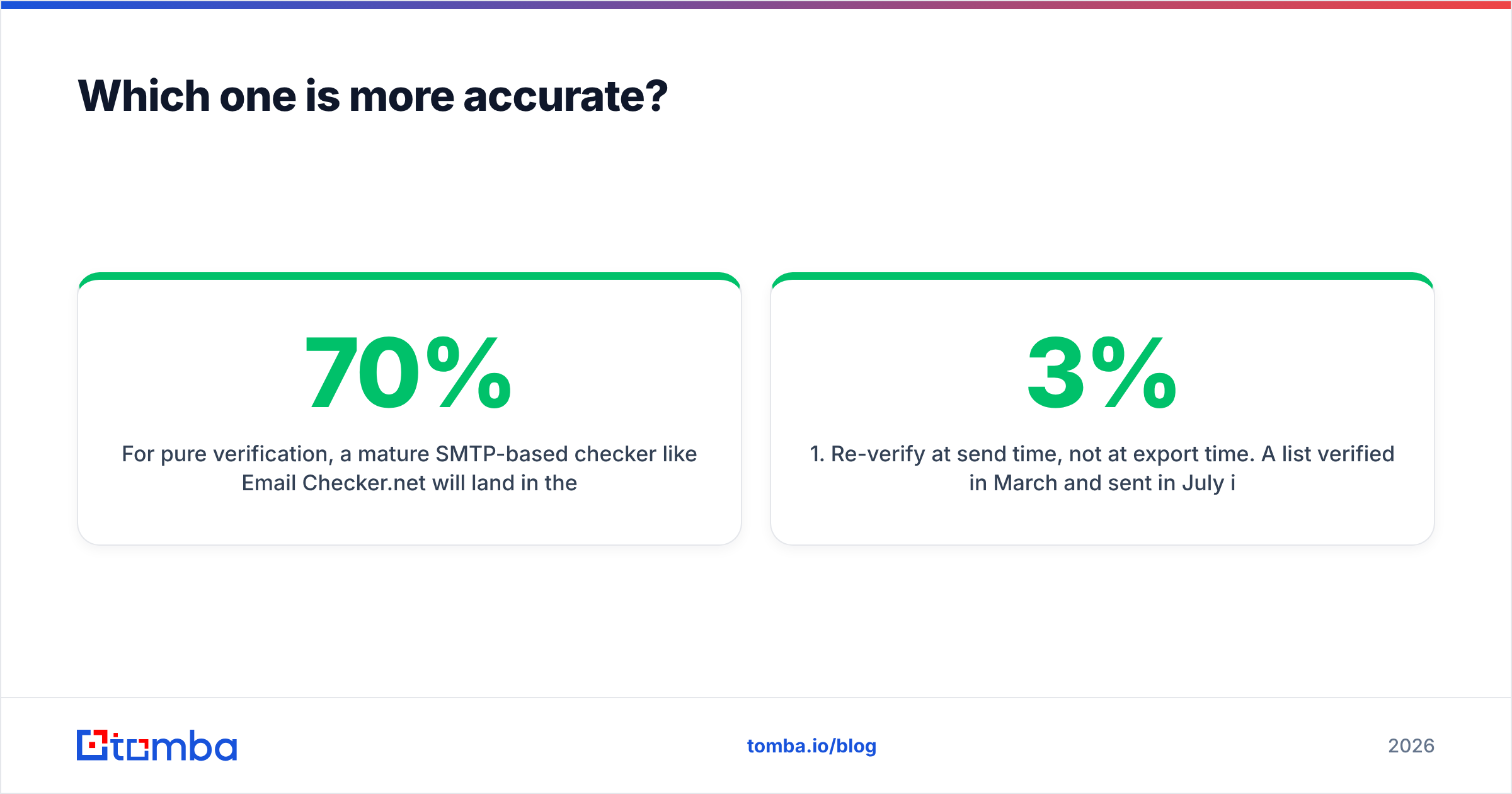
For pure verification, a mature SMTP-based checker like Email Checker.net will land in the same broad band as most competitors on ordinary domains: high-90s agreement with reality on Google Workspace and self-hosted mail, sharply worse on catch-all and greylisted servers. That's not a vendor weakness so much as a protocol limitation — the receiving server simply refuses to tell you the truth. The differentiator between verifiers isn't the easy 70% of a list; it's what they do with the hard 30%.

For finding, Wiza's accuracy depends on something Email Checker.net never touches: how good is the underlying source? LinkedIn profiles tell you a person's name, employer, and title. They do not contain the work email. So every LinkedIn-sourced email is either (a) pulled from a third-party data pool keyed to that profile, or (b) generated from the company's known email pattern and then validated. Both approaches work; both degrade when someone changed jobs six weeks ago and LinkedIn hasn't caught up.
That's the failure mode worth planning for: a "verified" address that belongs to a real mailbox at a company the prospect no longer works at. It passes SMTP. It bounces nothing. It also converts nothing, and it quietly poisons your reply-rate math.
Three habits that cut this risk regardless of vendor:
- Re-verify at send time, not at export time. A list verified in March and sent in July is a list you didn't verify. B2B email data decays roughly 2–3% per month.
- Treat "catch-all" as its own bucket. Don't send to it on your primary domain. Test it on a secondary domain first, or resolve it with a dedicated catch-all finder.
- Cross-check title and company against a second source. If your finder says VP of Engineering at Acme and their LinkedIn headline says something else, the record is stale — skip it.

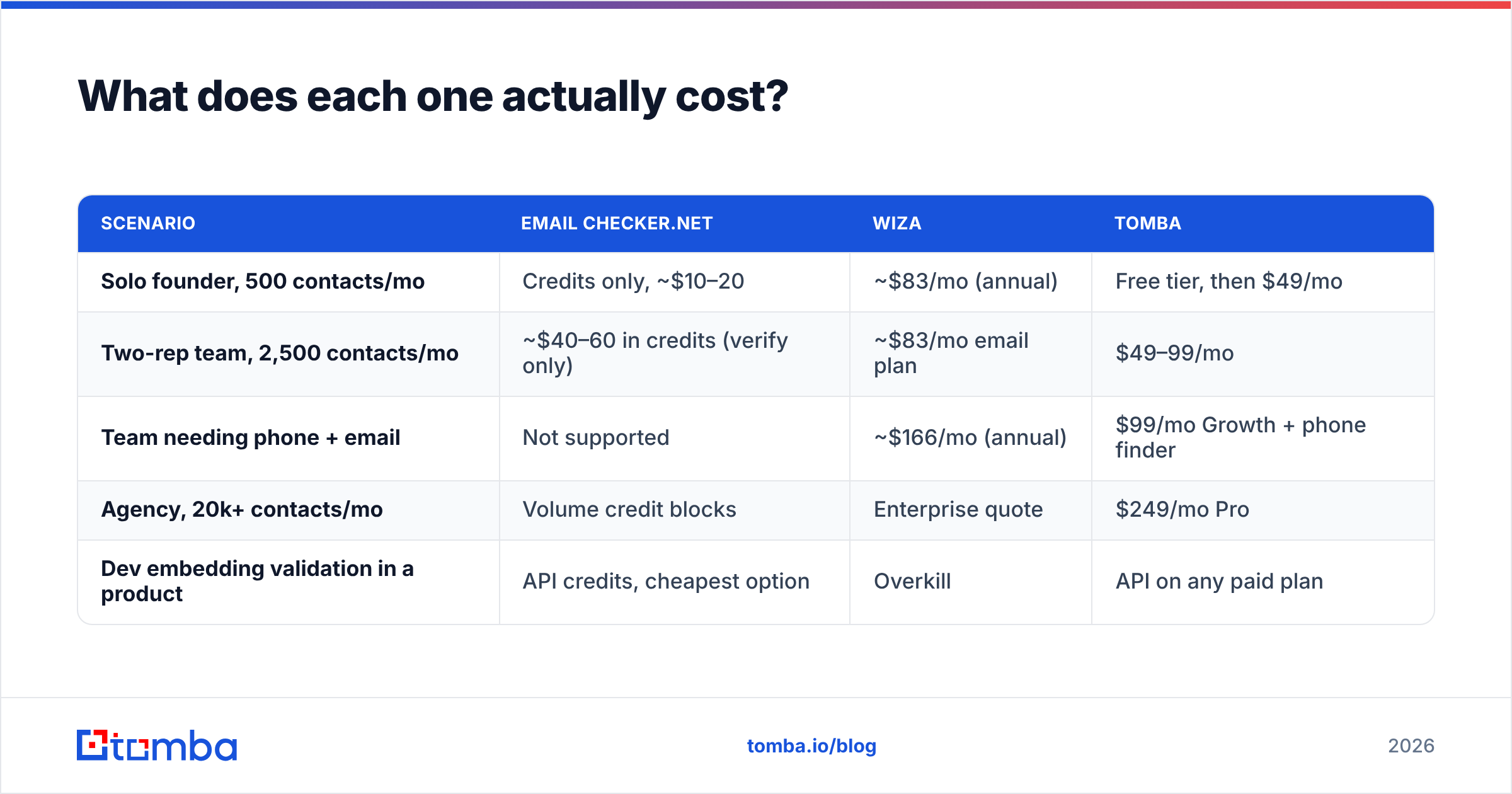
What does each one actually cost?#
| Scenario | Email Checker.net | Wiza | Tomba |
|---|---|---|---|
| Solo founder, 500 contacts/mo | Credits only, ~$10–20 | ~$83/mo (annual) | Free tier, then $49/mo |
| Two-rep team, 2,500 contacts/mo | ~$40–60 in credits (verify only) | ~$83/mo email plan | $49–99/mo |
| Team needing phone + email | Not supported | ~$166/mo (annual) | $99/mo Growth + phone finder |
| Agency, 20k+ contacts/mo | Volume credit blocks | Enterprise quote | $249/mo Pro |
| Dev embedding validation in a product | API credits, cheapest option | Overkill | API on any paid plan |
Two cost traps worth naming:
- The stacked-subscription trap. Teams that buy Wiza for finding and a separate verifier for cleaning often end up at $130–200/mo for a workflow one platform handles. Run the math before you renew both.
- The unused-seat trap. Credit-based pricing (Email Checker.net) rewards spiky usage. Seat-based monthly pricing (Wiza) punishes it. If your prospecting comes in quarterly bursts, that difference matters more than the headline rate. Tomba's pricing sits in between: a free tier at 25 searches/mo, $49/mo Starter, $99/mo Growth, $249/mo Pro, and custom Enterprise.
When should you pick Email Checker.net?#
Choose it when all of these are true:
- You already have the addresses. An event list, a webinar export, a legacy CRM segment, an inherited spreadsheet.
- Your bounce rate is the visible symptom. You're seeing 4%+ hard bounces and your sender reputation is starting to slip.
- You want zero commitment. Pay for what you verify, walk away when you're done.
- You're a developer. Real-time signup validation is arguably the single best use of this category — it prevents junk from entering your database instead of cleaning it up later.
Skip it if you expected it to build lists. It won't, and no amount of configuration changes that.
When should you pick Wiza?#
Choose it when:
- LinkedIn is genuinely your source of truth. Your ICP is expressed cleanly in Sales Navigator filters, and you already pay for Sales Navigator.
- You need mobile numbers alongside emails. Multi-channel sequences convert better than email-only, and buying phone data separately is usually more expensive.
- Your volume is steady. Monthly subscriptions punish irregular usage; if you're exporting every week, the per-contact economics improve fast.
- You want an export-to-sequencer path. Wiza's CRM and sequencer integrations are a real time saver versus manual CSV shuffling.
Skip it if your target lists start life as domains rather than profiles, or if personal-email compliance is a hard constraint in your market.
Is there a better option than either?#
Sometimes — depending on how your lists are defined.
If your ICP is domain-shaped, meaning you can produce a list of company websites, a finder that works from the domain outward is a better structural fit than a LinkedIn scraper. That's the case for Tomba's email finder: give it a domain and it returns the people, patterns, and verified addresses attached to it, with the email verifier running in the same system so you're not exporting to a second vendor. It also covers the LinkedIn path via the LinkedIn finder, which narrows Wiza's structural advantage considerably.
If you'd rather buy a static list than build one, BookYourData is a solid peer in that lane — a pre-built B2B database with an accuracy guarantee, which suits teams who want a one-time purchase and no per-search workflow at all. Different model, legitimately different buyer.
If you're purely a developer embedding validation in a product signup flow, honestly, Email Checker.net's credit API is hard to beat on cost. Don't over-buy a prospecting platform for that job.
Here's the decision in one line: find-then-verify in one platform if your lists start from domains; Wiza if they start from LinkedIn and you need phones; Email Checker.net if they're already in your CRM and just need cleaning.
What's the verdict on Email Checker.net vs Wiza?#
There's no overall winner, because there's no overall contest. Wiza wins the LinkedIn sourcing job outright — Email Checker.net doesn't compete there. Email Checker.net wins cheap, auditable, API-first verification — Wiza doesn't compete there either.
The mistake most teams make is buying one, discovering the gap, buying the other, and ending up with two subscriptions, two credit pools, and a CSV export step between them. If that's the road you're on, price a consolidated platform first. The switching cost is one afternoon; the savings compound monthly.
Ready to stop stitching tools together? Start with the Tomba Email Finder — find verified work emails from a domain, a name, or a LinkedIn profile, with verification and catch-all resolution built into the same workflow. The free tier gives you 25 searches a month with no card, and paid plans start at $49/mo. Run your next 100 prospects through it and compare the bounce rate against whatever you're using now.
Related guides#
Ready to find emails that actually work?
Join 150,000+ professionals who stopped guessing and started sending. Free credits on signup — no credit card required.
Get the Tomba newsletter
Practical outbound tactics and product updates — once every two weeks.
About the author