Email CRM Platforms in 2026: How to Pick the Right One
Email CRM platforms promise one inbox, one pipeline, one source of truth. Most deliver two out of three. Here's how the categories actually differ, what they cost, and which one fits your team.
TL;DR
- "Email CRM platform" covers three very different product categories: inbox-native CRMs, CRM-first suites with email bolted on, and sales-engagement tools that pretend to be CRMs. Picking the wrong category costs you more than picking the wrong vendor inside a category.
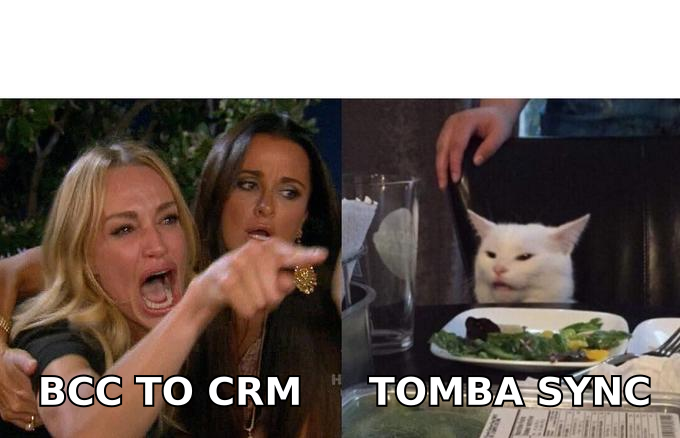
- Two-way sync depth is the single attribute that predicts whether reps actually adopt the system. BCC-to-CRM logging is not sync — it drops threads, misses replies, and creates duplicate contacts.
- Per-seat pricing ranges from roughly $15 to $165/user/month for the same nominal feature ("email + pipeline"). The spread is mostly automation limits and API access, not core CRM.
- Sending limits, not CRM features, are what break outbound teams. Most email CRM platforms cap daily sends per mailbox somewhere between 200 and 2,000 — check before you migrate.
- Your CRM is only as useful as the contact data in it. Bad or missing emails silently destroy pipeline reporting no matter which platform you buy.
What is an email CRM platform?#
An email CRM platform is any system that stores your customer records and owns (or deeply syncs with) the email conversations attached to those records. The pitch is simple: your rep sends an email, and the system logs it, links it to a deal, updates a stage, and triggers a follow-up — without anyone copying anything.
Think of it like a shared kitchen versus a shared fridge. A shared fridge (BCC logging) means everyone dumps their stuff in one place and hopes it's labeled. A shared kitchen (true two-way sync) means the tools, the ingredients, and the recipe live together and every action updates the same state.
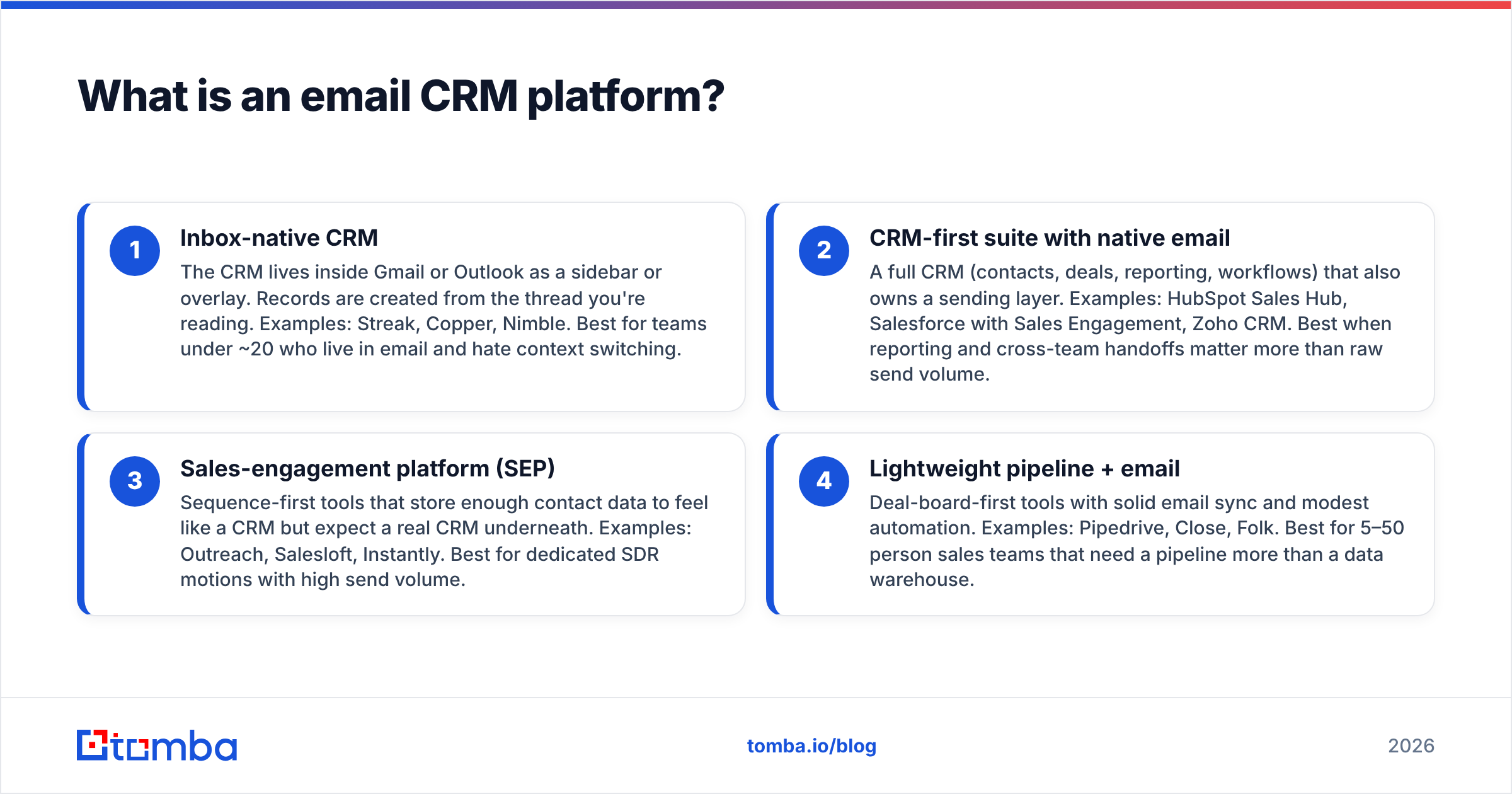
That distinction matters because vendors use the same words for wildly different plumbing. Here are the four architectures you'll actually encounter:
- Inbox-native CRM — The CRM lives inside Gmail or Outlook as a sidebar or overlay. Records are created from the thread you're reading. Examples: Streak, Copper, Nimble. Best for teams under ~20 who live in email and hate context switching.
- CRM-first suite with native email — A full CRM (contacts, deals, reporting, workflows) that also owns a sending layer. Examples: HubSpot Sales Hub, Salesforce with Sales Engagement, Zoho CRM. Best when reporting and cross-team handoffs matter more than raw send volume.
- Sales-engagement platform (SEP) — Sequence-first tools that store enough contact data to feel like a CRM but expect a real CRM underneath. Examples: Outreach, Salesloft, Instantly. Best for dedicated SDR motions with high send volume.
- Lightweight pipeline + email — Deal-board-first tools with solid email sync and modest automation. Examples: Pipedrive, Close, Folk. Best for 5–50 person sales teams that need a pipeline more than a data warehouse.
Most buying mistakes come from comparing a category-2 product against a category-3 product on price. They aren't substitutes. A $99/seat CRM-first suite and a $99/seat SEP solve different problems, and buying one when you needed the other is how you end up paying for both nine months later.
How do email CRM platforms actually differ?#
Six attributes explain nearly all the variance between products. Everything else is packaging.
Sync direction and depth. One-way (CRM writes to email) is common and nearly useless. Two-way means replies, forwards, calendar invites, and attachments flow back into the record automatically. Ask specifically: does a reply from a colleague's mailbox on a shared deal appear on the record? Many platforms say yes and mean "only if that colleague also has a paid seat."
Contact deduplication logic. When sarah@acme.com and s.jones@acme.com are the same person, does the platform merge them, flag them, or silently create two deals? This is where CRM hygiene lives or dies.
Sending infrastructure. Some platforms relay through your own Google Workspace or Microsoft 365 mailbox (better deliverability, lower limits). Others use shared sending infrastructure (higher throughput, more reputation risk). Neither is universally better, but you need to know which one you bought.
Automation ceilings. "Unlimited workflows" usually means unlimited definitions, not unlimited executions. Check the monthly execution cap and what happens when you hit it — throttled, billed, or stopped.
API and export terms. Can you get your data out in bulk, without a support ticket, on the plan you're paying for? Several mid-market CRMs gate API access to the top tier.
Enrichment source. Some platforms bundle contact data; some resell it; some have none. Bundled data is convenient and almost always thinner than a dedicated provider. If you're doing outbound at any scale you'll want a separate email finder feeding the CRM rather than relying on whatever the CRM ships with.
Which email CRM platforms compare best on price and features?#
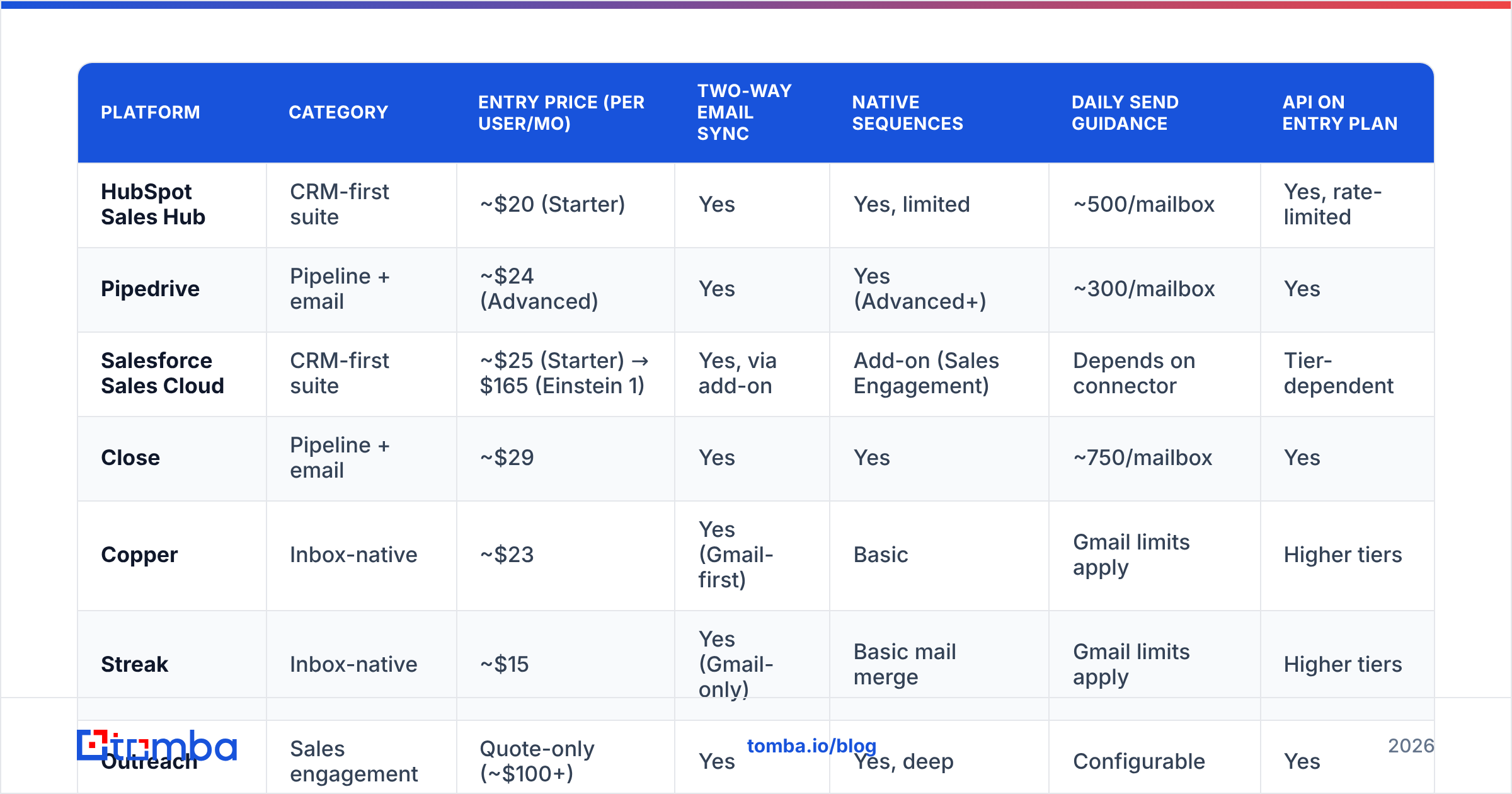
Pricing below reflects publicly listed monthly rates on annual billing as of mid-2026. Vendors change these constantly — treat it as a shape, not a quote, and confirm on the vendor's own page before you budget.
| Platform | Category | Entry price (per user/mo) | Two-way email sync | Native sequences | Daily send guidance | API on entry plan |
|---|---|---|---|---|---|---|
| HubSpot Sales Hub | CRM-first suite | ~$20 (Starter) | Yes | Yes, limited | ~500/mailbox | Yes, rate-limited |
| Pipedrive | Pipeline + email | ~$24 (Advanced) | Yes | Yes (Advanced+) | ~300/mailbox | Yes |
| Salesforce Sales Cloud | CRM-first suite | ~$25 (Starter) → $165 (Einstein 1) | Yes, via add-on | Add-on (Sales Engagement) | Depends on connector | Tier-dependent |
| Close | Pipeline + email | ~$29 | Yes | Yes | ~750/mailbox | Yes |
| Copper | Inbox-native | ~$23 | Yes (Gmail-first) | Basic | Gmail limits apply | Higher tiers |
| Streak | Inbox-native | ~$15 | Yes (Gmail-only) | Basic mail merge | Gmail limits apply | Higher tiers |
| Outreach | Sales engagement | Quote-only (~$100+) | Yes | Yes, deep | Configurable | Yes |
| Zoho CRM | CRM-first suite | ~$14 (Standard) | Yes | Yes (higher tiers) | ~250/mailbox | Yes |
Two things jump out of that table.
First, the entry prices cluster between $14 and $29 — but the usable configuration rarely sits at entry. Sequences on Pipedrive need Advanced. Sales Engagement on Salesforce is a separate SKU. HubSpot's Starter caps automation hard enough that most teams land on Professional, which is a different order of magnitude. Budget for the tier you'll be on in month six, not month one.
Second, send limits are the real constraint and they're rarely on the pricing page. A team of six SDRs each needing 150 touches a day will hit a 300/mailbox ceiling within a quarter, and no amount of CRM features fixes that.
Do you need a separate sales engagement tool?#
Probably yes if you run a dedicated SDR function, and probably no otherwise. Here's the honest split.
Buy an SEP on top of your CRM when: you have three or more full-time prospectors, you run multi-channel sequences (email + call + LinkedIn), you need A/B testing on step-level copy, or your compliance team requires per-message audit trails. The overhead of a second system is worth it because the alternative is bending the CRM into a shape it wasn't built for.
Skip the SEP when: your sellers are closers who send 15–40 emails a day, your motion is inbound-led, or your total sales headcount is under eight. In those cases a CRM-first suite's native sequencing is genuinely sufficient, and you avoid the sync-conflict tax of running two systems that both want to own the contact record.
The middle case — a small team doing real outbound — is where the specialist data-and-sending stack usually wins. You keep a lightweight CRM for pipeline, use a dedicated finder and email verifier for list quality, and route sends through a purpose-built sender. That combination typically costs less than one seat of an enterprise suite.
Worth noting: some of the best-performing outbound teams don't build lists in the CRM at all. They source from a specialist B2B database or a curated provider like BookYourData, verify, then push only qualified contacts into the CRM. Your CRM stays clean because unqualified records never enter it. That's a discipline decision more than a tooling one, but the tooling has to allow it — which means checking that your CRM's import API is available on your plan.
How do you evaluate an email CRM platform before buying?#
Run a two-week pilot with real data, not sandbox data. Score against these checks in order:
- Round-trip test. Send an email from the CRM, reply from an external mailbox, then reply again from a teammate's mailbox. Confirm all three messages land on the same record with correct timestamps. Half of "two-way sync" claims fail this.
- Duplicate stress test. Import 500 real contacts with deliberate near-duplicates (nickname variants, alias domains,
+tagaddresses). Count what the platform merges versus splits. - Automation ceiling test. Build one realistic workflow and check the execution counter after a week. Extrapolate to your full team size and see which tier that lands you on.
- Export test. Try to export everything on day 10 of the trial. If you can't, or if it requires a support ticket, treat that as a lock-in signal and price it in.
- Deliverability baseline. Check your sender reputation before and after two weeks of piloted sending. If a platform's shared infrastructure moves your numbers, you want to know during a trial, not after migration.
- Reporting fidelity. Pull the one report your VP actually looks at. If you can't reproduce it in the pilot, no amount of feature parity elsewhere matters.
Independent review sites are useful for step zero — narrowing the shortlist. G2's CRM category and HubSpot's own CRM documentation are reasonable starting points, though both skew toward vendors with large customer bases rather than best-fit-for-you.
What breaks after you migrate?#
Three things, predictably.
Data quality collapses at the seams. Migration is where duplicate contacts multiply and email addresses go stale in bulk. A contact record with a dead email is worse than no record — it inflates your total-addressable-market numbers and quietly tanks deliverability when someone runs a campaign against it. Run every imported list through bulk verification before the first send, not after.
Adoption stalls at the logging step. Reps will use a CRM for pipeline review and refuse to use it for email if the sending experience is worse than their native client. This is the single strongest argument for inbox-native or deeply-synced platforms: you cannot mandate your way past a bad compose window.
Reporting definitions drift. "Meeting booked" in the old system and "meeting booked" in the new one are rarely the same trigger. Write down the definitions before migration and audit them 30 days after. Otherwise your quarter-over-quarter comparison is fiction.
None of these are vendor-specific failures. They happen on every platform, which is why the migration plan matters roughly as much as the platform choice.
Which platform should you pick?#
Match the category to the motion, then pick within it:
- Under 10 people, email-heavy, no dedicated ops: inbox-native (Streak, Copper) or lightweight pipeline (Pipedrive, Close). Fastest time to value, lowest admin burden.
- 10–50 people, mixed inbound/outbound, some ops capacity: CRM-first suite at Professional tier. You'll want the workflow engine and the reporting.
- Dedicated SDR team, high volume: CRM-first suite plus a sales-engagement layer, with contact sourcing handled outside both.
- Technical team, API-driven GTM: lightweight CRM plus your own orchestration. The Tomba API and similar data endpoints let you build enrichment into your pipeline rather than paying a suite for a thinner version of it.
The one universal: whatever you choose, the platform is a container. It doesn't create contact data, doesn't validate it, and doesn't stop bad records from entering. That job sits upstream of every CRM on this list.
Getting the data layer right#
Before you sign anything, fix the input. A CRM full of guessed email addresses produces confident, wrong dashboards — and every downstream decision inherits the error.
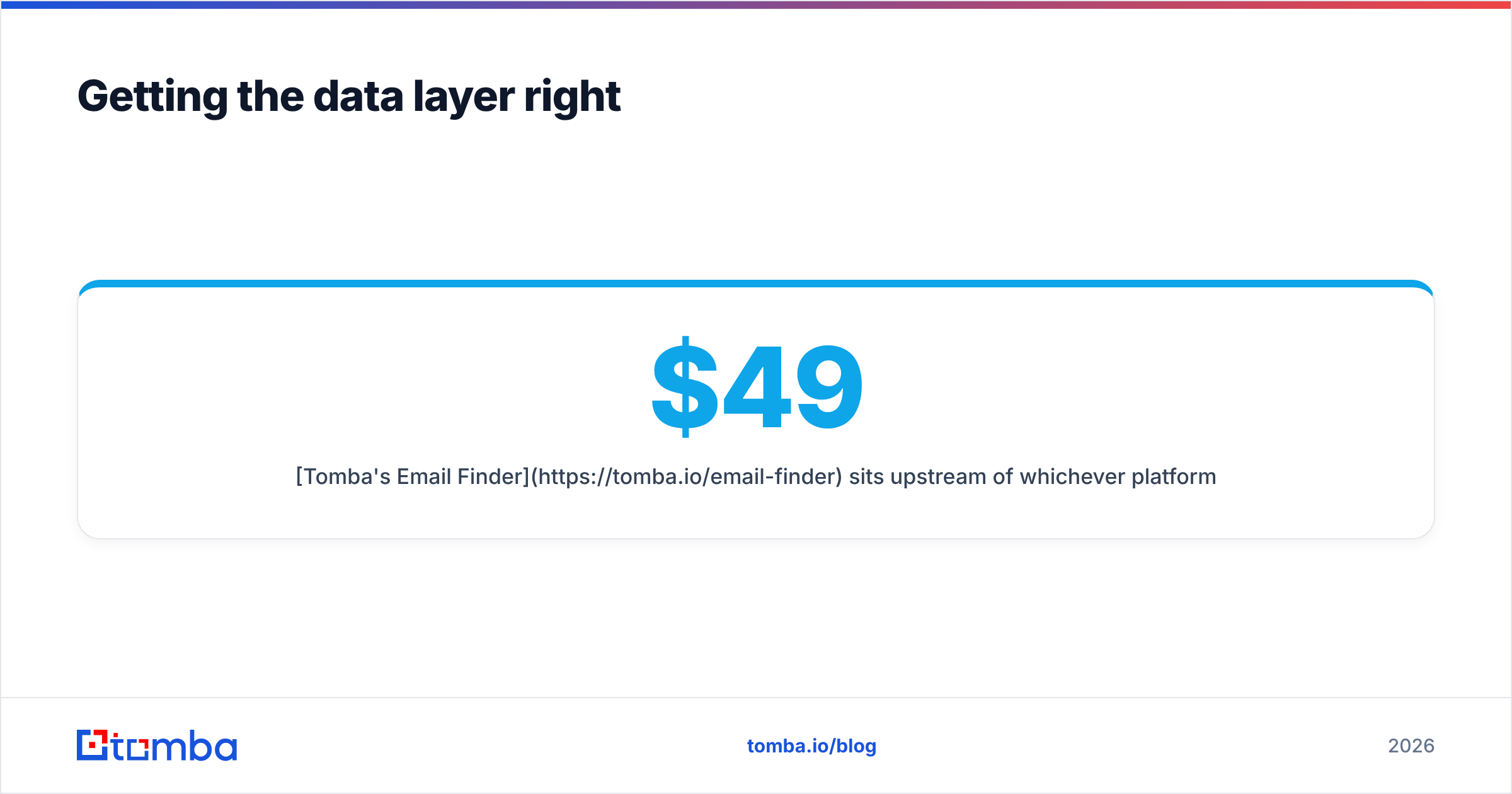
Tomba's Email Finder sits upstream of whichever platform you pick: find verified professional emails by domain, name, or company, verify them before they enter your CRM, and push clean records through the API, Chrome extension, or a Sheets sync. The free tier gives you 25 searches a month to test accuracy against your own known-good list; paid plans start at $49/mo (Starter), $99/mo (Growth), and $249/mo (Pro). Check current Tomba pricing for full credit allocations.
Pilot the CRM. Verify the data. In that order.
Related guides#
Ready to find emails that actually work?
Join 150,000+ professionals who stopped guessing and started sending. Free credits on signup — no credit card required.
Get the Tomba newsletter
Practical outbound tactics and product updates — once every two weeks.
About the author