Email Enrichment Tool: How to Pick the Right One in 2026
Most enrichment tools quietly bill you for guesses. Here is how coverage, verification, and credit rules actually differ across the main email enrichment tools in 2026.
TL;DR
- An email enrichment tool takes a partial record — a name, a domain, a LinkedIn URL, a phone number — and returns a usable business email plus the context around it. The output quality depends far more on verification policy than on database size.
- "95% accuracy" is a marketing number. What matters is the hit rate on your specific ICP and whether the vendor charges credits for unverified guesses.
- Waterfall enrichment (querying several providers in sequence) beats any single source on coverage, but it multiplies cost and latency. Most teams under 50 SDRs don't need it.
- Budget roughly $0.01–$0.10 per enriched contact. Anything below that is usually recycled scrape data; anything above usually bundles a sequencer you may not want.
- Pick on four things: credit policy on failed lookups, catch-all handling, API/CRM fit, and refresh cadence. Everything else is noise.
What is an email enrichment tool?#
An email enrichment tool is a lookup engine that turns thin records into complete ones. You give it what you already have — often just firstname lastname + company.com — and it returns the professional email address, and usually job title, seniority, company size, industry, LinkedIn profile, and sometimes a direct dial.
Think of it as a reverse phone book that also checks whether the line is still connected. The directory part is easy; anyone can scrape LinkedIn and guess first.last@domain.com. The connection check is the hard, expensive part, and it's where tools separate.
Enrichment happens in three practical modes:
- Single lookup — one contact at a time, usually through a Chrome extension or a search box. Good for account executives working named accounts.
- Bulk enrichment — you upload a CSV of 5,000 rows and get a completed file back. Standard for list-building and for cleaning an inherited CRM.
- API / real-time enrichment — a call fires when a form is submitted, a lead enters your CRM, or a workflow node runs in Make or Zapier. This is where enrichment stops being a chore and becomes infrastructure.
The distinction matters because vendors price these differently. A tool with a great extension may have a rate-limited API. A tool with an excellent API may make bulk uploads painful.
How does email enrichment actually work?#
Four mechanisms, usually stacked:
Pattern inference. The tool knows that stripe.com uses first@ and hubspot.com uses first.last@. Given a name, it constructs the candidate. This is cheap and covers a huge share of mid-market and enterprise domains. You can see the raw version of this logic with a company email pattern checker.
Crawled and licensed sources. Public web pages, press releases, GitHub commits, conference speaker lists, filings, author bylines. Real observed addresses beat inferred ones every time because someone actually published them.
SMTP verification. The tool opens a conversation with the receiving mail server and asks whether the mailbox exists — without sending anything. A clean 250 OK is the strongest signal available short of a delivered message.
Contributed and partner data. Some vendors run co-ops where users share their address books. Coverage jumps; freshness and compliance posture vary a lot. Ask any vendor directly where the data comes from — Tomba publishes its data sources, and you should expect the same transparency from anyone you evaluate.
The order matters. A tool that infers a pattern and ships it without SMTP verification is selling you a hypothesis at the price of a fact.

Why do enriched emails still bounce?#
Because enrichment and verification are separate jobs, and plenty of tools only do the first one.
Here's the failure chain in order of frequency:
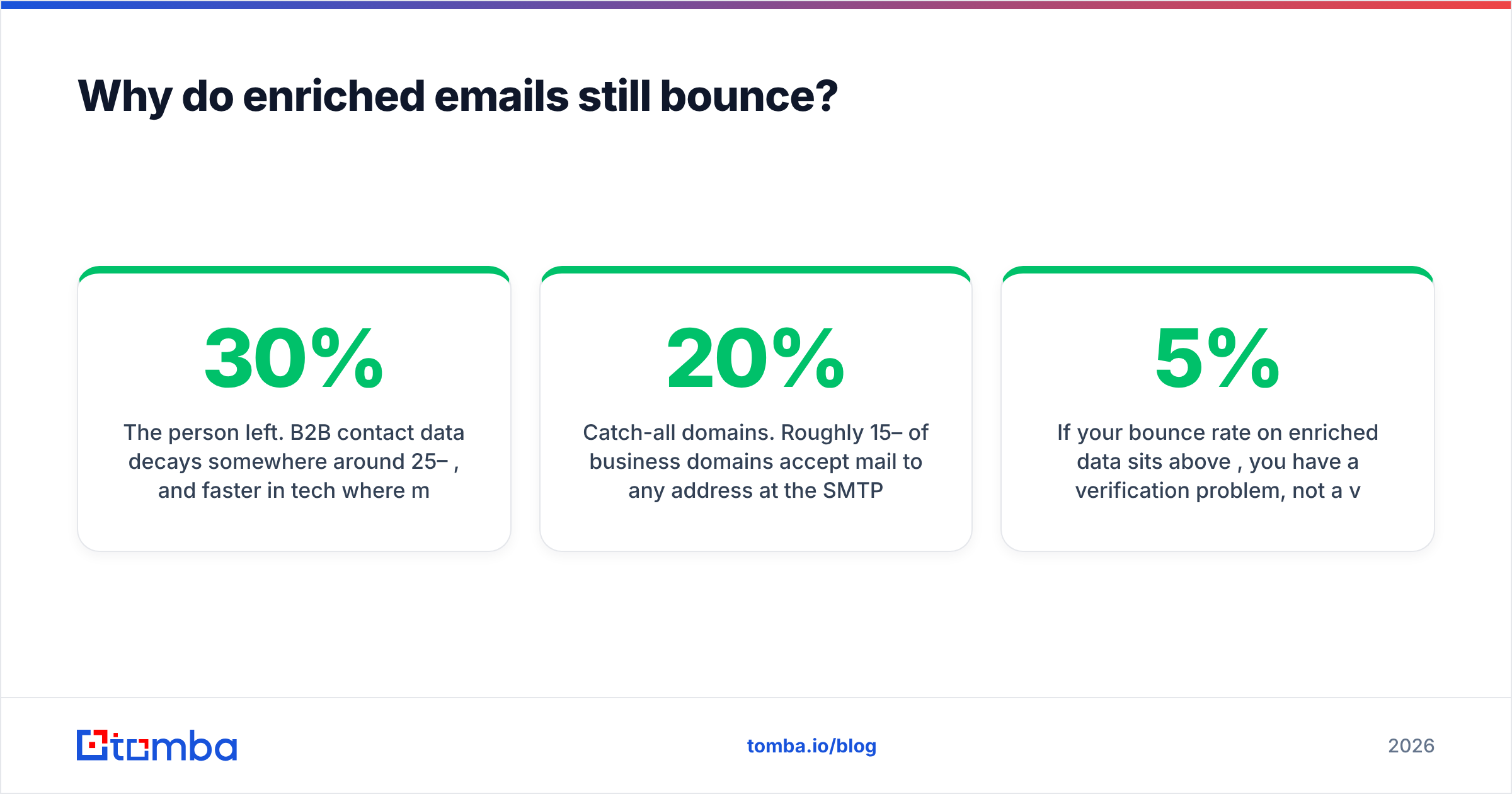
- The person left. B2B contact data decays somewhere around 25–30% per year, and faster in tech where median tenure is under three years. An address enriched in January can be dead by June. This is the single largest source of bounces on "accurate" data.
- Catch-all domains. Roughly 15–20% of business domains accept mail to any address at the SMTP layer, then bounce or silently discard it downstream. A naive verifier marks these "valid." A serious one flags them as risky and applies extra heuristics — that's the entire point of a catch-all verifier.
- Role addresses.
info@,sales@,support@. Technically deliverable, terrible for outbound, and they inflate a vendor's "valid" percentage. - Greylisting and rate limits. Some servers deliberately give ambiguous answers to protect against exactly this kind of probing. Good tools retry; lazy tools guess.
- Spam traps. Recycled addresses that mailbox providers reactivate as traps. Hitting them damages your sender reputation directly.
If your bounce rate on enriched data sits above 5%, you have a verification problem, not a volume problem. Google and Microsoft both tightened bulk-sender requirements in recent years, and the practical ceiling most teams now target is under 3%. Google's bulk sender guidelines spell out the spam-complaint thresholds that come with it.

Which email enrichment tool should you choose in 2026?#
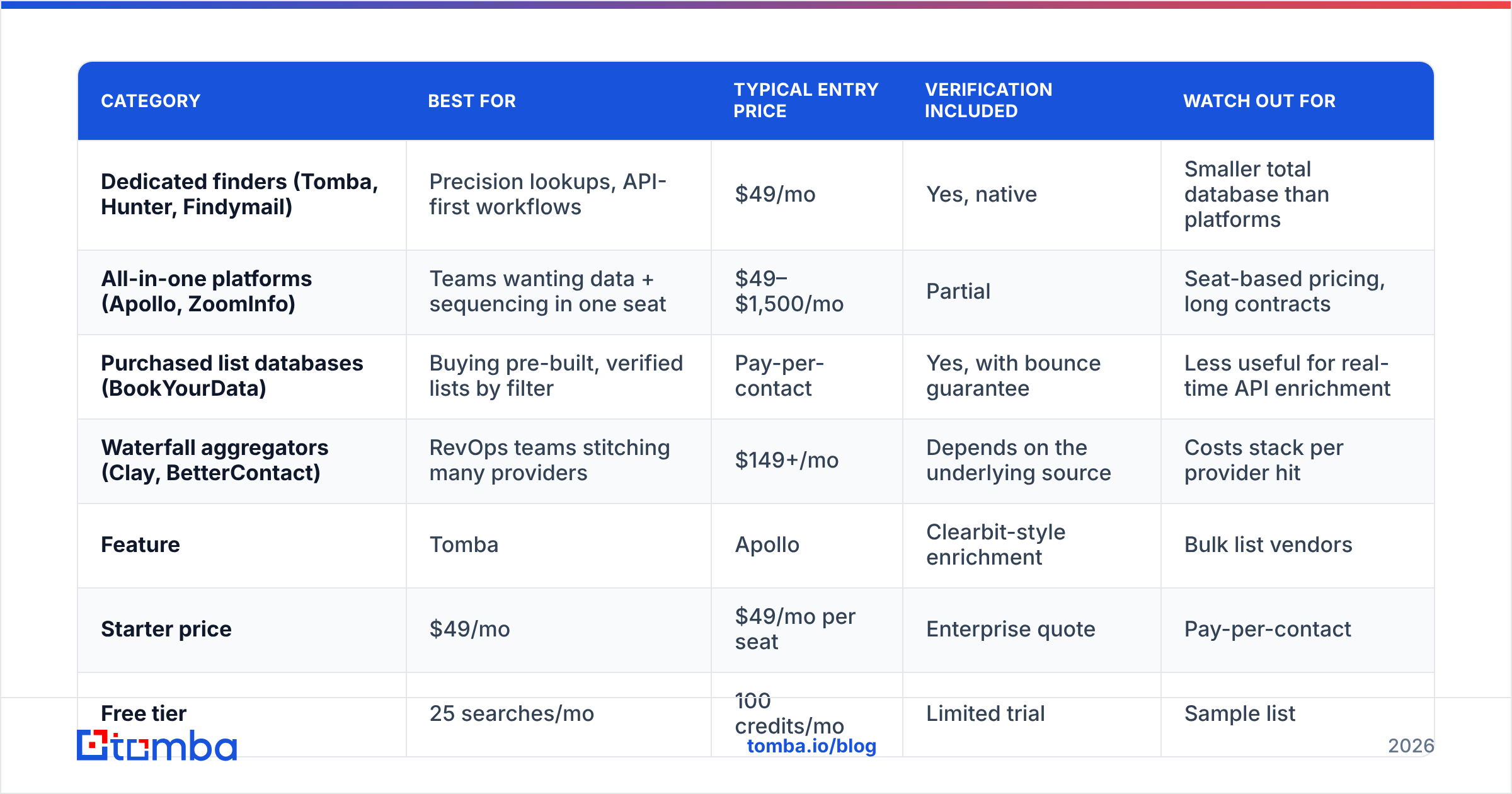
The market splits into four groups, and picking the wrong group costs more than picking the wrong vendor inside a group.
| Category | Best for | Typical entry price | Verification included | Watch out for |
|---|---|---|---|---|
| Dedicated finders (Tomba, Hunter, Findymail) | Precision lookups, API-first workflows | $49/mo | Yes, native | Smaller total database than platforms |
| All-in-one platforms (Apollo, ZoomInfo) | Teams wanting data + sequencing in one seat | $49–$1,500/mo | Partial | Seat-based pricing, long contracts |
| Purchased list databases (BookYourData) | Buying pre-built, verified lists by filter | Pay-per-contact | Yes, with bounce guarantee | Less useful for real-time API enrichment |
| Waterfall aggregators (Clay, BetterContact) | RevOps teams stitching many providers | $149+/mo | Depends on the underlying source | Costs stack per provider hit |
Now the head-to-head that most buyers actually run:
| Feature | Tomba | Apollo | Clearbit-style enrichment | Bulk list vendors |
|---|---|---|---|---|
| Starter price | $49/mo | $49/mo per seat | Enterprise quote | Pay-per-contact |
| Free tier | 25 searches/mo | 100 credits/mo | Limited trial | Sample list |
| Native email verification | Yes | Add-on quality varies | Yes | Yes, at list build |
| Catch-all handling | Dedicated verifier | Marked "risky" | Flagged | Excluded from lists |
| Domain-wide search | Yes | Yes | Partial | N/A |
| Public API | Yes, documented | Yes, rate-limited | Yes | Usually no |
| Credits charged on no-result | No | Varies by plan | Varies | N/A |
| Phone numbers | Yes, separate finder | Yes, bundled | Limited | Sometimes |
| Best fit | Precise, verified lookups at scale | Prospect + sequence in one tool | Inbound form enrichment | One-off campaign lists |
A few honest notes on that table. Apollo's database breadth is genuinely large and its sequencing is competent — if you want one tool and one bill, it's a reasonable answer. BookYourData plays a different game entirely: you're buying a filtered, pre-verified list with a bounce guarantee rather than renting a lookup engine, which suits a team running a single defined campaign more than a team enriching continuously. Clearbit-lineage enrichment (now inside HubSpot's ecosystem) is strongest on company firmographics fired from inbound forms, weaker as a person-level finder.
Tomba sits in the dedicated-finder group: Tomba pricing runs Free (25 searches/mo), Starter $49/mo, Growth $99/mo, Pro $249/mo, and Enterprise custom, with the email finder and email verifier sharing one credit pool and one API.

What should you evaluate before you sign?#
Run these six checks in a trial. They take an afternoon and they will save you a year of regret.
- Test on YOUR list, not a demo list. Pull 200 real prospects from your actual ICP — same industries, same company sizes, same regions. Vendor benchmarks are built on large US tech companies because that's where every database is strongest. If you sell to German manufacturers or Brazilian logistics firms, coverage can halve.
- Check the credit policy on misses. Some tools charge a credit whether or not they return a result. On a 10,000-row upload with a 65% hit rate, that's 3,500 credits burned on nothing. Get the answer in writing.
- Send a real test batch. Take 500 enriched addresses and mail them from a warmed, separate domain. The actual bounce rate is the only accuracy metric that isn't marketing. Compare it to the vendor's claim.
- Read the API docs before buying. Rate limits, batch endpoints, webhook support, and error semantics decide whether enrichment can be automated or stays manual forever. Skim the Tomba API docs or your shortlisted vendor's equivalent — if the docs are thin, the integration will be too.
- Confirm refresh cadence. Ask how often records are re-verified. "Continuously" is a non-answer. You want a number: every 30 days, every 90 days, on-request.
- Check compliance paperwork. GDPR lawful basis, CCPA opt-out handling, suppression list support, DPA availability. In the EU this is not optional, and "we're just a search engine" is not a defense your legal team will accept.
Two soft signals worth weighting: does the vendor publish where its data comes from, and does it let you verify a sample before paying? Vendors confident in their data make both easy. Third-party review sites like G2 are useful for spotting billing and support complaints that never appear in a demo, though treat headline scores with the skepticism any incentivized review system deserves.

How do you build an enrichment workflow that stays clean?#
Tools are the easy part. The workflow is what decays.
Enrich at the point of capture, not in batches. When a lead hits your CRM — from a form, a webinar, a website visitor reveal — fire the enrichment call immediately. Data is freshest at the moment of intent, and you avoid the quarterly panic of a 40,000-row cleanup. Wire this through your HubSpot integration or a Zapier/Make node so it happens without anyone remembering to do it.
Separate "found" from "verified" in your schema. Two fields, not one: email and email_status (valid / catch-all / risky / unknown). Suppress everything that isn't valid from cold sequences. Route catch-alls to LinkedIn or phone instead — a phone finder lookup on a catch-all account is usually a better use of the record than a hopeful send.
Re-verify before every campaign, not after. Verification is cheap; a burned domain is not. Run the list through bulk verify 24–48 hours before launch. Data that passed in March is not data that passes in July.
Track hit rate by segment. Log enrichment success per industry, company size, and country. Within two months you'll know exactly where your provider is weak, and you can route those segments to a second source instead of paying for blanket waterfall coverage you only need on 20% of records.
Set a decay policy. Any contact untouched for 12 months gets re-enriched or archived. Without this rule, your CRM slowly becomes a museum, and your email deliverability pays the bill.
Is a waterfall enrichment setup worth it?#
Sometimes — but later than most people think.
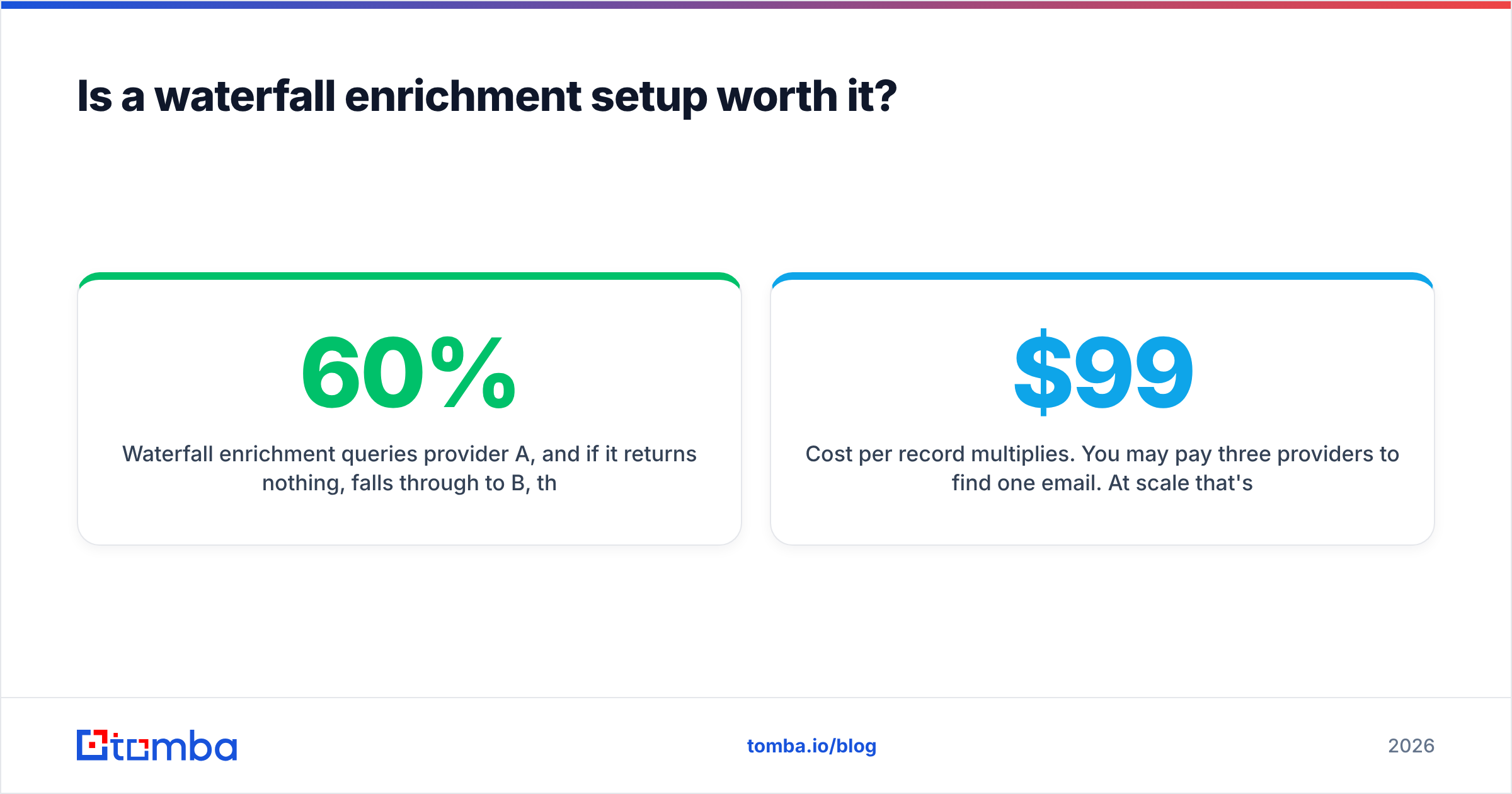
Waterfall enrichment queries provider A, and if it returns nothing, falls through to B, then C, then D. Coverage on a hard ICP can climb from roughly 60% to 85%+. That's real. The costs are also real:
- Cost per record multiplies. You may pay three providers to find one email. At scale that's the difference between a $99 and a $900 monthly bill.
- Latency stacks. Three sequential API calls can push a real-time form enrichment past the point where it's still real-time.
- Quality becomes uneven. Your fallback provider is, by definition, the one you trusted least. Mixed-provenance data needs a unified verification pass on the output or your bounce rate creeps up regardless.
The honest rule: start with one good provider plus native verification. Measure your hit rate by segment for 60 days. Add a second source only for the segments that measurably underperform. Teams that buy a waterfall on day one usually pay 4x for a 10-point coverage gain they could have had for 1.2x.
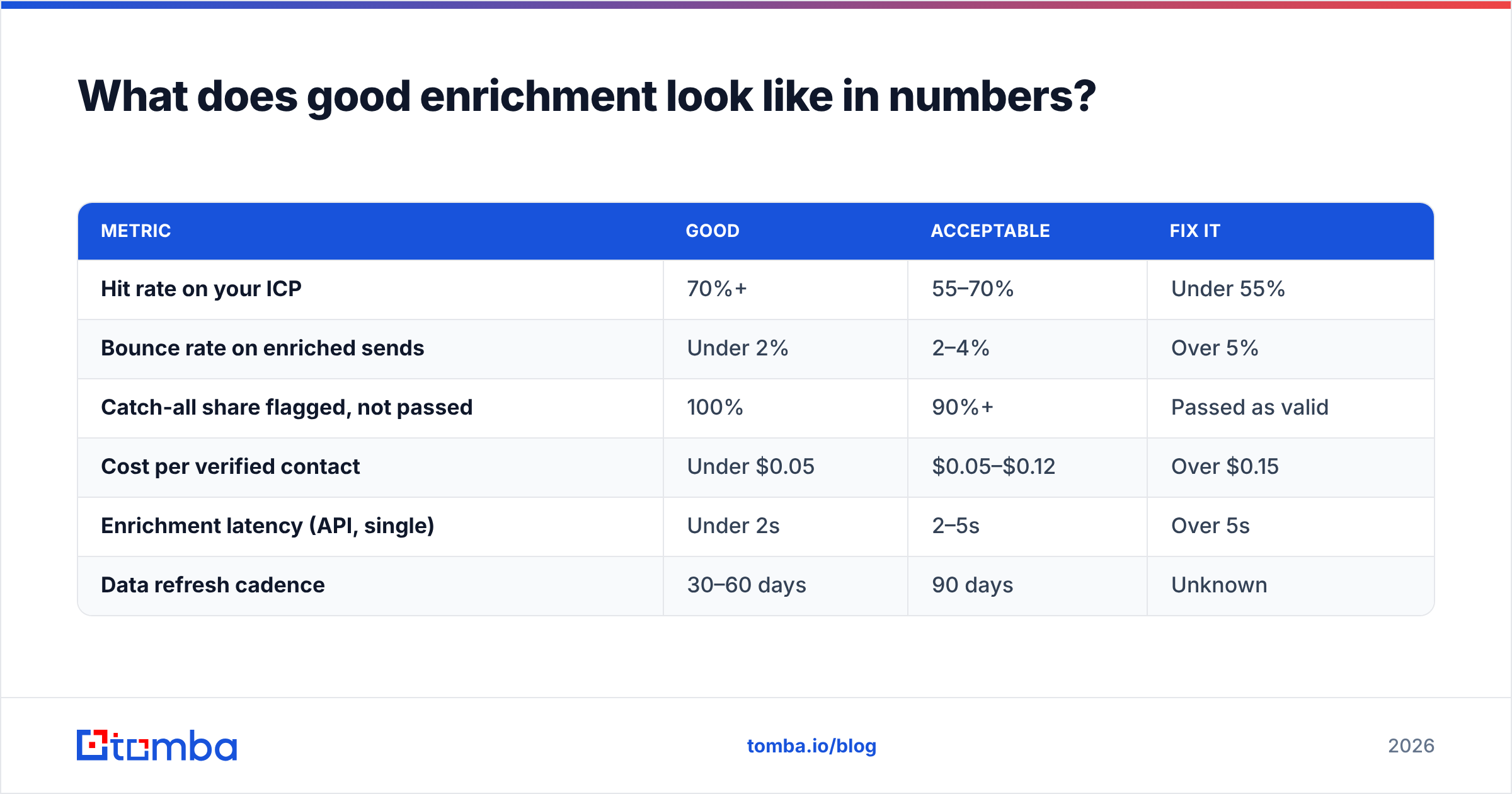
What does good enrichment look like in numbers?#
Benchmarks to hold your vendor against, based on what well-run outbound teams typically see:
| Metric | Good | Acceptable | Fix it |
|---|---|---|---|
| Hit rate on your ICP | 70%+ | 55–70% | Under 55% |
| Bounce rate on enriched sends | Under 2% | 2–4% | Over 5% |
| Catch-all share flagged, not passed | 100% | 90%+ | Passed as valid |
| Cost per verified contact | Under $0.05 | $0.05–$0.12 | Over $0.15 |
| Enrichment latency (API, single) | Under 2s | 2–5s | Over 5s |
| Data refresh cadence | 30–60 days | 90 days | Unknown |
If a vendor can't tell you where they land on four of those six, that's your answer.
Where should you start?#
Start narrow. Pick 200 accounts you genuinely want, enrich them properly, verify them, and send. A precisely enriched list of 200 outperforms a sloppy list of 5,000 on reply rate, on domain health, and on the amount of time your reps spend apologizing to the wrong people.
If you want a tool that finds the address and proves it's real in the same workflow, Tomba Email Finder is built for exactly that: name-and-domain lookups, domain-wide search, catch-all handling, and native verification sharing one credit pool and one API. Free tier gives you 25 searches a month — enough to run the 200-account test above and see your own hit rate before you spend anything.
Related guides#
Ready to find emails that actually work?
Join 150,000+ professionals who stopped guessing and started sending. Free credits on signup — no credit card required.
Get the Tomba newsletter
Practical outbound tactics and product updates — once every two weeks.
About the author