Email Finder By Name: How to Find Anyone's Work Email in 2026
You have a name and a company. You need a verified work email. Here's exactly how name-based email lookup works, which tools hit the highest accuracy in 2026, and when the method quietly fails.
TL;DR
- An email finder by name takes a first name, last name, and company domain and returns the most likely work email — then verifies it before handing it to you. The name alone is never enough; the domain is what makes it work.
- Accuracy is a two-part number: hit rate (did it return anything?) and bounce rate (was what it returned real?). Vendors advertise the first and stay quiet about the second.
- Pattern guessing gets you ~60-70% of the way. Real finders add crawled sources, historical records, and SMTP verification on top.
- Expect 70-85% hit rate on mid-market and enterprise domains, and a sharp drop on companies under 20 employees, catch-all domains, and personal-brand consultancies.
- Never send to an unverified name-based guess. One 8% bounce campaign can cost you more inbox placement than the leads are worth.
What is an email finder by name?#
An email finder by name is a lookup tool that converts a person's name plus a company identifier into a deliverable work email address. You give it Sarah Chen and stripe.com. It returns sarah.chen@stripe.com with a confidence score and, on good tools, an SMTP verification result.
Think of it like a phone directory that was never printed. The information exists — it's scattered across press releases, GitHub commits, conference speaker pages, SEC filings, WHOIS records, and public web pages — but nobody indexed it into one place. An email finder does that indexing, then adds pattern inference to fill the gaps.
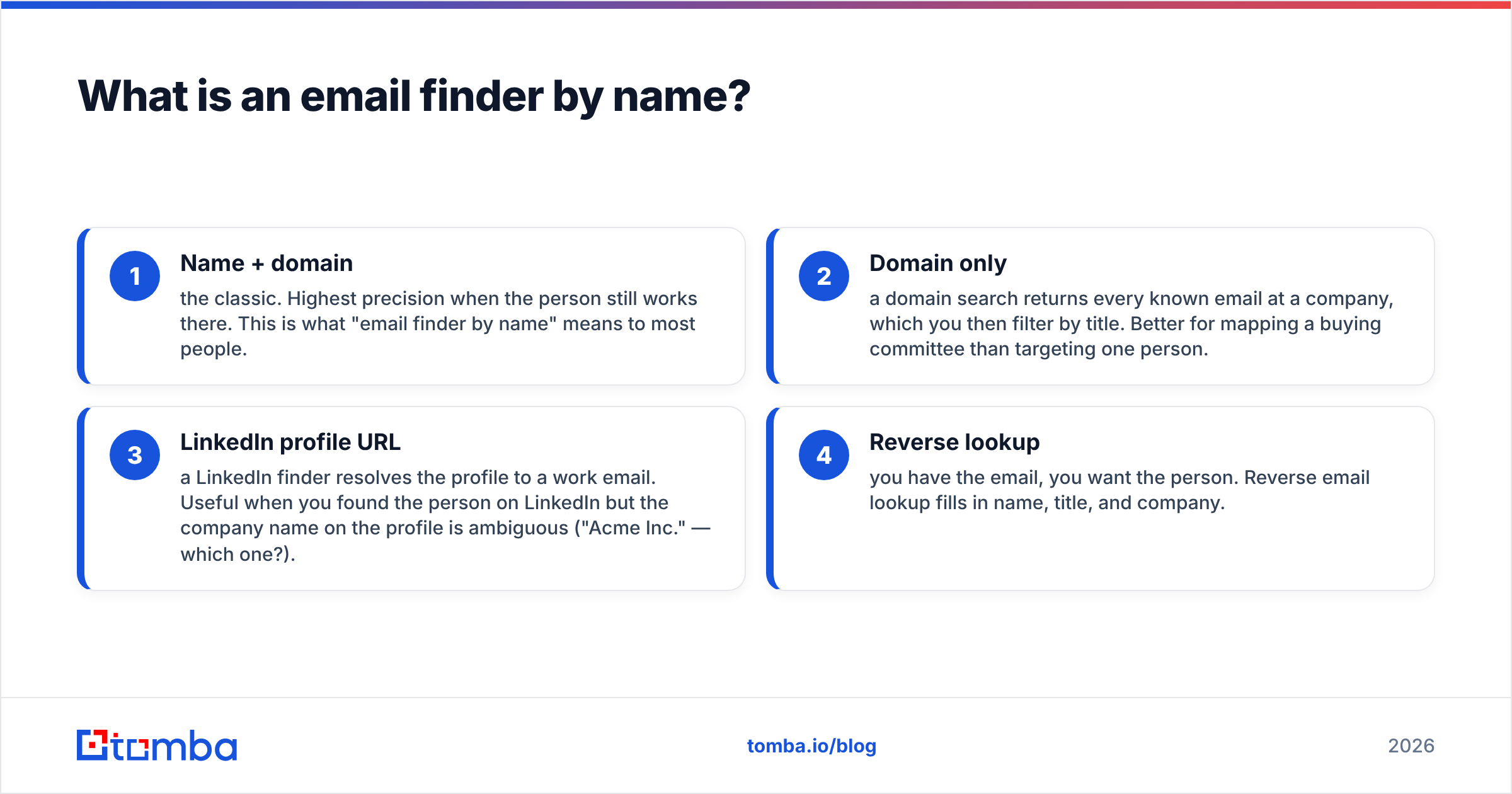
The name-based lookup is one of four common entry points into the same underlying data:
- Name + domain — the classic. Highest precision when the person still works there. This is what "email finder by name" means to most people.
- Domain only — a domain search returns every known email at a company, which you then filter by title. Better for mapping a buying committee than targeting one person.
- LinkedIn profile URL — a LinkedIn finder resolves the profile to a work email. Useful when you found the person on LinkedIn but the company name on the profile is ambiguous ("Acme Inc." — which one?).
- Reverse lookup — you have the email, you want the person. Reverse email lookup fills in name, title, and company.
Most teams end up using two or three of these in the same workflow. The name-based path is the one that fails most predictably, which is actually good news — you can plan around a predictable failure.
How does name-to-email lookup actually work?#
Four mechanisms run underneath, usually in this order:
Pattern inference. Roughly 70% of companies use one of eight formats: first.last@, flast@, firstl@, first@, f.last@, firstlast@, first_last@, or last.first@. If a tool already knows two verified emails at acme.com and both are first.last, it applies that pattern to your target name with high confidence. You can inspect a specific company's format with a company email pattern check before you commit budget to a list.
Crawled evidence. Real addresses published on the open web — author bylines, support pages, PDF whitepapers, job postings, conference agendas, open-source commit metadata. A crawled address that literally exists somewhere beats an inferred one every time. This is why the best result a finder can return is "found," not "generated."
Historical databases. Aggregated records from previous verifications, opt-in data partners, and public filings. This is where coverage comes from at scale, and also where staleness creeps in — a record from 2023 says nothing about whether Sarah is still at Stripe in 2026.
SMTP verification. The finder opens a conversation with the receiving mail server and asks, without sending anything, whether the mailbox exists. This is the step that separates a guess from an answer. If a tool skips it, you're buying a permutation generator with a nice UI.

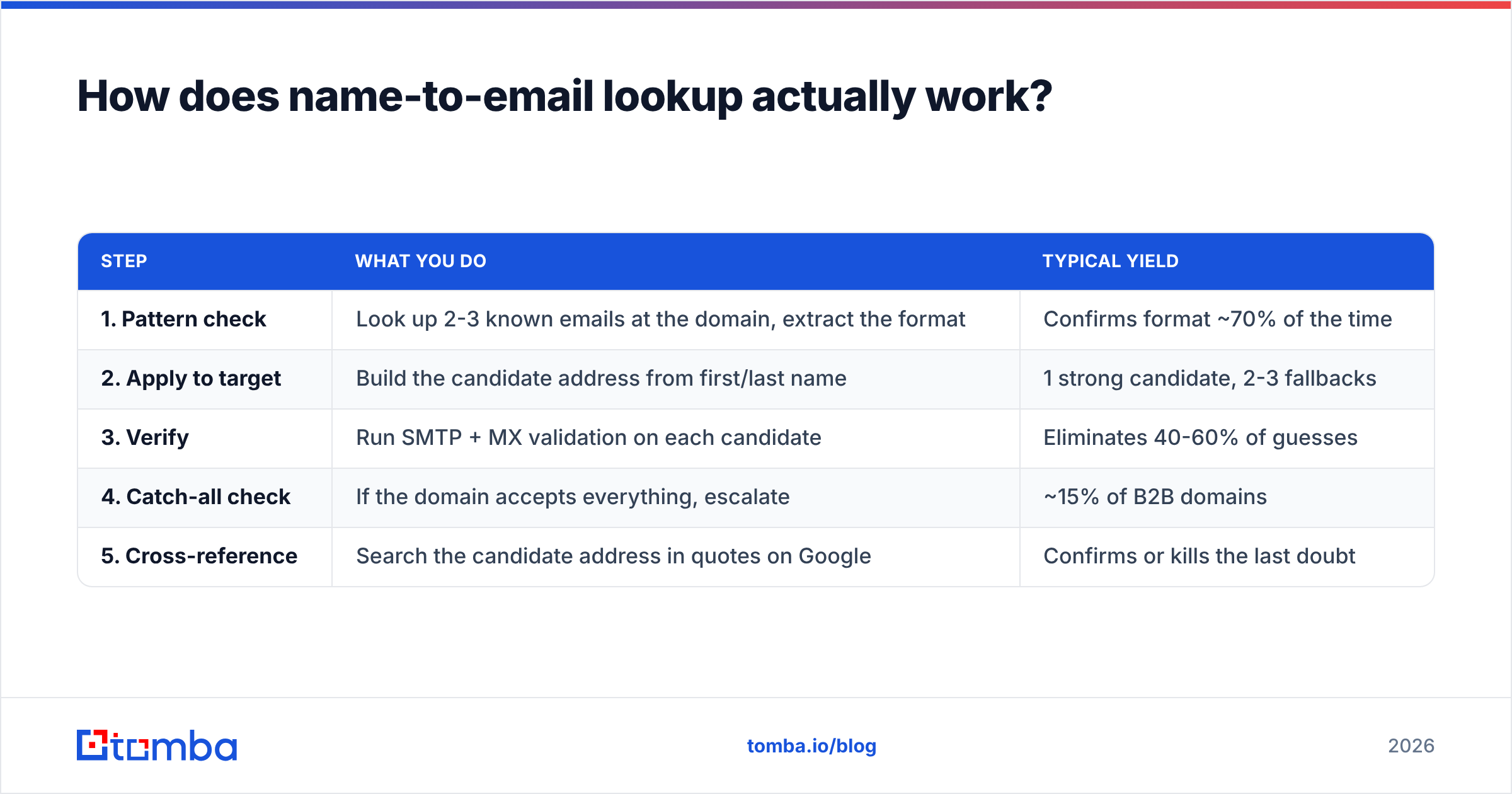
Here is the same idea as a decision path you can run manually when a tool comes back empty:
| Step | What you do | Typical yield |
|---|---|---|
| 1. Pattern check | Look up 2-3 known emails at the domain, extract the format | Confirms format ~70% of the time |
| 2. Apply to target | Build the candidate address from first/last name | 1 strong candidate, 2-3 fallbacks |
| 3. Verify | Run SMTP + MX validation on each candidate | Eliminates 40-60% of guesses |
| 4. Catch-all check | If the domain accepts everything, escalate | ~15% of B2B domains |
| 5. Cross-reference | Search the candidate address in quotes on Google | Confirms or kills the last doubt |
That manual sequence works. It takes about six minutes per contact. A tool does it in 300 milliseconds, which is the entire value proposition.
Why does accuracy vary so much between tools?#
Because "accuracy" is two numbers wearing one label, and vendors pick whichever one flatters them.
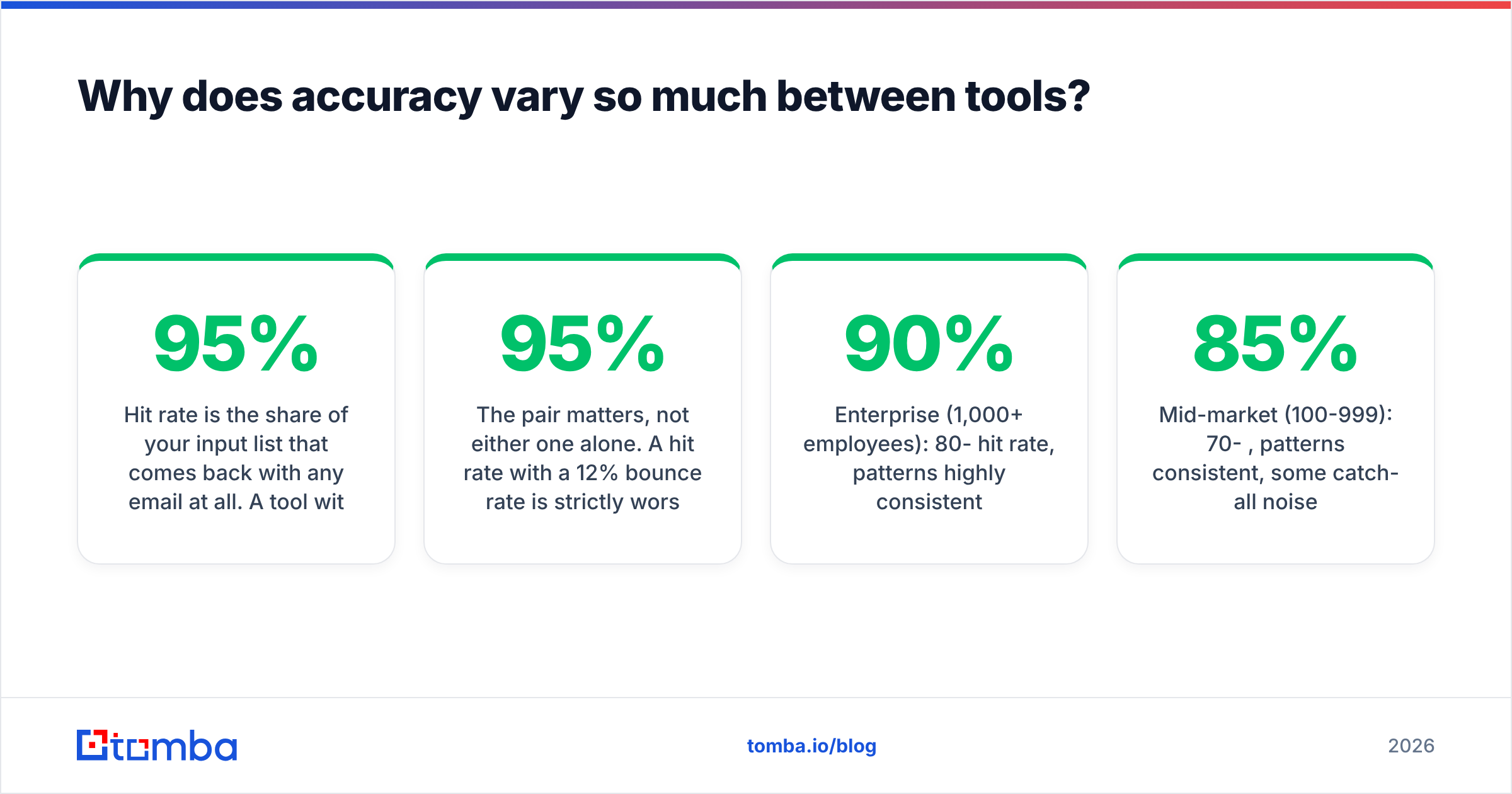
Hit rate is the share of your input list that comes back with any email at all. A tool with a loose confidence threshold can push hit rate to 95% by returning low-confidence guesses.
Bounce rate is the share of what came back that actually bounces when you send. The same loose threshold that inflated hit rate will wreck this number.
The pair matters, not either one alone. A 95% hit rate with a 12% bounce rate is strictly worse for your domain than a 72% hit rate with a 1.5% bounce rate — because bounces damage sender reputation and inbox placement in a way that missing contacts never do. Google and Microsoft both tightened bulk sender requirements over the past two years; sustained hard-bounce rates above 2-3% now translate directly into spam-folder placement for your entire domain, not just the campaign.

The other variable is company size. Name-based lookup performs best where there's public surface area to crawl. A 4,000-person software company has hundreds of employees with public bylines, GitHub accounts, and conference talks. A 6-person agency has a hello@ address and nothing else. Expect roughly:
- Enterprise (1,000+ employees): 80-90% hit rate, patterns highly consistent
- Mid-market (100-999): 70-85%, patterns consistent, some catch-all noise
- SMB (20-99): 55-70%, patterns get inconsistent as companies switch providers
- Micro (under 20): 30-50%, often a single shared inbox and no pattern at all
If your ICP is micro-businesses, a name-based finder is the wrong primary tool. Use domain search to grab whatever generic addresses exist and route them to a human.
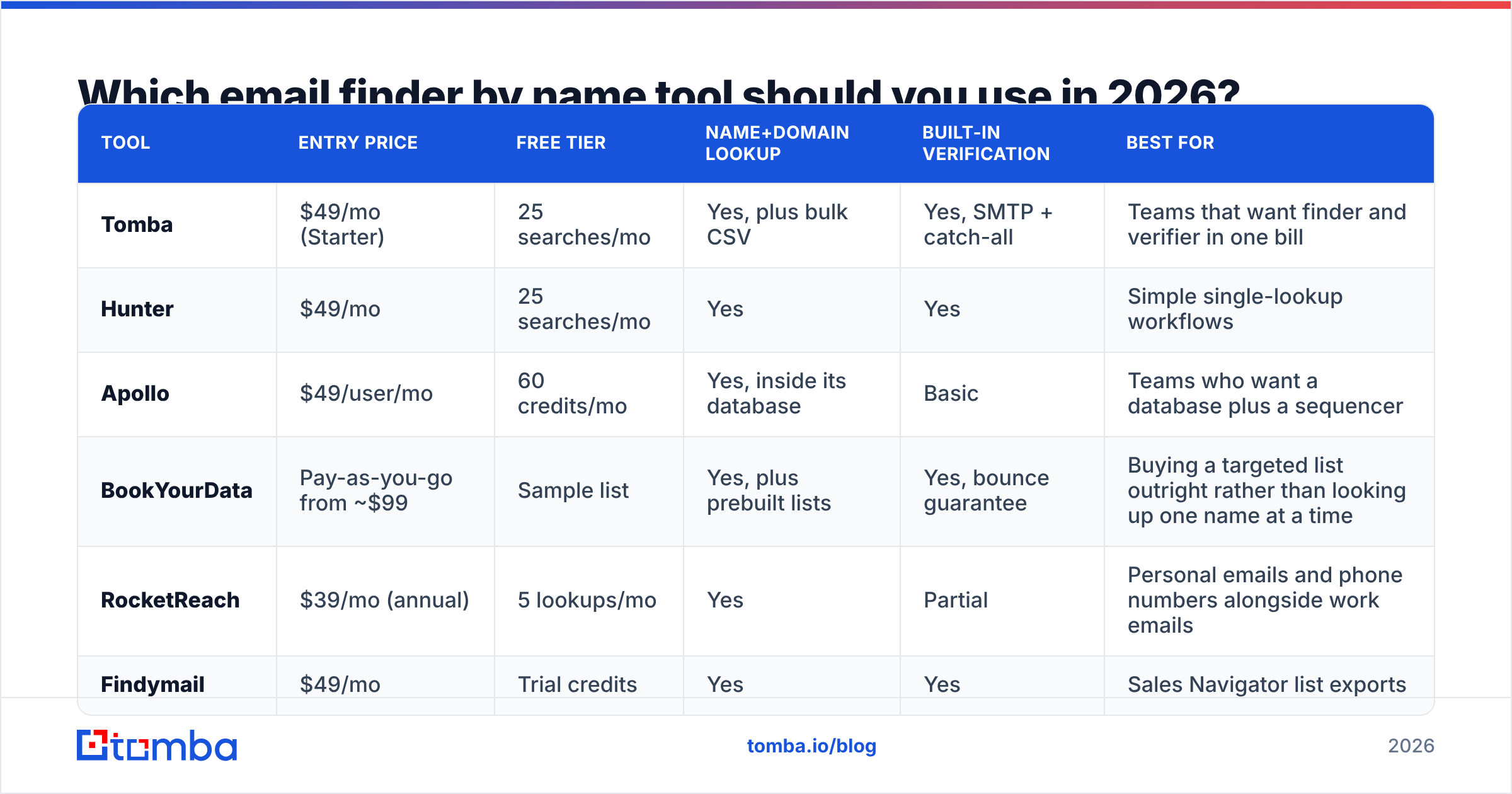
Which email finder by name tool should you use in 2026?#
Six tools worth comparing, chosen because they take name + domain as a first-class input rather than treating it as a bolt-on.

| Tool | Entry price | Free tier | Name+domain lookup | Built-in verification | Best for |
|---|---|---|---|---|---|
| Tomba | $49/mo (Starter) | 25 searches/mo | Yes, plus bulk CSV | Yes, SMTP + catch-all | Teams that want finder and verifier in one bill |
| Hunter | $49/mo | 25 searches/mo | Yes | Yes | Simple single-lookup workflows |
| Apollo | $49/user/mo | 60 credits/mo | Yes, inside its database | Basic | Teams who want a database plus a sequencer |
| BookYourData | Pay-as-you-go from ~$99 | Sample list | Yes, plus prebuilt lists | Yes, bounce guarantee | Buying a targeted list outright rather than looking up one name at a time |
| RocketReach | $39/mo (annual) | 5 lookups/mo | Yes | Partial | Personal emails and phone numbers alongside work emails |
| Findymail | $49/mo | Trial credits | Yes | Yes | Sales Navigator list exports |
A few honest notes on that table.
Tomba and Hunter are close on the core lookup and price. The practical difference is bundling: Tomba's email verifier, catch-all verifier, phone finder, and enrichment draw from the same credit pool, so you're not reconciling two invoices to verify the addresses you just found. Full Tomba pricing runs Free (25 searches/mo), Starter $49/mo, Growth $99/mo, Pro $249/mo, Enterprise custom.
Apollo isn't really competing on lookup quality — it's competing on being the whole stack. If you want a contact database, sequencer, and dialer in one seat, that bundle is the argument. If you only need name-to-email, you're paying for a sequencer you won't open. Compare notes on the Apollo alternative page if that's your situation.
BookYourData solves a different problem well. It's list-first rather than lookup-first: you specify a segment and buy the contacts, with a bounce guarantee attached. If your motion is "build a 5,000-contact list for a named segment this quarter," that's a cleaner fit than running 5,000 individual name lookups. If your motion is "our SDR found one person on LinkedIn and needs their email in the next 10 seconds," a lookup tool fits better. Both models are legitimate; they just answer different questions.
RocketReach leans toward personal contact data. That's genuinely useful for recruiting and for founders who don't check their work inbox, and it's a compliance question you should think through before using it in EU markets.

What breaks a name-based lookup?#
Six failure modes, in rough order of how often you'll hit them.
1. Catch-all domains. The mail server says yes to every address, including asdfgh@company.com. SMTP verification returns "valid" for nonsense, so your verification step becomes meaningless. About 15% of B2B domains do this. A dedicated catch-all finder uses secondary signals — pattern consistency across confirmed contacts, historical send data — to score these rather than rubber-stamping them.
2. Name ambiguity. Two Sarah Chens at a 5,000-person company. The finder returns one. You have a 50% chance of emailing a person who has no idea what your product does and no reason to forward it. Where possible, resolve through LinkedIn URL rather than name string.
3. Stale records. The person left 14 months ago. The address still resolves because IT kept the mailbox for forwarding. You get a "valid" result and zero replies, forever. Nothing in the SMTP protocol tells you a mailbox is abandoned — this is why re-verification before every campaign matters more than verification at import.
4. Non-Latin names and diacritics. Müller becomes mueller, muller, or müller depending on the company's directory setup. Nguyễn collapses differently across providers. Tools built primarily on US-English data underperform badly on DACH, Nordic, and APAC lists.
5. Legal names versus preferred names. LinkedIn says "Mike Torres." Payroll says "Michael Torres." The email is mtorres@ or michael.torres@ — inferred from the legal name your source doesn't have. Always test both variants.
6. Aliased and role-routed inboxes. Larger orgs route sales@, partnerships@, and even individual-looking addresses through shared queues. The address is real, the human on the other end is a rotating rep, and your personalized opener lands wrong.
The practical defense against all six is the same: verify at send time, not at import time, and treat any single-source result as a hypothesis. If you're processing volume, run the list through bulk verify the week you send rather than the month you built it.
How should you build this into an actual workflow?#
A workflow that survives contact with a real quarter looks like this.
Source the name and company first, not the email. Your ICP filter should produce a list of people, from LinkedIn Sales Navigator, a conference attendee list, a G2 category page, or your own website visitors. The email is the last field you fill, not the first thing you buy.
Batch, don't drip. Run 200 names at once through a bulk lookup rather than 200 individual searches. You'll spend fewer credits on failed lookups because bulk endpoints usually deduplicate and skip known-bad domains before charging you.
Split the output three ways. Verified-valid goes straight to sequence. Catch-all and risky go to a LinkedIn-first or phone-first track — a phone finder result on a catch-all contact is often worth more than a coin-flip email. Not-found goes back to research or gets dropped.
Enrich after you verify, not before. Job title, company size, and tech stack cost credits. Spending them on contacts you can't reach is pure waste. Run data enrichment on the verified segment only.
Re-verify before every send. B2B contact data decays at roughly 25-30% per year, which means a list you built in January is materially worse by June. Re-verification is cheap. A damaged sending domain is not.
Wire it into the tools your team already opens. A Tomba Chrome extension lookup while an SDR is already on a LinkedIn profile beats a CSV round-trip. For engineering-owned pipelines, the Tomba API does the same job programmatically, and Google Sheets covers the middle ground where an ops person is manipulating a list by hand.
Is name-based lookup legal and compliant?#
Short answer: work emails at companies are generally treatable as business contact data, but the specific rules depend on where your recipient sits, and "generally" is doing real work in that sentence.
Under GDPR, a work email that identifies an individual (sarah.chen@acme.com) is personal data. Cold outreach can rest on legitimate interest, but you need a documented balancing test, a clear opt-out in every message, and the ability to honor deletion requests — including deleting the contact from the source list, not just suppressing the send. Generic role addresses (sales@acme.com) carry less risk because they don't identify a person.
Under CAN-SPAM in the US, cold B2B email is permitted with accurate headers, a valid physical address, and a working unsubscribe. There's no prior-consent requirement.
CASL in Canada is the strictest of the three — it requires express or implied consent before sending, with implied consent covering things like a published business address relevant to the recipient's role. Assume you need a real justification, not a lookup result.
Two practical rules that keep you out of trouble regardless of jurisdiction: keep a record of where each contact came from, and make unsubscribe genuinely one click. Vendors publish their data sources for exactly this reason — when a recipient asks "how did you get this," you should be able to answer in one sentence. If you want more background on the legal frameworks themselves, the GDPR overview on Wikipedia is a reasonable neutral starting point, and G2's email finder category is useful for reading what actual buyers say about vendor data hygiene rather than what vendors say about themselves.
What's the honest verdict?#
Name-based email lookup is a solved problem for mid-market and enterprise targets, and a partially solved one everywhere else. If your ICP is companies with 100+ employees, expect a good tool to return a verified address for roughly three out of four names you feed it, at a cost of a few cents each. That math works.
If your ICP is very small companies, solo consultants, or heavily non-US markets, budget for a lower hit rate and build a LinkedIn or phone fallback into the workflow from day one rather than discovering the gap mid-quarter.
The mistake that costs the most isn't picking the wrong vendor — the tools cluster tightly on quality at this price point. It's treating a returned address as a fact instead of a claim. Verify, re-verify before send, and keep your hard-bounce rate under 2%. That single discipline is worth more than any accuracy difference between the tools in the table above.
Ready to test it against your own list? Start with the Tomba Email Finder — the free tier gives you 25 searches a month with no card, which is enough to run a real sample of your ICP and see your actual hit rate rather than a marketing number. If it holds up, Starter is $49/mo and the verifier, catch-all checks, and enrichment run off the same credits, so your finding and your list hygiene stay on one bill.
Related guides#
// get started
Find, verify and enrich your first contacts today
Start on the free plan with 25 searches a month, then scale when your team is ready.
Free plan · No credit card required · GDPR & CCPA
// about the author